5 Best ChatGPT Alternatives for Coding (And Who Each Is For)

Yi

Yi

SEO Expert & AI Consultant

chatgpt alternatives for coding

So yeah, let’s just jump in and check out some of the best alternatives to ChatGPT for coding. Among these, there's a Python code generator that is not only a good alternative, but feels like a total game-changer. It brings fresh stuff and new ways of thinking into the whole programming world. This tool is AI-powered, beginner-friendly, and perfect for pros, significantly boosting coding efficiency.

1. GitHub Copilot X

GitHub Copilot

What makes GitHub Copilot X really stand out and honestly kind of cool is how it can give you real-time code suggestions and completions. It’s almost like having a really experienced programmer sitting next to you, who just jumps in whenever you get stuck or feel unsure. You type a few lines of code and then, almost like magic, the AI fills in the rest and helps you write cleaner, more efficient code.

"GitHub Copilot X doesn't just give you fish; it equips you with fishing skills."

Here’s basically how it works:

  1. You start typing your function.
  2. GitHub Copilot X looks at what you wrote.
  3. Then it suggests the rest of the code based on your input.

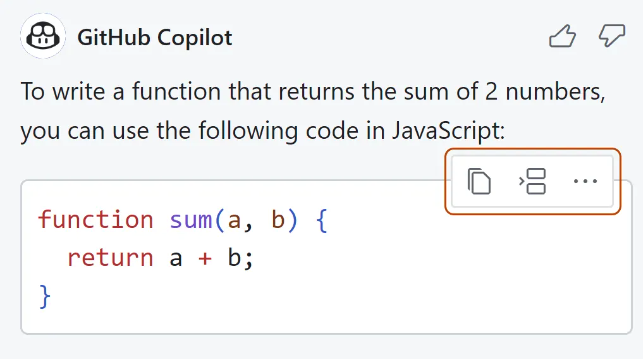
So for example, if you start writing a simple function to add two numbers:

# With GitHub Copilot X
def add_numbers(a, b): """Add two numbers""" # Start typing your function here...

As soon as you begin typing, GitHub Copilot X jumps in and offers the rest of the function for you:

# Suggested by GitHub Copilot X
def add_numbers(a, b): """Add two numbers""" return a + b

But GitHub Copilot X isn’t just some basic code completion tool. It actually learns how you like to write code and adjusts itself to match your style. Kind of like having a personal tailor, but for your programming projects, which sounds weird but also kinda nice.

A Game-Changing Programming Tool

GitHub Copilot X is not just another ChatGPT replacement; it’s a pretty big step forward for programming in general. By using powerful AI, this tool helps developers write better code, faster, and usually with fewer mistakes too.

"GitHub Copilot X doesn't just give you fish; it equips you with fishing skills."

A lot of other alternatives to ChatGPT focus more on writing text or handling conversations, but GitHub Copilot X is different. It’s focused mainly on programming! Because of that, it’s a great option for developers who want AI help that’s actually built for coding and not just chatting.

Harnessing the Power of GPT-4

At the core of GitHub Copilot X is GPT-4, which is a language model trained on a massive amount of text from all over the internet. This model can understand context, notice patterns and predict what you’re going to type next with pretty impressive accuracy.

Because GPT-4 has been trained on tons of open-source code, GitHub Copilot X doesn’t just throw random code snippets at you. Instead, it usually gives more relevant and reliable suggestions that line up with good software development practices.

Shaping the Future of Coding with AI

With tools like GitHub Copilot X coming out, coding is slowly becoming less scary and a lot more approachable for pretty much everyone, from experienced developers to total beginners just trying things out.

This mix of advanced AI and real, practical use in everyday coding is a good example of how ChatGPT alternatives are starting to push limits in all kinds of different areas.

Reviews and User Feedback on GitHub Copilot X

Most of the developer community has reacted pretty positively to GitHub Copilot X. A lot of users mention that it saves them time and really boosts their productivity when they’re working.

One user said it "not only improves coding speed but also helps understand better coding practices." Another person loved that it "acts like a pair programmer, understanding my intent and providing me with code snippets that I would not have thought of."

People also really like that the tool can adapt to different coding styles. One developer shared, "I love how it learns my style over time and starts suggesting code in a way that feels natural to me."

Of course, GitHub Copilot X isn’t perfect. Some users mentioned that sometimes it suggests code that’s wrong or not very efficient. But most of them say these issues don’t happen that often and are easy to ignore when you look at how helpful the tool is overall.

Pricing of GitHub Copilot X

GitHub Copilot X has a pretty straightforward pricing setup:

  • $10/month if you pay monthly.
  • $100/year if you pay yearly, which basically gives you two months free compared to paying every month.

For businesses, the pricing is also quite appealing:

  • $19 per user per month, which works nicely for teams of different sizes and lets companies scale as they grow.

If you’re a developer looking for an AI-powered assistant that really understands what you’re trying to do and adjusts to your coding style, then GitHub Copilot X might honestly be a perfect fit for you.

2. Amazon CodeWhisperer

Amazon CodeWhisperer

Amazon CodeWhisperer is a top ChatGPT alternative for coding. Amazon CodeWhisperer is an AI-powered sidekick that’s built to kinda change how developers write and review code. This tool is pretty fancy honestly, it goes way beyond a normal IDE (Integrated Development Environment) with its advanced features and machine learning stuff.

Power-Packed Features

Amazon CodeWhisperer is not just a tool, it's like a full-on powerhouse of features that tries to speed up your coding while also making it better quality. Here are the main things it can do:

  • Code Completion: No more half-finished or totally wrong code snippets. CodeWhisperer uses AI to learn your usual coding style and gives you real-time, accurate suggestions, from tiny snippets all the way to complete functions.
  • Error Detection: Catch bugs and mistakes faster with CodeWhisperer's error detection feature. It scans through your code carefully and helps you find problems before they grow into big annoying issues.
  • Code Quality Analysis: With CodeWhisperer, you can make sure each line of code follows strong quality standards. It helps keep your codebase robust, reliable and efficient, or at least much closer to that.

CodeWhisperer uses advanced machine learning techniques to understand complex code patterns and give really accurate suggestions, which kinda makes it an essential buddy for a lot of developers.

Integrated with Amazon Web Services (AWS)

Since it’s part of the Amazon Web Services suite, CodeWhisperer fits in smoothly with other AWS tools. So you can build, deploy and manage applications faster on AWS’s secure and scalable platform.

Flexible Pricing Based on Usage

The pricing model for CodeWhisperer is usage-based, meaning you just pay for what you use. So it works for developers with different needs and budgets. Whether you’re a solo dev messing around on a side project, or a big company building complex apps, there’s probably a plan that works for you.

Amazon CodeWhisperer is not your regular ChatGPT alternative, it's designed specifically with a coding ability than ChatGPT; it's more like a smart coding companion that helps developers unlock their full potential while making their whole coding journey smoother and more efficient.

3. Tabnine

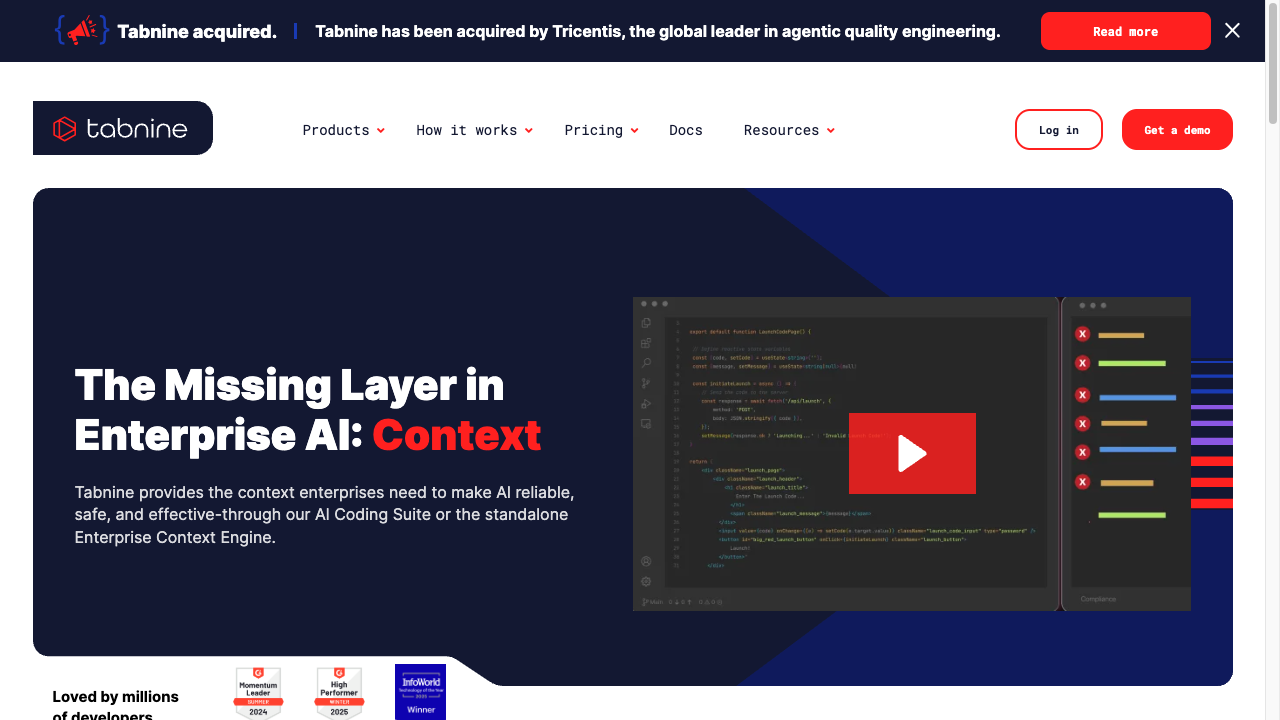
Tabnine is a pretty powerful ChatGPT alternative for coding. It gives you smart AI-powered code auto-suggestions right inside your IDE, kind of like GitHub Copilot. Since it’s trained on a big dataset of open-source programs, it can give you code suggestions that actually fit the context and help speed up your coding process a lot.

Tabnine really stands out because of its customization feature. Developers can actually train their own AI models to match their specific coding style and needs, which is pretty cool. It’s also super flexible and works smoothly on a bunch of IDEs (like VSCode, Sublime, Vim, Android Studio), different languages (including JavaScript, Python, TypeScript), and platforms (like computers, servers, offline and cloud environments). So yeah, it kinda goes everywhere with you.

However, it might not always be as accurate as ChatGPT when it comes to code snippet recommendations, mostly because it has less training data. For pricing, there are both free and paid plans, and the paid one gives you extra features at $20/month.

Pros of Using Tabnine

  • Advanced AI-Powered Auto-Suggestions: Tabnine uses pretty advanced AI tech to give you auto-suggestions for code snippets, which can seriously speed up your coding and make things feel a lot more efficient.
  • Customization: One of the coolest things about Tabnine is that it lets developers train and customize their own AI models. So yeah, you can kind of shape it around your own coding style and needs, which is super helpful if you like things your own way.
  • Versatility: Tabnine's compatibility with a wide range of IDEs (like VSCode, Sublime, Vim, Android Studio) and languages (JavaScript, Python, TypeScript), plus the way it can run on different platforms (computers, servers, offline, cloud) really boosts its versatility and makes it easier to fit into whatever setup you already use.

Cons of Using Tabnine

  • Less Precision in Code Snippet Recommendations: Compared to ChatGPT, Tabnine might not be as accurate with its code snippet recommendations. It can feel a bit off sometimes, probably because it has less training data to work with.
  • Cost of Paid Plan: There is a free plan you can use, but to unlock more features you need a subscription plan that costs $20/month. If you’re on a tight budget or just trying to save money, this might be a real issue.

Personal Experience With Tabnine

Using Tabnine honestly made my coding a lot smoother. It gives pretty fast and relevant auto-suggestions most of the time, so I didn’t have to keep typing everything out myself. Since it kind of learns from the project context and what you’re working on, it can suggest code snippets that actually fit, which has saved me a good amount of time while developing stuff.

The customization feature where I could train my own AI model was also really helpful, because it sort of adjusts to my own coding style and needs. That felt like a big plus. Still, I did notice that sometimes the code suggestions weren’t super precise and could definitely be better here and there. So yeah, not perfect. But overall, even with the cost of the paid plan, I still felt like using Tabnine was worth it, mainly because of its many features and how it works well on different IDEs and platforms.

4. Rix

Rix is an AI chatbot by Hashnode that kind of works like a ChatGPT alternative for coding. It’s made mainly for developers, so it focuses a lot on giving programming solutions with citations. You can even run or execute code right there on the platform, which is pretty handy if you don’t want to keep switching tabs all the time.

Rix supports a bunch of programming languages like Python, NextJS, TailwindCSS, React Native and a few others too. But, when it comes to breaking down really complex or intricate programming concepts, it’s honestly not always the best at explaining things clearly. Sometimes it just feels a bit limited there.

Pros of Using Rix

  1. Built for Developers: Rix is made with developers in mind, so it fits really well for programming tasks and stuff you do while coding.
  2. Citations Provided: Unlike a lot of other tools, Rix actually gives programming solutions with citations, which makes the answers feel more legit and gives you reference points to check if you want.
  3. In-Platform Code Execution: You can run code right inside the platform, which is a pretty cool and unique feature that Rix has. It saves time and just makes the whole coding process a bit easier and less jumpy.
  4. Supports a Variety of Programming Languages: From Python to NextJS, TailwindCSS, and React Native, Rix works with a wide range of popular programming languages, so you’re not really stuck with just one thing.

Cons of Using Rix

  1. Insufficient Explanation of Complex Concepts: While Rix can give answers to a lot of programming problems, it might struggle more when it needs to explain really complex or detailed programming concepts. So yeah, it works, but sometimes the explanations feel kind of shallow or not super clear when things get tricky.
  2. Limited Functionality Compared to Some Competitors: Compared to some other ChatGPT alternatives like GitHub Copilot or AskCodi, Rix might be missing a few features or abilities. It’s still useful, just maybe not as packed with tools as those other options.

Personal Experience With Rix

So, I’ve had a pretty good experience using Rix in my development projects overall. The tool’s way of giving solutions with citations really stood out to me, because it let me look more into the problems I was trying to solve and kinda double check things. Also, being able to execute code right there on the platform was super helpful, like, I didn’t have to keep jumping to another place to test stuff.

That said, there were a few times where the explanations for some of the more complex concepts felt a bit shallow and not super clear. I kinda had to go look things up on my own. And when I compare it to other tools I’ve used, like GitHub Copilot or AskCodi, Rix feels a little limited in what it can do.

Even with those small issues, I’d still say Rix is a pretty useful tool for developers who are looking for ChatGPT alternatives, and it can definitely work as a helpful assistant in a bunch of different coding situations.

5. AskCodi

AskCodi is an OpenAI-powered tool that works kind of like a ChatGPT alternative for coding. It’s made for developers at pretty much any level, from beginners to people who really know their stuff. AskCodi can understand a lot of different programming languages, from JavaScript to LUA and more in between.

One of the most noticeable things about AskCodi is its integration capabilities. It smoothly integrates with frontend and backend use cases, and it also comes with a lot of helpful stuff like detailed code documentation, explanation features, and testing options. So yeah, it’s pretty handy if you’re working on different parts of a project.

AskCodi gives you 100 free tokens per prompt per month. After you hit that limit, you’ll either have to upgrade your plan or just wait until the start of the next month for it to reset.

Pros of Using AskCodi

  1. Deep Understanding of Programming Languages: AskCodi is powered by OpenAI, so it has a pretty deep understanding of a bunch of programming languages. Stuff like JavaScript and LUA, and honestly more than that. This makes it a really flexible tool for developers who are jumping between different languages and projects.
  2. Integration with Frontend/Backend Use Cases: AskCodi’s ability to work smoothly with both frontend and backend use cases makes it a practical tool for developers who deal with, like, multiple parts of a project. So if you are switching from UI stuff to server logic, it still fits in.
  3. Extensive Code Documentation and Explanation Features: Besides just giving code suggestions, AskCodi also comes with a lot of code documentation and explanation features. That way, it’s easier for developers to actually understand the code they are working on, not just copy it.
  4. Free Tokens: With 100 free tokens per prompt per month, AskCodi gives developers plenty of chances to try out and use its features without having to pay extra right away. It’s pretty generous for testing and regular use.

Cons of Using AskCodi

  1. Limit on Free Tokens: The limit on free tokens can be kind of annoying for heavy users, since once you hit that cap, you either have to upgrade your plan or just wait until the next month. So yeah, if you use it a lot, it might feel a bit restricting.
  2. Learning Curve: Like most advanced tools, there’s a bit of a learning curve when you start using AskCodi. It can take some time to really use it well, and this might be harder for newer or less experienced developers who are still figuring stuff out.

Personal Experience With AskCodi

So, I’ve been using AskCodi for a while in my coding projects, and honestly it’s been super helpful. It understands a bunch of programming languages really well, which kind of surprised me at first, and it usually gives pretty good suggestions right when I’m stuck or not sure what to try next. The documentation and explanation features are great too, they really help explain what the code is actually doing, so I ended up understanding my own code a lot better.

That said, I did run into the free token limit a few times during some longer, more intense coding sessions, and yeah, that got a little annoying. Still, when I look at everything it offers and how useful it’s been, I’d say AskCodi is easily one of the best ChatGPT alternatives out there for developers right now.

Conclusion

When it comes to coding, having a good AI assistant can seriously change how you work. Like, it can really save a lot of time. There are quite a few alternatives to ChatGPT now, so developers kind of have a lot to pick from and maybe even too many choices sometimes.

  • Tabnine: Gives context-based code suggestions and lets you train custom AI models. It’s really nice for open-source projects and stuff like that, but it might not always give super accurate or exact code snippet recommendations when you really need them.
  • Rix: Provides programming solutions with citations and even on-platform code execution. It works well for developers using Python, NextJS, TailwindCSS, React Native, etc. It’s pretty efficient, but it can sometimes struggle a bit with really detailed explanations for certain programming questions.
  • AskCodi: Has a strong understanding of many different programming languages and works for both frontend and backend use. It’s a pretty complete tool for developers at any level, beginner or advanced. The only thing is, the limit on free tokens can be a problem for people who use it a lot.

All of these tools have their own specific strengths and weaknesses. So the best choice really depends on what you personally need and prefer as a developer. No matter which one you end up using, what really matters is using these technologies in a smart way so they help you with your coding process and boost your productivity.

Conclusion

In the world of coding, having a really good AI assistant can honestly make a huge difference. Like, it can totally change how fast and how smoothly you work. And now that there are several options available to ChatGPT, developers have a bunch of different tools to pick from.

  • Tabnine: Gives context-based code suggestions and even has custom AI model training capabilities. It’s pretty great for open-source projects and stuff like that, but it might not always give the most accurate or super precise snippet recommendations, which can be a little annoying sometimes.
  • Rix: Offers programming solutions with citations and also on-platform code execution. It’s really efficient for developers working with Python, NextJS, TailwindCSS, React Native, etc. Though, it might not always be the best at explaining certain programming questions in a very clear way, so you may have to figure a few things out on your own.
  • AskCodi: Stands out because it has a deep understanding of a bunch of different programming languages and can be used in both frontend and backend work. It’s a pretty comprehensive tool for developers at all levels, beginners to advanced. But the limit on free tokens could be a problem for heavy users who code a lot every day.

Each of these tools has its own strengths and weaknesses. So really, the choice comes down to your specific needs and what you personally like as a developer. No matter which tool you end up using, the main thing is to use these technologies to help with your coding process and, hopefully, boost your productivity instead of slowing you down.

Frequently asked questions
  • Some of the best ChatGPT alternatives for coding are things like GitHub Copilot X, Amazon CodeWhisperer, Tabnine, Rix by Hashnode, and AskCodi. These AI-powered tools come with a bunch of advanced features that help developers write code more efficiently, or at least a bit faster and easier.
  • GitHub Copilot X is powered by GPT-4, and honestly it gives kind of game-changing programming assistance. It brings in these really innovative AI tools that are shaping the future of coding, like for real. It helps you by giving accurate code suggestions, and it just sort of fits right into your development environments so things feel pretty seamless when you’re working.
  • Amazon CodeWhisperer works right inside Amazon Web Services (AWS), so developers can use its powerful AI features directly in the whole AWS ecosystem. It uses a flexible, usage-based pricing model, which basically means you only pay for what you use, so it can be pretty cost-effective depending on what you personally need.
  • Tabnine gives you pretty advanced AI-powered auto-suggestions that can really help boost your coding speed and overall efficiency. It kind of speeds things up a lot when you’re writing code, which is nice. However, it might not always be the most precise when it comes to specific code snippet recommendations, at least compared to some other tools out there. Some people say it’s a bit less exact sometimes. Still, a lot of users have reported that their whole coding experience got way better with Tabnine, so yeah, it’s been pretty helpful for many developers.
  • Rix is an AI chatbot made mostly for developers, like it’s kind of built around helping with coding stuff. It gives pretty tailored help with coding tasks and things like that, so it can fit into what you’re working on. But sometimes, especially with really complex concepts, it might not explain things enough or go as deep as you want. So yeah, it’s not always perfect there. Overall though, most users still find Rix pretty helpful in their development workflow and use it as part of their regular coding routine.
  • AskCodi is powered by OpenAI and it shows a really deep understanding of programming languages, so yeah, it can be a pretty valuable tool for developers. It helps a lot. But there’s a catch, it has this limit on free tokens, which kind of gets in the way if you want to use it a lot without a subscription. Still, many users find AskCodi incredibly useful for coding assistance and keep going back to it.