
Free Youtube To Blog AI Generator
Convert YouTube videos into structured blog posts, SEO outlines, summaries, content briefs, FAQs, headings, key takeaways, and optional timestamp highlights. Paste a video URL, choose intent, tone, length, and keywords, then repurpose the video into readable written content faster.
Blog Post
Your YouTube-to-blog article will appear here...
Repurposing web pages as well as videos? You can also turn any URL into a blog post the same way.
How the YouTube to Blog Post Converter Works
Get results in seconds with a simple workflow.
Paste Your YouTube Link
Add the YouTube video URL you want to repurpose. Optionally add a preferred title and target keywords to guide the article angle and on-page SEO.
Choose Intent, Tone, and Length
Select search intent (informational, commercial, etc.), choose a tone that matches your brand voice, and set a word count that fits your content strategy.
Generate, Then Optimize for Your Site
Get a structured blog post draft with headings and FAQs. Add internal links, a featured image, and any firsthand insights to improve E-E-A-T and ranking potential.
See It in Action
Example of converting a YouTube video idea into a structured, SEO-friendly blog post with headings, takeaways, and FAQs.
YouTube video: “How to Do Keyword Research for a New Website”
I want to turn this video into a blog post for my SEO blog.
Title: How to Do Keyword Research for a New Website (Step-by-Step + Free Tools)
Introduction: Launching a new site is exciting—until you realize you need keywords you can actually rank for. This guide breaks down a practical keyword research process for new websites.
H2: What Keyword Research Is (and Why It Matters) H3: Seed topics, intent, and topical relevance
H2: Step 1 — Collect Seed Keywords From Your Offers and Audience Questions H2: Step 2 — Expand Ideas With Free Tools (Autocomplete, PAA, Related Searches) H2: Step 3 — Evaluate Difficulty and Pick Realistic Long-Tail Keywords H2: Step 4 — Map Keywords to Pages (Pillar Page + Supporting Articles) H2: Step 5 — Build an Internal Linking Plan
H2: Key Takeaways
- Focus on one primary keyword per page
- Prioritize long-tail terms for faster wins
- Match content format to search intent
FAQ Q: How many keywords should a blog post target? A: One primary keyword plus several closely related secondary terms.
Conclusion: With a repeatable process, your keyword plan becomes a compounding asset that grows traffic over time.
Why Use Our YouTube to Blog Post Converter?
Powered by the latest AI to deliver fast, accurate results.
YouTube Video to Blog Post Conversion (SEO Structure)
Turns a video into a readable, SEO-friendly article with a strong intro, H2/H3 headings, scannable sections, and a clear conclusion—ready for content repurposing and organic search.
Keyword-Aware Writing Without Stuffing
Uses your target keywords naturally in key on-page locations (title, headings, body, FAQs) while maintaining clarity, search intent alignment, and a human reading experience.
Built-In FAQs for Long-Tail SEO
Adds an FAQ section with search-relevant questions to improve topical coverage, satisfy user intent, and capture long-tail queries commonly surfaced in 'People Also Ask'.
Cleaner Than a Transcript (Readable, Blog-Ready)
Transforms spoken content into polished writing: removes repetition, improves flow, and organizes ideas into coherent sections so your post reads like an original article—not a raw transcript.
Repurposing-Friendly Output for Content Teams
Ideal for scaling content marketing: convert one video into multiple assets (blog post, outline, brief, takeaways) to build topical authority and maximize ROI from video production.
Pro Tips for Better Results
Get the most out of the YouTube to Blog Post Converter with these expert tips.
Add internal links to build topical authority
After generating, link to supporting posts and a relevant pillar page. Strong internal linking helps distribute authority, improves crawl paths, and strengthens topic clusters.
Match the intro to the search intent
For informational queries, promise a clear learning outcome. For commercial intent, add evaluation criteria and who each option is best for. Intent alignment improves engagement and reduces bounce.
Create a content cluster from one video
Use the generated FAQs and subtopics as separate long-tail posts. This is an effective way to scale SEO content from a single YouTube asset.
Add original experience to avoid generic content
Include your own steps, screenshots, mini case studies, or examples. Specificity improves perceived expertise and differentiates the post from other repurposed content.
Optimize the last mile (title, meta, snippets)
Edit the title for click-through rate, write a tight meta description, and add a short takeaway summary. These changes can improve SERP performance and readability.
Who Is This For?
Trusted by millions of students, writers, and professionals worldwide.
Convert a YouTube Video Into a Blog Post Without Publishing a Transcript
A YouTube to blog converter should not just clean up a transcript. Spoken content and written content work differently. A video can be conversational, repetitive, and nonlinear. A blog post needs a clear title, search intent, headings, examples, takeaways, and a next step.
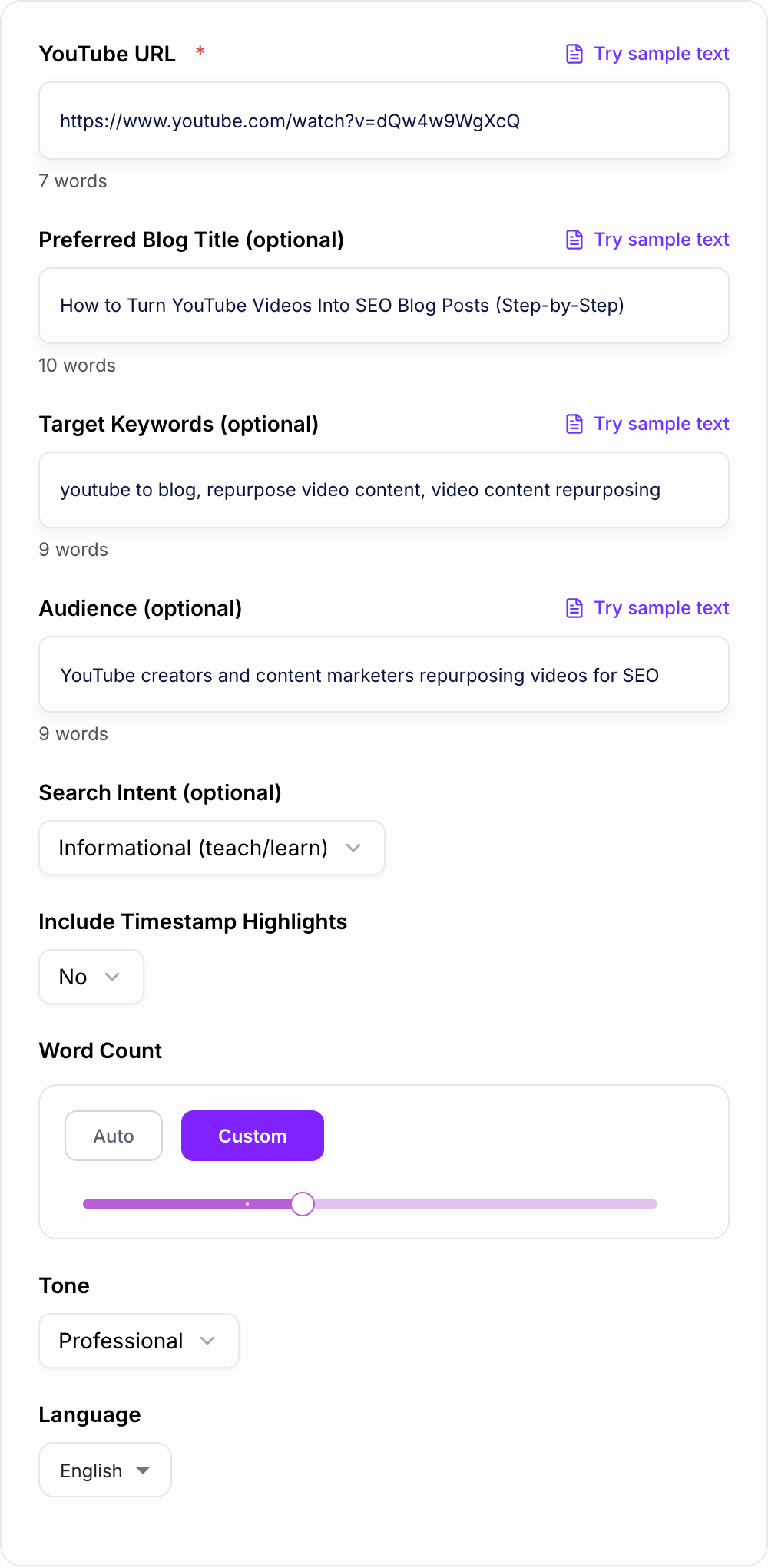
Use this YouTube to Blog Converter to turn a video URL into a full article, SEO outline, summary, writer brief, FAQ section, or timestamped highlight list. The best results come when you guide the tool before generating and then review the draft before publishing.
What to Enter Before You Generate
Start with the YouTube URL, then add the details that shape the article.
Useful inputs include:
- preferred blog title, if you already know the angle
- one primary keyword
- a few secondary keywords or related questions
- target audience
- search intent: informational, commercial, transactional, or navigational
- word count range
- tone
- whether to include timestamp highlights
If you skip these fields, the converter can still create a draft. But adding audience, keyword, and intent usually creates a post that needs less rewriting.
Choose the Right Output Mode
A full article, an outline, and a timestamp list need different inputs. Give it the video URL, your target keyword, and the article shape you want rather than asking it to republish the transcript.
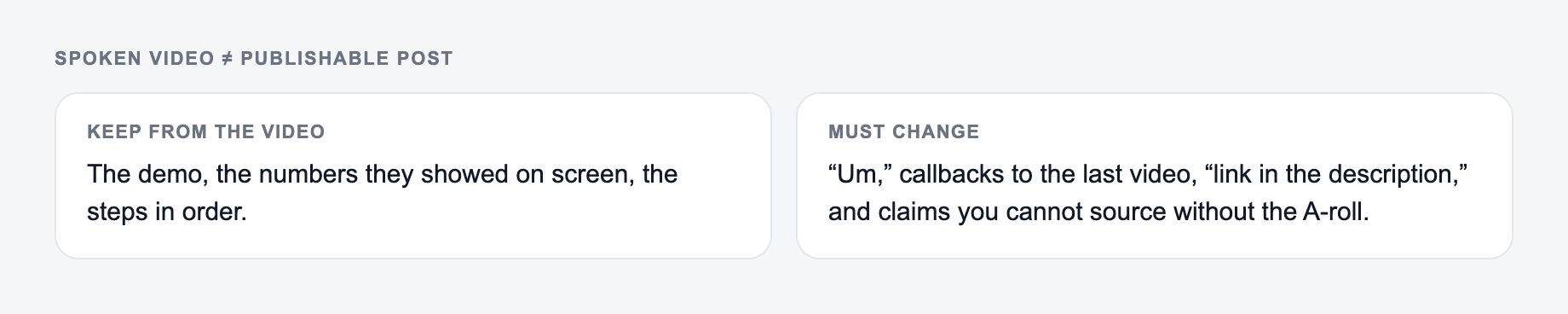
Preservation rules for the YouTube to Blog Post Converter:
- Keep proper nouns and product names exactly.
- Keep numbers, dates, and “may/must.”
- Keep quotes inside quotation marks.
- If a sentence was a warning, the rewrite still has to warn.
Spoken video and a publishable post diverge in predictable ways: repetition comes out, headings go in, and any claim that was only gestured at on camera has to be sourced or cut.
Choose full blog post when you want a draft with intro, headings, body sections, conclusion, and FAQs.
Choose SEO outline when you want the structure first. This is better for teams that assign articles to writers or editors.
Choose summary and key takeaways when the video is useful but does not need a full article yet.
Choose content brief when you need title options, target reader, search intent, headings, examples, CTA notes, and FAQ ideas before writing.
Choose expert depth when the video topic needs trade-offs, examples, and nuance. Still review the output carefully so it does not invent claims that were not in the video.
Match the Article to Search Intent
The same video can become different articles depending on intent.
For informational intent, focus on steps, definitions, examples, mistakes, and FAQs. For commercial intent, add evaluation criteria, comparisons, pros and cons, and who each option fits. For transactional intent, emphasize the action path, template, checklist, or sign-up step. For navigational intent, keep the article tighter and help the reader reach the exact page or workflow.
Set intent before word count. A short transactional page can outperform a long article if it gives the reader the action they came for.
How to Review the Generated Blog Post
A good converted post should be easier to read than the transcript. It should have sections that make sense without the video, but it should still preserve the ideas and claims from the source.
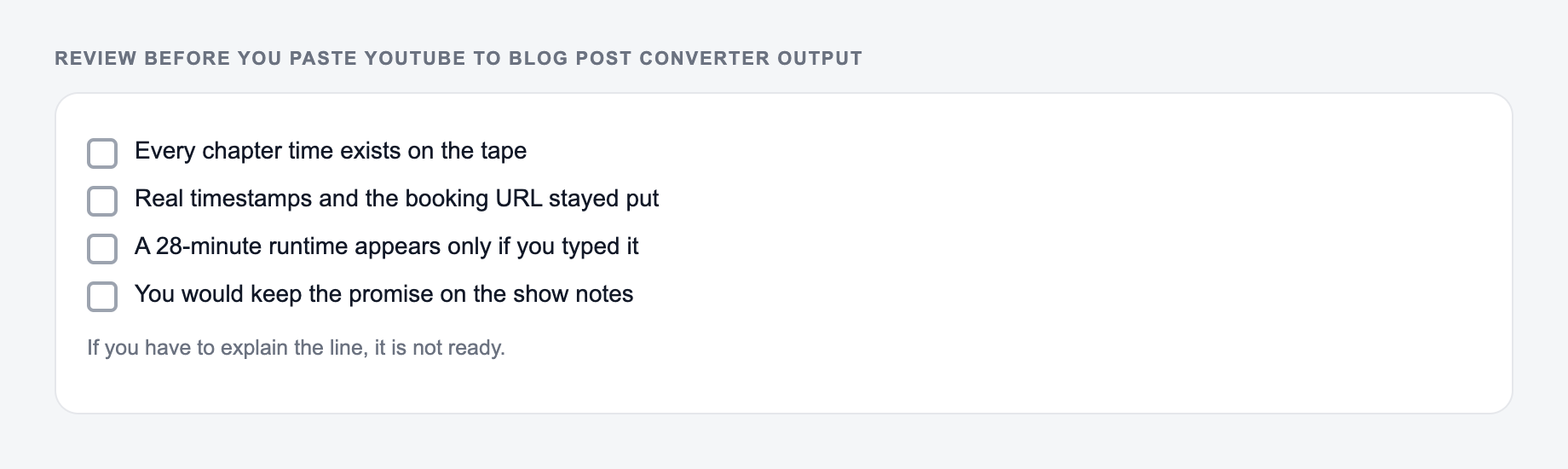
Before publishing, check:
- Does the title match a real search query?
- Does the intro promise a clear outcome?
- Are the H2s organized around reader needs, not video chronology only?
- Did the converter remove filler and repetition?
- Are claims, names, dates, tool steps, and statistics accurate?
- Are FAQs relevant to the topic?
- Did you add original examples, screenshots, opinions, or next steps?
Never treat the generated post as final when the video includes technical advice, health claims, legal topics, finance claims, or named statistics. Verify those details first.
Use Timestamps When They Help the Reader
What should have changed after the YouTube to Blog Post Converter: rhythm, order, or wording. What must not: names, numbers, quotes, and “may/must.”
Timestamp highlights are useful when the article embeds the video, summarizes a tutorial, or helps readers jump to specific moments. They are less useful when the video is a loose conversation or opinion piece.
If you include timestamps, keep them selective. Four to eight strong highlights are usually better than a long list that repeats the whole video.
Turn One Video Into a Content Cluster
After generating the main blog post, review the headings and FAQs for supporting content ideas. A single tutorial can often become a pillar article, a checklist, a comparison post, a short summary, and several long-tail FAQ pages.
That workflow is easier when your drafting, outlining, and editing tools are connected. Junia AI can help turn the converted post into related briefs, supporting articles, and publishing-ready content assets.
Final Checklist Before Publishing
- Video URL and topic are correct.
- Primary keyword and audience are clear.
- Output mode matches the job.
- Headings are written for readers, not just transcript sections.
- Claims are verified against the video or source.
- Repetition is removed.
- Internal links, examples, and screenshots are added where useful.
- Title and meta description are ready for search.
Convert the video, shape the draft, and publish the version that reads like an article, not a transcript.
Source Ledger for a Faithful Conversion
Create a ledger with four columns: article claim, video timestamp, transcription confidence, and verification source. Direct quotes need exact checking; demonstrations need the correct sequence; claims added for context need an external source rather than being attributed to the speaker. If the video has no transcript or unclear audio, label gaps instead of reconstructing them confidently.
URL to Article
Turn any link or video into an original article
- Paste a URL and keep the facts that matter
- Get new wording, structure, and SEO optimization
- Publish it as a full blog post
Frequently Asked Questions
How does the YouTube to blog converter work?+
You paste a YouTube URL, choose the desired tone and length, and the tool generates a blog-style article based on the video’s content. The output is structured for SEO with headings, key takeaways, and FAQs.
Is this different from copying a YouTube transcript?+
Yes. A transcript is raw spoken text. This tool rewrites the content into a clear, well-structured blog post with logical sections, improved readability, and an SEO-friendly format.
Will the blog post be SEO-friendly?+
The tool is designed for on-page SEO: clear H2/H3 structure, intent-aligned sections, natural keyword placement, and an FAQ block for long-tail coverage. For best results, add internal links, examples, and your unique perspective before publishing.
Can I target specific keywords from the video?+
Yes. Add your target keywords and the tool will integrate them naturally where relevant (title, headings, body, FAQs). If you don’t provide keywords, the tool will infer relevant terms based on the topic.
Does it include timestamps from the YouTube video?+
Optionally. If you enable timestamp highlights, the tool will add a 'Video Highlights' section designed to summarize key moments. (Accuracy depends on the available video context.)
What should I do before publishing the generated post?+
Review for accuracy, add internal and external links, include original examples or screenshots, verify any claims, and ensure the title/meta description match your target query and search intent.