
Chat With Any PDF (Without Training on Your Data)

Yi
SEO Expert & AI Consultant

What “chat with a PDF” is actually for
PDFs are still one of the most common formats for reports, contracts, research papers, and internal documentation. The problem is that they are rarely pleasant to work with at scale. Manually searching long files, pulling key details, and cross-checking sections takes time and often leads to missed information.
That is where AI for PDF becomes useful. Instead of treating a PDF like a static file, AI tools can help you search it, summarize it, extract details from it, and ask questions in plain language.
In this guide, we’ll look at:
- how AI helps analyze PDFs
- what features matter in a PDF chat tool
- why Junia AI is a strong option for private document analysis
Main benefits of AI in document management
- Speed: Find answers, summaries, and key sections much faster than manual scanning.
- Accuracy support: Reduce missed details by letting AI surface the most relevant passages before you review them.
- Efficiency: Handle more documents without turning every task into a manual search project.
- Scalability: Keep the same workflow even as document volume grows.
- Accessibility: Make dense files easier to navigate for students, researchers, and teams who need quick context.
How Junia AI analyzes documents
Junia AI is positioned as a practical document-analysis tool rather than just a narrow PDF chatbot. The value is not only in uploading a file, but in getting useful answers out of it quickly.
Financial and legal document analysis
Financial reports, legal agreements, and policy documents are difficult for the same reason: the important detail is usually buried inside dense language.
Junia AI helps by extracting the main points, surfacing relevant passages, and letting you ask direct questions about the file. Instead of scrolling through pages manually, you can move faster toward the sections that matter most.
That does not replace human review for legal or financial decisions, but it does make first-pass analysis much faster.
Getting useful information from different file types
The real value of PDF AI is not just that it reads files. It helps you get to useful information faster.
With AI-powered chat features, you can ask for summaries, locate facts, compare sections, and clarify jargon without digging through the whole document manually. If your workflow also includes images with embedded text, Junia AI’s image to text generator adds OCR support so those files become searchable too.
That makes the tool useful for students, knowledge workers, analysts, and teams dealing with mixed document formats.
How it works: a simple step-by-step guide
One reason Junia AI works well here is that the workflow is straightforward. Here’s how it works:
- Upload your PDF: Add the document you want to analyze. Your file is used for the task, not for training the model.
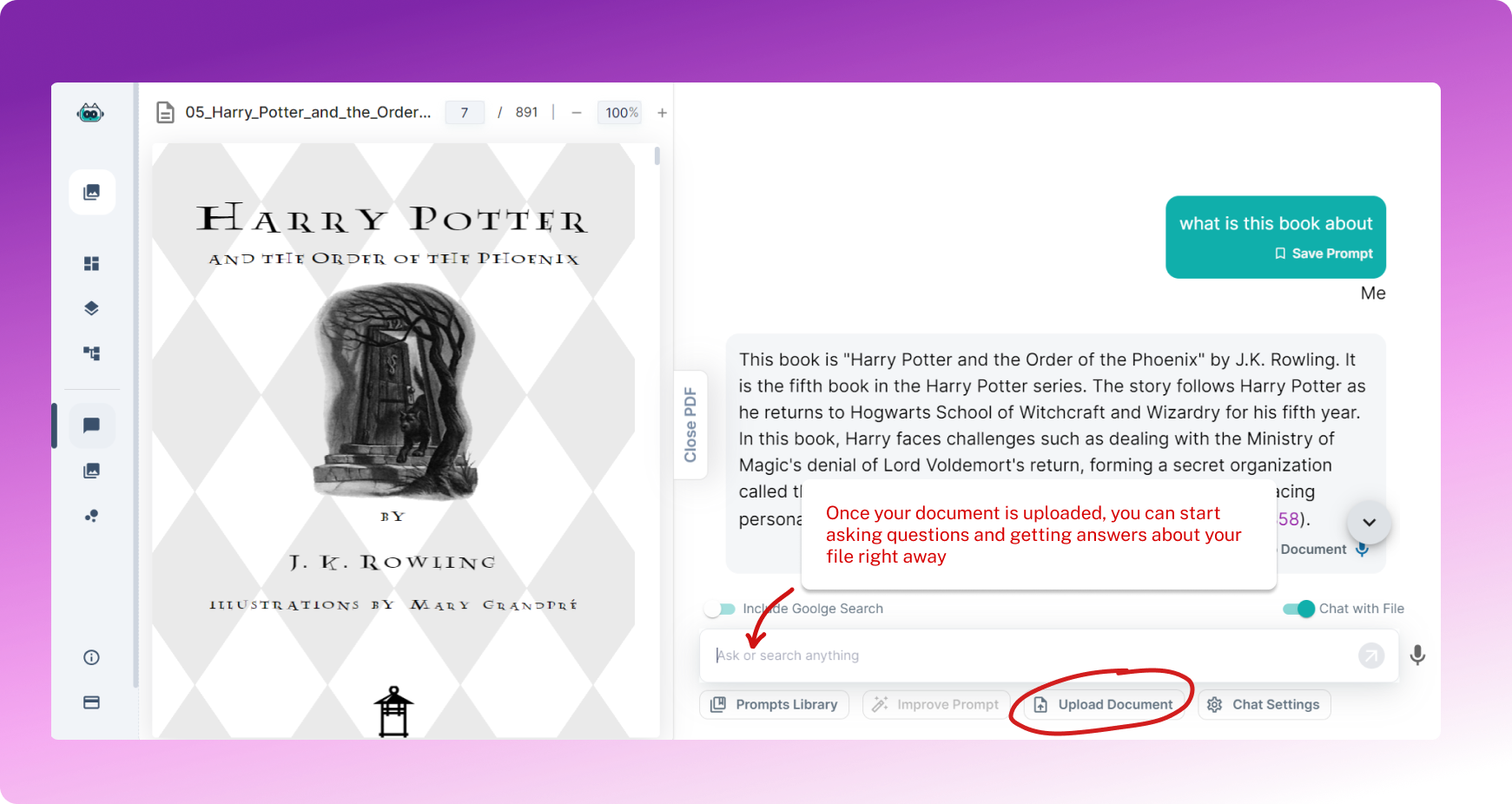
- Ask questions or request a summary: Once the file is loaded, you can ask about key findings, definitions, sections, or specific details.
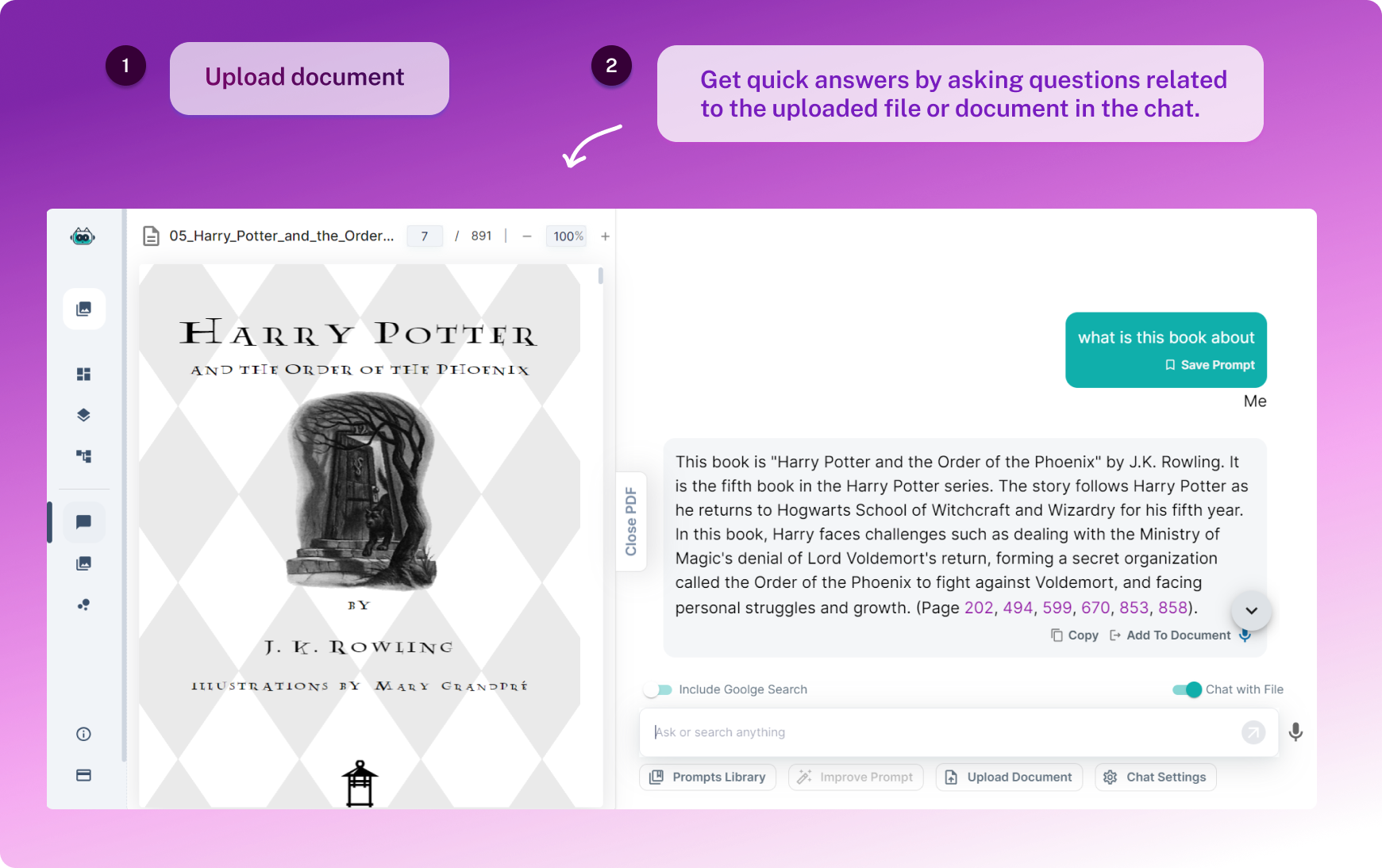
- Review the answers in context: Use the response to jump back into the source material and verify what matters.
That mix of speed and privacy is especially useful for teams that need practical document analysis without turning their files into training data.
A Closer Look: Junia AI vs PDF.ai and ChatPDF.com
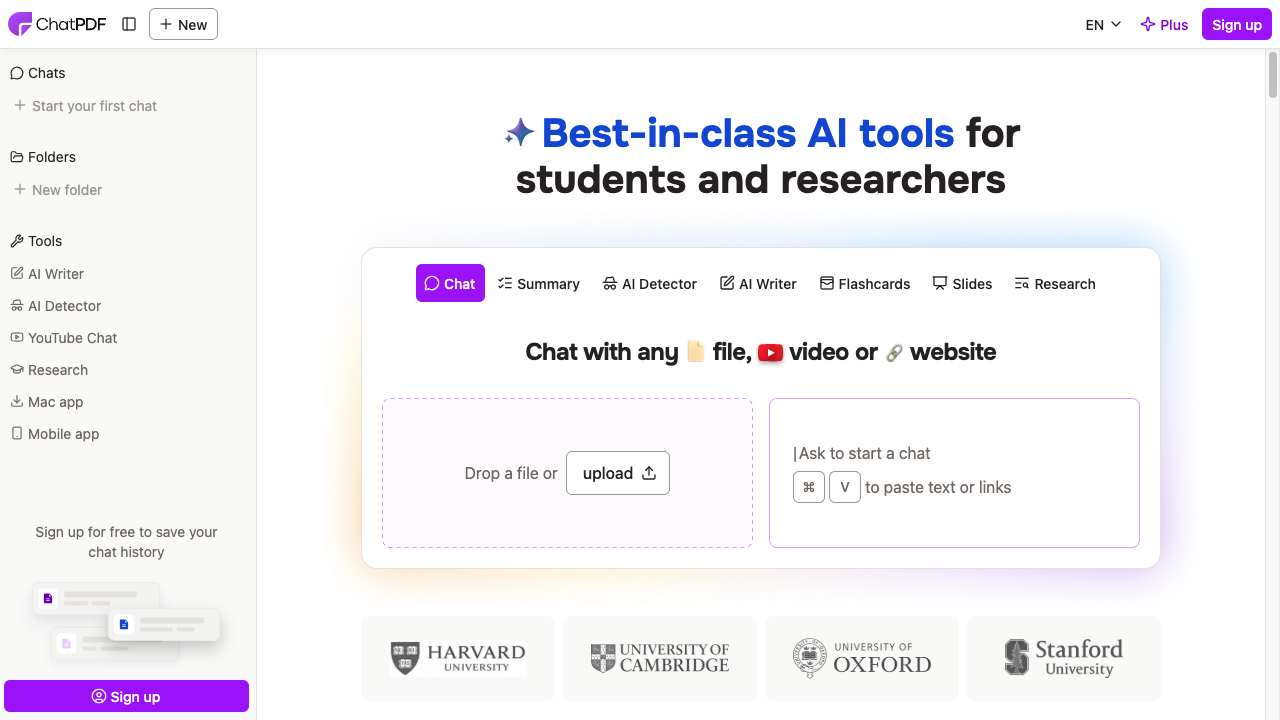
If you are comparing PDF chat tools, the real questions are simple: how accurate are the answers, how flexible is the file support, and how well does the workflow fit real document-heavy tasks?
| Safe use | Risky use |
|---|---|
| Summarize your own docs you may upload | Uploading confidential files to unknown tools |
| Extract tables/ Qu&A with review | Trusting citations without opening the PDF |
| Compare clauses with a human check | Legal decisions from chat alone |
Privacy first. If you wouldn’t email the PDF to a stranger, don’t paste it into a random chatbot.
Install PrivateGPT NOW! CHAT With Your DOCUMENTS (PDF, TXT, CSV) PRIVATELY Using AI!
That is where Junia AI aims to stand out. It is positioned as a broader file-analysis tool rather than a narrow single-purpose PDF chatbot. If you want a deeper product-level comparison, you can check the full comparison here.
Better Accuracy in File Analysis
Accurate file analysis matters because a helpful-looking answer is not useful if it points you to the wrong conclusion.
Junia AI is positioned around more reliable extraction and contextual understanding, while alternatives like PDF.ai and ChatPDF.com can be enough for simpler question-and-answer tasks.
Junia AI also packages broader file-analysis value into a plan starting at $12.99 per month, compared with PDF.ai at $15 per month for a more PDF-focused offering.
AI for PDF: Easy and Advanced Information Extraction
Good PDF AI should help with more than summaries. It should also help you:
- pull out key phrases
- identify names, terms, and entities
- locate specific supporting details
- understand sections without rereading the whole document
That is where richer document chat can save time. Instead of manually searching for every answer, you can move directly to the relevant passages and validate from there.
Support for Many File Types and Larger File Sizes
If your workflow includes more than PDFs, flexibility matters.
Junia AI supports multiple file types rather than limiting the experience to one format, which can make it more useful for mixed research or business workflows. That broader support matters if your documents include PDFs, text-heavy images, spreadsheets, or other files you need to interpret together.
In short, all three platforms solve a similar problem, but they do not do it with the same scope.
| Feature | Junia AI | PDF.ai | ChatPDF.com |
|---|---|---|---|
| Pricing (per month) | $12.99 | $15 | $5 |
| File analysis accuracy | High | Can be inconsistent | Can be inconsistent |
| File type support | Multiple file types | Primarily PDF-focused | Primarily PDF-focused |
| Best fit | Broader document workflows | Basic PDF chat | Low-cost PDF Q&A |
Which tool fits which use case?
A simple way to choose:
- Use Junia AI if you need private file analysis, broader file support, and more than basic Q&A.
- Use PDF.ai if your workflow is mostly simple PDF chat and the narrower focus is enough.
- Use ChatPDF.com if cost is the main priority and your documents are straightforward.
If you are considering language-first alternatives too, some ChatGPT alternatives for research can help with synthesis, but a file-native tool still has advantages when the source document is the center of the workflow.
Taking a Closer Look at AI for PDFs: How Does It Actually Work?
The Power of Embeddings
A lot of PDF AI tools rely on embeddings behind the scenes. In simple terms, embeddings help the system map chunks of your document into a format that makes relevant retrieval possible.
That matters because the tool is not just matching keywords. It is trying to find the parts of the document that are most related to your question.
A simplified workflow looks like this:
- Upload the document: The system processes the PDF into searchable chunks.
- Create embeddings: Those chunks are converted into a representation the model can retrieve efficiently.
- Retrieve the most relevant passages: The app finds the sections most likely to answer the question.
- Generate a response with context: The model answers based on those retrieved sections.
That is one reason modern PDF chat feels more useful than a basic text search box.
Interacting with Your Documents Like Never Before
One of the most useful parts of a PDF AI app is the ability to interact with your documents directly. Instead of reading everything line by line, you can ask a targeted question and get a faster answer.
How Does It Work?
The workflow is simple:
- Open the PDF AI app and upload your document.
- Ask a question or request a summary.
- Let the system identify the relevant sections.
- Review the answer against the source material.
Why Is It Useful?
This is especially helpful for researchers, students, analysts, and professionals working with dense reference material. Instead of spending hours searching manually, they can ask targeted questions like:
- What are the main findings?
- Which section explains this method?
- What does the contract say about termination?
- Summarize the financial risks in plain English.
That makes literature reviews, internal research, and document-heavy workflows much easier to manage. If your work is heavily research-driven, our roundup of AI academic writing tools is a useful next read.
Conclusion
AI for PDF is most valuable when it removes friction from document-heavy work. Instead of manually hunting for the right paragraph, you can upload a file, ask targeted questions, and move straight to the information you need.
For that workflow, Junia AI makes a strong case: it supports interactive document chat, keeps privacy front and center, and helps turn static PDFs into something far more usable. If you regularly work with reports, contracts, research papers, or large reference files, a good PDF AI tool can save time without sacrificing control.
The best way to evaluate any PDF AI tool is simple: test it on a real document, ask a few high-stakes questions, and verify the answers against the source. That gives you a much better sense of reliability than a feature list alone.