
Free AI Speech Writer
Generate speeches for presentations, weddings, graduations, business events, ceremonies, and public speaking. Add the audience, occasion, tone, length, and key points to create a speech with a clear structure, smooth transitions, and a strong closing.
Speech
Your AI-generated speech will appear here...
How the AI Speech Writer Works
Get results in seconds with a simple workflow.
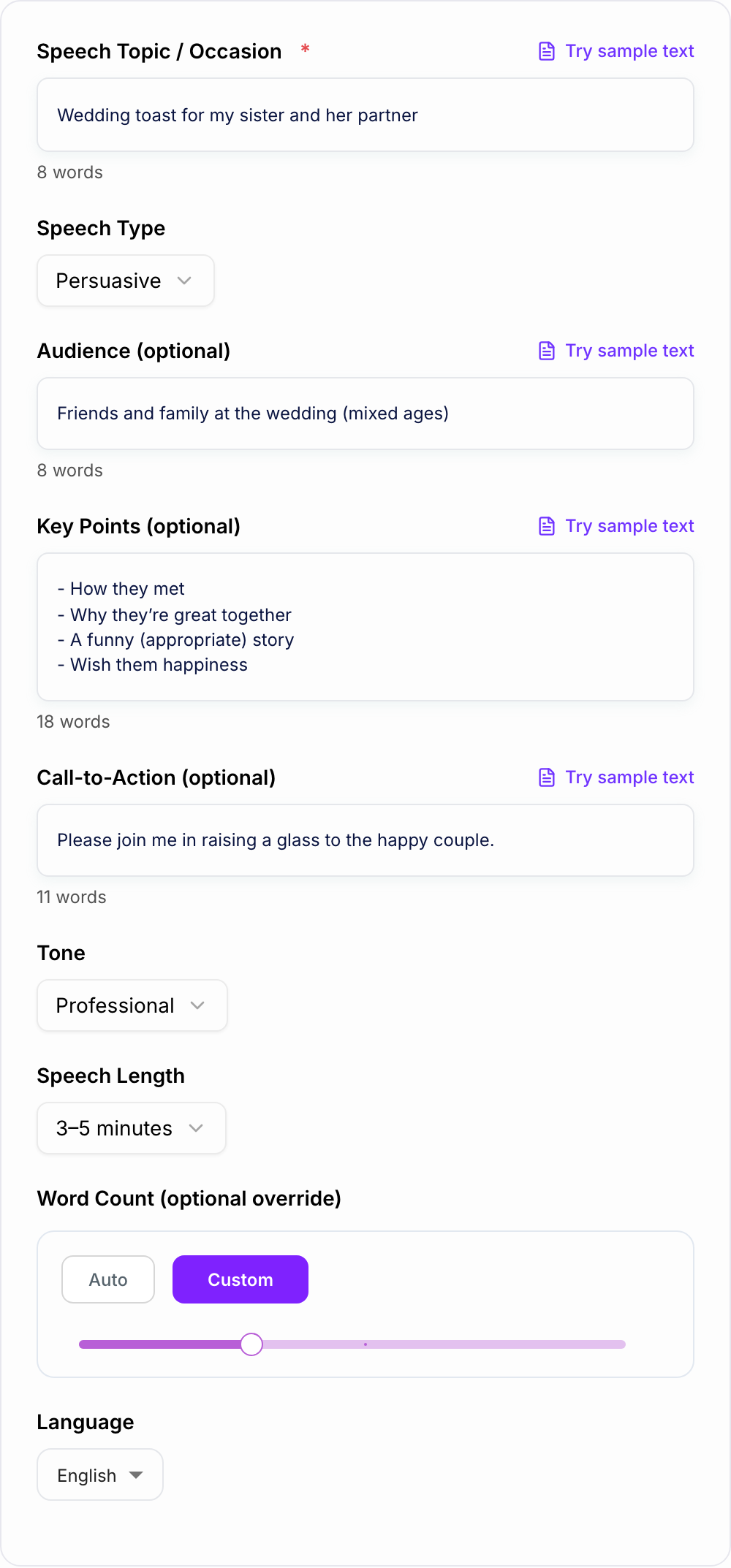
Enter the Occasion and Speech Type
Add your speech topic or event (e.g., wedding toast, product launch, graduation). Choose a speech type so the structure matches your goal.
Add Audience, Key Points, and Tone (Optional)
Include who you’re speaking to and any must-include points. Pick a tone (formal, friendly, funny, professional) to match the room and context.
Generate, Practice, and Personalize
Generate a full speech draft, then read it aloud to refine pacing. Add personal details, adjust emphasis lines, and trim or expand sections to fit your time.
See It in Action
Turn a few notes into a polished speech with a strong opening, organized points, and a memorable closing.
I need a short wedding toast for my sister. Say something nice, a quick story, and end with a toast.
Opening: Good evening everyone—if you don’t know me, I’m [Name], and I’ve had the privilege of watching my sister [Sister’s Name] become the kind of person who makes every room feel a little warmer.
Main Point 1: What I’ve always admired about her Main Point 2: A short, appropriate story that shows her character Main Point 3: Why [Partner’s Name] is a great match and what their relationship represents
Closing: So tonight, I’m not just celebrating a wedding—I’m celebrating a partnership built on respect, laughter, and choosing each other every day. Please join me in raising a glass to [Sister’s Name] and [Partner’s Name]—to a lifetime of love, joy, and adventures together. Cheers!
Why Use Our AI Speech Writer?
Powered by the latest AI to deliver fast, accurate results.
Structured Speech Format (Hook → Points → Closing)
Generates a clear speech structure with an attention-grabbing opening, organized main points, smooth transitions, and a strong conclusion—ideal for public speaking and presentations.
Audience-Adapted Messaging
Tailors vocabulary, examples, and formality based on your audience (wedding guests, executives, students, customers) to improve clarity, relevance, and engagement.
Multiple Speech Types and Use Cases
Create persuasive speeches, informative talks, motivational speeches, business presentations, and ceremonial toasts—with the right pacing, tone, and rhetorical approach.
Timing-Friendly Length Control
Choose a target duration (1–10 minutes) or set a word count to generate a speech that fits typical speaking pace, minimizing last-minute edits.
Practical Delivery Enhancements
Includes natural transitions, emphasis lines, and memorable closing remarks that make speeches easier to deliver confidently and more impactful for listeners.
Pro Tips for Better Results
Get the most out of the AI Speech Writer with these expert tips.
Write for the ear, not the page
Shorter sentences and clear transitions sound better aloud. After generating, read the speech out loud and replace any phrasing you wouldn’t naturally say.
Use a simple 3-point structure for clarity
Most speeches land best with 3 main points. If you provide too many ideas, consolidate them into themes and keep one memorable line per point.
Add one specific story or example
A brief, concrete anecdote makes a speech feel personal and credible—especially for wedding toasts, motivational talks, and leadership speeches.
Make the closing unmistakable
End with a clear final line (toast, call-to-action, or memorable takeaway). Avoid fading out with extra details after the conclusion.
Aim for comfortable pacing
If you’re nervous, you may speak faster. Generate a slightly shorter script than your maximum time and leave space for pauses and audience reactions.
Who Is This For?
Trusted by millions of students, writers, and professionals worldwide.
Generate a Great Speech with an AI Speech Writer
Most speeches fail for one boring reason. They ramble.
You start with a decent idea, then you add “one more thing”, then you try to sound smart, and suddenly you are three minutes in and nobody knows what the point is. A good speech is simpler than people think. It has a clear through-line, it sounds like a real human, and it lands the ending on purpose.
That is exactly what this AI Speech Writer helps you do. You give it the occasion, the audience, the speech type, a few key notes, and it builds a draft that actually flows.
What the AI Speech Writer Builds Into the Draft
If you remember nothing else, remember this:
- Hook
- Thesis
- 3 main points
- Closing line
That is it. Not seven sections. Not a “journey” with ten detours.
1) Hook (10 to 20 seconds)
You are buying attention. Do it fast.
A hook can be:
- A quick story moment
- A surprising fact
- A simple question
- A relatable line people instantly recognize
If you are giving a wedding toast, the hook is usually warmth. If you are pitching an idea at work, the hook is usually stakes. Why this matters.
2) Thesis (your one sentence point)
This is the line that prevents rambling.
Examples:
- “Today I want to share why this new product changes how teams collaborate.”
- “I am here to celebrate two people who make each other better.”
- “My message is simple: small habits beat big motivation.”
3) Three main points (keep them clean)
Three is the sweet spot. People can follow it. You can remember it. And it gives you natural pacing.
If you have more than three ideas, group them into themes. Say one memorable thing per point. Add a short example if it helps.
4) Closing (make it unmistakable)
A good closing feels like a door clicking shut. It does not drift.
For a toast, that means an actual toast line. For persuasive speeches, it is the call to action. For business talks, it is the next step plus a confident final sentence.
Pick the Right Speech Type Before You Generate
Different speeches need different engines. This tool includes modes for the most common situations:
- Persuasive: clear claim, reasons, counterargument, call to action
- Informative: teach, simplify, give examples, summarize takeaways
- Ceremonial or Toast: heartfelt, personal, positive, end with a toast
- Motivational: energy, story, vivid language, strong final lift
- Business Presentation: agenda, structured points, smooth transitions, next steps
If you are unsure, choose the type that matches your goal. Not your topic. Your goal.
How Long Should Your Speech Be? (Quick Timing Guide)
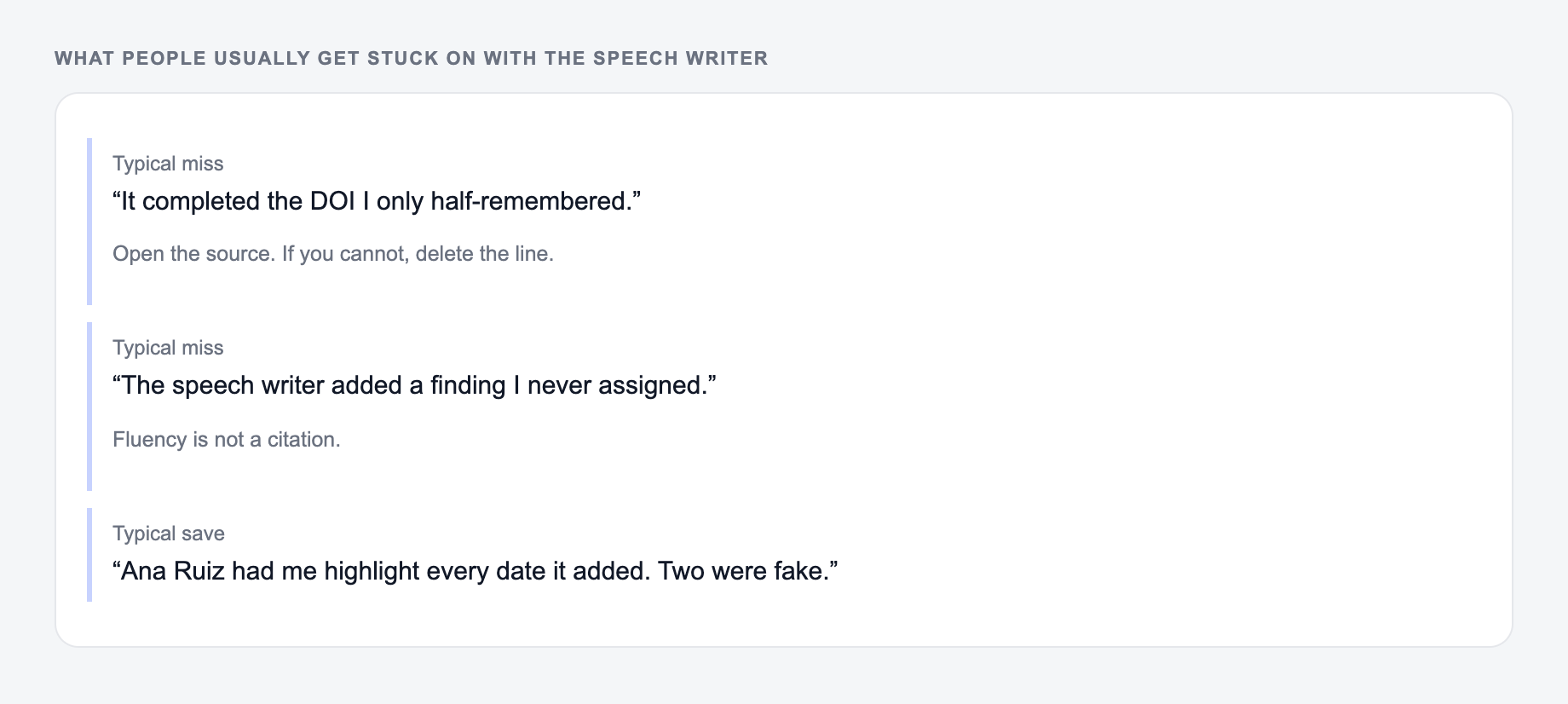
Verify speech writer output:
- Quotes and names match what you typed
- No credential, score, or story you did not give
- You would still say this in the room
Most people speak around 120 to 150 words per minute. Nervous speakers often go faster. Also, audiences need pauses.
A practical guide:
- 1 to 2 minutes: 150 to 300 words
- 3 to 5 minutes: 450 to 750 words
- 5 to 7 minutes: 750 to 1050 words
- 7 to 10 minutes: 1050 to 1500 words
If you want the speech to feel calmer and more confident, write slightly shorter and leave room for pauses, laughs, and reactions.
What to Put in the Key Points Field
This is the part that changes everything. If you only enter generic notes, the generated speech will sound generic. Treat the key points field like a briefing note for the writer.
Try adding:
- 1 specific story beat (what happened, where, and why it mattered)
- names and relationships (who is who)
- 2 to 3 values or traits (kind, relentless, thoughtful, funny)
- a concrete example (a moment that proves the trait)
- one line you want to say word for word (your signature line)
Even two good details make the speech feel like it came from you.
Simple Delivery Tips That Make Any Speech Better
You do not need to “sound like a speaker”. You just need to sound clear.
- Write like you talk. If you would never say a phrase out loud, change it.
- Add light signposting. “First…”, “Here is the thing…”, “Let me land this…”
- Use shorter sentences near the end. It makes the closing hit harder.
- Practice once out loud. You will instantly hear what needs trimming.
How to Edit the Generated Speech So It Sounds Like You
A good workflow is:
- Generate a structured draft.
- Replace a few lines with your real words, especially the opening and the final line.
- Add one personal story or detail.
- Read it out loud and cut anything that feels like filler.
The same workflow works across writing tasks: generate a structured first draft, then add the human details that only you know. If speeches are part of a bigger content or communication workflow, Junia AI gives you a broader place to draft, refine, and repurpose the surrounding material without starting from a blank page each time.
Mini Templates You Can Copy (Fast Starters)
Wedding Toast (short and safe)
- Hook: who you are, quick warmth
- Point 1: what you love about the person
- Point 2: short story that shows it
- Point 3: why the couple works
- Toast line: raise a glass, clear ending
Business Presentation (clear and confident)
- Hook: why this matters now
- Agenda: 3 items
- 3 key points: each with one example
- Next steps: what happens after this
- Closing: invite questions, then final line
Persuasive Speech (school or debate)
- Hook: problem or stakes
- Thesis: your position
- 3 arguments: reason plus example
- Counterargument: address, then respond
- Call to action: specific ask
Final Checklist Before You Deliver
If the output felt generic, it is usually one of these three misses.
- Can you say the thesis in one sentence?
- Do you have only 3 main points?
- Does each point have one concrete example?
- Is the closing line obvious and strong?
- Did you read it out loud once?
If those are yes, you are ready. The speech will feel tighter, more natural, and a lot easier to deliver.
Spoken Timing and a Breath Map
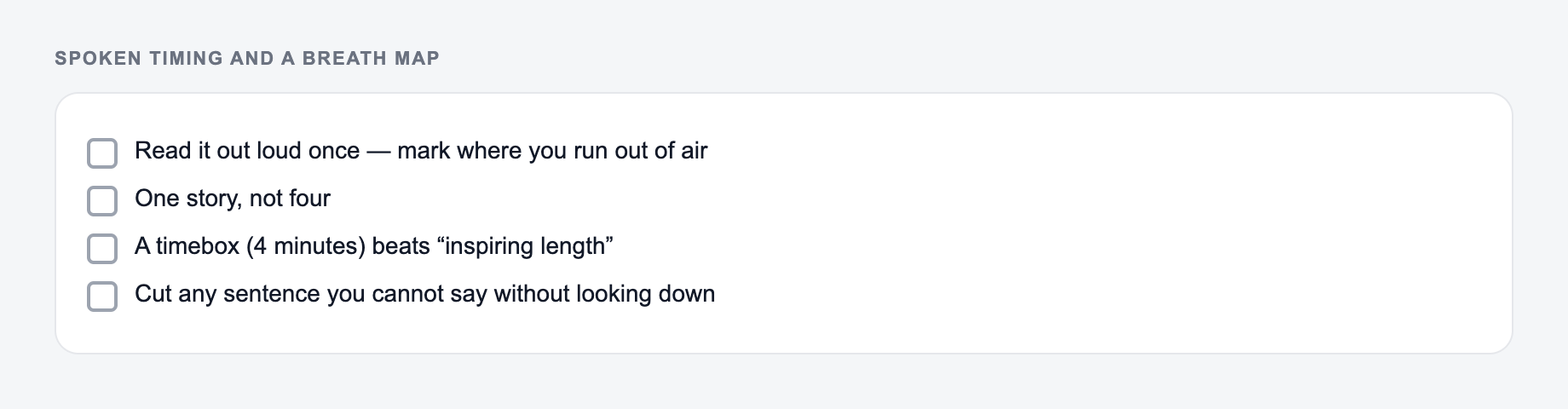
A speech that reads well can still overrun. After generating, mark breaths and time the draft out loud at your real pace—not a silent word count.
Put the timebox and the true key points on the form. Do not add biography the notes do not contain.
Learning workflow:
- Enter only facts you have.
- Generate a structured draft.
- Check names, dates, citations, and units.
- Rewrite the sentences you would actually say in class or in the paper.
Practical map for a 6-minute community remarks speech:
- 0:00–0:40 opening (one story or one observation, not both)
- 0:40–4:40 three points (~80 seconds each, one example each)
- 4:40–5:20 one acknowledgment or counter-feeling
- 5:20–6:00 closing line you can say without looking down
If the draft has six points, it is not a 6-minute speech. Cut until each remaining point has a concrete noun: a name, a place, a number you can verify, or a physical action. Remove statistics you cannot source. For weddings, funerals, and workplace speeches, generated biographical details are a liability—replace them with facts from the people involved.
Frequently Asked Questions
Is this AI speech writer free to use?+
Yes. You can generate speeches for free. Some specialized modes may be marked as premium, but the core speech generator is available to everyone.
How long should my speech be?+
A common speaking pace is about 120–150 words per minute. For a 3–5 minute speech, aim for roughly 400–750 words. Use the length selector or set a word count to match your time slot.
Can it write a wedding toast or best man speech?+
Yes. Choose a ceremonial/toast style and add a few personal details or key points. The tool will produce a warm, appropriate structure with a memorable toast ending.
Will the speech include transitions and a strong closing?+
Yes. The generator is designed to include clear transitions between points and a conclusion that reinforces the main message—plus a call-to-action if you provide one.
Can I use this for a business presentation or keynote?+
Yes. Select a business style and include your audience and key points. You’ll get a professional script with an opening, agenda-like flow, key points, and next steps.
How do I make the speech sound more personal and less generic?+
Add 2–5 specific notes in Key Points (names, short story beats, values, shared memories, concrete examples). After generating, read it aloud and tweak phrasing to match how you naturally speak.