
Free Blog Post Translator
Translate full blog posts into multiple languages without breaking SEO structure. Preserve headings, internal links, formatting, keywords, and tone while localizing content for international audiences and global search visibility.
Translated Blog Post
Your translated blog post will appear here...
How the AI Blog Post Translator Works
Get results in seconds with a simple workflow.
Paste Your Blog Post
Add your full article (or the section you want to translate). The tool works best with complete headings and paragraph structure.
Choose Target Language (and Optional Tone)
Select the output language and optionally set tone to preserve brand voice (professional, friendly, formal, etc.).
Translate and Publish (With SEO Checks)
Generate a clean translation, then review key terms, internal links, and localized keywords. Add hreflang, localized metadata, and region-specific examples for best multilingual SEO performance.
See It in Action
Example of translating an SEO blog post section while keeping structure and meaning intact.
H2: What Is Keyword Research? Keyword research is the process of finding search terms your audience uses so you can create content that matches their intent.
H3: Why it matters It helps you prioritize topics, estimate traffic potential, and build a content plan.
H2: ¿Qué es la investigación de palabras clave? La investigación de palabras clave es el proceso de encontrar los términos de búsqueda que utiliza tu audiencia para crear contenido que coincida con su intención.
H3: Por qué es importante Te ayuda a priorizar temas, estimar el potencial de tráfico y construir un plan de contenidos.
Why Use Our AI Blog Post Translator?
Powered by the latest AI to deliver fast, accurate results.
SEO-Friendly Blog Translation (Structure + Intent)
Translates blog content while maintaining headings, sections, and search intent—helpful for multilingual SEO and localized content marketing.
Preserves Links, Proper Nouns, and Technical Terms
Keeps URLs, brand names, product names, and domain terminology intact to prevent broken links and inaccurate localization.
Natural, Publish-Ready Output for Native Readers
Generates fluent translations that read naturally in the target language, improving readability, engagement, and time-on-page.
Optional SEO Keyword Guidance (No Keyword Stuffing)
If you provide target-language keywords, the tool integrates them naturally in relevant sections to support on-page SEO without degrading quality.
Tone-Aware Localization
Preserves (or adapts) tone—professional, friendly, persuasive, or instructional—so your brand voice stays consistent across languages.
Pro Tips for Better Results
Get the most out of the AI Blog Post Translator with these expert tips.
Localize keywords—don’t just translate them
Direct translations often miss real search behavior. Use local SERPs or keyword tools to find the target-language terms people actually use, then add them as optional keywords.
Keep internal linking consistent in the target language
After translating, replace internal links with the corresponding localized pages (or create them). Strong internal linking improves crawlability and multilingual topical authority.
Adapt examples, currencies, and measurements for the region
Localization improves trust and conversions. Update units, date formats, and region-specific references after translation for a native experience.
Translate meta title and meta description separately
For best CTR in local search results, write localized metadata that fits pixel limits and uses the primary local keyword naturally.
Use hreflang and avoid duplicate-language conflicts
International SEO relies on correct hreflang and URL structure. Make sure search engines can route users to the right language/country version.
Who Is This For?
Trusted by millions of students, writers, and professionals worldwide.
Translate Blog Posts Without Breaking SEO Structure
The AI Blog Post Translator is built for a specific problem: you need a blog post in another language, but you do not want the translation to damage the structure, links, headings, tone, or search intent that made the original post useful.
A normal translation can preserve meaning sentence by sentence and still create publishing problems. Headings may sound unnatural, internal links may point to the wrong language, keywords may be translated into phrases people do not actually search, and metadata may need a separate rewrite. This tool gives you a cleaner first pass so your review can focus on localization decisions instead of rebuilding the article.
What to Enter Into the Blog Post Translator
Paste the full post when possible, including headings, lists, links, and formatting. The translator performs better when it can see the article structure instead of isolated paragraphs.
Choose the target language and, when useful, the source language. If the post uses brand terms, product names, legal language, or technical vocabulary, keep those terms consistent in the source before translation.
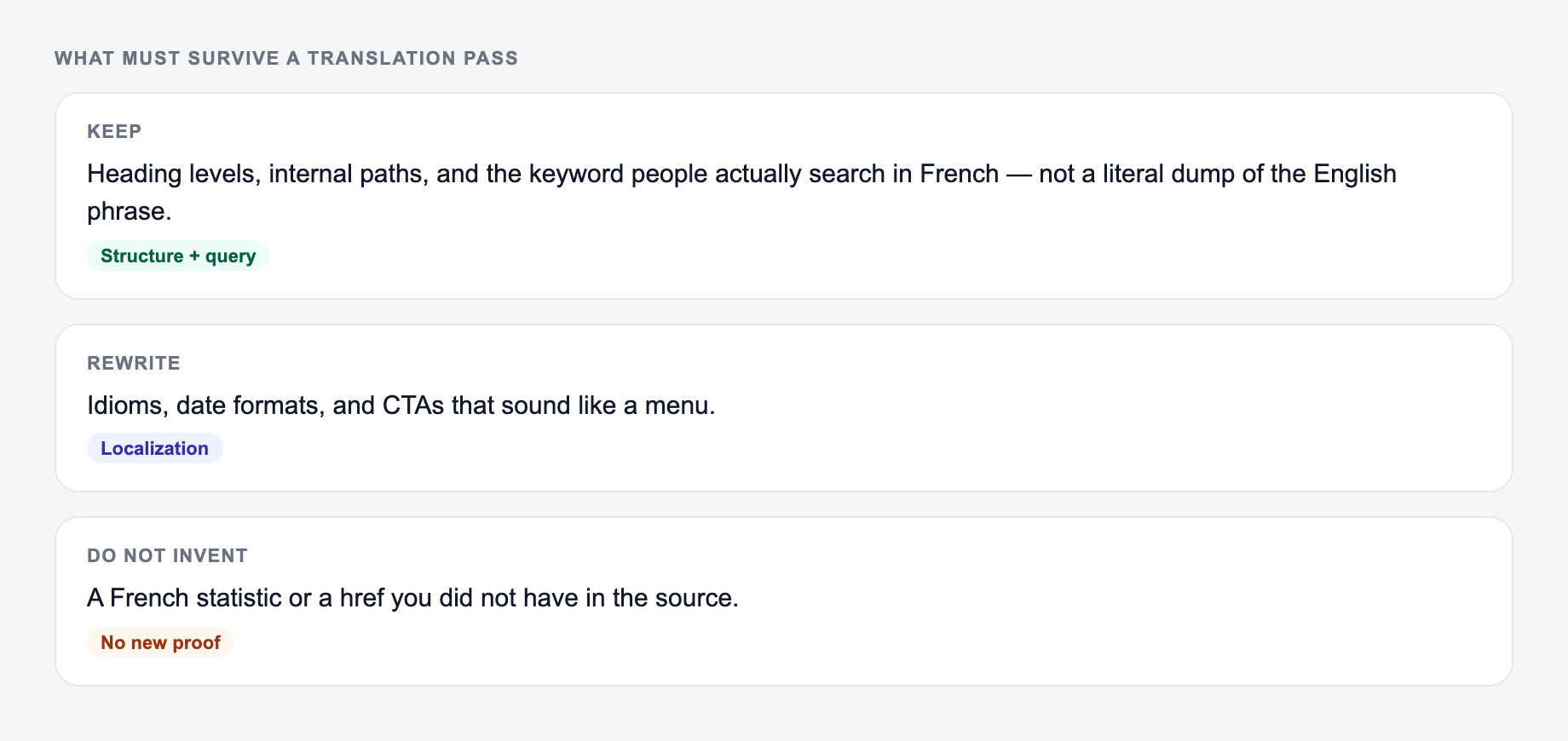
If you already have target-language keywords, add them in the SEO keyword field. Do not add a long keyword dump. A short list of validated local terms gives the translator enough direction without making the output awkward.
Choosing the Right Translation Mode
Use Faithful Translation when accuracy matters most and you want the translated post to stay close to the source.
Use Natural + Fluent when the post needs to read smoothly for native readers. This is usually the best starting point for public blog content.
Use SEO Localization when you want the translation to adapt phrasing around local search behavior. This is useful for posts that target search traffic, but you should still validate keywords with local SERPs or keyword data. The screenshot below is the same workspace with a sample SEO post, language settings, and a short target-language keyword list already filled in. SEO Localization only helps if those keywords are terms people actually search—not a literal dump of the English phrases.
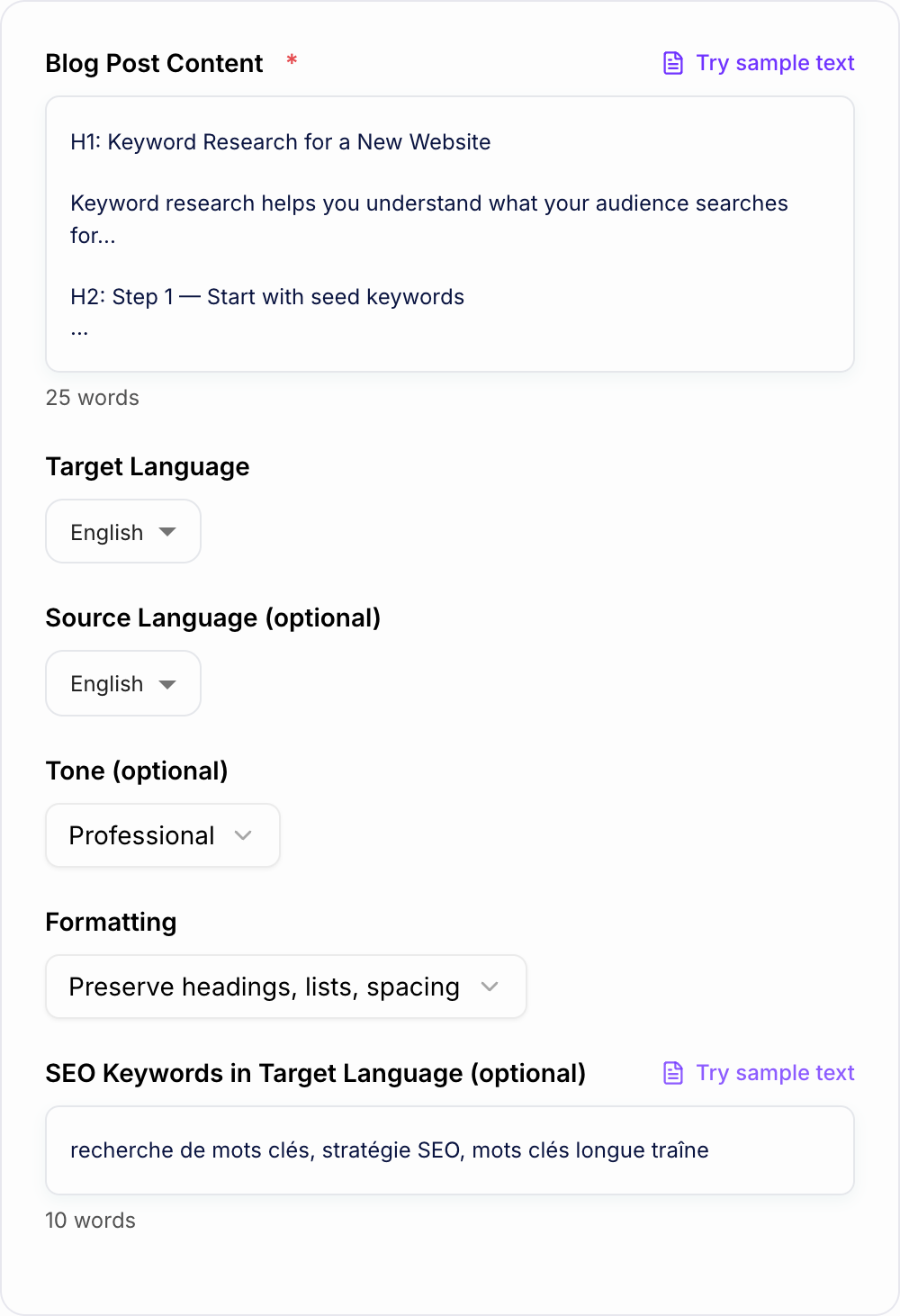
| Field | What to check on this form | Common failure |
|---|---|---|
| Blog Post Content | Full headings, lists, and links | Isolated paragraphs lose structure |
| Target language | Match the market, not just the language | ES-MX vs ES-ES phrasing |
| SEO keywords | 2–4 validated local terms | Literal translations with no demand |
| Formatting | Preserve unless the source is messy | Headings flattened into body copy |
Use Simplify for Readability when the source post is dense or when the target audience needs clearer, shorter sentences.
SEO Checks After Translation
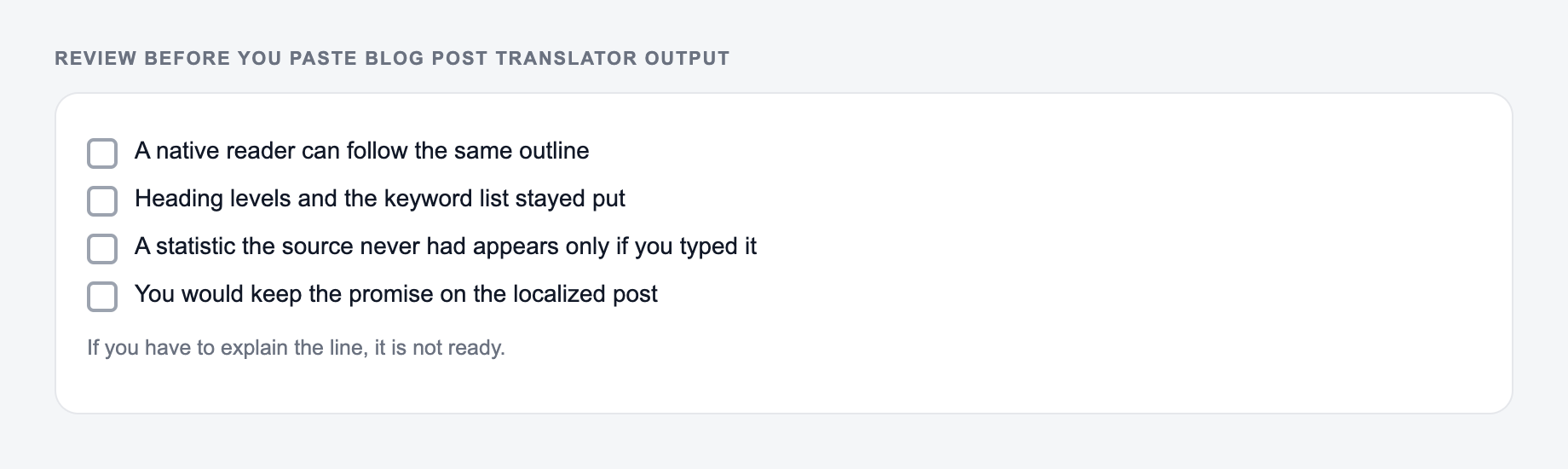
After generating the translated post, review the H1, H2, and H3 structure. The hierarchy should still make sense, and translated headings should sound like real article headings in the target language.
Next, check links. Keep original URLs only when that is intentional. If localized versions of linked pages exist, update the internal links to those versions.
Then review keywords. Direct translations are not always search terms. If a translated phrase sounds correct but has no search demand, replace it with the phrase native searchers actually use.
Finally, localize metadata separately. Title tags and meta descriptions need to fit SERP length, search intent, and click behavior in the target market.
What Not to Translate Blindly
Some terms should stay fixed or be reviewed carefully:
- Brand and product names
- Feature names inside your app
- URLs and anchor links
- API terms, commands, and code snippets
- Legal or compliance wording
- Quotes that require exact meaning
The translator can preserve many of these, but the final publishing check still matters. A small terminology mistake can make a translated post feel untrustworthy.
Publishing Checklist for Translated Blog Posts
Before publishing the generated translation, confirm:
- The article structure still matches the original intent.
- Headings sound natural in the target language.
- Internal links point to the correct language version when available.
- Keywords are localized, not merely translated.
- Metadata has been rewritten for the target SERP.
- Hreflang is implemented correctly.
- Examples, currencies, dates, and regional references make sense for the audience.
If you are scaling multilingual content, keep translation, localization, and SEO QA as separate steps. The Junia AI platform can support the broader workflow, but the strongest results still come from reviewing the translated article like a local reader and searcher would.
A Localization QA Sample to Run Before Scaling
Use one article with elements that commonly break: a linked H2, a product name, a code fragment, a date, a currency, and a keyword whose literal translation differs from the local search phrase. Save the source and generated version side by side, then annotate each change as preserved, localized intentionally, or needs correction. This creates a practical glossary and review standard for the rest of the batch.
Frequently Asked Questions
Is this blog post translator free to use?+
Yes. You can translate blog posts for free. Some advanced modes (like SEO localization) may be marked as premium depending on your site settings.
Will the translation keep my headings and formatting?+
Yes. The tool is designed to preserve structure such as headings (H1/H2/H3), lists, and spacing. You can also choose a “Clean formatting” option to fix minor spacing issues while keeping structure.
Does translating a blog post help with international SEO?+
It can. Localized, high-quality translations help you target non-English keywords and audiences. For best results, combine translations with proper hreflang implementation, localized keyword research, region-specific examples, and internal linking in the target language.
Can I provide SEO keywords in the target language?+
Yes. If you already have target-language keywords, add them and the translator will integrate them naturally where relevant (without keyword stuffing). If you don’t have keywords, you can still translate accurately and then refine based on local keyword research.
Will it translate links, brand names, and product names?+
It preserves URLs and proper nouns by default. If your brand or product names should not be translated, keep them as-is in the source text; the tool will maintain them unless you ask otherwise.
How do I avoid unnatural or “machine-like” translations?+
Choose the “Natural + Fluent” mode, specify a tone, and include any preferred terminology. After translation, do a quick pass to add local idioms, region-specific examples, and any compliance wording needed for your market.