LoginGet Started

Dialogue Generator

Generate natural and engaging dialogue for any scenario.

0/700 words

Optional

Results

Cat sitting on a rocket

Your Generated Dialogue Will Appear Here...

Junia AI’s Dialogue Generator is a powerful AI writing tool that helps you create natural, engaging, and emotionally rich conversations for stories, games, videos, role‑playing scenes, chat simulations, and more.

Instead of manually writing every single line of dialogue on your own, you just give the Dialogue Generator a short brief, describe your characters, set the tone you want, and then Junia AI automatically generates realistic conversations that feel consistent and true to your characters’ voices.

What is a Dialogue Generator?

A Dialogue Generator is an AI‑powered writing assistant that focuses on creating conversations between characters. It’s not just a general AI text generator. A dialogue generator focuses specifically on:

  • Character voices and personalities
  • Back‑and‑forth exchanges that feel natural
  • Emotional flow and tension across a scene
  • Contextual awareness (who knows what, when, and why)

Junia AI’s AI Dialogue Generator uses advanced language models to understand your prompt and produce:

  • Character dialogue for novels and short stories
  • Game dialogue for RPGs, visual novels, and interactive fiction
  • Script dialogue for films, YouTube videos, ads, and podcasts
  • Roleplay dialogue for tabletop RPGs, D&D sessions, and online RP
  • Customer support or chatbot conversation samples for UX prototyping

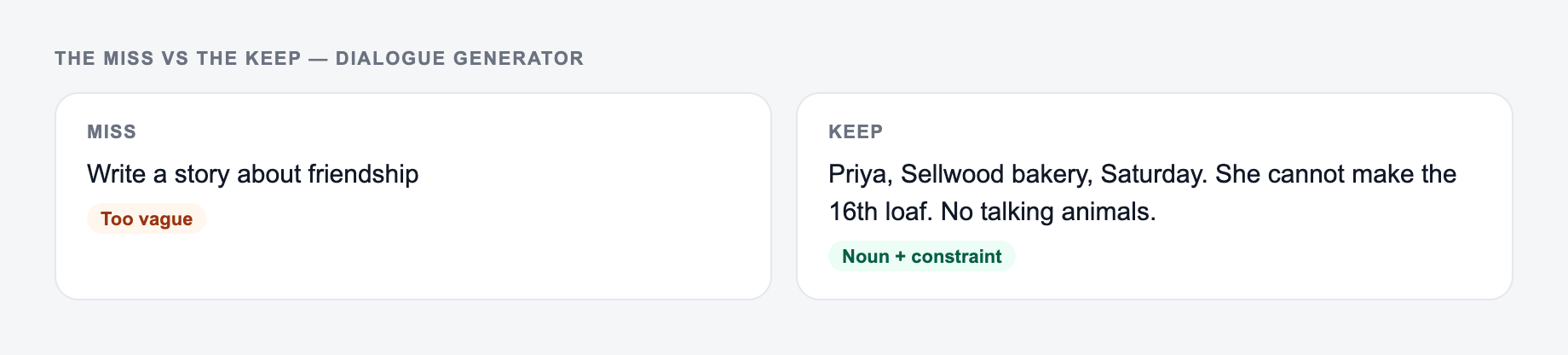
You just describe the scenario, the characters, and the style you want, and the online dialogue generator creates a complete, ready‑to‑use conversation.

Why Use a Dialogue Generator?

Using Junia AI’s Dialogue Generator can really speed up your creative process and also improve the quality of your scenes.

1. Save Time and Effort

Writing believable dialogue from scratch is slow and honestly pretty mentally exhausting. A free dialogue generator or AI conversation generator lets you:

  • Draft scenes in minutes instead of hours
  • Quickly explore different versions of a conversation
  • Generate multiple takes on the same scenario to compare options

This is super useful if you’re on a deadline, writing serialized content, or managing a big narrative project like a game or TV show.

2. Overcome Writer’s Block

If you’re stuck on a scene and just staring at the screen, the AI script dialogue generator can:

  • Suggest how characters might naturally react
  • Offer alternative responses or twists you didn’t think of
  • Help you jumpstart a stalled chapter or episode

Then you can edit, refine, and personalize the results so they match your exact vision.

3. Keep Character Voices Consistent

In long projects it’s really easy to accidentally change a character’s tone or personality without noticing. With Junia AI’s character dialogue generator, you can:

  • Define each character’s traits, background, and speaking style
  • Maintain consistent vocabulary, pacing, and attitude
  • Track ongoing relationships and emotional arcs across multiple scenes

This is critical for novels, TV scripts, and branching game narratives where readers notice even small inconsistencies.

4. Experiment with Different Styles and Tones

The Dialogue Generator lets you try different approaches without having to rewrite everything from scratch:

  • Switch between casual, formal, witty, sarcastic, dark, or dramatic
  • Try different pacing: snappy banter vs. slow, tense exchanges
  • Adapt for different genres: romance, thriller, fantasy, sci‑fi, comedy

You can quickly iterate until the tone actually fits your story, game, or video.

How Junia AI’s Dialogue Generator Works

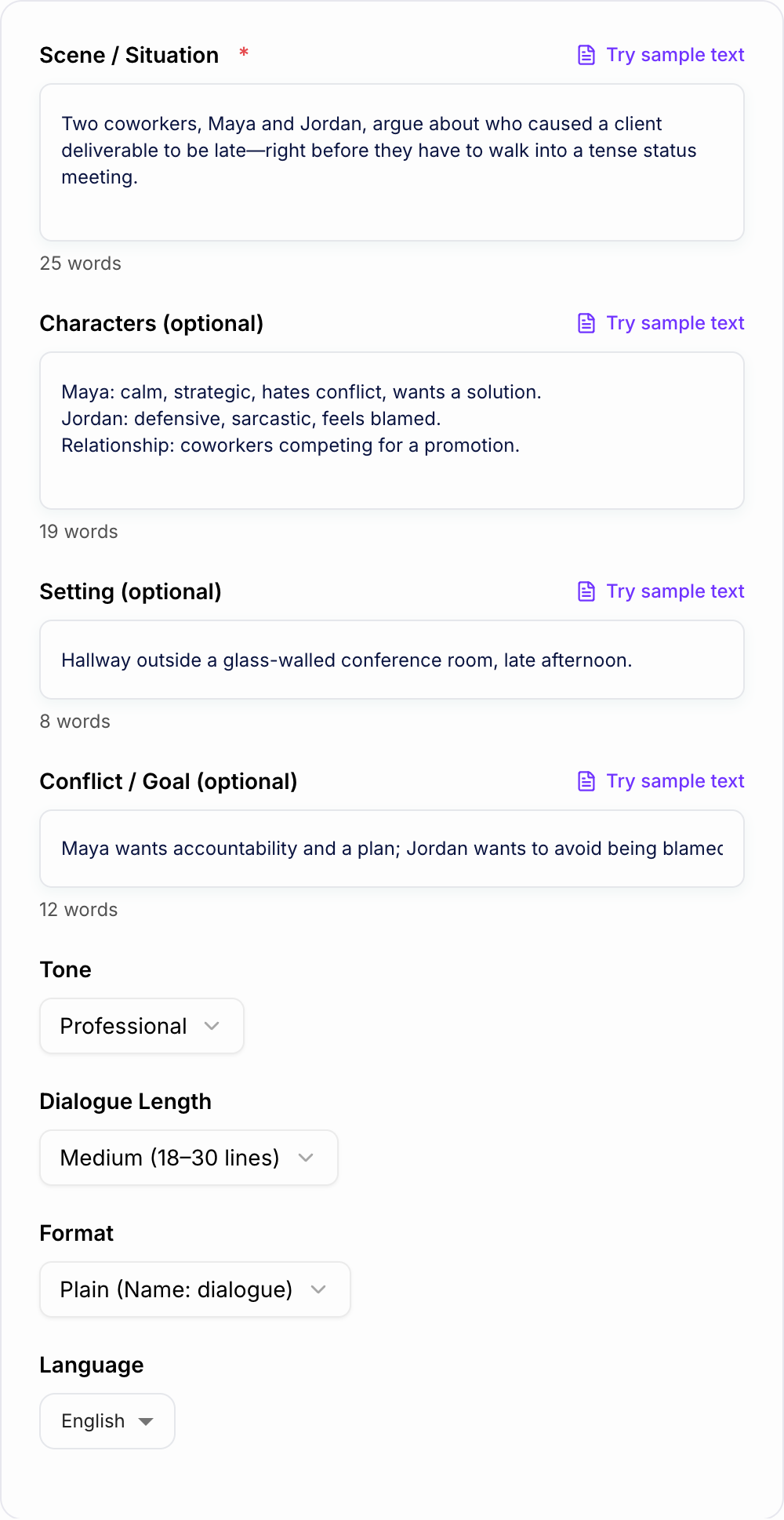
You guide Junia AI with clear instructions, and it does the heavy lifting of crafting dialogue for you. You can:

1. Specify the speakers and their relationships

  • Who is talking? Friends, enemies, strangers, coworkers, family, rivals?
  • How long have they known each other?
  • What do they want from each other?

2. Choose a tone or style

  • Casual, friendly, formal, professional, playful, sarcastic
  • Dramatic, suspenseful, romantic, tense, mysterious, comedic
  • Genre‑specific: noir, cyberpunk, high fantasy, slice of life, YA

3. Add extra context and world‑building details

  • Setting: city, village, spaceship, magical academy, office, battlefield
  • Time period: historical, modern day, near‑future, far future
  • Culture or rules of the world: magic systems, technology limits, social norms
  • Plot context: what just happened, what’s at stake, what they’re hiding

Once you provide this information, the AI dialogue writer generates conversations that:

  • Match each character’s voice and personality
  • Stay consistent across longer scenes and multi‑part conversations
  • Reflect emotional subtext (fear, jealousy, attraction, suspicion, etc.)
  • Avoid stiff, robotic, or overly generic lines wherever possible

You can then regenerate, extend, or tweak the dialogue until it feels right for you.

What Makes a Good Dialogue?

Good dialogue is more than just characters talking back and forth. It should:

  • Reveal character traits and motivations
  • Advance the plot and create tension
  • Sound natural and authentic
  • Reflect the character's background and personality
  • Avoid exposition and info-dumping

1. Reveal Character

Every line should teach the audience something about:

  • Personality (confident, anxious, sarcastic, kind, ruthless)
  • Background (education, culture, social class)
  • Motivations and secrets (what they want, what they’re hiding)

Word choice, sentence length, and rhythm all help shape characterization. A character dialogue generator can help you explore these differences without too much hassle.

2. Move the Story Forward

Effective dialogue:

  • Advances the plot
  • Increases or releases tension
  • Raises new questions or stakes

If a line of dialogue can be removed and nothing in the scene really changes, it might not be doing much work for you.

3. Sound Natural (But Sharper Than Real Talk)

Real conversations are messy and full of random stuff, but story dialogue should be:

  • Clear, purposeful, and easy to follow
  • Free of unnecessary filler (“uh,” “you know,” repeated small talk)
  • Structured for impact, humor, or emotion

The AI conversation generator is trained to mimic natural patterns while still staying focused and interesting.

4. Show, Don’t Tell

Instead of saying, “He was angry,” good dialogue shows anger through:

  • Short, clipped sentences
  • Sarcasm, raised volume (in description), or indirect jabs
  • What’s not said—silence, avoidance, cutting off topics

Emotion and conflict should be felt in how characters speak, not only what they literally say.

How to Write Good Dialogue (and How the Dialogue Generator Helps)

You can use these principles whether you write everything yourself or lean heavily on Junia AI’s dialogue creator as a starting point.

1. Know Your Characters Clearly

Before writing, define:

  • Their goal in the scene (what they want right now)
  • Their long‑term goal (what they want overall)
  • Their attitude toward the other characters
  • Their level of power or status in the conversation

When you type this into the Dialogue Generator, the AI can produce more consistent, believable lines.

2. Focus on Conflict and Tension

Interesting dialogue usually contains:

  • Disagreements or hidden agendas
  • Power shifts and emotional reversals
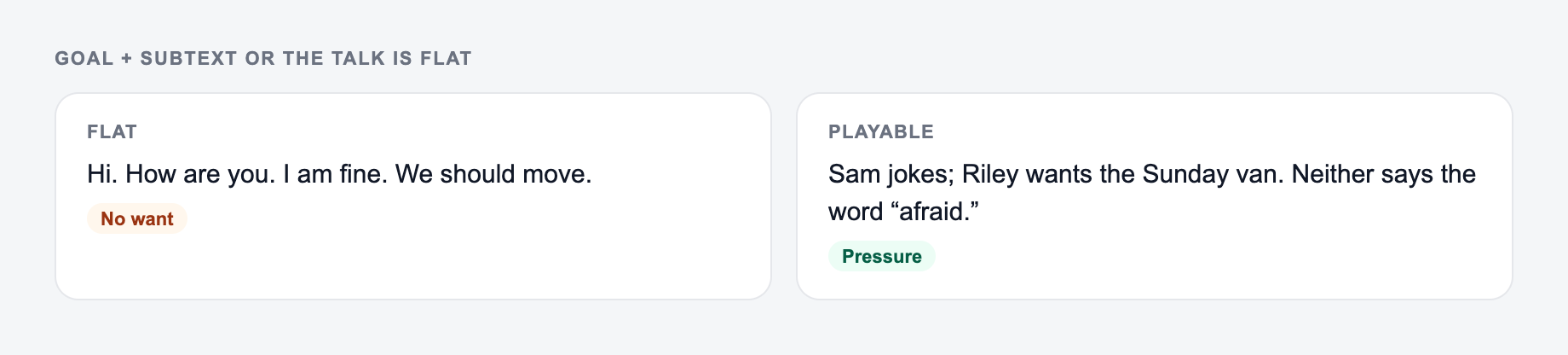
  • Subtext—what they mean versus what they say

Ask yourself: “What are they not saying?” and put that tension in your prompt so the AI dialogue tool can reflect it.

3. Read Dialogue Out Loud

Whether it’s generated or hand-written:

  • Read it aloud to hear if it sounds natural
  • Cut or shorten lines that feel long-winded
  • Adjust vocabulary that doesn’t fit the character

Then you can refine your prompt and ask the AI dialogue generator online to regenerate with specific changes (shorter lines, more sarcasm, less exposition, etc.).

4. Use Descriptive Beats, Not Just Floating Lines

Dialogue is stronger when you mix it with small actions and reactions:

  • Gestures, facial expressions, body language
  • Pauses, hesitations, interruptions
  • Changes in posture, distance, or focus

When using Junia AI’s story dialogue generator, you can literally ask: “Include short action beats and reactions between lines,” to make the exchange feel more cinematic.

5. Trim Exposition and On‑the‑Nose Lines

Instead of having characters explain everything directly:

  • Let them talk around sensitive topics
  • Let the audience infer information from implications
  • Use conflict and misunderstanding to introduce backstory subtly

If the AI gives you a line that’s too on‑the‑nose, just edit it, or ask the AI dialogue maker to “rewrite this with more subtext and less direct explanation.”

Use Cases for Junia AI’s Dialogue Generator

Junia AI’s Dialogue Generator is flexible enough to support many different creators and industries:

1. Novelists & Fiction Writers

  • Draft scenes, arguments, confessions, and confrontations
  • Explore alternate versions of key conversations
  • Develop distinct voices for a large cast of characters

2. Screenwriters & Video Creators

  • Generate script dialogue for YouTube videos, films, ads, or podcasts
  • Create interview‑style conversations or host–guest exchanges
  • Test different pacing and comedic timing

3. Game Developers & Interactive Fiction Writers

  • Build branching dialogue trees for RPGs and visual novels
  • Generate NPC dialogue, quest conversations, and flavor text
  • Maintain consistent character voice across multiple story paths

4. Role‑Players & Dungeon Masters

  • Prepare in-character speeches, monologues, and NPC banter
  • Create immersive, improvised‑feeling scenes quickly
  • Keep recurring characters sounding the same between sessions

5. UX Designers & Product Teams

  • Prototype chatbot and virtual assistant conversations
  • Model customer support dialogues and FAQs
  • Test different tones (formal vs. friendly) for interfaces

By using an AI dialogue generator for natural, consistent conversations, you can boost creativity, save time, and keep a professional level of quality across your whole project.

Use Cases

Discover how this tool can be used in various scenarios

  • Drafting Novel & Screenplay Scenes

    Use the Dialogue Generator to quickly draft scenes between two or more characters. Set the emotional context (e.g., tense argument, heartfelt confession, playful banter) and let the AI propose lines you can refine, rearrange, or expand into full chapters or scripts.

  • Creating Branching Game Dialogues

    Generate variations of NPC conversations, dialogue trees, and quest-related exchanges that react to different player choices. Maintain character consistency and lore alignment across dozens or hundreds of dialogue nodes.

  • Writing Character-Driven Video Scripts

    For YouTube, TikTok, or other platforms, create dialogue-based skits, reaction videos, or narrative episodes. Experiment with tone, speed, and humor to find the version that best fits your audience and format.

  • Building Role-Play & TTRPG Scenes

    Prepare in-character dialogues for tabletop RPG sessions or live role-play events. Use the generator to script key scenes, NPC monologues, and branching responses based on player decisions, all within your world’s style and rules.

  • Designing Training & Customer Service Scenarios

    Create realistic customer interactions, support calls, or sales conversations for training modules. Adjust tone from polite and professional to challenging and conflict-heavy for more effective practice scenarios.

  • Brainstorming Alternatives to Break Writer’s Block

    When stuck on a scene, feed the situation and character details into the tool. Generate several alternative conversations, then mix, match, and edit the best lines to move your story forward.

  • Localizing or Adapting Dialogue Tone

    Quickly see how the same conversation reads in different tones—from formal and serious to casual and humorous. Use this to adapt scripts to different audiences, markets, or content formats.

Benefits

Key Benefits of Junia AI’s Dialogue Generator

  • Save hours of writing time
    You can quickly whip up lots of different dialogue options instead of slowly writing every single line from nothing.

  • Create natural, character-driven conversations
    It helps you keep each character sounding like themselves, with their own feelings and the way they relate to each other.

  • Stay consistent across long scenes and projects
    The tone, character traits, and story context stay lined up and steady even when you’re working on a bunch of long scenes.

  • Customize tone and style instantly
    You can switch the way people talk, like casual or formal or kind of funny or super dramatic or tense, just by changing a few settings.

  • Support complex, branching narratives
    It lets you build different routes in the story, side quests, and what-if kinds of scenes for games and interactive stories.

  • Overcome writer’s block
    When you feel stuck, you can use the AI’s suggested lines as a base and then tweak them until they fit exactly what you want.

  • Improve collaboration and iteration speed
    Teams can test out different dialogue ideas, tones, and character interactions a lot faster and see what actually works.

  • Integrate with content workflows
    You can plug the dialogue generator into Junia AI’s SEO and content tools, especially when your scripts also need to support long, searchable content.

Who's this tool for?

Fiction & Screen Writers

Novelists, short story writers, playwrights, and screenwriters who need realistic, emotionally rich character interactions. Use the Dialogue Generator to draft scenes, explore alternate versions of crucial conversations, and rapidly prototype character dynamics without losing your unique voice.

Game Developers & Narrative Designers

Developers, narrative designers, and indie creators building story-driven or RPG-style games. Generate branching NPC dialogues, quest conversations, and reactive scenes that respond to player choices, all while maintaining consistency in tone, lore, and character personality.

Content Creators & Scriptwriters

YouTubers, podcasters, educators, and social media creators who need scripted conversations for skits, interviews, debates, or lessons. Quickly produce dialogue-based scripts, try different tones for your audience, and adapt conversations to fit platform-specific formats.

Role-Players & Worldbuilders

Tabletop RPG game masters, live role-players, and worldbuilders who want immersive in-character conversations. Generate dialogue that matches your setting’s culture, time period, and lore to keep players deeply engaged.

Educators & Training Designers

Teachers, trainers, and instructional designers who create scenario-based learning, simulations, or role-play exercises. Use the tool to build realistic dialogues for case studies, customer interactions, and practice scenarios.

Marketing & Brand Teams

Copywriters and marketing teams experimenting with character-driven campaigns, chatbot scripts, or branded story content. Generate on-brand, character-based exchanges that match your voice and campaign goals.

Why Choose Our Dialogue Generator?

Junia AI’s Dialogue Generator was made to give creators more control, not take it away. Instead of those generic and kind of robotic lines you often see, it’s meant to pay attention to context, character, and emotion.

With a focus on customization and consistency, Junia AI lets you:

  • Shape character traits and relationships so each voice actually sounds different
  • Define tone, setting, and the rules of your world so the dialogue really fits your universe
  • Generate scenes with multiple characters that still feel natural and make sense together

We made this tool to help writers, game developers, and content creators work faster without losing quality. And when you use it together with Junia AI’s other writing and SEO tools, the Dialogue Generator becomes part of a full content workflow, from rough ideas and early conversations all the way to polished, publishable stuff that keeps people interested and also helps with discoverability.

Frequently asked questions
  • Junia AI's Dialogue Generator is an AI tool that helps you make natural and engaging dialogues for all kinds of situations, like stories, games, videos, and role playing scenes. When you put in details about the characters, the setting, and what kind of tone you want, the tool creates realistic conversations that match each character's voice. It also tries to keep the context going so the dialogue makes sense even in longer scenes.
  • The Dialogue Generator is really helpful for a lot of people, like writers working on novels or screenplays, and game developers who are trying to build branching stories and NPC conversations. It is also useful for content creators who make podcasts, videos, or scripts for social media and stuff like that. It basically helps them save time by kind of automating the whole conversation making part, while still keeping it feeling real and with actual emotion in it.
  • Junia AI's Dialogue Generator gives you a lot of different ways to customize stuff, like picking the tone you want such as casual, formal, dramatic, funny or suspenseful. You can also choose character traits and avatars so their personalities stay pretty much the same, and set things like the time period or culture, and even the kind of relationship the characters have with each other. Because of all this, people can really shape and tweak the dialogues so they fit exactly what their project needs.
  • Yeah, this tool is really good at making conversations with a bunch of different characters, and it kind of keeps track of what’s going on and how each person talks, even when the scene goes on for a while. It can create pretty detailed back and forths where everyone sounds like their own person and actually fits their personality. It also avoids sounding too robotic or saying the same kind of stuff over and over like a lot of other dialogue generators do.
  • When you use Junia AI’s Dialogue Generator, it kind of takes over the work of making conversations that feel real, with emotions that make sense and characters that stay true to themselves. This way it speeds up your brainstorming and helps you get past writer’s block, which can be really annoying. For game developers, it lets you quickly create a bunch of branching conversations that change based on what the player picks, while still keeping the player really pulled into the game world and not breaking that feeling.
  • Yeah, for sure. Besides just making real sounding conversations, Junia AI also comes with pretty solid SEO tools that help content creators write scripts and chats that are plagiarism free and fitted to what the audience actually likes. This kind of thing really helps with engagement and also makes it easier to rank higher on search engines like Google.