
Free Email Subject Line Generator
Create email subject lines tailored to your audience, tone, and campaign goals. Generate multiple variations for newsletters, promotions, welcome emails, abandoned cart flows, and follow-ups, along with optional preheaders to improve open rates.
Email Subject Lines
Your subject line ideas will appear here...
How the AI Email Subject Line Generator Works
Get results in seconds with a simple workflow.
Describe What Your Email Is About
Enter the email topic (what’s inside). Add an offer or key details to make subject lines more specific and conversion-focused.
Choose a Goal, Tone, and Length
Select your email goal (opens, clicks, promotion, welcome, follow-up) and optionally set tone, language, and max character length for mobile-friendly subject lines.
Generate Variations and Pick Winners
Get multiple subject line ideas (and optional preheaders). Choose 2–4 finalists and A/B test for best open rate and click-through performance.
See It in Action
Example of turning a generic email topic into multiple optimized subject line options designed to increase opens and clicks.
Subject: New update
Email is about launching team permissions and activity logs.
Subject line ideas:
- New: Team permissions are here
- Control access with new team permissions
- Activity logs + permissions (now available)
- More control for your workspace (new feature)
- Ship safer: permissions & activity logs
Optional preheaders:
- Manage who can do what—without extra admin work.
- See changes at a glance with activity logs.
Why Use Our AI Email Subject Line Generator?
Powered by the latest AI to deliver fast, accurate results.
High-Open-Rate Subject Line Variations
Generate multiple email subject lines optimized for opens, clarity, and curiosity—ideal for newsletters, product launches, promotions, and lifecycle campaigns.
Goal-Based Email Copy Angles
Choose a goal (drive clicks, promote an offer, announcement, follow-up) and get subject lines aligned to the intent—benefit-led, urgency-driven, or curiosity-based.
Optional Preheader Suggestions
Add preheader ideas that complement the subject line to improve inbox performance and increase click-through rate (CTR) without repeating the same message.
Length & Mobile-Friendly Optimization
Control maximum character length to fit mobile inbox previews. Get short and punchy subject lines that stay readable and avoid truncation.
Personalization & Audience Targeting
Tailor subject lines to a specific audience, industry, or use case. Produce more relevant messaging for B2B, eCommerce, creators, and local businesses.
Pro Tips for Better Results
Get the most out of the AI Email Subject Line Generator with these expert tips.
Lead with the clearest benefit
If the email contains a tangible outcome (new feature, discount, checklist, template), put that benefit first. Clarity usually beats cleverness for consistent open rates.
Make the subject match the body
Avoid misleading curiosity. When the subject line promise matches the email content, you improve clicks, reduce unsubscribes, and protect sender reputation.
Use specificity over hype to improve deliverability
Specific terms like 'team permissions' or 'Q2 pricing update' can outperform vague lines like 'Big news!'—and they’re often safer for spam filters.
Create a short + long option for each campaign
Generate one concise subject line (30–45 characters) and one more descriptive line (45–65 characters). Then test by segment or send time.
Pair subject + preheader as one message
Treat the preheader like the second half of the subject line—add context, a proof point, or a soft CTA without repeating the same words.
Who Is This For?
Trusted by millions of students, writers, and professionals worldwide.
Generate Email Subject Lines with an AI Subject Line Generator
An email subject line generator is most useful when it has enough context to create testable options, not generic open-rate bait. The goal is not just to sound clever. It is to make the right reader understand why the email is worth opening.
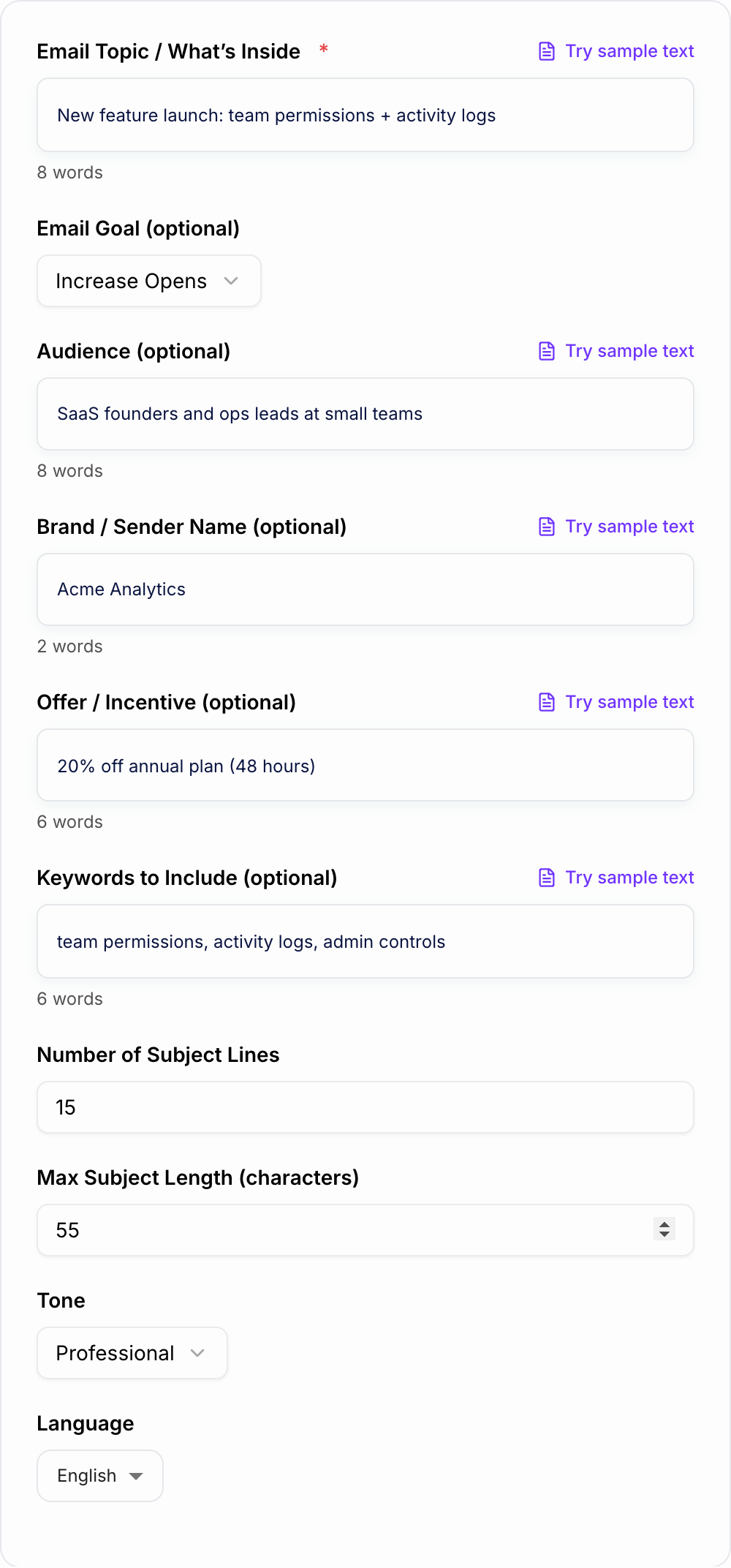
Use the AI Email Subject Line Generator for newsletters, sales follow-ups, promotions, launches, onboarding emails, abandoned cart flows, and internal updates. Add the email topic, audience, tone, and whether you want preheaders, then compare several angles before you send.
What to Enter for Better Subject Line Ideas
Start with the real message of the email. Include the offer, update, story, event, feature, deadline, or question the email covers.
Then add audience context. A subject line for SaaS admins should not sound like one for casual shoppers. A follow-up to a warm prospect should not sound like a blast newsletter.
Useful input details include:
- audience segment and relationship to your brand
- campaign goal: open, click, reply, register, buy, confirm, or return
- offer details, dates, product names, or event names
- tone: direct, friendly, premium, urgent, playful, or formal
- anything the subject line must avoid, such as discount language or hype
How to Choose the Right Mode
A synonym is not a test. If you change “unlock” to “discover,” you did not run a variant — you changed the mood of the same fog.
Use Open-Rate Ideas when you want a balanced batch of clear, specific subject lines for testing.
Use Sales Follow-Up when the goal is a reply. These should sound personal and low-pressure, not like a mass campaign.
Use Newsletter when the subject needs to summarize the issue or highlight the strongest story inside.
Use Promotion when the email includes an offer, launch, sale, cart reminder, or deadline. Keep urgency honest and avoid spam patterns such as all caps, too many punctuation marks, or exaggerated claims.
Use Preheaders as the Second Half of the Pitch
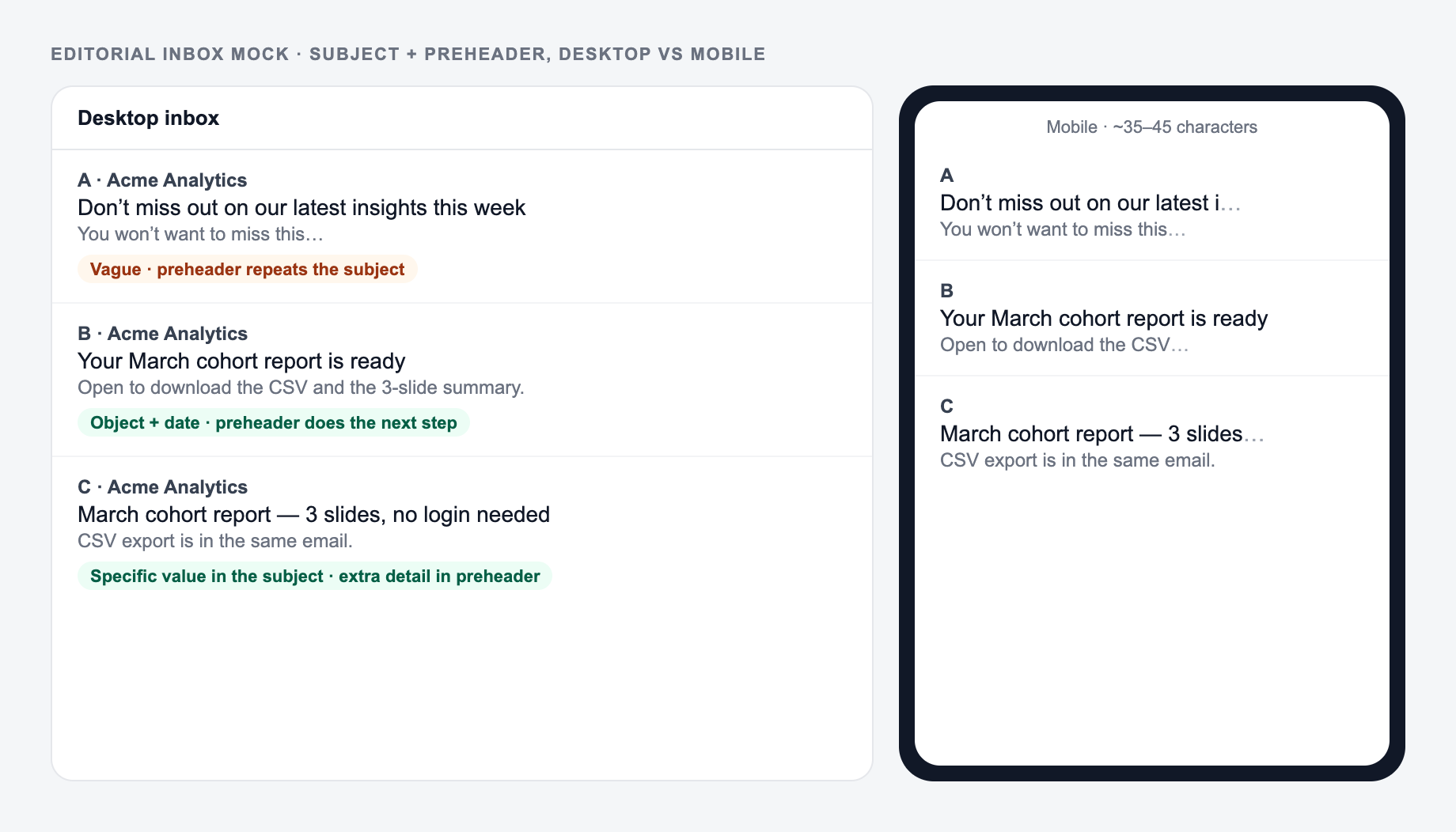
The preheader should add information, not repeat the subject line. Read the subject and preheader together like one inbox preview.
Weak pair:
- Subject: New templates are here
- Preheader: New templates are now available
Stronger pair:
- Subject: New campaign templates are here
- Preheader: Build your next launch email, ad, and landing page faster.
That second line gives the reader a reason to care.
How to Review Generated Subject Lines
Before choosing finalists, check each option against the email body. The subject should not promise a discount, result, feature, or deadline the email does not clearly deliver.
For most campaigns, choose two to four subject lines with different angles:
- one clear and direct option
- one benefit-led option
- one curiosity option that still tells the truth
- one urgency or timing option if the deadline is real
If you are building a larger campaign, Junia AI gives you related tools for writing the email body, reply copy, landing page sections, and supporting content in the same workflow.
Final Checklist Before You Send
Same job, three rooms. If every option could run in every room, the brief is still generic.
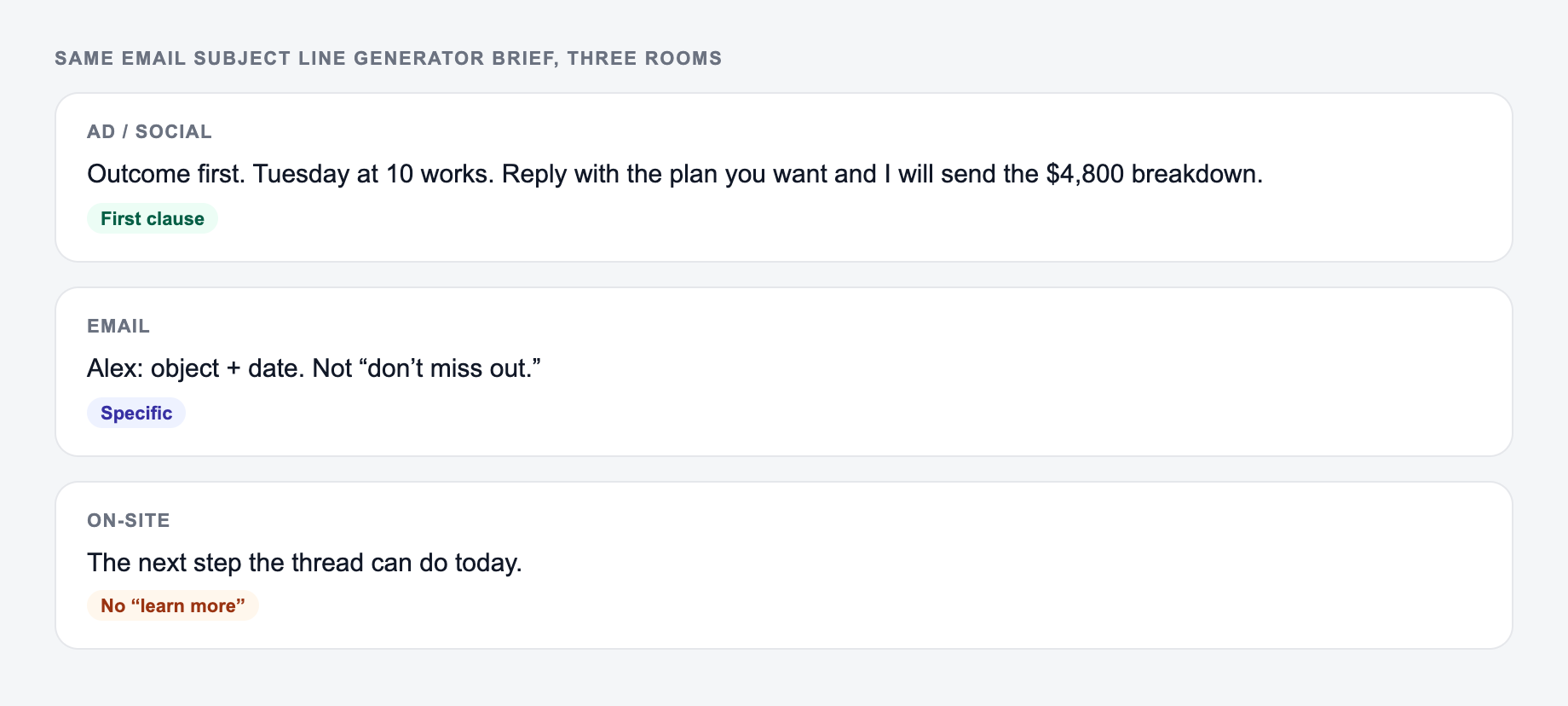
- Is the subject line specific enough to be trusted?
- Does it fit on mobile without hiding the main idea?
- Does the preheader add context instead of repeating the same words?
- Did you avoid fake urgency and spammy punctuation?
- Are you testing meaningfully different angles instead of four tiny variations?
Mobile Truncation and Preheader Division of Labor
Treat subject + preheader as one unit of about 40–90 visible characters on a phone. If the subject already states the news, the preheader should add the next fact, not repeat it.
Enter the real offer and audience. Subject and preheader should split the job, not repeat it.
Angle A: A one-line request like “run the subject line generator” with no audience, channel, or constraint.
Angle B: A brief the AI Email Subject Line Generator can use: who it is for, where the output will appear, and what must stay true.
B is stronger when the first clause names an outcome the destination can keep. A synonym of A is not a test — change the idea, not the adjective.
Worked stack for a real Thursday trial end:
- Subject: Your trial ends Thursday
- Preheader: Export drafts in Settings → Data
- Rejected pair: “Don’t miss out!!!” + “Don’t miss out on your trial”
Generate four different jobs: direct, benefit, curiosity-with-truth, and timing-if-real. Curiosity that hides the topic (“You won’t believe this”) is usually a spam and trust problem. Avoid ALL CAPS, fake Re:/Fwd:, and emoji piles. Personalization tokens that resolve empty are worse than no token.
Compare the same three subjects in a desktop inbox and a mobile-width cut. The stronger pair puts the object in the subject and the next step in the preheader.
Frequently Asked Questions
How do I write a good email subject line?+
A strong email subject line is specific, benefit-led, and relevant to the reader. Use clear language, keep it short enough for mobile, and match the promise to the email content. This generator creates multiple angles so you can choose the best fit.
What’s the best length for an email subject line?+
Many marketers aim for ~35–60 characters to reduce truncation on mobile devices. The ideal length depends on your audience and inbox clients, so testing is key. Use the Max Subject Length setting to keep outputs within a target range.
Does personalization improve open rates?+
Often, yes—when it’s relevant. Personalization can be based on audience role, interest, or context (not just first name). This tool can generate subject lines that feel tailored using your audience and topic details.
Can I generate subject lines for different types of emails?+
Yes. Use the Goal field to generate subject lines for newsletters, announcements, promotions, welcome emails, re-engagement campaigns, webinars/events, and abandoned cart emails.
Will these subject lines trigger spam filters?+
The tool avoids overly spammy patterns by default, but deliverability depends on your overall sending setup (domain reputation, authentication, content). If you want extra-conservative wording, use the Spam-Safe / Deliverability mode.
Should I A/B test subject lines?+
Yes. A/B testing subject lines is one of the fastest ways to improve open rates. Test one variable at a time (length, curiosity vs benefit, urgency vs neutral). The A/B Test Set mode generates contrasting pairs to try.