
Free Estimate Generator
Generate polished estimates and client-ready quotes for products or services without manual formatting. Add scope, line items, quantities, taxes, discounts, deposits, timelines, payment terms, assumptions, and exclusions for freelancers, contractors, agencies, and small businesses.
Estimate
Your professional estimate/quote will appear here...
How the Estimate Generator Works
Get results in seconds with a simple workflow.
Add Project Details and Client Info
Enter a project title and (optionally) your business details and client details to personalize the estimate and keep records consistent.
List Line Items, Taxes, and Discounts
Add itemized services/products with quantities and unit prices. Optionally include tax rate, discount, and deposit to generate accurate totals.
Generate and Send for Approval
Generate a client-ready estimate with scope, totals, timeline, validity, and payment terms—then copy, download, or paste into your proposal workflow.
See It in Action
Turn rough pricing notes into a polished, client-ready estimate with clear scope, line items, totals, and terms.
Need estimate for website redesign.
- Design: 650
- Dev: 1400
- SEO: 250 Client: Northwind Fitness Not sure how to format taxes/terms.
ESTIMATE: Website Redesign Estimate
From: Acme Web Studio To: Northwind Fitness (Jordan Lee)
Scope of Work:
- Redesign and build a 5-page marketing website including copyediting, basic SEO setup, and contact form.
Line Items:
- Homepage design — Qty 1 × $650 = $650
- Development — Qty 1 × $1,400 = $1,400
- Basic SEO setup — Qty 1 × $250 = $250
Subtotal: $2,300 Discount: 10% (-$230) Tax (0%): $0 Total: $2,070 Deposit (30%): $621 due to schedule Balance: $1,449 due upon delivery
Timeline: 2–3 weeks from approval Valid Until: 14 days from issue date
Payment Terms:
- 50% deposit to schedule; remaining balance due upon delivery
- Net 7 for invoices; ACH/credit card accepted
Notes / Exclusions:
- Estimate excludes paid plugins, premium stock assets, and ongoing hosting
- Additional revisions billed at $85/hr
Why Use Our Estimate Generator?
Powered by the latest AI to deliver fast, accurate results.
Professional Estimate Template (Client-Ready Formatting)
Generates a clean estimate/quote layout with sections for scope, line items, totals, taxes, discounts, deposit, timeline, and terms—easy to copy into an email, PDF, or invoicing tool.
Automatic Totals With Tax, Discount, and Deposit Support
Calculates subtotal and total, and includes optional tax rate, discounts (fixed or percentage), and deposits to reduce back-and-forth and speed up approvals.
Clear Scope, Assumptions, and Exclusions to Prevent Scope Creep
Adds clear scope-of-work wording plus assumptions/exclusions and change request language (when needed) to protect your time and set expectations.
Flexible Line Items for Services or Products
Supports itemized estimates with quantity and unit price, and can infer missing details if you provide a simple list—great for freelancers, contractors, consultants, and agencies.
Multilingual Estimates for International Clients
Create estimates in multiple languages for global customers while keeping professional terminology for quotes, terms, and payment conditions.
Pro Tips for Better Results
Get the most out of the Estimate Generator with these expert tips.
Use itemized line items to increase trust and close faster
Breaking down an estimate into clear deliverables reduces price objections and helps clients understand what they’re paying for—especially for services and project work.
Add a validity period to create urgency (without pressure)
A “valid for 14 days” line helps protect pricing from changes and encourages timely approval while staying professional.
Prevent scope creep with assumptions and exclusions
State what’s included and excluded (e.g., paid tools, extra revisions, rush work). Clear boundaries reduce disputes and protect your margins.
Use deposits or milestones to protect cash flow
A deposit (e.g., 30–50%) or milestone schedule helps you start work confidently and reduces the risk of non-payment.
Keep payment terms specific
Specify due dates (Net 7/Net 14), accepted payment methods, and late fee language if applicable—clarity speeds up payment.
Who Is This For?
Trusted by millions of students, writers, and professionals worldwide.
Create Client-Ready Estimates with a Free Estimate Generator
The Estimate Generator turns rough pricing notes into a clean estimate or quote with scope, line items, totals, taxes, discounts, deposits, timelines, and payment terms. That is useful because clients rarely reject estimates only because of price. They often hesitate because the work, math, or terms are unclear.
Use the generated estimate as a professional first version you can send, paste into an email, or adapt for a PDF or invoicing workflow.
What to Enter Before You Generate
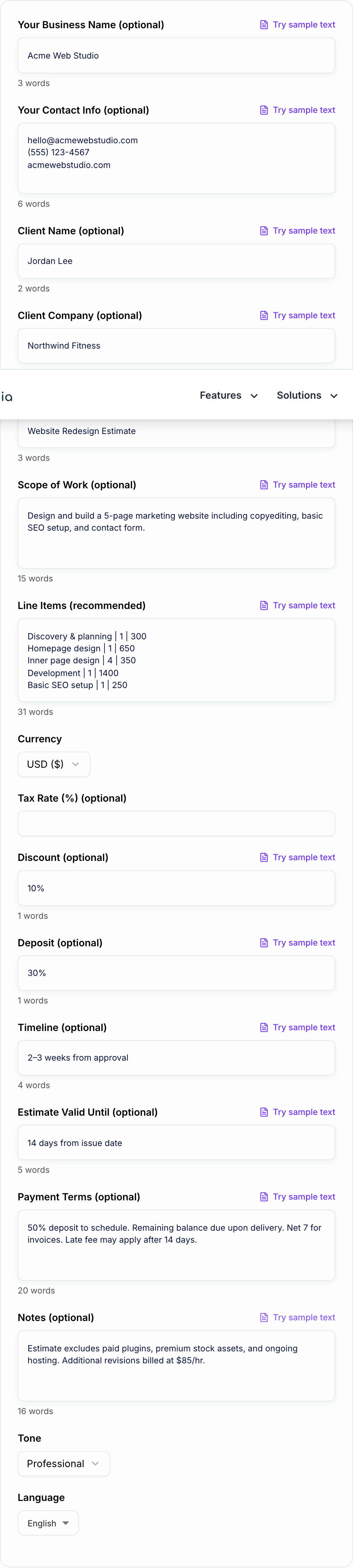
The tool can create a simple estimate from a project title, but detailed inputs make the output more useful:
- Business and client details: names, contact info, company names, and project title.
- Scope of work: what the estimate covers in plain language.
- Line items: each service or product, quantity, and unit price.
- Currency, tax, and discounts: so the total is easy to verify.
- Deposit or milestone terms: especially for larger projects.
- Timeline and validity period: when work starts, how long it takes, and how long pricing is valid.
- Notes, assumptions, and exclusions: what is included, what is not, and what requires approval.
If you only enter "website redesign, $2,300," the output will be thin. If you enter discovery, homepage design, inner pages, development, SEO setup, deposit, and exclusions, the generator can produce a quote that feels much easier to approve.
Choose the Right Estimate Mode
Quick Estimate
Use this when a lead needs fast pricing and the scope is straightforward. Keep the output short, readable, and easy to approve.
Detailed Estimate
Use this when the project has several deliverables, assumptions, or exclusions. This mode is better for reducing back-and-forth before work starts.
Service Estimate
Use this for freelancers, consultants, agencies, writers, designers, developers, and other service providers. It should emphasize deliverables, timeline, revisions, acceptance criteria, and payment terms.
Contractor or Construction Estimate
Use this when labor, materials, site conditions, permits, and change-order language matter. Review the generated wording carefully because local requirements and client expectations can vary.
How to Write Line Items the Generator Can Use
Line items make the work visible. Instead of entering one total, break the price into pieces:
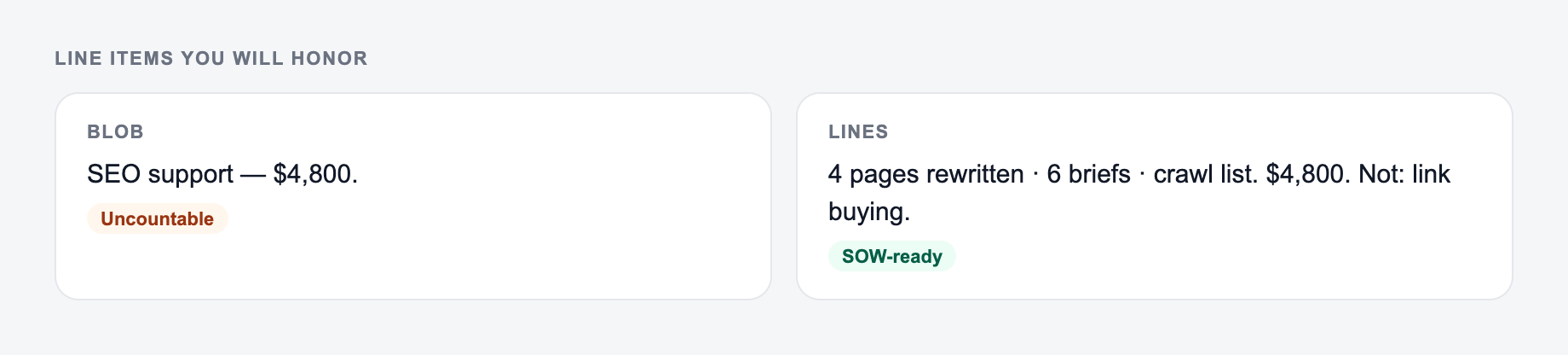
Countable line items and rates you will honor belong on the form.
Section order that readers actually scan:
- The ask or the decision.
- The facts that make it true.
- What is out of scope.
- The date they must answer.
This is a draft aid, not legal, medical, or financial advice.
- Discovery and planning | 1 | 300
- Homepage design | 1 | 650
- Inner page design | 4 | 350
- Development | 1 | 1400
- Basic SEO setup | 1 | 250
This does not mean every estimate needs dozens of rows. It means the client should understand what the total covers. For hourly work, include estimated hours. For products, include quantity and unit price. For services, include deliverables.
Review the Generated Estimate Before Sending
After generation, check the estimate like a client would.
First, verify the math. Confirm subtotal, tax, discount, deposit, and balance are correct. If the generator inferred anything from loose notes, check those assumptions.
Second, review the scope. Make sure the wording says exactly what you will deliver. Vague scope language creates the "can you also add..." problem later.
Third, tighten the terms. Payment due dates, revision limits, validity period, late fees, change requests, and exclusions should be clear without sounding aggressive.
Estimate vs Quote vs Proposal vs Invoice
The generator is designed for estimates and quotes: pricing documents sent before work starts. A proposal is usually longer and more persuasive, often with strategy, options, or background. An invoice is a payment request sent after delivery or at a milestone.
If your goal is "approve this so I can start," create an estimate or quote. If your goal is "pay this amount now," you need an invoice.
Use Estimates as a Repeatable Business Workflow
Filled shape to imitate
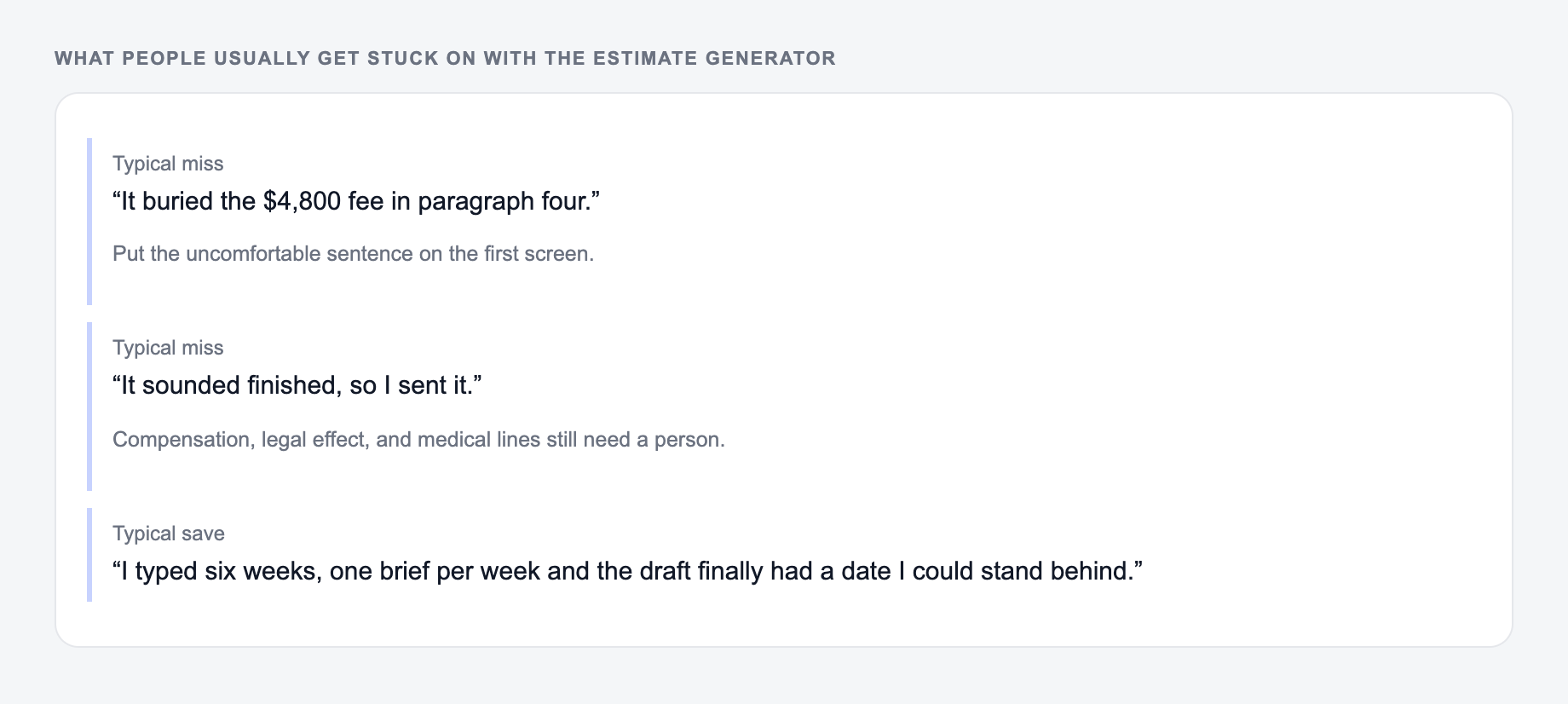
The ask, the date, the deliverable, and the thing you will not promise — in that order. If the draft buries the uncomfortable sentence, put it back on the first screen.
These are the complaints that show up after the first draft — they are almost always about the brief, not the model.
Once you generate a format that works, reuse the structure. A consistent estimate template saves time and makes your business feel organized. Junia's AI writing tools can also help with adjacent client-facing copy, such as project summaries, proposal sections, emails, and business notes, while the estimate generator handles the pricing document itself.
Final Estimate Checklist
Before sending the estimate, confirm that:
- the project title and client details are correct;
- line items are specific enough to justify the total;
- tax, discounts, deposits, and balance are easy to understand;
- timeline and validity period are included;
- payment terms say when and how the client should pay;
- assumptions, exclusions, and change-request terms protect the scope;
- the document reads like a professional quote, not a rushed pricing email.
The estimate generator gives you the structure quickly. Your final review should make the numbers accurate, the scope clear, and the approval path simple.
Frequently Asked Questions
What’s the difference between an estimate and an invoice?+
An estimate (or quote) is sent before work begins to propose scope and pricing. An invoice is sent after work is delivered (or at milestones) to request payment. This tool generates an estimate/quote document.
Can I include taxes, discounts, and deposits in my estimate?+
Yes. Add an optional tax rate, discount (percentage or fixed amount), and a deposit (percentage or fixed amount). The estimate will show a clear breakdown so clients understand totals.
Do I need to add line items to generate an estimate?+
No. You can generate an estimate with just a project title and scope. For best results (and fewer client questions), add itemized line items with quantity and unit price.
Is this estimate generator free to use?+
Yes. You can generate an estimate for free. Some specialized modes (like contractor-style wording) may be marked as premium depending on your site’s access rules.
How do I write estimate terms to avoid scope creep?+
Include a clear scope, what’s included, what’s excluded, revision limits (if relevant), a change request process, and payment milestones. This tool can add these sections based on your inputs.
Can I use this as a quote template for email?+
Yes. The output is designed to be copy-pasted into an email or proposal document. You can also convert it to PDF using your preferred editor or invoicing software.