
Free Executive Summary Generator
Use the AI Executive Summary Generator to turn long reports, proposals, business plans, research notes, meeting notes, and project updates into concise summaries for decision-makers. Paste your source text, choose the audience and length, and get a structured summary with key findings, risks, recommendations, and next steps.
Executive Summary
Your executive summary will appear here...
How the AI Executive Summary Generator Works
Get results in seconds with a simple workflow.
Paste Your Document or Notes
Add your report, proposal, business plan, project update, or meeting notes. Include key metrics and outcomes for a stronger, more credible executive summary.
Set Audience, Tone, and Length (Optional)
Choose who the summary is for (CEO, board, investors, client), select a tone, and set a target word count to control brevity and detail.
Generate and Finalize
Get a structured executive summary with key takeaways, recommendations, and next steps. Review for accuracy, add any missing metrics, and paste into your doc or slide deck.
See It in Action
Example of turning detailed notes into a concise, stakeholder-ready executive summary.
We did an SEO revamp. Fixed crawl errors, improved speed, refreshed content, and made new landing pages. Organic traffic increased and demos improved. There are risks due to engineering bandwidth and content bottlenecks. We think we should keep monthly checks and publish more supporting articles. We need approval for Q2 content plan and some engineering time monthly.
Executive Summary: Over the past 60 days, we completed an SEO revamp to increase organic traffic and improve lead quality for our SaaS website. The work included a technical SEO audit, crawl-error remediation, Core Web Vitals improvements, internal-linking updates, refreshing 20 existing blog posts, and publishing 8 intent-based landing pages.
Key outcomes include a 32% increase in organic sessions, an 18% lift in demo requests from organic traffic, and 12 priority keywords moving into the top three positions.
Primary risks are limited engineering capacity for ongoing technical fixes and a content review bottleneck that may slow publishing velocity. We recommend maintaining monthly technical health checks, expanding the highest-performing topic clusters with six supporting articles, and prioritizing schema enhancements and programmatic page opportunities.
Next Steps: Approve the Q2 content plan and allocate one engineering day per month for SEO maintenance.
Why Use Our AI Executive Summary Generator?
Powered by the latest AI to deliver fast, accurate results.
Decision-Ready Executive Summaries
Creates a clear executive summary that highlights objectives, key insights, outcomes, risks, and next steps—optimized for busy stakeholders who need the gist fast.
Works for Reports, Proposals, Business Plans, and Updates
Summarizes long-form content into a structured summary suitable for proposals, project status updates, investor briefs, research, and client deliverables.
Scannable Structure With Key Takeaways
Outputs a professional format with short paragraphs and optional bullets so the summary is easy to skim and easy to paste into a slide deck or document.
Audience- and Tone-Aware Writing
Adapts wording for executives, boards, investors, or clients while maintaining a confident, business-appropriate tone and avoiding unnecessary jargon.
Accurate, Meaning-Preserving Summarization
Keeps facts, numbers, and proper nouns consistent with your source text, reducing the risk of misstatements in business-critical summaries.
Pro Tips for Better Results
Get the most out of the AI Executive Summary Generator with these expert tips.
Include the decision needed to make the summary more actionable
Add the specific approval or decision (budget, vendor, roadmap, launch) so the executive summary ends with a clear recommendation and next step.
Lead with outcomes and metrics when writing for executives
If you have results, include them near the top. Leadership summaries perform best when they quickly answer: what changed, why it matters, and what we should do next.
Paste only the most relevant sections to avoid noise
If the document is very long, paste the objective, key findings, results, risks, and recommendations. Cleaner inputs produce clearer executive summaries.
Keep claims verifiable
Avoid unsupported statements. If your source text doesn’t include a metric or proof point, add it before generating—or keep the summary qualitative and accurate.
Use the summary as a reusable top section
Once generated, reuse the executive summary in proposals, stakeholder emails, QBRs, and slide decks to keep messaging consistent across channels.
Who Is This For?
Trusted by millions of students, writers, and professionals worldwide.
Generate Decision-Ready Executive Summaries from Long Documents
An executive summary generator is useful when the source material is too long for the reader's first pass. The goal is not to shrink every detail. The goal is to pull out the decision, the evidence, the risks, and the next step.
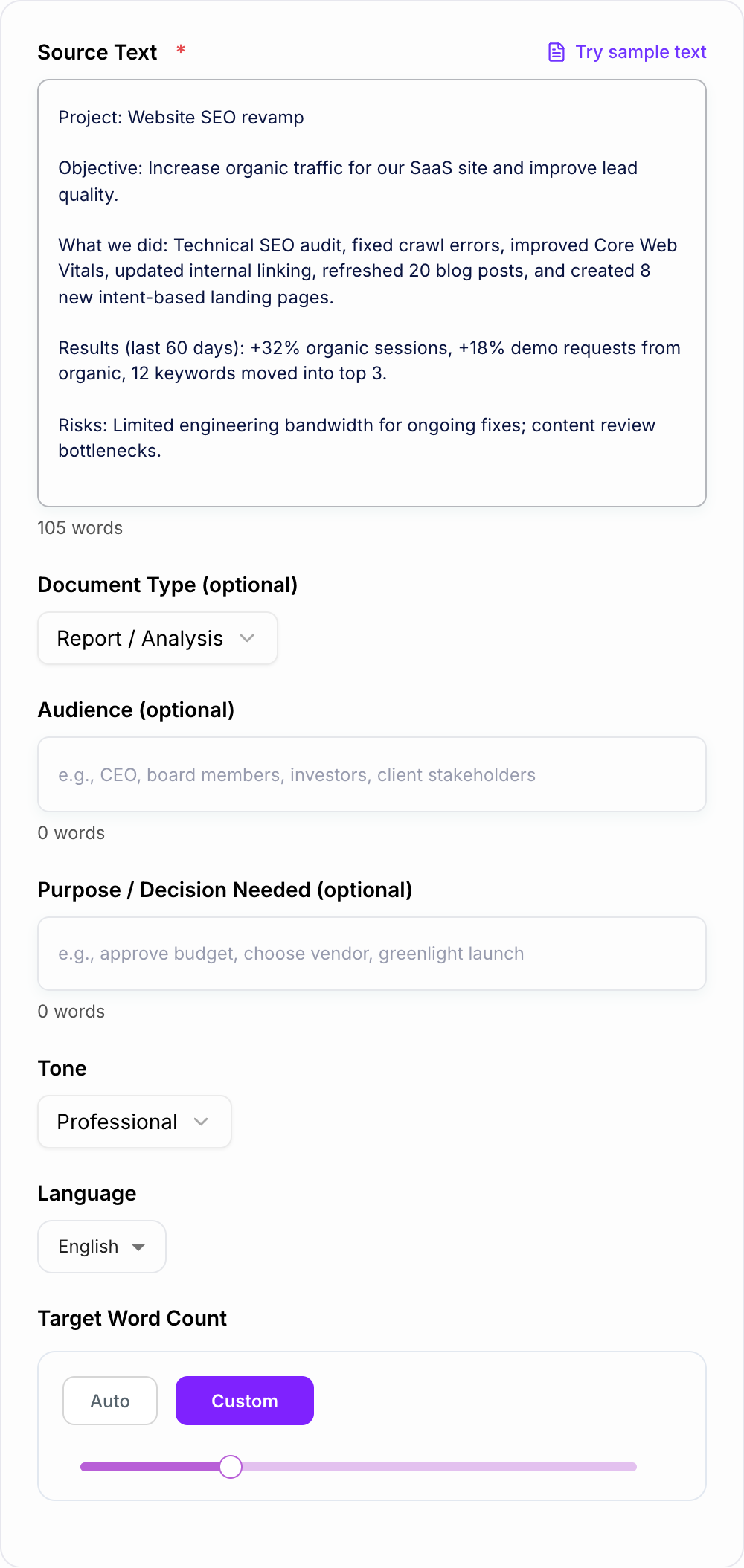
This AI Executive Summary Generator can summarize reports, proposals, business plans, project updates, research notes, meeting notes, case studies, and client deliverables into a concise business-ready draft.
What to Paste into the Executive Summary Generator
The best input is not always the full document. If the source is messy or very long, paste the sections that matter most:
- the objective or business problem
- key findings, results, or outcomes
- important metrics and dates
- recommendation or proposed action
- risks, blockers, or dependencies
- stakeholder concerns
- decision needed or next step
If you paste only background, the summary will sound like background. If you paste outcomes and decisions, the summary will read like something a leader can act on.
How to Set Audience, Tone, and Length
The same source document may need different summaries.
For a CEO or leadership team, lead with impact, tradeoffs, risks, and the decision needed.
For a board or investor audience, emphasize strategic implication, financial relevance, market context, and confidence level.
For a client, focus on scope, progress, outcomes, next steps, and what you need from them.
For an internal team, include blockers, owners, dependencies, and deadlines.
Use the length setting honestly. A 150-word summary is useful for a quick email or top-of-doc overview. A complex proposal may need 400 to 600 words so the recommendation has enough context.
Example Input and Generated Output
Filled shape to imitate
The ask, the date, the deliverable, and the thing you will not promise — in that order. If the draft buries the uncomfortable sentence, put it back on the first screen.
Input
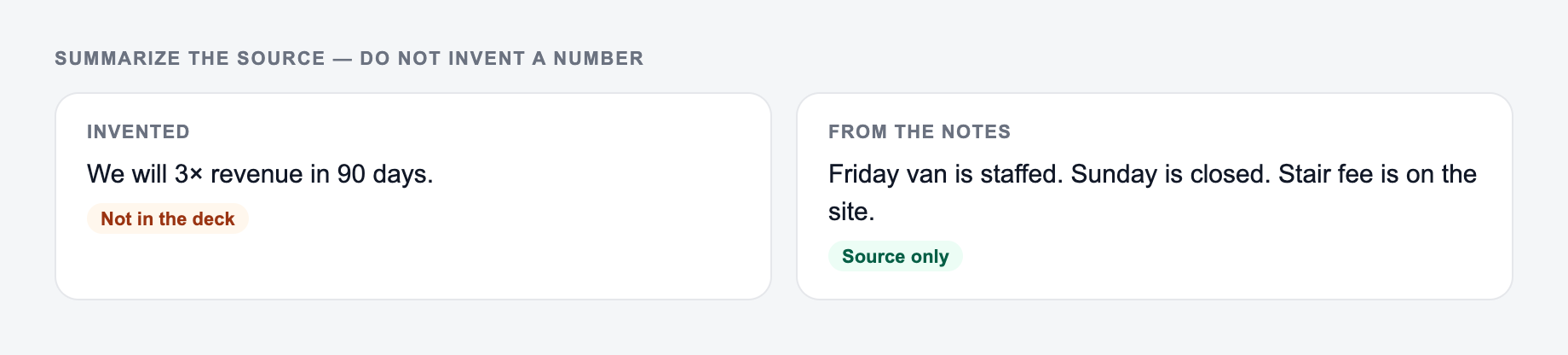
Paste the source you summarized. The form should not invent a number.
Decision criteria before you send anything the AI Executive Summary Generator drafted:
- Can you point to the number in a spreadsheet or a contract?
- Would you sign it if your name were the only one on it?
- What happens if the optimistic date slips?
This is a draft aid, not legal, medical, or financial advice.
We completed an SEO revamp over 60 days. Work included crawl-error fixes, page-speed improvements, internal linking, refreshing 20 blog posts, and publishing 8 landing pages. Organic sessions increased 32%. Demo requests from organic traffic increased 18%. 12 priority keywords moved into the top three. Risks: limited engineering time and slow content review. Need approval for Q2 content plan and one engineering day per month.
Generated executive summary
Over the past 60 days, the team completed an SEO improvement project focused on technical fixes, content refreshes, internal linking, and new intent-based landing pages. The work increased organic sessions by 32%, lifted organic demo requests by 18%, and moved 12 priority keywords into the top three positions.
The main risks are limited engineering capacity for ongoing technical maintenance and a content review bottleneck that could slow publishing velocity. We recommend approving the Q2 content plan and allocating one engineering day per month to preserve momentum.
Decision needed: Approve the Q2 content roadmap and monthly engineering allocation by Friday.
How to Review the Generated Summary
Before using the summary, check every high-impact detail:
- Are all metrics copied correctly?
- Are names, dates, products, and project labels accurate?
- Does the recommendation match the source material?
- Are risks stated clearly without exaggeration?
- Is there a concrete next step or decision request?
- Did the generator omit context the reader needs?
For finance, legal, compliance, investor, medical, or high-stakes client content, treat the generated version as a draft only. A short summary can create a large misunderstanding if a number or recommendation is wrong.
When to Generate Multiple Versions
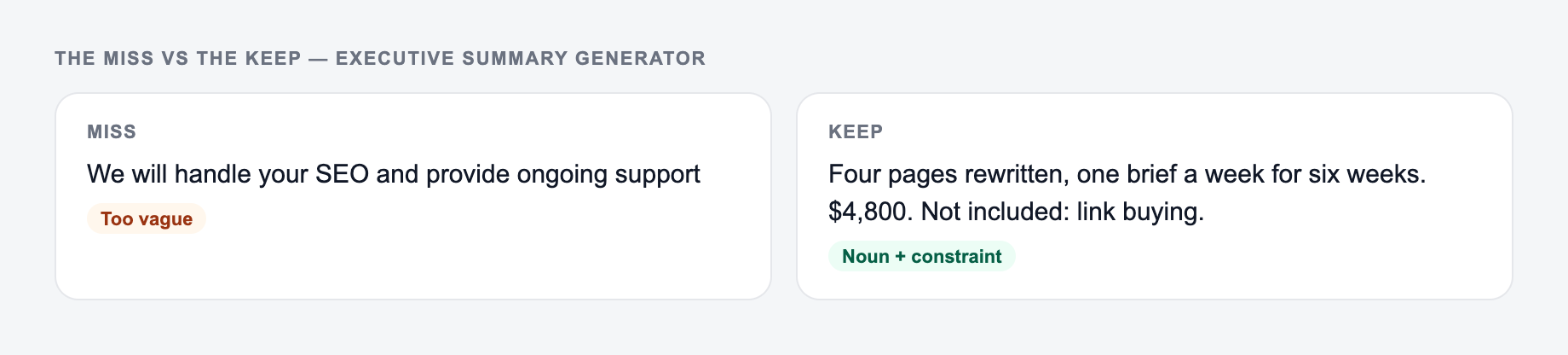
If your input looks like the miss, do not judge the tool yet — add the noun and the constraint first.
One useful workflow is to generate several versions from the same source:
- a 150-word version for email
- a 300-word version for the top of a report
- a bullet version for slides
- a client-facing version with less internal detail
- an internal version that includes blockers and owners
That saves time because the core message stays consistent while the framing changes by audience.
For other business writing around the same material, Junia AI can help turn the summary into proposal copy, stakeholder updates, project briefs, meeting recaps, or follow-up emails without rebuilding the message from scratch.
Final Checklist Before Sending
A strong executive summary should answer five questions quickly:
- What is this about?
- Why does it matter?
- What did we learn or achieve?
- What do we recommend?
- What decision or action is needed now?
If the generated summary does not answer those questions, add the missing information to your input and generate again. Better inputs produce better executive summaries.
Frequently Asked Questions
What is an executive summary?+
An executive summary is a concise overview of a longer document—such as a report, proposal, or business plan. It highlights the purpose, key points, results, recommendations, and next steps so decision-makers can understand the essentials quickly.
What should a good executive summary include?+
Strong executive summaries typically include: context and objective, the problem or opportunity, key findings or results (with important metrics), recommendations, risks/constraints, and clear next steps or the decision needed.
Can this summarize a proposal or business plan?+
Yes. Paste your proposal or plan and the tool will produce a professional executive summary. If you add the audience and the decision needed (optional), the output will be more targeted for stakeholders.
Will it keep my numbers and names accurate?+
The tool is designed to preserve proper nouns and metrics from your source text. Always review the final summary for accuracy—especially for finance, legal, compliance, and medical content.
How long should an executive summary be?+
It depends on the document and audience, but common lengths are 150–300 words for quick reads and up to ~500–600 words for more complex proposals or business plans. Use the word count setting to match your needs.
Can I generate an executive summary in another language?+
Yes. Select your output language to generate an executive summary for multilingual teams, global stakeholders, or international clients.