
Free AI Grammar Checker
Check grammar, spelling, punctuation, and clarity in seconds. Paste emails, essays, blog sections, landing page copy, or professional writing, then choose a correction mode that fixes errors while preserving your meaning and voice.
Corrected Text
Your corrected, polished text will appear here...
How the AI Grammar Checker Works
Get results in seconds with a simple workflow.
Paste Your Text
Add any text you want to proofread—an email, paragraph, blog section, or web page copy. Longer inputs work too, but focused sections often get the cleanest edits.
Choose a Mode (Optional)
Pick “Correct Only” for minimal edits, “Clarity + Flow” for readability improvements, or “Formal” for a more professional style. Choose an SEO mode if you want keyword-safe polishing.
Generate and Review
Get corrected text instantly. Review for domain-specific terms (brand names, technical language) and make any final preference edits before publishing.
See It in Action
Example of grammar correction with improved punctuation and clarity while preserving the original meaning (ideal for SEO content and professional writing).
Their are many reasons why SEO matter. It help businesses get found online, but if your content isnt clear, people will leave quickly.
There are many reasons why SEO matters. It helps businesses get found online, but if your content isn’t clear, people will leave quickly.
Why Use Our AI Grammar Checker?
Powered by the latest AI to deliver fast, accurate results.
Grammar, Spelling, and Punctuation Correction
Fixes common grammar mistakes (subject-verb agreement, tense consistency), spelling errors, and punctuation issues to produce clean, professional writing.
Clarity and Readability Improvements
Improves sentence flow, reduces awkward phrasing, and enhances readability—especially useful for blog posts, landing pages, and SEO content where clarity impacts engagement.
Meaning-Preserving Edits
Corrects and polishes while preserving your original meaning, intent, and key details—ideal for business emails, academic writing, and client-facing copy.
Tone Control for Different Writing Contexts
Optionally adapts tone (e.g., friendly, professional, confident) to match the context of your writing without introducing fluff or changing intent.
SEO-Friendly Copy Polish (Optional)
Keeps headings and important keywords intact while improving clarity and grammar—helpful for on-page SEO, content refreshes, and publishing error-free pages.
Pro Tips for Better Results
Get the most out of the AI Grammar Checker with these expert tips.
Use “Correct Only” when wording must stay the same
For compliance, legal, or stakeholder-approved copy, minimal changes reduce risk while still fixing grammar and punctuation mistakes.
Check one section at a time for cleaner edits
For long articles, proofread in sections (intro, one heading at a time). This improves coherence and reduces the chance of unintended phrasing changes.
Keep SEO terms consistent
If your content targets specific keywords, keep those terms unchanged. After polishing, quickly scan headings and the first paragraph to ensure the primary keyword still appears naturally.
Watch for meaning-critical words
Double-check numbers, dates, negations (not/never), and product names after edits—small changes can alter meaning in marketing and technical writing.
Polish after you finalize structure
Run a grammar check after headings and the overall structure are final. You’ll avoid re-editing text you later move or remove.
Who Is This For?
Trusted by millions of students, writers, and professionals worldwide.
Check grammar, punctuation, and clarity without losing your voice
Most people think grammar checking is just about fixing typos. It is not. The real win is this: you keep your meaning, your style, and your intent… while removing the little errors that make readers hesitate.
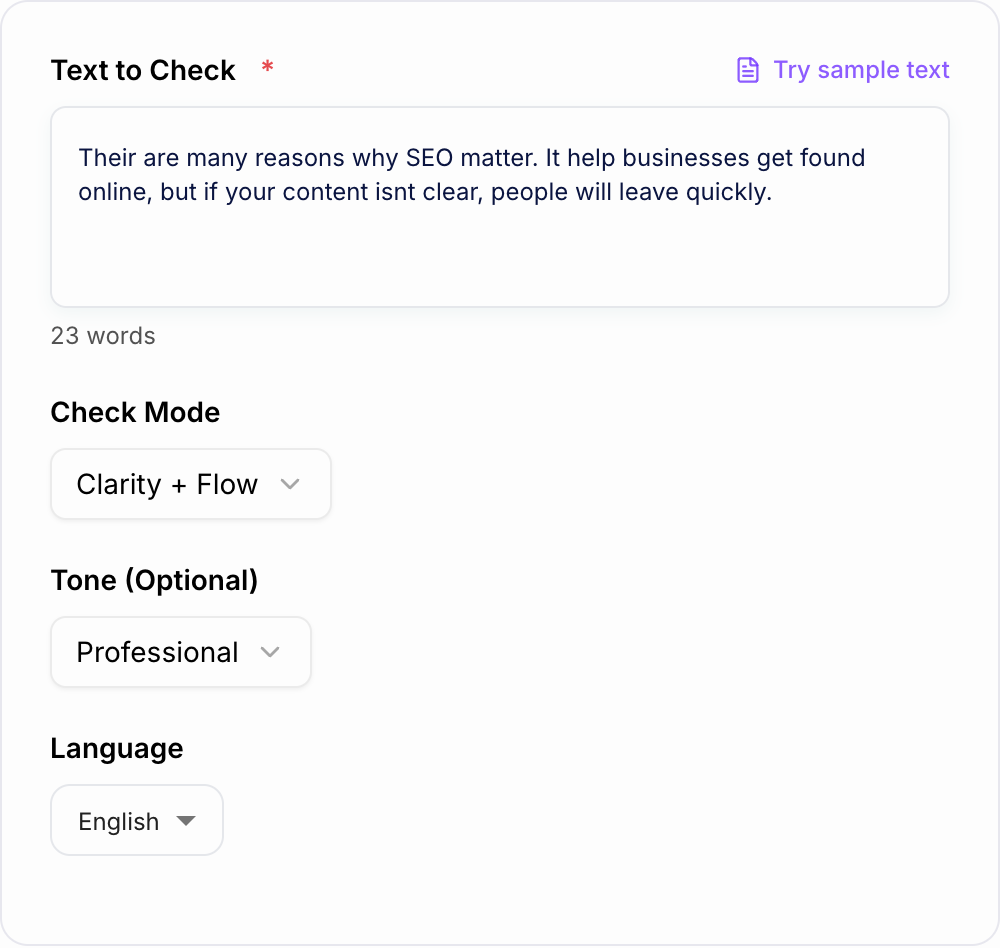
A good AI grammar checker should help with:
- grammar and agreement issues (subject verb, tense consistency)
- punctuation that changes meaning (commas, apostrophes, run-ons)
- spelling that slips through when you write fast
- awkward phrasing that sounds fine in your head, but weird out loud
- clarity, so the reader does not have to reread the same sentence twice
Paste your text, pick a mode, and treat the result like a smart second draft. Not a replacement for you.
If the whole draft needs structure, tone, and readability work before proofreading, start with the broader AI text editor, then use this grammar checker as the final cleanup pass.
What to paste into the Grammar Checker
Paste the section you want to fix, not a vague instruction about the section. The tool needs the actual sentence-level text to correct grammar, punctuation, spelling, and clarity.
For best results:
- Check one focused section at a time for long articles.
- Keep headings with the paragraph if heading context affects meaning.
- Leave brand names, product names, and technical terms exactly as you want them.
- Add the target language if the output should be localized.
- Choose the mode before generating so the tool knows how much rewriting is acceptable.
Short inputs are fine. Longer inputs work too, but a focused paragraph usually produces cleaner edits than an entire messy draft pasted all at once.
What this Grammar Checker actually fixes and what it does not
It helps most with real world writing: emails, landing pages, essays, blog posts, product descriptions, and anything you publish publicly.
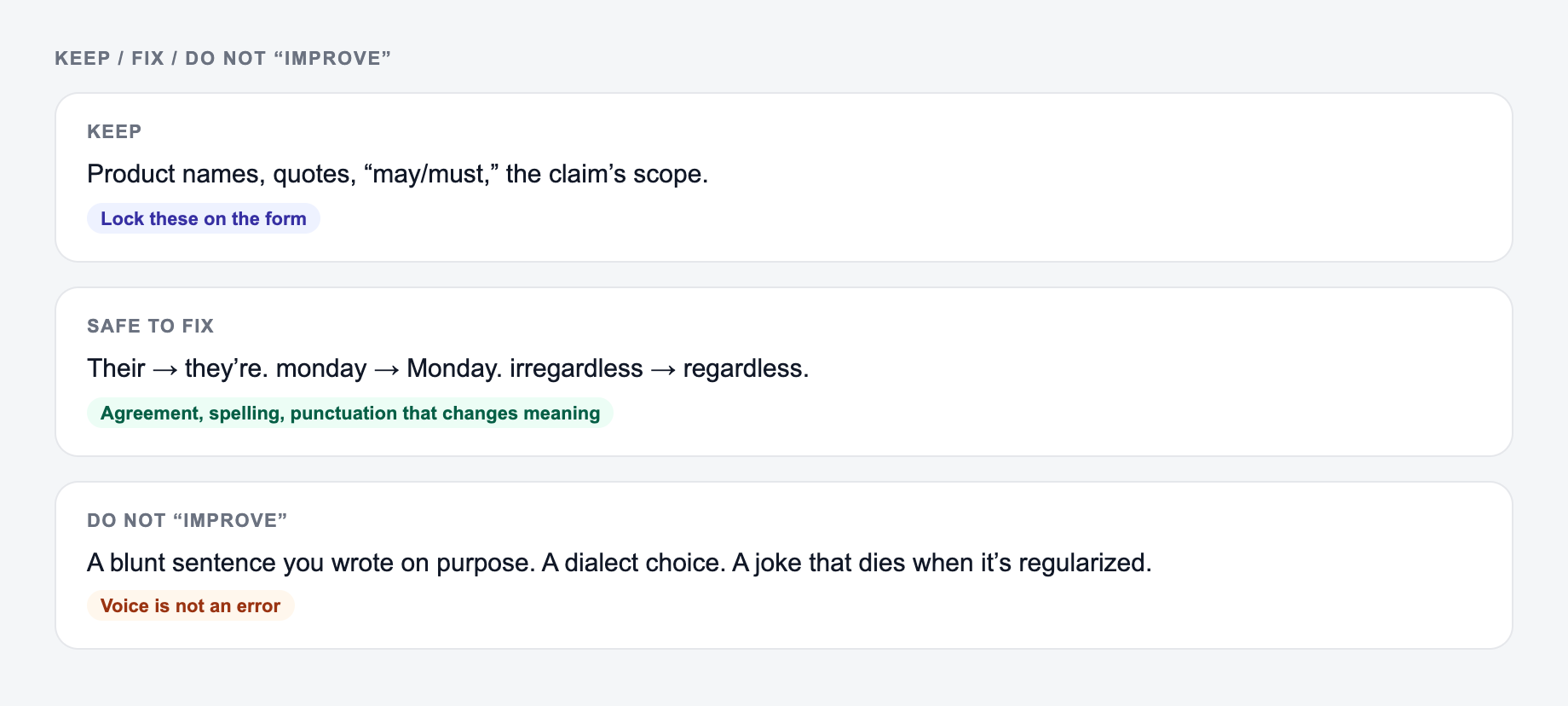
It usually catches:
Grammar mistakes that hurt credibility
Things like “Their is” instead of “There is”, mismatched verb tenses, missing articles, and messy sentence boundaries.
Punctuation that changes the message
A comma in the wrong place can flip the meaning, or at least make it harder to scan. The tool cleans that up.
Clarity and flow issues
This is where “Clarity + Flow” mode shines. It removes clutter, trims repetition, and makes sentences feel more natural.
What it does not do:
- It is not a plagiarism checker.
- It is not a fact checker.
- It will not make weak ideas strong; it helps your writing come across clean.
Which mode should you choose?
If you are not sure, start with Clarity + Flow. It gives the best overall improvement for most writing.
- Correct Only (Minimal Changes): best for legal, compliance, stakeholder approved copy, or anything where wording must stay nearly identical.
- Clarity + Flow: best for blogs, web pages, essays, and general writing where readability matters.
- Formal: best for academic writing, client emails, proposals, and serious business communication.
- SEO Polish: best when you want a light cleanup but need to keep keywords and headings intact for on page SEO.
When wording has already been approved by a client, lawyer, professor, or stakeholder, use Correct Only. When the text is yours and you want it to read better, use Clarity + Flow.
How to review the corrected text
Do not accept every correction blindly. A grammar checker is useful, but final judgment still matters.
After the tool returns a corrected version, check:
- Meaning-critical words like "not", "only", "before", "after", and "must".
- Names, dates, prices, numbers, citations, and product terms.
- Tone changes that make the text too formal, too casual, or less like you.
- SEO keywords and headings if the copy is for a webpage.
- Any sentence where the correction made the claim stronger than the original.
This is especially important for medical, legal, financial, technical, or academic writing. The tool can clean the language, but you still need to verify the facts.
Grammar checking for SEO copy
Clean grammar helps with:
- trust (especially on money pages like services, pricing, and product pages)
- readability and scanning (shorter, clearer sentences keep people moving)
- conversions (fewer “wait what?” moments)
- content refreshes (old pages often rank better after a cleanup)
If you write content regularly, a grammar checker becomes part of your publishing process, like spellcheck, but smarter. If you are already using AI for drafting and rewriting, pairing it with a proper editing pass inside an AI writing platform like Junia AI makes the whole workflow feel smoother.
If you are deciding between editing, proofreading, and rewriting tools, this guide to AI text editor vs grammar checker explains where grammar checking fits in the workflow.
A simple proofreading workflow for using the tool
- Write fast first. Get the ideas down.
- Run one section at a time. Intros, one heading, one block of copy. Cleaner results.
- Scan for meaning critical stuff. Numbers, dates, “not”, brand names, product terms.
- Read it out loud once. You will catch the last weird line that still sounds robotic.
- Do a final pass for intent. Make sure it still sounds like you.
Common grammar mistakes this tool helps you avoid
A quick list, because these show up constantly:
- there/their/they’re confusion
- your/you’re
- “could of” instead of “could have”
- missing apostrophes in contractions
- inconsistent capitalization in headings and sentences
- run-on sentences and comma splices
- switching tense mid paragraph
- duplicate words (the the) that your brain skips over
Mini example: before and after
When grammar tools are good, they do not rewrite everything. They fix what is broken, then gently smooth the rest.
Before:
Their are many reasons why SEO matter. It help businesses get found online, but if your content isnt clear, people will leave quickly.
After:
There are many reasons why SEO matters. It helps businesses get found online, but if your content isn’t clear, people will leave quickly.
That is the goal. Cleaner, clearer, same meaning.
Paste the messy sentence into the form the same way you would a real draft: keep names and claims, then pick a mode that matches how strict you want the rewrite.
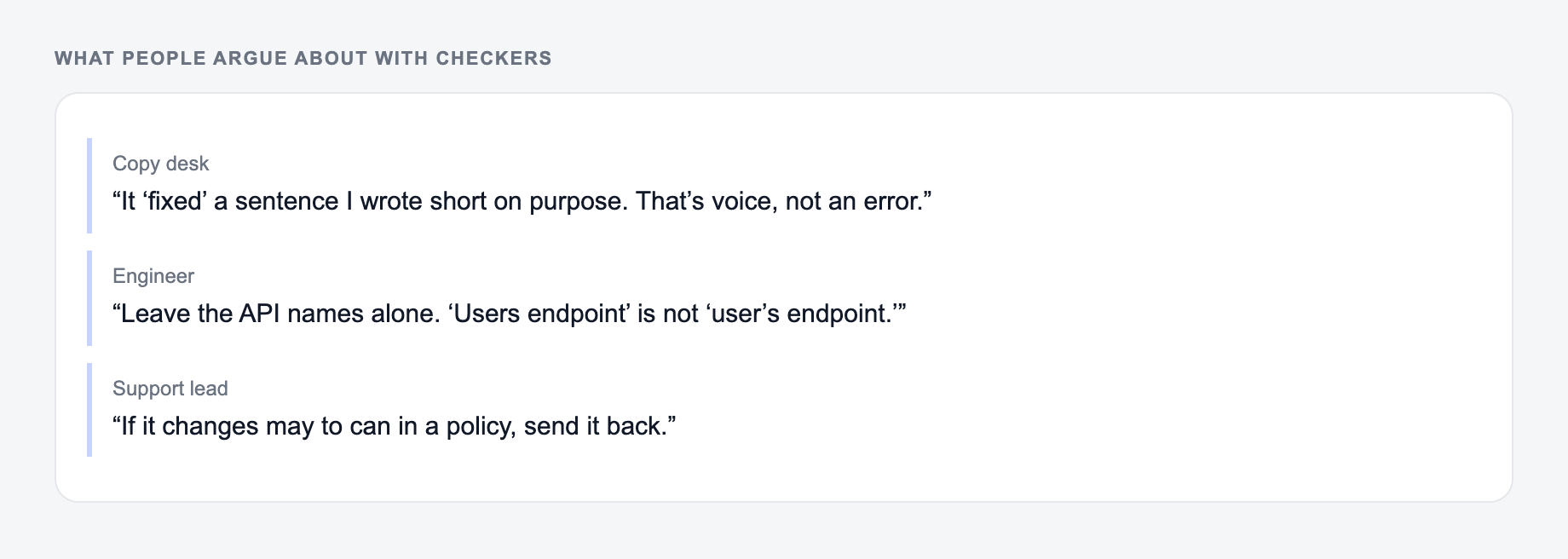
| Keep unchanged | Safe to fix | Do not “improve” |
|---|---|---|
| Names, quotes, citations | Agreement, commas, spelling | Legal or medical wording |
| Required keywords | Run-ons and fragments | Tone that is meant to be informal |
| Numbers and dates | Duplicate words | Claims made stronger than the source |
If you are checking copy that started in an AI text generator, do this after the main editing pass, not before. For longer posts, use the full editing checklist so grammar is only one part of the review, alongside structure, links, examples, and claims.
Preservation Test for High-Stakes Sentences
Build a small test set containing negation (“does not”), a conditional deadline, a quoted sentence, a product name with unusual capitalization, a decimal, and a citation. Minimal correction should fix mechanics without changing any of those elements. For creative copy, run a separate clarity pass so correctness and style are not judged as the same task.
Frequently Asked Questions
Is this grammar checker free to use?+
Yes. You can check and fix grammar, spelling, and punctuation for free. Some advanced modes (like SEO Polish) may be marked as premium.
Will it change the meaning of my text?+
The tool is designed to preserve meaning while correcting errors and improving clarity. If you want minimal changes, choose “Correct Only.”
Does it fix punctuation and capitalization too?+
Yes. It corrects punctuation (commas, apostrophes, sentence boundaries) and capitalization to make your writing consistent and easier to read.
Can I use this for SEO content and blog posts?+
Yes. It’s helpful for proofreading SEO pages, blog sections, meta descriptions, and landing pages—clean grammar and clarity improve user experience and credibility.
Does it check for plagiarism?+
No. This tool focuses on grammar, spelling, punctuation, and clarity. For plagiarism checks, use a dedicated plagiarism checker.
What languages are supported?+
You can generate corrected text in many languages. Select your desired output language to proofread or polish content for international audiences.