
Free Instagram Hashtag Generator
Generate copy-ready Instagram hashtags from your topic, niche, audience, location, and post type. Build balanced hashtag sets for Reels, carousels, photos, local discovery, branded campaigns, and niche growth without stuffing random tags into every post.
Instagram Hashtags
Your Instagram hashtags will appear here (copy/paste-ready)...
How the Instagram Hashtag Generator Works
Get results in seconds with a simple workflow.
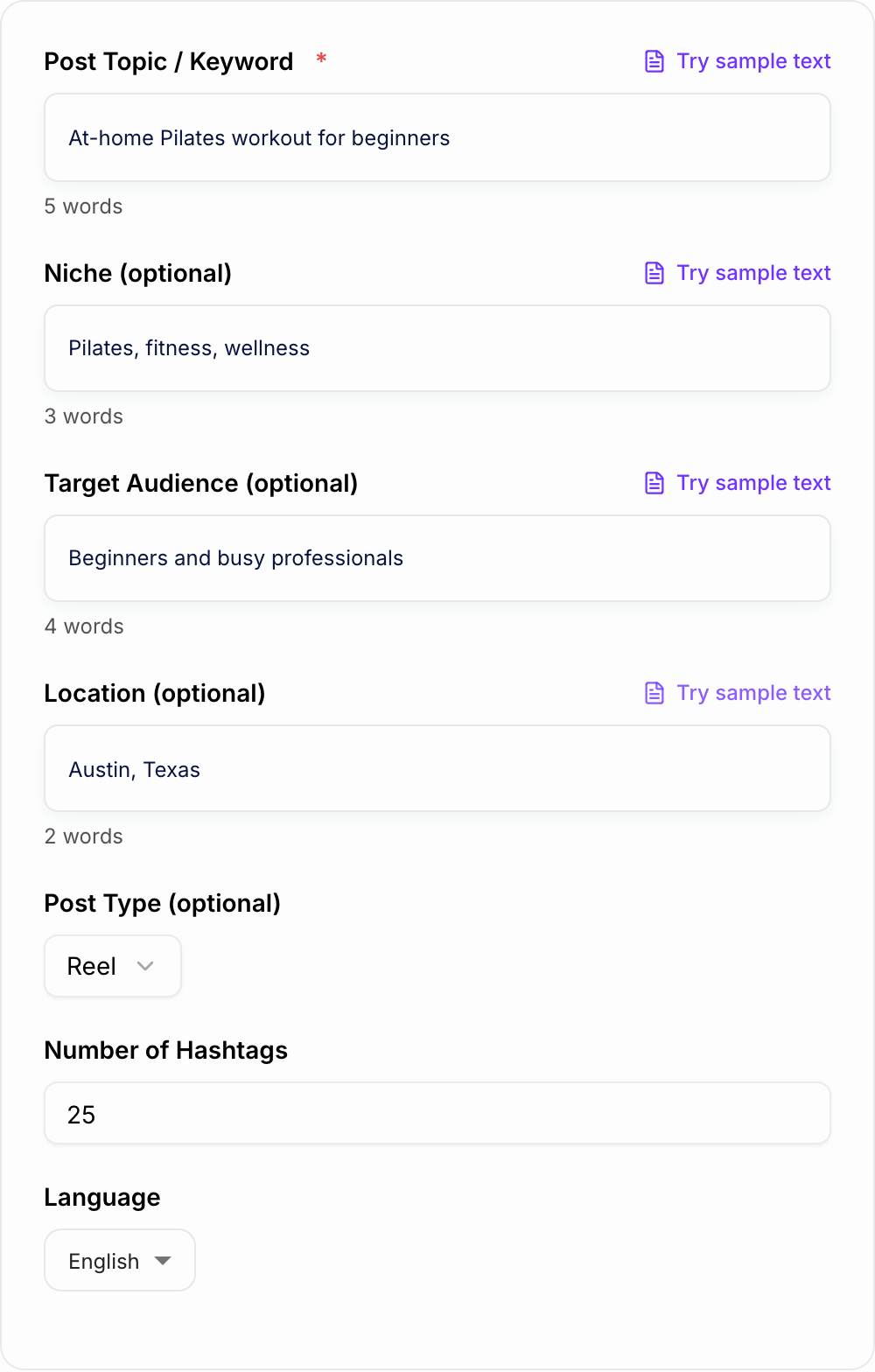
Enter Your Topic (Optional: Niche, Audience, Location)
Start with a clear post topic or keyword. Add niche and audience details to improve relevance, and optionally add a location for local Instagram discovery.
Choose Post Type and Hashtag Count
Select Reel, Carousel, Photo, Story, or Guide and choose how many hashtags you want. The tool will generate a balanced set tailored to your inputs.
Copy, Post, and Test Variations
Paste hashtags into your caption or first comment, then track reach and engagement. Generate a second set to A/B test and refine your Instagram hashtag strategy.
See It in Action
Example of turning a generic idea into a targeted Instagram hashtag set optimized for discoverability.
Topic: Pilates workout Hashtags: #fitness #workout #health #gym #fit
#pilates #pilatesworkout #pilatesathome #pilatesforbeginners #coreworkout #mobilitytraining #lowimpactworkout #homeworkouts #workoutfromhome #mindbody #wellnesstips #fitnessjourney #fitnesstipsdaily #dailyworkout #movementismedicine #strongcore #flexibilitytraining #beginnerworkout #workoutroutine #healthyhabits #selfcarematters #womenwhoworkout #reelsfitness #fitreels #pilatesreels
Why Use Our Instagram Hashtag Generator?
Powered by the latest AI to deliver fast, accurate results.
Balanced Hashtag Sets (Broad + Niche)
Generates a smart mix of popular, medium, and niche Instagram hashtags to improve reach while staying highly relevant to your content and audience.
Niche & Topic Relevance (No Spam Tags)
Avoids generic, irrelevant, and spammy hashtags—focusing on keyword-aligned tags that match your post topic, niche, and intent for better discovery.
Reel, Carousel, and Photo Optimization
Adapts hashtag suggestions based on your content type (Reel, Carousel, Photo, Story) so you can match how users search and browse on Instagram.
Optional Location Hashtags for Local Reach
Add a city/region to generate location-based hashtags that support local discovery—useful for creators, restaurants, gyms, events, and local service businesses.
Copy/Paste-Ready Output
Outputs hashtags in clean formats you can paste into captions or first comments, with optional grouping for fast testing and iteration.
Pro Tips for Better Results
Get the most out of the Instagram Hashtag Generator with these expert tips.
Use a 3-layer mix: broad, mid, and niche
A balanced hashtag set often includes a few broad hashtags for reach, several mid-sized hashtags for steady discovery, and niche hashtags for targeted audiences and higher ranking potential.
Match hashtags to your on-screen text and caption keywords
Instagram discovery is increasingly keyword-driven. Align hashtags with the keywords you use in your caption and on-screen text (especially for Reels) to strengthen topical relevance.
Rotate hashtag sets to avoid repetition
Create 3–5 hashtag sets per content pillar and rotate them. This keeps your strategy fresh and helps you learn which clusters drive saves, shares, and profile visits.
Add 1–2 branded or campaign hashtags
If you have a brand or series (e.g., weekly tips), include a consistent branded hashtag plus supporting discovery hashtags to build recognition over time.
Track results by content pillar
Measure performance by topic (pillar) rather than individual posts. Over time you’ll identify which hashtag clusters attract the most relevant followers and engagement.
Who Is This For?
Trusted by millions of students, writers, and professionals worldwide.
Generate better Instagram hashtags with the Instagram Hashtag Generator
The Instagram Hashtag Generator helps you build a relevant hashtag set from your post topic, niche, audience, location, and format. The goal is not to paste 30 random tags under every post. The goal is to give Instagram clearer context and help the right people discover the content.
Use it for Reels, carousels, photos, local posts, branded campaigns, and recurring content pillars where you need a fresh set quickly.
What to enter for stronger hashtag suggestions
Start with the actual post topic, not just the broad category.
Weak input: "fitness."
Better input: "beginner at-home Pilates workout for busy professionals."
Add niche and audience details when you have them. A hashtag set for "Pilates instructors trying to reach postpartum moms in Austin" should look different from a set for a general fitness Reel.
If the post is tied to a place, add the location. If the post supports a launch or series, add the brand or campaign phrase so the generator can include a small branded layer.
Choose the right hashtag mode
Balanced mode is the safest default. It gives you a mix of broad, mid-sized, and niche hashtags, which is usually better than chasing only huge tags.
Niche + Low Competition mode is best for smaller accounts, specific communities, educational posts, and content where relevance matters more than raw volume.
Maximum Reach mode can help when the post has broader appeal, but you should still remove tags that do not match the content.
Local Discovery mode is useful for restaurants, gyms, salons, photographers, realtors, events, and service businesses. Location tags work best when the post itself is actually local.
Brand + Campaign mode helps when you want a repeatable tag for a launch, challenge, weekly series, or community theme.
Review the generated hashtag mix
A strong generated set usually has three layers:
- Broad tags for general context
- Mid-sized tags for steady discovery
- Niche or long-tail tags for targeted reach
For a beginner Pilates Reel, broad tags might include "pilates" and "fitnessreels." Mid-sized tags might include "homeworkouts" and "coreworkout." Niche tags might include "pilatesforbeginners" or "lowimpactworkout."
Delete anything that is unrelated, too generic, or not something your target viewer would actually search or follow.
Match hashtags to the post format
Discard pile:
- Fake urgency with no date you will honor
- Personalization tokens that resolve empty
- A line a competitor could paste without lying less than you
Reels need tags that support the hook, on-screen text, and topic. If your Reel says "3 beginner Pilates moves," the hashtags should reinforce beginner Pilates, home workouts, and low-impact movement.
Carousels often work better with educational and save-worthy tags, especially when the post teaches a process or checklist.
Photos can lean more into community, lifestyle, product, or location tags, depending on the image.
Stories and Guides usually need fewer hashtags. Relevance matters more than volume.
Use generated sets for testing, not guessing
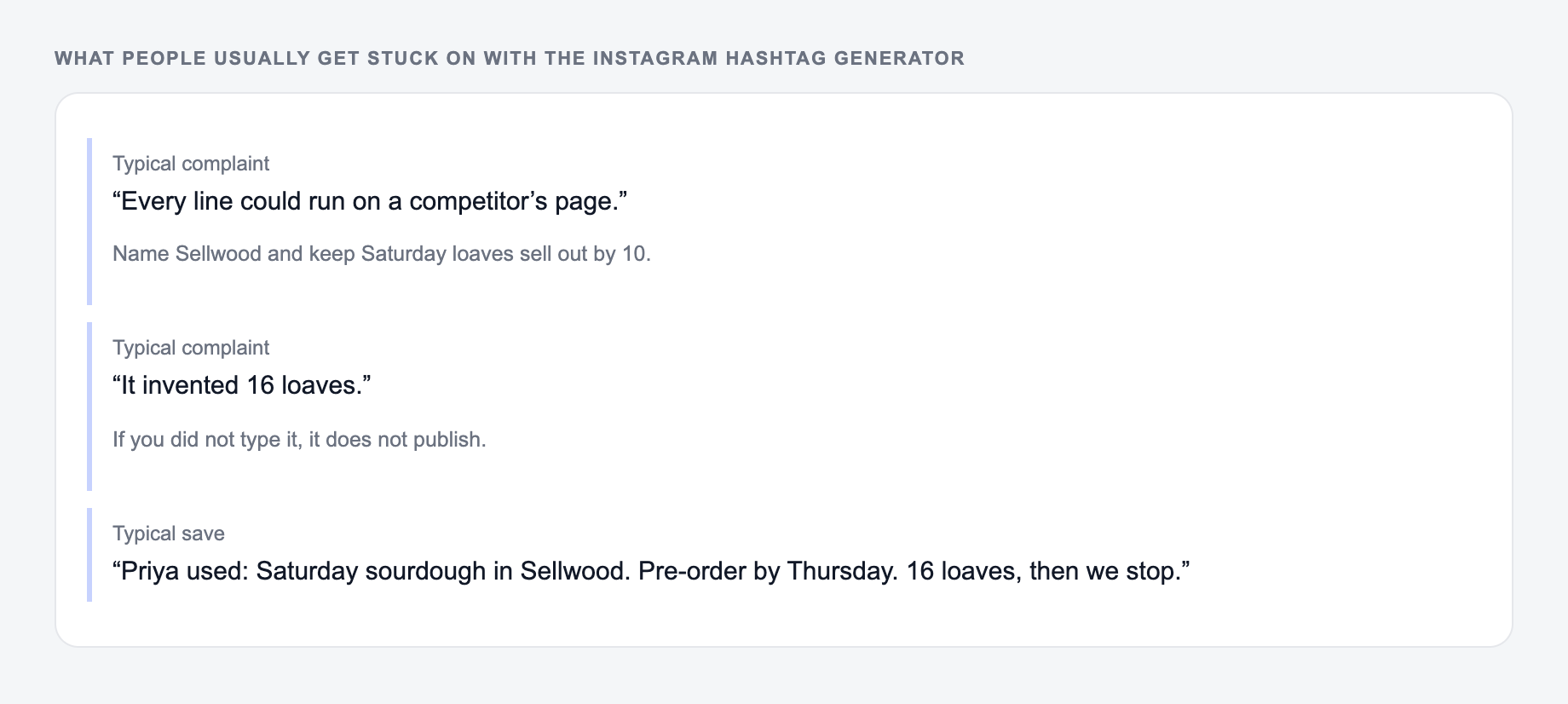
These are the complaints that show up after the first draft — they are almost always about the brief, not the model.
Instead of generating one hashtag block forever, create a few variations for each content pillar.
A simple workflow:
- Generate one balanced set for the post topic.
- Generate one niche set for the same topic.
- Remove weak or irrelevant tags from both.
- Save the sets by content pillar.
- Track reach, saves, shares, profile visits, and follower quality.
Over time, keep the clusters that bring relevant engagement and replace the ones that only create empty impressions.
Caption or first comment?
The generator output can go in either place. Caption placement is simple and keeps the post self-contained. First-comment placement can make the caption look cleaner.
The placement matters less than the match between hashtags, caption keywords, and the actual content. If those three disagree, moving the tags to the first comment will not fix the strategy.
Final checklist before posting generated hashtags
Before you publish, check that:
- Every hashtag matches the topic
- The set includes niche tags, not only massive tags
- Local tags are only used when location matters
- Branded tags are short and easy to reuse
- Nothing looks banned, spammy, or off-brand
- The caption and on-screen text use similar keywords
- You have a plan to rotate and measure the set
For a larger content workflow, Junia AI can help with the writing and campaign pieces around the hashtag set, including captions, hooks, and other reusable marketing drafts.
Mix Ratios and a Ban List
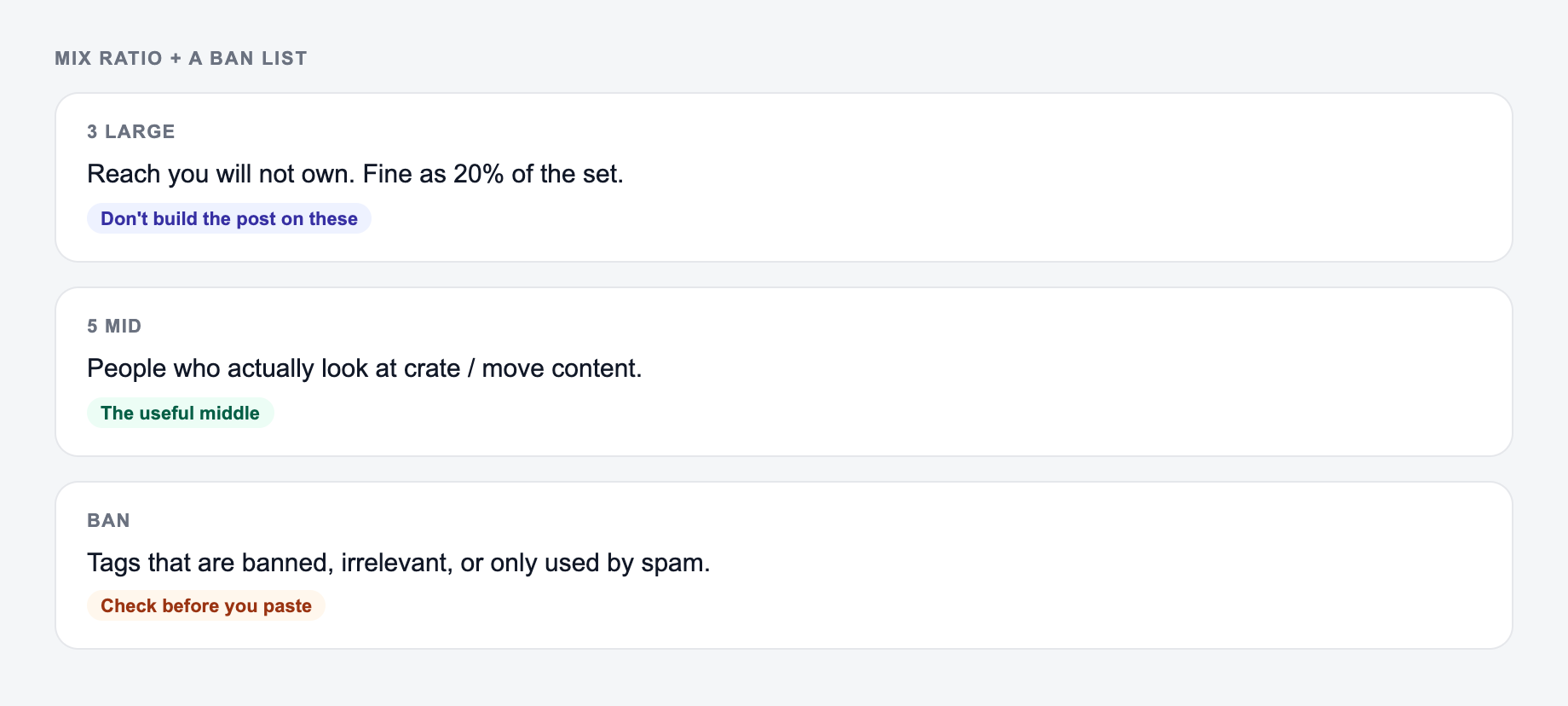
Hashtag sets fail when they are either all mega-tags or a dump of near-duplicates. Build a small mix and keep a ban list.
Describe the post, not a request for “viral tags.” The mix still needs a ban list after generation.
Annotate one winner:
The same job, named: who it is for, where it will appear, and what must stay true.
Why it can run: it names a noun, a next step, and nothing you would have to unsay. Kill it if the landing page cannot do that job today.
Worked 12-tag set for a local pottery class Reel:
- 3 niche: #wheelthrowingclass, #beginnerpottery, #studioceramics
- 2 local: city + neighborhood only if the post is actually local
- 2 community: tags the studio already uses
- 5 mid-size topical tags you can defend from the caption
- Ban: unrelated viral tags, competitor brand tags, tags that do not describe the video
Do not promise reach. Instagram ranking and tag behavior change. Banned or spammy tags can suppress a post. Captions, on-screen text, and tags should describe the same subject. Rotate sets; repeating one block on every post is easy to spot.
Frequently Asked Questions
How many hashtags should I use on Instagram?+
It depends on your account, niche, and post type. Many creators test 8–20 hashtags for consistent results. This generator can create 5–30 hashtags so you can experiment and track what improves reach, saves, and profile visits.
Should I put hashtags in the caption or the first comment?+
Both approaches can work. Putting hashtags in the caption keeps everything in one place, while the first comment can look cleaner. Test both and measure reach and engagement—this tool outputs copy/paste-ready hashtags for either option.
Do hashtags still help with Instagram SEO?+
Yes—hashtags can support discoverability by categorizing your content and helping it appear in hashtag feeds. For best results, combine relevant hashtags with strong on-screen text (for Reels), keyword-rich captions, and consistent niche content.
What’s the best hashtag strategy for small accounts?+
A strong approach is using a mix of niche and mid-sized hashtags rather than only extremely popular tags. Niche hashtags can help you rank higher in smaller feeds and attract a more targeted audience.
Can I use the same hashtags for every post?+
Reusing a small core set is fine, but you’ll typically get better results by rotating and tailoring hashtags to each post’s specific topic, format, and audience. This generator helps you create multiple relevant sets quickly.
Will this tool generate banned or spam hashtags?+
It’s designed to avoid spammy or suspicious tags. Still, Instagram policies and hashtag availability change—review the list and remove anything that looks irrelevant or risky for your niche.