
Free Instagram Threads Post Generator
Create Instagram thread-style posts from a topic, audience, goal, structure, length, tone, and keywords. Generate hooks, numbered sections, carousel-ready slide copy, CTAs, and optional hashtags for posts designed to teach, engage, and get saved.
Instagram Thread-Style Post
Your Instagram thread-style post will appear here (hook, sections/slides, CTA, hashtags)...
How the AI Instagram Threads Post Generator Works
Get results in seconds with a simple workflow.
Enter Your Topic (and Optional Keywords)
Add a topic and any keywords or phrases you want included. This keeps the post focused and aligned with your niche and content strategy.
Choose Structure, Length, and Tone
Select thread-style or carousel-ready formatting, pick a length, and set a tone that matches your brand voice (professional, friendly, bold, etc.).
Generate, Post, and Iterate
Get hooks, structured sections/slides, CTAs, and hashtags. Post it, then test different hooks and CTAs to improve saves, shares, and follows over time.
See It in Action
Example of turning a simple topic into a structured, high-retention Instagram thread-style post with a strong hook, clear sections, and a CTA.
Topic: landing page headlines
I want to post something about writing better landing page headlines.
Hook options:
- Your landing page headline is doing 80% of the selling.
- If your headline is vague, your conversion rate will be too.
- Steal this simple headline framework (it works for almost any offer).
Thread (Carousel-ready): Slide 1: Your headline has one job: make the right person say “this is for me.” Slide 2: Start with the outcome (not your features). Slide 3: Add a clear timeframe or mechanism when possible. Slide 4: Use this formula: Outcome + Audience + Differentiator. Slide 5: Bad: “All-in-one platform for teams.” Slide 6: Better: “Plan your week in 10 minutes (for busy founders).” Slide 7: Avoid cleverness if it reduces clarity. Slide 8: Use specific words your customers already use. Slide 9: Make one promise, then support it in the subheadline. Slide 10: Quick checklist: clear outcome, specific audience, no jargon, one idea. Slide 11: CTA: Save this for your next landing page rewrite. Slide 12: Want feedback? Comment “headline” and I’ll share 3 rewrites.
Hashtags (optional): #landingpage #copywriting #conversionrate #saasmarketing #marketingtips
Why Use Our AI Instagram Threads Post Generator?
Powered by the latest AI to deliver fast, accurate results.
Scroll-Stopping Hooks Optimized for Engagement
Generates multiple hook options designed to increase retention, taps, and reads—ideal for Instagram thread-style posts and carousel intros.
Thread or Carousel Structure (Skimmable + Clear)
Outputs a clean, sectioned format (numbered thread or slide-by-slide carousel) with tight wording, strong flow, and easy-to-follow progression.
Value-First Content That Drives Saves and Shares
Creates actionable takeaways, steps, frameworks, and checklists that encourage saving and sharing—key signals for Instagram reach and content performance.
Built-In CTA Variations (Comment, Save, Follow, DM)
Includes clear call-to-action options tailored to your goal—more comments, more saves, more follows, or more DMs—without sounding spammy.
Hashtag + Keyword Suggestions (Optional, Non-Spammy)
Suggests a small set of relevant hashtags and keyword phrases to match the topic and niche while avoiding overstuffing and generic tags.
Pro Tips for Better Results
Get the most out of the AI Instagram Threads Post Generator with these expert tips.
Test 3 hooks before you change the body
Hooks drive retention. Keep the core content similar and A/B test hooks across posts to find what your audience stops scrolling for.
Write for saves: include steps, checklists, and templates
Save-worthy posts often include repeatable frameworks, swipeable checklists, or short templates people want to revisit.
Keep each section to one idea
One point per section/slide improves clarity and completion rate—both helpful for engagement and reach.
Use a single, specific CTA
Choose one action (save, comment, follow, DM). Multiple CTAs can dilute responses and lower conversion.
Add one concrete example to boost trust
A short example (before/after, mini case study, or quick numbers) makes the post feel real and increases credibility without adding fluff.
Who Is This For?
Trusted by millions of students, writers, and professionals worldwide.
Generate Instagram thread-style posts with hooks, sections, and CTAs
The Instagram Threads Post Generator helps you turn a topic into a structured post people can actually read. It can create hook options, numbered sections, carousel-ready slide copy, CTAs, keyword phrasing, and optional hashtags from one clear prompt.
Use it when you want to teach a concept, share a framework, repurpose a longer piece, tell a short lesson, or create a save-worthy post without writing a caption wall from scratch.
What to enter into the thread post generator
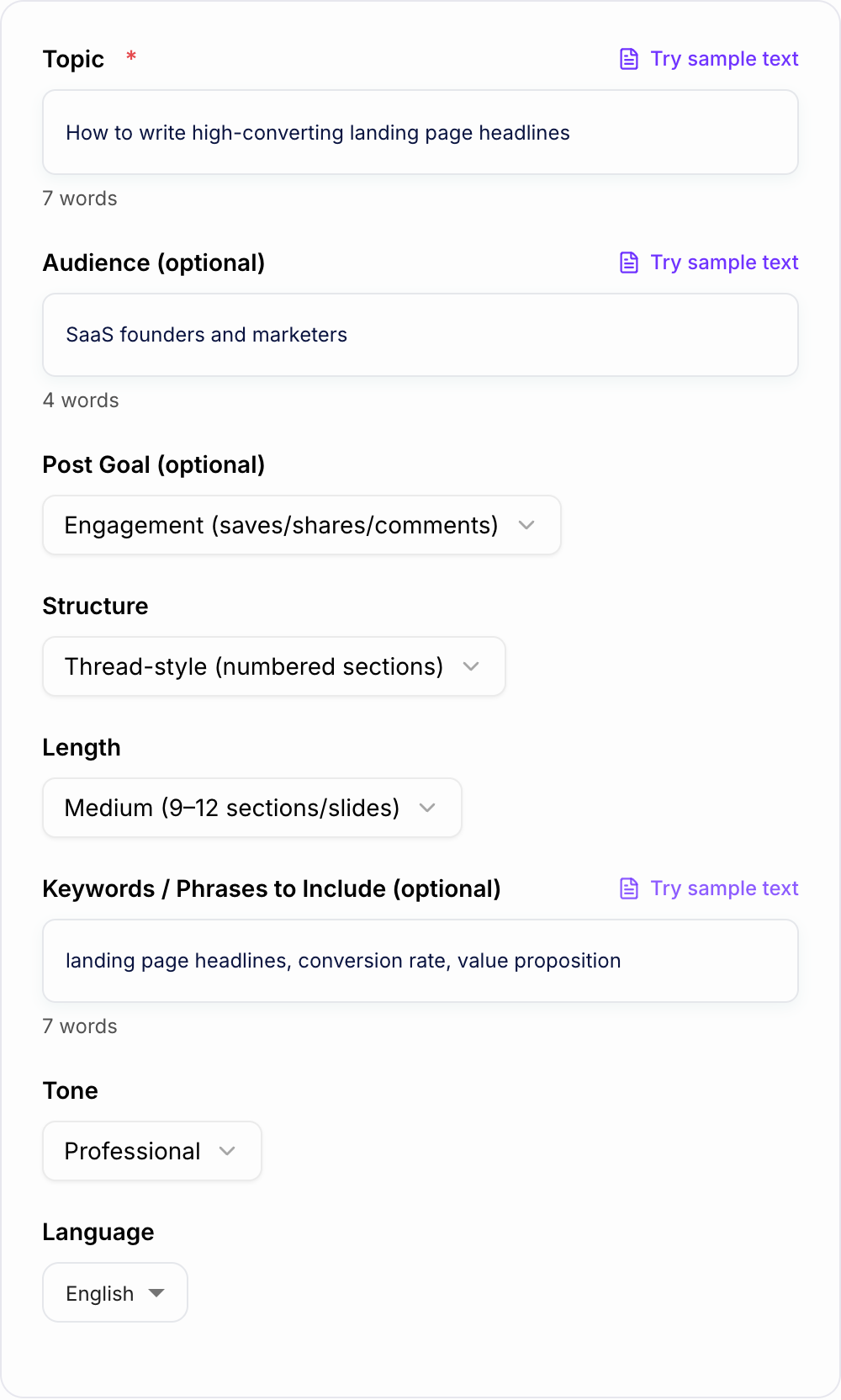
Start with the topic, but do not stop there. The tool performs better when it knows who the post is for and what the post should do.
Useful inputs include:
- Topic
- Audience
- Goal, such as saves, comments, follows, DMs, leads, or education
- Structure: thread-style or carousel-ready
- Length
- Keywords or phrases to include
- Tone
- A quick example, opinion, result, or lesson if you have one
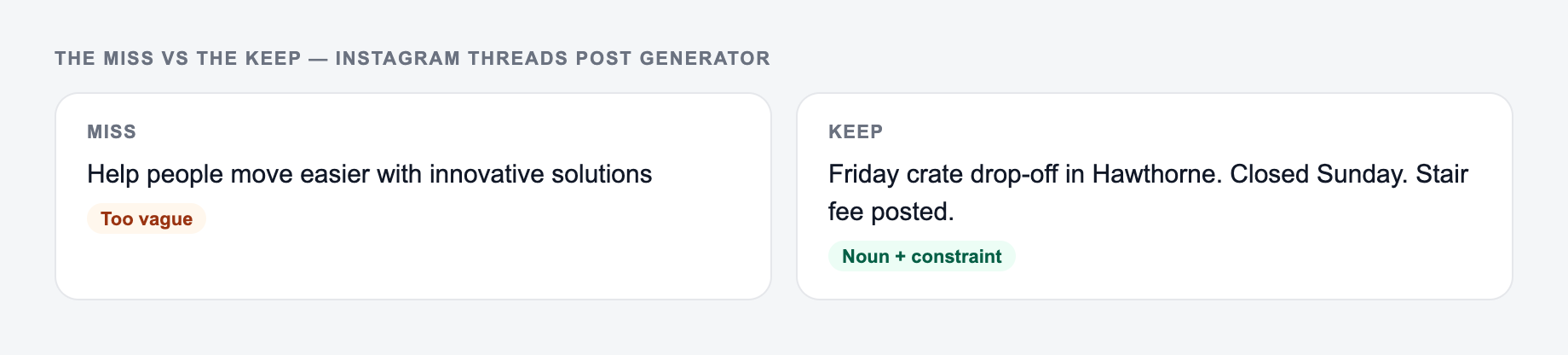
Weak input: "landing page headlines."
Better input: "landing page headline mistakes for SaaS founders; goal is saves; include value proposition and conversion rate; practical confident tone."
That input gives the generator a reader, a promise, and a clear direction.
Choose thread-style or carousel-ready output
A synonym is not a test. If you change “unlock” to “discover,” you did not run a variant — you changed the mood of the same fog.
Thread-style output is best when you want a fast caption with numbered sections. Use it for daily posting, founder lessons, short frameworks, and posts where design is not the main work.
Carousel-ready output is better when the post will become slides. Each section should stand alone as a slide, so this mode is useful for checklists, tutorials, myths, templates, and visual explainers.
If you are unsure, choose carousel-ready. It forces the post to be more structured, and you can still use the copy as a caption later.
Review the generated hook before the body
The hook decides whether anyone reads the rest. After generating, compare the hook options and pick the one that makes the clearest promise.
Strong hook angles include:
- A mistake the audience recognizes
- A specific result or outcome
- A simple framework
- A myth or contrarian point
- A direct audience callout
- A personal lesson with a useful takeaway
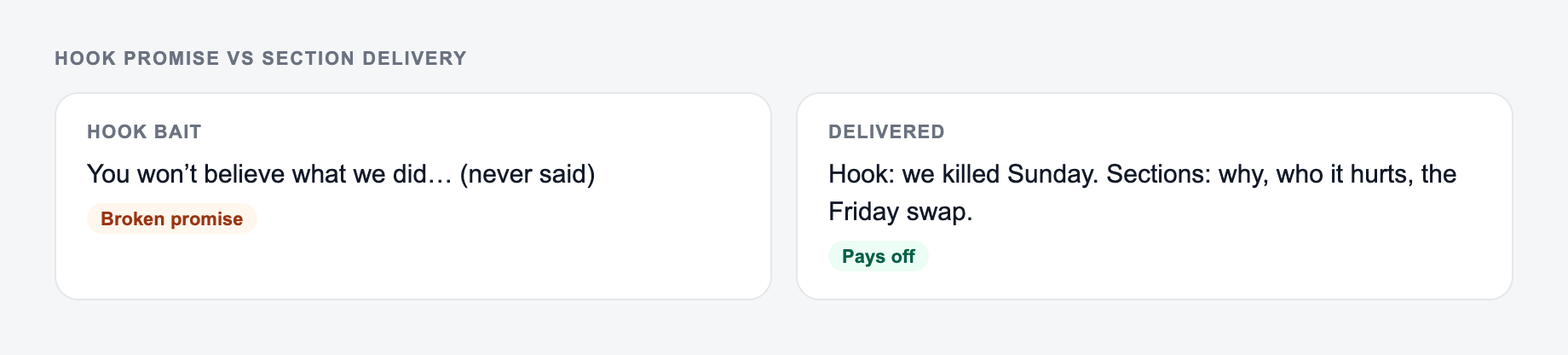
Avoid hooks that sound dramatic but do not connect to the post body. A loud hook with vague sections will hurt trust.
Make each generated section easier to scan
Thread-style posts work because they are broken into small pieces. Review the output and tighten any section that tries to do too much.
A strong section usually has one job:
- Explain one step
- Give one example
- Name one mistake
- Show one contrast
- Ask one question
- Move the reader to the next point
If a section has two ideas, split it. If it repeats the hook without adding value, cut it.
Add your own example after generation
The generator can create structure quickly, but your example is what makes the post feel credible.
Add one of these before posting:
- A before-and-after line
- A small result
- A client or audience pattern
- A mistake you made
- A tool or process you actually use
- A short opinion that shows judgment
For example, a generated line like "make your headline specific" becomes stronger when you add: "All-in-one platform is vague; plan your weekly sprint in 10 minutes is specific."
Use one CTA that matches the post goal
The generator may provide several CTA options. Choose one.
Use save CTAs for frameworks, checklists, and tutorials.
Use comment CTAs for opinions, questions, and community prompts.
Use follow CTAs for recurring topics or series.
Use DM CTAs for templates, audits, lead magnets, and service inquiries.
Use profile or link CTAs only when the post has already explained why the next step matters.
Repurpose longer content into Instagram posts
This tool is especially useful when you already have a blog post, newsletter, video, podcast, or FAQ. Paste the topic or summary, choose carousel-ready structure, and ask for a post that keeps one main idea.
Do not try to compress an entire article into one Instagram post. Generate one thread for one angle, then create more posts from the remaining sections.
For a broader publishing workflow, Junia AI can help turn the same idea into related drafts, including captions, hooks, outlines, and supporting marketing copy.
Final checklist before publishing the generated post
The left side is what most people type. The right side is the brief that actually steers the draft.
Before posting, check that:
- The hook names a clear reader problem or promise
- The body delivers what the hook promised
- Each section has one idea
- The example is specific enough to feel real
- The CTA asks for one action
- Keywords sound natural
- Hashtags are relevant and minimal
- The post is easy to read on a phone
If the generated draft passes those checks, it is ready for a final voice pass and publishing.
Hook Promise vs Section Delivery
Thread-style posts die when section 3 is a new topic. Map every H2-like block back to the hook.
The form is the promise of the hook. Each later section has to pay that promise.
Angle A: A one-line request like “run the threads post generator” with no audience, channel, or constraint.
Angle B: A brief the AI Instagram Threads Post Generator can use: who it is for, where the output will appear, and what must stay true.
B is stronger when the first clause names an outcome the destination can keep. A synonym of A is not a test — change the idea, not the adjective.
Worked hook: “Three invoice emails that do not sound like threats.”
- Section 1: reminder before due date (example line)
- Section 2: due-date day (example line)
- Section 3: three days late (example line)
- CTA: “Which one do you send first?” Fail: a fourth section on accounting software features.
If you lack a real example, label it as a template, not a war story. Carousel-ready output needs one idea per card and a first card that stands alone. Hashtags stay minimal. Keywords belong in the hook and section titles only if they still sound spoken.
Frequently Asked Questions
What is an Instagram thread-style post?+
It’s a post written in a threaded format—usually a strong hook followed by short, numbered sections that deliver value quickly. It can be posted as a long caption, or formatted slide-by-slide for an Instagram carousel.
Does this tool generate hooks and captions for Instagram?+
Yes. It generates multiple hook options plus the full thread content (sections/slides), a conclusion, CTAs, and optional hashtag suggestions.
Can I use this for Instagram carousel posts?+
Yes. Select the Carousel-ready structure to get slide-by-slide text that’s easy to paste into a design tool and turn into a carousel graphic.
How do I make the thread less generic?+
Add a specific audience, include a few keywords/phrases you want to use, and choose a tone. After generating, personalize with a quick example, a brief story, or a real result you’ve seen.
How many sections should an Instagram thread have?+
Most high-performing threads are 6–12 sections. Shorter threads tend to be punchier, while longer threads work best for step-by-step guides and deeper education. This tool lets you choose short, medium, or long.
Will this help with Instagram growth?+
It helps you publish clearer, more structured content with strong hooks and save-worthy takeaways—factors that often improve reach and engagement. Results still depend on consistency, niche fit, creative, and audience response.