
Free Interview Answers Generator
Generate interview answers that sound specific, confident, and easy to say out loud. Add the question, role, company, job description, and your background to create STAR responses or concise talking points for behavioral, situational, and technical interview prep.
Interview Answers
Your tailored interview answers will appear here...
How the AI Interview Answers Generator Works
Get results in seconds with a simple workflow.
Paste Your Interview Questions
Add one or multiple interview questions (one per line). Include common questions like “Tell me about yourself,” “Why this company,” and behavioral prompts.
Add Optional Context (Role, Company, Job Description)
Optionally add a job title, company, job description, and a few experience bullets to tailor answers to the role and highlight your most relevant strengths.
Generate and Practice Out Loud
Get speakable answers in your preferred format. Read them out loud, tighten wording, and add real specifics (metrics, tools, scope) before your interview.
See It in Action
Turn vague, generic responses into structured, role-relevant interview answers with clear outcomes.
Q: Tell me about a time you handled conflict at work. A: I tried to talk to the person and we figured it out.
Q: Tell me about a time you handled conflict at work. A (STAR): Situation: A stakeholder and my team disagreed on scope for a time-sensitive launch. Task: I needed to align expectations while protecting delivery quality. Action: I scheduled a short alignment meeting, clarified success criteria, documented trade-offs, and proposed a phased approach with clear owners and timelines. Result: We shipped the critical path on time, reduced rework, and the stakeholder agreed to a follow-up iteration based on measured feedback. Takeaway: I handle conflict by making goals explicit, surfacing constraints early, and turning disagreements into decisions.
Why Use Our AI Interview Answers Generator?
Powered by the latest AI to deliver fast, accurate results.
Role-Specific Interview Answers (Tailored to Your Job Title)
Generates interview answers tailored to your role and seniority level, emphasizing the skills hiring managers expect—ideal for product, engineering, marketing, sales, operations, and more.
STAR Method Behavioral Responses
Creates structured STAR interview answers (Situation, Task, Action, Result) for behavioral questions—helping you sound clear, credible, and results-driven without rambling.
Job Description Keyword Alignment (Natural, Not Stuffed)
Uses relevant job description keywords naturally inside your answers to improve fit and clarity, while keeping language interview-ready and human.
Multiple Questions at Once
Paste multiple interview questions (one per line) and generate a complete set of answers quickly—perfect for preparing for phone screens, panels, and final rounds.
Concise Talking Points or Full Speakable Answers
Choose quick bullet points for memorization or full answers you can practice aloud—useful for mock interviews and last-minute preparation.
Pro Tips for Better Results
Get the most out of the AI Interview Answers Generator with these expert tips.
Add metrics to make your answers memorable
Whenever possible, include numbers like conversion uplift, revenue impact, time saved, SLA improvement, or customer satisfaction. Specific outcomes make STAR answers more credible.
Use a consistent structure for behavioral questions
Stick to a predictable pattern (context → what you did → result → lesson) to avoid rambling and ensure interviewers can follow your story.
Mirror the job description—without sounding scripted
Pull 3–6 key requirements from the job posting and naturally reference them (tools, skills, responsibilities) to reinforce fit while keeping conversational phrasing.
Prepare a shorter version for recruiter screens
Recruiters often want concise answers. Generate bullet points or a 30–45 second version, then keep a longer version for the hiring manager.
Turn weak areas into growth narratives
For questions about failure or weakness, focus on ownership, what you learned, and the system you put in place to prevent repeats.
Who Is This For?
Trusted by millions of students, writers, and professionals worldwide.
Generate Interview Answers You Can Actually Say Out Loud
The Interview Answers Generator works best when you treat it as a practice partner, not a script writer. It can turn a vague interview question into a clear STAR answer, but the strongest results come from giving it the details an interviewer would ask about anyway: role, context, decisions, trade-offs, tools, and outcomes.
Use it to create a first draft, then tighten the answer until it sounds like something you would naturally say in a real conversation.
What to Enter Into the Interview Answers Generator
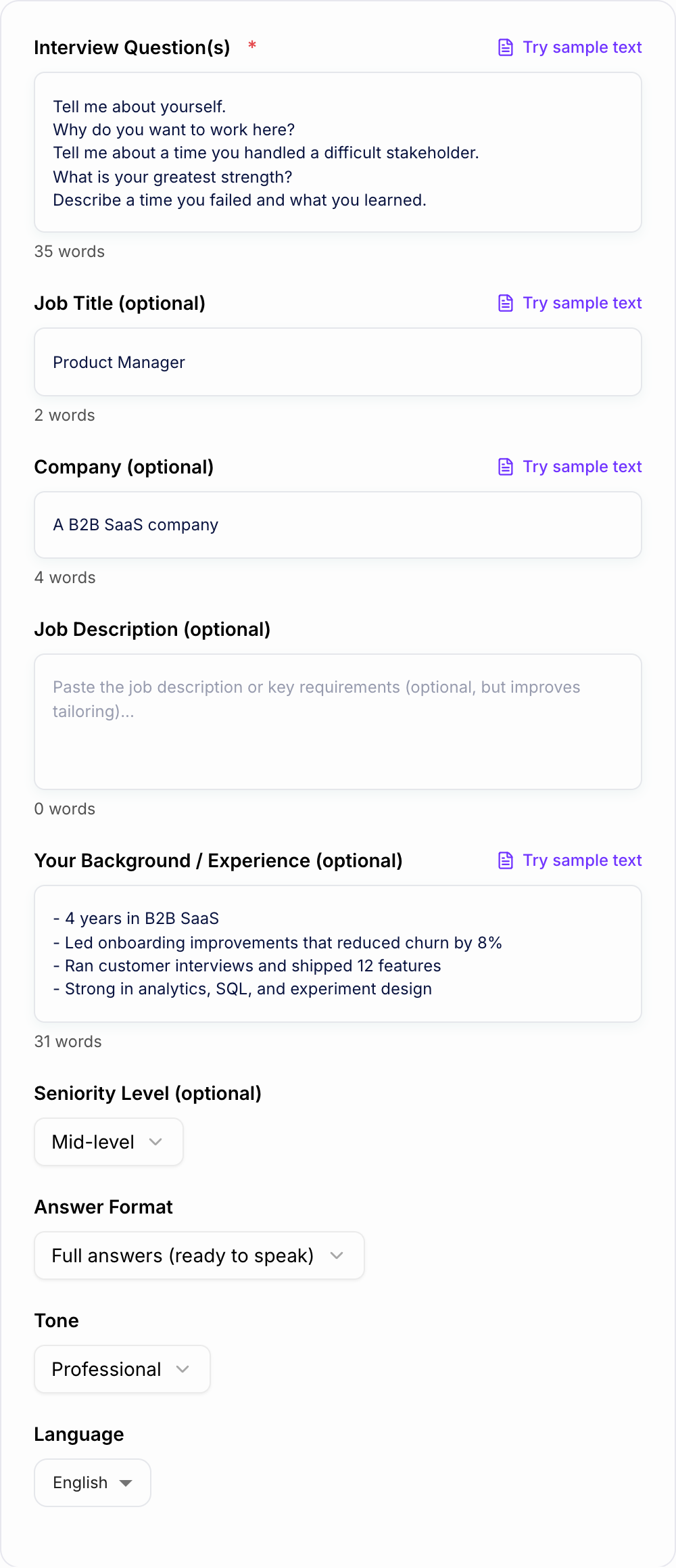
Start with the exact questions you want to practice. One question per line is enough if you are preparing a full list:
- Tell me about yourself.
- Why do you want this role?
- Tell me about a time you handled conflict.
- Describe a project that failed.
- What is your biggest strength?
Then add context that makes the answers specific:
- target job title and seniority level
- company, industry, or product category
- job description requirements you want to match
- 3-8 bullets about your real projects, wins, tools, and responsibilities
- any metrics you can safely mention, such as revenue, time saved, conversion lift, churn reduction, or team size
You do not need a perfect resume summary. A few honest bullets usually produce better interview answers than a long pasted profile full of generic responsibilities.
How to Choose the Right Answer Mode
Use STAR Answers for behavioral prompts about ownership, conflict, failure, prioritization, leadership, teamwork, and difficult stakeholders. STAR gives the answer a shape: what happened, what you were responsible for, what you did, and what changed.
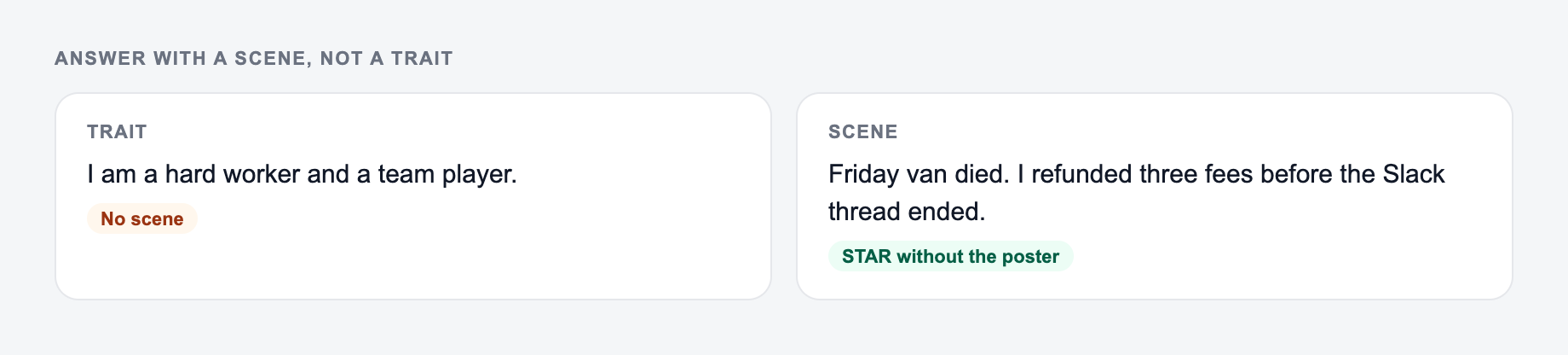
Use Concise Talking Points when you are preparing for a recruiter screen or a fast first-round interview. Short bullets are easier to remember, and you can expand them naturally if the interviewer asks for more detail.
Use Confident + Executive Tone when the role requires leadership language, but review the draft carefully. Senior answers should show judgment and scope, not just stronger adjectives.
Use Job Description Aligned when you have a posting in front of you. The generator can mirror important language from the role, but your final answer still needs real proof behind those keywords.
Example Input and Generated Direction
A weak input looks like this:
Paste the question and one story you actually have. The form cannot invent a result you never measured.
Use the AI Interview Answers Generator to get a shape on the page. Then do the slow part: open the source, check the number, and cut unsourced certainty.
If the task is graded, cited, or used with students, the named writer still owns the claims.
Question: Tell me about a time you handled conflict.
Background: Product manager.
A stronger input looks like this:
Question: Tell me about a time you handled conflict.
Role: Senior Product Manager
Job description themes: cross-functional leadership, prioritization, customer research
Background:
- Led onboarding improvements for a B2B SaaS product
- Engineering had limited sprint capacity
- Sales wanted a custom workflow for one enterprise prospect
- I used customer data and usage research to split the launch into two phases
- Result: shipped core onboarding changes on time and reduced activation drop-off by 12%
The second version gives the generator enough material to create an answer with stakes, action, and evidence. It also gives you details you can defend if the interviewer asks follow-up questions.
How to Review AI-Generated Interview Answers
Before you practice the answer, check four things.
First, remove anything you could not say honestly. If the generator invents a metric, claim, tool, or result, replace it with the closest true version.
Second, shorten the setup. Interview answers often fail because the Situation section is too long. Give only enough context for the interviewer to understand the decision.
Third, make the Action section personal. “We improved the process” is weaker than “I mapped the handoff, found the approval delay, and proposed a two-step review.”
Fourth, end with a result or lesson. Even if you do not have a hard number, explain what improved: speed, clarity, alignment, customer satisfaction, quality, risk, or decision-making.
Turning Full Answers Into Practice Notes
Keep the line you could publish. Put facts back. Do not outsource the judgment call.
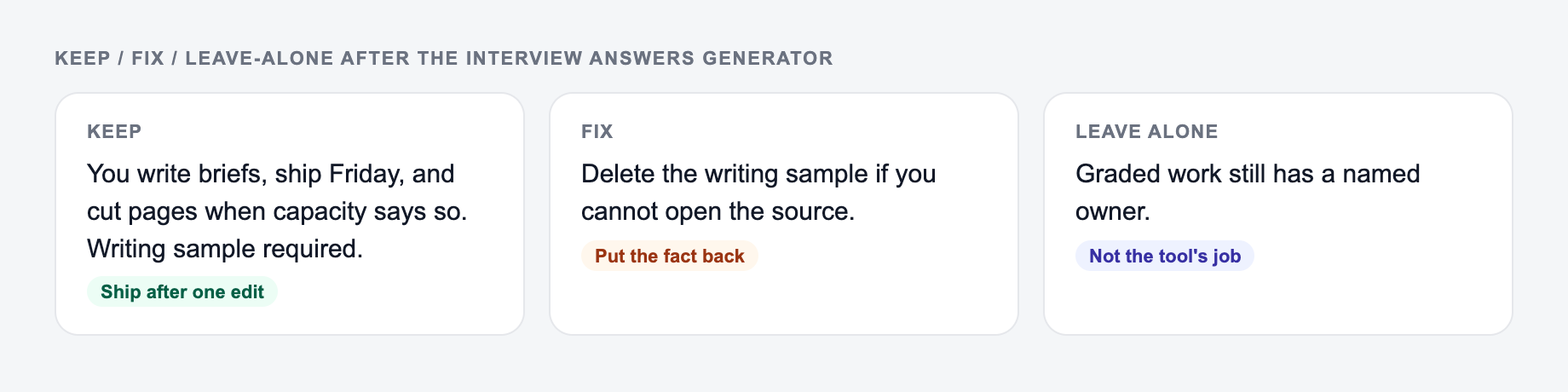
Once the generator gives you a full answer, create a shorter practice version:
- result first
- decision you made
- one concrete action
- one metric or outcome
- one sentence tying it back to the role
This keeps you from memorizing paragraphs. You should know the story, not recite the draft.
If you are building several interview prep documents at once, the broader set of writing and productivity tools on Junia AI can help keep your resume, answers, follow-up emails, and hiring notes consistent.
Common Mistakes to Fix Before the Interview
The first mistake is sounding too polished. Real interview answers have a little texture. Use your own words, mention real tools, and keep the rhythm conversational.
The second mistake is giving a team story with no personal ownership. Hiring managers want to know what you did, not only what the team accomplished.
The third mistake is using the same answer for every company. If the job description emphasizes stakeholder management, customer research, or technical depth, make sure your examples reflect that.
The fourth mistake is skipping practice aloud. An answer that reads well can still feel clumsy when spoken. Generate the draft, edit it, then say it out loud until the structure feels natural.
Final Checklist Before Using the Answer
Verify interview answers generator output:
- Quotes and names match what you typed
- No credential, score, or story you did not give
- You would still say this in the room
- Does the answer directly answer the question?
- Is the STAR structure clear without sounding rigid?
- Did I include one real detail only I would know?
- Did I remove invented or exaggerated claims?
- Can I say the answer in 45-90 seconds?
- Does the example match what this role actually values?
Use the generator to get out of the blank-page stage. Use your judgment to make the answer credible.
Frequently Asked Questions
Is this interview answers generator free to use?+
Yes. You can generate interview answers for free. Some advanced modes (like executive tone or job-description keyword alignment) may be marked as premium.
Does it work for behavioral, situational, and technical interviews?+
It’s best for behavioral and situational interview questions (including STAR answers). For technical roles, it can also help you explain projects, trade-offs, and decisions clearly, but you should verify role-specific technical details.
How do I get answers that sound like me (not generic AI)?+
Add a few bullets in the Background/Experience field—projects, tools, industries, and measurable outcomes. The more specific your inputs, the more personalized and natural your interview answers will feel.
Can I paste multiple interview questions at once?+
Yes. Paste one question per line and the tool will generate answers for each question in one output—useful for interview preparation checklists and mock interviews.
Will these answers be optimized for the STAR method?+
If you choose STAR mode (or leave the default), the tool will structure behavioral answers with Situation, Task, Action, and Result—then connect the takeaway to the role you’re applying for.
Can I generate interview answers in different languages?+
Yes. Select your output language to generate interview answers in many languages for international roles and multilingual interviews.