
Free Interview Feedback Generator
Generate structured interview feedback from rough notes, scorecards, or debrief observations. Create evidence-based strengths, concerns, competency ratings, follow-up questions, and hiring recommendations that are easier to compare across candidates.
Interview Feedback
Your interview feedback will appear here...
How the AI Interview Feedback Generator Works
Get results in seconds with a simple workflow.
Add the Role and Your Interview Notes
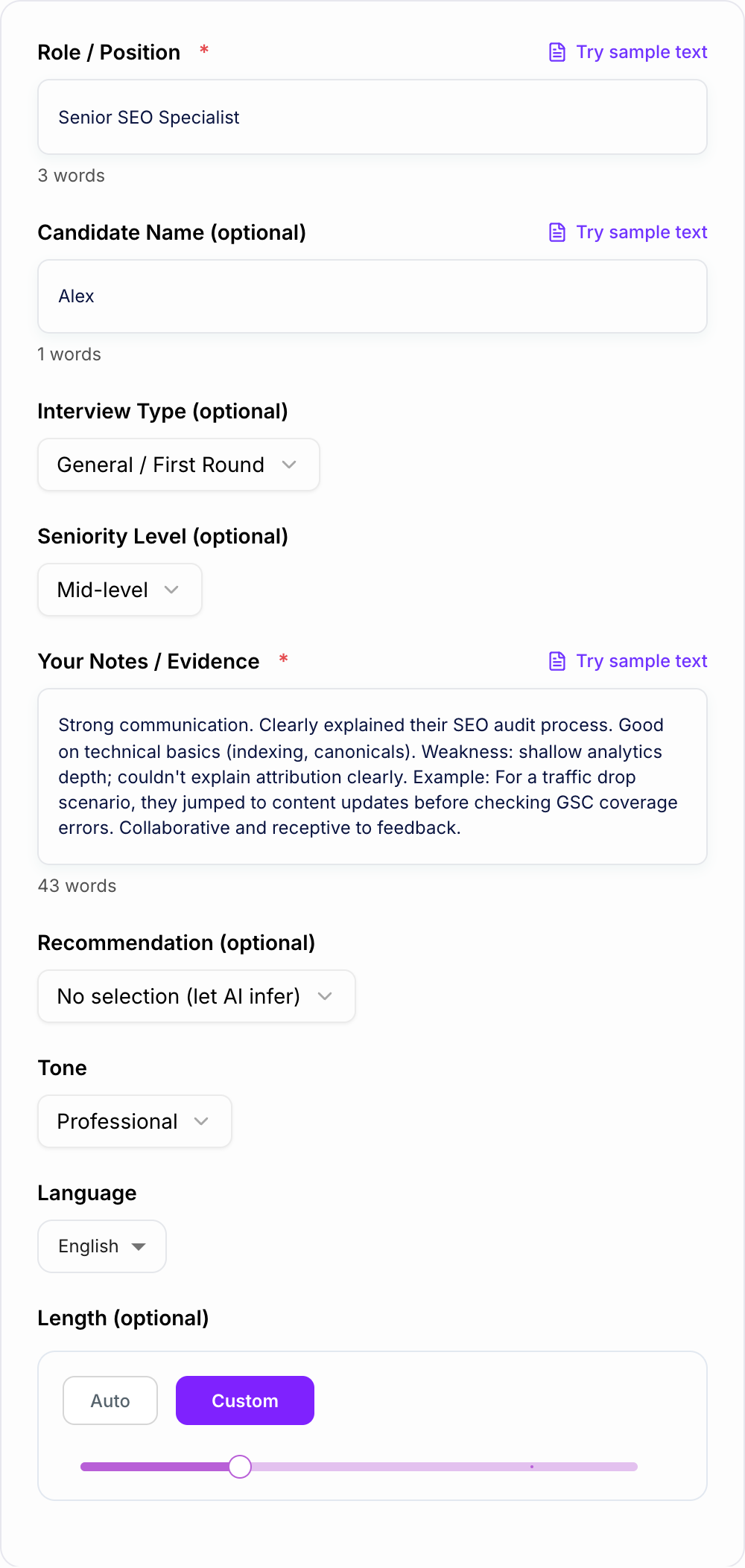
Enter the position and paste your notes or key evidence from the interview (examples, answers, strengths, concerns, outcomes).
Choose Format, Tone, and Length
Pick an interview type and (optionally) a recommendation. Set tone and word count to generate either short debrief notes or detailed interview feedback.
Generate Feedback and Review
Get structured interview evaluation notes with strengths, gaps, evidence, and next steps. Review for accuracy and align with your internal hiring rubric.
See It in Action
Turn rough interview notes into structured, decision-ready interview feedback with strengths, concerns, evidence, and next steps.
Notes: Good communication. Some gaps in analytics. Might be a yes but not sure. Needs stronger examples. Ask about stakeholder management next time.
Recommendation: Lean Yes
Strengths:
- Communication: Explained their SEO audit workflow clearly and answered follow-up questions succinctly.
- Technical SEO fundamentals: Demonstrated solid understanding of indexing, canonicals, and common crawl issues.
Concerns / Gaps:
- Analytics depth: Struggled to explain attribution and how they validate impact beyond ranking changes.
- Troubleshooting process: In a traffic drop scenario, they prioritized content updates before checking GSC coverage errors and indexing signals.
Evidence:
- When asked how they measure SEO performance, they cited sessions and rankings but couldn’t clearly outline attribution or segmenting by query/page type.
Suggested follow-ups / Next steps:
- Ask for a concrete example of diagnosing a traffic drop end-to-end (hypotheses, checks, tools, actions, result).
- Probe stakeholder management: handling conflicting priorities and communicating trade-offs.
Why Use Our AI Interview Feedback Generator?
Powered by the latest AI to deliver fast, accurate results.
Structured Interview Feedback (Strengths, Concerns, Evidence)
Generates clear interview evaluation notes with strengths, gaps, and evidence-based examples—useful for consistent hiring decisions and debrief meetings.
Competency-Based Scorecard Option
Create interview scorecard feedback with ratings and justification across common competencies (communication, problem solving, role skills, ownership, collaboration).
Hiring Recommendation + Risk Assessment
Outputs a clear recommendation (Strong Yes to Strong No) with key risks, hiring confidence, and follow-up questions—ideal for fast candidate review.
Candidate-Friendly Feedback Mode
Generate constructive, respectful candidate feedback with actionable improvement areas, designed to be shareable while avoiding overly sensitive wording.
Bias-Aware, Consistent Evaluation Language
Encourages objective, job-relevant criteria and specific evidence instead of vague impressions—helpful for fairer interviews and stronger documentation.
Pro Tips for Better Results
Get the most out of the AI Interview Feedback Generator with these expert tips.
Use evidence-based phrasing
Replace vague impressions with examples: reference specific scenarios the candidate described, the decisions they made, and measurable outcomes where possible.
Separate skill gaps from unknowns
If the candidate didn’t demonstrate a competency, label it as “not assessed” or add follow-up questions—this improves fairness in interview evaluations.
Calibrate on a consistent rubric
Use the same competency set and rating scale across interviewers to reduce noise and improve hiring team alignment during debrief.
Capture risks and mitigation
When you list concerns (e.g., limited stakeholder management), include mitigation (e.g., coaching, pairing, 30/60/90 plan) to support decision quality.
Write feedback immediately after the interview
Drafting interview feedback right away improves accuracy and preserves details, which leads to better documentation and faster hiring decisions.
Who Is This For?
Trusted by millions of students, writers, and professionals worldwide.
Generate Interview Feedback That Hiring Teams Can Actually Use
The Interview Feedback Generator turns rough notes into structured evaluation copy: strengths, concerns, evidence, scorecard ratings, follow-up questions, and a hiring recommendation. That matters because most interview feedback is written too late, too vaguely, or in a format that makes candidates hard to compare.
The goal is not to let AI decide who to hire. The goal is to turn your evidence into clearer documentation so the hiring team can make a better decision.
What to Paste Into the Interview Feedback Generator
Use the notes field for observable evidence. Strong inputs include:
- role and seniority level
- interview type, such as phone screen, technical, behavioral, panel, or final round
- competencies assessed
- specific examples the candidate gave
- answers that were strong, incomplete, or unclear
- technical signals, portfolio signals, or case-study observations
- communication and collaboration evidence
- concerns, risks, and areas not assessed
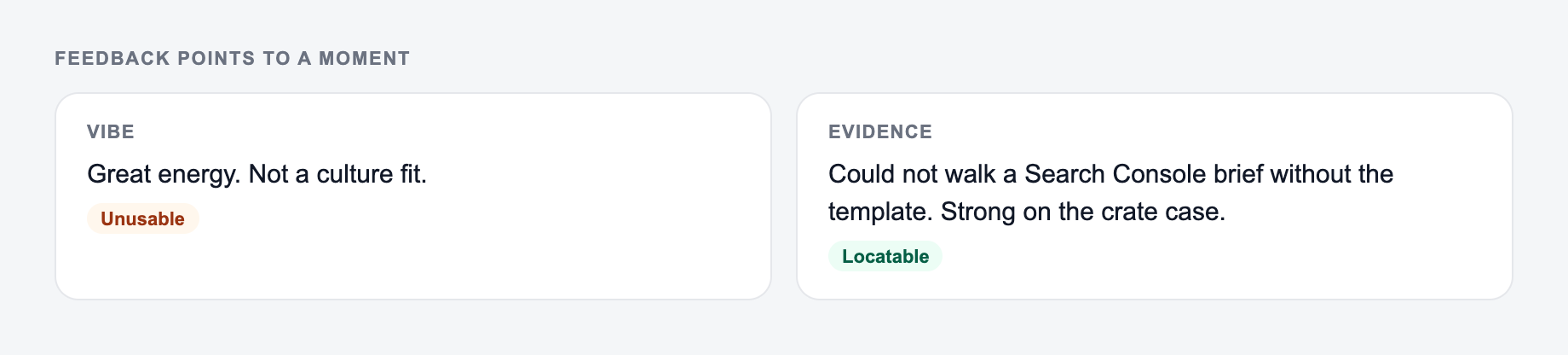
Avoid entering only impressions like “good energy” or “not senior enough.” The generator can organize evidence, but it cannot prove a claim that your notes do not support.
How to Choose the Right Feedback Format
Use Debrief Notes when the hiring team needs a readable summary before a decision meeting. This format works well after panels, final rounds, and interviews where multiple people need to compare observations quickly.
Use Scorecard-Style when your process relies on competencies and ratings. It is useful when several interviewers are assessing the same role and you want consistent language across candidates.
Use Candidate-Friendly mode only when the feedback may be shared externally. It should be constructive, role-related, and carefully reviewed against your company policy before sending.
Use Executive Summary when a founder, VP, or hiring committee needs the recommendation, evidence, and risks without reading the full scorecard.
A Better Input Template for Interview Notes
If your notes are messy, paste them in this shape:
Role:
Interview type:
Competencies assessed:

Evidence:
- Example 1:
- Example 2:
- Technical or role-specific signals:
- Communication:
- Collaboration or leadership:

Strengths:
-

Concerns:
-

Not assessed:
-

Recommended next step:
This gives the generator enough structure to produce feedback that feels specific rather than generic.
How to Review the Generated Feedback
Verify interview feedback generator output:
- Quotes and names match what you typed
- No credential, score, or story you did not give
- You would still say this in the room
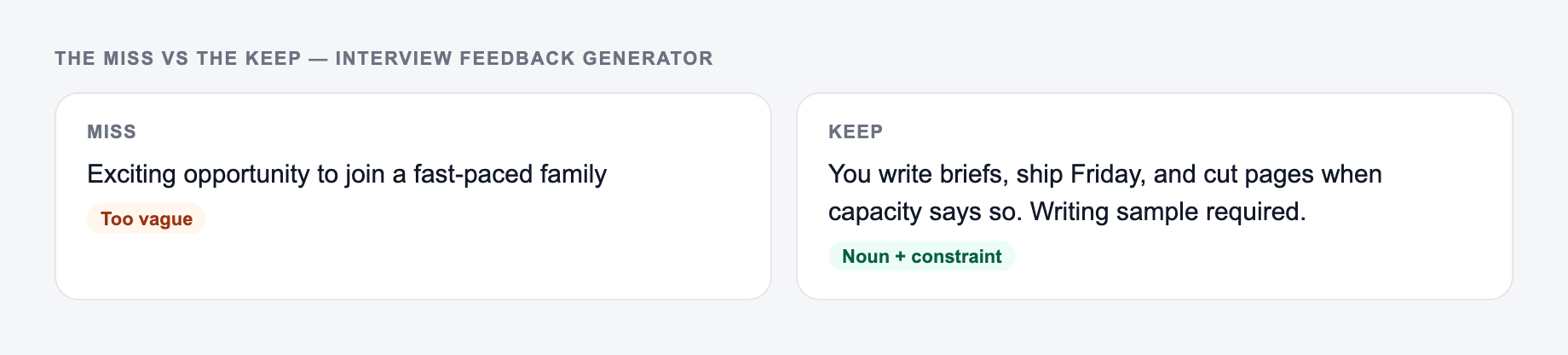
The left side is what most people type. The right side is the brief that actually steers the draft.
Read the output once for accuracy and once for fairness.
For accuracy, check that every strength and concern is supported by something in your notes. If the generator adds a claim you did not observe, remove it or label it as a follow-up question.
For fairness, look for language that describes personality instead of job-related behavior. “Low confidence” is usually weaker than “needed repeated prompting to explain the trade-offs behind the recommendation.” The second version gives the hiring team something concrete to discuss.
Also check the recommendation. A generated “Lean Yes” or “No” should match the evidence, the role requirements, and your company rubric. If it does not, adjust the recommendation rather than forcing the evidence to fit.
Evidence-Based Feedback Examples
Weak feedback:
Paste observed notes, not vibes. The form cannot supply evidence you did not write down.
Accuracy caveats for the AI Interview Feedback Generator:
- It will complete a citation you only half-remember — wrongly.
If the task is graded, cited, or used in hiring, the named writer still owns the claims.
Good communicator. Some analytics gaps. Might be a yes.
Stronger feedback:
Strength: Explained the audit workflow clearly and answered follow-up questions without overcomplicating the response.

Concern: Could not clearly explain how they would validate SEO impact beyond rankings and sessions.

Follow-up: Ask for a concrete example of diagnosing a traffic drop from hypothesis to action to measured result.
The stronger version gives the team something to calibrate. It also makes the next interview more useful.
Use the Generator Without Letting It Flatten Judgment
Structured feedback should make judgment easier, not replace it. After generating the draft, add context the tool cannot know: how difficult the interview prompt was, whether the candidate had enough time, which competencies were essential, and which gaps can be coached.
For recruiting teams building repeatable hiring workflows, tools on Junia AI can also help standardize related writing, from job summaries to follow-up messages, without changing the underlying hiring criteria.
Final Checklist Before Saving Feedback
- Does every claim tie back to observed evidence?
- Are concerns about role requirements, not personality?
- Did I separate true gaps from areas not assessed?
- Is the recommendation consistent with the rubric?
- Are follow-up questions specific enough for the next interviewer?
- Would another hiring manager understand the decision from these notes?
Use the generator to make feedback clearer and faster. Keep the final decision grounded in evidence, rubric, and human review.
Frequently Asked Questions
Is this interview feedback generator free to use?+
Yes. You can generate structured interview feedback for free. Some advanced modes (like candidate-facing or executive summary formats) may be marked as premium.
What should I include in my interview notes for the best feedback?+
Include specific examples from the interview: what the candidate said, the situation they described, actions taken, results, and any role-relevant skills (technical depth, communication, leadership). Concrete evidence produces more accurate interview evaluation notes.
Can it generate a scorecard-style interview evaluation?+
Yes. Choose the Scorecard-Style mode to generate competency ratings (1–5) with concise justification, which is helpful for consistent interview scorecards and hiring calibration.
Will it keep the feedback fair and job-related?+
The tool is designed to focus on role requirements and observable evidence. Always review the output to ensure it reflects your company’s hiring criteria and avoids irrelevant or sensitive commentary.
Can I share the generated feedback with the candidate?+
Use Candidate-Friendly mode for supportive, constructive language. Still review it against your company policy, local laws, and recruiting guidelines before sharing externally.
Does it work for any role (engineering, marketing, sales, operations)?+
Yes. Add the role title and your interview notes. The generator adapts the structure and competency focus to the role and interview type.