
Free Job Qualifications Generator
Generate clear job qualification sections for job descriptions, hiring briefs, and recruiting workflows. Separate must-have requirements from nice-to-have skills, calibrate seniority, include ATS-friendly keywords, and reduce unrealistic wish-list language.
Job Qualifications
Your job qualifications section will appear here...
How the AI Job Qualifications Generator Works
Get results in seconds with a simple workflow.
Enter the Job Title (and Optional Context)
Add a job title and optionally include responsibilities, industry, seniority, and work location to generate more accurate, role-specific requirements.
Choose Counts and Experience Guidance
Set how many must-have and nice-to-have items you want and decide whether to include years of experience as a recommended range or a strict minimum.
Generate and Customize
Copy the qualifications section into your job description, then fine-tune tools, certifications, or domain requirements based on your team’s stack and hiring criteria.
See It in Action
Example of turning a vague job requirement into a structured, ATS-friendly qualifications section with must-haves and nice-to-haves.
Qualifications:
- Experience in marketing
- Good communication
- SEO knowledge
- Familiar with tools
- Team player
Qualifications (Must-Have):
- Proven ability to execute on-page SEO improvements (titles, meta descriptions, internal linking, content updates) based on keyword research and search intent
- Working knowledge of SEO fundamentals: technical SEO basics, content optimization, and backlink concepts
- Experience using common SEO tools (e.g., Google Search Console, Google Analytics, keyword research tools) to monitor performance and report insights
- Strong writing and editing skills to collaborate on SEO content briefs and optimize pages for clarity and relevance
- Clear communication skills for cross-functional collaboration with writers, designers, and developers
- Ability to prioritize tasks and manage multiple pages/initiatives in a fast-paced environment
Nice-to-Have:
- Experience with Ahrefs/Semrush, Screaming Frog, or similar crawling and competitive analysis tools
- Familiarity with CMS workflows (WordPress/Webflow) and basic HTML
- Experience supporting content strategy, topic clustering, or content refresh projects
- Exposure to conversion rate optimization (CRO) and landing page best practices
Why Use Our AI Job Qualifications Generator?
Powered by the latest AI to deliver fast, accurate results.
Must-Have vs Nice-to-Have Requirements
Creates a clear qualifications section that separates required skills from preferred skills—reducing “wish list” overload and improving applicant quality for hiring teams.
ATS-Friendly Skills and Tools Keywords
Generates scannable, ATS-optimized bullet points with role-relevant hard skills, tools, and technologies to improve parsing and candidate matching without keyword stuffing.
Seniority-Calibrated Requirements
Adjusts qualifications by level (entry-level to director) so expectations match real-world hiring standards—balancing execution, strategy, leadership, and ownership.
Inclusive, Bias-Reduced Language
Avoids exclusionary wording and credential inflation where possible, helping you write more inclusive job requirements that encourage diverse, qualified applicants to apply.
Role-Specific Soft Skills and Collaboration Signals
Adds practical soft skills (communication, stakeholder management, problem solving) that hiring managers look for—grounded in real responsibilities and team workflows.
Pro Tips for Better Results
Get the most out of the AI Job Qualifications Generator with these expert tips.
Anchor must-haves to outcomes, not preferences
Write must-haves around what the person must be able to deliver (e.g., “improve organic traffic” or “ship accessible UI”) rather than long lists of tools that can be learned.
Keep the must-have list short to increase qualified applicants
Overly long requirements can discourage strong candidates. Aim for fewer, clearer must-haves and move “bonus” skills into the preferred section.
Use ATS keywords thoughtfully
Include the most relevant skill and tool keywords (e.g., Google Search Console, Ahrefs, React, Salesforce) but avoid repeating synonyms unnaturally—clarity beats stuffing.
Avoid credential inflation unless truly required
If a degree or certification is not required to do the job, consider listing it as preferred or allowing equivalent experience—this often improves diversity and applicant quality.
Match seniority to ownership and scope
Senior roles should emphasize strategy, cross-functional leadership, and measurable impact. Entry-level roles should emphasize fundamentals, learning ability, and strong execution support.
Who Is This For?
Trusted by millions of students, writers, and professionals worldwide.
Generate Job Qualifications That Separate Real Requirements From Wish Lists
The Job Qualifications Generator creates the requirements section of a job description: must-have skills, nice-to-have qualifications, tools, certifications, soft skills, and optional years of experience. It is especially useful when a hiring team has a role in mind but keeps turning the qualifications section into a long wish list.
The best output is not the longest list. It is the clearest list of what the candidate needs to succeed in the role.
What to Enter Into the Job Qualifications Generator
Start with the job title and seniority level. Then add context that shapes the requirements:
- industry or team type
- full-time, part-time, contract, freelance, or temporary role
- remote, hybrid, or on-site expectations
- key responsibilities or outcomes
- tools, platforms, frameworks, or systems the person will actually use
- required certifications, licenses, or compliance standards
- whether years of experience should be recommended, required, or omitted
- how many must-have and nice-to-have bullets you want
Responsibilities are especially helpful. If the generator knows what the person will do, it can create qualifications that describe real capability instead of generic traits.
How to Choose the Right Qualification Mode
Walk the Job Qualifications Generator like a template, not a finished filing. Names, dates, and amounts have to be ones you can prove.
Use Balanced when you want a realistic split between must-haves and nice-to-haves. This is the safest starting point for most roles.
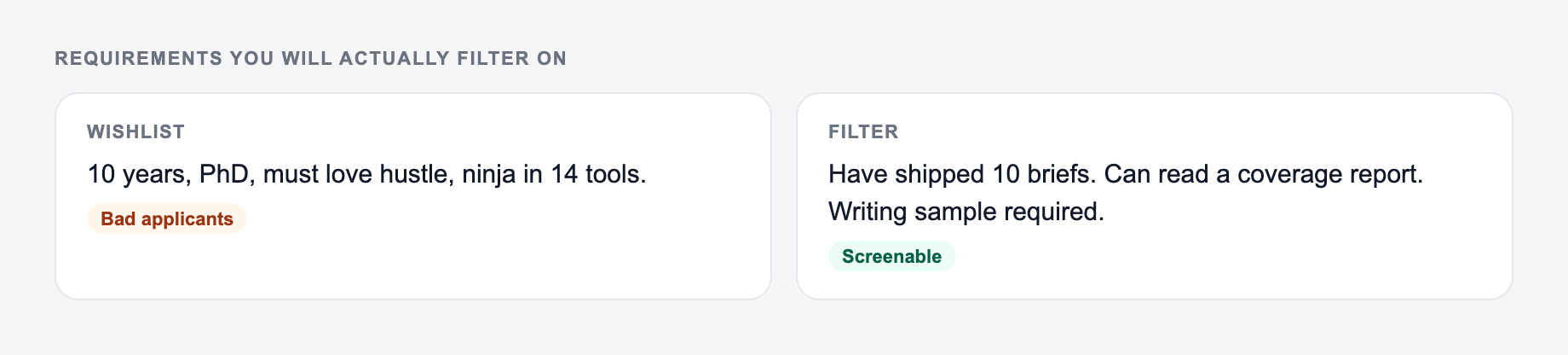
Use ATS-Optimized when the job post needs clear skill and tool keywords for parsing. Review the output afterward so the section still reads naturally to candidates.
Use Entry-Level Friendly when the role should emphasize fundamentals, learning ability, communication, and transferable skills instead of years of experience.
Use Senior/Lead Role when the qualifications need to reflect ownership, strategy, mentoring, stakeholder management, and measurable impact.
Use Inclusive + Bias-Reduced when the first draft feels too restrictive. This mode helps remove unnecessary credentials and separates true requirements from preferences.
Use Strict/Compliance-Oriented for regulated roles where licenses, certifications, safety standards, or legal requirements must be stated precisely.
Must-Haves vs Nice-to-Haves
The most important review step is deciding what truly belongs in the must-have list.
A must-have should usually be something the candidate needs in the first 60-90 days to do the job safely, legally, or independently. A nice-to-have is useful but trainable, optional, or only relevant in certain projects.
For example, “experience running technical SEO audits in Google Search Console” may be a must-have for an SEO specialist. “Experience with a specific paid tool” may be a nice-to-have if the person can learn it quickly.
This distinction improves the candidate pool because strong applicants can see what matters and what is flexible.
ATS-Friendly Does Not Mean Robotic
The generator can include keywords for skills, tools, platforms, and certifications. That helps applicant tracking systems parse the role, but keyword clarity should not turn into keyword stuffing.
Use straightforward names:
- Google Search Console
- Salesforce
- React
- Java
- HubSpot
- QuickBooks
- OSHA certification
Then add human context. “Experience using Salesforce to manage pipeline hygiene and forecast updates” is stronger than “Salesforce experience” because it explains how the skill appears in the work.
If you are building several job description sections at once, the broader writing tools on Junia AI can help keep role summaries, responsibilities, qualifications, and hiring communications consistent.
How to Review Generated Qualifications
After generating the section, go through each bullet and ask:
- Is this required on day one, or can it be learned?
- Is this qualification tied to a real responsibility?
- Did we list a credential because it is necessary or just familiar?
- Is the years-of-experience requirement flexible enough?
- Would a strong candidate from a non-traditional background understand they can apply?
- Does the section include the right ATS keywords without sounding repetitive?
Move anything trainable into nice-to-haves. Delete anything that does not predict job performance. Add missing requirements only when they are tied to actual work.
Example of a Stronger Generated Section
Weak qualifications:
Separate must-haves from a wish list on the form before you generate.
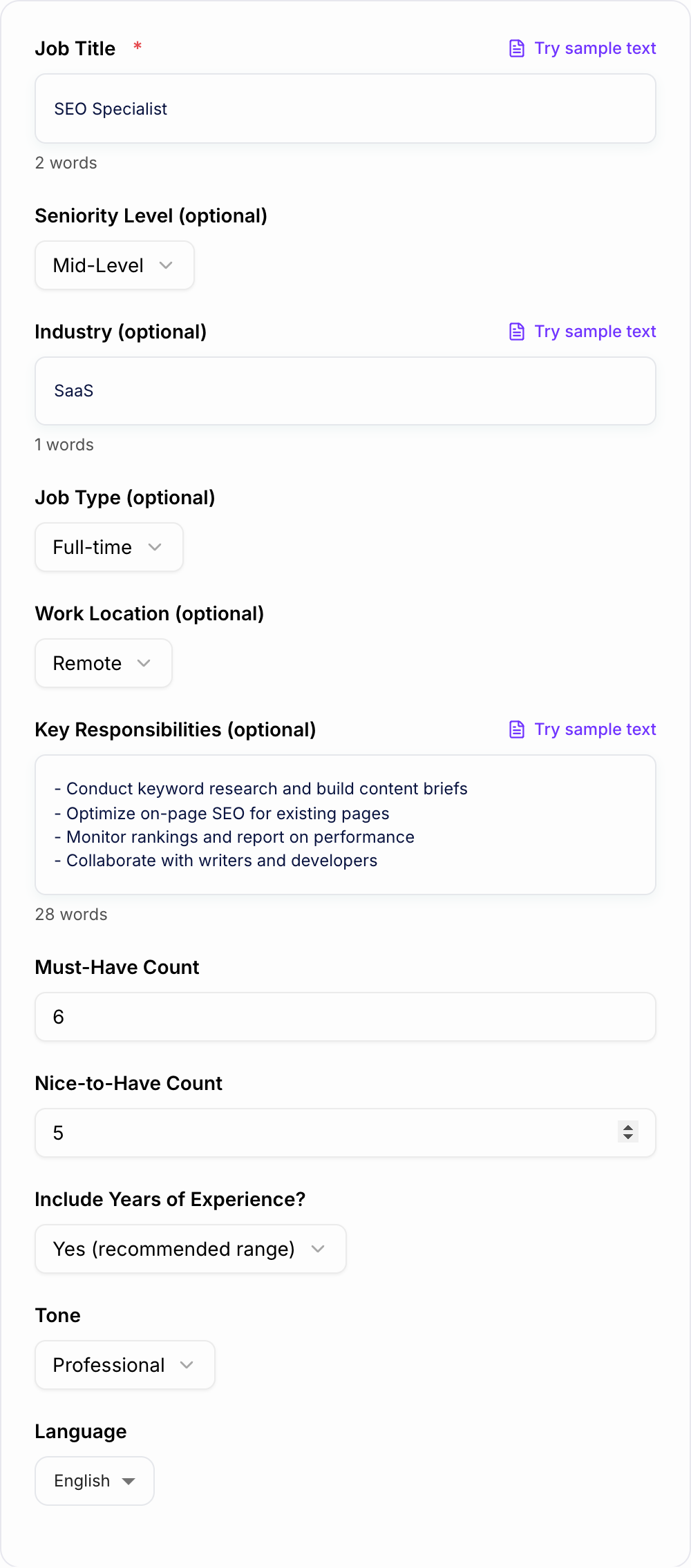
Walk the AI Job Qualifications Generator like a template, not a finished filing:
- Who / what — names, dates, and amounts you can prove.
- Scope — countable deliverables or one clear ask.
- Risk — what you will not promise. Legal, HR, and medical lines still need a human.
This is a draft aid, not legal, HR, or career advice.
- Marketing experience
- Good communication
- SEO knowledge
- Familiar with tools
- Team player
Stronger generated direction:
Must-Have:
- Experience improving on-page SEO elements such as titles, headings, internal links, and content structure based on search intent
- Working knowledge of Google Search Console and Google Analytics for identifying performance trends and reporting results
- Ability to collaborate with writers, designers, and developers to ship content updates clearly and on schedule

Nice-to-Have:
- Experience with Ahrefs, Semrush, Screaming Frog, or similar SEO tools
- Familiarity with WordPress, Webflow, or another CMS workflow
- Exposure to CRO, landing page testing, or topic-cluster planning
The stronger version is still scannable, but it explains what the candidate actually needs to do.
Final Checklist Before Publishing
After you generate, sort the draft into keep / fix / leave-alone. Do not “improve” a sentence that was blunt on purpose.
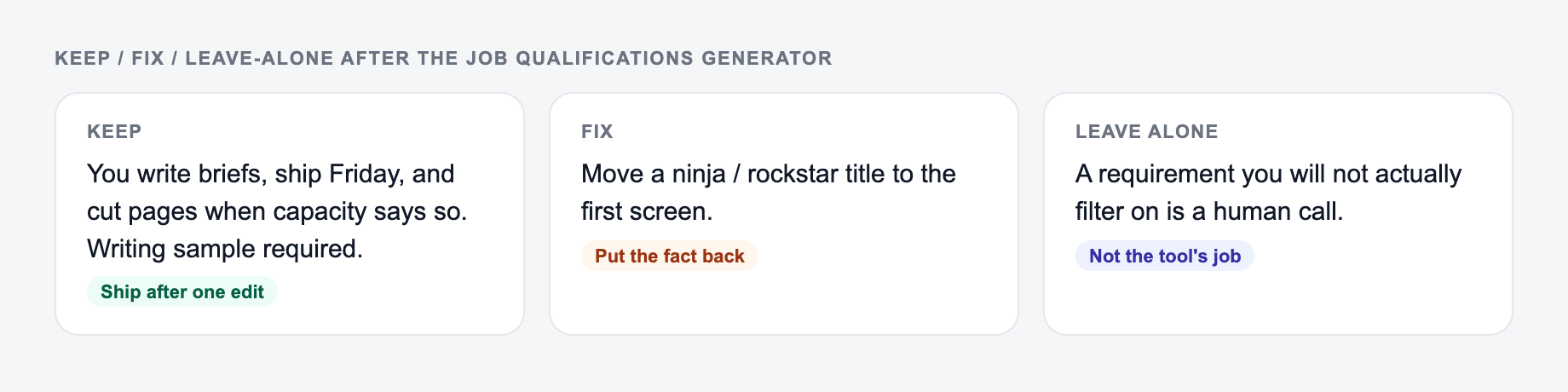
- Are must-haves limited to true requirements?
- Are nice-to-haves clearly optional?
- Are tools and certifications accurate for the role?
- Is the experience guidance realistic for the seniority level?
- Did the section avoid exclusionary or inflated language?
- Can candidates scan it in under 30 seconds?
Use the generator to create a structured first draft. Then calibrate the output against the real job, not the team’s wish list.
Frequently Asked Questions
What does this Job Qualifications Generator create?+
It generates a structured qualifications section for a job description, including must-have requirements, nice-to-have skills, tools/technologies, soft skills, and (optionally) a years-of-experience guideline aligned to the role and seniority.
How many requirements should a job post include?+
Most roles perform best with 5–8 must-have qualifications and 3–6 nice-to-have items. Too many requirements can reduce qualified applicants and increase bias, while too few can attract mismatched candidates.
Is this tool ATS-optimized?+
Yes. The generator can create ATS-friendly bullet points with straightforward wording and role-relevant skill keywords (tools, platforms, frameworks) while keeping the section readable for humans.
Should I include years of experience in job qualifications?+
Often, a recommended range (instead of a strict minimum) helps attract qualified candidates with non-traditional backgrounds. For regulated roles, a clear minimum may be appropriate—use the years-of-experience option accordingly.
How do I avoid unrealistic “wish list” requirements?+
Keep the must-have list focused on skills needed to succeed in the first 60–90 days. Move trainable skills, bonus tools, and domain familiarity into nice-to-haves to reduce barriers and increase applicant quality.
Can I use this for any role or industry?+
Yes. Add the job title and optional responsibilities/industry context, and the tool will generate role-specific qualifications for marketing, SEO, sales, engineering, customer success, HR, finance, operations, and more.