
Free Job Summary Generator
Generate a polished professional job summary for resumes, LinkedIn profiles, executive bios, career-change applications, and entry-level resumes. Add your target role, skills, achievements, strengths, and preferred length to create a clear summary that recruiters can understand quickly.
Job Summary
Your professional job summary will appear here...
How the AI Job Summary Generator Works
Get results in seconds with a simple workflow.
Enter Your Target Role
Add the job title you want (or your current role). Optionally include industry to shape wording and keyword focus.
Add Skills and Achievements (Optional but Recommended)
Paste a few skills and 1–5 achievements—especially metrics like growth, revenue, efficiency, conversion rate, CSAT, or delivery speed.
Generate and Tailor
Generate a resume summary or LinkedIn About. Then tweak keywords to match the job posting and replace any placeholders with your exact metrics.
See It in Action
Example of turning basic inputs into a polished, keyword-optimized professional summary for a resume or LinkedIn profile.
I do SEO and marketing. I have experience with content and analytics. Looking for a new role.
SEO Specialist with experience driving organic growth through technical SEO, on-page optimization, and content strategy. Skilled in GA4, Google Search Console, and keyword research to identify high-intent opportunities and improve rankings. Known for data-driven execution, cross-functional collaboration, and measurable performance gains across content refreshes and site audits.
Why Use Our AI Job Summary Generator?
Powered by the latest AI to deliver fast, accurate results.
ATS-Friendly Resume Summary Writing
Generates a clean, recruiter-friendly professional summary that uses role-relevant keywords naturally—helpful for ATS parsing and resume screening.
Keyword-Optimized Skills + Impact Statements
Highlights core skills, tools, and measurable achievements to create a strong value proposition for job applications, LinkedIn, and cover letters.
Multiple Formats (Resume, LinkedIn, Executive, Entry-Level)
Choose a summary style for your use case—from concise resume summaries to a LinkedIn About section or an executive profile with leadership scope.
Industry-Aware Positioning
Adapts phrasing to common expectations in your industry (SaaS, healthcare, finance, eCommerce, etc.) while keeping the summary authentic and specific.
Clarity, Confidence, and No Fluff
Avoids vague buzzwords and filler. Produces clear, confident language that communicates outcomes, strengths, and role fit quickly.
Pro Tips for Better Results
Get the most out of the AI Job Summary Generator with these expert tips.
Match keywords to the job description (without copying it)
Pull 5–10 role keywords (tools, responsibilities, domain terms) from the job posting and include them naturally in your summary to improve ATS alignment.
Lead with your strongest positioning
Open with your role + specialty (e.g., 'SEO Specialist focused on technical SEO and content strategy') so recruiters instantly understand your lane.
Use at least one measurable outcome
Even a single metric (traffic growth, churn reduction, time saved, revenue influenced) makes the summary more credible and less generic.
Avoid vague buzzwords unless you prove them
Terms like 'results-driven' or 'team player' are weak alone. Pair strengths with evidence (what you improved, built, shipped, or led).
Create 2–3 variants for different roles
Generate multiple versions tailored to each target role (e.g., 'Marketing Manager' vs 'SEO Manager') so your resume feels purpose-built.
Who Is This For?
Trusted by millions of students, writers, and professionals worldwide.
Generate a Resume or LinkedIn Job Summary with an AI Job Summary Generator
The Job Summary Generator helps you turn role details, skills, achievements, and strengths into a polished professional summary. Use it for resume summaries, LinkedIn About sections, executive profiles, career-change positioning, or entry-level applications.
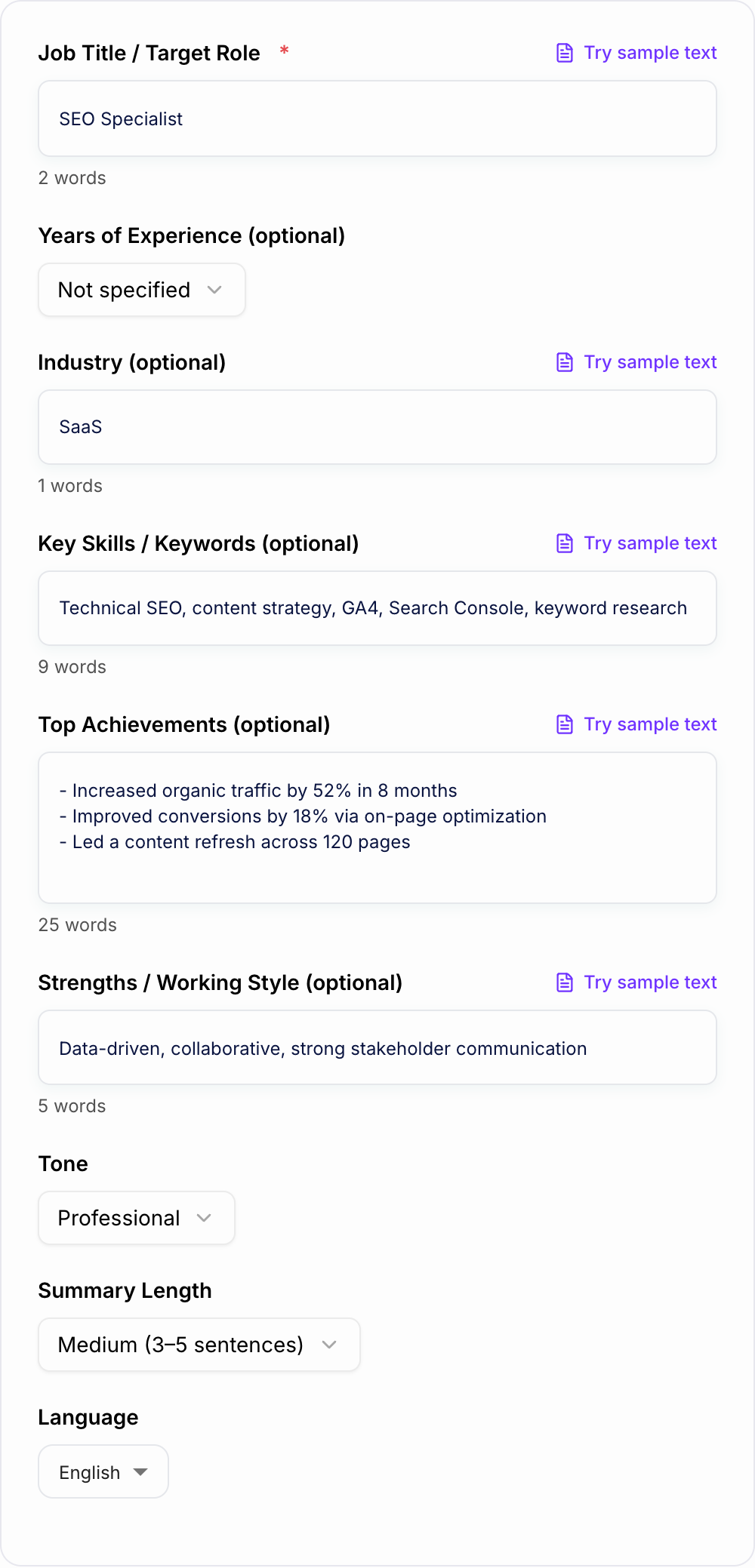
The tool works best when you give it enough proof to write with specificity. A target role plus a few skills is useful. A target role, job-posting keywords, achievements, tools, and working style is much better.
What to Enter for a Strong Job Summary
Start with the role you want the summary to support. This might be your current title, a target job title, or a role you are transitioning into.
Then add:
- Years of experience: 0 to 1, 2 to 3, 4 to 6, 7 to 10, or 10+
- Industry: SaaS, healthcare, finance, ecommerce, education, agency, nonprofit
- Skills and tools: SQL, GA4, Salesforce, HubSpot, Python, project management, stakeholder communication
- Achievements: revenue, traffic, retention, cost savings, process improvements, shipped projects
- Strengths: analytical, collaborative, customer-focused, strategic, detail-oriented
- Length: short for resumes, longer for LinkedIn or executive profiles
If you do not have metrics, include concrete outcomes instead: launched a reporting workflow, supported enterprise accounts, migrated a CRM, refreshed high-value pages, reduced manual work.
Choosing the Right Summary Mode
Use Resume Summary for a short, ATS-friendly paragraph near the top of a resume. Keep it direct, keyword-aligned, and focused on role fit.
Use LinkedIn About when you want a warmer, first-person profile summary. This version can include more story, specialties, and a light call to action.
Use Executive Profile for leadership scope: strategy, team size, revenue ownership, cross-functional influence, board reporting, or transformation work.
Use Career Change when the summary needs to connect past experience to a new field. Give the generator transferable skills, relevant projects, and why the move makes sense.
Use Entry-Level / New Grad when you do not have much formal experience. Add internships, coursework, projects, tools, volunteer work, and strengths instead of trying to inflate the summary.
Example Input and Generated Direction
Input:
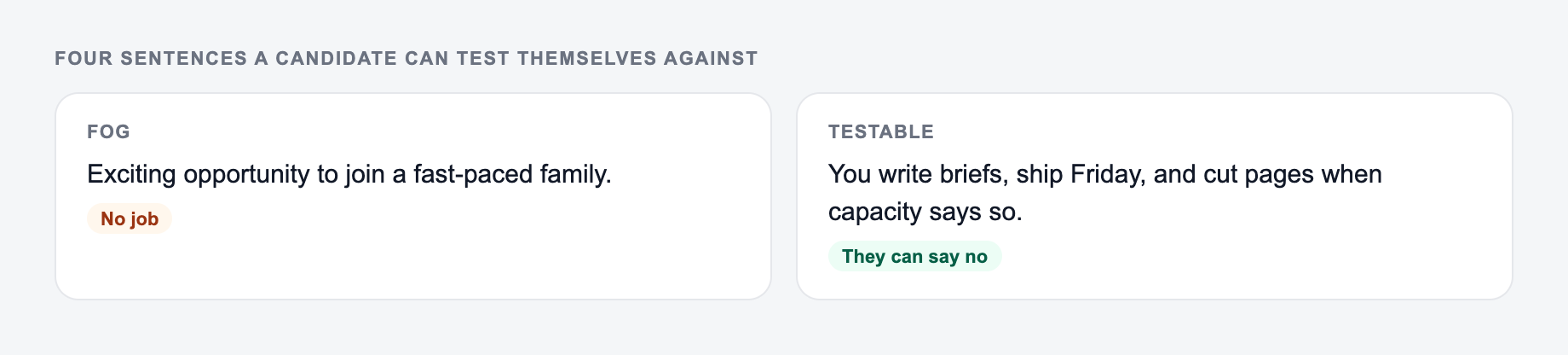
Put achievements you can prove on the form. Scope creep in a summary is still a lie.
Section order that readers actually scan:
- The ask or the decision.
- The facts that make it true.
- What is out of scope.
- The date they must answer.
This is a draft aid, not legal, HR, or career advice.
- Target role: SEO Specialist
- Experience: 2 to 3 years
- Industry: SaaS
- Skills: technical SEO, content strategy, GA4, Search Console, keyword research
- Achievements: refreshed 120 pages, improved organic traffic 52%, improved conversions 18%
- Strengths: data-driven, collaborative, strong stakeholder communication
Generated summary direction:
SEO Specialist focused on technical SEO, content strategy, and measurable organic growth for SaaS teams. Experienced with GA4, Google Search Console, keyword research, and content refresh workflows that improve rankings, traffic quality, and conversions. Known for translating performance data into practical recommendations and collaborating with marketing, product, and content teams to ship high-impact improvements.
Before using it, add the exact metric you can prove, align the keywords to the job posting, and remove anything that sounds broader than your real experience.
How to Tailor the Output for a Job Posting
After generating the summary, compare it against the job description.
Look for:
- the exact role title or close variant
- required tools and platforms
- hard skills that match your background
- industry terms the recruiter will search for
- measurable outcomes the employer cares about
Do not copy the job posting word for word. Use its language as a guide, then keep the final summary honest and natural.
If you use Junia AI across resume, cover letter, and profile drafts, keep the same positioning across all of them. Recruiters should see one clear version of you, not three unrelated pitches.
Resume Summary vs LinkedIn About
A resume summary should usually be 2 to 4 sentences. It should avoid first-person pronouns, use clear role keywords, and get to the strongest proof quickly.
A LinkedIn About section can be longer. First person is fine. You can mention what you enjoy working on, the types of problems you solve, and what opportunities you are open to.
Do not paste the same exact paragraph into both places. Generate both versions, then make them consistent in positioning but different in format.
How to Review the Generated Job Summary
Filled shape to imitate
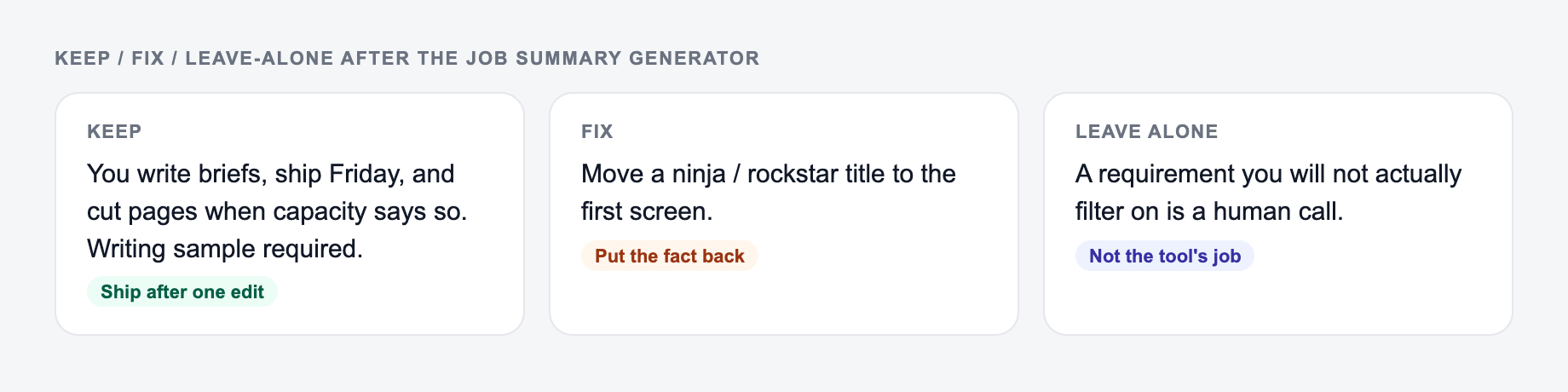
The ask, the date, the deliverable, and the thing you will not promise — in that order. If the draft buries the uncomfortable sentence, put it back on the first screen.
After you generate, sort the draft into keep / fix / leave-alone. Do not “improve” a sentence that was blunt on purpose.
Use this checklist before you paste the output into a resume or profile:
- Does the first line clearly identify your target role or specialty?
- Are the skills relevant to the job you actually want?
- Is every achievement accurate and defensible?
- Does the summary avoid empty adjectives like dynamic, passionate, and results-driven unless they are supported by proof?
- Could a recruiter understand your value in 10 seconds?
- Does it sound like a real person, not a template?
If the summary feels generic, add more input. One metric, project, tool, customer segment, or business problem can change the quality of the generated output dramatically.
Common Mistakes to Fix Before Applying
The first mistake is using one summary for every role. Generate variants for different target jobs so your resume does not feel unfocused.
The second mistake is stuffing keywords. ATS alignment matters, but a human still needs to believe the paragraph.
The third mistake is accepting invented polish. If the generator adds a claim you cannot support, remove it or rewrite it as a truthful strength.
The fourth mistake is hiding the strongest proof. If you have a metric, major project, or recognizable toolset, put it early.
A good job summary should make the rest of the resume easier to read. The generator gives you a structured draft; your final pass makes it accurate, targeted, and credible.
Frequently Asked Questions
What is a job summary (professional summary) on a resume?+
A job summary—also called a professional summary—is a short section at the top of your resume that highlights your role, years of experience, key skills, and biggest achievements. It helps recruiters quickly understand your fit for the position.
Is this job summary generator ATS-friendly?+
Yes. The tool focuses on clear phrasing, role-aligned keywords, and measurable impact while avoiding unusual formatting—making it suitable for most Applicant Tracking Systems (ATS).
What should I include for the best results?+
Add your target job title, a few key skills/keywords, and 1–3 achievements with metrics. Even one measurable result (e.g., revenue, time saved, growth, quality improvements) can significantly strengthen the summary.
Can I generate a LinkedIn About section too?+
Yes. Choose the LinkedIn mode to generate a longer, more conversational summary that still includes specialties, outcomes, and a simple call-to-action.
How long should a resume summary be?+
Most resume summaries perform best at 2–4 sentences. Senior or specialized roles can use 4–6 sentences if each line adds specific skills or outcomes.
Will it invent experience or metrics I didn’t provide?+
No. The prompts instruct the model to avoid fabricating facts. If you don’t provide metrics, it will use general, non-numeric impact statements and may suggest placeholders you can replace.