
Free Letter of Request Generator
Generate a clear, professional letter of request for approvals, documents, donations, sponsorships, time off, school, customer support, or business communication. Add your request, context, recipient, tone, and deadline to create a polished draft with a subject line, clear ask, and next step.
Letter of Request
Your request letter will appear here...
How the AI Letter of Request Generator Works
Get results in seconds with a simple workflow.
Choose Request Type and Add Your Request
Select what kind of request you’re making (approval, documents, support, donation, sponsorship, etc.), then describe exactly what you want in one sentence.
Add Optional Context and Deadline
Provide any key details—dates, amounts, reference numbers, background, or constraints—and optionally add a deadline to help the recipient act quickly.
Generate and Send (Then Personalize if Needed)
Get a polished request letter with a subject line, clear ask, and professional closing. Quickly personalize names, addresses, and specifics before sending.
See It in Action
Transform a vague ask into a clear, professional request letter with structure, context, and a polite call to action.
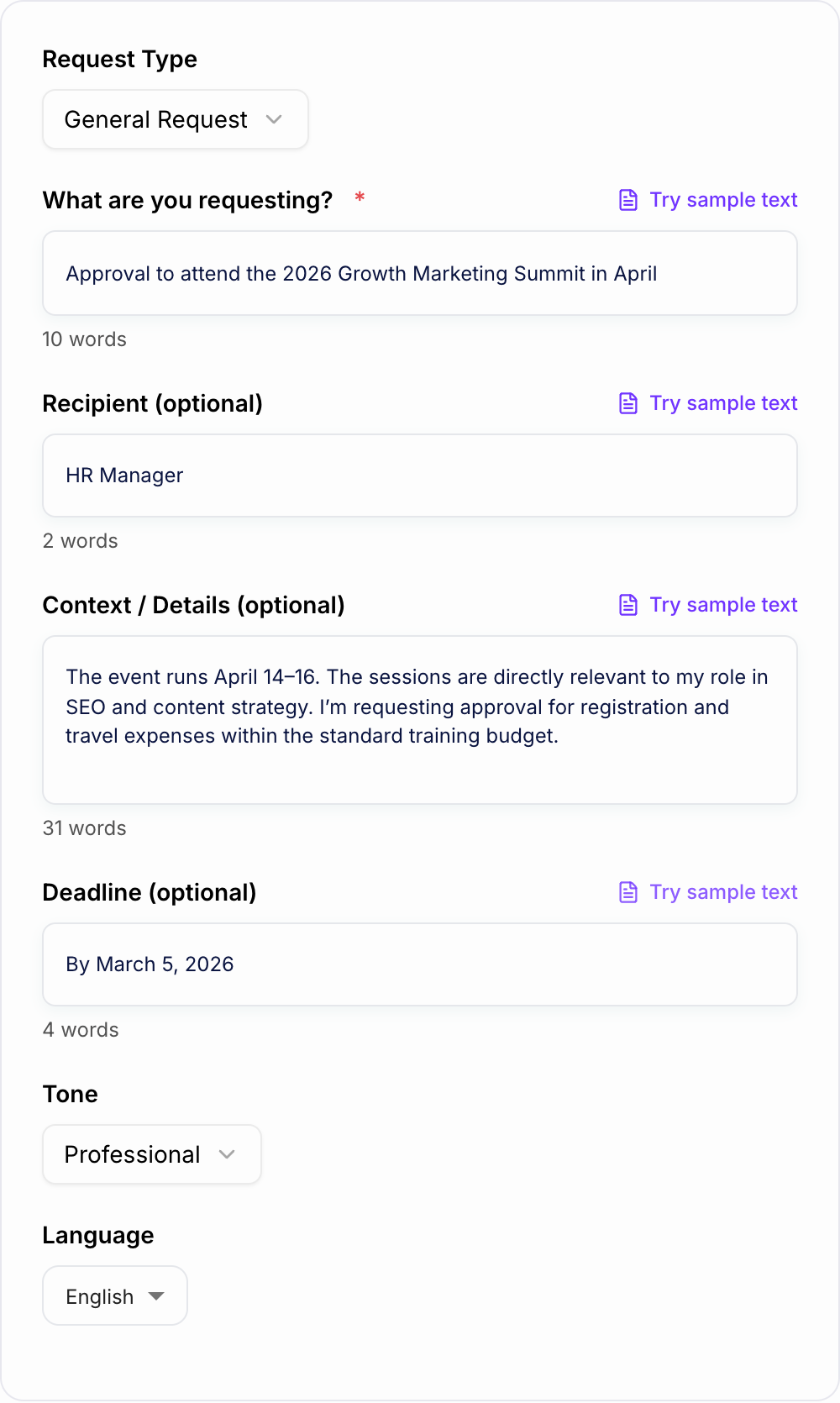
Hi, I need approval to go to a conference. Can you let me know? Thanks.
Subject: Request for Approval to Attend the 2026 Growth Marketing Summit (April 14–16)
Dear HR Manager,
I’m writing to request approval to attend the 2026 Growth Marketing Summit taking place April 14–16. The sessions are directly relevant to my role in SEO and content strategy, and I expect the training to improve our workflow and results for upcoming campaigns.
If approved, I plan to register this week and keep expenses within the standard training budget. Please let me know if you’d like a brief summary of the agenda or a cost breakdown.
If possible, I would appreciate your decision by March 5, 2026 so I can secure early registration.
Thank you for your time and consideration.
Sincerely, [Your Name]
Why Use Our AI Letter of Request Generator?
Powered by the latest AI to deliver fast, accurate results.
Professional Request Letter Format (Subject, Purpose, Call to Action)
Generates a properly structured request letter with a clear subject line, concise background, specific request, and a polite closing—ready to send as a formal letter or email.
Customizable for Common Scenarios (Approval, Documents, Support, Time Off)
Adapts to the most common request types—permission requests, document requests, information requests, support requests, and schedule/time-off requests—so your letter matches the situation and audience.
Polite, Persuasive Wording Without Sounding Demanding
Uses courteous, professional language that improves response rates: respectful framing, reasonable next steps, and gratitude—ideal for business, school, and official correspondence.
Optional Deadline and Details for Faster Approvals
Naturally incorporates time constraints, reference numbers, dates, and key details so recipients can act quickly—reducing back-and-forth and clarifying what you need.
Works as a Formal Letter or Email Request Template
Creates a draft that can be printed as a formal request letter or pasted into an email, making it useful for HR, customer service, schools, landlords, government offices, and sponsors.
Pro Tips for Better Results
Get the most out of the AI Letter of Request Generator with these expert tips.
Make the request explicit in the first 1–2 sentences
Busy recipients respond faster when the ask is clear upfront. State what you need, then add only the context required to evaluate the request.
Include a simple next step to reduce friction
Ask for a direct action: approval, a reply with documents, confirmation, or a quick call. Specific next steps improve response rate and clarity.
Use deadlines sparingly—and always explain why
If you add a deadline, mention the reason (submission date, event date, processing time). This keeps your request urgent but respectful.
Add reference details for official requests
For document or support requests, include identifiers like account number, order ID, student ID, policy number, or case number to avoid delays.
Keep it polite, concise, and easy to scan
Short paragraphs and clear wording help recipients understand and act. If you have multiple details, present them as short lines within the letter.
Who Is This For?
Trusted by millions of students, writers, and professionals worldwide.
Generate a Professional Letter of Request With a Clear Ask
A letter of request generator helps you turn a rough ask into a message someone can act on. The draft should make the request obvious, explain only the context that matters, and give the recipient a simple next step.
Use this Letter of Request Generator for approvals, documents, donations, sponsorships, support requests, time off, school offices, landlords, HR, customer service, or business communication. It can create a formal letter or an email-ready request, depending on the situation.
What to Enter Into the Letter of Request Generator
Give the tool the details the recipient needs to respond without asking follow-up questions.
Include:
- request type, such as approval, document, information, donation, sponsorship, time off, or support
- recipient name or office if known
- the exact request in one sentence
- short context that explains why the request is reasonable
- dates, amounts, reference numbers, student IDs, order IDs, or account numbers
- deadline and reason for the deadline
- desired next step, such as approve, confirm, send, schedule, process, or reply
- tone, such as formal, friendly, persuasive, concise, or urgent
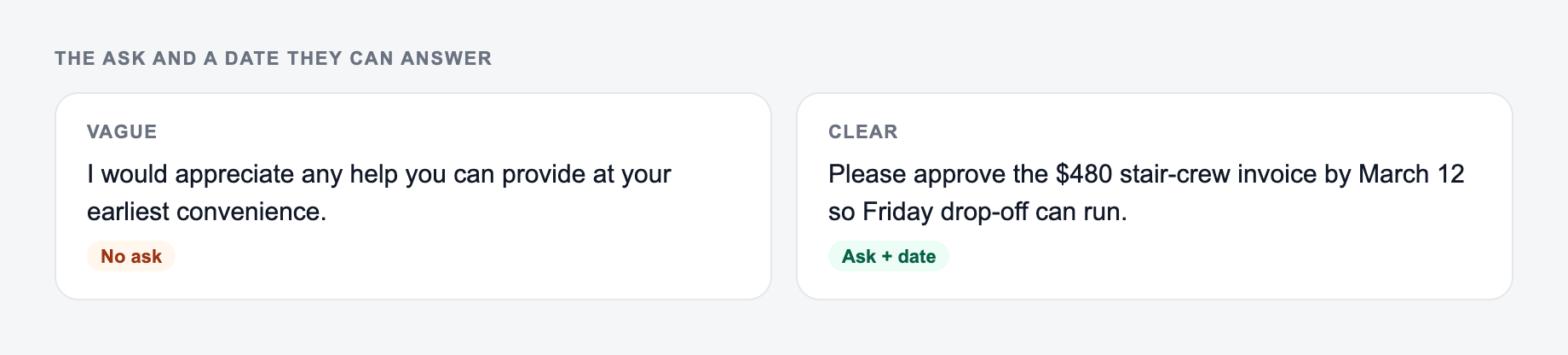
The generator works best when the ask is specific. "Please approve my conference attendance from April 14 to 16" is stronger than "I need help with a work thing."
Choose the Right Request Type
Different requests need different evidence.
Approval requests should explain what you want approved, why it matters, cost or time impact, and the decision deadline.
Document requests should include identifiers such as full name, ID number, account number, dates, document type, and delivery preference.
Information requests should ask clear questions and explain how the answer will be used.
Donation requests should describe the cause, amount or options, impact, how to donate, and a sincere thank you.
Sponsorship requests should include audience, event details, sponsor benefits, tiers if available, and a meeting or reply request.
Time-off or schedule requests should include dates, coverage plan, urgency, and any policy requirements.
Example Input and Generated Structure
Example input:
The ask and a date they can answer belong on the form. Do not invent authority you do not have.
Framework: write the uncomfortable sentence first (fee, last day, exclusion, jurisdiction). Then generate. If the AI Letter of Request Generator output buries that sentence, put it back in the first screen.
This is a draft aid, not legal, medical, or financial advice.
Request type: document request. Recipient: registrar's office. Need official transcript for graduate application. Student ID 41892. Deadline March 5 because application is due March 10. Formal tone.
A strong generated letter should include:
- a specific subject line
- greeting to the office or recipient
- the request in the first paragraph
- reference details in a short list
- deadline with reason
- request for fees, forms, or next steps
- polite closing and signature
If the output spends too long warming up before the ask, move the request into the first one or two sentences.
How to Make the Letter Polite, Specific, and Easy to Answer
The recipient should not have to guess what you want.
Before sending, check that the letter answers:
- What exactly am I asking for?
- Why is this request reasonable or necessary?
- What information does the recipient need to act?
- What deadline applies, and why?
- What should the recipient do next?
- Are attachments, forms, or proof needed?
A professional request letter does not need to be long. It needs to be complete enough for the recipient to say yes, send the document, reply with next steps, or route the request correctly.
Subject Lines That Work Well
Walk the Letter of Request Generator like a template, not a finished filing. Names, dates, and amounts have to be ones you can prove.
Use a subject line that names the request and includes the most useful detail.
Examples:
- Request for Approval: Conference Attendance, April 14-16
- Request for Official Transcript for Graduate Application
- Sponsorship Request for Community STEM Night
- Request for Billing Adjustment on Invoice 10492
- Follow-Up: Support Case 78321
- Request for Schedule Change, Week of May 4
Specific subject lines improve response rates because they make the task clear before the recipient opens the message.
Common Mistakes to Fix Before Sending
Watch for these problems in generated request letters:
- the ask is buried after a long introduction
- the tone is too apologetic or too demanding
- the deadline is included without a reason
- required identifiers are missing
- the letter asks for several unrelated things at once
- the next step is vague
- the recipient name, date, or attachment reference is wrong
The generator can create the structure, but you should verify the facts and personalize details before sending.
When to Use a Broader Writing Workflow
Request letters often lead to follow-ups, thank-you notes, proposals, summaries, or internal documentation. A broader Junia AI workflow can help you keep those related messages consistent after the first request is drafted.
Final Checklist Before You Send
Use this as a preflight, not a caption. If a box fails, change the input or cut the line.
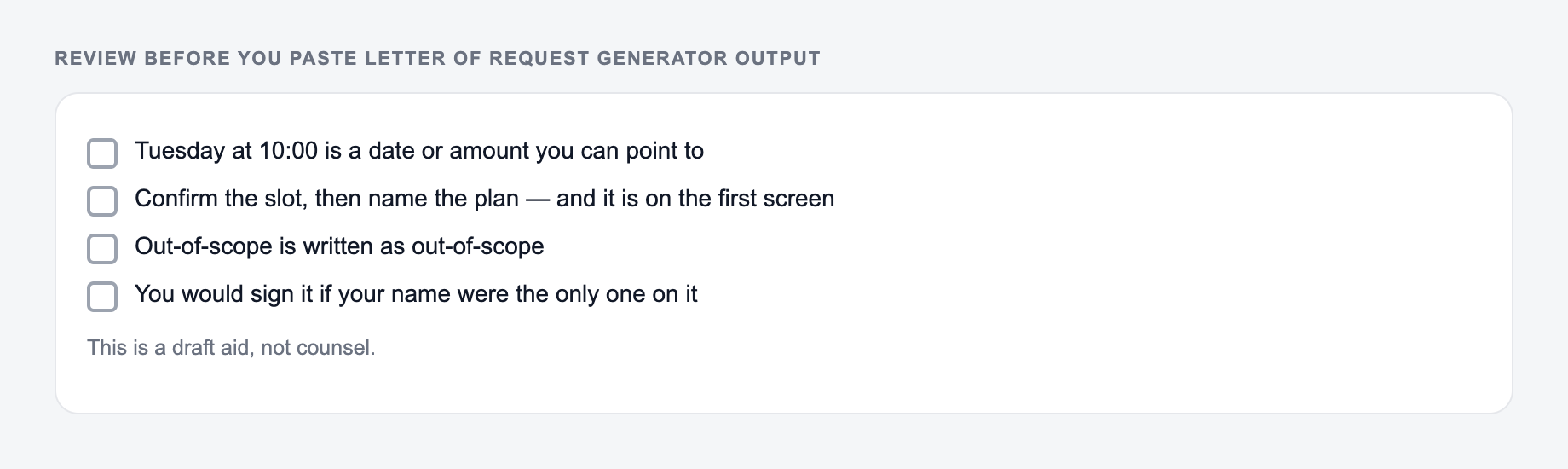
Before sending the generated letter, confirm that it has:
- a clear subject line
- a direct request near the top
- only relevant context
- all required identifiers
- deadline and reason, if needed
- one clear next step
- polite closing
- correct names, dates, amounts, and attachments
Frequently Asked Questions
What is a letter of request?+
A letter of request is a formal or semi-formal message asking someone to do something—approve a request, provide information, send documents, grant permission, offer support, or make an exception. A strong request letter is clear, polite, and specific about the next step.
Can I use this as an email request instead of a printed letter?+
Yes. Choose the Email Version mode (or keep it concise) to generate an email-friendly request with a subject line, brief context, and a clear call to action—ideal for HR, customer support, schools, and business communication.
What details should I include for the best results?+
Include what you’re requesting, who it’s addressed to (optional), important context (dates, amounts, reference numbers), and any deadline. The more relevant details you add, the more specific and actionable the request letter will be.
How do I make a request letter sound polite but confident?+
Use respectful language, keep the request specific, provide only the necessary context, and propose an easy next step (approval, reply, meeting time, or document delivery). This tool formats your request to be courteous without being overly apologetic.
Will the generator include a subject line and closing?+
Yes. The tool includes a clear subject line, greeting, and professional closing/signature format so the letter is ready to send with minimal editing.
Can I generate a donation or sponsorship request letter?+
Yes. Donation and sponsorship modes help you request support professionally by explaining the purpose, impact, and next steps. Add details like the cause, audience, sponsorship benefits, or donation options for the best draft.