
Free LinkedIn Post Generator
Generate LinkedIn posts that sound specific, readable, and ready for the feed. Add a topic, notes, audience, goal, hook style, tone, length, and CTA to create thought leadership posts, personal stories, frameworks, hiring posts, or soft promotional updates.
LinkedIn Post
Your LinkedIn post will appear here...
How the AI LinkedIn Post Generator Works
Get results in seconds with a simple workflow.
Enter Your Topic (and Optional Key Points)
Add a topic for your LinkedIn post. If you have notes, bullets, or a quick story, paste them into Key Points to make the post more specific and less generic.
Choose Goal, Hook Style, Tone, and Length
Pick what you want the post to achieve—engagement, authority, awareness, leads, hiring, or networking—then choose a hook style, tone, and ideal post length.
Generate, Personalize, and Publish
Get a ready-to-post draft with skimmable formatting and a clear takeaway. Personalize a line or two (your context, a detail, or an example) and publish on LinkedIn.
See It in Action
Example of turning a basic idea into a high-engagement, well-structured LinkedIn post with a strong hook and clear takeaway.
I learned a lot from customer calls. People care about outcomes and not features. You should do calls too.
I did 100 customer calls.
Here’s what surprised me:
Most people don’t buy features. They buy a better future.
So we changed our demos.
Before:
- Feature tour
- “Look what we built”
After:
- Start with the outcome
- Show the 2–3 steps to get there
- End with one clear next action
Results? More clarity. Less back-and-forth. Better-fit customers.
If you’re building or selling anything: Stop pitching what it is. Start explaining what it changes.
What’s the biggest insight you’ve learned from customer conversations?
Why Use Our AI LinkedIn Post Generator?
Powered by the latest AI to deliver fast, accurate results.
High-Engagement LinkedIn Hooks (Stop the Scroll)
Generates strong openers (bold claims, questions, or myth-busters) designed for LinkedIn feed behavior—helping increase dwell time, comments, and post reach.
Skimmable Structure for LinkedIn Formatting
Creates short lines, clean spacing, and clear flow so your post is easy to read on mobile—optimized for professional audiences and fast scrolling.
Goal-Based Posts (Engagement, Authority, Leads, Hiring)
Adapts the content strategy to your goal: discussion prompts for engagement, frameworks for thought leadership, or soft CTAs for lead generation.
Authentic Voice + Tone Control
Write in your chosen tone (professional, friendly, witty, direct, etc.) to avoid generic AI writing and keep consistency with your personal brand.
Relevant Hashtags Without Spam
Suggests a small set of relevant LinkedIn hashtags for discoverability and niche targeting—without keyword stuffing or overly broad tags.
Pro Tips for Better Results
Get the most out of the AI LinkedIn Post Generator with these expert tips.
Add one specific detail to boost credibility
Include a concrete detail (a mistake, a decision, a moment, or a constraint) to increase authenticity and reduce the “generic AI” feel—this improves trust and engagement.
Write for one person, not everyone
Set an audience like “SaaS founders” or “new managers.” Specific targeting improves relevance, saves words, and often leads to more comments from the right people.
Use one takeaway + one question
End with a single clear lesson and one focused question. This keeps the CTA simple and increases the likelihood of replies.
Prefer short lines on mobile
Break long sentences into short lines. LinkedIn is mobile-first, and skimmable formatting increases read-through and dwell time.
Avoid banned or spammy patterns
Limit excessive emojis, too many hashtags, and engagement bait. Keep it professional, helpful, and specific to maintain reach over time.
Who Is This For?
Trusted by millions of students, writers, and professionals worldwide.
Generate LinkedIn Posts From Rough Ideas, Notes, or Stories
A good LinkedIn post usually starts with one clear idea, not a perfect draft. The LinkedIn Post Generator on this page helps turn that idea into a readable post with a hook, structure, takeaway, and CTA.
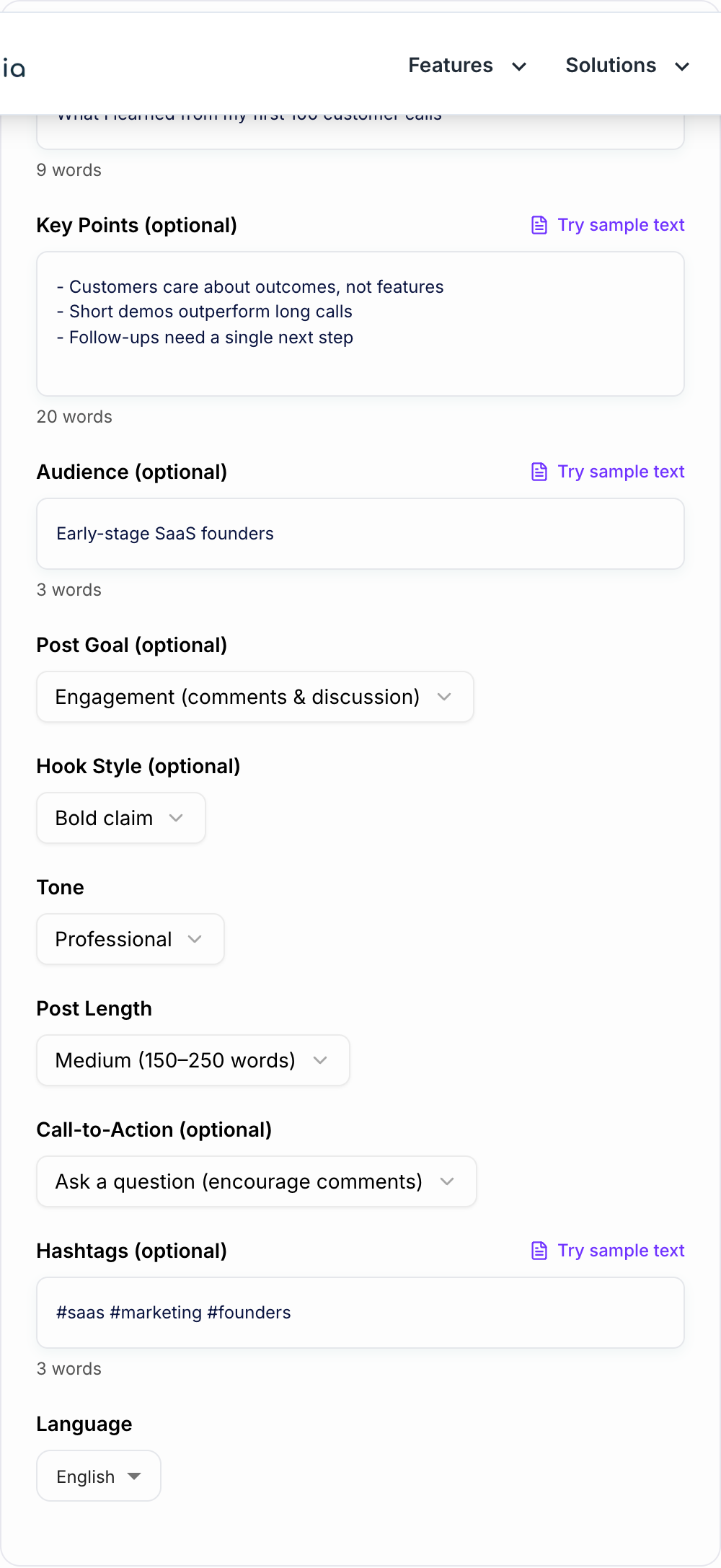
It works best when you give it the raw material: a lesson, a customer moment, a mistake, a belief, a hiring need, a framework, or a short story. The generator can shape the post, but your specifics make it worth reading.
What to Put in the Generator
Start with a topic that is narrow enough for one post.
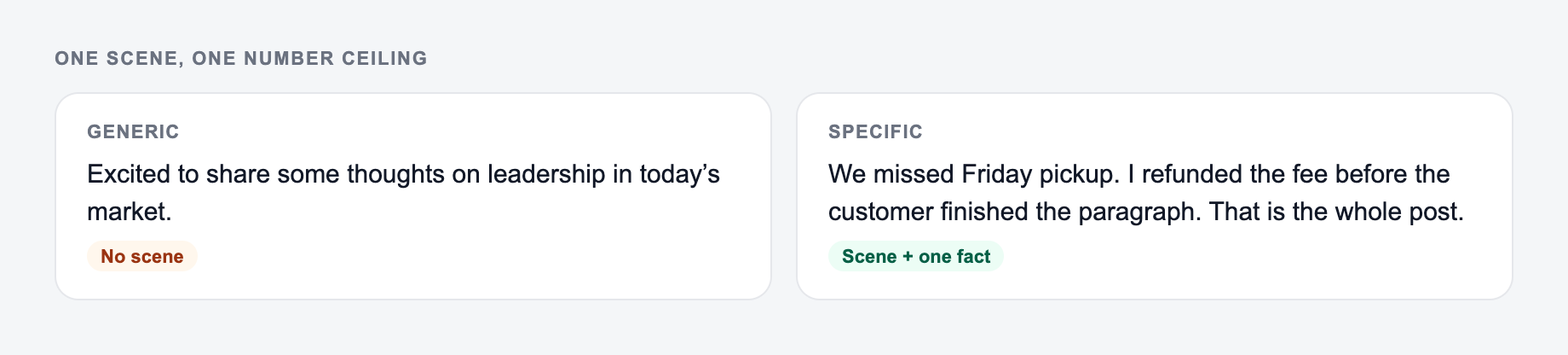
Weak topic: "marketing lessons." Stronger topic: "what I learned after rewriting our onboarding emails for churned trial users."
In the key points field, add details like:
- The situation or moment
- What surprised you
- The mistake or tradeoff
- A small example
- The lesson you want readers to take away
- Any phrase, number, or constraint that must stay accurate
If you only enter a broad topic, the output will sound broad. If you add one real moment, the post starts to sound like it came from a person.
Choose the Right Post Mode
Use Thought Leadership when you have a clear point of view and want the post to build authority.
Use Personal Story when the post needs a beginning, middle, lesson, and softer ending.
Use How-To / Framework when you want a checklist, process, or practical teaching post.
Use Hot Take when you want to challenge a common assumption without sounding hostile.
Use Mini Case Study when you have a problem, approach, result, and lesson. Do not invent numbers. If the metric is not real, leave it qualitative.
Use Soft Promo when you need to mention a product, service, newsletter, template, or offer without making the whole post feel like an ad.
Edit the Hook First
The first two lines decide whether people read the rest. After generating a draft, spend most of your edit time there.
A hook can be:
- A clear claim
- A question with tension
- A surprising lesson
- A mistake you changed your mind about
- A simple promise for the reader
Remove anything that sounds like a formal intro. LinkedIn posts do not need throat-clearing. They need a reason to keep reading.
Make the Draft Sound Less Like AI
AI-generated LinkedIn posts usually fail in predictable ways: too polished, too vague, too inspirational, or too full of broad claims.
Fix that with a quick pass:
- Add one detail only you would know
- Replace buzzwords with plain language
- Cut any line that repeats the same idea
- Keep one main takeaway
- Change the CTA to a real question
For example, "focus on customer outcomes" is fine but generic. "We stopped demoing seven features and started with the one workflow the buyer wanted fixed" is more believable.
Use Hashtags and CTAs Carefully
A synonym is not a test. If you change “unlock” to “discover,” you did not run a variant — you changed the mood of the same fog.
Three to five hashtags are usually enough. Choose tags that match the post topic, role, or industry. Broad tags like #success and #business rarely add much.
For CTAs, ask one specific question. "What would you add?" works better than "thoughts?" when the post has a clear list or framework. "Where do you disagree?" works when you made a strong claim. "Want the template?" works only if you actually plan to share one.
Simple Publishing Workflow
A practical workflow is:
- Capture rough ideas during the week.
- Choose one idea and generate a post.
- Edit the hook and add one real detail.
- Remove anything too polished or generic.
- Publish, then reply to comments while the post is fresh.
If LinkedIn is part of a bigger content system, the other writing tools on Junia AI can help you repurpose the same idea into emails, landing-page copy, ad angles, or longer articles without rebuilding the message from scratch.
Final Review Before Posting
Before you publish the generated post, check that it makes one point, starts fast, includes a real detail, has readable spacing, avoids fake metrics, and ends with a CTA that fits the goal.
If the post could have been written by anyone in your industry, add one sharper example before it goes live.
Specificity Insert: One Scene, One Number Ceiling
If your input looks like the miss, do not judge the tool yet — add the noun and the constraint first.
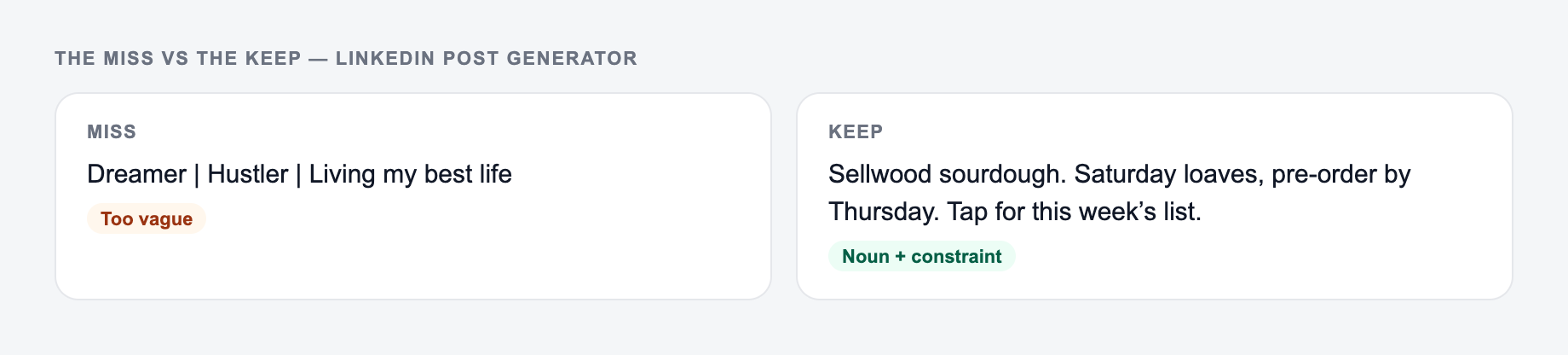
AI LinkedIn posts flatten into “I learned that consistency matters.” Force one scene the author actually lived, and a number only if it is true.
Paste one scene you actually lived. The form should not invent a number you cannot defend.
Campaign stub you can actually brief:
- One promise.
- Three assets (ad, email, on-site) that share the promise and change the ask.
- A kill list — offers you will not make this week.
If the AI LinkedIn Post Generator output ignores the kill list, the brief never made it onto the form.
Weak: “After years in marketing, here’s what actually grows a page.” Stronger, if true: “Last Tuesday a client’s pricing page had three CTAs. We kept the demo button and moved the rest. Demo clicks rose; I am not calling that a law of marketing.”
If you do not have the Tuesday story, do not invent it. Use a smaller true detail (the three CTAs) or keep the post as a question. Hashtags: two topical tags beat a stack of ten. CTA: one ask—comment with a situation, or click a documented link—not “like, comment, share, and follow.”
Frequently Asked Questions
Is this LinkedIn post generator free?+
Yes. You can generate LinkedIn posts for free. Some advanced modes (like mini case studies, hot takes, or soft promo templates) may be marked as premium.
Will these posts sound like AI?+
They’re designed to sound natural with short lines, clear points, and your selected tone. For best results, add a few specifics (a lesson learned, a mistake, a process, or a real example) in the Key Points field.
What’s the best length for a LinkedIn post?+
Short posts often get quick reads and more reactions, while medium-to-long posts can drive deeper engagement if the hook is strong and the formatting is skimmable. Choose a length based on your goal (discussion vs. authority).
How many hashtags should I use on LinkedIn?+
Typically 3–6 relevant hashtags is enough. Use niche tags that match your audience and topic rather than only broad hashtags to improve discovery.
Can I generate posts in different languages?+
Yes. Select your output language to create LinkedIn posts for international audiences while keeping the same structure and intent.
How do I get more comments on my LinkedIn posts?+
Use a clear hook, write in short lines, share a specific lesson or trade-off, and end with one focused question. Posts that invite a simple opinion tend to get more comments than vague CTAs.