
Free Marketing Email Generator
Generate ready-to-edit marketing emails for promotions, newsletters, product launches, welcome sequences, re-engagement campaigns, follow-ups, and announcements. Add your offer, audience, goal, tone, and CTA to create subject lines, preview text, email body copy, and a clear next step.
Marketing Email
Your marketing email (subject, preview text, and body) will appear here...
How the AI Marketing Email Generator Works
Get results in seconds with a simple workflow.
Choose Your Goal and Add the Offer
Select what the email should achieve (promotion, announcement, welcome, re-engagement) and enter your product or offer so the messaging matches intent.
Add Context (Optional) for Better Personalization
Optionally include audience, key benefits, and your CTA. This helps the AI write more specific, benefit-led email copy that feels tailored.
Generate, Then A/B Test
Get subject lines, preview text, and a complete email body. Copy it into your ESP and test variations to improve open rate and CTR.
See It in Action
Turn a basic offer into a high-converting marketing email with subject lines, preview text, benefit-led copy, and a clear CTA.
We have a sale right now. Please check it out.
Thanks, Acme
Subject options:
- Last chance: 20% off ends Friday
- Save 20% on your annual plan (limited time)
- Want to save 2 months this week?
Preview text: Upgrade to annual and lock in 20% off before the deadline.
Email: Hi there,
If you’ve been thinking about upgrading, this is the best time to do it.
For a limited time, you can get 20% off our annual plan—so you’ll save money now and keep the benefits all year:
- Automations that save you hours every week
- Ready-to-use templates to move faster
- Priority support when you need help
The offer ends Friday.
CTA: Upgrade and save 20%
—Jordan from Acme
Why Use Our AI Marketing Email Generator?
Powered by the latest AI to deliver fast, accurate results.
Conversion-Focused Email Structure
Generates marketing email copy with a clear hook, benefit-driven body, and a strong call-to-action—optimized for clicks, signups, and sales.
Subject Lines + Preview Text Included
Creates multiple subject line options and preview text to improve open rates and help your email stand out in crowded inboxes.
Goal-Based Email Templates
Supports common email marketing goals like promotions, newsletters, product launches, onboarding, and re-engagement—so the message matches intent.
Brand-Voice and Tone Control
Adapts to your chosen tone (friendly, professional, persuasive, playful, etc.) while keeping messaging clear, credible, and audience-appropriate.
Skimmable, Mobile-Friendly Formatting
Uses short paragraphs, optional bullets, and clear CTAs to improve readability on mobile and reduce friction for busy readers.
Pro Tips for Better Results
Get the most out of the AI Marketing Email Generator with these expert tips.
Write one primary CTA per email
A single, clear call-to-action (e.g., “Shop the sale” or “Start free trial”) reduces decision fatigue and typically improves click-through rate.
Lead with the benefit in the first 1–2 lines
Most subscribers decide quickly whether to keep reading. Put the outcome first (time saved, money saved, result achieved), then add details.
Use specificity to increase trust
Concrete details like timeframe, who it’s for, and what happens next often outperform vague claims. If you have numbers, add them—but avoid inventing data.
Make it mobile-friendly
Keep paragraphs short, use optional bullets for key points, and avoid multiple competing links to improve readability on mobile devices.
Test subject lines and preview text together
Subject + preview text work as a pair. A/B test different angles (benefit, curiosity, urgency, social proof) to improve open rates.
Who Is This For?
Trusted by millions of students, writers, and professionals worldwide.
Create Better Email Drafts with the AI Marketing Email Generator
A marketing email generator should help you move from blank page to usable draft quickly: subject line, preview text, opening, body, proof, and CTA. The output still needs editing, but it gives you a structure that is much easier to improve than a scattered note about an offer.
The best results come from giving the tool a specific email job. Are you trying to sell a product, announce a feature, welcome a subscriber, re-engage an inactive list, or get registrations for an event? Each goal needs different pacing.
If you are already creating campaign assets in Junia AI, use the marketing email generator to keep email copy aligned with the same offer, audience, and message as the rest of the campaign.
What to Enter Into the Email Generator
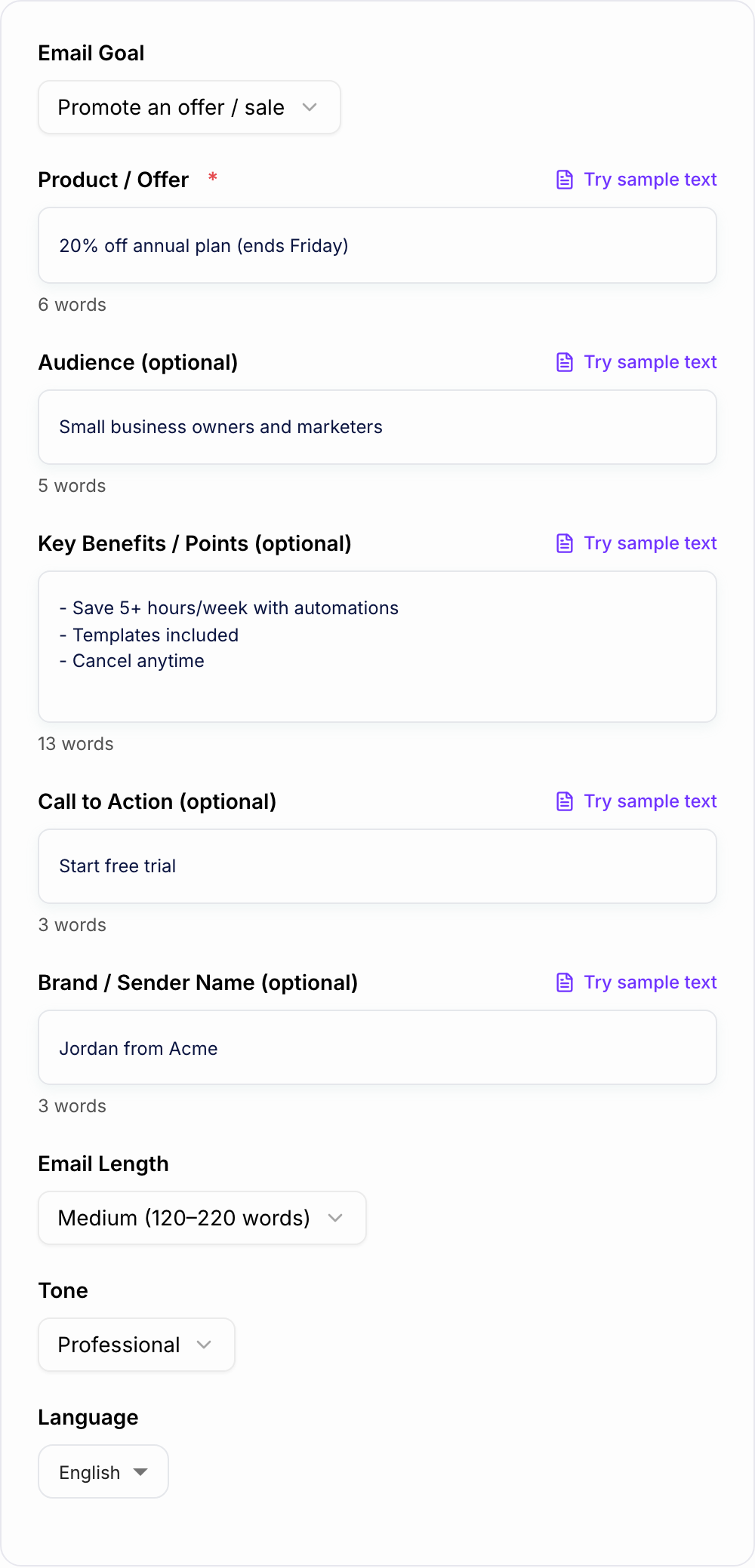
Start with the offer. Explain what you are promoting and why the reader should care now.
Then add these details:
- Audience: who receives the email and what they already know
- Goal: click, buy, register, reply, book, download, or return
- Key benefit: the clearest outcome for the reader
- Proof: customer result, feature, guarantee, screenshot, example, or deadline
- CTA: the exact action you want them to take
- Tone: direct, friendly, premium, playful, urgent, calm, or educational
Weak input says: "Write a sales email for our course."
Stronger input says: "Write a promotional email for freelance writers who want better client leads. The course teaches positioning, outreach, and proposal writing. The goal is course sales. The CTA is 'Join the course.' Tone: direct, encouraging, no hype. Deadline: Friday."
Choose the Right Email Type
Use Promotional Email when you have an offer, discount, bonus, or deadline. Keep the message simple: what it is, why it matters, why now, and what to do.
Use Newsletter when the email should lead with value before a soft CTA. Give the generator the topic, reader problem, and any link or product mention you want included.
Use Product Launch Email when the reader needs to understand what is new. Include who the product helps, what changed, and the main reason to try it.
Use Welcome Email when someone just subscribed, joined, or signed up. Focus on expectation setting, a quick win, and the next step.
Use Re-engagement Email when the reader has gone quiet. Keep the tone respectful. Give them a real reason to return instead of guilt.
Review Subject Line and Preview Text Together
The subject line earns the open. The preview text supports it. Do not let the email client pull random body copy into the preview.
Good pairs usually use one clear angle:
- Benefit: "Plan next week in 20 minutes" plus "A simple template for owners, priorities, and deadlines."
- Deadline: "25% off ends Friday" plus "Grab the project template before the price goes back up."
- Curiosity with clarity: "The line we changed in onboarding" plus "It lifted activation without a redesign."
After generation, remove clever lines that hide the point. Clear usually beats cute.
Edit the Generated Email Before Sending
Discard pile:
- Fake urgency with no date you will honor
- Personalization tokens that resolve empty
- A line a competitor could paste without lying less than you
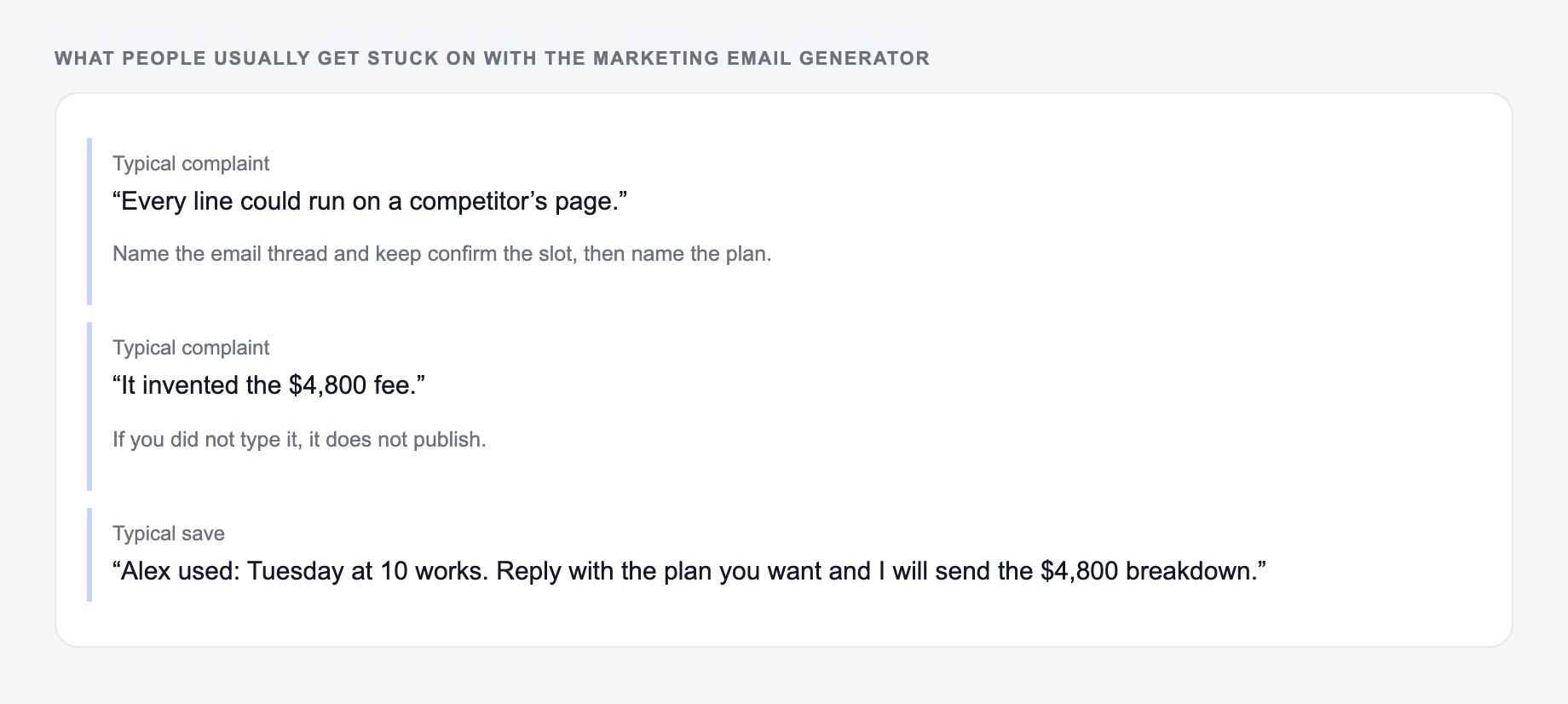
These are the complaints that show up after the first draft — they are almost always about the brief, not the model.
First, check the opening. The first two lines should tell the reader why the email matters. Cut slow greetings, background, and throat-clearing.
Next, check the body. A good generated email should have one main idea, short paragraphs, and enough proof to feel credible. If it uses generic words like powerful, innovative, seamless, or game-changing, replace them with concrete benefits.
Then check the CTA. One primary CTA is usually enough. If the email asks readers to watch a video, book a call, read a post, start a trial, and follow on social, it is probably asking too much.
Finally, check compliance and platform details. Add unsubscribe language, personalization tags, correct links, sender name, footer, and any required legal copy before sending.
Common Email Generator Mistakes
The first mistake is giving the generator no audience context. Copy for CFOs should not sound like copy for first-time shoppers.
The second mistake is asking for urgency when there is no real deadline. Fake urgency trains people to ignore you.
The third mistake is keeping every generated benefit. Pick the strongest ones and cut the rest.
The fourth mistake is forgetting the preview text. That line can rescue a plain subject or ruin a good one.
Final Send Checklist
Before the email goes live, confirm that:
- The subject and preview text work as a pair
- The first two lines get to the point
- The offer and CTA are specific
- The email has one primary action
- Proof is real and not exaggerated
- Links, personalization tags, and tracking work
- The tone sounds like your brand, not a template
A good AI marketing email draft should make the human edit faster. Use it to get structure, angles, and options, then tighten the message until the next click feels obvious.
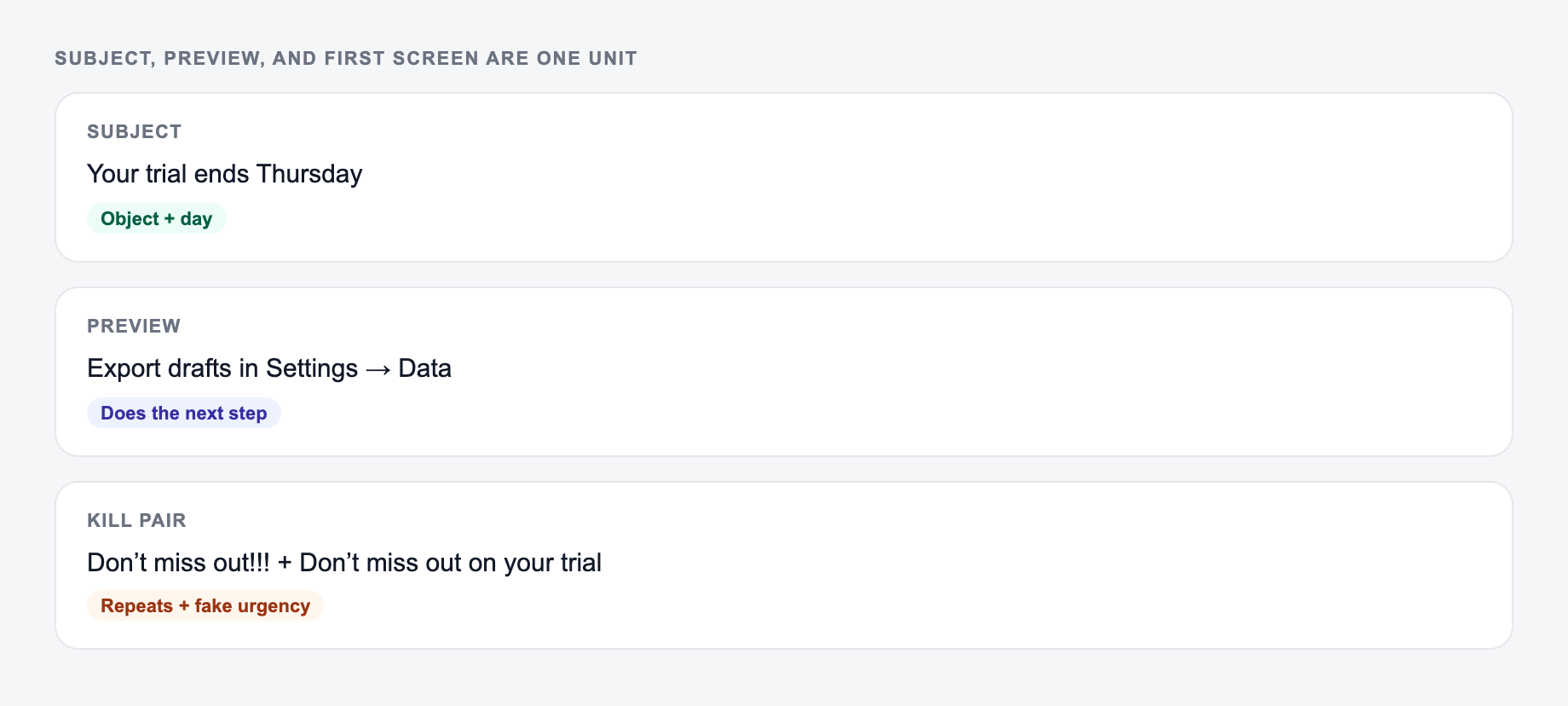
Subject, Preview, and First Screen as One Unit
Judge the email as a 3-line stack, not as a pretty body:
Offer, audience, and email type belong on the form so subject and preview do not invent a deadline.
Annotate one winner:
The same job, named: who it is for, where it will appear, and what must stay true.
Why it can run: it names a noun, a next step, and nothing you would have to unsay. Kill it if the landing page cannot do that job today.
- Subject
- Preview text
- First two lines after open (mobile)
If the stack repeats the same phrase three times, you wasted the preview. If the subject says “your audit is ready” and the first line is “Hi {FirstName}, I hope you’re well,” the email already lost.
Worked stack for a genuine 7-day trial-end reminder:
- Subject: Your workspace trial ends Thursday
- Preview: Export your drafts before access changes
- First line: On Thursday your trial on the Team plan ends; export is in Settings → Data.
That only ships if Thursday is the real date and the export path is real. Fake countdown timers, invented scarcity, and leftover {FirstName} tags are send-blockers. One email, one primary CTA. Secondary links belong below the fold.
Frequently Asked Questions
Is this marketing email generator free to use?+
Yes. You can generate marketing emails for free. Some advanced modes (like cart abandonment or B2B cold outreach) may be marked as premium depending on your setup.
Does it generate subject lines and preview text too?+
Yes. The output includes several subject line options and preview text suggestions, plus the full email body with a clear call-to-action.
Can I generate emails for Mailchimp, Klaviyo, or HubSpot?+
Yes. The tool generates copy you can paste into any email platform (Mailchimp, Klaviyo, HubSpot, ActiveCampaign, etc.). You can also request placeholders for personalization fields.
How do I improve email open rate and click-through rate (CTR)?+
Test multiple subject lines, keep the first sentence compelling, lead with a clear benefit, reduce clutter, and use one primary CTA. Personalization and tight targeting also improve engagement.
Will the email sound spammy?+
The generator is designed to write natural, on-brand email copy and avoid spammy phrasing. You can choose a professional or friendly tone and review the final copy to match your brand.
Can it write emails in different languages?+
Yes. Select your output language to generate marketing emails for multilingual campaigns and international audiences.