
Free Meeting Invite Generator
Generate polished meeting invitations for client calls, interviews, kickoff meetings, 1:1s, demos, and team syncs. Create clear subject lines, agendas, logistics, prep notes, and calendar descriptions that reduce back-and-forth and help people show up prepared.
Meeting Invite
Your meeting invite (email and/or calendar copy) will appear here...
How the AI Meeting Invite Generator Works
Get results in seconds with a simple workflow.
Add the Meeting Purpose
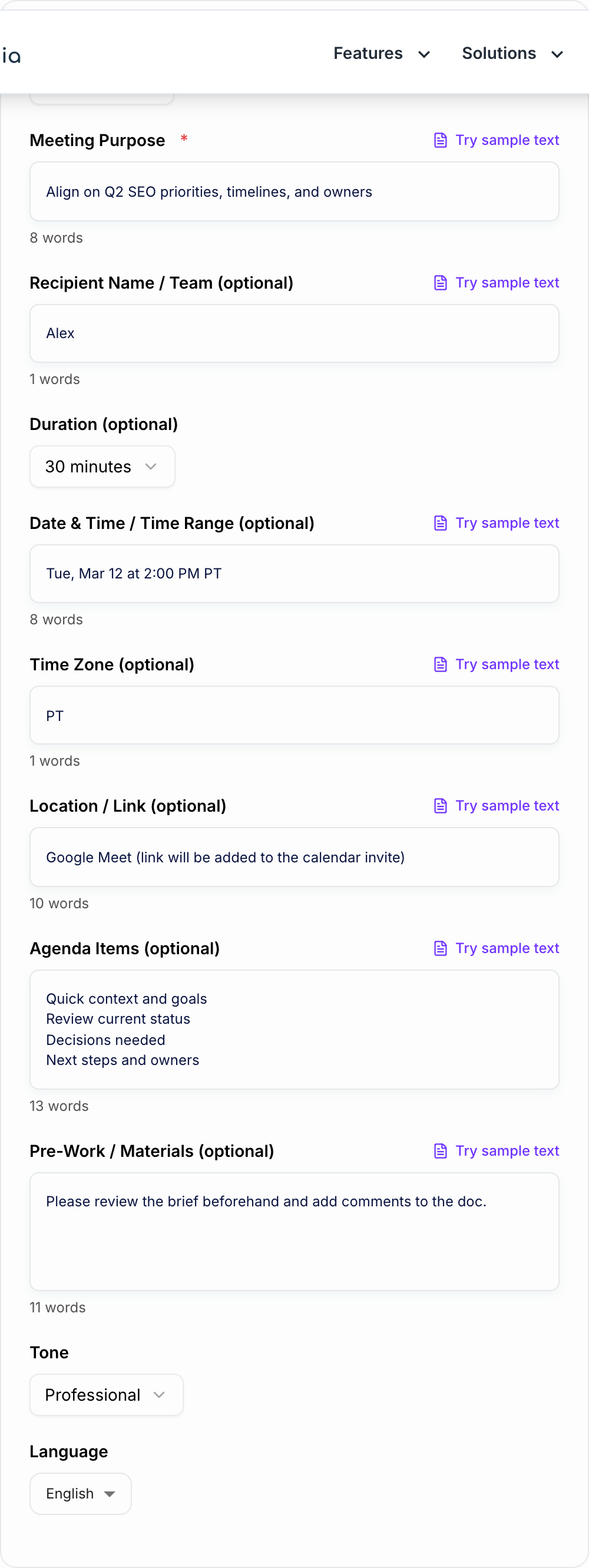
Enter what the meeting is for (the goal or outcome). This is the main signal used to generate a relevant subject line and agenda.
Optionally Add Logistics and Agenda
Add duration, date/time, time zone, location/link, and agenda items. If you skip the agenda, the tool can generate one automatically.
Generate and Send
Copy the email invite and/or calendar description, then customize names, links, and final scheduling details before sending.
See It in Action
Turn a vague meeting request into a professional invite with a clear subject, agenda, and call-to-action.
Hey, can we meet sometime this week to talk about the project?
Subject: Project Kickoff — Align on Scope, Timeline, and Owners
Hi Alex,
I’d like to schedule a project kickoff to align on scope, timeline, and ownership so we can start execution smoothly.
Proposed duration: 30 minutes Time: Tue, Mar 12 at 2:00 PM PT Location: Google Meet (link in calendar invite)
Agenda:
- Goals and success criteria
- Scope (in/out)
- Timeline and milestones
- Roles and owners
- Risks, dependencies, and open questions
- Next steps
Prep (optional):
- Review the brief and add comments/questions beforehand
If the proposed time works, please accept the invite. If not, reply with 2–3 times that work for you.
Thanks, [Your Name]
Why Use Our AI Meeting Invite Generator?
Powered by the latest AI to deliver fast, accurate results.
Professional Meeting Invitation Emails (Subject + Body)
Generates clear, polished meeting invite emails with a strong subject line, purpose, agenda, and a clear CTA—ideal for team meetings, client calls, interviews, and project kickoffs.
Calendar-Ready Event Titles and Descriptions
Creates copy/paste calendar text that improves meeting clarity: what the meeting is for, what will happen, expected outcomes, and prep items—so attendees show up prepared.
Agenda Builder for Better Meeting Outcomes
Turns a simple purpose into a structured, scannable agenda with decision points and next steps—reducing wasted time and improving alignment.
Tone + Audience Alignment
Adapts language for internal stakeholders, clients, candidates, or executives—friendly, formal, concise, or direct—while staying professional and actionable.
Fewer Back-and-Forths (Clear Logistics + Next Step)
Adds the essential logistics (time, duration, time zone, location/link) and a next action (accept, confirm, propose times) to increase response rates and attendance.
Pro Tips for Better Results
Get the most out of the AI Meeting Invite Generator with these expert tips.
Lead with outcome, not activity
In the first line, state the outcome (e.g., “Decide X” or “Align on Y”). Outcome-driven invites reduce ambiguity and improve preparedness.
Use a 3–6 bullet agenda for higher attendance
A short, specific agenda makes the meeting feel purposeful and lowers the chance of no-shows—especially for client calls and stakeholder reviews.
Add a single clear CTA
End with one next step: “Please accept,” “Reply with availability,” or “Confirm by EOD.” Multiple CTAs reduce responses.
Include prep items to improve meeting quality
If attendees should review a doc or bring data, list it under “Prep” so the meeting starts faster and decisions happen sooner.
Make time zones explicit for global teams
Always include the time zone (and optionally a converter link) to prevent scheduling mistakes and rescheduling churn.
Who Is This For?
Trusted by millions of students, writers, and professionals worldwide.
Generate meeting invites that are clear enough to accept
The Meeting Invite Generator is built for the moment when you know a meeting needs to happen, but you do not want to spend ten minutes turning a messy request into a professional email or calendar description.
Use it to create invite copy for 1:1s, client calls, interviews, project kickoffs, stakeholder reviews, demos, workshops, discovery calls, and recurring syncs. The best output comes from a few concrete details: the meeting goal, who is attending, what needs to be decided, when it happens, and what people should do next.
What to enter into the Meeting Invite Generator
You do not need a full agenda before you start. A rough purpose is enough, but the tool gets sharper when your input includes:
- Meeting type: 1:1, client update, interview, kickoff, sales call, team sync, review, workshop.
- Outcome: decide, review, align, approve, troubleshoot, plan, interview, hand off, or confirm.
- Audience: internal team, executive, candidate, customer, vendor, partner, stakeholder.
- Logistics: date, time, time zone, location or video link, duration, and any deadline.
- Prep: documents to review, questions to answer, metrics to bring, or decisions to consider.
- CTA: accept the invite, reply with availability, confirm attendance, review a doc, or bring feedback.
Weak input usually sounds like “meet about project.” Better input sounds like “create a 30-minute client kickoff invite to align on scope, timeline, owners, and next steps; friendly but professional tone; include prep to review the project brief.”
How to choose the right invite format
The generator can help with both email copy and calendar-ready descriptions, but they serve different jobs.
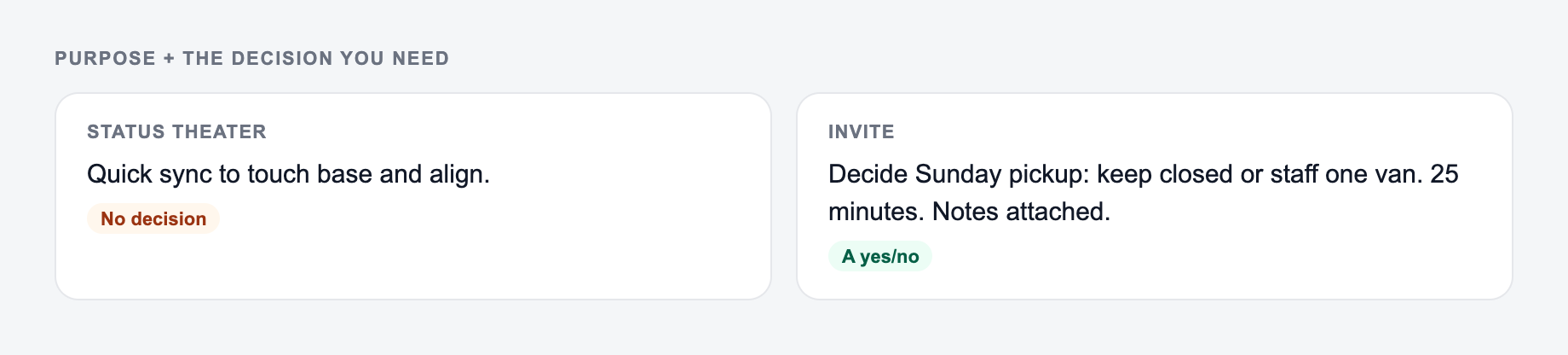
Email invite copy works best when the meeting is not fully accepted yet. Use it for external contacts, candidates, clients, sales prospects, and anyone who needs context before saying yes.
Calendar description copy works best when the meeting is already agreed. Keep it tighter: purpose, agenda, prep, link, and expected outcome. Attendees should be able to open the calendar event two minutes before the call and know what matters.
For important meetings, generate both. Send the warmer email first, then paste the shorter structured version into the calendar invite.
Example input and generated invite structure
Input:
Purpose, time, and the decision you need belong on the form.
Filled example to imitate
A brief the AI Meeting Invite Generator can use: who it is for, where the output will appear, and what must stay true.
Do not send this shape
A one-line request like “run the meeting invite” with no audience, channel, or constraint.
The first version names a date, a deliverable, and a boundary. The second hopes the reader will infer them.
This is a draft aid, not legal, medical, or financial advice.
Meeting type: client project kickoff
Audience: marketing director and project stakeholders
Goal: align on scope, timeline, responsibilities, and success metrics
Duration: 45 minutes
Tone: polished, friendly, concise
Prep: review the project brief before the call
CTA: accept the invite or suggest another time
A strong generated invite should include:
- A subject line that states the meeting type and outcome
- A short opening sentence that explains why the meeting exists
- Three to six agenda bullets
- Prep instructions only if they are genuinely needed
- Date, time, time zone, duration, and location placeholders
- One clear next action
If the output gives you a long paragraph instead of a scannable agenda, regenerate with “use short bullets” or “make this calendar-ready.”
Common meeting invite mistakes the tool helps prevent
Before anything leaves the outbox:
-
You can point to the number in a spreadsheet or a contract
-
You would sign it if your name were the only one on it
-
Compensation, legal effect, and medical content had a human pass
-
Vague subject lines: “Quick chat” does not tell people whether they need to prepare.
-
No decision point: If the invite does not say what will be decided, the meeting feels optional.
-
Hidden logistics: Time zone, duration, and location should never be buried.
-
Too many asks: One invite should not ask people to accept, reschedule, review three documents, and answer five questions unless the meeting truly requires it.
-
Overly formal tone: Client and executive invites should be polished, but still readable.
The generator is useful because it forces the invite into a clear structure before you send it.
How to review the generated meeting invite
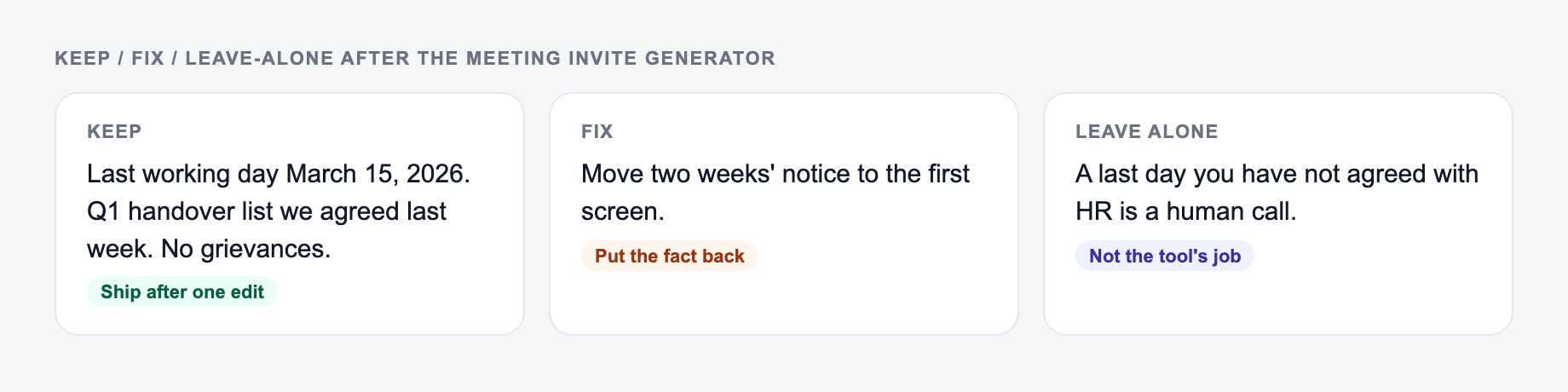
After you generate, sort the draft into keep / fix / leave-alone. Do not “improve” a sentence that was blunt on purpose.
Before sending, read the generated invite once as the recipient. Then check:
- Does the first line explain the outcome?
- Is the agenda skimmable in under 10 seconds?
- Are all logistics correct and complete?
- Is the tone right for the relationship?
- Is the CTA the one thing you actually need next?
- Are placeholders like
[meeting link]or[date]replaced?
For busy recipients, shorter is usually better. If the invite feels bloated, ask the tool for a more concise version with the same agenda and CTA.
Where this fits in a broader writing workflow
Meeting invites often sit beside follow-up emails, agendas, project briefs, and internal updates. If you are building those workflows in one place, an AI writing workspace like Junia AI can help keep the tone and structure consistent across the messages that surround the meeting.
Final checklist before you send
- The subject line includes the meeting type or outcome.
- The invite explains why the meeting is needed.
- The agenda has three to six focused bullets.
- Prep work is specific and reasonable.
- Time zone, duration, and link are easy to find.
- The final CTA is clear.
If the answer is “mostly,” generate a tighter version and compare the two. The best meeting invite is usually the one that removes the most uncertainty.
Frequently Asked Questions
What does the Meeting Invite Generator create?+
It generates professional meeting invitation copy, including subject lines, email body text, and/or calendar-ready event titles and descriptions with an agenda, logistics, and a clear next step.
Can it create an agenda if I don’t provide one?+
Yes. If you provide only the meeting purpose, the tool will generate a relevant agenda with scannable bullet points and an expected outcome to help the meeting run smoothly.
Is this tool suitable for client meetings and sales calls?+
Yes. It can produce client-friendly invites and discovery call invites that set expectations, highlight outcomes, and keep the tone professional without being overly salesy.
Will it include time zone and meeting location details?+
Yes—if you provide them. If you leave them blank, the invite will use placeholders or neutral language so you can quickly paste in the final details.
Can I generate meeting invites in different languages?+
Yes. Select your preferred output language to generate invites for multilingual teams, international clients, and global scheduling.
How do I make sure the invite sounds like my voice?+
Choose a tone and add a short note in the purpose or prep field (e.g., “keep it concise” or “executive-friendly”). Then edit the final output with your preferred greeting and sign-off.