
Free Podcast Show Notes
Use the AI Podcast Show Notes Generator to transform transcripts, timestamps, rough notes, or episode outlines into publish-ready show notes. Generate summaries, chapters, takeaways, resources, links, CTAs, and SEO-friendly episode page copy for podcast hosts, YouTube, newsletters, and your website.
Podcast Show Notes
Your podcast show notes will appear here...
How the AI Podcast Show Notes Generator Works
Get results in seconds with a simple workflow.
Paste a Transcript (or Raw Notes)
Add your episode transcript for the most accurate show notes. If you only have bullet points, paste them—include timestamps if available.
Add Optional Episode Details
Optionally include episode title, podcast name, guest details, and a primary keyword to guide SEO-friendly phrasing and structure.
Generate and Publish
Get structured show notes with chapters, summary, takeaways, and resources. Copy to your podcast host, YouTube, or your SEO-optimized episode page.
See It in Action
Transform a raw transcript or messy notes into clean, SEO-friendly show notes with chapters, takeaways, and resources.
Episode notes:
- Talked about topic clusters
- Mentioned internal linking
- Shared a few tools
- Q&A at the end
Title: Topic Clusters That Rank: A Practical SEO Framework
Summary: In this episode, we break down how to build topic clusters that improve organic traffic—covering keyword mapping, internal linking, and content planning so your site earns authority over time.
Chapters: 00:00 Intro 02:10 What a topic cluster is (and why it works) 06:45 How to pick a pillar page keyword 10:30 Supporting content ideas + search intent 14:20 Internal linking blueprint 18:05 Tools and workflows 22:40 Listener Q&A 25:10 Wrap-up + next steps
Key Takeaways:
- Choose one pillar topic and map related long-tail keywords to supporting posts
- Use internal links to connect cluster pages back to the pillar
- Publish consistently to build topical authority
Resources Mentioned:
- Internal linking guide: https://example.com/internal-linking
- Keyword research tool: https://example.com/tool
CTA: Subscribe for weekly SEO frameworks and practical growth tactics.
Why Use Our AI Podcast Show Notes Generator?
Powered by the latest AI to deliver fast, accurate results.
SEO-Friendly Podcast Show Notes Structure
Generates scannable show notes with clear sections (summary, chapters, key takeaways, resources) to improve on-page SEO, readability, and time-on-page.
Chapters & Timestamps (Auto-Formatted)
Formats chapters and timestamps for Apple Podcasts, Spotify, and YouTube-style navigation—helping listeners jump to key moments and boosting retention.
Accurate Summaries Based on Your Transcript
Creates a faithful episode summary and highlights using only your provided transcript/notes—no invented claims, stats, or off-topic filler.
Key Takeaways, Quotes, and Action Items
Extracts practical takeaways and notable quotes that make your episode easier to skim, share, and repurpose for social posts and newsletters.
Resource & Link Section (Clean and Clickable)
Builds a tidy list of links and resources mentioned so you can drive traffic to your website, partners, sponsors, and recommended tools.
Pro Tips for Better Results
Get the most out of the AI Podcast Show Notes Generator with these expert tips.
Include timestamps in your transcript for better chapters
Even rough timestamps (every few minutes) help generate clean chapter navigation for YouTube and podcast players—improving retention and user experience.
Use one primary keyword + a few natural variants
For podcast SEO, target a clear topic (primary keyword) and let related terms appear naturally in headings and takeaways to capture long-tail search intent.
Add a resource section to drive traffic and conversions
Include your website links, lead magnets, sponsor URLs, and tools mentioned. Clear link formatting improves click-through and attribution.
Repurpose show notes into multiple assets
Use the same transcript to generate a YouTube description, newsletter recap, and blog-style episode post—maximizing reach from one recording.
Keep the first 2–3 lines highly compelling
Many platforms truncate descriptions. Make the opening lines a strong hook that states the listener benefit and the episode’s core promise.
Who Is This For?
Trusted by millions of students, writers, and professionals worldwide.
Generate Podcast Show Notes From a Transcript or Rough Notes
The podcast show notes generator turns transcripts, timestamps, bullet notes, links, and episode details into publish-ready notes. Instead of manually summarizing a full recording, you can generate a structured episode page with a summary, chapters, takeaways, resources, and CTAs.
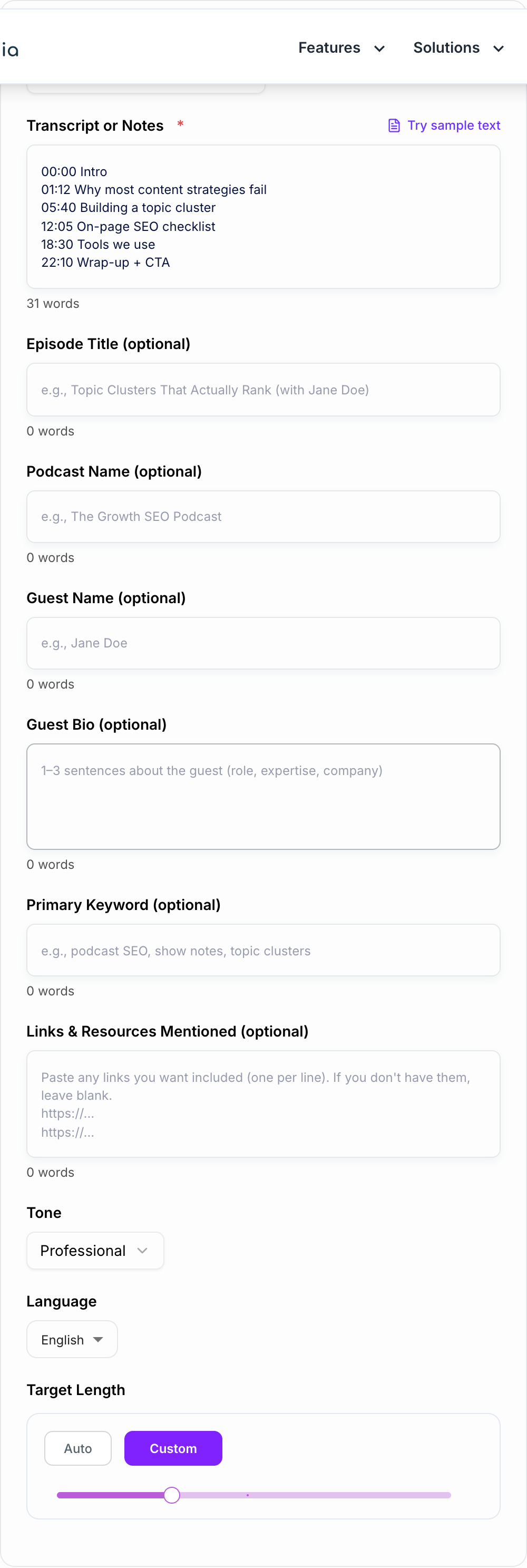
Good show notes are not just a transcript pasted under an audio player. They help listeners skim, help search engines understand the episode, and make every resource mentioned in the recording easier to find.
What to Enter Into the Podcast Show Notes Generator
Use the full transcript when you have it. A transcript gives the generator the best chance of summarizing accurately and pulling out real takeaways.
If you do not have a transcript, paste structured notes like this:
- Episode title or topic
- Podcast name
- Guest name and role
- Main audience
- Key discussion points
- Timestamps, if available
- Links and resources mentioned
- Sponsor or CTA wording
- Primary keyword for the episode page
- Preferred output: website notes, YouTube description, newsletter recap, or short podcast-host description
The more complete the input, the less cleanup you will need after generation.
What the Generated Show Notes Should Include
For most episode pages, aim for this structure.
Episode summary
The summary should explain what the episode covers, who it is for, and what listeners will learn. Two focused paragraphs are usually better than a long recap.
Chapters and timestamps
If your input includes timestamps, the generator can format them into chapters for YouTube, podcast players, and website pages. If you do not have timestamps, it can still create chapter headings for skimming.
Key takeaways
These should be practical and specific. Pull out decisions, frameworks, steps, warnings, or action items listeners can use after the episode.
Resources and links
Add guest links, sponsor links, books, tools, articles, templates, and product mentions. Give the generator clean labels so the output is not a messy URL dump.
CTA
Include one clear next step: subscribe, download, book, join, read, or watch. If the CTA depends on a sponsor or legal wording, paste the exact text into the input.
Example Input and Generated Output
Input:
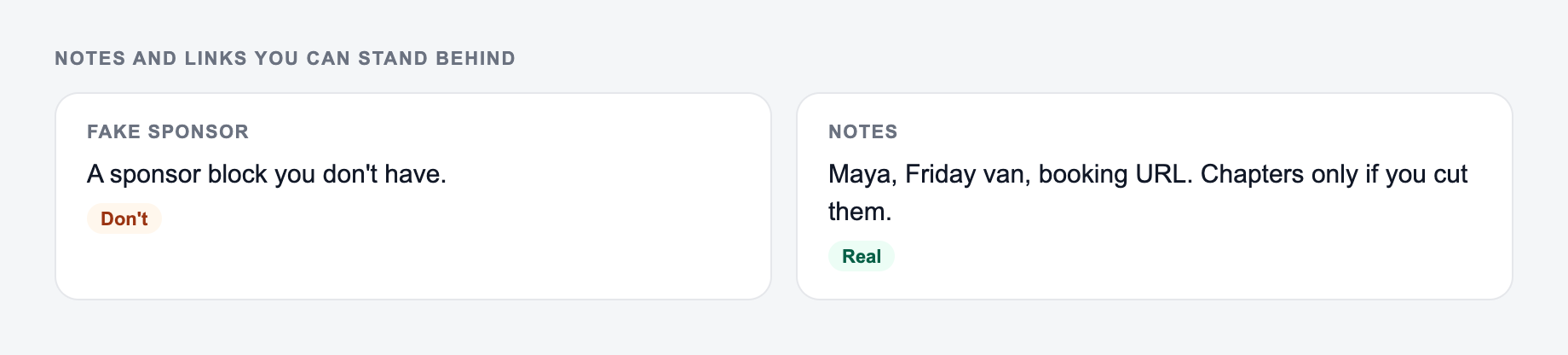
Paste notes and links you can stand behind. The form should not invent a sponsor.
Use the AI Podcast Show Notes Generator as a mechanical pass. If the output needs a judgment call (legal, medical, grading, production code), a person still owns the last look.
Episode topic: topic clusters for SEO
Notes: covered pillar pages, supporting posts, internal links, tools, Q&A
Timestamps:
00:00 intro
02:10 topic cluster definition
06:45 pillar keyword
10:30 supporting content
14:20 internal linking
18:05 tools
22:40 Q&A
CTA: subscribe for weekly SEO workflows
Generated show notes:
Summary:
In this episode, we break down how topic clusters help websites organize related content, build authority, and make internal links more useful. You will learn how to choose a pillar topic, map supporting content, and review the cluster after publishing.

Chapters:
00:00 Intro
02:10 What a topic cluster is
06:45 Choosing the pillar keyword
10:30 Planning supporting content
14:20 Internal linking workflow
18:05 Tools and examples
22:40 Listener Q&A

Key Takeaways:
- Start with one pillar topic and map supporting questions around it.
- Link supporting posts back to the pillar page with clear anchor text.
- Review the cluster after publishing to find gaps and update opportunities.

CTA:
Subscribe for weekly SEO workflows.
That is much easier to publish than a raw transcript.
How to Review Generated Show Notes
Show notes often contain names, links, timestamps, and sponsor language, so do a quick accuracy pass before publishing.
Check:
- Guest names and company names
- Links and resource labels
- Sponsor copy and disclaimers
- Timestamp accuracy
- Quotes and notable claims
- Whether the summary overstates what the episode covers
- Whether the first few lines make the episode worth listening to
If the episode covers legal, medical, financial, or sensitive advice, be stricter. The generated notes should summarize what was said, not add new claims.
Adapting Show Notes for Each Platform
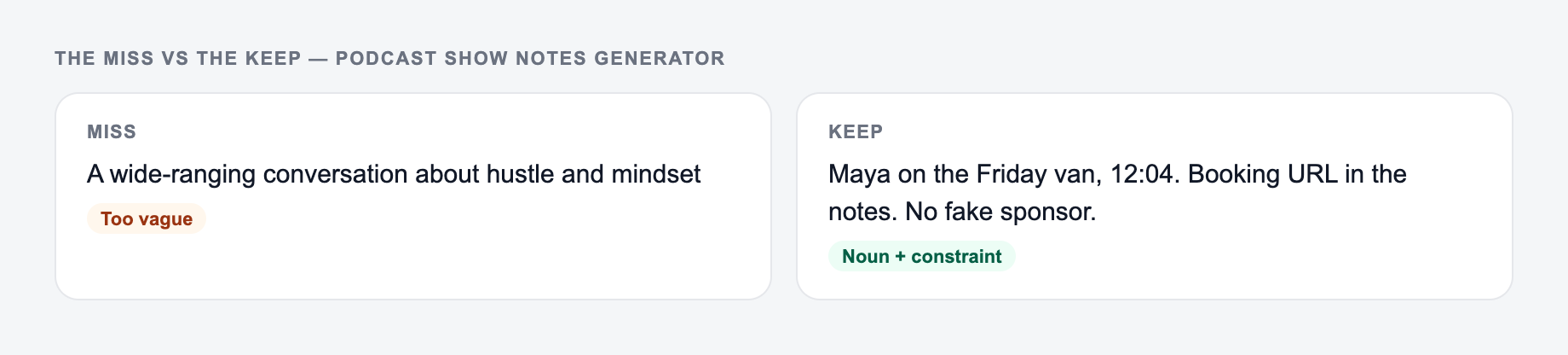
The left side is what most people type. The right side is the brief that actually steers the draft.
Your website can usually handle the full version: summary, chapters, takeaways, resources, transcript excerpt, and internal links.
Podcast hosts often need a shorter version with the strongest summary and essential links.
YouTube descriptions need chapters, important links near the top, and a short opening that works before truncation.
Newsletter recaps can be more conversational, with the main lesson and a link back to the episode.
If you are building a repeatable publishing workflow, the broader tools on the Junia AI platform can help turn the same transcript into blog recaps, newsletter copy, episode descriptions, and platform-specific summaries without starting over each time.
Final Review Checklist
Common misses with the Podcast Show Notes Generator:
- Describing the file instead of pasting it.
- Running one setting across mixed formats.
- Pasting live customer or student data “to see what happens.”
Before publishing generated podcast show notes, confirm:
- The summary matches the actual episode.
- Chapters are in the right order.
- Timestamps work if you included them.
- Links are clean and clickable.
- The CTA is clear and not buried.
- The notes include enough indexable text for search.
- The output does not invent claims, quotes, or resources.
The best show notes make the episode easier to consume after the recording is done. Use the generator to build the structure, then use your review pass to protect accuracy and polish the final page.
Frequently Asked Questions
What are podcast show notes and why do they matter for SEO?+
Podcast show notes are a written summary of your episode (often with chapters/timestamps, resources, and takeaways). Publishing them on your website helps podcast SEO by adding indexable text, targeting relevant keywords naturally, and improving engagement with scannable structure.
Do I need a full transcript to generate show notes?+
A transcript gives the best results because it provides full context for accurate summaries and chapters. If you don’t have a transcript, you can paste raw notes or an outline and the tool will still create structured show notes from what you provide.
Will the tool create timestamps automatically?+
If your transcript/notes include timestamps (e.g., 00:12:30), the tool will format them into chapters. If you don’t provide timestamps, it will generate chapter headings without times (or indicate that timestamps weren’t provided).
Can I optimize show notes for a target keyword?+
Yes. Add a primary keyword and the tool will integrate it naturally in the title, headings, and summary when appropriate—without keyword stuffing. If you leave it blank, the tool will infer relevant terms from the episode topic.
Can I use the output for YouTube descriptions or newsletters?+
Yes. Choose a mode like “YouTube Description + Chapters” or “Newsletter Recap” to generate platform-specific copy with the right formatting and calls-to-action.
Is the generated content safe to publish as-is?+
It’s designed to be publish-ready, but you should review names, links, sponsors, and any sensitive claims. If your episode includes compliance-sensitive topics (health, finance, legal), ensure final wording matches your requirements.