
Free Professional Bio Generator
Create a polished professional bio for LinkedIn, websites, team pages, author bylines, speaker pages, media kits, and portfolio profiles. Add your role, audience, specialties, achievements, platform, tone, and target length to generate a bio that sounds credible without feeling stiff.
Professional Bio
Your professional bio will appear here...
How the AI Professional Bio Generator Works
Get results in seconds with a simple workflow.
Add Your Name and Basic Details
Enter your name and optionally your role, company, industry, and who you help. The tool can still generate a strong bio even if you only provide a few fields.
Choose Platform, Tone, and Length
Select where you’ll use the bio (LinkedIn, website, speaker page), choose a tone, and set a target word count to match your needs.
Generate and Personalize
Get a polished professional bio you can copy, tweak, and reuse. Add a specific metric, publication, or signature project to make it uniquely yours.
See It in Action
Example of turning a generic bio into a specific, platform-ready professional bio with clearer positioning and credibility.
I’m a marketing professional with experience in SEO and content. I help businesses grow online and improve their results.
Taylor Morgan is an SEO Manager specializing in technical SEO and content strategy for B2B SaaS. They’ve led programs that improved organic visibility and helped teams turn search demand into qualified pipeline. Taylor focuses on practical, data-informed SEO—keyword research, site architecture, and content systems that scale.
Why Use Our AI Professional Bio Generator?
Powered by the latest AI to deliver fast, accurate results.
Short, Standard, and Long Professional Bios
Generate multiple bio lengths for LinkedIn summaries, website about pages, author bylines, speaker profiles, and team pages—so your bio fits every platform.
Role + Industry Personalization (Non-Generic Output)
Tailors wording to your job title, niche, and target audience to create a professional bio that sounds human, specific, and credible—not templated.
Built-In Credibility Signals and Achievements
Naturally weaves in experience, metrics, certifications, publications, and awards to strengthen authority and trust without sounding salesy.
Platform-Optimized Formatting
Adapts structure based on where you’ll use it (LinkedIn, speaker page, press kit, website) to match typical bio conventions and reader expectations.
Consistent Tone and Brand Voice
Choose a tone (professional, friendly, confident, etc.) and get a bio that matches your personal brand—helpful for founders, executives, creators, and job seekers.
Pro Tips for Better Results
Get the most out of the AI Professional Bio Generator with these expert tips.
Lead with identity + value, not a resume summary
Open with who you are and what you do best (role + niche + outcome). Save background details for the next sentence to keep the bio clear and compelling.
Use one measurable proof point
A single metric (e.g., “grew organic traffic 3x,” “shipped 20+ products,” “managed $500k/mo spend”) boosts credibility more than multiple vague claims.
Match the bio to the platform’s reader intent
LinkedIn readers want clarity and outcomes fast; speaker pages want topics and authority; team pages should be friendly and brand-aligned.
Keep the language specific and scannable
Avoid buzzword stacks like “passionate, results-driven, strategic.” Use concrete specialties and outcomes your audience cares about.
Create 2–3 variations and rotate them
Keep a short bio, a standard bio, and a third-person press bio ready. You’ll save time for guest posts, podcasts, proposals, and media requests.
Who Is This For?
Trusted by millions of students, writers, and professionals worldwide.
Generate a Professional Bio That Sounds Specific, Credible, and Usable
A professional bio is not just a small introduction. It often decides how someone understands your role, expertise, credibility, and fit before they ever speak with you.
The AI Professional Bio Generator helps you create a first draft for LinkedIn, website About pages, company team pages, author bylines, speaker profiles, media kits, and email introductions. The key is giving the tool enough real context so the output sounds like a person, not a placeholder.
Use the generator to get structure fast, then personalize the final version with proof, platform fit, and voice.
What to Enter Into the Professional Bio Generator
The best bios usually come from a few concrete details, not a long career history.
Add these inputs when relevant:
- Full name: the name you want used publicly
- Current role: your title, function, or professional identity
- Company or brand: only if it helps the reader understand your context
- Industry or niche: SaaS, healthcare, education, finance, ecommerce, design, consulting, local services
- Audience: who you help, serve, lead, teach, advise, or build for
- Specialties: the work you are known for
- Credibility signals: years of experience, measurable outcomes, clients, awards, certifications, publications, speaking, shipped projects, or leadership scope
- Platform: LinkedIn, website, team page, speaker page, press kit, email intro, or byline
- Tone and length: concise, friendly, confident, warm, formal, or direct
Avoid vague inputs like "experienced professional." A detail such as "helps Series A SaaS teams improve activation through onboarding UX" gives the generator a much stronger path.
Choose the Right Bio Mode for the Platform
Bio length and point of view should change depending on where the bio will appear.
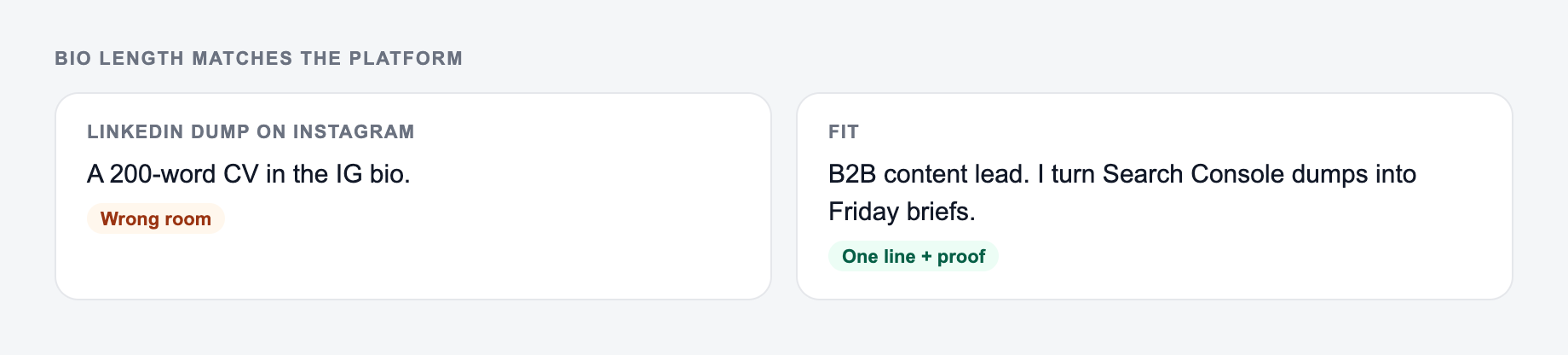
Short bio
Use this for author bylines, guest posts, email intros, podcast notes, and short social profiles. Focus on role, niche, and one credibility detail if it fits.
Standard bio
Use this for LinkedIn summaries, personal sites, team pages, and profile sections. Include role, audience, specialty, and one or two proof points.
Long bio
Use this for About pages, speaker pages, media kits, and founder profiles. Add background, current work, achievements, and a human closing detail if it fits the platform.
Third-person bio
Use this for company pages, press, event programs, and PR requests. Third person sounds more natural when someone else is introducing you.
Speaker or founder bio
Use these modes when the bio needs a sharper narrative. A speaker bio should emphasize topics and audience takeaways. A founder bio should connect mission, problem focus, credibility, and leadership style.
How to Make the Generated Bio Sound Less Generic
Most weak bios fail because they use adjectives instead of evidence. The generator can produce cleaner structure, but you still need to give it real material.
Replace vague claims with specifics:
- "results-driven marketer" becomes "growth marketer who helps B2B SaaS teams turn trial signups into activated users"
- "experienced consultant" becomes "operations consultant with 10 years of experience simplifying finance workflows for multi-location retailers"
- "passionate designer" becomes "product designer focused on onboarding flows, design systems, and accessibility for healthcare software"
One strong proof point is usually enough. A measurable result, recognizable client type, certification, speaking topic, publication, or shipped project can make the whole bio feel more credible.
Review and Edit the Generated Bio
Keep the line you could publish. Put facts back. Do not outsource the judgment call.
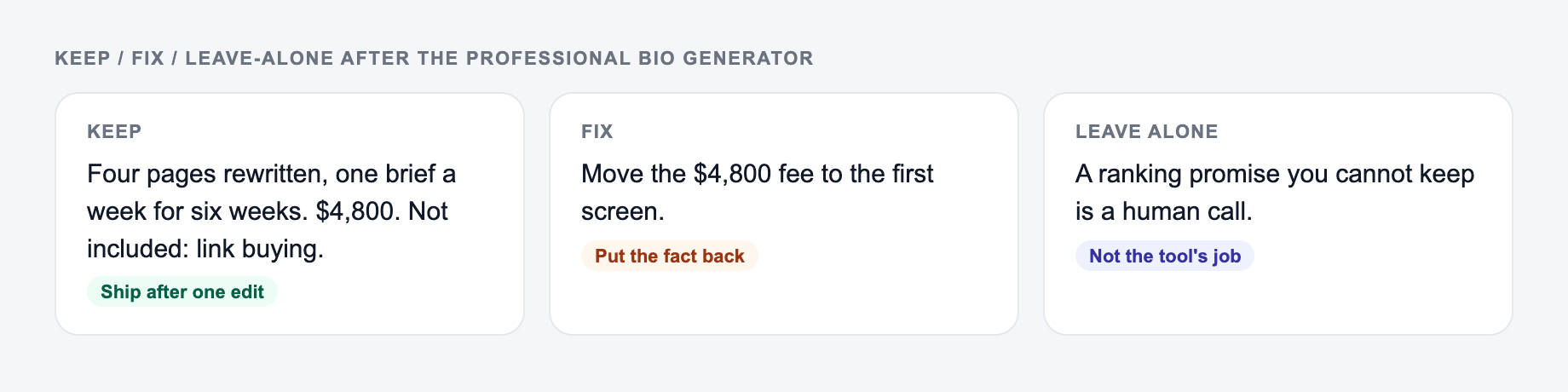
Before publishing the output, read it through the lens of the platform.
For LinkedIn, check that the first sentence is direct and human. A stiff third-person bio can feel distant there.
For team pages, check that the bio fits the company voice and does not overstate personal achievements.
For speaker pages, check that the topics and audience value are obvious. Event organizers need to know why attendees should care.
For press or media kits, check that the bio is clean, factual, and easy to quote.
For bylines, check that the bio is short enough and relevant to the article topic.
Example Input and Generated Direction
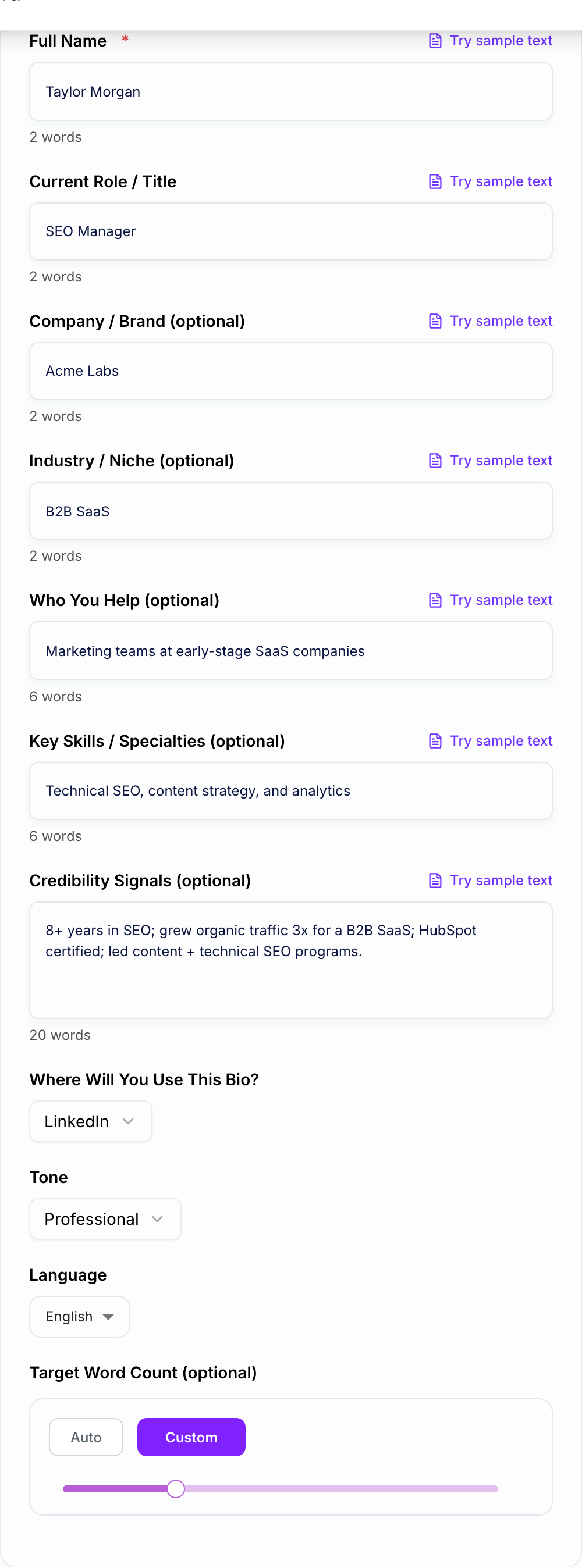
Here is a useful input:
Role, one proof point, and where the bio will live belong on the form.
Treat the AI Professional Bio Generator as a first draft. Compensation, legal effect, medical content, and anything you would not say in the room still need a person — and often counsel — before they leave your outbox.
This is a draft aid, not legal, medical, or HR advice.
Name: Taylor Morgan Role: SEO Manager Industry: B2B SaaS Audience: early-stage marketing teams Specialties: technical SEO, content strategy, analytics Achievements: grew organic traffic 3x for a venture-backed SaaS company Platform: website About page Tone: professional but approachable
A generic result might say:
Taylor Morgan is an SEO professional with experience helping companies improve online visibility.
A stronger bio would say:
Taylor Morgan is an SEO Manager who helps early-stage B2B SaaS teams turn search demand into qualified pipeline. They specialize in technical SEO, content strategy, and analytics, and have led programs that tripled organic traffic for a venture-backed SaaS company.
The stronger version works because it names the role, audience, outcome, specialty, and proof without sounding inflated.
Common Professional Bio Mistakes
The first mistake is starting with a full career timeline. Lead with what you do now, then add background only if it helps.
The second mistake is overloading the bio with buzzwords. "Strategic, innovative, results-driven" usually says less than one specific achievement.
The third mistake is using the same bio everywhere. LinkedIn, a speaker page, a press kit, and an email intro all need different levels of detail.
The fourth mistake is skipping the reader. A useful bio answers, "Why should this person trust you for this context?"
Final Bio Checklist
Before anything leaves the outbox:
- You can point to the number in a spreadsheet or a contract
- You would sign it if your name were the only one on it
- Compensation, legal effect, and medical content had a human pass
Before you publish the generated bio, check:
- The first sentence clearly explains who you are and what you do
- The bio names a relevant audience, niche, or area of expertise
- At least one credibility signal is specific
- The point of view fits the platform
- The length fits the space
- The tone sounds like something you would actually say
- No achievement is exaggerated or unverifiable
If you need several polished versions quickly, generate a short, standard, and long version in Junia AI, then keep them as a small bio library for future bylines, profiles, speaker pages, and media requests.
Frequently Asked Questions
Is this professional bio generator free to use?+
Yes. You can generate professional bios for free. Some advanced modes (like long bio, speaker bio, or founder bio) may be marked as premium.
Can I generate a LinkedIn bio and a website bio from the same inputs?+
Yes. Select the platform and mode you need. The generator adapts structure, length, and phrasing to match LinkedIn summaries, website about pages, speaker profiles, and press bios.
How do I make my bio sound less generic?+
Add 2–4 specifics: your niche, who you help, a measurable result, notable clients, certifications, or years of experience. Specificity and concrete outcomes make professional bios feel authentic and credible.
Should I write my bio in first person or third person?+
First person often works best for LinkedIn and personal sites because it feels direct and human. Third person is common for company team pages, speaker pages, and press kits. You can generate either style using the modes.
What achievements should I include in a professional bio?+
Include credibility signals that matter to your audience: years of experience, measurable outcomes, leadership scope, awards, certifications, publications, speaking experience, or recognizable companies you’ve worked with.
Can I generate a professional bio in other languages?+
Yes. Choose an output language to generate a professional bio for multilingual profiles, international teams, and global audiences.