
Free Regex Generator
Generate regular expressions from plain English for validation, extraction, search, log parsing, and find-and-replace workflows. Choose your regex flavor, define match rules, add examples, and get a pattern with explanations, capture groups, and test cases.
Regex Pattern
Your generated regex (and examples/tests) will appear here...
How the AI Regex Generator Works
Get results in seconds with a simple workflow.
Describe the Pattern in Plain English
Explain what the regex should match and any rules: allowed characters, separators, length constraints, optional parts, and what should NOT match.
Pick Your Regex Flavor and Match Type
Select JavaScript, Python, PCRE, .NET, Java, Go, or Ruby, then choose search matching or full-string validation to control anchoring and behavior.
Generate, Test, and Refine
Get the regex plus examples and quick tests. Paste it into your code editor, regex tester, or tool (Sheets, IDE, CLI), then iterate using your sample strings.
See It in Action
Turn a plain-English matching rule into a working regex with groups and tests.
Requirement: Match URLs like https://example.com/blog/my-post or /blog/my-post and capture the slug. Examples: MATCH: https://example.com/blog/my-post MATCH: /blog/my-post NO: /blog/ NO: /blogs/my-post
Regex (JavaScript, extraction):
(?:https?://[^\s/]+)?/blog/(?
Captures:
- slug: the post slug
Quick tests:
- Matches: https://example.com/blog/my-post, /blog/my-post
- Non-matches: /blog/, /blogs/my-post
Why Use Our AI Regex Generator?
Powered by the latest AI to deliver fast, accurate results.
Generate Regex from Plain English Requirements
Describe the pattern you need—emails, URLs, dates, log lines, SKUs, IDs, hashtags, or filenames—and get a working regular expression without manual trial-and-error.
Supports Popular Regex Flavors (JS, Python, PCRE, .NET, Java, Go)
Outputs syntax tailored to your environment, including escaping rules and feature differences (named groups, lookbehinds, unicode handling) to reduce copy/paste breakage.
Validation vs Search Matching
Choose anchored validation regex for form input (e.g., exact email format) or unanchored search regex for scanning text, pages, logs, and exports.
Capture Groups for Data Extraction
Generates capture groups for structured extraction—useful for parsing analytics exports, cleaning CSVs, transforming URLs, and extracting parameters for SEO audits.
Examples + Test Cases for Confidence
Includes match / non-match examples and quick test strings so you can verify behavior before using the regex in code, scripts, spreadsheets, or find-and-replace tools.
Pro Tips for Better Results
Get the most out of the AI Regex Generator with these expert tips.
Include both matching and non-matching examples
Adding “MATCH:” and “NO:” lines helps the generator reduce false positives and produce a more precise regex for validation or extraction.
State boundaries explicitly for validation
If the entire string must match (like a SKU or username), request anchoring with ^ and $ and specify min/max length to prevent partial matches.
Specify what to capture
If you need extraction, list the fields (e.g., prefix, numeric ID, date parts, domain, slug). You’ll get capture groups aligned to those outputs.
Watch out for flavor differences
Lookbehinds, named groups, and unicode classes vary by engine. Selecting the correct flavor prevents syntax errors when you run the regex in your app or script.
Prefer readability when possible
A slightly longer regex with clear groups and constraints is easier to maintain—especially in SEO audits, data pipelines, and long-lived codebases.
Who Is This For?
Trusted by millions of students, writers, and professionals worldwide.
Generate Regex From Plain English and Test It Properly
The Regex Generator converts a plain-English pattern request into a regular expression you can use for validation, search, extraction, or find-and-replace. It is most useful when you know what the text should look like but do not want to build the regex syntax from scratch.
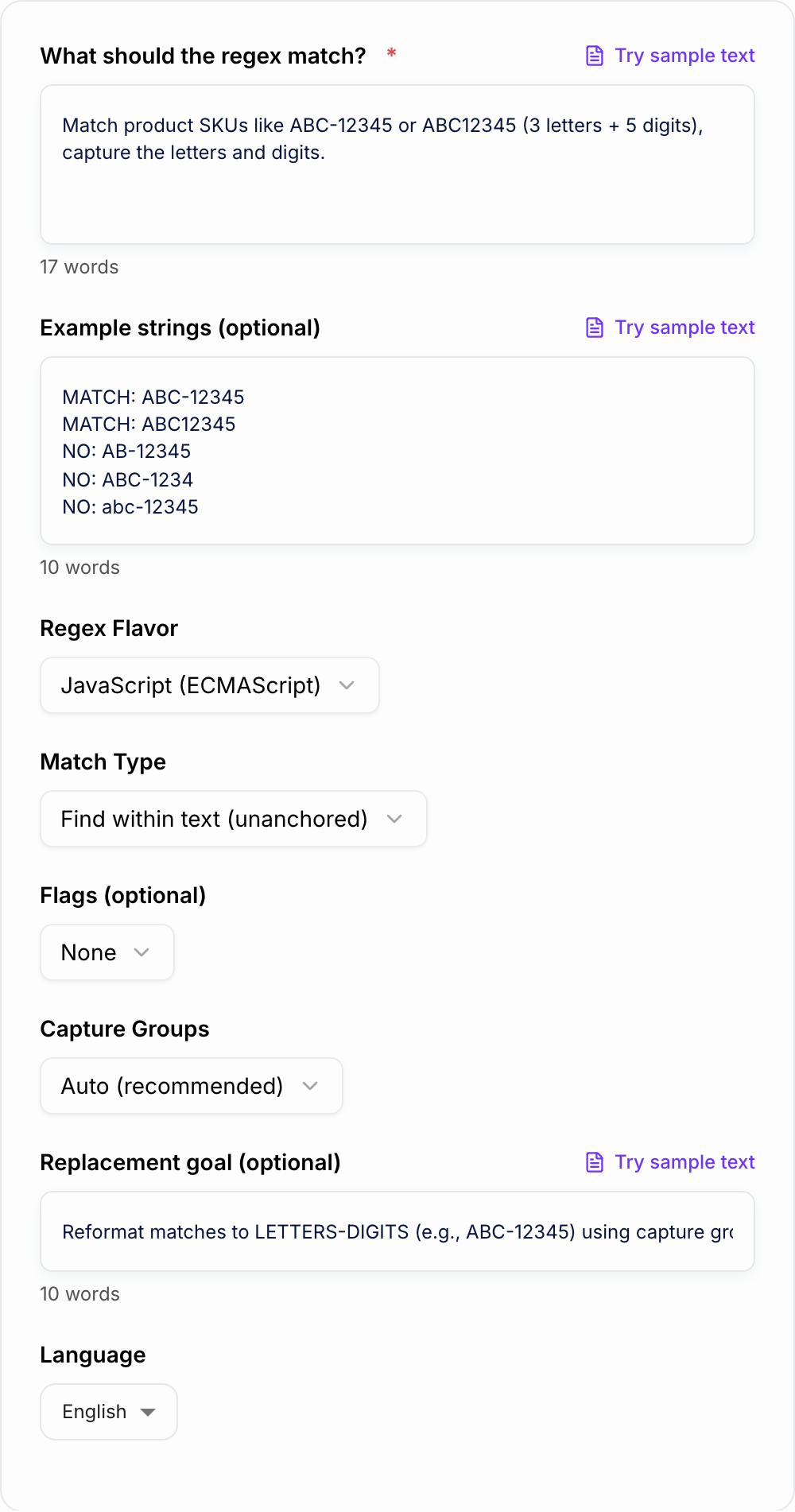
The best results come from a clear requirement, the right regex flavor, and a few examples that should and should not match.
What to Enter Into the Regex Generator
A vague request creates a vague regex. Be specific about the rule.
Weak input:
Match a product code.
Better input:
Match product SKUs with exactly 3 uppercase letters, an optional hyphen, and 5 digits. Examples that should match: ABC-12345, ABC12345. Should not match: AB-12345, ABC-1234, ABC-123456.
Add as many of these details as you can:
- allowed letters, digits, symbols, and separators
- minimum and maximum length
- optional pieces
- whether case matters
- examples that should match
- examples that should not match
- whether the whole string must match or the pattern can appear inside longer text
- what fields should be captured, such as date, slug, prefix, domain, ID, or campaign name
Choose Validation, Search, Extraction, or Replacement
Before generating regex, decide what kind of job it needs to do.
Use validation when the entire input must follow the rule. Examples include usernames, SKUs, postal codes, IDs, and form fields. Validation patterns usually need anchors like ^ and $.
Use search matching when you want to find the pattern inside longer text. Examples include finding URLs in logs, tracking codes in exports, or product IDs inside descriptions. Search patterns usually should not anchor the whole string.
Use extraction when you need to pull out parts of the match. Examples include capturing a slug from a URL, a date from a filename, or an ad ID from a campaign name.
Use find-and-replace when you need to reformat text. For example, you might turn ABC12345 into ABC-12345 using capture groups and a replacement template.
Pick the Correct Regex Flavor
Common misses with the Regex Generator:
- Describing the file instead of pasting it.
- Running one setting across mixed formats.
- Pasting live customer or student data “to see what happens.”
Regex syntax changes across engines. Choose the flavor you will actually run.
- JavaScript for browser and Node.js validation or parsing
- Python for scripts, data cleanup, and backend tasks
- PCRE for many command-line tools and regex testers
- .NET for C# and Microsoft stack applications
- Java for JVM applications
- Go for Go programs, where some advanced features are not available
- Ruby for Ruby applications and scripts
Flavor matters because named groups, lookbehind, unicode handling, and replacement syntax can differ. A pattern that passes in one tester may fail in production if the engine is different.
Example Input and Generated Regex
Input:
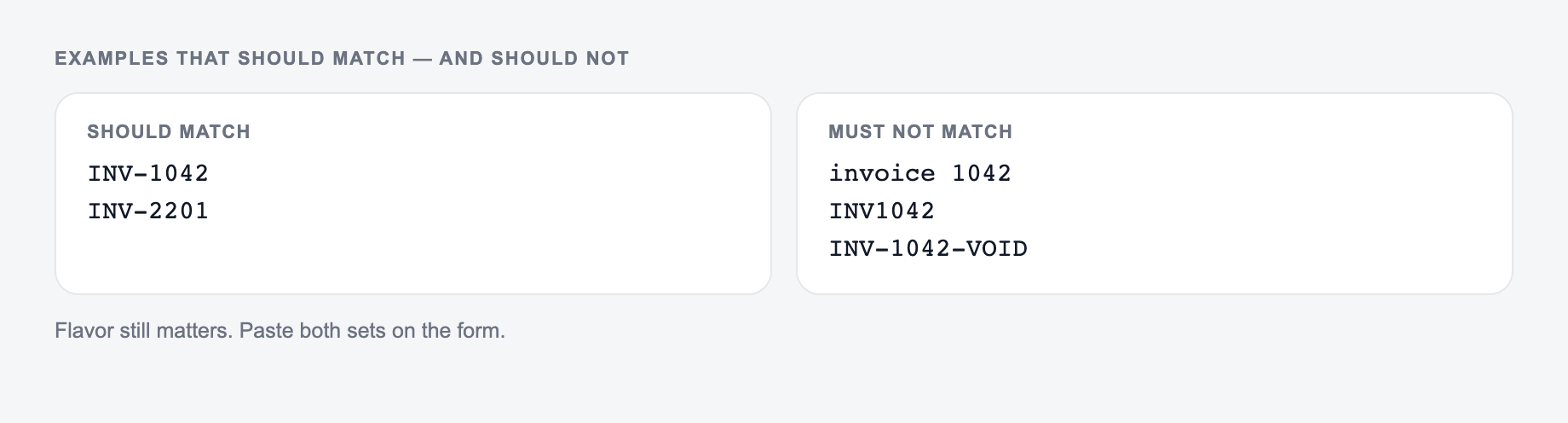
Paste examples that should match and examples that should not. Flavor still matters.
In: A one-line request like “run the regex generator” with no audience, channel, or constraint.
Out you can keep: A brief the AI Regex Generator can use: who it is for, where the output will appear, and what must stay true.
If the AI Regex Generator invents a column, a timestamp, or a rule you did not state, treat that as a miss.
Generate a JavaScript regex to validate a blog URL path. It should match /blog/my-post and /blog/seo-guide-2026. Capture the slug. It should not match /blogs/my-post, /blog/, or /blog/my_post.
Generated direction:
^\/blog\/(?<slug>[a-z0-9]+(?:-[a-z0-9]+)*)$
Why it works:
^and$make it full-string validation\/blog\/requires the exact/blog/path(?<slug>...)captures the slug[a-z0-9]+(?:-[a-z0-9]+)*allows lowercase letters, digits, and hyphen-separated words- it rejects empty slugs, underscores, and
/blogs/
That explanation is important. It helps you review the generated regex instead of copying a pattern you do not understand.
How to Review Generated Regex
Generated regex should always be tested before it controls validation, parsing, cleanup, or automation.
Check:
- Does it match all required examples?
- Does it reject your negative examples?
- Is it anchored only when the whole string must match?
- Are character classes too broad, such as
.*or\w+? - Are special characters escaped correctly?
- Are capture groups named or numbered in the format your engine supports?
- Does it behave safely on empty strings, long strings, and malformed input?
If the pattern is too permissive, add more "should not match" examples and regenerate.
Common Regex Generator Mistakes to Avoid
Answer these before you generate a second batch. A reroll will not fix a vague brief.
The first mistake is skipping negative examples. False positives usually show up only when you test what should fail.
The second mistake is choosing the wrong flavor. JavaScript, Python, PCRE, Go, Java, and .NET do not support every feature in the same way.
The third mistake is asking for validation but forgetting to say "match the whole string." Without anchors, a regex may pass because it found a small valid piece inside a bad value.
The fourth mistake is capturing everything. Capture only the fields you need; use non-capturing groups for structure.
The fifth mistake is using the generated regex in production without testing real data.
If regex is part of a larger content, SEO, or data-cleanup workflow, you can keep notes, generated patterns, and related writing tasks together in Junia AI. The important part is to still test the pattern in the tool or codebase where it will run.
Final Checklist Before Using the Regex
- Requirement includes allowed characters, lengths, and separators.
- Match and non-match examples are included.
- Regex flavor matches the target tool or language.
- Validation vs search vs extraction is clear.
- Capture groups only include the fields you need.
- Output has been tested with real examples and edge cases.
- Someone else could understand the explanation later.
Frequently Asked Questions
What is this regex generator?+
It creates a regular expression (regex) from your plain-English description. You can choose a regex flavor (JavaScript, Python, PCRE, .NET, etc.), decide whether you need full-string validation or search matching, and optionally request capture groups for extraction.
Which regex flavor should I choose?+
Choose the language or tool you’ll run the regex in. JavaScript for web apps, Python for scripts, PCRE for many CLI tools, .NET for C# apps, Java for JVM projects, and Go for Go programs. Flavor matters because features like named groups and lookbehinds vary.
Can it generate regex for validation (exact match)?+
Yes. Select the “Validate full string (anchored ^...$)” option to generate an anchored regex suitable for form validation and strict input checks.
Will it include capture groups for extraction?+
Yes. Enable capture groups to extract parts of a match (like area code, SKU prefix, date components, or URL segments). Choose numbered or named groups depending on the regex flavor.
How do I avoid overly-permissive regex patterns?+
Provide a few “should-not-match” examples and specify boundaries (start/end, separators, allowed characters, length limits). This helps the generator constrain the pattern and reduce false positives.
Can it help with find-and-replace transformations?+
Yes. If you describe the desired transformation (and your regex flavor), it can generate a find pattern and a replacement template using capture groups (availability may depend on the selected mode).