
Free Resume Headline Generator
Generate a concise resume headline that matches your target job title, skills, industry, experience level, and job-description keywords. Create ATS-friendly, LinkedIn-ready, career-change, entry-level, executive, or multiple headline variations in seconds.
Resume Headline
Your ATS-friendly resume headline will appear here...
How the AI Resume Headline Generator Works
Get results in seconds with a simple workflow.
Enter Your Target Job Title
Add the job title you’re applying for. This helps the tool generate a resume headline that matches recruiter searches and ATS title matching.
Add Keywords (Optional) for Better Matching
Include a few skills, tools, or a short job description snippet to mirror real job-posting keywords—without sounding robotic or overstuffed.
Generate and Choose the Best Variation
Pick the headline that best fits the role and your experience level. Use the ATS version for applications and the LinkedIn version for your profile.
See It in Action
A resume headline rewrite that improves clarity, ATS keyword matching, and recruiter skim-readability.
Hardworking professional with great communication skills
Customer Success Manager | SaaS Onboarding & Retention | Stakeholder Management | 18% Retention Lift
Why Use Our AI Resume Headline Generator?
Powered by the latest AI to deliver fast, accurate results.
ATS-Friendly Resume Headlines
Creates clean, scannable resume headlines that include target job titles and role keywords to improve Applicant Tracking System (ATS) matching and recruiter searchability.
Keyword-Rich Titles Without Buzzword Stuffing
Balances strong resume keywords (skills, tools, specialties) with natural phrasing—helping your resume headline read human while still aligning to job descriptions.
Tailored for LinkedIn and Resume Headers
Generates headlines that work across resume templates and LinkedIn profiles, keeping formatting concise and professional for high-impact top-of-page positioning.
Career Change and Entry-Level Support
Produces credible headlines for career changers and new grads by emphasizing transferable skills, relevant projects, and realistic seniority signals.
Multiple Variations to A/B Test Your Positioning
Provides different headline angles (keyword-first, impact-first, niche specialist) so you can choose the best fit for each job application and industry.
Pro Tips for Better Results
Get the most out of the AI Resume Headline Generator with these expert tips.
Lead with the target job title for ATS matching
If it’s accurate, start your headline with the target role (e.g., “Data Analyst” or “Product Manager”). This improves keyword alignment and makes your resume instantly scannable.
Add 2–5 role keywords, not a skill dump
Choose the most relevant skills (tools, domains, methodologies). Too many keywords can look like stuffing; a few well-chosen terms read stronger and still match ATS searches.
Use an achievement only if it’s specific
A measurable outcome (e.g., revenue, retention, efficiency) boosts credibility. Avoid vague claims like “results-driven” unless you back it up elsewhere.
Keep seniority honest
Match the level you can defend in interviews. If you’re a new grad or career changer, emphasize projects, internships, and transferable skills rather than senior titles.
Tailor for each role family
If you apply to different role families (e.g., Marketing Manager and Growth Manager), keep separate headline versions aligned to each job description’s core keywords.
Who Is This For?
Trusted by millions of students, writers, and professionals worldwide.
Generate an ATS-Friendly Resume Headline for Your Target Job
A resume headline generator helps you turn a vague top-of-resume line into a clear positioning statement. The headline should tell recruiters what role you are targeting, what you bring, and why the rest of the resume is worth reading.
Because the headline sits near your name, it has to be concise. The tool is most useful when you give it a target job title, keywords, skills, and one proof point.
What to Enter Into the Resume Headline Generator
Useful inputs include:
- target job title
- current role or background
- industry or domain
- years of experience, if relevant
- top skills and tools
- one measurable achievement
- job description snippet
- whether the headline is for a resume or LinkedIn
Weak input:
Experienced professional looking for new opportunities.
Better input:
Target role: Product Manager. Background: Customer Success Manager in SaaS. Skills: SQL, stakeholder management, roadmap planning, A/B testing. Achievement: increased retention by 18%.
Choose the Right Headline Mode
ATS-Optimized
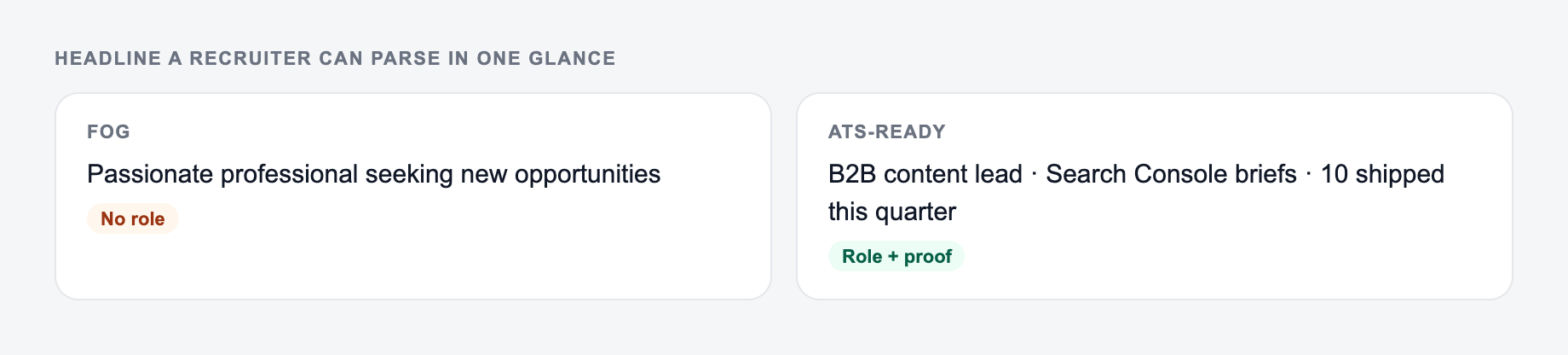
Use this for applications. It should include the target job title and the most relevant keywords from the posting in plain text.
LinkedIn Headline
Use this when searchability and positioning both matter. LinkedIn headlines can be slightly more value-focused, but they still need the right keywords.
Career Change
Use this when your previous title does not match your target role. The headline should bridge transferable skills without pretending you already held the new job title if that would be misleading.
Entry-Level or New Grad
Use this when projects, internships, coursework, certifications, or tools are stronger than years of experience.
Executive or Leadership
Use this when scope, function, transformation, revenue, markets, or team leadership matter more than a long list of tools.
Resume Headline Formulas the Generator Can Use
Title + specialty + keywords:
Target role and skills you can prove belong on the form. Do not invent a title you never held.
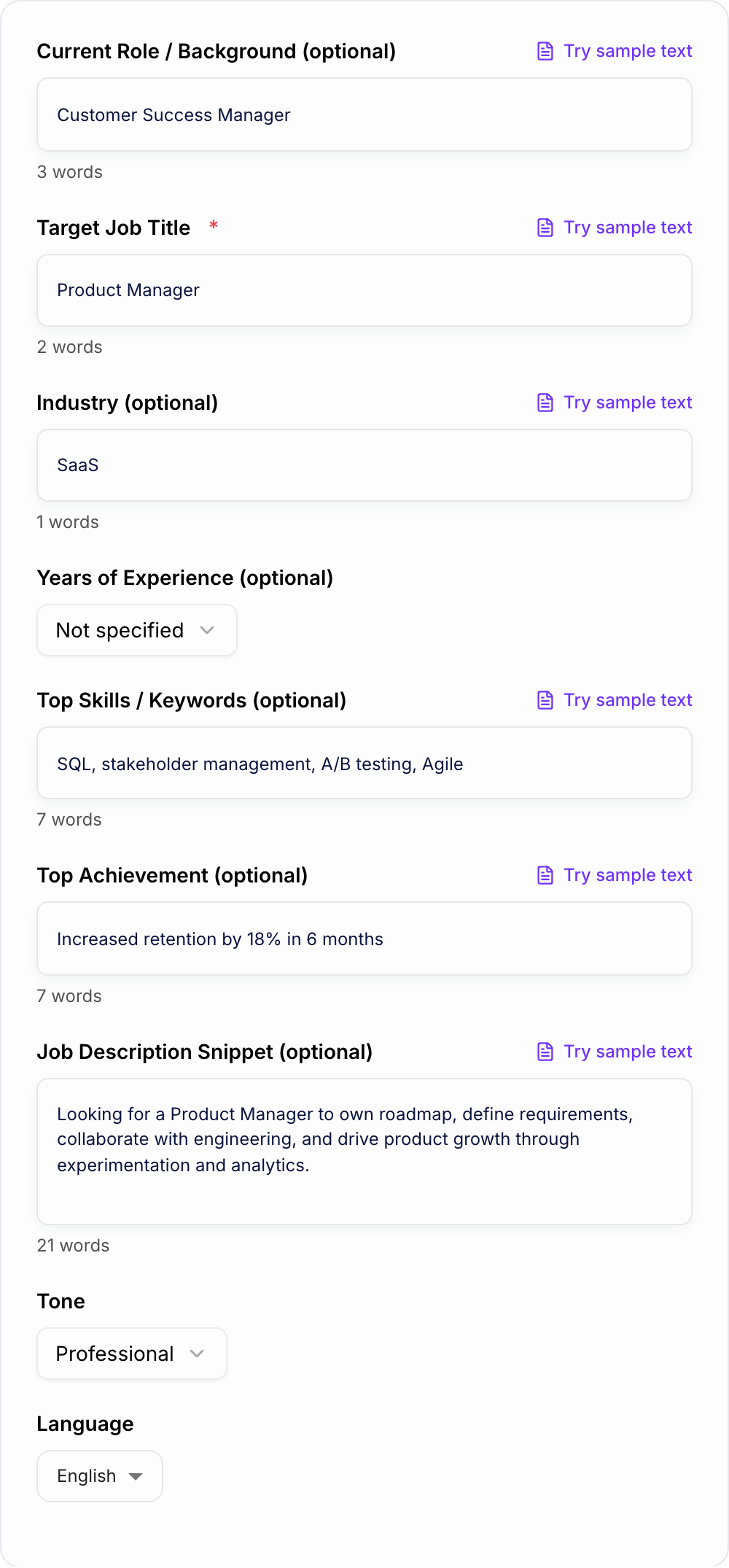
Filled example to imitate
A brief the AI Resume Headline Generator can use: who it is for, where the output will appear, and what must stay true.
Do not send this shape
A one-line request like “run the resume headline” with no audience, channel, or constraint.
The first version names a date, a deliverable, and a boundary. The second hopes the reader will infer them.
This is a draft aid, not legal, HR, or career advice.
Product Manager | SaaS Growth | Roadmaps, A/B Testing, SQL
Title + value + proof:
Customer Success Manager | SaaS Onboarding and Retention | 18% Churn Reduction
Career-change bridge:
Business Analyst | Customer Operations Background | SQL, Process Mapping, Stakeholder Management
Entry-level positioning:
Junior Data Analyst | Excel, SQL, Tableau | Marketing Analytics Projects
Use the version that matches the job posting most closely, not the one that sounds the most impressive in isolation.
How to Review Generated Headlines
Before anything leaves the outbox:
- You can point to the number in a spreadsheet or a contract
- You would sign it if your name were the only one on it
- Compensation, legal effect, and medical content had a human pass
Tick these before the output leaves your machine. A fluent miss is still a miss.
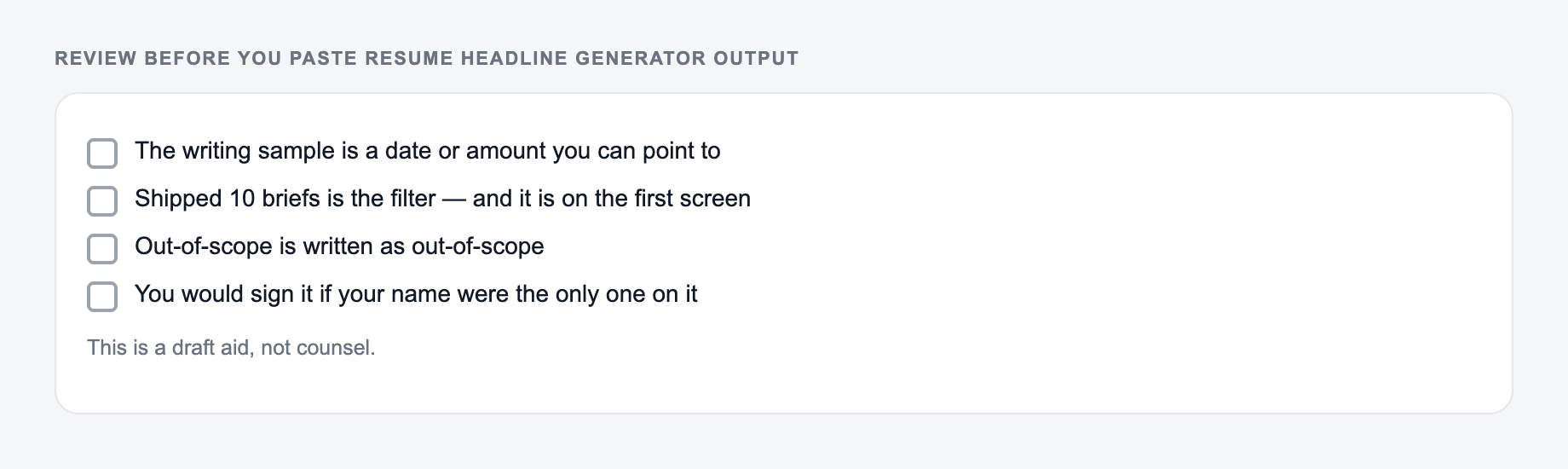
A strong headline should pass these checks:
- It names the target role or closest honest title.
- It includes two to four relevant keywords.
- It avoids vague claims like “hardworking” or “results-driven.”
- It does not exaggerate seniority.
- It fits near the top of the resume without becoming a paragraph.
- It matches the resume experience below it.
If the generated headline reads like a keyword list, cut it down. If it reads like a slogan, add a concrete skill, domain, or proof point.
Tailor the Headline for Each Application
You do not need a new resume from scratch for every role, but the headline is worth tailoring.
A fast workflow:
- Copy the exact target job title from the posting.
- Identify three recurring keywords from the responsibilities section.
- Add one honest credibility signal: skill, domain, years, metric, or project.
- Generate a few variations.
- Use the clearest version, not the longest one.
Small changes matter. “Product Manager” and “Technical Product Manager” can point the same experience toward different recruiter searches.
Final Checklist Before You Add the Headline
Before placing the generated headline on your resume, check:
- the target title is accurate
- keywords match the job description
- the wording is plain text and ATS-safe
- the headline does not overclaim
- the strongest proof point appears if you have one
- the rest of the resume supports the headline
If you are building the surrounding resume sections too, Junia AI can help draft summaries, bullets, and application copy while you keep the final positioning honest and specific.
Frequently Asked Questions
What is a resume headline?+
A resume headline is a short, high-impact line near the top of your resume (often under your name) that summarizes your target role and strongest qualifiers—like specialties, skills, and achievements. It helps recruiters quickly understand your fit.
How do I make my resume headline ATS-friendly?+
Use the exact target job title when appropriate, add a few role-specific keywords (tools, methodologies, domains), and avoid vague buzzwords. Keep it plain text, concise, and aligned with the job description language.
Should I include years of experience in my resume headline?+
It can help when it’s accurate and relevant (e.g., “5+ years” or “7+ years”). If you’re early-career or switching fields, you can focus on skills, domain knowledge, and outcomes instead of years.
Can I use the same headline for every job application?+
You can, but you’ll usually get better results by tailoring it. Small tweaks—like swapping the target title, industry keywords, or a key skill—can improve ATS keyword matching and recruiter relevance.
What’s the difference between a resume headline and a resume summary?+
A resume headline is typically one line (or a short phrase) that anchors your positioning. A summary is a short paragraph or bullet set that expands on experience, achievements, and strengths.
Will this tool write a full resume?+
No—this tool focuses on generating strong resume headlines. You can pair it with a resume summary generator or bullet point writer to build the rest of your resume content.