
Free Resume Summary Generator
Generate a professional resume summary that gives recruiters a clear snapshot of your role, strengths, achievements, and target job fit. Add your title, skills, metrics, and job description keywords to create an ATS-friendly summary you can edit and paste into your resume.
Resume Summary
Your resume summary will appear here...
How the AI Resume Summary Generator Works
Get results in seconds with a simple workflow.
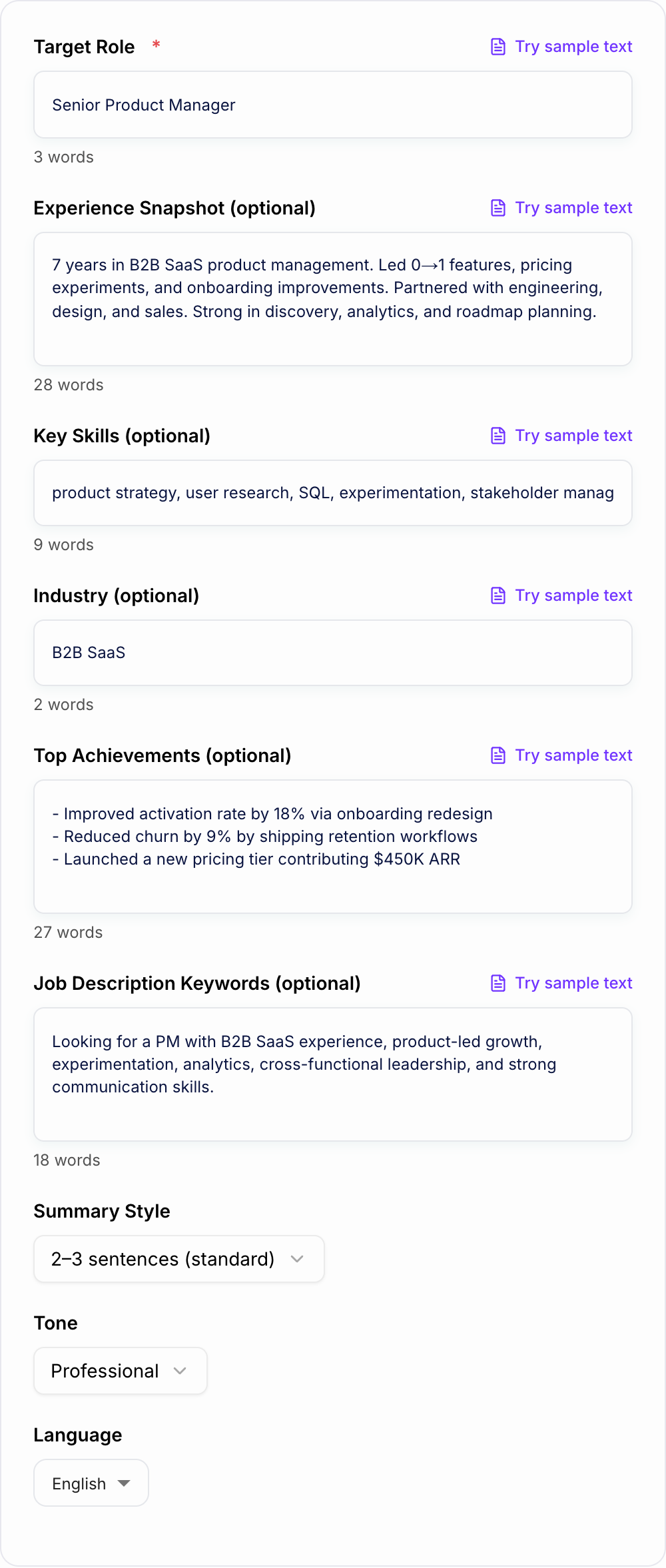
Enter Your Target Role
Add the job title you’re applying for so the summary matches recruiter expectations and uses role-appropriate resume keywords.
Add Skills, Experience, and (Optional) Job Description Keywords
Provide a quick background snapshot, key skills, achievements, and any job posting requirements to tailor the professional summary for ATS relevance.
Generate and Customize
Get a clean resume summary in your preferred style (sentences or bullets). Copy it into your resume and tweak specifics to match your real experience and metrics.
See It in Action
Transform a generic objective into a targeted, ATS-friendly resume professional summary with clear value and keywords.
Seeking a challenging position where I can utilize my skills and grow my career. Hard-working and motivated team player with great communication skills.
Results-driven B2B SaaS Product Manager with 7 years of experience leading cross-functional teams to ship 0→1 features and optimize onboarding. Skilled in product discovery, experimentation, analytics (SQL), and stakeholder management, with a track record of improving activation and reducing churn. Seeking to drive product-led growth by building customer-centric roadmaps and measurable outcomes.
Why Use Our AI Resume Summary Generator?
Powered by the latest AI to deliver fast, accurate results.
ATS-Friendly Professional Summary Generator
Creates clean, ATS-optimized resume summaries with role-relevant keywords, readable sentence structure, and zero formatting that can break applicant tracking systems.
Tailored to Target Job Title and Industry
Adapts language to your target role (e.g., Product Manager, Software Engineer, Marketing Manager) and industry (SaaS, healthcare, finance) to match recruiter expectations.
Keyword Alignment From Job Descriptions
Uses job description requirements and skills to naturally incorporate resume keywords—helping improve relevance and increase chances of passing ATS filters.
Achievement-Driven Summaries Without Fluff
Highlights measurable impact, scope, and outcomes while avoiding vague buzzwords—so your resume summary reads credible, specific, and interview-worthy.
Multiple Formats: Sentences or Bullet Summary
Choose a short 2–3 sentence summary, a more detailed 3–4 sentence version, or a scannable bullet summary ideal for modern resumes and quick recruiter screening.
Pro Tips for Better Results
Get the most out of the AI Resume Summary Generator with these expert tips.
Mirror the job title exactly (when appropriate)
If the posting says “Customer Success Manager,” use that exact title in your summary to improve ATS matching—only if it truthfully reflects the role you’re targeting.
Lead with your role + specialization
A strong first line often follows: role + years + domain focus (e.g., “B2B SaaS Product Manager focused on activation and retention”). This improves clarity for recruiters scanning fast.
Use 1–2 metrics to prove impact
Numbers increase credibility. Add results like revenue, cost reduction, conversion rate, cycle time, retention, NPS, or pipeline impact—only if accurate.
Avoid empty buzzwords
Replace generic phrases like “hard-working team player” with specific capabilities (tools, methods, outcomes) that map to the job requirements.
Align summary keywords with your experience bullets
ATS relevance improves when the same skills and tools appear in both your summary and your work experience bullets—backed by real examples.
Who Is This For?
Trusted by millions of students, writers, and professionals worldwide.
Generate a Professional Resume Summary with an AI Resume Summary Generator
A resume summary should give a recruiter the useful version of your story in a few seconds: what you do, where you are strongest, and what kind of impact you can create.
This AI Resume Summary Generator helps you draft that section from your target role, skills, achievements, and job description keywords. It is not meant to invent a career for you. It gives you a focused starting point that you can verify, tighten, and paste into your resume.
What to enter for a stronger generated summary
The generator needs more than a job title if you want the output to sound credible.
Add details like:
- Target job title
- Years of experience or level
- Industry or domain
- 3 to 6 strongest skills
- Tools or platforms that matter for the role
- 1 to 3 achievements, metrics, or proof points
- Job description requirements or keywords
- Whether you want paragraph or bullet format
Weak input:
Write a resume summary for a manager.
Better input:
Customer Success Manager with 5 years in B2B SaaS. Strengths: onboarding, retention, QBRs, stakeholder management, Salesforce, Gainsight. Achievements: improved renewal process, supported enterprise accounts, reduced onboarding delays. Target role mentions retention, expansion, and cross-functional partnership.
The better input gives the tool enough evidence to create a summary that sounds specific instead of padded.
How to choose the right summary format
Different resumes need different summary shapes.
Short paragraph summary
Best for most resumes. Use two or three sentences that cover role, specialization, strengths, and one outcome.
Detailed senior summary
Useful for director, VP, executive, or specialized leadership roles. Include scope, teams, regions, budgets, or strategic outcomes only when they are accurate.
Bullet summary
Good when you want maximum scanability. This format works well for technical, operations, and senior resumes where the reader needs role, skills, and impact quickly.
Example structure:
- Product Manager with 7 years in B2B SaaS, focused on activation and retention
- Skills: discovery, roadmap prioritization, experimentation, SQL, stakeholder alignment
- Impact: improved onboarding completion and reduced churn through customer-focused product decisions
How to use ATS keywords without sounding unnatural
The generator can include job description language, but the summary still needs to sound like a human wrote it.
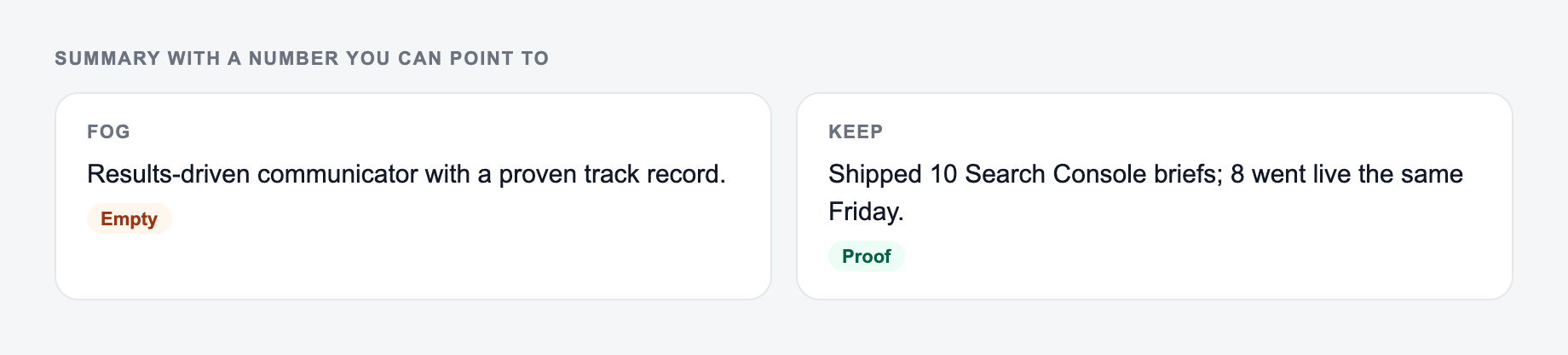
Use keywords in context. Do not stack them.
Weak:
Experienced in stakeholder management, cross-functional collaboration, analytics, leadership, communication, and strategy.
Stronger:
Led cross-functional launch planning with engineering, design, and sales teams, using product analytics and stakeholder feedback to prioritize roadmap decisions.
The second version includes useful keywords, but it also explains what happened.
Review the generated summary before using it
Use this as a preflight, not a caption. If a box fails, change the input or cut the line.
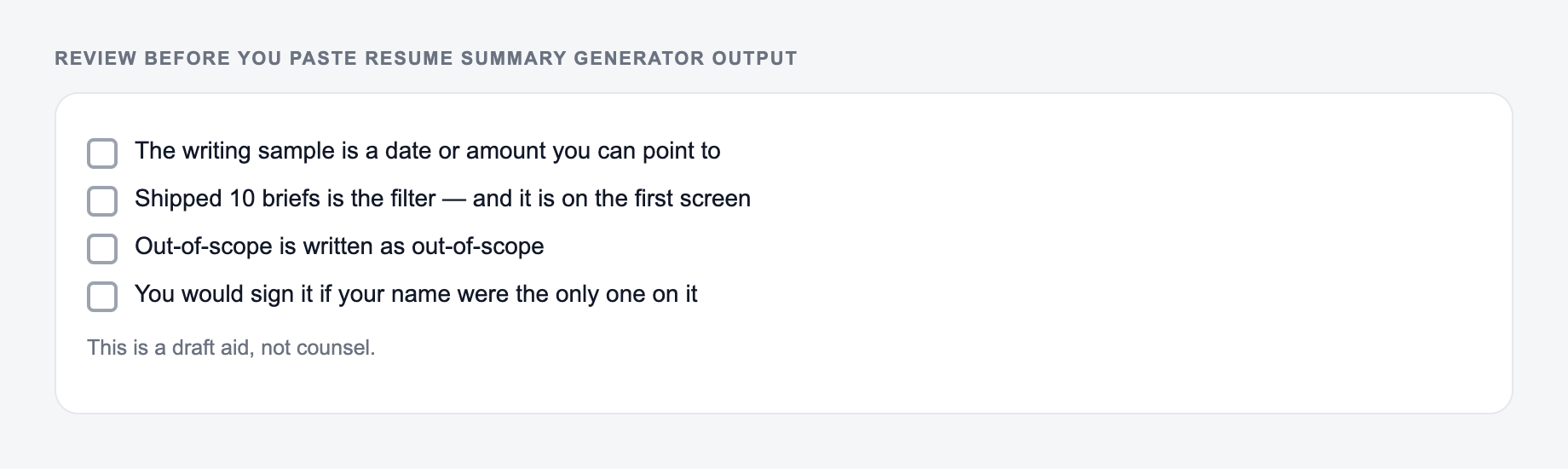
A generated resume summary is a draft. Before you paste it into your resume, check every claim.
Look for:
- Metrics you need to replace or remove
- Skills that do not appear elsewhere in the resume
- Job titles that overstate your level
- Buzzwords that add no proof
- Sentences that are too long for a recruiter scan
If the output says "reduced churn by [X%]," do not leave the placeholder. Add the real number, use a non-numeric outcome, or remove the claim.
Example input and generated summary
Input:
Target role: Project Manager. 6 years experience. Industry: healthcare operations. Skills: stakeholder management, risk tracking, process improvement, Smartsheet, reporting. Achievement: coordinated cross-functional rollout across 4 departments and reduced missed handoffs.
Put achievements you can prove on the form. A summary that invents scope is still a lie.
Treat the AI Resume Summary Generator as a first draft. Compensation, legal effect, medical content, and anything you would not say in the room still need a person — and often counsel — before they leave your outbox.
This is a draft aid, not legal, HR, or career advice.
Generated summary:
Healthcare Project Manager with 6 years of experience coordinating cross-functional operations, risk tracking, and process improvement initiatives. Skilled in stakeholder management, Smartsheet reporting, and delivery planning, with experience supporting multi-department rollouts and reducing missed handoffs across complex workflows.
What to edit:
- Add a metric if you have one.
- Match the target job title exactly if the posting uses a different title.
- Remove tools or claims that are not supported in your experience section.
Resume summary vs resume objective
A resume summary explains what you bring based on experience, skills, projects, or achievements. A resume objective explains what role you are targeting and why.
Most experienced candidates should use a summary. Students, entry-level candidates, and career changers can use either, depending on whether they need to emphasize direction or strengths.
If you are creating several resume versions, Junia AI can help you keep summaries, skills sections, bullets, and related job-search copy aligned without rebuilding every piece from scratch.
Final checklist before copying the summary
Before anything leaves the outbox:
-
You can point to the number in a spreadsheet or a contract
-
You would sign it if your name were the only one on it
-
Compensation, legal effect, and medical content had a human pass
-
Does the first line make your target role clear?
-
Are the keywords relevant to the posting?
-
Does the resume body prove the claims in the summary?
-
Are all metrics real and defensible?
-
Is it readable in ten seconds?
-
Did you remove filler like hard-working, dynamic, or results-oriented unless it is supported by proof?
A strong generated summary should feel compressed, not generic. It should make the rest of the resume easier to understand.
Frequently Asked Questions
What is a resume summary (professional summary) and where does it go?+
A resume summary is a short overview at the top of your resume (near your name and contact info). It quickly communicates your role, strengths, experience, and value so recruiters understand your fit in seconds.
Is this resume summary generator ATS-friendly?+
Yes. It generates plain-text, ATS-safe summaries with role-relevant keywords integrated naturally. It avoids special characters, tables, and formatting that can reduce ATS readability.
How long should a resume summary be?+
Most resume summaries perform best at 2–4 sentences or 3 concise bullet points. The ideal length depends on seniority: entry-level tends to be shorter, while senior roles can justify slightly more context.
How do I add the right keywords for ATS?+
Paste key requirements from the job description (skills, tools, responsibilities). The generator will mirror relevant phrasing naturally. You should still ensure your resume experience bullets support the keywords you include.
Can I use this tool for a career change resume summary?+
Yes. Use Career Change mode and include transferable skills, relevant projects, and the target role. The output will connect your background to the new position without exaggerating experience.
Will the tool invent achievements or numbers?+
No. If you provide achievements, it will use them. If you choose an impact-focused style and don’t provide metrics, it may suggest clearly labeled placeholders like [X%] so you can fill in real numbers.
Can I generate summaries in different languages?+
Yes. Choose an output language and the summary will be generated accordingly—useful for international resumes and multilingual job applications.