
Free Rubric Generator
Generate printable grading rubrics with clear criteria, performance levels, point values, and feedback guidance. Build analytic, holistic, or single-point rubrics for essays, projects, presentations, labs, coding assignments, and classroom activities in seconds.
Rubric
Your rubric will appear here (criteria, performance levels, and scoring)...
How the AI Rubric Generator Works
Get results in seconds with a simple workflow.
Paste Your Assignment Prompt
Add the assignment instructions or prompt. The tool will extract what students must demonstrate and propose suitable grading criteria.
Choose Rubric Type and Levels
Pick analytic, holistic, or single-point. Select the number of performance levels and (optionally) a total points value to match your grading system.
Generate, Review, and Customize
Get a classroom-ready rubric with criteria, descriptors, and scoring guidance. Edit names, weights, and descriptors to match your curriculum and expectations.
See It in Action
Turn a vague grading idea into a structured, point-based rubric with clear performance descriptors and consistent scoring.
I need a rubric for an argumentative essay. Grade on thesis, evidence, and writing.
Title: Argumentative Essay Rubric (100 points)
Rubric Type: Analytic Performance Levels: Beginning / Developing / Proficient / Advanced
Criterion 1: Thesis & Claim (25 pts)
- Beginning (0–12): Thesis is missing, unclear, or not arguable.
- Developing (13–18): Thesis is present but broad or partially arguable; position may shift.
- Proficient (19–22): Clear, arguable thesis that takes a consistent position.
- Advanced (23–25): Precise, insightful thesis that anticipates complexity or counterpoints.
Criterion 2: Evidence & Reasoning (30 pts)
- Beginning: Limited evidence; weak reasoning; examples are irrelevant or unsupported.
- Developing: Some relevant evidence; reasoning is incomplete or loosely connected.
- Proficient: Relevant evidence with clear explanation of how it supports the claim.
- Advanced: Strong, credible evidence integrated smoothly with nuanced reasoning.
Criterion 3: Organization & Cohesion (20 pts)
- Beginning: Ideas are scattered; paragraphs lack structure.
- Developing: Basic structure; transitions may be repetitive or unclear.
- Proficient: Logical flow with effective paragraphing and transitions.
- Advanced: Highly coherent structure that strengthens the argument and readability.
Criterion 4: Style, Grammar & Mechanics (15 pts)
- Beginning: Frequent errors hinder meaning.
- Developing: Some errors; meaning generally clear.
- Proficient: Minor errors; clear and appropriate style.
- Advanced: Polished style with near-error-free writing.
Criterion 5: Citations & Source Quality (10 pts)
- Beginning: Sources missing or improperly cited.
- Developing: Some citation errors; sources may be weak.
- Proficient: Correct citation format; credible sources used.
- Advanced: Consistent citations; high-quality sources integrated effectively.
Scoring: Add points across criteria (total /100).
Why Use Our AI Rubric Generator?
Powered by the latest AI to deliver fast, accurate results.
Analytic, Holistic, or Single-Point Rubrics
Generate the right rubric format for your assignment: analytic scoring grids, holistic performance scales, or single-point rubrics designed for growth-focused feedback.
Clear Performance Descriptors (No Vague Language)
Creates specific, observable descriptors for each performance level—reducing grading ambiguity and improving inter-rater reliability across teachers and TAs.
Customizable Criteria + Auto-Generated Criteria
Use your own criteria (thesis, evidence, organization, mechanics, method, creativity) or let the tool infer criteria from the assignment prompt for a fast first draft.
Point-Based Scoring With Totals
Adds a consistent points system across criteria and levels (including totals), making the rubric easy to grade and easy for students to understand.
Optional Feedback Comment Bank
Includes short feedback stems per criterion (strengths + next steps) to speed up grading and provide actionable, standards-based comments.
Pro Tips for Better Results
Get the most out of the AI Rubric Generator with these expert tips.
Write descriptors that are observable and specific
Replace vague terms like “good” or “weak” with measurable indicators (e.g., “uses 2+ credible sources and explains how evidence supports the claim”).
Keep criteria aligned to learning objectives
Only assess what you taught and what the assignment targets. Overloading a rubric with extra criteria can reduce clarity and fairness.
Use fewer, stronger criteria for faster grading
For most assignments, 4–6 criteria keeps grading efficient and feedback focused. Add sub-criteria only when needed for high-stakes assessments.
Define ‘Proficient’ first (then adjust up/down)
Start by describing what meeting expectations looks like. Then define Advanced (exceeds) and Developing/Beginning (partial) to reduce ambiguity.
Add a short comment bank to speed feedback
A few ready-to-use feedback stems per criterion can cut grading time and improve consistency—especially across multiple graders.
Who Is This For?
Trusted by millions of students, writers, and professionals worldwide.
Generate Clear, Printable Rubrics with an AI Rubric Generator
The fastest way to build a useful rubric is not to start with a blank grid. Start with the assignment, the learning goals, and the kind of feedback students need. This AI Rubric Generator turns that input into criteria, performance levels, descriptors, and scoring guidance you can edit before grading.
Use it when you need an essay rubric, project rubric, presentation rubric, lab rubric, coding rubric, or a quick classroom activity rubric. The output is meant to be a strong first draft: structured enough to paste into Google Docs, Word, Canvas, Moodle, or a printable handout, but still easy to adjust for your class.
What to Enter Before You Generate a Rubric
Better inputs create fairer rubrics. Include the details a grader would need to make consistent decisions:
- Assignment goal: what students are supposed to demonstrate
- Final product: essay, slide deck, lab report, code repo, portfolio, speech, or project
- Required components: sources, sections, data tables, citations, tests, visuals, or word count
- Learning objectives: the skills or standards that matter most
- Grade level: elementary, middle school, high school, college, workplace training, or professional
- Scoring scale: points, percentages, 1-4 levels, 1-5 levels, or pass/fail
- Non-negotiables: late policy, citation style, collaboration rules, safety steps, or format rules
If the assignment prompt is messy, paste it anyway. The generator can pull out likely criteria, but you should still review whether the criteria match what you actually taught.
Choose the Right Rubric Format
Analytic rubric
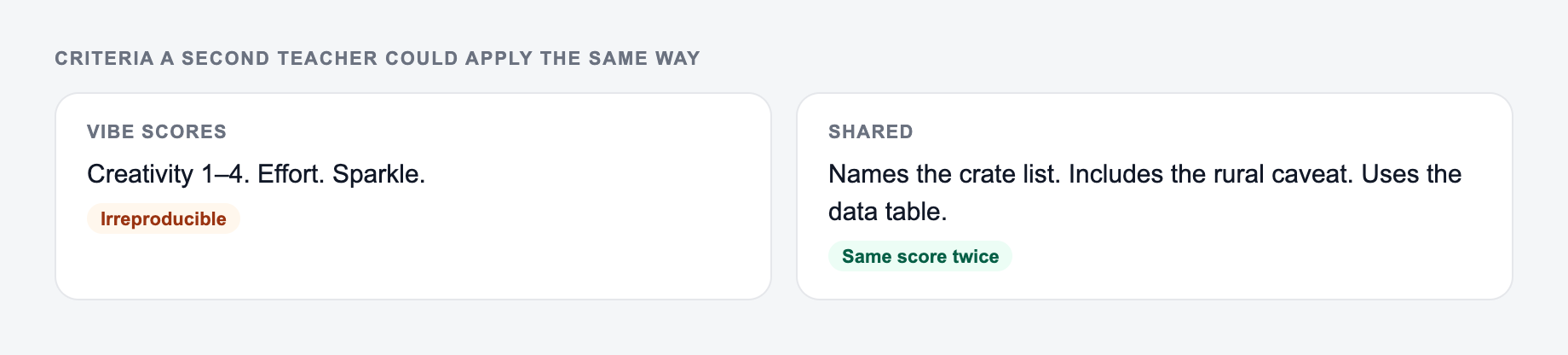
Use an analytic rubric when you want transparent grading. Each criterion gets its own performance levels and point values, so students can see exactly where they gained or lost credit.
Best for essays, research papers, presentations, lab reports, design projects, portfolios, and coding assignments.
Holistic rubric
Use a holistic rubric when you need one overall score. It is faster to apply, but it gives less detailed feedback.
Best for quick writing checks, participation tasks, timed assessments, short reflections, or first-pass scoring.
Single-point rubric
Use a single-point rubric when you want growth-focused feedback. The generator defines what proficient work looks like, then leaves room to note strengths and next steps.
Best for drafts, creative work, skills practice, peer review, and formative feedback.
Example Input and Generated Rubric Direction
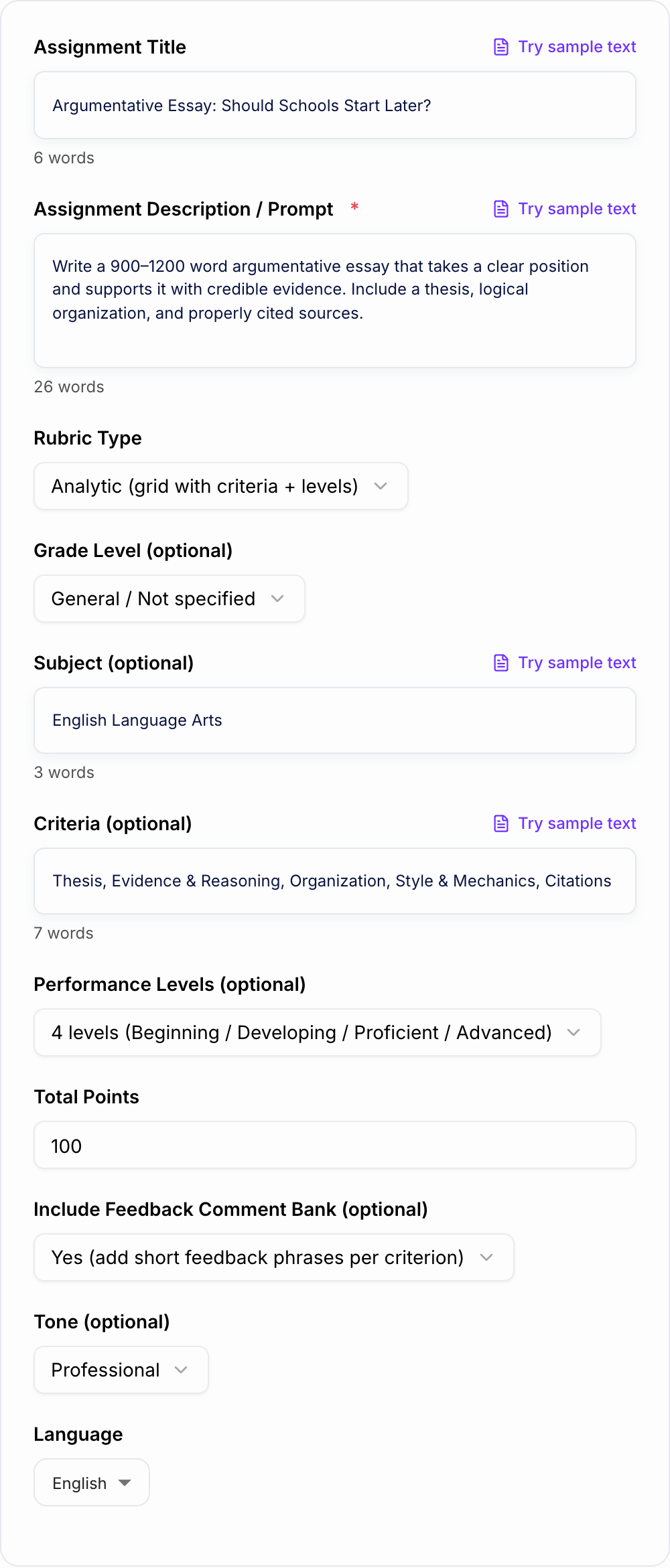
Input: Create a 100-point rubric for an argumentative essay about whether schools should start later. Students need a clear claim, three credible sources, counterargument, MLA citations, and strong organization.
Assignment type and the criteria you will actually score belong on the form.
How to verify rubric output:
- Each criterion is something you can observe
- Point values add up to the grade you will enter
- “Shows effort” is not the only passing bar
If the task is graded, cited, or used with students, the named writer still owns the claims.
What the generator should produce: An analytic rubric with criteria such as thesis and claim, evidence and reasoning, counterargument, organization, citations, and mechanics. Each criterion should have performance descriptors that are observable, not vague.
After generating, check that the point values match your priorities. If source quality matters more than grammar, the rubric should reflect that.
How to Review the Generated Rubric
Before you use the rubric, scan every criterion and descriptor:
- Can two different graders apply this descriptor the same way?
- Does each level describe visible evidence in the student work?
- Are vague words like "good," "strong," or "weak" replaced with concrete signals?
- Do the criteria match the assignment instructions?
- Are point values weighted according to what matters most?
- Does the rubric explain expectations before students start the work?
For example, "uses good evidence" is too soft. "Uses at least two credible sources and explains how each supports the claim" is easier to grade and easier for students to act on.
Criteria Ideas by Assignment Type
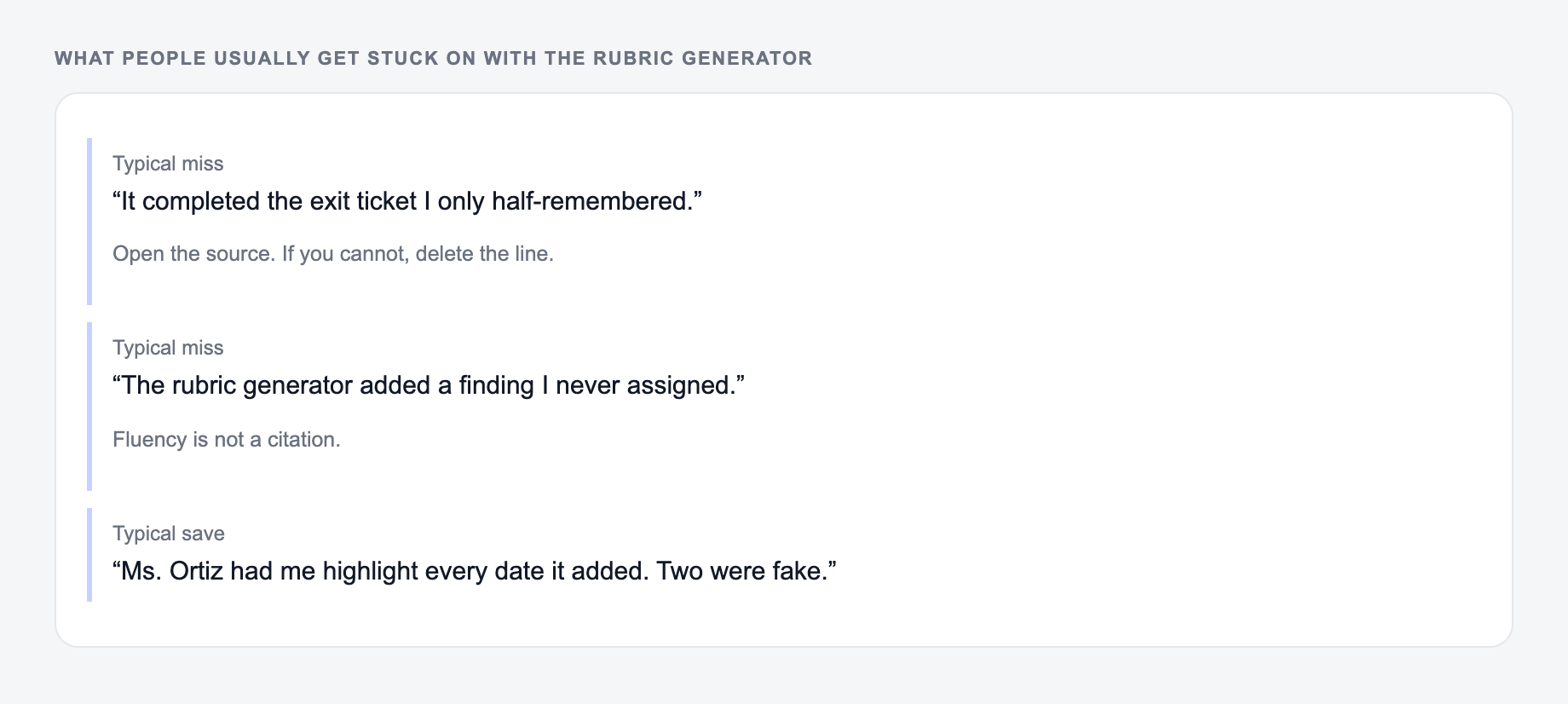
The Rubric Generator drafts structure. You still own the claim. If you cannot explain a sentence without looking it up, do not leave it in.
Essay or research paper
- Thesis and claim
- Evidence and source quality
- Reasoning and analysis
- Organization and transitions
- Citations and formatting
- Style, grammar, and mechanics
Presentation
- Content accuracy
- Organization and pacing
- Visual design
- Delivery and audience engagement
- Timing
- Response to questions
Lab report
- Research question and hypothesis
- Method and variables
- Data collection
- Analysis and interpretation
- Conclusion
- Safety and procedure
Coding assignment
- Correctness
- Edge case handling
- Code readability
- Testing
- Documentation
- Efficiency, when relevant
Final Rubric Checklist
If the output felt generic, it is usually one of these three misses.
A generated rubric is ready to use when the assignment, criteria, levels, and scoring all agree with each other. Print it, share it before the assignment starts, and revise any descriptor that would create grading arguments later.
If you are building more classroom materials alongside rubrics, the broader Junia AI platform can help with planning, writing, and educational content generation.
Frequently Asked Questions
What is a rubric and how does it help grading?+
A rubric is a scoring guide that defines grading criteria and performance levels. It improves consistency, transparency, and feedback quality by making expectations explicit for both students and graders.
What’s the difference between an analytic and holistic rubric?+
An analytic rubric scores multiple criteria separately (e.g., thesis, evidence, organization) and typically provides a points breakdown. A holistic rubric gives one overall score based on a set of level descriptors for the entire work.
Can I generate a rubric without listing criteria?+
Yes. If you leave the criteria blank, the tool can infer strong rubric criteria based on your assignment description and the subject/grade level you choose.
How many performance levels should a rubric have?+
Four levels are common because they balance clarity and grading speed (Beginning, Developing, Proficient, Advanced). Three levels can be simpler for quick grading, while five levels offer more nuance for detailed assessment.
Can I use this rubric generator for standards-based grading?+
Yes. Add your learning outcomes or standards to the assignment description (or choose a standards-aligned mode if available). The rubric can map criteria to outcomes and keep descriptors aligned to what you’re assessing.
Will this create a printable rubric?+
Yes. The output is formatted as clean text with a grid-like layout (or a structured scale), making it easy to copy into Google Docs, Word, LMS platforms, or print for classroom use.