
Free Social Stories Generator
Create ready-to-post Instagram and Facebook Story sequences with hooks, frame text, sticker prompts, voiceover notes, hashtags, and CTAs. Add your topic, offer, audience, platform, and goal to generate a structured Story flow for engagement, traffic, leads, or sales.
Social Stories
Your Story frames (scripts, on-screen text, sticker prompts, and CTAs) will appear here...
How the AI Social Stories Generator Works
Get results in seconds with a simple workflow.
Add Your Topic or Offer
Enter what you’re promoting or teaching (product, service, tip, event, or content piece). Optional details like audience and brand voice help personalize the Story sequence.
Choose Platform, Goal, and Frames
Pick Instagram, Facebook, or both. Set your goal (engagement, traffic, leads, sales) and choose how many frames you want for the Story flow.
Generate, Post, and Iterate
Get frame-by-frame scripts with hooks, sticker prompts, and CTAs. Post immediately, then generate a second variation to A/B test hooks and CTAs for higher Story performance.
See It in Action
Example showing how a simple topic turns into a complete Instagram Story sequence with hooks, frames, stickers, and CTAs.
Topic: Free SEO audit
I want some Instagram Stories to promote it.
Frame 1 (Hook — On-screen text): “Want more Google leads without posting daily?” Voiceover: “If you’re a local business owner, this is for you.”
Frame 2 (Problem): “3 SEO issues I see on 80% of local sites” Voiceover: “These are quick fixes that often unlock more calls.”
Frame 3 (Value): “#1 Title tags don’t match search intent” Voiceover: “Your page title should say what people actually type into Google.” Sticker: Poll — “Want me to check yours?” (Yes / Please)
Frame 4 (Value): “#2 No service-area pages = missed searches” Voiceover: “If you serve multiple neighborhoods, you need pages for them.”
Frame 5 (Value): “#3 Weak internal linking” Voiceover: “Google needs clear paths between your important pages.” Sticker: Question — “What city are you trying to rank in?”
Frame 6 (Offer): “I’m doing 5 free 20-min SEO audits this week” Voiceover: “I’ll review your site and send a prioritized action list.”
Frame 7 (CTA): “DM ‘AUDIT’ and I’ll send the booking link” Voiceover: “First come, first served.” Hashtags (optional): #localseo #smallbusinessmarketing #seotips
Why Use Our AI Social Stories Generator?
Powered by the latest AI to deliver fast, accurate results.
Done-for-You Story Frames (Hook → Value → CTA)
Generates a complete Instagram/Facebook Story sequence with a strong hook, clear messaging, and a conversion-focused CTA—ideal for consistent social media marketing.
Interactive Sticker Prompts (Polls, Quizzes, Questions)
Adds engagement-driving stickers and prompts to increase taps, replies, and retention—helpful for boosting Story engagement rate and audience feedback.
On-Screen Text + Voiceover Script Options
Includes punchy on-screen text plus optional spoken/scripted lines so you can post fast—whether you prefer talking-head Stories or text-only frames.
Platform-Aware Formatting
Optimizes length and clarity for mobile viewing with short lines, scannable frames, and clear next steps—built for Instagram Stories and Facebook Stories.
Story CTA Ideas for Traffic, Leads, and Sales
Suggests practical CTAs like link clicks, DM keywords, reply prompts, and save/share asks to match your goal (traffic, leads, bookings, or purchases).
Pro Tips for Better Results
Get the most out of the AI Social Stories Generator with these expert tips.
Make frame 1 a pattern interrupt
Use a bold hook: a surprising claim, a contrarian take, a quick win, or a question that matches your audience’s pain point. Strong hooks increase tap-through rate.
Use one clear CTA (not three)
If your goal is link clicks, focus on the link. If your goal is leads, focus on a DM keyword. One CTA per sequence improves conversions and reduces confusion.
Use stickers strategically to boost engagement signals
Polls and questions increase interactions, which can improve Story distribution. Place a sticker mid-sequence (frames 3–5) after you’ve delivered some value.
Add proof fast for sales Stories
Include a quick screenshot, metric, testimonial snippet, or “before/after” result to reduce skepticism and handle objections without sounding salesy.
Repurpose long content into Stories weekly
Turn blog posts, newsletters, and videos into Story recaps with a link CTA. This is a simple way to drive consistent traffic and keep content ROI high.
Who Is This For?
Trusted by millions of students, writers, and professionals worldwide.
Generate Social Story Sequences People Can Actually Follow
An Instagram or Facebook Story works best when each frame has a job. The first frame earns attention, the middle frames build value or interest, and the final frame gives viewers one clear next step.
This Social Stories Generator turns a topic, offer, or content idea into a frame-by-frame sequence with hooks, on-screen text, sticker prompts, voiceover notes, hashtags, and CTAs. It is built for social media Stories, not long captions or generic content calendars.
What to Enter for Better Story Output
Start with the topic or offer. Be specific enough that the generator knows what the viewer should care about.
Weak input:
Promote my coaching offer.
Better input:
Promote a free 20-minute SEO audit for local business owners who get website traffic but few calls. Goal: DM replies. Tone: practical and friendly.
Useful details to include:
- the platform: Instagram Stories, Facebook Stories, or both
- the audience and their problem
- the offer, content topic, or announcement
- the desired action: reply, vote, tap, DM, book, buy, or save
- proof points, results, objections, or examples
- the number of frames you want
- your preferred tone and language
The more specific the goal, the easier it is for the tool to generate a Story sequence that feels ready to post.
How to Choose Platform, Goal, and Frame Count
Use a shorter sequence when the idea is simple. Five frames are often enough for a hook, problem, quick value, sticker, and CTA.
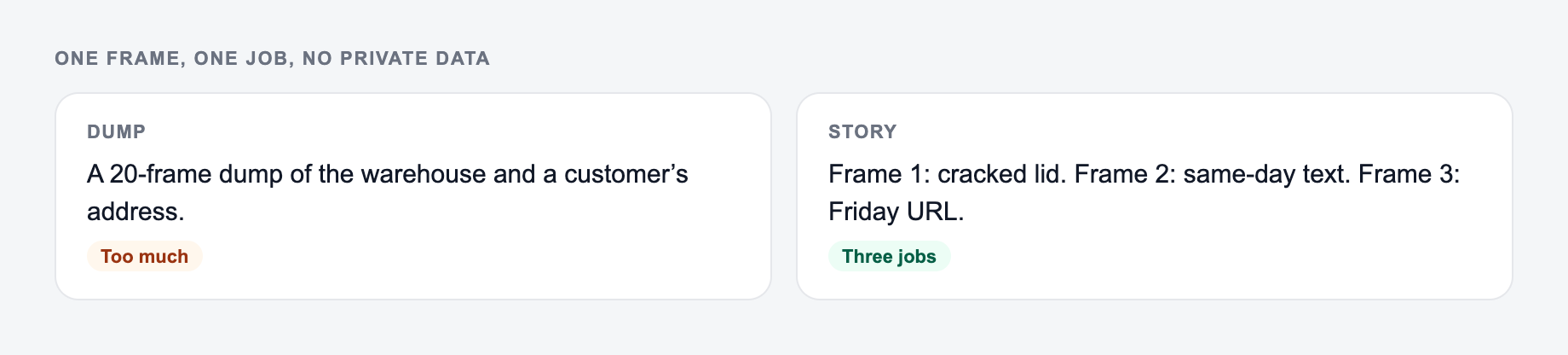
Use a longer sequence when the viewer needs context. Seven to ten frames work better for launches, offers, tutorials, case studies, or objection handling.
Choose the goal before you generate:
- Engagement: polls, sliders, question boxes, and simple replies
- Traffic: link sticker, resource tease, checklist, article, or product page
- Leads: DM keyword, booking prompt, application, free audit, or consultation
- Sales: offer explanation, proof, objection handling, and direct CTA
- Awareness: behind-the-scenes, values, founder notes, or educational sequences
One sequence should usually have one goal. If you ask for clicks, replies, saves, and purchases at the same time, the Story will feel scattered.
What a Strong Generated Story Sequence Includes
A useful output should give you more than "post about this." Look for:
- a first-frame hook that is specific enough to stop the tap
- short on-screen text that fits mobile viewing
- a logical frame order
- sticker prompts placed where interaction feels natural
- proof or example frames before sales CTAs
- one final action that matches the goal
If the hook is weak but the rest is good, regenerate only the opening direction. If the CTA feels too pushy, add more context about your audience and ask for a softer version.
How to Edit the Generated Frames Before Posting
Answer these before you generate a second batch. A reroll will not fix a vague brief.
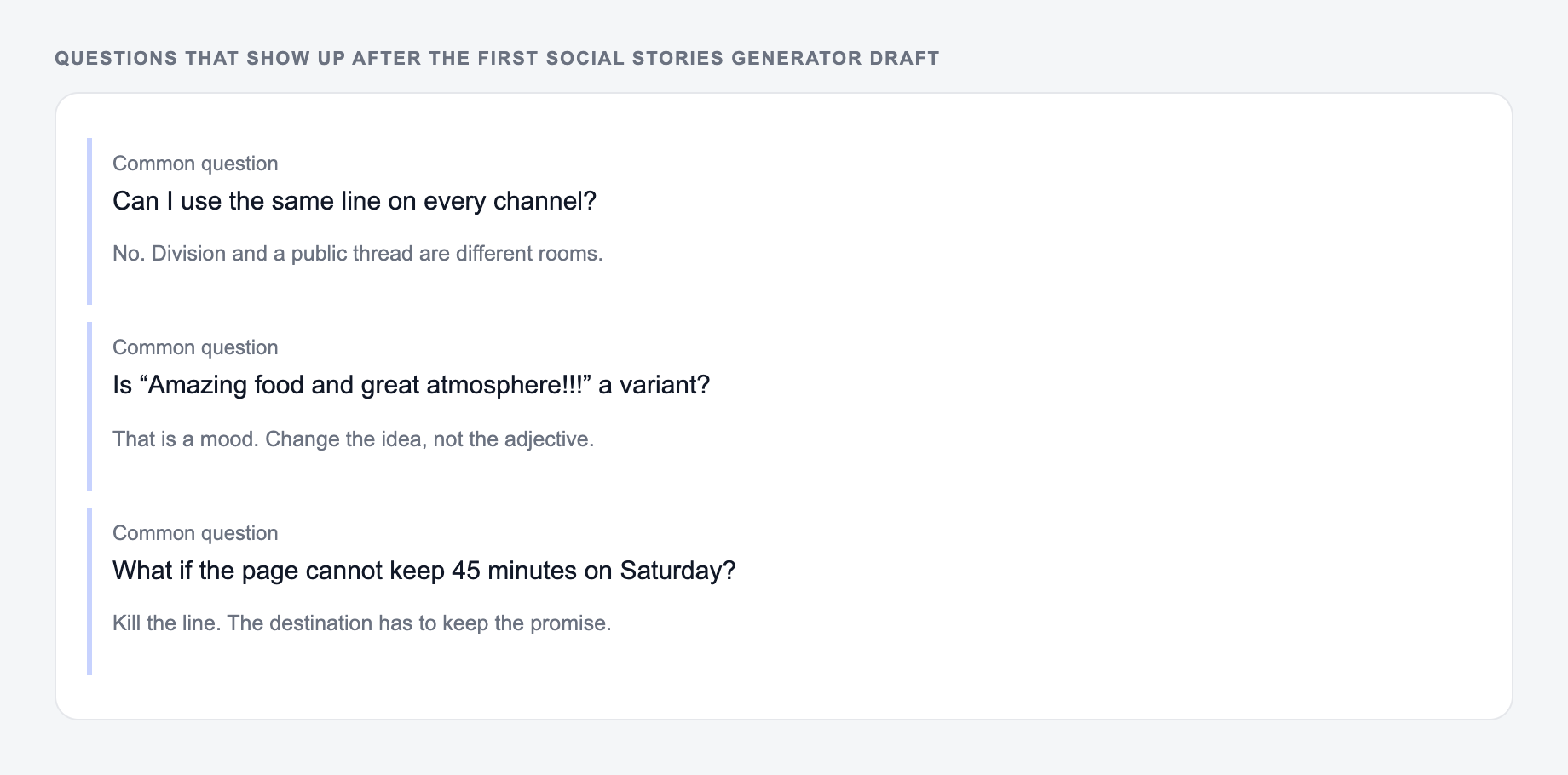
Treat the output as a storyboard, not a finished design file.
Before publishing, tighten each frame:
- Cut any line that needs more than a quick glance.
- Replace generic phrases with your brand voice.
- Match the text to the visual asset you will actually use.
- Move the sticker to the frame where the viewer has a reason to respond.
- Make the CTA easier if the ask feels too big.
For example, "DM me if interested" is weaker than "DM AUDIT and I will send the booking link." The second version tells the viewer exactly what to do.
Example Input to Story Flow
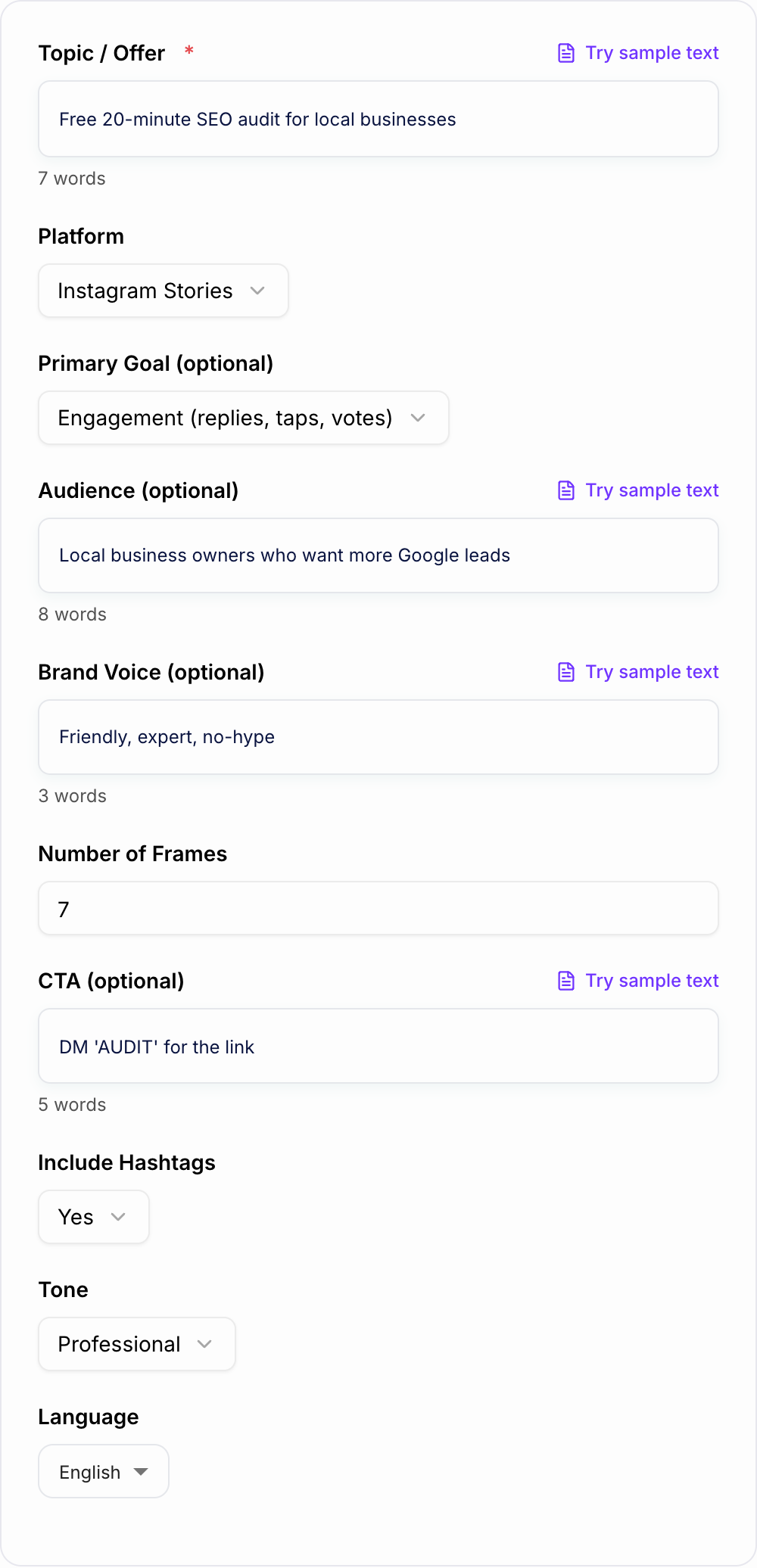
Input:
Platform and frame count on the form keep the sequence postable instead of essay-length.
Discard pile for AI Social Stories Generator drafts:
- Fake urgency with no date you will honor
- Personalization tokens that resolve empty
- Claims a competitor could paste without lying less than you
Topic: Free SEO audit for local businesses. Audience: owners who want more Google leads. Goal: DM replies. Frames: 7.
Generated direction should look something like:
- Hook: "Want more Google leads without posting daily?"
- Problem: "Most local sites lose calls because of three fixable SEO issues."
- Value: "Issue 1: page titles do not match what customers search."
- Value: "Issue 2: service pages are too thin."
- Proof: show a quick before/after or result.
- Sticker: poll, "Want me to check yours?"
- CTA: "DM AUDIT and I will send the booking link."
That structure gives value before asking for action.
Where This Fits in a Content Workflow
Use the generator when you need a fast Story sequence for a campaign, launch, weekly tip, testimonial, product drop, behind-the-scenes update, or lead magnet.
When the same idea also needs captions, emails, landing page copy, or longer content, keep the campaign message consistent across your broader Junia AI workflow. The Story should feel like the quick mobile version of the same promise, not a completely different campaign.
Final Review Checklist
Discard pile:
- Fake urgency with no date you will honor
- Personalization tokens that resolve empty
- A line a competitor could paste without lying less than you
Before you post the generated Story:
- Frame one gives people a reason to keep tapping.
- Each frame says one thing.
- The sticker has a clear purpose.
- The CTA matches the campaign goal.
- The copy fits your visual assets.
- The sequence sounds like your brand, not a template.
Generate a few variations, test the strongest hook, and keep the version that gets more taps, replies, and clicks.
Frequently Asked Questions
Is this social Stories generator free?+
Yes. You can generate Instagram and Facebook Story scripts and frame ideas for free. Some advanced modes (like UGC/testimonial or objection handling) may be marked as premium.
What do I get in the output?+
You’ll get a structured Story sequence with frame-by-frame content: on-screen text, optional voiceover/script lines, sticker suggestions (poll/quiz/question), and a recommended CTA tailored to your goal.
Can it generate Stories for Instagram and Facebook?+
Yes. Choose Instagram Stories, Facebook Stories, or both. The generator keeps frames concise and mobile-friendly for vertical Story formats.
How do I make Stories that get more replies and engagement?+
Use a strong hook in frame 1, keep frames short, add interactive stickers (polls/questions), and end with a clear reply prompt (for example: “Reply with your biggest challenge”). This tool builds those elements into the sequence.
Should I use hashtags in Instagram Stories?+
Hashtags can help discovery in some niches, but they work best when specific and limited. If you enable hashtags, the tool will suggest a small set of relevant tags without stuffing.
Can I use the output as a Story storyboard for design tools?+
Yes. You can copy each frame into Canva, Figma, or your Story editor. The frame structure also works well for adding visuals like screenshots, product photos, or quick demo clips.