
Free Staff Schedule Generator
Create a weekly staff schedule from your team list, operating hours, shift templates, availability, coverage needs, and labor-hour targets. Generate a clean rota you can copy into a spreadsheet, scheduling app, or team message, then review for gaps before publishing.
Staff Schedule
Your staff schedule (rota) will appear here with shifts, assignments, and coverage checks...
How the AI Staff Schedule Generator Works
Get results in seconds with a simple workflow.
Add Your Staff List (Names + Roles/Availability)
Paste your team members and include any roles, max hours, and availability notes. This is the minimum required input for a usable schedule draft.
Set Hours, Shifts, and Coverage (Optional but Recommended)
Add operating hours, shift templates (open/mid/close), and coverage requirements by role to reduce gaps and improve staffing accuracy.
Generate, Review, and Publish
Get a weekly rota with coverage checks and hour summaries. Make small edits for real-world changes, then share with your team.
See It in Action
Turn a rough list of employees into a clear weekly staff schedule with shifts, coverage checks, and hour totals.
We’re open 7am–7pm most days. I have 5 people. I need someone to open and close, and I want weekends covered.
Week Start: Monday
H2: Weekly Staff Schedule (Mon–Sun) Mon
- Open (7:00–15:00): Ava (Shift Lead), Cara (Barista)
- Mid (10:00–18:00): Ben (Barista)
- Close (12:00–20:00): Ava (Shift Lead), Diego (Barista)
Tue
- Open (7:00–15:00): Ava (Shift Lead), Cara (Barista)
- Mid (10:00–18:00): Ben (Barista)
- Close (12:00–20:00): Ava (Shift Lead), Diego (Barista)
...
H2: Coverage Check
- Each shift meets minimum coverage: 1 Shift Lead + 2 Baristas (Open/Close), 1 Barista (Mid)
- No clopens scheduled
H2: Estimated Weekly Hours
- Ava: 40h
- Ben: 32h
- Cara: 28h
- Diego: 22h
- Ella: 16h
Why Use Our AI Staff Schedule Generator?
Powered by the latest AI to deliver fast, accurate results.
Weekly Staff Schedule (Rota) in a Copy-Paste Format
Generates a clear weekly staff schedule you can paste into Google Sheets, Excel, or a scheduling app—ideal for fast rota creation and team communication.
Coverage-Based Shift Planning by Role
Builds schedules around roles and coverage requirements (e.g., manager, cashier, barista, server) to reduce understaffing and prevent missed handoffs.
Availability + Constraint-Aware Assignments
Accounts for staff availability, time-off, max hours, and preferences to produce practical shift assignments that are easier to approve and publish.
Fairness Guardrails (Rotate Weekends, Avoid Clopens)
Helps balance undesirable shifts and reduce burnout by rotating weekends and minimizing close-open sequences (clopens) when constraints allow.
Labor Hours Target and Over/Under Summary
Optionally plans toward a weekly labor-hours target and summarizes projected hours by employee—helpful for labor budgeting and payroll planning.
Pro Tips for Better Results
Get the most out of the AI Staff Schedule Generator with these expert tips.
Define 2–4 shift templates before scheduling
Most teams schedule faster with a few standard shifts (Open/Mid/Close). This also makes coverage rules easier and improves consistency week to week.
Write coverage as roles, not names
Specify coverage like “1 Shift Lead + 2 Staff” per shift. You’ll get a schedule that’s easier to adjust when staffing changes.
Add hard constraints first, preferences second
List non-negotiables (time off, max hours, no-clopen rules) first, then preferences (preferred shifts). This reduces conflicts and rework.
Use a labor-hours target to avoid overscheduling
If you have a budget, set a weekly labor-hours target and ask for an hours-by-employee summary to spot overages early.
Publish with a swap policy
Include a simple rule for shift swaps (notice period, approval, qualifications). It reduces last-minute coverage gaps and manager workload.
Who Is This For?
Trusted by millions of students, writers, and professionals worldwide.
Build a Weekly Staff Schedule from Roles, Availability, and Coverage Needs
A staff schedule generator works best when it gets the same information a good manager uses before opening a spreadsheet: who can work, what roles must be covered, which shifts exist, and which rules cannot be broken.
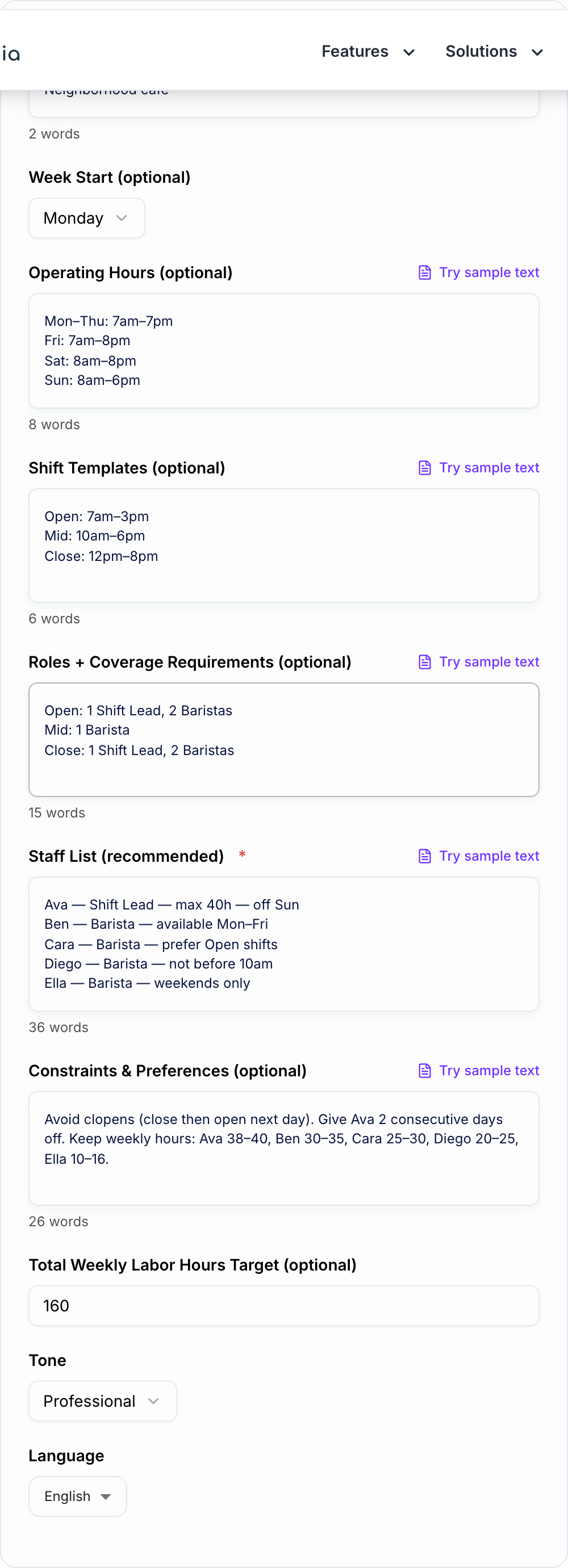
This AI Staff Schedule Generator turns those inputs into a weekly rota you can review, edit, and publish. It is not meant to replace your judgment about labor laws, employee needs, or last-minute changes. It gives you a cleaner first draft so you are not solving the entire scheduling puzzle manually.
What to Enter Before You Generate the Rota
You can generate a schedule with only a staff list, but the output improves quickly when you add more structure.
Staff list and roles
For each person, include the details that affect assignment:
- name
- role or skill set
- max weekly hours
- availability
- approved time off
- hard restrictions
- preferences, if useful
Example:
Ava - Shift Lead - max 40h - off Sunday
Ben - Barista - available Mon-Fri
Cara - Barista - prefers opening shifts
Diego - Barista - cannot start before 10am
Ella - Barista - weekends only
Operating hours and shift templates
The generator needs to know when work happens. Add business hours and reusable shift blocks:
Mon-Thu: 7am-7pm
Fri: 7am-8pm
Sat: 8am-8pm
Sun: 8am-6pm

Open: 7am-3pm
Mid: 10am-6pm
Close: 12pm-8pm
Templates make the generated schedule easier to scan and easier to move into Google Sheets, Excel, or a scheduling app.
Role coverage
Do not just list names. Tell the tool what each shift needs:
Open: 1 Shift Lead, 2 Baristas
Mid: 1 Barista
Close: 1 Shift Lead, 2 Baristas
Coverage rules help the generator assign people by need instead of spreading names randomly across the week.
How to Choose the Right Scheduling Mode
Use Weekly Schedule when you need a full seven-day rota with normal coverage.
Use Weekdays Only for offices, clinics, schools, service teams, and operations groups that do not schedule weekends.
Use Weekend Coverage Focus when Fridays, Saturdays, or Sundays drive most of the workload. This is useful for restaurants, retail, events, and hospitality teams.
Use Fairness First when burnout is your biggest risk. This mode is better for rotating weekends, balancing undesirable shifts, and avoiding close-then-open patterns.
Use Labor Budget + Hours Target when total scheduled hours matter. Give the generator a weekly target and ask it to flag overages or undercoverage.
Review the Generated Schedule Before Publishing
After the rota is generated, scan it like a manager, not like a spreadsheet checker.
- Check every day for role coverage.
- Confirm hard availability rules were respected.
- Look for clopens and unsafe turnaround times.
- Compare weekly hours by person.
- Review weekend and closing-shift fairness.
- Confirm trained staff are assigned to key handoff points.
- Adjust for local labor rules, break requirements, and overtime limits.
The generated schedule should save time, but compliance and final approval still belong to you.
Example Input for a Cleaner Schedule
Business: Neighborhood cafe
Week starts: Monday
Operating hours:
Mon-Thu 7am-7pm
Fri 7am-8pm
Sat 8am-8pm
Sun 8am-6pm

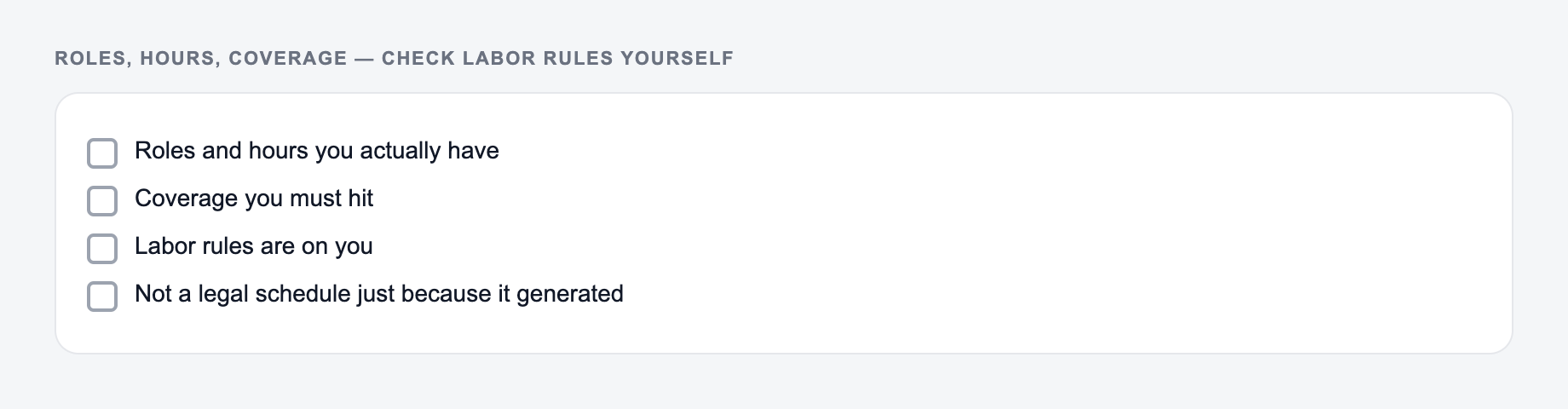
Roles, hours, and coverage rules belong on the form. Check labor rules yourself.

Edge cases worth trying once on the AI Staff Schedule Generator:

- Empty or two-word input — it should ask for a noun, not hallucinate a project.
- Mixed lists — split them; one delimiter per run.
- Protected terms — put them in the keep-list before you generate.

Shift templates:
Open 7am-3pm
Mid 10am-6pm
Close 12pm-8pm

Coverage:
Open: 1 Shift Lead, 2 Baristas
Mid: 1 Barista
Close: 1 Shift Lead, 2 Baristas

Constraints:
Avoid clopens. Ava off Sunday. Diego cannot start before 10am. Ella weekends only. Keep Ava near 40 hours and Ben near 32.
This gives the schedule generator enough structure to produce a rota that is closer to publishable on the first pass.
Common Staff Scheduling Mistakes to Avoid
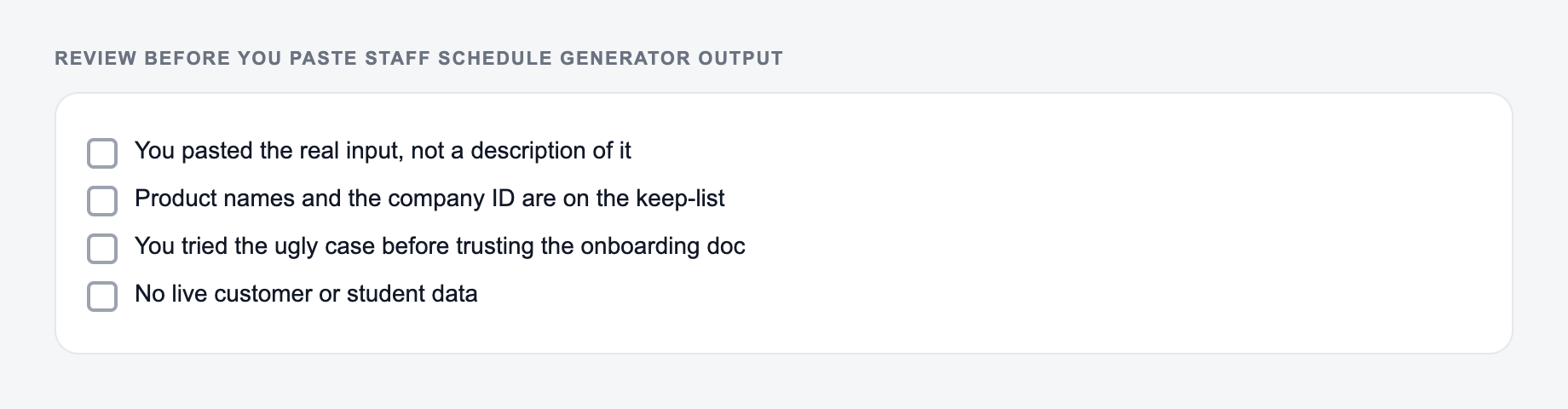
Use the Staff Schedule Generator as a mechanical pass. Paste the real input, set the one constraint that usually breaks the job, then test the ugly case before you trust the happy path.
- Scheduling names before coverage requirements.
- Mixing hard rules and preferences in the same sentence.
- Forgetting to include max hours or labor targets.
- Ignoring role coverage during peak periods.
- Publishing before checking clopens and overtime.
- Treating the first generated rota as final.
If you are building other admin workflows around scheduling, policies, hiring notes, or team communication, Junia AI can help turn rough operational inputs into structured drafts you can review faster.
Final Checklist Before You Share the Schedule
Use this as a preflight, not a caption. If a box fails, change the input or cut the line.
- Every required role is covered.
- Availability and time off are respected.
- Weekly hours look reasonable.
- Weekend and closing shifts are balanced.
- Break rules and labor laws are reviewed.
- The format is readable for staff.
- A manager has checked the schedule against real-world constraints.
A good generated staff schedule is not just full. It is readable, fair enough, coverage-aware, and easy to update when the week changes.
Frequently Asked Questions
Is this staff schedule generator free to use?+
Yes. You can generate a weekly staff schedule for free. Some advanced optimization modes (like labor budget targeting or fairness-first scheduling) may be marked as premium.
What information do I need to generate a schedule?+
At minimum, provide a staff list. For better results, add operating hours, shift templates (open/mid/close), roles, and coverage requirements. The more constraints you include, the fewer edits you’ll need.
Can it handle employee availability and time-off requests?+
Yes. Add availability details and any approved time off in the staff list or constraints field, and the schedule will prioritize assignments that fit those rules.
Will it prevent clopens and balance hours fairly?+
It will try to avoid clopens and distribute hours reasonably based on your constraints. For stricter fairness and rotation rules, use a fairness-focused mode (if available) and specify your policies clearly.
Can I use this for restaurants, retail, healthcare, or offices?+
Yes. The generator works for most industries—restaurants, retail, clinics, salons, warehouses, and offices—because it schedules around roles, coverage requirements, and operating hours.
How do I copy the schedule into my scheduling software?+
Generate the schedule, then copy it into a spreadsheet or use it as a draft in tools like When I Work, Homebase, Deputy, or your internal scheduling template.