
Free Text Message Generator
Generate natural SMS and chat messages for replies, follow-ups, reminders, apologies, scheduling, dating, client updates, and outreach. Add the situation, recipient, incoming message, tone, length, and goal to get a ready-to-edit text that sounds human.
Text Message
Your generated text message will appear here...
How the AI Text Message Generator Works
Get results in seconds with a simple workflow.
Pick Your Goal (Reply, Follow-Up, Apology, Reminder, Outreach)
Select what you want the text message to accomplish so the wording matches the situation and the recipient.
Add Optional Context (and Their Message)
Paste the incoming text and any details that matter—timing, relationship, constraints, or what you want to avoid saying—for a more accurate, human-sounding message.
Choose Tone, Length, and Generate
Set the tone and message length, then generate a ready-to-send SMS. Copy, edit lightly if needed, and send.
See It in Action
Turn a vague idea into a clear, natural text message with the right tone and a simple next step.
Hey just checking in about that thing. Let me know.
Hey—quick follow-up on this. Do you have a minute today or would tomorrow be better?
Why Use Our AI Text Message Generator?
Powered by the latest AI to deliver fast, accurate results.
Instant SMS Templates for Any Scenario
Generate ready-to-send text messages for replies, follow-ups, apologies, reminders, invites, and outreach—so you never stare at a blank screen again.
Tone Control (Professional, Friendly, Confident, Polite)
Pick a tone that matches your relationship and goal. The generator keeps wording natural and respectful—ideal for work texts, client messages, and personal chats.
Context-Aware Messaging That Sounds Human
Add the incoming message and a bit of context, and the tool produces a response that fits the situation, avoids awkward phrasing, and stays true to your intent.
Clear, Non-Pushy Calls to Action
Optionally include a simple question or CTA to move the conversation forward—great for scheduling, confirmations, follow-ups, and sales SMS.
Multi-Language Text Message Generator
Generate SMS in different languages for international customers, multilingual teams, and localized outreach—while keeping tone and politeness consistent.
Pro Tips for Better Results
Get the most out of the AI Text Message Generator with these expert tips.
Lead with the point in the first sentence
In SMS, clarity wins. Put the main ask or response first, then add a small detail or option (time window, next step) to reduce back-and-forth.
Use a soft question to move things forward
A simple CTA like “Does that work for you?” or “Want to do tomorrow or Thursday?” increases replies without sounding pushy—especially for follow-ups and scheduling.
Match formality to the relationship
For clients or managers, keep it concise and professional. For friends or dating, keep it natural and conversational. Tone consistency reduces awkwardness.
Avoid walls of text—split only when needed
If the message is long, keep sentences short and consider one line break for readability. Most effective SMS messages are scannable at a glance.
For sales SMS, prioritize relevance over hype
Mention one clear benefit and ask a low-friction question. Avoid aggressive claims, too many emojis, and repeated follow-ups to stay compliant and trustworthy.
Who Is This For?
Trusted by millions of students, writers, and professionals worldwide.
Generate Text Messages That Sound Natural Before You Send
The hardest text messages are usually short ones. A client follow-up, apology, reminder, scheduling nudge, dating reply, or boundary-setting message can take longer than a full email because tone matters so much.
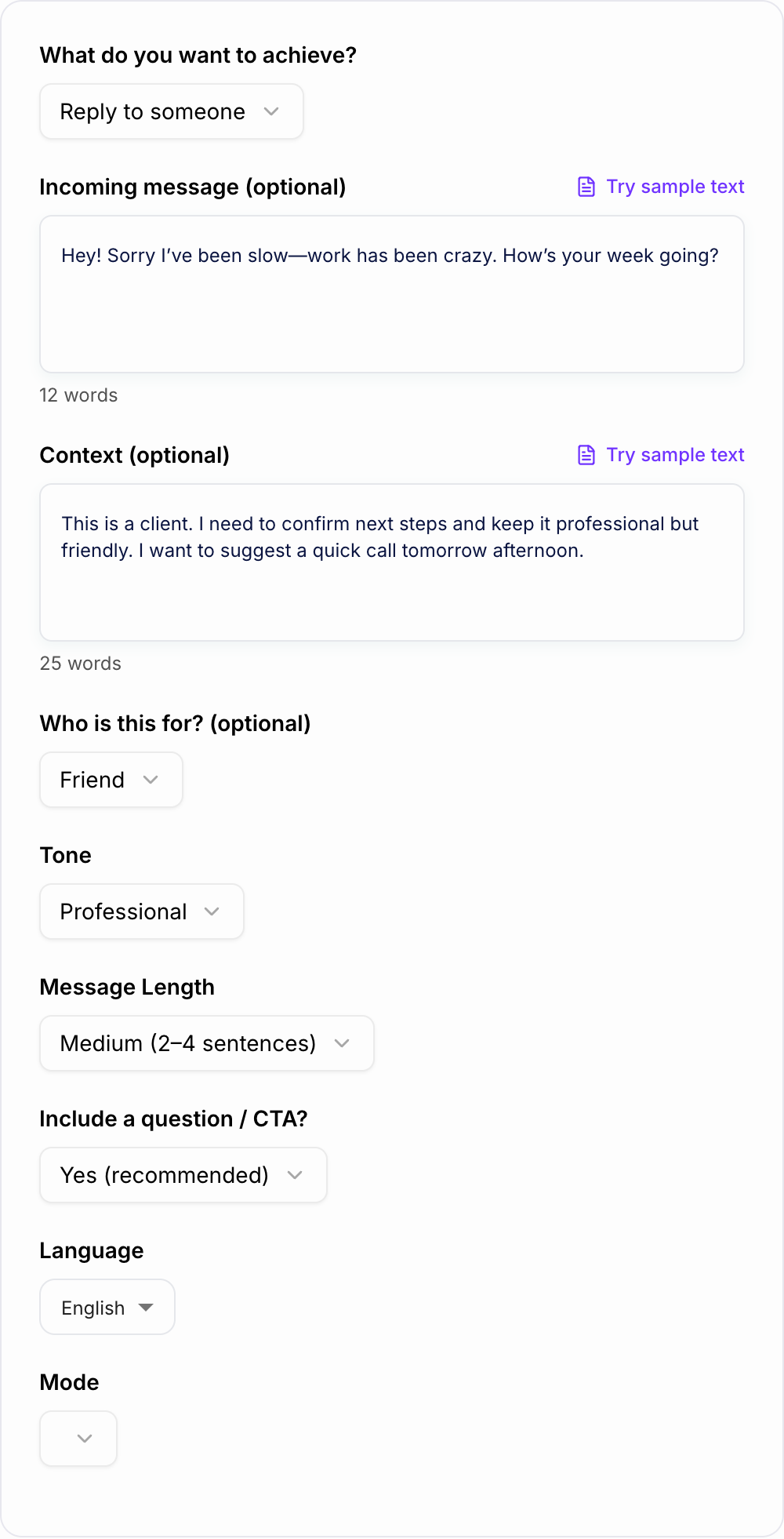
This AI Text Message Generator helps you turn the situation in your head into a clear SMS or chat message. Add the recipient, context, tone, and goal, and the tool drafts a message you can quickly edit before sending.
What to Enter Into the Text Message Generator
The generator works best when you give it the social context, not just the topic. Include:
- Recipient: client, manager, coworker, friend, date, lead, customer, family member
- Goal: reply, follow up, apologize, remind, schedule, confirm, decline, thank, reconnect
- Incoming message: paste what they wrote if you are replying
- Tone: professional, friendly, casual, warm, direct, flirty, polite, confident
- Length: short for quick nudges, medium for most messages, longer only when the situation needs care
- Constraints: do not sound needy, avoid pressure, take responsibility, keep it light, include two time options
A weak prompt is:
Write a follow-up text.
A better prompt is:
Professional follow-up text to a client who has not replied about the proposal. Keep it polite and low-pressure. Ask whether today or tomorrow works for a quick update.
That version gives the generator enough to create a message that fits the relationship.
Pick the Right Tone for the Situation
Use professional for clients, managers, customers, and work updates. Keep the message clear, respectful, and action-oriented.
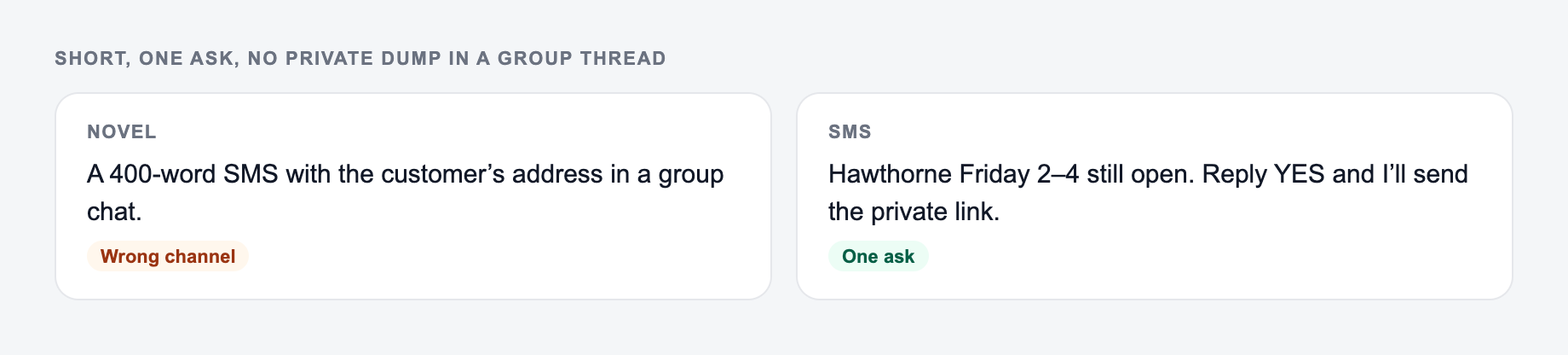
Use friendly for casual follow-ups, reminders, thank-yous, and personal check-ins. Friendly does not mean vague; still include the point.
Use warm or sincere for apologies, sensitive messages, and relationship repair. The message should take responsibility without becoming a long emotional monologue.
Use direct for boundaries, scheduling, and logistics. Direct can still be polite: short, clear, and calm.
Use flirty or playful only when the relationship already supports it. If you are unsure, generate a warmer but less intense version first.
Example Inputs and Generated Texts
Professional follow-up
Situation and the one ask belong on the form. Do not invent urgency.
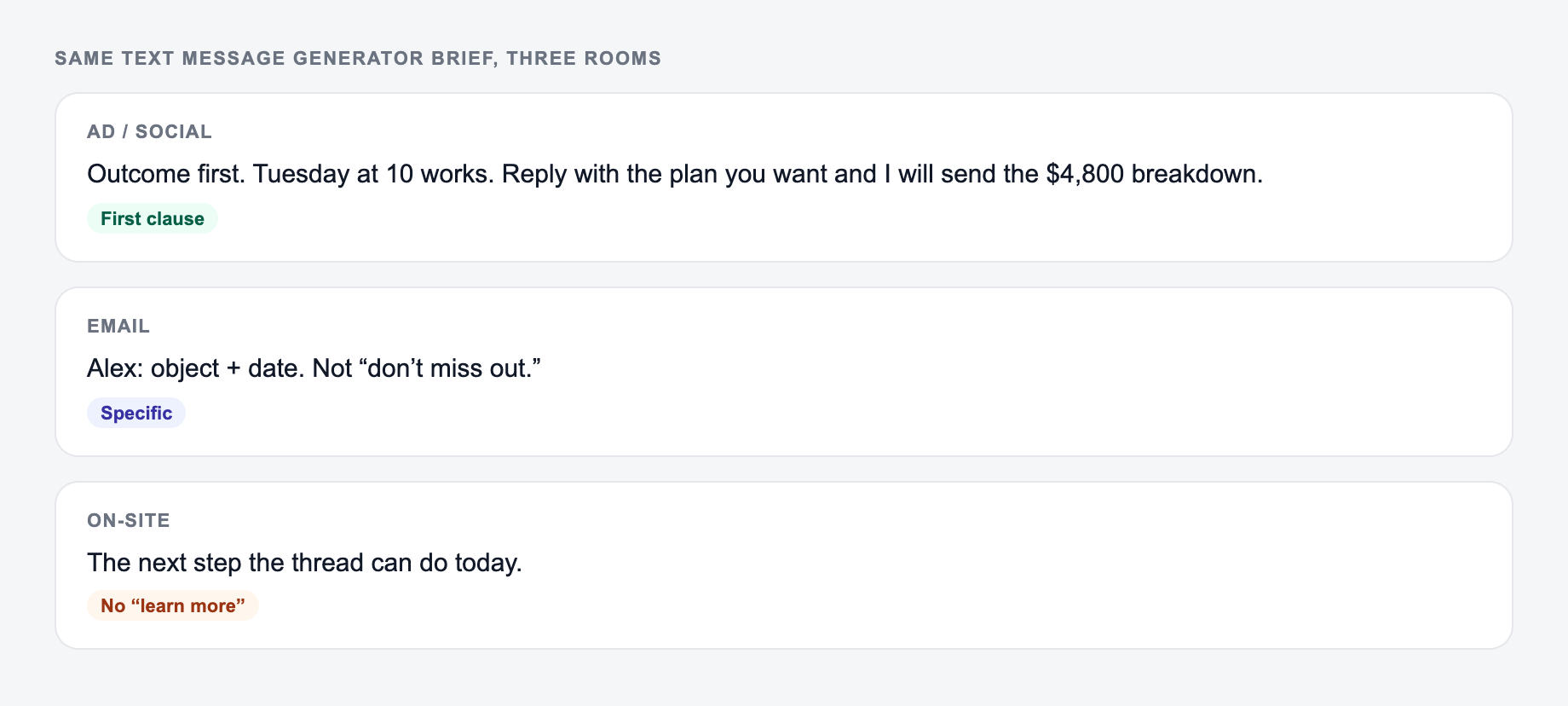
Campaign stub you can actually brief:
- One promise.
- Three assets (ad, email, on-site) that share the promise and change the ask.
- A kill list — offers you will not make this week.
If the AI Text Message Generator output ignores the kill list, the brief never made it onto the form.
Input:
Client follow-up, proposal sent last week, polite and concise, ask if they want to review today or tomorrow.
Output:
Hi, quick follow-up on the proposal I sent last week. Would today or tomorrow be a good time to review it and talk through next steps?
Apology text
Input:
Apology to a friend for canceling last minute. Sincere, not dramatic, ask to reschedule.
Output:
I’m sorry for canceling so last minute. I know that was frustrating, and I should have told you sooner. If you’re open to it, I’d really like to reschedule and make it up to you.
Reminder text
Input:
Reminder for appointment tomorrow at 2 pm, friendly, ask them to confirm.
Output:
Hi, just a quick reminder about your appointment tomorrow at 2 PM. Please reply to confirm when you get a chance.
How to Review Before Sending
Before you hit send, check four things:
- Does it sound like you? Replace any phrase you would never say.
- Is the ask clear? The recipient should know what to do next.
- Is the tone matched to the relationship? Do not use casual wording for a formal client or stiff wording with a close friend.
- Is it too long? If the message needs multiple paragraphs, it may be an email or a call instead.
For sensitive messages, read the text out loud. If it sounds performative, too polished, or emotionally off, regenerate with a simpler tone.
Follow-Ups That Do Not Sound Pushy
A synonym is not a test. If you change “unlock” to “discover,” you did not run a variant — you changed the mood of the same fog.
Good follow-ups assume the other person is busy. They do not guilt-trip, over-explain, or demand a response.
Useful instructions:
- “No pressure, but include a clear next step.”
- “Ask whether today or tomorrow works.”
- “Keep it under 30 words.”
- “Do not sound annoyed.”
- “Make it easy to reply yes/no.”
A strong follow-up usually has one reminder and one easy question:
Hey, quick follow-up on this. Would it be easier to send the details today or should I check back tomorrow?
Sales and Outreach Texts Need Extra Care
Sales SMS should feel relevant, specific, and easy to answer. Avoid hype, fake urgency, too many emojis, and repeated follow-ups.
Give the generator details like:
- who the recipient is
- why the message is relevant now
- the one benefit worth mentioning
- the soft question you want to ask
- any compliance or opt-out wording you need
For outreach, shorter is usually better. One useful detail plus one low-friction question often beats a polished paragraph.
Prompt Templates You Can Reuse
Client update: Text to a client about (update). Tone: professional and calm. Include (key detail). Ask (next step). Keep it under 40 words.
No-response follow-up: Polite follow-up after no response about (topic). Assume they are busy. Include one easy question. Do not sound annoyed or needy.
Apology: Apology text to (recipient) for (situation). Take responsibility, keep it sincere, avoid overexplaining, and suggest a next step.
Dating reply: Reply to this message: (paste message). Tone: warm and light. Goal: keep the conversation going and suggest (plan) without sounding intense.
Reminder: Reminder text for (event) on (date/time). Friendly, short, include confirmation request.
Use the Draft as a Starting Point
The output should change when the room changes. Synonyms across cards are a failed brief.
The goal is not to outsource your voice. The goal is to stop staring at the cursor and get a usable first draft. Change a word, remove anything that feels too polished, add the detail only you know, and then send.
For adjacent writing tasks like emails, notes, reminders, and short-form content, the broader Junia AI toolkit can help you move from quick message drafts to longer communication workflows without starting from a blank page.
Frequently Asked Questions
Is this text message generator free to use?+
Yes. You can generate text messages for common scenarios for free. Some advanced modes like sales/outreach may be marked as premium depending on your plan.
Can it generate professional text messages for work or clients?+
Yes. Choose a professional tone and add a bit of context (who the recipient is, the goal, and any details). The tool will produce concise, polite, business-appropriate SMS wording.
Will the tool keep my message short like a real SMS?+
Yes. You can select short, medium, or long length. The generator focuses on clarity and natural phrasing instead of long paragraphs, making it suitable for SMS and chat apps.
Can I paste an incoming message and generate a reply?+
Yes. Paste what they wrote and optionally add context. The tool will draft a response that matches the conversation and your chosen tone.
Can it help with follow-up texts that don’t sound pushy?+
Yes. Follow-up mode is designed to be polite and low-pressure, assumes the recipient is busy, and includes a clear next step without guilt-tripping.
What languages are supported?+
You can generate text messages in many languages. Select your desired output language, and the tool will keep the tone and style consistent.