
Free Thank You Note Generator
Create a thoughtful thank-you note without staring at a blank card or email. Choose the occasion, relationship, tone, and length, then generate a polished message for gifts, interviews, customers, mentors, weddings, networking, and personal appreciation.
Thank You Note
Your thank you note will appear here...
How the AI Thank You Note Generator Works
Get results in seconds with a simple workflow.
Choose the Occasion and Style
Pick the type of thank-you note you need—gift, interview follow-up, customer appreciation, mentor/teacher, or general thanks—so the structure and wording match the context.
Add Optional Details (for Personalization)
Add who you’re thanking, what you’re grateful for, and any specific details you want included. Even one concrete detail makes the message feel personal and sincere.
Generate and Edit in Seconds
Get a polished thank-you note you can copy into a card, email, or message. Optionally regenerate to create a few variations and choose the best one.
See It in Action
See how a vague message becomes a specific, polished thank-you note suitable for an interview follow-up or professional context.
Thanks for meeting with me. I appreciate your time. Let me know what happens next.
Subject: Thank you — Marketing Specialist interview
Hi Jordan,
Thank you again for taking the time to speak with me today about the Marketing Specialist role. I especially appreciated learning how the team is approaching Q2 growth and how you’re testing new content channels to improve lead quality.
Our conversation reinforced my excitement about the position, and I’d love the opportunity to contribute with strong SEO fundamentals, clear messaging, and a test-and-learn mindset.
Thanks again for your time and consideration.
Best regards, Alex
Why Use Our AI Thank You Note Generator?
Powered by the latest AI to deliver fast, accurate results.
Personalized Thank You Notes That Don’t Sound Generic
Creates sincere thank-you messages with specific details (gift, time, advice, purchase, support) so your note feels human, thoughtful, and authentic.
Professional Thank You Emails for Interviews and Business
Generates polished thank-you emails with the right structure (subject line, greeting, clear body, closing) for interview follow-ups, clients, and colleagues.
Tone and Formality Control (Warm, Formal, Friendly, Appreciative)
Adjusts the voice to match the relationship and context—casual for friends, formal for executives, and professional for recruiters and customers.
Optimized Length for Cards, Texts, and Emails
Choose short, medium, or long notes to fit any channel—thank-you cards, DMs, customer messages, or detailed follow-ups.
Clear, Grammatically Correct Writing
Produces clean, well-paced sentences and natural wording so your gratitude message is easy to read and appropriate for the occasion.
Pro Tips for Better Results
Get the most out of the AI Thank You Note Generator with these expert tips.
Include one specific detail to avoid sounding generic
Mention the gift, the advice, or a moment from the conversation. Specificity makes your thank-you note feel thoughtful and authentic—especially for interview and mentor appreciation notes.
Match the closing to the relationship
Use warm closings for personal notes (e.g., “With gratitude”) and professional closings for business (e.g., “Best regards”). Consistent formality improves tone.
For interview thank-yous, reference the role and one conversation point
A quick mention of the team’s priorities or a topic you discussed signals attention and genuine interest—without adding unnecessary length.
Keep customer appreciation human and non-salesy
Thank the customer for their trust and highlight your commitment to help. If you include a CTA, keep it optional and subtle (e.g., ‘If you need anything, reply anytime.’).
Use the short version for speed, then add one sentence of warmth
If you’re stuck, generate a short note and add one line about how you’ll use the gift, what you learned, or what you’re looking forward to. That’s often enough.
Who Is This For?
Trusted by millions of students, writers, and professionals worldwide.
Generate a Thank You Note That Sounds Specific, Not Generic
A thank-you note generator works best when you give it the ingredients a real person would use: who you are thanking, what they did, why it mattered, and how formal the note should feel. The tool can handle the structure and wording, but the strongest results come from one or two details that only apply to your situation.
Use the generator when you need a note that is polished enough to send, but still sounds like something you would actually say.
What to Enter Into the Generator
Start with the occasion. A gift note, interview follow-up, customer appreciation message, and mentor thank-you all need different pacing.
Then add the details you know:
- who you are thanking
- what they gave, did, taught, explained, hosted, or helped with
- one specific moment or result
- the relationship: close, professional, formal, or neutral
- your name for the sign-off
You do not need a perfect paragraph. Fragments are fine. For example:
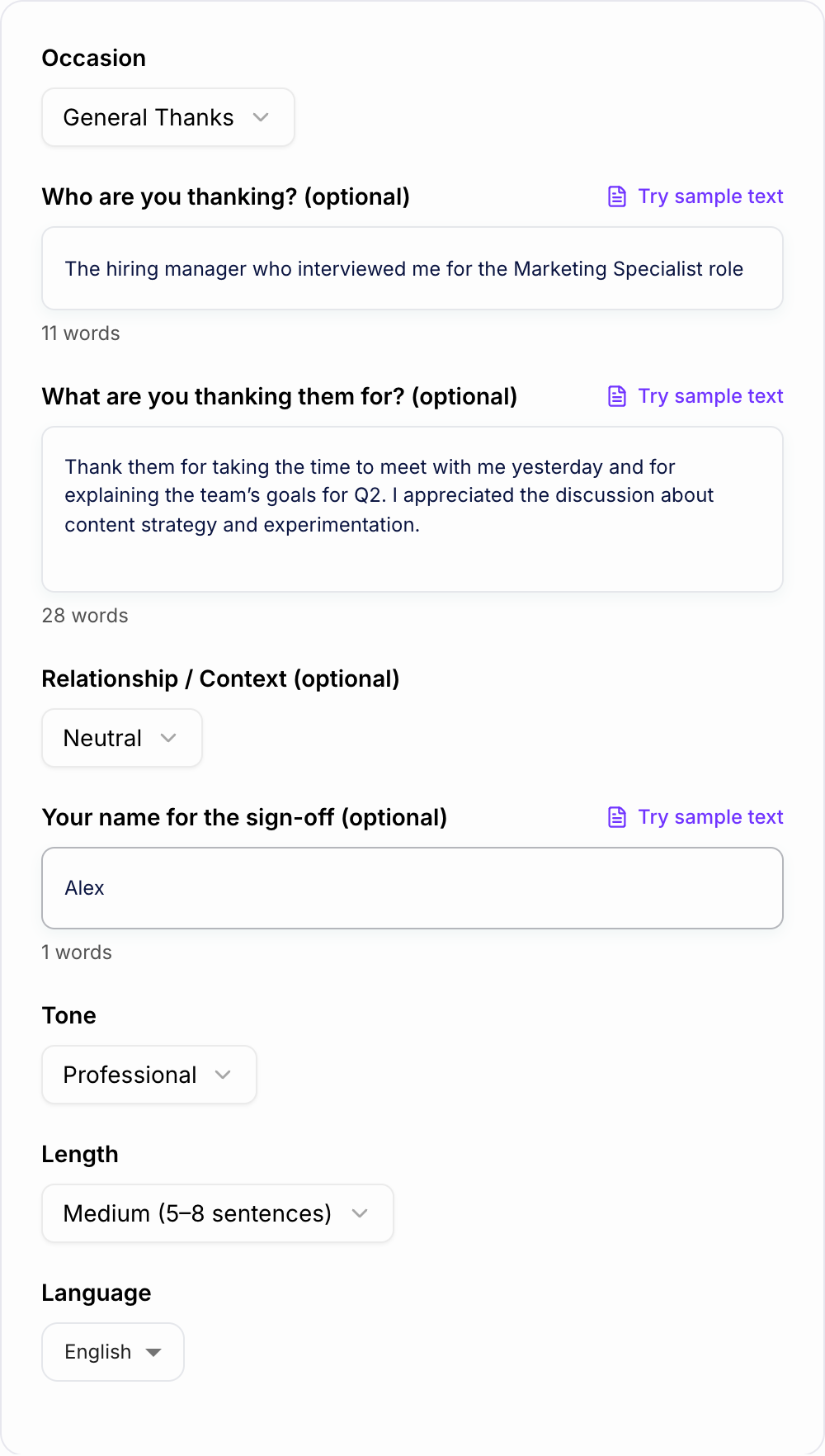
Hiring manager, Marketing Specialist interview, talked about Q2 content experiments, appreciated the team's focus on testing landing pages, sign off as Alex.
That is enough for the generator to create something more personal than "Thank you for your time."
Choose the Right Mode for the Situation
Use Short & Sweet for texts, DMs, small favors, and quick card messages. Keep it simple and direct.
Use Personal Card for gifts, hospitality, weddings, baby showers, birthdays, help from friends, or family notes. This mode should feel warm and specific.
Use Professional Email for clients, coworkers, managers, vendors, networking contacts, and business appreciation. It should sound polished, not stiff.
Use Interview Thank You when you need a follow-up after a job interview. Add the role and one conversation point so the note does not sound copied.
Use Customer Appreciation when thanking customers or clients. Keep the gratitude real and avoid turning the message into a sales pitch.
Use Mentor/Teacher Thanks when the person had a meaningful impact. Mention what changed for you or what you learned.
Example Input and Generated Direction
Weak input:
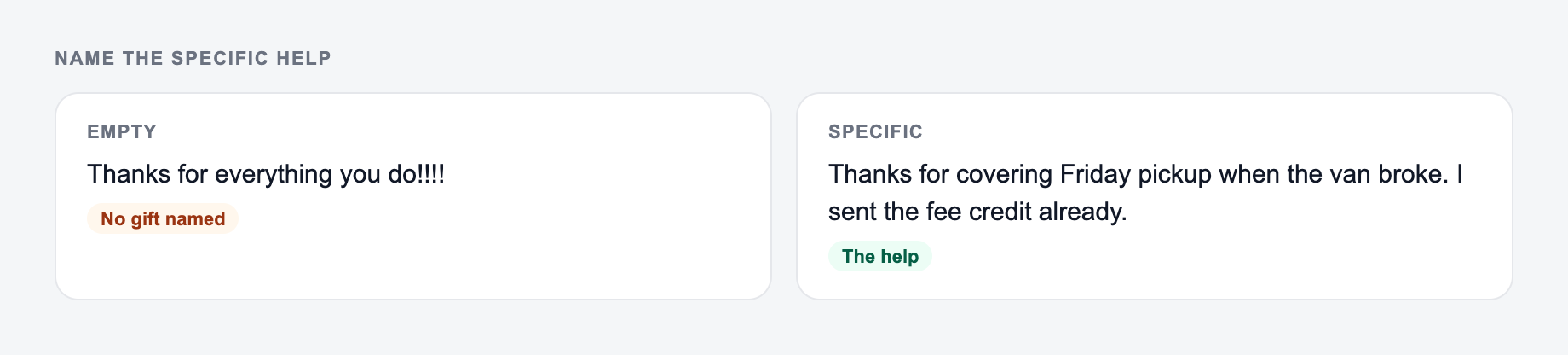
Name the specific help. The form should not invent a gift or favor.
Treat the AI Thank You Note Generator as a first draft. Compensation, legal effect, medical content, and anything you would not say in the room still need a person — and often counsel — before they leave your outbox.
This is a draft aid, not legal, medical, or HR advice.
Thank my teacher.
Better input:
Thank my history teacher, Ms. Rivera, for helping me improve my research paper and giving feedback after class. I felt more confident presenting because of her help. Warm tone, medium length.
The better input gives the generator a relationship, action, impact, and tone. The result will usually include a specific thank-you, a sentence about the impact, and a natural closing.
How to Personalize the Draft After It Generates
Read the output once and look for the sentence that could apply to anyone. Replace that sentence with a detail.
Instead of:
Your support meant so much to me.
Try:
Your notes on my introduction helped me finally explain the argument clearly.
Instead of:
Thank you for the lovely gift.
Try:
Thank you for the ceramic baking dish. I already used it for Sunday dinner, and it made the table feel special.
One concrete edit can make the whole note feel handwritten, even if the first draft came from a generator.
Matching Length to the Channel
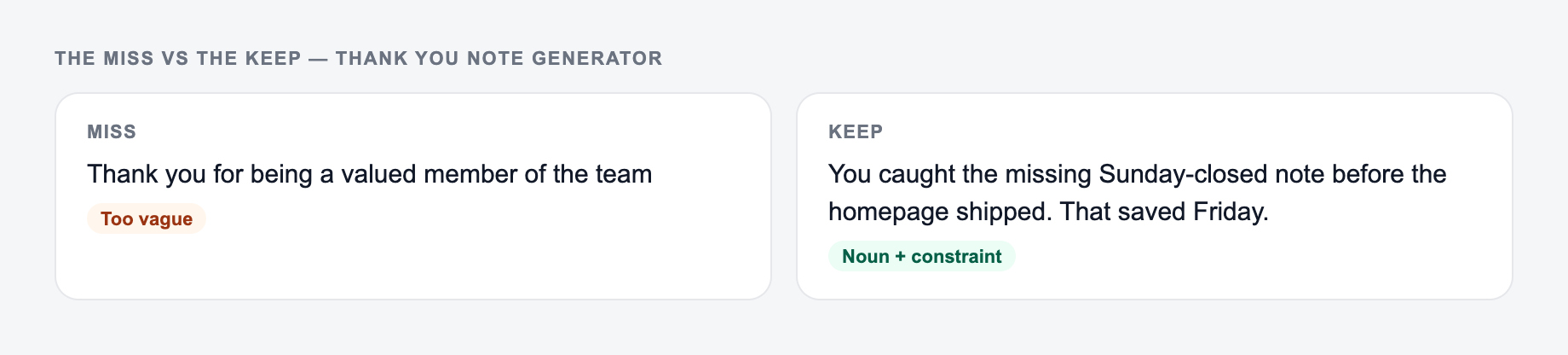
If your input looks like the miss, do not judge the tool yet — add the noun and the constraint first.
Short notes work for quick thanks:
- text messages
- DMs
- small favors
- informal gifts
Medium notes work for most real situations:
- thank-you cards
- interview follow-ups
- teacher or mentor appreciation
- customer and client messages
- wedding or shower gifts
Longer notes should be saved for major support, emotional milestones, or situations where the person did something substantial. A long note with no specific detail usually feels worse than a short sincere one.
Review Checklist Before Sending
Before you copy the note into a card or email, check:
- Did it name what you are thankful for?
- Did it include one detail that makes the note personal?
- Does the tone match the relationship?
- Is the length right for the channel?
- Does the sign-off sound natural for you?
If you use several writing tools while drafting emails, cards, and follow-ups, keeping the final pass inside Junia AI can help you adjust tone across related messages instead of rewriting each note from scratch.
When to Generate More Than One Version
Before anything leaves the outbox:
- You can point to the number in a spreadsheet or a contract
- You would sign it if your name were the only one on it
- Compensation, legal effect, and medical content had a human pass
Generate a few versions when the note matters. Pick the version with the most natural structure, then borrow one strong line from another version if needed.
This is especially useful for interview thank-yous, customer appreciation, mentor notes, and wedding thank-you cards, where the right balance of warmth and clarity matters more than clever wording.
Frequently Asked Questions
What should a good thank you note include?+
A strong thank-you note mentions what you’re grateful for, includes one specific detail (what the gift/help/time meant to you), and ends with a warm closing. For professional notes, it should also be concise and clearly written.
Can I use this as an interview thank you email generator?+
Yes. Choose the Interview Thank You mode and add details about the role or conversation. The note will include a professional tone, a clear structure, and a confident closing without sounding pushy.
How do I make an AI-generated thank you note sound personal?+
Add one or two specifics—what they did, what you appreciated, and a small detail (a topic you discussed, how you’ll use the gift, or how their help impacted you). Specificity is the fastest way to make a thank-you note feel genuine.
Is it better to write a short or long thank you note?+
Short notes are great for texts, DMs, quick favors, and casual settings. Longer notes work well for meaningful gifts, mentorship, interviews, and professional situations where you want a bit more detail and warmth.
Can I generate thank you notes in different languages?+
Yes. Select your output language to generate a thank-you message that reads naturally in that language—useful for bilingual families, international business, and multilingual customers.
What if I don’t know what to say?+
Start with the occasion and a simple sentence about what you’re grateful for. If you can, add one detail (how it helped you or how you felt). This tool can fill in the wording and structure even with minimal input.