
Free Twitter Bio Generator
Create Twitter/X bio options that make your profile clear in seconds. Add your niche, role, audience, value promise, keywords, CTA, and style to generate professional, creator-style, witty, minimal, or business bios that fit the platform's short profile format.
Twitter (X) Bio Ideas
Your Twitter (X) bio ideas will appear here...
How the AI Twitter (X) Bio Generator Works
Get results in seconds with a simple workflow.
Enter Your Niche (and Optional Details)
Add what you do, plus optional role, audience, keywords, and a CTA. The more specific you are, the more distinct and non-generic your bios will feel.
Choose a Style and Tone
Pick a bio style (professional, creator, witty, minimal, business, or keyword-optimized) and set your tone to match your personal brand or company voice.
Generate, Pick, and Refine
Get multiple Twitter (X) bio options. Choose your favorite, then tweak for precision—add a proof point, a clear CTA, or a sharper niche keyword.
See It in Action
Example of turning a vague bio into a clear, keyword-relevant, follow-worthy Twitter (X) bio with positioning and a CTA.
Marketing | helping businesses grow | coffee lover
SEO for SaaS founders | Grow organic traffic that converts | Content strategy + technical SEO | DM “SEO” for my free audit checklist
Why Use Our AI Twitter (X) Bio Generator?
Powered by the latest AI to deliver fast, accurate results.
Multiple Twitter (X) Bio Options (Pick the Best)
Generates several bio variations so you can choose the one that matches your voice—professional, creator-style, witty, minimal, or business-focused.
Keyword-Aware Bios for Discoverability
Naturally incorporates niche keywords (e.g., SEO, content strategy, designer, coach) to improve profile relevance and help the right people understand what you do at a glance.
Clear Positioning: Niche + Audience + Value
Structures your bio around high-signal positioning: what you do, who you help, and the outcome you deliver—ideal for personal branding, lead generation, and credibility.
CTA-Ready Bios for Follows, DMs, and Links
Adds an optional call-to-action that fits your goals (subscribe, DM keyword, book a call, download a resource) without sounding spammy.
Tone and Language Control
Adjust tone and output language to match your brand voice and audience—useful for multilingual creators, global startups, and localized marketing.
Pro Tips for Better Results
Get the most out of the AI Twitter (X) Bio Generator with these expert tips.
Lead with clarity: niche first, then personality
People decide whether to follow in seconds. Make your niche obvious first (e.g., “SEO for SaaS”), then add personality or humor after the value is clear.
Use a proof point only if it strengthens trust
Credibility signals like “10+ years,” “ex-,” or measurable outcomes can increase follows—just keep them honest and relevant to your niche.
Keep keywords natural (avoid stuffing)
One to three niche keywords is usually enough. Your bio should read like a human wrote it while still signaling what you do.
Make the CTA specific and low-friction
Instead of “Check my link,” try a clear action: “DM ‘SEO’ for the checklist,” “Get the free template,” or “Subscribe for weekly tips.”
Match your bio to your content promise
If your bio says you share SEO tips, ensure your pinned post and recent tweets deliver that. Consistency improves trust and follow conversion.
Who Is This For?
Trusted by millions of students, writers, and professionals worldwide.
Generate a Twitter/X Bio That Makes Your Profile Clear Fast
A Twitter bio generator works best when you treat it like a positioning tool, not a slogan machine. The space is short, so the output has to explain who you are, what you do, who should follow you, and why your profile is worth attention.
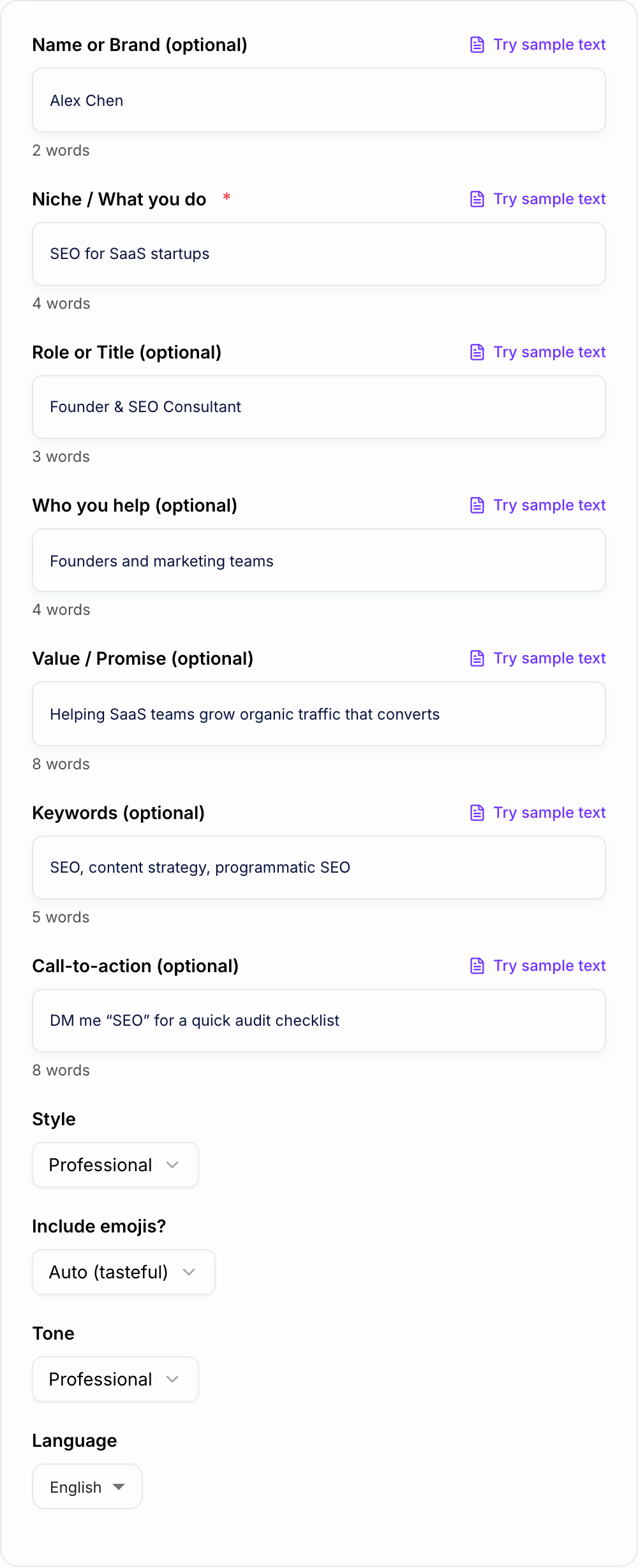
The generator above can create professional, creator-style, witty, minimal, business, and keyword-focused bios. The difference between a generic bio and a useful one usually comes down to the details you enter before generating.
What to Enter into the Twitter Bio Generator
Start with your niche or category. Be more specific than "marketing," "fitness," or "design." The generator can do more with "SEO for SaaS startups," "strength coaching for busy parents," or "product design for fintech apps."
Then add the optional details that make the bio feel like yours:
- Role: founder, consultant, designer, coach, writer, creator, agency, startup
- Audience: who you help or write for
- Value promise: the outcome people get from following or working with you
- Keywords: niche terms people should recognize instantly
- CTA: subscribe, book a call, DM a keyword, download a resource, visit a link
For example, "SEO for SaaS startups" is a usable input. "Founder and SEO consultant helping B2B SaaS teams grow organic traffic that converts; keywords: content strategy, programmatic SEO; CTA: DM 'SEO' for a checklist" gives the tool enough context to generate sharper bios.
Pick the Bio Style That Matches the Account
Use Professional when credibility matters more than personality. This is usually best for consultants, executives, freelancers, and job-facing profiles.
Use Creator / Personal Brand when your profile is built around what you share. This style should say what you post about and who benefits from following you.
Use Witty only when the account can support humor in the timeline. A clever bio can help, but not if your posts are formal and the bio feels like a different person wrote it.
Use Minimal when the profile already has strong proof elsewhere, such as a recognizable company, strong pinned post, or clear link.
Use Business / Company when the account represents a brand rather than an individual. The bio should explain the product, customer, benefit, and CTA without sounding like an ad headline.
Example Input and Generated Bio Direction
Input: Founder and SEO consultant for SaaS startups. Helps founders turn content into qualified pipeline. Keywords: SEO, content strategy, programmatic SEO. CTA: DM "SEO" for audit checklist.
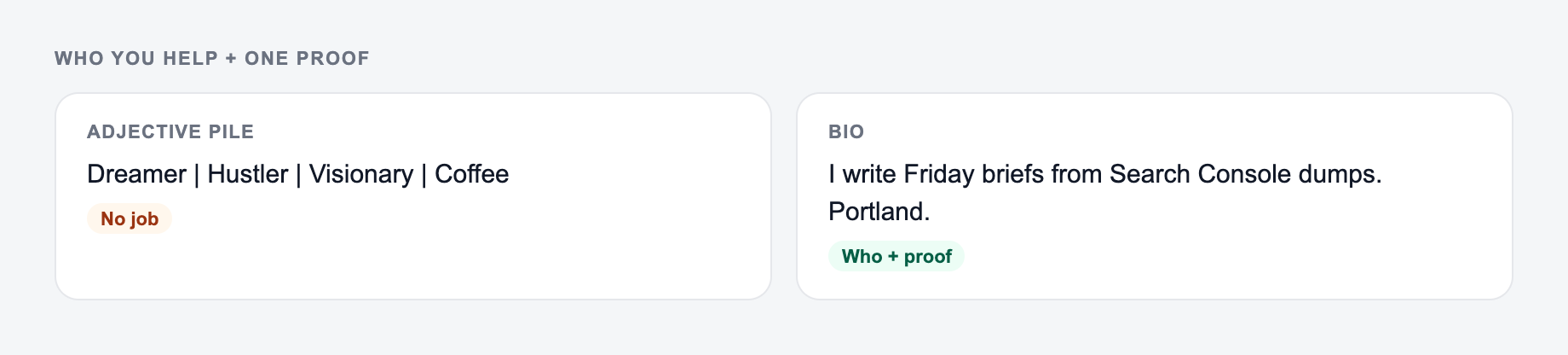
Who you help and one proof on the form beat a pile of adjectives.
A/B is one changed idea. Swapping “unlock” for “discover” is not a variant. Test object-vs-urgency, or proof-vs-promise — not two moods of the same fog.
Strong generated direction: "SEO for SaaS founders | Content strategy that turns search into pipeline | DM 'SEO' for a quick audit checklist"
This works because it is specific, easy to scan, and gives profile visitors a next step without pushing too hard.
How to Edit the Generated Bio
After generating a few options, do not just copy the first one. Check whether the bio passes the three-second test: can a stranger understand the account before they scroll?
Then tighten it:
- Remove filler words like "passionate about" unless they add something real.
- Keep one clear niche instead of listing five interests.
- Use proof only when it is meaningful and true.
- Keep the CTA light and specific.
- Make sure the bio matches your last 10 posts.
If the generator gives you a good structure but the voice feels off, keep the order and swap in your own phrasing. For example, "helping teams grow" can become "turning content into pipeline" if that is closer to your actual offer.
Keywords and Emojis: Use Them Carefully
The same three questions show up after people generate once and then stall.
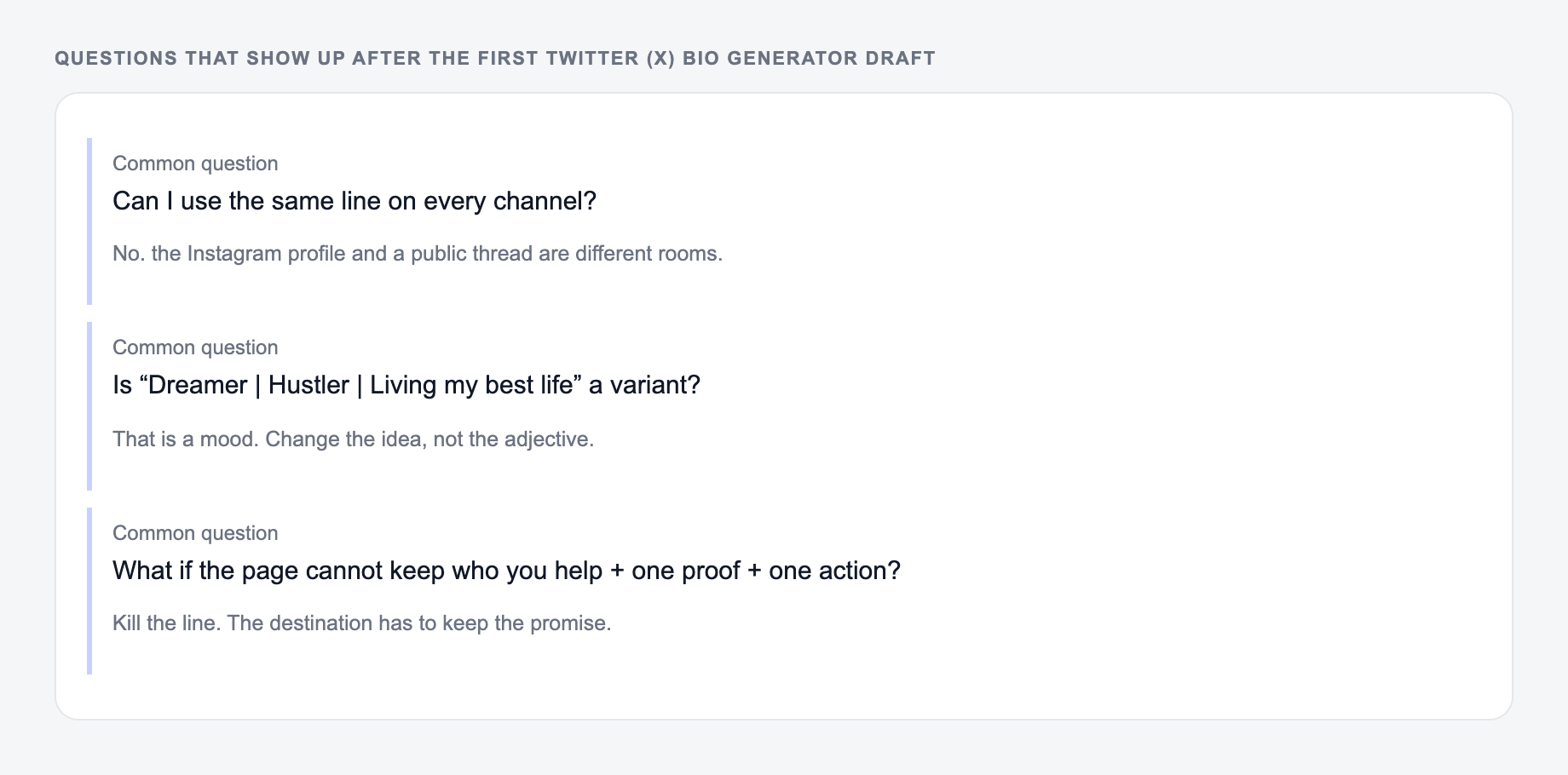
Keywords help people understand your profile quickly. They can also support discoverability, but the main benefit is clarity. Use one to three natural terms, such as "SEO," "UX writing," "fitness coach," or "product marketing."
Emojis work best as separators or quick visual cues. They should not carry the meaning. If your niche is serious or B2B, fewer emojis usually feels more credible. If your profile is creator-led or community-driven, a few tasteful emojis can make the bio easier to scan.
Final Twitter Bio Checklist
Channel check for this reply:
-
Public — no order numbers, addresses, or account IDs
-
Helpful — one fact that stands without a link
-
Next step — a DM or email if anything private remains Before saving the generated bio, ask:
-
Is the niche clear?
-
Is the audience or outcome clear?
-
Does the tone match the posts people will see?
-
Is there a useful CTA if I need one?
-
Does the bio fit the profile link, pinned post, and current positioning?
The best generated bios are not the longest or cleverest. They are the ones that make the right person think, "This account is for me." If you are building more profile, content, and social copy across channels, the writing workflow inside Junia AI can help keep those messages consistent instead of rewriting from a blank page every time.
Frequently Asked Questions
How long should a Twitter (X) bio be?+
Short and clear usually performs best. Aim to communicate your niche, who you help, and your value in one to two tight lines. If you include a CTA, keep it lightweight and specific.
Should I include keywords in my Twitter bio?+
Yes—when they fit naturally. Niche keywords (like “SEO,” “copywriter,” “product designer,” or “fitness coach”) make your profile instantly understandable and help the right people decide to follow.
What makes a good Twitter bio for personal branding?+
A strong personal brand bio is specific: role + niche, audience, and a clear outcome. Add proof points (years, results, credentials) only if they’re true and relevant, and finish with a simple CTA if you want action.
Can this generate a Twitter bio for a business or company account?+
Yes. Choose a business-focused style and include what you sell, who it’s for, and the main benefit. Add a CTA like “Get the free trial” or “See pricing” if appropriate.
Are emojis necessary in a Twitter bio?+
Not necessary, but they can improve scannability when used sparingly. If your brand is formal or B2B, fewer (or none) is often better. If you’re a creator, tasteful emojis can add personality.
How do I avoid a generic AI-generated Twitter bio?+
Add specifics: your niche angle, the exact audience, a unique promise, and one concrete proof point (e.g., “10+ years,” “ex-Google,” “built X,” or a real outcome). Then choose a tone that matches how you actually write.