
Free Vision Statement Generator
Generate clear vision statement options for startups, nonprofits, brands, teams, and creators. Enter the future you want to create, who you serve, your differentiator, and preferred style to get concise, aspirational statements that work for websites, pitch decks, strategy docs, and brand guidelines.
Vision Statement
Your vision statement options will appear here...
How the AI Vision Statement Generator Works
Get results in seconds with a simple workflow.
Describe the Future You Want to Create
Write a short description of your desired impact and what success looks like in the long run. This becomes the core of your vision statement.
Add Context (Optional)
Optionally add your industry, audience, and differentiator to make the vision statement more specific, credible, and aligned with your positioning.
Generate and Refine
Generate vision statement options, pick a favorite, then edit for clarity and authenticity. Use the final version in your brand guidelines, website, pitch deck, and internal docs.
See It in Action
Transform a vague idea into a clear, aspirational vision statement that communicates long-term direction and impact.
We want to be the best company and help customers with great service.
To make decision-ready analytics accessible to every growing ecommerce team—so they can compete confidently, without sacrificing privacy or simplicity.
Why Use Our AI Vision Statement Generator?
Powered by the latest AI to deliver fast, accurate results.
Vision Statements That Are Clear, Aspirational, and Specific
Generates strong vision statement examples that define a future state, avoid generic buzzwords, and stay aligned with your brand positioning and long-term direction.
Options for Business, Startup, Nonprofit, and Personal Brand Vision
Creates vision statements tailored to your organization type and audience—useful for company websites, pitch decks, brand guidelines, fundraising, and internal alignment.
Tone + Style Controls (One-Line, Two-Sentence, or Variations)
Choose a concise one-liner, a slightly expanded statement, or multiple variations to compare and refine your messaging and brand voice quickly.
Differentiation-Aware Messaging (Not Generic)
Incorporates your differentiator (when provided) to produce vision statements that sound distinct, credible, and relevant to your market—without keyword stuffing.
Brand Strategy Friendly: Works With Mission and Values
Outputs vision statements that pair naturally with mission statements and values—useful for strategic planning, leadership alignment, and company narrative.
Pro Tips for Better Results
Get the most out of the AI Vision Statement Generator with these expert tips.
Write the vision as a future state, not a to-do list
A great vision statement describes what the world (or your customers) will look like when you succeed—avoid listing features, services, or tactics.
Make it specific enough to guide decisions
If your vision could describe almost any organization, it won’t steer strategy. Add your audience and impact so it becomes a real north star.
Use simple language and avoid buzzwords
Clear, concrete wording is more memorable and credible than jargon. If you use a big word, replace it with a phrase your customers would actually say.
Pressure-test it with real scenarios
Ask: Would this vision help us say “no” to misaligned opportunities? If not, tighten the focus or specify the impact you’re aiming for.
Pair it with a mission statement and 3–5 values
Vision = where you’re going, mission = what you do today, values = how you behave. Together they create a coherent brand strategy and culture narrative.
Who Is This For?
Trusted by millions of students, writers, and professionals worldwide.
Generate a Clear Vision Statement From Rough Strategic Notes
A vision statement should give people a future to aim at. It should not sound like a slogan, a service description, or a corporate poster nobody remembers.
The Vision Statement Generator helps you turn rough ideas about impact, audience, and direction into usable statement options. The best workflow is simple: enter the future you want to create, generate several versions, then edit the strongest one until it feels specific enough to guide decisions.
What to Enter Into the Vision Statement Generator
Do not start with what you sell. Start with what becomes true if your work succeeds.
Weak input:
We provide analytics tools for ecommerce stores.
Better input:
We want small ecommerce teams to make confident decisions without hiring a full data team.
That second input gives the generator a clearer future state and audience. Add these details when you can:
- Audience: who benefits from the future you are building
- Desired impact: what changes for them when your work succeeds
- Differentiator: privacy, access, speed, affordability, trust, expertise, community, or another real advantage
- Use case: homepage, pitch deck, brand guide, team strategy, nonprofit messaging, or internal planning
- Tone: bold, clear, warm, premium, practical, optimistic, or values-led
A vision statement is allowed to be aspirational. It still needs enough truth that your team would recognize it.
How to Choose the Right Vision Statement Style
Different settings need different versions. Generate more than one style before you decide.
Classic
Use this for a simple, timeless statement. It works well when you need something clear for a website, company profile, or brand document.
Bold and ambitious
Use this when the organization needs a more energizing future. Keep the ambition credible. “Transforming the future of work” is not useful unless the audience and outcome are specific.
Mission-aligned
Use this when you already have a mission statement and want the vision to pair with it. The mission explains what you do now; the vision explains where that work should lead.
Values-led
Use this when principles are central to the brand. This is useful for nonprofits, community organizations, education, health, sustainability, and trust-heavy industries.
Tagline style
Use this when you need a short line for a hero section or slide. Treat it as a starting point, then expand the best option into a clearer full statement if needed.
How to Judge the Generated Options
A good generated vision statement should pass four tests.
- Future state: Does it describe what changes, not just what you do?
- Audience: Can readers tell who the future is for?
- Specificity: Could a competitor use the same sentence unchanged?
- Decision value: Would it help you say no to work that does not fit?
If an option sounds polished but vague, regenerate with a sharper audience or more concrete impact. If it sounds too tactical, remove product features and focus on the long-term outcome.
Example Input and Refined Output
Input:
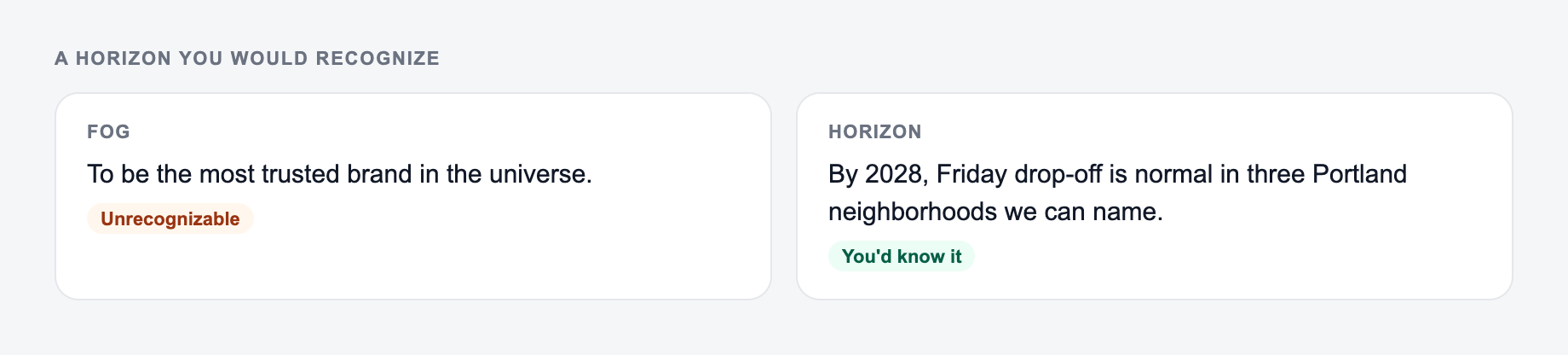
Pick a time horizon and an outcome you would recognise when you got there.
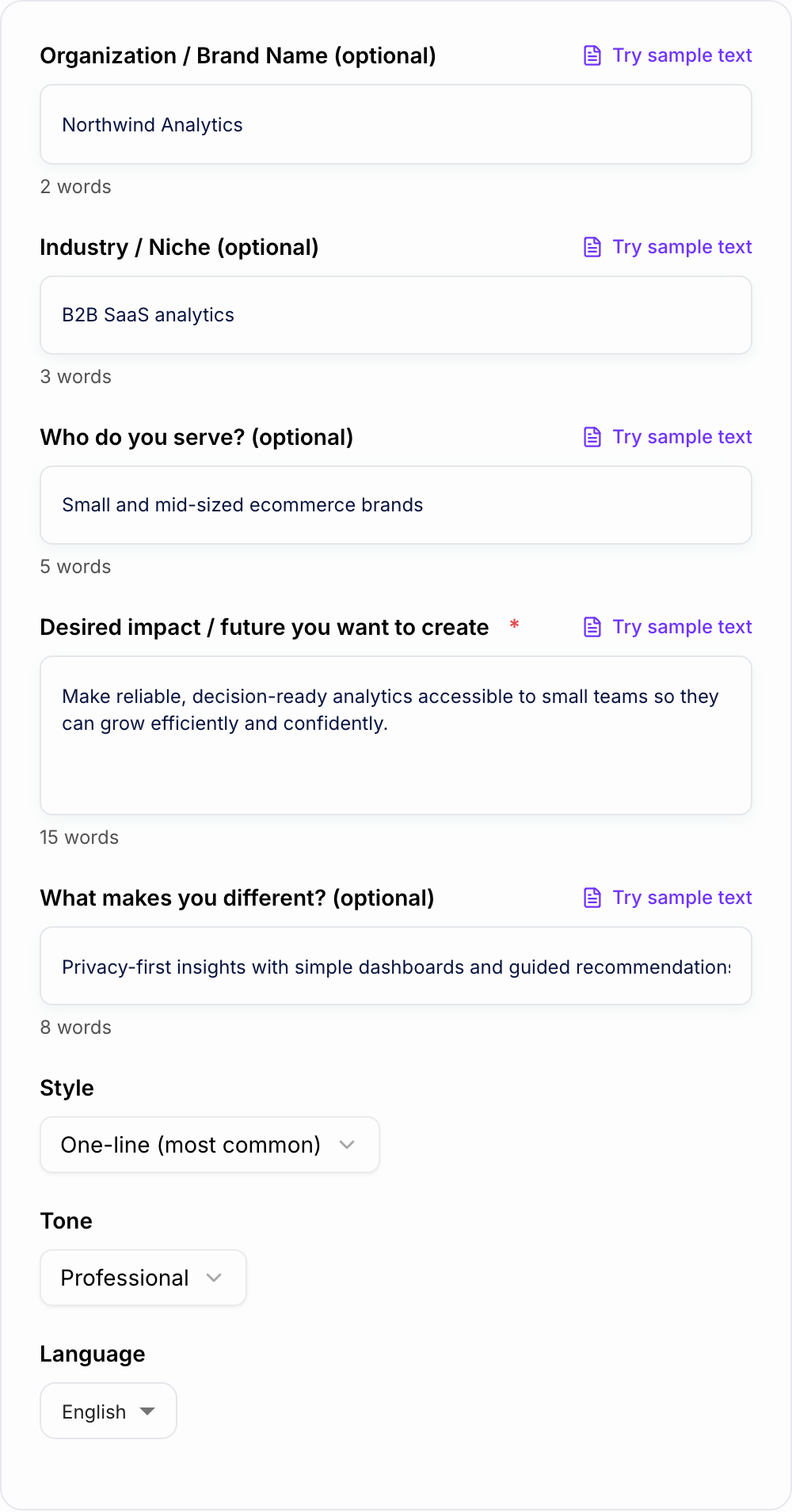
Audience: independent ecommerce founders Impact: make analytics easier to understand Differentiator: privacy-first, no data team required Tone: clear and ambitious
Generated direction:
To make decision-ready analytics accessible to every growing ecommerce team, so founders can scale with clarity, privacy, and confidence.
Why it works:
- It names the audience: growing ecommerce teams.
- It describes the future: decision-ready analytics become accessible.
- It includes a differentiator: privacy and simplicity.
- It is specific enough to support product, brand, and hiring decisions.
Vision Statement vs Mission Statement in the Tool
If the output starts sounding like “we build,” “we provide,” or “we help,” it may be drifting toward a mission statement.
Use this quick distinction:
- Vision: the future you want to create
- Mission: what you do today to move toward it
- Values: how you behave while doing the work
After you generate a vision statement, you can use the same strategic notes to build the rest of your messaging with tools on the Junia AI homepage. Keep the language connected so the brand does not sound like five different teams wrote it.
Common Mistakes to Fix Before Publishing
The first mistake is trying to serve everyone. “Everyone” usually makes the statement weaker.
The second mistake is using impressive words with no real meaning. “World-class,” “innovative,” and “best-in-class” only help when the statement explains what that means.
The third mistake is writing a product roadmap instead of a future state. Your vision can guide the roadmap, but it should not read like a feature list.
The fourth mistake is choosing the cleverest option instead of the clearest one. If people cannot repeat it, they will not use it.
Final Checklist Before You Use the Statement
- It points to a future state.
- It names or implies a real audience.
- It avoids empty corporate language.
- It is short enough to remember.
- It feels ambitious without becoming unbelievable.
- It helps the team make decisions.
Once those checks pass, you can use the statement as a north star for messaging, planning, hiring, and product direction.
Frequently Asked Questions
What is a vision statement?+
A vision statement describes the future you want to create—your long-term aspiration and the direction your organization is working toward. It’s a north star for strategy, culture, and brand messaging.
What’s the difference between a vision statement and a mission statement?+
A vision statement describes the future state you aim to achieve (where you’re going). A mission statement describes what you do, who you serve, and how you deliver value today (what you do and why).
How long should a vision statement be?+
Most effective vision statements are 1 sentence (often 10–25 words). If needed, a two-sentence version can add clarity—especially for complex industries or multi-audience organizations.
How do I avoid a generic vision statement?+
Include a specific outcome, the people you serve, and what makes your approach different. Avoid vague terms like “world-class” or “best-in-class” unless you back them up with concrete meaning.
Can I use this for a nonprofit or community organization?+
Yes. Enter the impact you want to create and who you serve. The generator can produce vision statements focused on outcomes, equity, access, sustainability, or community transformation.
Can I generate multiple vision statement options?+
Yes. Use the style setting to get multiple variations, then combine the best parts into a final statement that fits your brand voice and long-term strategy.