
10 ChatGPT Alternatives for Writing (Tested): Best Picks for Every Writer

Thu
AI SEO Specialist, Full Stack Developer

If ChatGPT is your default writing tool, it’s easy to assume every alternative does roughly the same thing. In practice, that’s not true.
Some tools are better for real-time research. Some are stronger at long-form drafting. Others are built for brand voice, SEO workflows, or higher-volume content teams. So the better question is not “What replaces ChatGPT?” but “Which tool matches the kind of writing I actually do?”
This guide compares the strongest alternatives to ChatGPT for writers, marketers, and content teams. The goal is simple: help you find the best fit faster.
Best ChatGPT Alternatives For Writing: Top Picks
Before we go tool by tool, here’s a fast shortlist:
- Best overall for research + writing: JuniaChat
- Best for high-volume marketing teams: ChatSonic
- Best for long-context assistance: Claude
- Best for guided SEO/content workflows: Jasper Chat
- Best for experimentation and prompt control: OpenAI Playground
| Tool | Best known for |
|---|---|
| JuniaChat | Research + writing with real-time data, file analysis, and editor support |
| ChatSonic | Broad language support and marketing-oriented AI assistance |
| Claude | Long-context reasoning and thoughtful back-and-forth |
| Jasper Chat | Guided marketing and content workflows |
| OpenAI Playground | Prompt experimentation and response control |
| Bloom | Multilingual text generation for international teams |
| Neuroflash | Content creation informed by audience and marketing signals |
| Thundercontent | All-in-one AI content workflow with writing, chat, and voice tools |
| Sparrow | Research reference; no public writing product |
| ChatArt | Mobile-friendly AI writing assistance for everyday use cases |
If you're looking for alternatives specifically to Copy.ai for your content creation needs, you might want to explore some of the best Copy.ai alternatives. These alternatives offer a variety of features and pricing options that could better suit your requirements in AI writing tools.
1. JuniaChat
JuniaChat is the strongest overall pick in this list if your writing workflow depends on both drafting and live research.
What makes it stand out is range. It is not just a chatbot for producing paragraphs on demand. It also helps with real-time information, file analysis, web-link review, and editor support, which makes it more useful for serious writing workflows than a plain prompt-response tool.
Real-Time Data Content Generation

One of JuniaChat's biggest advantages is that it can work with current information instead of relying only on a static training cutoff. For writers, that matters when you're covering fast-moving topics, checking examples, or trying to avoid publishing already-dated claims. That is the main gap when you compare Junia and ChatGPT for writing: ChatGPT is strong at drafting, but fast-moving topics need a tool that can check today's sources.
Why Real-Time Data Matters
Real-time access is useful for more than news-style writing. It can also improve product comparisons, trend roundups, and research-backed blog posts.
- Instant updates: Pull in fresher information when a topic changes quickly.
- Broader context: Research recent examples, launches, or market shifts without leaving the workflow.
- Stronger decisions: Draft with more confidence when the underlying information is current.
The practical benefit is simple: less time jumping between tabs to manually patch outdated context.
File Analysis Capability
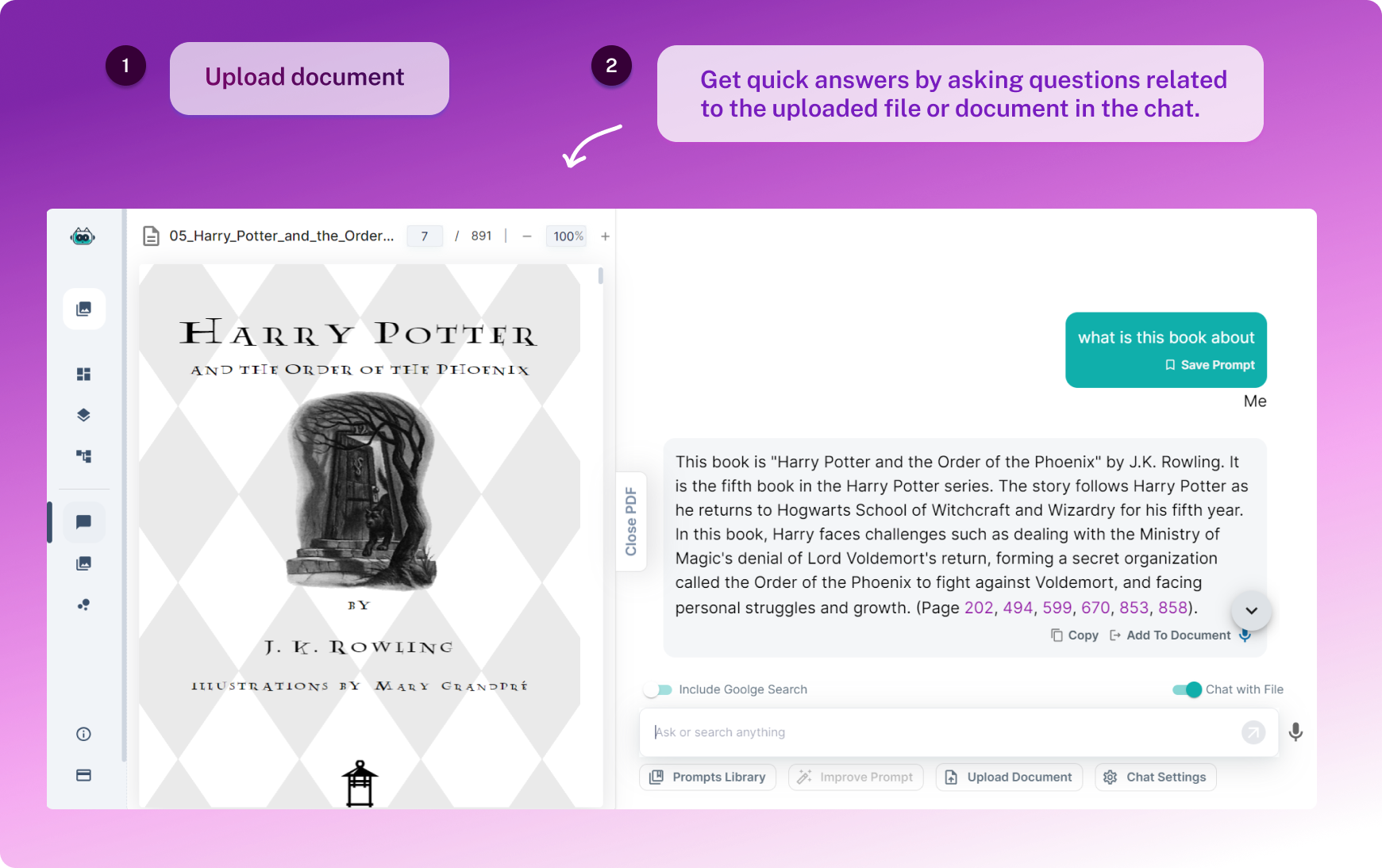
JuniaChat also stands out if your writing process depends on source material. Instead of copying excerpts back and forth manually, you can work directly from files and ask focused questions about them.
1. Analyze various file types
Long PDFs, briefs, reports, and working documents are easier to handle when the tool can summarize, extract, and explain the relevant parts.
2. Ask targeted questions
This is especially useful when you need to pull facts from a source, compare sections, or turn a dense document into a cleaner draft.
3. Save time during research and editing
For many writers, the bottleneck is not drafting. It is sorting through source material. File analysis reduces that friction and makes the tool more useful for research-heavy workflows, not just first-draft generation.
AI-Powered Editor Integration
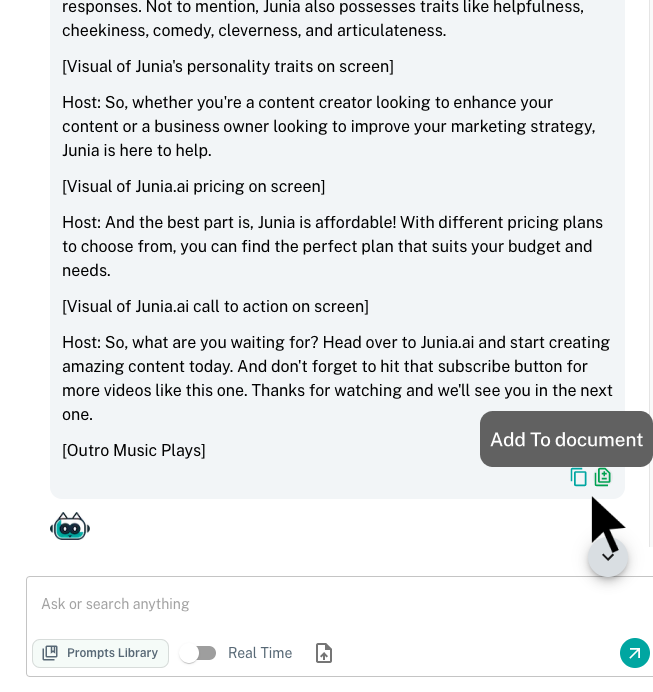
JuniaChat is also more useful when drafting happens inside an editor instead of a separate chat window. Used with the AI-powered text editor, it can suggest revisions in real time, clean up awkward phrasing, and help shape a draft while you are still writing.
JuniaChat vs ChatGPT: Putting Things Into Perspective
The biggest differences come down to workflow. ChatGPT is familiar and flexible, but JuniaChat is built to support a broader writing process that includes research, file analysis, and editor-assisted revision.
Real-Time Data Content Generation
The world of information changes all the time, like literally every day. ChatGPT's knowledge base stops at September 2021, so it doesn’t really know stuff after that. JuniaChat doesn’t have that kind of limit. It keeps you updated with real-time data content generation, so you can get the latest info right when you need it, pretty much at your fingertips.
File Analysis Capability
These days, being able to understand different file types like PDFs and Word Documents is super important. We all deal with them. But ChatGPT can’t really do that at all. JuniaChat, on the other hand, is actually really good at it. It can analyze and understand a bunch of different file formats, which makes it way more helpful in that area.
Web Link Analysis
The internet is kind of a huge mess of information. Some of it is useful, some of it is just noise. JuniaChat helps by pulling out the important stuff from any web links you give it. So you don’t have to dig through everything yourself. This is something ChatGPT just isn’t able to do, so it kind of falls behind there.
AI-Powered Editor Integration
Writing can be stressful sometimes. Or just annoying. JuniaChat makes it easier with an AI-powered editor that gives you real-time suggestions and corrections while also helping you optimize your content. It’s like having a smart helper looking over your shoulder. Sadly, ChatGPT doesn’t come with these kinds of built-in editing tools.
Factual Content Creation
JuniaChat focuses on creating factual and informative content, using a pretty extensive infobase behind the scenes. So it’s not just guessing, it’s actually pulling from solid information.
Brand Voice Integration
You can easily reflect your brand's unique voice using JuniaChat's Brand Voice integration. It helps your content sound more like you, or your brand, instead of just sounding generic.
Language Support
While ChatGPT supports a limited number of languages, Junia goes further and offers support for multiple languages. So it’s more flexible if you’re working in different regions or just speaking more than one language.
Performance and Speed
When things get busy and the demand is high, Junia performs really well in terms of performance and speed. It keeps up. ChatGPT, on the other hand, might slow down, give slower responses or run into more frequent errors when it’s under pressure.
2. ChatSonic

ChatSonic is a reasonable option if you want a broader AI writing assistant with strong language coverage and a more marketing-oriented ecosystem around it.
It is not the cleanest tool in this list, but it can make sense for teams already working inside the Writesonic stack or for users who want a ChatGPT-style experience with a few extra workflow layers.
Pros of ChatSonic:
- Superior Language Support: So, one big thing that really makes ChatSonic stand out from others like ChatGPT is its huge language support. While ChatGPT only works well with a few languages, ChatSonic supports a lot more. It covers a wide range of languages, which makes it way more useful for different regions and all kinds of audiences around the world.
- Excellent Performance Under High Demand: During really busy times, I’ve noticed that ChatSonic still responds super fast and keeps its performance pretty solid. It doesn’t slow down much. But ChatGPT, on the other hand, sometimes has trouble keeping up and can give slower replies when things get crowded.
- Cutting-Edge Neural Networks: By using advanced neural networks along with large training datasets, ChatSonic sort of gets an advantage over older models like ChatGPT that still rely more on traditional or older techniques. So yeah, it just feels a bit more modern and powerful in that way.
Cons of ChatSonic:
- Steep Learning Curve: So even though ChatSonic is a really powerful tool with a lot of features, it can feel kind of hard to learn at first. Especially for beginners, the whole learning process for ChatSonic might feel a bit challenging compared to more simple, user-friendly platforms like ChatGPT.
- Potentially High Cost for Startups: The pricing structure of ChatSonic might be a bit too expensive for startups and small businesses that are looking for more affordable solutions. It just might not fit into their budget as easily as some other alternatives out there.
Personal Experience: Personally, I’ve found ChatSonic to be a really dependable tool for generating text. It’s helped me again and again to create engaging content pretty fast, while still keeping my unique brand voice. The only small hurdle for me was during that first learning phase. It felt a little confusing at first, but after spending some time with it and practicing, it honestly got much easier.
In terms of pricing options, ChatSonic has this attractive plan called GPT-3.5 Turbo for $22+ per month, and it gives you unlimited text generation. That’s actually a pretty competitive offer when you compare it to ChatGPT's pricing structure.
To sum it all up, while ChatGPT is really strong when it comes to user-friendliness and affordability, if you need exceptional language support, great performance during high-demand situations, and more advanced functionalities, then ChatSonic is definitely worth considering!
3. Claude
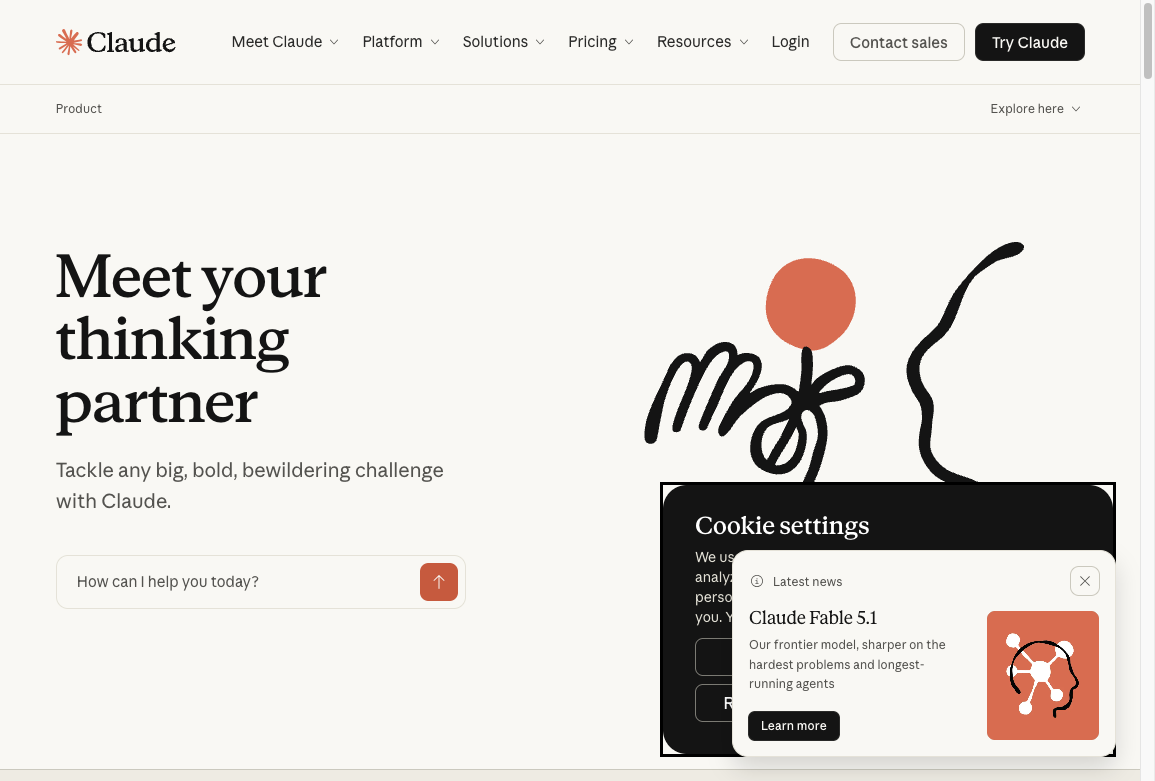
Claude is one of the strongest options here if you care about long context, calmer responses, and a more thoughtful back-and-forth writing experience. Built by Anthropic, it is especially useful for users who want help outlining, revising, and reasoning through more complex drafts.
What Claude Does Well for Writers
Claude is especially strong when the task requires patience, structure, and more room to think through a draft.
Here are the features that tend to matter most in real writing workflows:
- Long-context work: Useful for summarizing long documents, reviewing large drafts, or keeping track of detailed instructions.
- Thoughtful revision help: Often strong at reworking tone, clarifying messy sections, and helping writers reason through structure.
- Natural back-and-forth: Good for iterative drafting, especially when you want to refine an argument over several turns instead of generating one-shot copy.
Why Choose Claude over ChatGPT?
Claude is a good fit when you care more about reasoning through a piece than generating a quick answer. It often feels stronger for long documents, nuanced rewrites, and multi-step editing conversations.
That does not make it universally better than ChatGPT. It simply means the experience can be better suited to writers who want a steady collaborator for revision, synthesis, and long-context drafting.
Limitations
Claude is not the right fit for every use case. Depending on the workflow, some users may prefer other tools for live web access, deeper ecosystem integrations, or tighter prompt-level controls.
As with any writing assistant, the best choice depends on whether you prioritize research, workflow integrations, output control, or long-context editing.
Pricing
Getting access to the latest AI technology really doesn’t have to cost a ton of money. Claude 2 has a bunch of affordable pricing options that work for both individuals and businesses of pretty much any size.
- Free Tier: To begin with, Claude 2 is completely free to use. You can try it out, play around with its features and see what it can do without paying anything at all. It’s honestly a nice way to dip your toes into the world of AI first, so you’re not risking any money while you figure things out.
- Premium Plan: If you need more advanced features and a bit more power, Claude 2 also has a premium plan. The exact pricing for this plan hasn’t been shared yet, but it’s supposed to include more complete services, like priority access to new features and future upgrades and stuff like that.
- API Access: For developers and businesses that want to plug Claude 2 into their own apps, systems or workflows, there’s API access available. The cost for using the API will depend on what you need and how much you’re planning to use it.
Keep in mind, Claude 2 is still in its beta phase, so these pricing options might change later as more updates and improvements come out.
So whether you’re just an individual wanting to experiment with AI a bit, or a business searching for strong ChatGPT alternatives, Claude 2 gives you a cost-effective option that still keeps the quality and performance high.
4. Jasper Chat
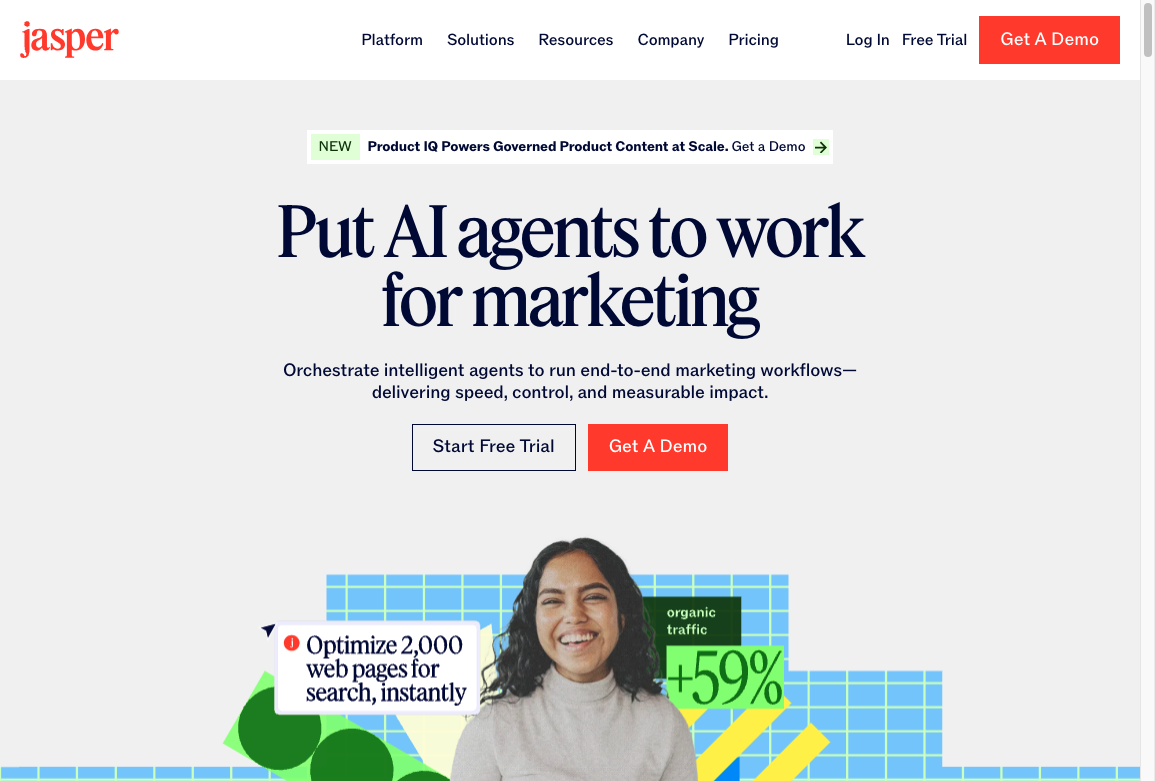
Unlike a lot of traditional AI chatbots, Jasper Chat really tries to be a full solution that connects humans with artificial intelligence in a more natural way. It uses advanced language models and machine learning stuff to actually understand what you’re saying and respond in a way that feels more like a real conversation.
Here are some key features that make Jasper Chat stand out a lot:
- Advanced Language Processing: This feature lets Jasper Chat handle complex questions, understand context, interpret idioms, and even catch small emotional tones. It’s kinda impressive honestly.
- Personalized User Experience: Unlike other alternatives to ChatGPT, Jasper Chat gives a really personalized experience by learning from past chats and slowly improving how it replies over time.
- Multilingual Support: Jasper Chat can communicate in multiple languages, so it breaks language barriers and can serve people from all over the world.
- Cross-Platform Compatibility: Whether you’re using websites, mobile apps, or social media platforms, Jasper Chat can fit in across different channels and keep the user experience pretty consistent.
If you're searching for an alternative to ChatGPT that can hold meaningful conversations, handle customer questions well, or create fun and interactive digital experiences, Jasper Chat is a really solid choice.
"Jasper Chat is more than just automated replies. It's about creating interactive conversations that feel genuine and human."
So whether you're a small business trying to improve customer service or a large company wanting to streamline internal communications, Jasper Chat gives you a flexible and scalable solution that can match a lot of different needs.
5. OpenAI Playground
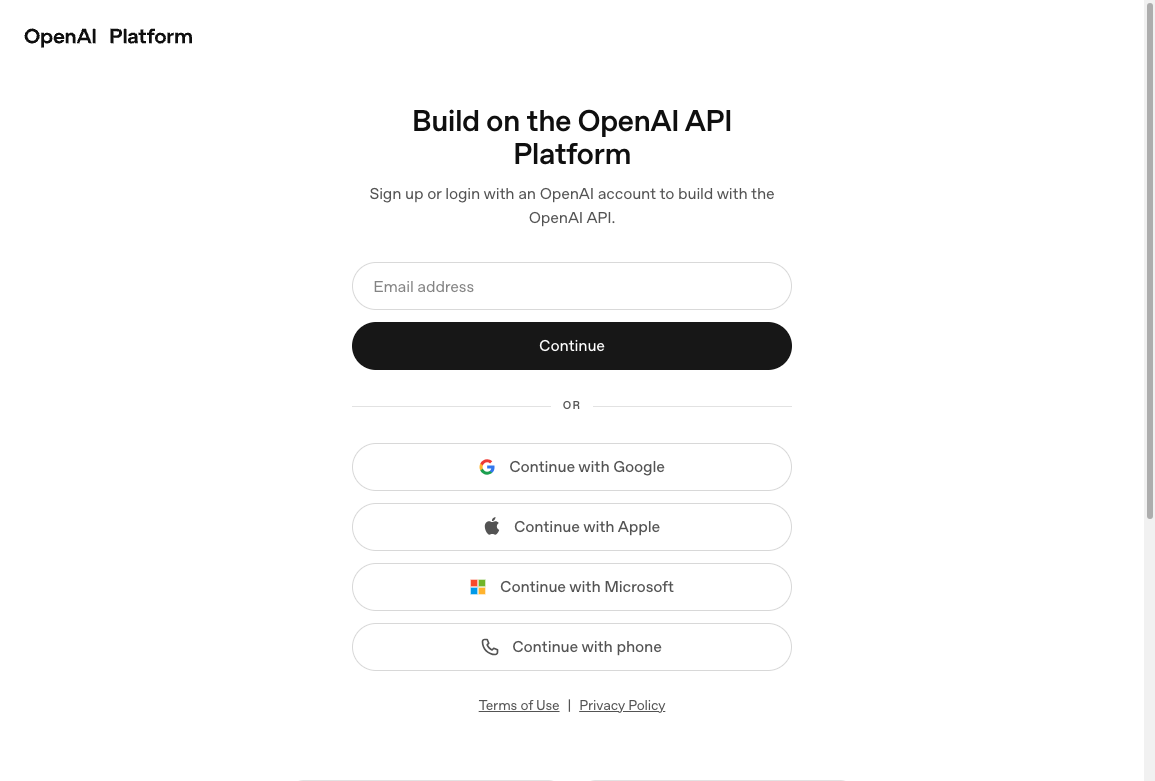
Next on our list is OpenAI Playground. This web-based platform isn’t just a basic tool for AI fans, it’s kind of like a little testing stage online for anyone who’s curious. Writers, researchers, and content creators can jump in and play around with cutting-edge language models, try different ideas, and actually see artificial intelligence in action, right there on the screen.
What Is OpenAI Playground?
The OpenAI Playground is kind of like a sandbox for language model fans, writers, researchers, and content creators who just want to mess around and see what happens. It’s a place where you can play with different language models, including GPT-4, and really see what they can do and where they kinda fall short too.
Unlike ChatGPT, which mostly just gives you human-like text based on whatever prompt you type in, OpenAI Playground lets you tweak some settings and change how the model responds to your inputs. So you’re not only getting a reply, you’re sort of helping create it, like you’re shaping that reply yourself in real time.
Key Features of OpenAI Playground
In the OpenAI Playground user interface, you’ll see a bunch of features that basically let you play around and experiment with language models pretty freely. It’s kinda built for trying things out. You can tweak different settings like:
- Temperature: This controls how unpredictable or creative the generated text is.
- Max Tokens: Sets a limit on how long the output can be.
- Frequency Penalty: Helps cut down on repeated phrases so the text doesn’t sound too copy paste.
All these advanced features give you way more control over the generated outputs compared to more traditional chatbots like ChatGPT.
How Can You Use OpenAI Playground?
Here are a few simple examples of how you can use the power of OpenAI Playground in real life:
- Need a long piece of writing for your next blog post or, like, a school project? Just increase the "max tokens" and it’ll keep writing more for you.
- Looking for some weird or more creative responses for brainstorming or ideas? Try turning up the "temperature" and see what it comes up with.
Benefits and Limitations of OpenAI Playground
Benefits:
- Accuracy: The OpenAI Playground is really good at understanding prompts and giving back clear, solid replies, mostly because it’s been trained on a huge amount of different internet text. It kind of “gets” what you mean most of the time.
- Speed: The OpenAI Playground is built to give quick results, so you don’t usually wait long. It tries to keep a good balance between speed and quality, which makes AI-driven content creation feel pretty smooth and efficient.
- Flexibility: With all the adjustable settings, you can pretty much tweak and fine-tune how the model responds so it fits what you need. You get a lot of freedom to play around with the responses.
Limitations:
- Possible Delays: When many people are using it at the same time, there can sometimes be small delays before you get a response from the OpenAI Playground, which can be a bit annoying if you’re in a hurry.
- Premium Subscription: Even though it’s initially free after you register, people who use it a lot, like frequent users or businesses that need more content, might eventually have to think about upgrading to a premium subscription.
Is OpenAI Playground Right for You?
The OpenAI Playground is a pretty powerful tool, and it gives you a ton of creative possibilities with language models. If you're a writer, researcher, or content creator and you want to play around with AI text generation and kind of understand its little details better, this platform is definitely something you should try at least once.
But, you know, if you really care more about accuracy and want things to be simple and clear without a lot of confusing prompts or extra stuff, then it might be a good idea to look at other systems like JuniaChat too.
Just remember, even though the OpenAI Playground tries to be accurate with its responses, you should always fact-check any information it gives you. Seriously, always double check!
6. Bloom
This listing is stale. The old BigScience BLOOM model was a research LLM, not a writing chat you can subscribe to. The boom.ai URL in older drafts points at an e-commerce photo tool, not a ChatGPT writing alternative. I am not attaching a fake writing-UI screenshot.
Bloom is an AI-powered tool that a lot of people now use as a popular alternative to AI writing tools like ChatGPT. It’s pretty advanced and kind of cool actually, because it does a great job at generating text in a bunch of different programming languages and also in many native languages too. So it’s really a solid pick for international businesses and global content creators who need to reach people in different parts of the world.
What Makes Bloom Special?
- Advanced AI Model: Bloom's technical capabilities actually go beyond the GPT-3 model, with more parameters and a more advanced language model running behind it. So it’s kind of smarter and more powerful in how it understands and creates text.
- Contextually Relevant Text: The tool uses pretty sophisticated learning algorithms to create outputs that aren’t just accurate, but also really contextually relevant. This makes the whole user experience feel way better, sometimes even surprisingly good.
- Versatility in Language Support: Bloom's ability to generate text in multiple programming languages and native languages makes it super useful for international businesses and teams. So yeah, if you’re working with people in different countries, it really helps.
- Affordable Pricing Tiers: Bloom offers different pricing tiers that are made to fit the needs of different kinds of users. You can kind of test things out first with a free trial period of 30 days before you decide if you want to commit to a paid plan.
Pricing Options for Different Business Sizes
Basic Plan ($99 per month):
- 25,000 Google sessions
- Ten AI photo variants
- Photo insights
- Custom image tags
- Customer success support
Pro Plan ($299 per month):
- All features of the Basic plan
- 100,000 Google sessions
- 50 AI photo variants
Scale Plan ($799 per month):
- All features of the Pro plan
- 250,000 Google sessions
- 150 AI photo variants
Just a quick heads up, session overages are charged a bit differently for each plan. It’s $0.008 for the Basic Plan, $0.004 for the Pro Plan, and $0.002 for the Scale Plan, so yeah, something to keep in mind if you go over.
Integrating Bloom with Your Store
Getting Bloom set up with your store theme usually takes around 3 to 5 business days. It might feel like a bit of a wait, but honestly, with all the features and benefits it brings, it’s really worth hanging in there for it!
Pros:
- Creates contextually relevant and accurate text generation, so what it writes actually makes sense with what you asked for.
- The versatility in language support is great for international businesses that need to talk to people in different countries and, like, not sound weird.
- Uses an advanced AI model with more parameters than GPT-3, which basically means it’s smarter and can handle more complex stuff.
- Has different pricing tiers to suit various user needs, whether you’re just starting out or using it a lot for bigger projects.
- The free trial period allows users to test the service before fully committing, so you can see if it actually works for you first.
Cons:
- It can take a little while to get everything integrated, like around 3-5 business days, which might feel kinda long for some users.
- There are some access restrictions to certain review sites, so that could limit how much user feedback you’re actually able to see.
Personal Experience:
So, as a user, I’ve been using Bloom for a bit and honestly, it’s been a pretty reliable tool for content creation. The texts it generates usually fit the context really well, like they actually make sense with what you’re trying to do. And the language support is super versatile, which is really helpful if you’re working on international projects or with people in different countries and all that. The advanced AI model really does stand out from a lot of others out there, and it handles some pretty complex tasks way better than I expected.
The pricing structure is something else I really like about Bloom. It’s set up in a way where businesses of different sizes can actually find a plan that works for them without totally wrecking their budgets. The integration time was a bit long for me, I remember thinking it was taking a while, but in the end it was worth it because of all the benefits and features the tool comes with.
Overall, Bloom gives a really solid balance between quality and affordability, which kind of makes it a really good alternative to ChatGPT.
7. Neuroflash

Neuroflash is this pretty cool platform that mixes machine learning with some neuro-marketing stuff to kind of shake up the usual way people do content creation and marketing. It’s built to change how you plan and write things for your brand, not just slightly but in a bigger way. So yeah, that’s basically why it might be the perfect alternative to ChatGPT for your business, especially if you’re trying to get smarter and more strategic with your content.
Understanding Your Audience on a Deeper Level
Unlike ChatGPT, Neuroflash doesn’t just guess what your audience wants. It actually goes further and really tries to understand them. By looking at millions of data points using Big Data and semantic algorithms, it’s able to get these deep insights into what consumers feel, what they care about and what actually motivates them.
Enhancing Your Content Creation Process
Having a hard time finding the right words sometimes? Neuroflash kind of helps take the guesswork out of content creation by suggesting really good words and phrases that actually match what your audience wants to hear. This feature can seriously boost how effective your messaging is, and it can even help raise your conversion rates a lot over time.
Ensuring Cultural Relevance in Global Markets
If you're planning to expand internationally and kinda feeling unsure about different cultures, Neuroflash's advanced AI can really help you with that. It helps you understand and navigate all those cultural nuances, so your message actually makes sense and feels right. That way, what you say stays relevant and really resonates with diverse audiences across different markets.
Gaining Competitive Advantage Through Insights
So, while ChatGPT mainly just sticks to creating content, Neuroflash actually goes a bit further. It also gives you competitor analysis, which is pretty helpful. By looking at what your competitors are doing, like their content and strategies and all that, it gives you useful insights on how you can stand out more and kind of separate yourself from the crowd. This way, you can figure out how to stay ahead of the game instead of always trying to catch up.
Leveraging Data for Informed Decision-Making
One area where Neuroflash really stands out is its strong analytics features. With this tool, you can quickly track what your content is doing and see how it performs almost in real-time. This kind of data-driven approach helps you make smarter choices and, like, adjust and optimize your strategy as you go.
"With Neuroflash, it's not just about creating content; it's about crafting experiences that connect with your audience."
So yeah, in summary, if you're looking for a complete AI solution that brings together content creation skills with real audience understanding, Neuroflash could honestly be a great fit for your business needs.
8. Thundercontent
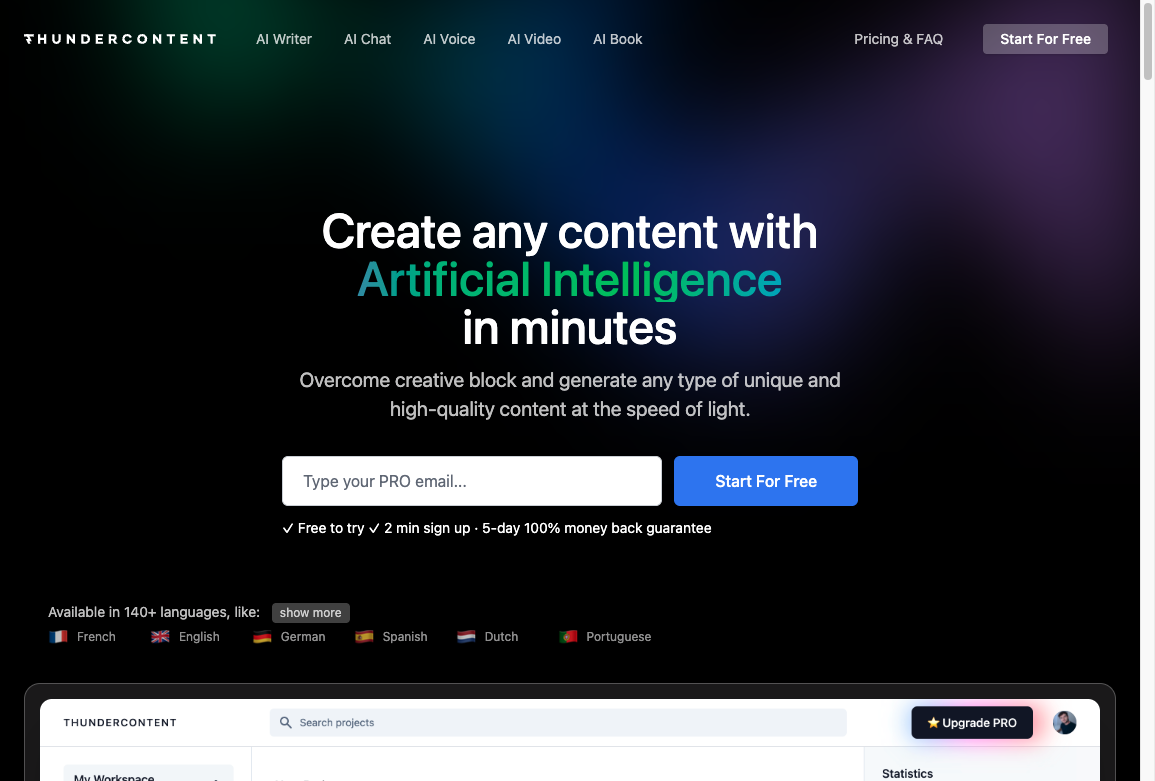
Thundercontent is an all-in-one AI platform that’s really shaking up how people create content, for both businesses and just regular people too. It kind of feels like having your own personal ChatGPT, but with more stuff packed in, like extra tools and options that are made especially for digital content creators who need a bit more than just plain text.
Key Features of Thundercontent:
- AI Writer: This feature lets you write blog posts, articles and marketing copies like 20X faster than the usual way. The AI Writer creates SEO-optimized, plagiarism-free content in just a few clicks, so it’s kind of a go-to alternative to ChatGPT if you’re in a hurry or just stuck on ideas.
- AI Chat: Imagine having a conversational AI chatbot that actually outperforms ChatGPT, plus it has Google data integration on top of that. Thundercontent's AI Chat really delivers here, which makes it a pretty solid option if you’re looking for something different from standard chatbots or just want to experiment.
- AI Voice: This handy little feature quickly turns your written content into high-quality, human-like audio. Super useful if you’re tired of reading or want audio versions of your stuff.
All these tools are put together to help you level up your content strategy without spending a ton of money or staying up way too late every night trying to finish everything.
"Break free from creative hurdles and generate any type of unique and high-quality content at lightning speed."
With Thundercontent, content creation honestly starts to feel pretty easy. Whether you need to put together blog posts, ad copy, emails or website content, this platform has got you covered from start to finish.
What's more? It supports over 140 languages! From English and Estonian to Italian and Japanese, this platform really speaks to a global audience, making it a super versatile tool to have in your digital toolkit.
In essence, Thundercontent isn't just another AI tool; it's kind of a game-changer in the digital content creation world. With its big range of features and simple, user-friendly interface, it’s not surprising at all that more than 25,000 companies trust Thundercontent for their content needs.
9. Sparrow by DeepMind: Research Background
Sparrow is a research dialogue agent introduced by DeepMind in 2022. Its purpose was to explore how human feedback, behavioural rules, and evidence-seeking could make a conversational AI more useful and safer.
The paper is useful background if you want to understand how AI answers are evaluated. It does not offer a public writing app, consumer trial, or premium subscription. For a writing workflow you can use today, choose one of the available products above; keep Sparrow as a research reference.
10. ChatArt
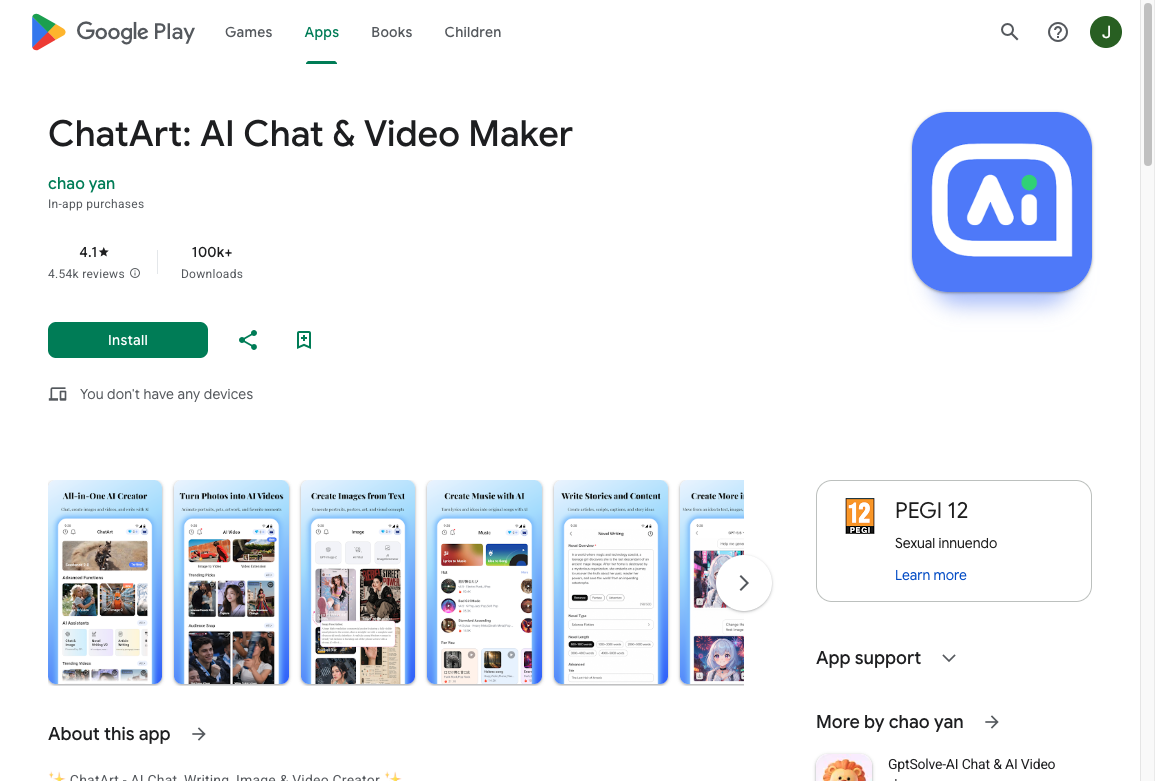
ChatArt is a pretty game-changing AI chat app and honestly one of the really top-notch ChatGPT alternatives out there. This unique application is available on both iOS and Android, so yeah, you can use it on pretty much any phone. It has an intelligent AI assistant that gives you real-time interactions and creates customized writing for all kinds of different situations in life and work. With these strong and actually pretty robust capabilities, ChatArt kind of sets itself up as your go to AI partner for boosting productivity and also for sparking creativity when you’re stuck or just need ideas.
Key Features of ChatArt
ChatArt comes with a pretty cool set of features that turn it into a really lively tool for interactive conversation, idea generation, and content crafting. It’s kind of like having a smart helper just hanging around while you work or, you know, mess around with ideas:
- Interactive Dialogues: Users can dive into smooth, natural conversations with the AI assistant whenever they want. It gives instant responses on all kinds of topics, from casual small talk to more serious, professional guidance. So yeah, it works for both fun chats and actual work stuff.
- Themed Writing: ChatArt offers presets for a lot of common writing situations you run into in daily life and at work. Whether you need chat scripts, promotional texts, draft articles, work summaries, or even personal emotional assessments, ChatArt is pretty much ready to jump in and help out.
- Tailored Content Creation: With just a few clicks, ChatArt quickly creates custom content that matches what the user asks for. This feature helps save a lot of time and still keeps the quality high, giving you premium content that’s actually tailored to your exact needs.
Cost
ChatArt has pretty affordable and flexible subscription plans that can fit different kinds of needs:
- The 1-Year Plan: If you’re in it for the long run and want the most savings, the 1-Year Plan costs $29.99 per year. With this one, you get full access to all of ChatArt's functionalities, so yeah, everything.
- The 1-Quarter Plan: If you just want to try things out first without paying too much right away, the 1-Quarter Plan is $17.99 for three months. It’s kind of a nice middle option.
- The 1-Month Plan: If you're working on a short-term project or you just like paying month by month, the 1-Month Plan at $8.99 is a pretty solid choice.
With these flexible pricing options, ChatArt gives users a relatively low-cost way to test mobile-first AI writing help. The three free daily uses also make it easier to evaluate the app before committing to a paid plan.
A chat UI is not an editorial workflow. I can get a fluent draft from any of these tools. The work that decides whether it publishes is still the brief, the facts, and the rewrite.
Google's people-first content guidance is the bar I use when a chat draft looks finished:
Creating great content that performs well in Google search results
What I would actually write with
The best ChatGPT alternative for writing depends less on hype and more on workflow.
If you want one tool that blends research, live information, file analysis, and drafting help, JuniaChat is the strongest all-around choice in this list. If your priority is long context and thoughtful back-and-forth, Claude is still a strong option. If you want tighter control over prompts and output settings, OpenAI Playground makes more sense than a standard chatbot UI.
Skip Bloom and Sparrow. Those listings do not match a live writing product anymore.
If the draft still sounds generic after the chat pass, add a human touch to AI-generated content before you publish.
The short version: pick the tool that removes the most friction from your actual writing process, not the one with the longest feature list.