Survey Questions Generator

Craft targeted survey inquiries that align with the given objectives and subject matter to enhance engagement.

Survey Questions

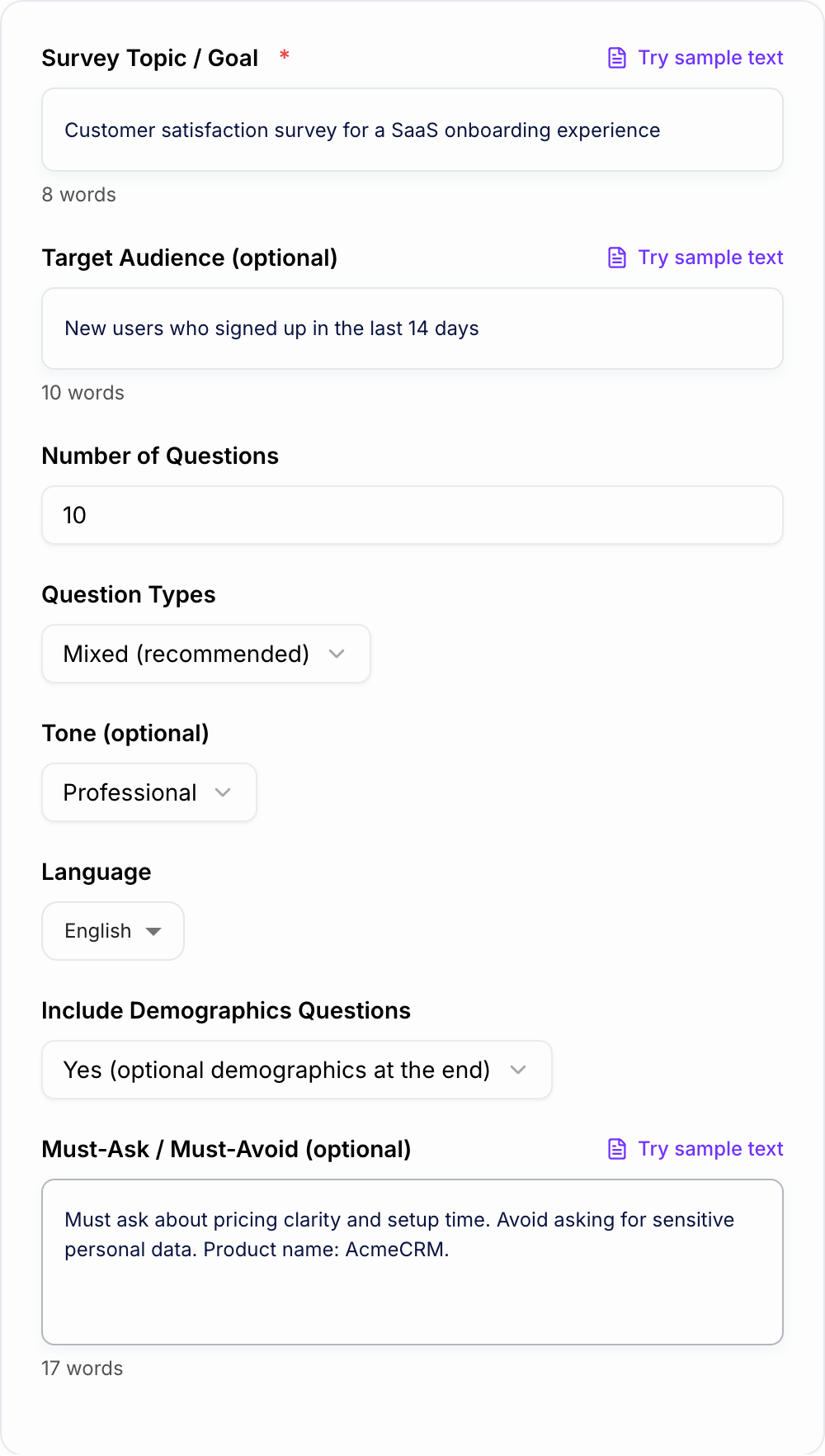
Learn how toprovide the purpose of the survey, target audience, and any specific topics or areas you want to cover in the survey questions

Optional

customer
satisfaction
products
services
Login to generate for free

Junia AI’s Survey Questions Generator helps you quickly make clear, unbiased, and goal‑aligned survey questions that work for pretty much any audience, like customers, employees, students, research participants, or even random website visitors.

What is a Survey Questions Generator?

A Survey Questions Generator is an AI‑powered tool that automatically creates survey questions for you based on your goals and who you’re asking. Instead of sitting there writing every question by hand, you just tell the tool things like:

  • What your survey is about (e.g., customer satisfaction, product feedback, employee engagement, market research)
  • Who you’re targeting (e.g., new users, long‑term customers, managers, Gen Z, B2B buyers)
  • What kind of insights you need (e.g., ratings, opinions, behaviors, preferences)

Then the generator creates different types of survey questions, such as:

  • Open‑ended questions
  • Multiple choice questions
  • Likert scale questions (1–5 or 1–7 rating scales)
  • Ranking questions
  • Yes/No and binary questions
  • Demographic questions (age, location, role, industry, etc.)

Junia AI’s AI survey question generator follows survey design best practices so your questions are clear, neutral, and easy to answer, while still giving you enough detail and depth.

Why Use a Survey Questions Generator?

Using an online survey question generator like Junia AI gives you a bunch of benefits.

1. Save time and avoid blank‑page paralysis

Instead of staring at an empty screen trying to come up with every question from nothing, you start with a list of AI‑generated questions. You can:

  • Generate dozens of relevant questions in a few seconds
  • Quickly filter, tweak, or delete questions that don’t fit
  • Try different survey versions without spending hours rewriting

This is super helpful if you’re not a research expert but still need professional and effective survey questions fast.

2. Improve quality and consistency

Junia AI’s survey questions maker uses patterns from high‑quality surveys and common research standards to:

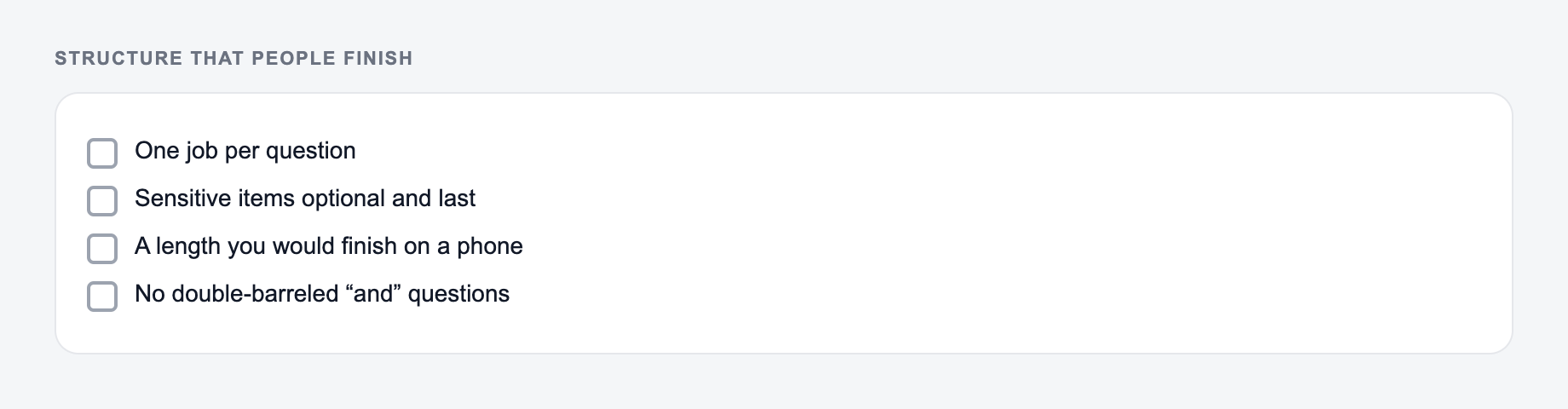
  • Avoid leading, confusing, or double‑barreled questions
  • Keep wording consistent across similar questions
  • Balance positive and negative options in scales
  • Make sure every question connects back to your survey goals

So you end up with more reliable answers and cleaner data you can actually trust.

3. Tailor questions to any audience or use case

The AI survey questions generator looks at your goals, audience, and topic, and then customizes questions for different kinds of surveys, like:

  • Customer satisfaction surveys (CSAT, NPS, CES)
  • Employee engagement and pulse surveys
  • Product feedback and feature prioritization surveys
  • UX and website feedback forms
  • Market research and audience profiling surveys
  • Event feedback and training evaluation surveys

You can also adjust the tone to be formal, friendly, casual, or professional, so the survey really fits your respondents and doesn’t feel weird or off.

4. Reduce bias and improve response rates

Good, unbiased questions help people answer more honestly and fully. Junia AI’s survey question creator helps by:

  • Avoiding emotionally loaded or suggestive wording
  • Offering balanced answer options
  • Keeping questions short and easy to skim
  • Making the survey feel respectful and straightforward

Better questions usually mean higher response rates and more accurate insights.

How Junia AI’s Survey Questions Generator Works

Junia AI uses AI to look at your survey goal, who you’re trying to reach, and what the topic is. Then it suggests customized question sets that match all of that. For example, it can instantly create:

  • Open ended questions like “What is the main reason you chose our product over alternatives?”
  • Multiple choice questions like “How often do you use this feature? (Daily / Weekly / Monthly / Rarely / Never)”
  • Likert scale questions like “How satisfied are you with the onboarding process? (1 = Very dissatisfied, 5 = Very satisfied)”
  • Demographic questions like “Which of the following best describes your role?” or “What is the size of your company?”
  • Behavioral questions like “In the past month, how many times have you used our mobile app?”

After that you can:

  1. Tweak the wording for clarity or your brand voice
  2. Change the tone (formal, neutral, conversational, playful, etc.)
  3. Adjust answer options or scale labels
  4. Add or remove questions
  5. Regenerate alternative versions as many times as you want until it feels right

All this happens inside Junia’s editor, so you can refine your survey without jumping between different tools.

So instead of building every question from scratch, you start with a structured, logically ordered set of questions that already follow common best practices in survey design and question wording. That way you spend more time on survey strategy, sampling, and understanding the results, instead of fighting with every sentence.

What Are Good Survey Questions?

Good survey questions are usually:

1. Clear and specific

  • They ask about one idea at a time.
  • They use simple, familiar language.
  • They avoid jargon, unless your audience really knows it.

2. Neutral and unbiased

  • They don’t push people toward a certain answer.
  • They avoid emotionally charged words or hidden assumptions.

3. Relevant to your survey goals

  • Each question directly connects to what you want to learn.
  • There are no “nice to have” questions you’ll never use.

4. Easy to answer accurately

  • Time frames are clear (“in the last 30 days,” “in the past year”).
  • Answer options cover all realistic possibilities and don’t overlap.

5. Appropriate for the audience

  • Tone and reading level match who you’re surveying.
  • Sensitive topics are handled carefully and respectfully.

Examples of good survey questions:

  • “How satisfied are you with the speed of our customer support response?”
  • “What almost stopped you from signing up for our product?”
  • “How likely are you to recommend our service to a friend or colleague?”
  • “Which of the following best describes how you use our product?”

Junia AI’s online survey question generator is trained to produce questions like this by default, so you start from a solid baseline and then just customize from there.

How to Write a Good Survey Question

Even with a strong AI survey question generator, it really helps to understand how good questions are built. Here are some key steps and best practices you can use while editing or refining the AI’s suggestions.

1. Start with a clear objective

Before you start writing or generating questions, it’s important to define your objectives:

  • What decision will this survey help you make?
  • What specific information do you need for that decision?

Once your objectives are clear, go through each question and ask yourself, “If I removed this question, would I lose something important that I need to know?” If the answer is no, then you should probably delete that question.

2. Ask one thing at a time

Avoid double‑barreled questions like:

  • “How satisfied are you with our pricing and our customer support?”

Split that into two questions:

  • “How satisfied are you with our pricing?”
  • “How satisfied are you with our customer support?”

Junia AI’s survey form question generator is built to avoid these, but it’s still smart to watch out for them when you customize.

3. Use simple, concrete language

Swap vague or complicated phrases for everyday wording:

  • Instead of “To what extent do you derive value from our platform?”
  • Use “How much value do you get from using our platform?”

Keep sentences short, skip the buzzwords, and be clear about time periods and context.

4. Avoid leading or loaded questions

Leading:

  • “How impressed are you with our excellent customer support?”

Better:

  • “How would you rate your experience with our customer support?”

Staying neutral helps people answer more honestly.

5. Provide balanced and complete answer options

For multiple choice or rating questions:

  • Use balanced scales (e.g., from “Very dissatisfied” to “Very satisfied”)
  • Avoid overlapping ranges (e.g., “1–3” and “3–5” overlap)
  • Add an “Other” or “Not applicable” option when you need it

Junia AI’s survey questions creator suggests balanced scales automatically, but you can always adjust them to fit how you want to measure things.

6. Mix closed and open‑ended questions

Closed questions (like multiple choice or rating scales) are easy to analyze. Open‑ended questions give more detail and context. A good survey mixes both, for example:

  • Closed: “How likely are you to renew your subscription?”
  • Open: “What is the main reason for your answer?”

The AI survey question generator can create paired questions like this so you get both numbers and real explanations.

7. Keep surveys as short as possible

People usually bail when surveys feel too long. So try to focus on:

  • Only the questions that directly support your main goal
  • Logical grouping (e.g., product use, satisfaction, demographics)
  • A friendly intro explaining why the survey matters and how long it’ll take

While Junia AI can generate a lot of questions, you can quickly trim and reorder them in the editor to keep your survey focused and easier for people to finish.

Using Junia AI’s Survey Questions Generator, you move from guessing and trial‑and‑error to a more systematic way of writing survey questions that are clear, fair, and aligned with your goals, whether you’re making a short feedback form or a full‑scale research survey.

Use Cases

Discover how this tool can be used in various scenarios

  • Customer Satisfaction & NPS Surveys

    Create standardized CSAT and NPS question sets, plus follow‑up why-questions, to track satisfaction over time and uncover drivers behind scores.

  • Market & Audience Research

    Generate questions to explore needs, motivations, price sensitivity, and feature priorities for new or existing products and services.

  • Employee Engagement & Culture Surveys

    Design recurring engagement, well‑being, DEI, and culture check‑ins that measure sentiment while protecting anonymity and reducing bias.

  • Onboarding & Post-Training Feedback

    Build surveys that assess clarity of onboarding, training effectiveness, knowledge retention, and confidence after workshops or courses.

  • Website, App & UX Feedback

    Draft targeted in‑product questions about usability, feature discoverability, performance, and overall user experience flows.

  • Event & Webinar Evaluation

    Create pre‑event and post‑event surveys to gauge expectations, content relevance, speaker quality, and logistics for continuous improvement.

  • Community & Member Insights

    Develop surveys for online communities, memberships, or loyalty programs to learn what members value and what should be improved next.

  • Concept & Prototype Testing

    Generate structured question sets to test new concepts, messaging, or prototypes and capture both quantitative ratings and qualitative feedback.

Benefits

  • Create surveys in minutes, not hours
    Put together full lists of questions really fast for research, feedback, or assessments, instead of spending hours on it.

  • Higher quality, less biased questions
    The AI helps you with neutral and clear wording, and more balanced answer choices, so it cuts down on leading questions and the usual kinds of bias.

  • Tailored to your objective and audience
    You just say what your survey is for and who it’s for, and then you get questions that fit their situation, what they know, and where you’ll reach them.

  • Support for multiple question types
    Make open ended and closed ended questions, plus Likert scale, ranking, and demographic questions, all in a single run.

  • Easy editing and iteration
    You can tweak the wording, the tone, or even how long the questions are using Junia AI’s editor, without breaking your whole workflow.

  • Consistent structure across surveys
    Keep a clear order, starting from screening and context questions, then moving into the main items and follow up questions.

  • Better data for better decisions
    When your questions are well designed, the answers are clearer and more trustworthy, so your analysis and the choices you make from it are just, you know, better.

Who's this tool for?

Market Researchers

Need to design questionnaires for customer, product, or brand studies and want a fast way to generate high‑quality, unbiased items that align with study objectives.

Product Managers & UX Researchers

Create in‑app, post‑purchase, or usability surveys to understand feature adoption, satisfaction, and pain points without spending hours drafting questions.

Marketing & Growth Teams

Run NPS, campaign, and audience insight surveys at scale while keeping question quality and consistency high across multiple initiatives.

Customer Support & Success Teams

Build CSAT, CES, and onboarding feedback forms that surface actionable insights on support quality, response time, and user experience.

HR & People Operations

Design employee engagement, pulse, onboarding, exit, and 360‑feedback surveys that feel thoughtful, clear, and confidentially approachable.

Educators & Trainers

Generate course evaluation, training feedback, and knowledge check questions for students, trainees, and workshop participants.

Founders, Consultants & Small Businesses

Quickly validate ideas, test new offers, or understand client needs with professional‑grade survey questions—without needing a research specialist.

Nonprofits & Public Sector Organizations

Collect community, stakeholder, or program feedback using accessible, inclusive wording tailored to diverse respondent groups.

Why Choose Our Survey Questions Generator?

Junia AI made the Survey Questions Generator to basically get rid of that annoying gap between wondering “What do people really think?” and actually running a real, trustworthy survey.

A lot of teams either make surveys way too simple with kind of vague questions, or they make them super complicated with confusing jargon and hidden bias. Good survey design takes time and skill and a bunch of trial and error, and honestly most teams just don’t have that. So our tool mixes AI language features with what experts already know about surveys, so pretty much anyone can make strong questionnaires in just a few minutes.

With Junia AI you:

  • Start from high‑quality, research‑informed templates instead of staring at a totally blank document.
  • Get flexible customization for tone, length, and question type, so the survey actually fits what you need it for.
  • Keep everything in one place, from generating questions to tweaking them in the AI Content Editor and then exporting to whatever platform you prefer.

We want more organizations, both big and small, to make choices based on clear, trustworthy data instead of just guessing. This template is here to help you ask better questions, get better answers, and make better decisions, and do all that a bit faster too.

Frequently asked questions
  • Junia AI's Survey Questions Generator is a smart AI tool that helps you quickly come up with good survey questions without much effort. It uses advanced computer stuff along with real human know-how to create questions that fit your target audience and the goal of your survey. This way, it saves you time and gives you relevant and high quality questions that actually make sense for what you need.
  • Asking the right survey questions really matters because it helps you get data that is actually accurate and meaningful. When questions are poorly designed, they can cause biased or confusing answers, and then the survey results are kind of unreliable. But when the questions are good, they make it more likely you’ll get useful insights that people can actually act on and use to make better decisions.
  • The tool has an easy to use interface and you can change things about the questions, like how long they are and what topic they focus on. It uses AI together with real human know how to come up with question ideas that are relevant and pretty different from each other. So it ends up saving you time because it quickly makes a bunch of possible questions that are, like, fitted to what you actually need.
  • To use the tool, you start by picking who your target audience is and what the main purpose of your survey is supposed to be. If you want, you can also tweak the question settings a bit, like how long they are or what topic they mostly focus on. After that, just click "Generate" and you’ll get a list of random but still relevant questions. Then you look through them and clean them up or change them using Junia AI's AI Content Editor so they’re clear and make sense, and, um, actually fit what you need. When you’re done, you can export them or plug them into whatever platform you like using.
  • Some good things about it are that it can save a lot of time, give you all kinds of different question ideas that look at things from different angles, and it stays pretty objective so it cuts down on personal bias. But there are also some problems, like it might not really get the full context and then it ends up making kind of generic questions, and people might start relying too much on the tech instead of using their own judgment, and it can be a bit weak when it comes to being creative and making really deep or thought provoking questions.
  • Automated tools like Junia AI's Survey Questions Generator are really helpful for working faster and coming up with ideas, but they shouldn’t fully replace real human expertise. It’s better when AI made content works together with human judgment, so the questions stay relevant to the situation, still feel creative, and match the specific research goals. That way the survey ends up working as well as possible.