
Free ByPass AI Detection
Use the AI Detection Bypass Rewriter to turn robotic AI-generated text into more natural, human-sounding writing while preserving the original meaning. Paste a draft, choose a rewrite style, add must-keep terms, and get a cleaner version with varied sentence rhythm, smoother transitions, and fewer formulaic phrases.
Rewritten Text
Your humanized, rewritten text will appear here...
How the AI Detection Bypass Rewriter Works
Get results in seconds with a simple workflow.
Paste Your Text
Add the paragraph(s) you want to rewrite. For best results, include enough context for coherent transitions and consistent tone.
Choose a Rewrite Style
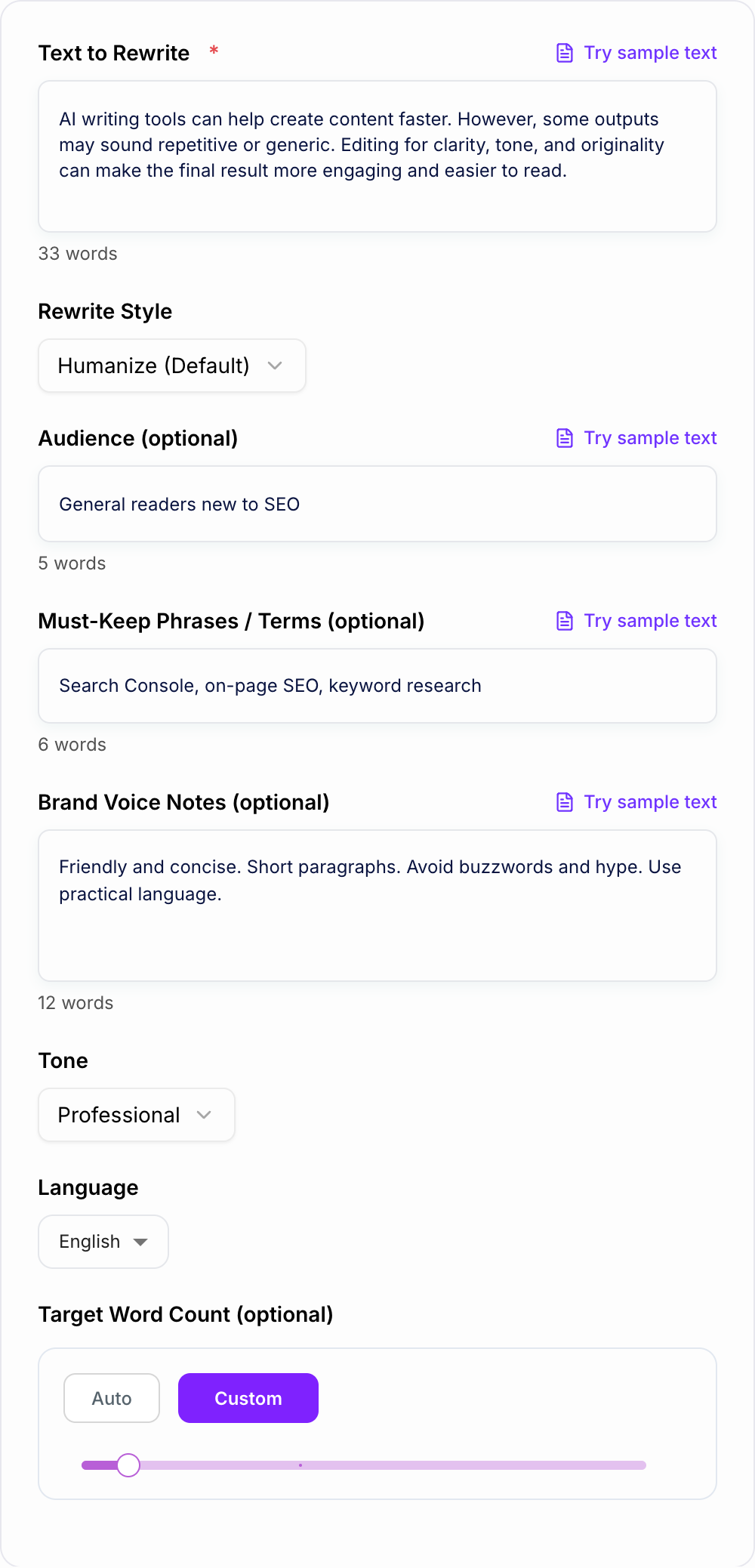
Select Humanize, Simplify, Formal, Academic, SEO Refresh, or Brand Voice. Optionally set tone, language, and any must-keep phrases.
Generate and Finalize
Get a natural-sounding rewrite. Do a quick review for accuracy, consistency, and any domain-specific wording you want to keep unchanged.
See It in Action
Example of humanizing AI-like phrasing into a more natural, readable paragraph while keeping meaning intact.
In conclusion, it is important to note that SEO is a crucial strategy for businesses that want to improve their online presence. By creating quality content and optimizing web pages, you can achieve better rankings and increase traffic.
SEO matters if you want more people to find your business online. When you publish genuinely helpful content and clean up on-page basics (like titles, headings, and internal links), you give your pages a better chance to rank—and bring in more qualified traffic over time.
Why Use Our AI Detection Bypass Rewriter?
Powered by the latest AI to deliver fast, accurate results.
Humanize AI-Written Text (Natural Flow + Cadence)
Rewrites AI-generated content into natural-sounding language with better rhythm, more varied sentence structure, and less templated phrasing—ideal for essays, blog posts, and web copy.
Meaning-Preserving Rewrites (Safer Editing)
Keeps the original meaning and key points intact while improving clarity, readability, and originality. Helpful for polishing drafts without changing intent.
SEO-Friendly Content Refresh (Readability + Uniqueness)
Refreshes paragraphs for improved uniqueness and on-page readability while maintaining search intent—useful for updating blog articles, landing pages, and SEO content.
Tone and Audience Adaptation
Adjust tone for professional, friendly, academic, or simple writing. Tailor the rewrite to your audience for clearer communication and stronger engagement.
Keep Key Terms, Names, and Required Phrases
Preserve brand names, technical terms, and must-keep phrases to maintain accuracy and consistency—especially important for product messaging and niche topics.
Pro Tips for Better Results
Get the most out of the AI Detection Bypass Rewriter with these expert tips.
Provide the audience to improve voice and word choice
Even a short audience hint (e.g., beginners, buyers, students) helps the rewrite sound more natural and relevant to the reader’s expectations.
Add must-keep terms for accuracy and SEO consistency
If your text includes product names, technical terms, or SEO keywords, list them as must-keep phrases so the rewrite stays consistent and accurate.
Rewrite in sections for long content
For long articles, rewrite section-by-section to maintain coherence and reduce drift. Then do a final pass to unify tone across the page.
Don’t remove specificity—add it
To make content feel truly human, include concrete details like examples, constraints, or firsthand steps. Specificity often improves perceived originality.
Use SEO Refresh for on-page readability
If you’re updating a blog post or landing page, SEO Refresh can improve flow and uniqueness while keeping the original search intent and topical relevance.
Who Is This For?
Trusted by millions of students, writers, and professionals worldwide.
Humanize AI Text with an AI Detection Bypass Rewriter
An AI detection bypass rewriter is useful when a draft has the right idea but still sounds robotic. The goal is not to trick readers. The goal is to improve the signals that make writing feel automated: flat rhythm, generic phrasing, predictable transitions, and sentences that all move the same way.
Use the AI Detection Bypass Rewriter when you want AI-generated text to read more naturally while keeping the original meaning. Paste the draft, choose a rewrite style, add must-keep phrases, and review the output for accuracy before publishing or submitting it.
What to Paste Into the Rewriter
The tool works best with full paragraphs or sections. A single sentence gives the model very little rhythm to improve. A full paragraph lets it adjust transitions, sentence length, word choice, and flow.
Good inputs include:
- AI-written blog sections
- essays or academic paragraphs that sound stiff
- business emails that feel templated
- website copy that sounds vague
- SEO content that repeats the same phrase too often
- product descriptions that need a more natural tone
If certain terms must stay unchanged, list them before generating. This is useful for product names, citations, keywords, technical terms, legal language, and claims that cannot be softened or reworded.
Choose the Right Rewrite Mode
Different drafts need different kinds of humanizing.
Humanize
Use this as the default. It improves cadence, removes obvious AI phrasing, varies sentence structure, and makes the writing feel more specific.
Simplify
Use this when the text is technically correct but too dense. It should make the wording clearer without dumbing down the meaning.
Formal
Use this for business, academic, policy, or workplace writing. The goal is polished and natural, not casual.
SEO refresh
Use this for content updates where the text needs to keep search intent and important terms, but the phrasing feels repetitive or thin.
How to Review the Humanized Output
Do not publish the rewritten text just because it sounds better. Check it against the original.
Look for:
- changed facts or softened claims
- missing keywords or required phrases
- tone that no longer fits the audience
- sentences that sound natural but say less
- added ideas that were not in the source
- transitions that make the logic feel different
After the rewrite, add one specific detail yourself. A concrete example, product note, opinion, constraint, or data point often does more for human tone than another rewrite pass.
For a cleaner workflow, start with an AI humanizer, compare the revised draft with an AI text detector, and remember that AI content detector accuracy is imperfect context rather than a final verdict.
Common Signals That Still Sound AI-Written
If the output felt generic, it is usually one of these three misses.
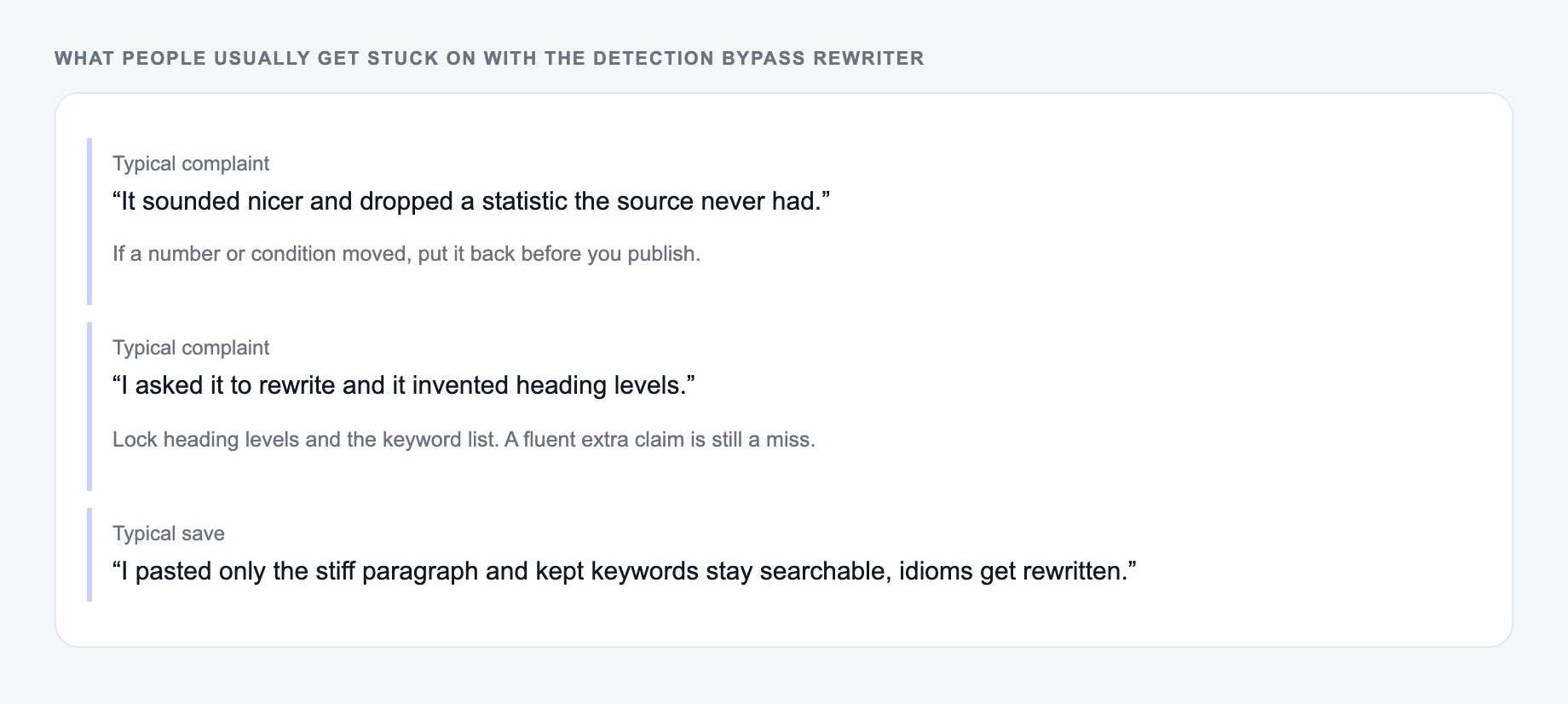
Even after rewriting, a few patterns can keep a draft sounding automated:
- repeated transitions such as "moreover" or "in conclusion"
- too many balanced sentences in a row
- vague claims with no example
- over-polished wording that nobody would say out loud
- repeated keyword phrases in the same form
- paragraphs with identical length and structure
When you spot one of these, do a smaller targeted rewrite. You do not always need to regenerate the whole section.
Responsible Use Notes
A bypass rewriter cannot guarantee that text will pass every detector. AI detectors vary, and false positives happen. The more useful standard is whether the writing is accurate, readable, specific, and allowed under the rules of the place where you plan to use it.
For school, work, legal, medical, or regulated contexts, follow the relevant AI policy. Humanizing a draft does not remove your responsibility to verify facts, cite sources, and avoid misrepresenting authorship.
If you are improving longer content workflows, Junia AI can help with drafting, rewriting, readability cleanup, and publishing support in one place.
Final Checklist Before You Use the Rewrite
Before using the humanized version, confirm that the meaning is preserved, must-keep terms are intact, facts are accurate, the tone fits the audience, and the writing includes at least one specific detail that makes it feel grounded.
The best output should not just be harder to label as AI. It should be clearer, more useful, and easier for a real reader to trust.
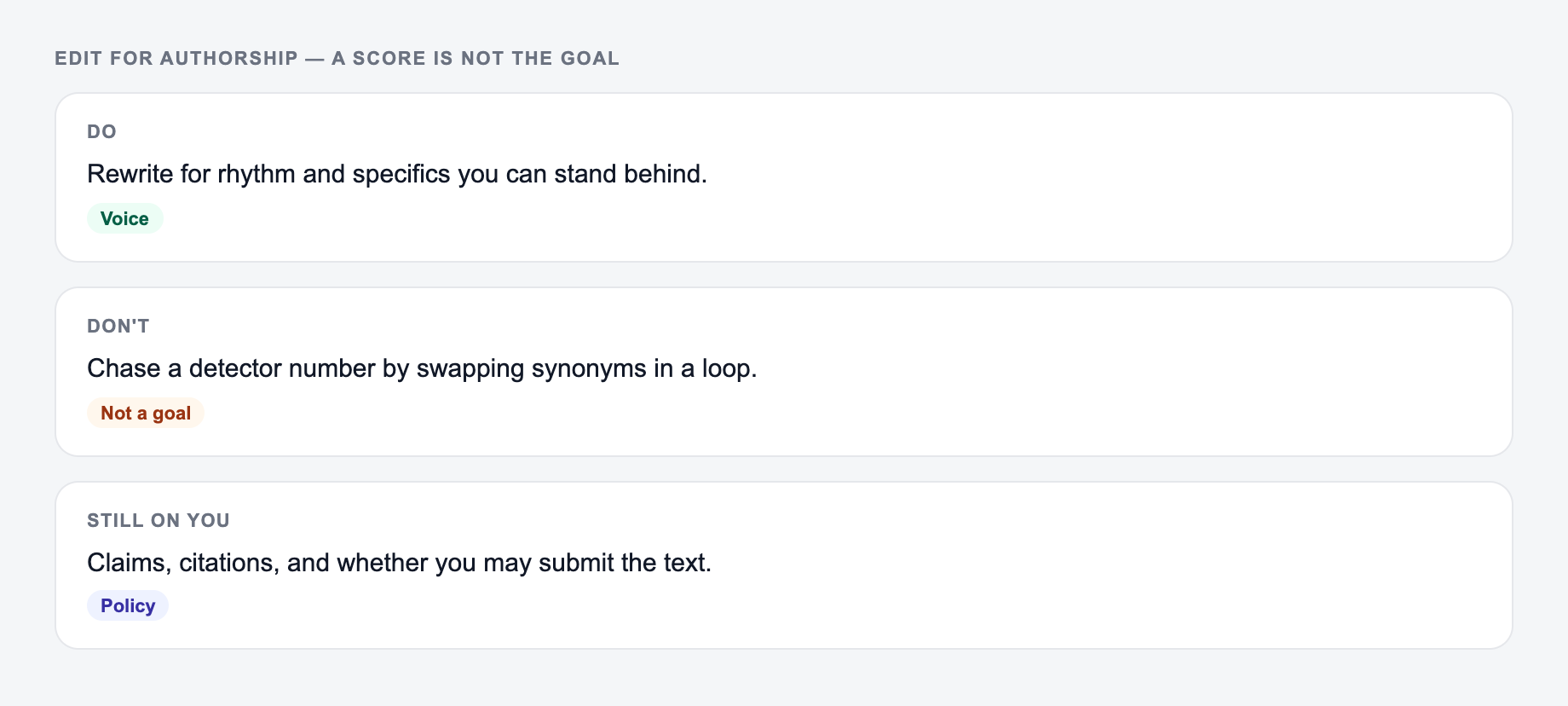
Edit for Authorship, Not a Detector Score
Preservation checklist for the Detection Bypass Rewriter:
- Proper nouns are unchanged
- Numbers and dates survived
- A warning is still a warning
A responsible workflow starts by naming the real problem. If the passage is vague, add sourced detail. If every sentence has the same cadence, edit rhythm. If it misrepresents who wrote the work, rewriting cannot fix that. Schools, employers, publishers, and platforms may require disclosure or prohibit certain assistance; follow the applicable policy even when the output sounds natural.
Use the form to rewrite for clarity and voice. A detector number is not the goal.
Worked pair:
- Paste only the paragraph that is stiff or long.
- Lock the terms that cannot move.
- Generate once.
- Compare to: “The same job, named: who it is for, where it will appear, and what must stay true.” — same facts, less drag.
Before: “There are several important benefits associated with weekly customer interviews. Furthermore, these interviews can help businesses understand customer needs.”
Editorial revision: “A weekly customer call can expose the exact step where onboarding breaks. Ask the user to share their screen, note the words they use, and compare that evidence with support tickets before changing the flow.”
The revision is better because it replaces an unsupported universal claim with a concrete workflow—not because it is guaranteed to evade classification. Preserve citations, quotations, uncertainty, names, and figures. Never add invented personal experience (“we tested”) merely to sound human. Detection systems can disagree, produce false positives, and change without notice; no rewrite can promise a particular result.
Frequently Asked Questions
What does this AI detection bypass tool do?+
It rewrites text to sound more natural and human-written by improving cadence, word choice, sentence variety, and transitions—while preserving the original meaning.
Will it keep the same meaning and key details?+
Yes. The rewrite is designed to preserve meaning, intent, and factual claims. You can also list must-keep phrases (like brand names, technical terms, or keywords) to ensure they remain unchanged.
Does rewriting guarantee it will bypass every AI detector?+
No. AI detection tools vary and can change over time. This tool focuses on improving readability and originality, which can reduce common AI-like patterns, but it cannot guarantee a specific detector result.
Is this useful for SEO content updates?+
Yes. Rewriting can help refresh existing SEO content by reducing repetition, improving clarity, and making sections more unique while keeping the same search intent—useful for on-page optimization and content refreshes.
Can I match a specific brand voice?+
Yes. Add brand voice notes (style rules, do/don’t, examples) and choose Brand Voice mode to align the rewrite with your preferred tone and writing style.
What should I do after generating the rewrite?+
Review for accuracy, add any unique insights or examples, and ensure required terms remain. For SEO pages, confirm internal links, headings, and keyword placement are natural and aligned with the page’s intent.