
Free Call To Action Generator
Use the AI Call to Action Generator to create conversion-focused CTA buttons, action lines, and supporting microcopy for landing pages, emails, ads, product pages, pricing pages, and signup flows. Enter your offer, audience, goal, and tone to generate CTA variations that make the next step clear and compelling.
Call To Action Ideas
Your CTA options (button text + supporting lines) will appear here...
How the AI Call To Action Generator Works
Get results in seconds with a simple workflow.
Describe Your Offer and Where the CTA Will Appear
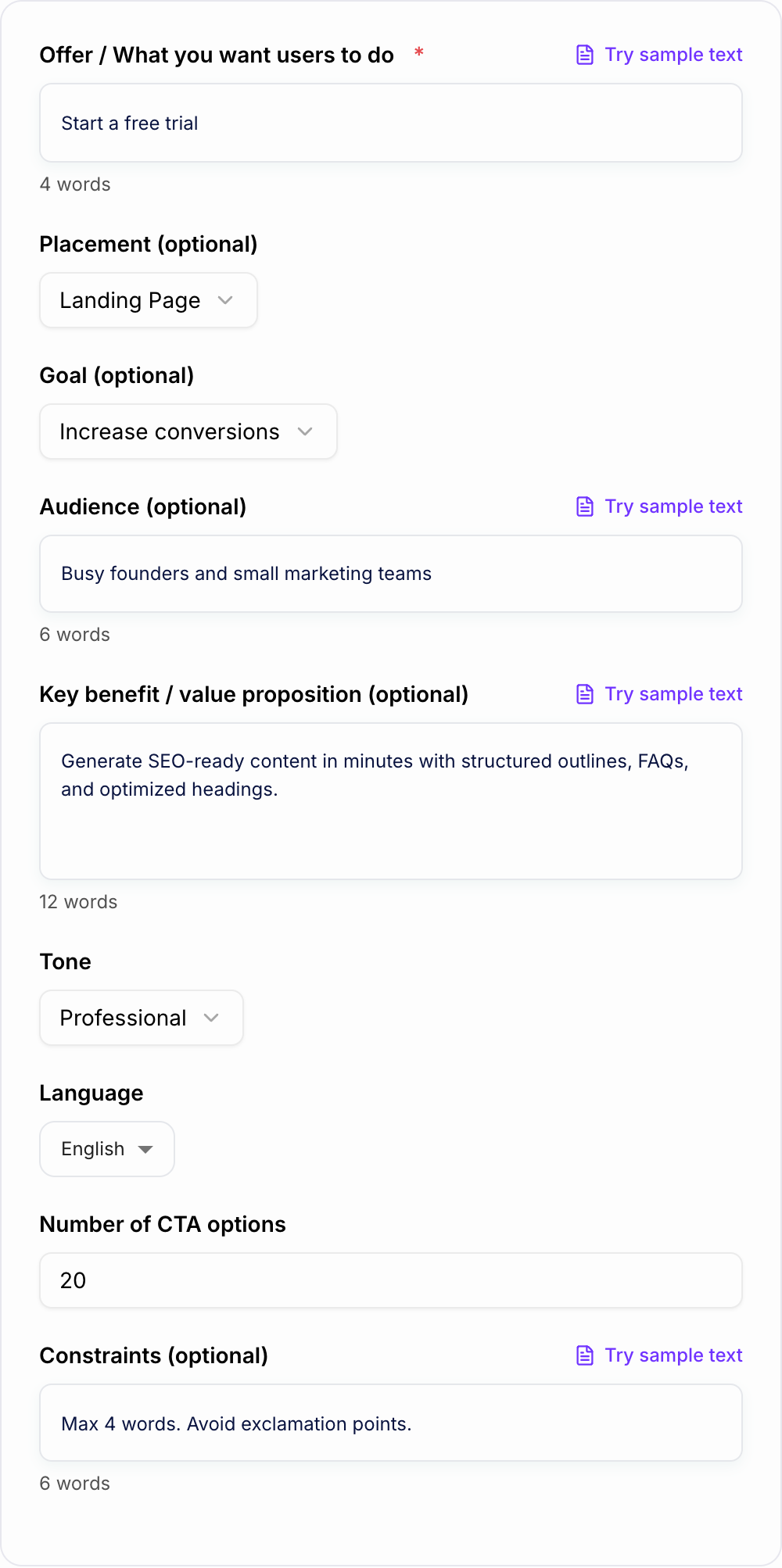
Enter what you want users to do (free trial, demo, download, purchase) and choose placement (landing page, email, ad, product page) to match the context.
Add Optional Audience, Benefit, and Constraints
Provide your target audience and value proposition for more relevant CTA copy. Add constraints like word limits or phrases to avoid for brand and compliance.
Generate, Shortlist, and A/B Test
Get a list of CTA options (button text + optional microcopy). Pick a few and test them to improve conversion rate and click-through performance.
See It in Action
Example of turning a generic call to action into clearer, higher-converting CTA options with benefit-focused copy.
CTA: Submit
Supporting text: Fill out the form to learn more.
Primary CTA buttons:
- Get the Free Guide
- Download the Checklist
- Send Me the Template
- Get Instant Access
Supporting microcopy ideas:
- Takes 2 minutes • No spam
- PDF download • Free forever
- Instant access • Cancel anytime
Why Use Our AI Call To Action Generator?
Powered by the latest AI to deliver fast, accurate results.
High-Converting CTA Button Text (Short + Clear)
Generate CTA button copy that’s easy to scan and designed to increase click-through rate (CTR) on landing pages, product pages, and email campaigns.
Goal- and Funnel-Aware Calls to Action
Create CTAs tailored to your objective—lead generation, free trial signups, demo bookings, downloads, or purchases—so the action matches user intent.
Benefit-First Messaging + Microcopy
Get CTA variations with optional supporting microcopy that reinforces value, reduces friction, and improves conversions (e.g., “No credit card required”).
Tone and Audience Personalization
Adapt CTA wording to your brand voice (friendly, professional, bold, etc.) and your audience so your calls to action feel natural—not generic.
Multiple CTA Angles for A/B Testing
Generate diverse CTA patterns (value, urgency, curiosity, social proof, risk reversal) to test on pages and ads and improve conversion rate optimization (CRO).
Pro Tips for Better Results
Get the most out of the AI Call To Action Generator with these expert tips.
Match CTA strength to user intent
High-intent pages (pricing, checkout) can use direct CTAs like “Start trial” or “Checkout.” Top-of-funnel pages often convert better with lower-friction CTAs like “See how it works” or “Get the guide.”
Use microcopy to remove risk
Add reassurance near the CTA: “No credit card required,” “Cancel anytime,” “Instant access,” or “Free download.” This can increase conversions without changing the core offer.
Avoid vague CTAs like “Submit” or “Learn more”
Specific CTAs tend to outperform generic ones. Replace vague language with benefit-first actions like “Get my free audit” or “See pricing in seconds.”
Create a primary + secondary CTA combo
Pair your main CTA with a smaller alternative for hesitant users (e.g., “Start free trial” + “Watch demo”). This improves overall conversion paths and reduces bounce.
Test different angles, not just synonyms
Don’t only swap words. Test different persuasive frames: speed (“Get results faster”), simplicity (“In 2 clicks”), proof (“Join 10,000+”), and risk reversal (“Try it free”).
Who Is This For?
Trusted by millions of students, writers, and professionals worldwide.
Generate Stronger CTAs with an AI Call to Action Generator
A call to action generator helps when you know what you want users to do but the wording feels flat. The best CTA is not just an action verb. It tells people what happens next, hints at the value, and lowers the perceived risk of clicking.
Use the AI Call to Action Generator to create button text, CTA lines, and supporting microcopy for landing pages, emails, ads, product pages, pricing pages, lead magnets, demos, and signup flows. Generate several angles, then choose the version that matches the user's intent and the page's level of commitment.
What to Enter Into the CTA Generator
The tool needs more than "write a CTA." Give it the offer, audience, page type, and reason someone should care.
A weak input looks like this:
- "CTA for my guide"
A stronger input looks like this:
- "CTA for a free ecommerce SEO checklist. Audience is Shopify founders. The checklist gives quick technical fixes. No signup required. Tone should be direct and practical."
Useful inputs include:
- the offer or action
- who the CTA is for
- where it appears
- the benefit of clicking
- the level of commitment
- any reassurance or friction reducer
- tone or brand style
That gives the generator enough context to produce CTAs that sound useful instead of generic.
Choose the Right CTA Mode
Different channels need different CTA pressure.
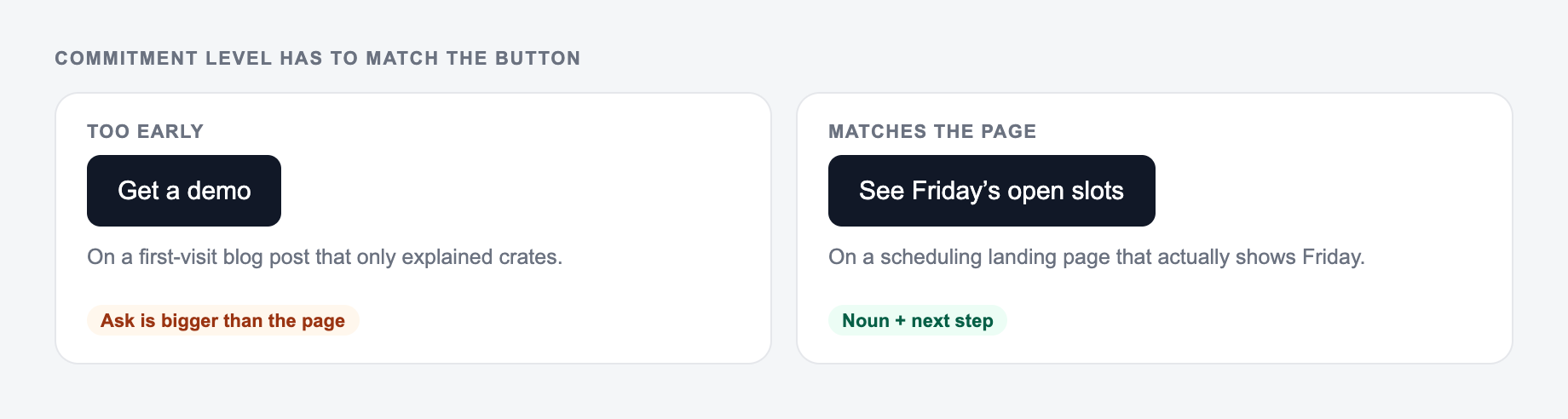
Landing page CTAs
Use direct, benefit-led wording. The page is already focused on one offer, so the CTA should make the next step obvious.
Examples: "Start My Free Trial," "Get the SEO Checklist," or "Build My Growth Plan."
Lead generation CTAs
Use lower-friction wording when the user is trading attention or contact details for a resource. The microcopy matters here.
Examples: "Download the Free Template" with "Instant access. No credit card."
Email CTAs
Use language that continues the message. A good email CTA should feel like the next sentence, not a billboard dropped into the body.
Ad CTAs
Keep them short and matched to the platform. Cold traffic usually needs clearer value and less commitment than a pricing page visitor.
Generate CTA Angles, Not Just Synonyms
If every variation says the same thing with a different verb, you are not testing much. Ask the generator for different angles:
- benefit-led
- low commitment
- urgency
- proof or popularity
- risk reversal
- direct purchase
- curiosity
- speed or convenience
For example, "Start Free Trial" and "Try It Free for 14 Days" are close. "See Your SEO Gaps in 60 Seconds" tests a more specific value promise.
Add Microcopy to Reduce Friction
Button text gets attention, but microcopy often earns the click. Use it to answer the small doubts around the action.
Useful microcopy patterns include:
- No credit card required
- Takes 2 minutes
- Instant download
- Cancel anytime
- Secure checkout
- Free template included
- No signup required
If the CTA asks for a bigger commitment, add more reassurance. If the action is already low risk, keep the microcopy short.
When the rest of the page needs to match the CTA's tone, a writing workspace like Junia AI can help generate supporting hero copy, email copy, and campaign copy from the same positioning.
How to Review Generated CTAs
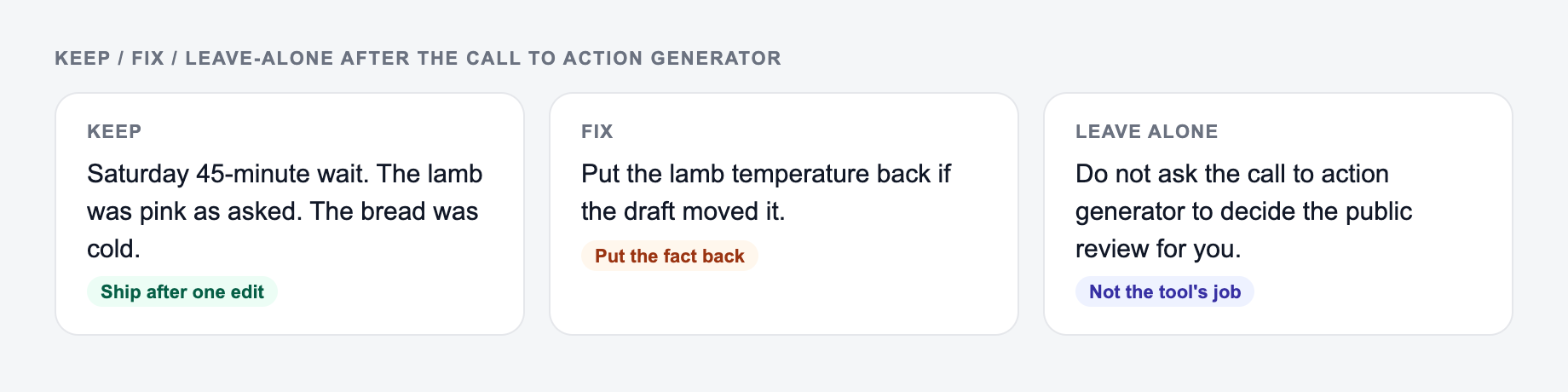
Before you publish a generated CTA, ask:
- Would a stranger know what happens after clicking?
- Is the value clear enough?
- Does the CTA match the user's stage of intent?
- Is the commitment too high for the page?
- Does the microcopy remove a real concern?
- Is the wording specific without becoming too long?
Avoid vague defaults like "Submit," "Proceed," and "Learn More" unless the surrounding page already makes the next step extremely clear.
CTA Examples by Goal
For downloads:
- Get the Free Checklist
- Download the Template
- Send Me the Guide
For trials:
- Start My Free Trial
- Try It Free Today
- Create My Account
For demos:
- Book a Demo
- Schedule My Walkthrough
- Talk to Sales
For purchases:
- Add to Cart
- Choose My Plan
- Checkout Securely
Use these as starting points, then regenerate based on your actual offer, audience, and friction points.
Final CTA Checklist
A strong generated CTA should start with a clear action, explain or imply the value, match the page intent, and reduce anxiety around the click. Generate multiple angles, keep the best few, and test them against real conversion data instead of guessing from taste alone.
Match the CTA to the Commitment
Use a commitment ladder rather than applying maximum urgency everywhere:
Decide how big an ask you are making (subscribe, book a call, buy) before you generate button copy.
- Explore: “See the sample report”
- Evaluate: “Compare plans”
- Try: “Start a free workspace”
- Buy: “Choose the annual plan”
- High-touch: “Book a 20-minute fit call”
For a cold social ad, “Book a demo” may jump too far. A sample report gives the visitor evidence first. On a pricing page, “Learn more” moves backward because the visitor is already evaluating. The supporting line must also be true: do not write “No credit card,” “Instant,” or “Cancel anytime” unless the actual flow and policy support it.
Annotate each variant with the hypothesis it tests. “Get the checklist” tests concrete deliverable clarity; “Find your SEO gaps” tests outcome framing; “See the 12-point audit” tests specificity. Change one meaningful idea at a time, keep destination and audience stable, and measure the business outcome after the click—not click-through rate alone. Sample size, traffic quality, seasonality, and page changes can make a apparent winner unreliable.
Frequently Asked Questions
What is a call to action (CTA)?+
A call to action is a short instruction that tells users what to do next—like “Start free trial,” “Book a demo,” or “Download the guide.” Strong CTAs improve clicks, signups, and sales by reducing ambiguity and increasing motivation.
How do I write a high-converting CTA?+
Start with an action verb, make the benefit clear, and reduce friction. Match the CTA to the page’s intent (e.g., informational visitors may prefer “Get the checklist” while high-intent visitors may click “Buy now”). Testing multiple variations is key for conversion optimization.
Should my CTA be short or detailed?+
CTA buttons should usually be short (2–5 words). If you need more context, add supporting microcopy near the button (e.g., “Takes 2 minutes” or “No credit card required”) to improve clarity and conversions without cluttering the button.
What’s the difference between a primary and secondary CTA?+
A primary CTA is the main conversion action (e.g., “Start free trial”). A secondary CTA offers a lower-commitment alternative (e.g., “Watch demo” or “See pricing”), which helps capture users who aren’t ready to convert yet.
Do CTAs affect SEO?+
CTAs don’t directly change rankings, but they can improve engagement signals like time on page, conversions from organic traffic, and user satisfaction. Clear calls to action also help align content with search intent, which supports SEO performance indirectly.
How many CTA variations should I generate and test?+
Generate 10–30 options, shortlist 3–5 strong candidates, then A/B test them in real contexts. Use different angles (benefit, urgency, risk reversal) and measure conversion rate, CTR, and downstream outcomes like qualified leads or purchases.