
How to Increase Conversion Rates With AI Content

Thu
AI SEO Specialist, Full Stack Developer

AI content can increase conversion rates, but only when it is tied to a real conversion problem. The useful question is not "Can AI write more copy?" It is "Can AI help us show the right message, proof, offer, or next step to the right visitor?"
That is where AI helps. It can summarize customer objections, generate cleaner landing page variants, personalize follow-ups, test CTAs faster, and spot friction in a funnel before the team spends weeks guessing.
The mistake is treating AI content as a volume engine. More headlines, more emails, and more product descriptions do not automatically create more revenue. In my experience, AI improves conversion only when the team starts with a clear hypothesis and measures whether the change improves qualified actions, not just clicks. The boring setup work is usually what makes the AI useful.
TL;DR: How AI Content Improves Conversion Rates
| Use AI for | Why it helps conversion | Best metric to watch |
|---|---|---|
| Customer-language analysis | Finds objections, buying triggers, and confusing phrases in surveys, reviews, chats, and sales notes | Form starts, demo requests, assisted conversions |
| Landing page variants | Turns one test hypothesis into stronger headline, CTA, proof, and section-order options | Conversion rate, CTA clicks, revenue per visitor |
| Intent-based SEO content | Attracts visitors who are closer to the problem, solution, or purchase decision | Qualified organic conversions |
| Personalization | Shows more relevant examples, offers, testimonials, and next steps by segment | Conversion rate by audience segment |
| Lifecycle content | Sends better emails, product nudges, and follow-ups based on user behavior | Activation, reply rate, sales acceptance rate |
| Human review | Removes exaggeration, weak claims, and off-brand messaging before testing | Lead quality, complaints, refunds, retention |
Start with one page or funnel step that already has meaningful traffic. Use AI to diagnose friction, generate a few specific content variants, review them manually, then run a controlled test. That loop is much more reliable than asking AI to "make this page convert better."
What Counts as a Conversion?
A conversion is the action you want a visitor to take. It could be a purchase, demo request, trial signup, checkout completion, quote request, newsletter signup, booked call, product activation, or content download.
The basic formula is:
Conversion Rate = (Number of Conversions / Total Visitors) x 100
If a landing page gets 5,000 visitors and 200 people sign up, the conversion rate is:
(200 / 5,000) x 100 = 4%
AI content is worth using when it improves that number without lowering trust, lead quality, customer fit, or long-term revenue. A page that doubles form fills but sends sales a pile of poor-fit leads has not really improved. I would rather see a smaller conversion lift with better-fit prospects than a dramatic spike that creates follow-up work for the wrong audience.
Where AI Content Actually Moves the Number
The highest-impact AI content work usually happens in five places: diagnosis, message clarity, personalization, testing, and follow-up.
| Conversion problem | What AI can improve | Example content change |
|---|---|---|
| Visitors do not understand the offer | Headline, subheadline, section order, and value proposition | Reframe "AI platform for content operations" as "Create SEO briefs, articles, and updates from one workflow" |
| Visitors do not trust the claim | Proof placement, testimonials, examples, comparison copy | Move customer proof above the second CTA instead of hiding it near the bottom |
| Visitors are not ready to buy | Educational content, objection handling, comparison sections | Add a short "Is this right for you?" section before the demo CTA |
| Visitors abandon forms or carts | Microcopy, field labels, checkout expectations, reassurance | Explain shipping, pricing, privacy, or response time beside the form |
| Leads are too broad | Segment-specific copy, qualifying CTAs, lifecycle emails | Route enterprise visitors to a demo and smaller teams to a free trial |
This is also why personalization needs care. Research on the personalization backfire effect shows how privacy concerns can weaken the benefits of personalized marketing. The practical rule is simple: personalize the helpful thing, not the creepy thing. I have seen otherwise good campaigns lose trust because the copy made the targeting too visible.
1. Diagnose the Conversion Problem Before Writing
.png?token=eyJhbGciOiJIUzI1NiIsInR5cCI6IkpXVCJ9.eyJ1cmwiOiJ1c2VyLWdlbmVyYXRlZC1pbWFnZXMvZjJmOThkNWUtNjNjNC00MTJiLTkyY2QtZjgyNDI5NTE3YWRkL2p1bmlhLWFydC1waG90byAoNjIpLnBuZyIsImlhdCI6MTY5OTQ4NDA1MSwiZXhwIjoxODU3MTY0MDUxfQ.-If9NptmTpMBvgI6eXgM0Fu5-ETVI1yudgSVofEYGTE)
| Diagnose first | AI content helps by… | AI content fails when… |
|---|---|---|
| Soft CTA | Testing clearer microcopy | You change copy but not offer/fit |
| Intent mismatch | Rewriting to match SERP job | You optimize for vanity traffic |
| Trust gap | Adding proof blocks | You invent testimonials |
More AI words don’t raise conversion. Clearer promises and fewer doubts do.
Does Google see automatically generated content as a bad thing?
Do not start by asking AI to rewrite the page. Start by asking it to organize the evidence. This is less exciting than generating new copy, but it prevents a lot of polished guesses.
Pull together the inputs you already have:
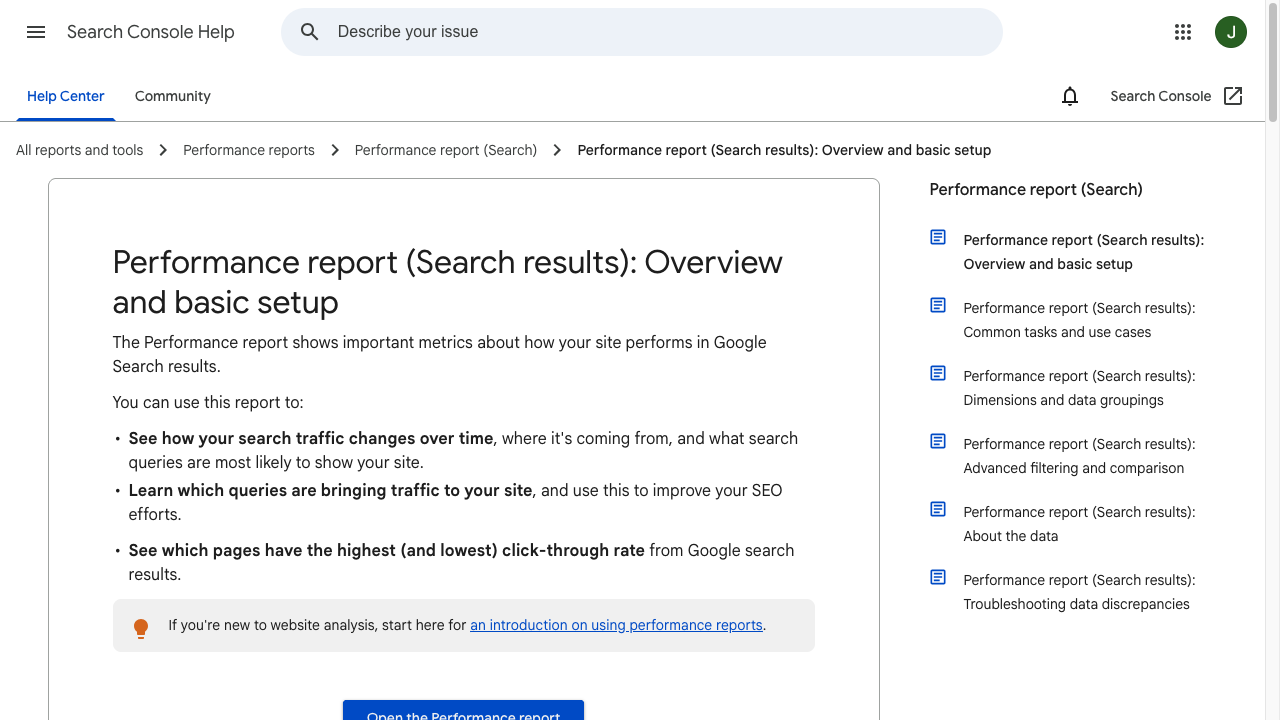
- Analytics data: visits, conversion rate, device split, channel, and drop-off points.
- Search data: queries, landing pages, click-through rate, and pages with impressions but weak conversions.
- Behavior data: scroll depth, heatmaps, session recordings, form abandonments, and cart exits.
- Customer language: sales calls, reviews, chat logs, support tickets, surveys, and cancellation notes.
- Current copy: landing pages, emails, ads, product descriptions, CTAs, and onboarding messages.
Then use AI to group the patterns:
Review these landing page survey responses and group the conversion objections by theme. Separate price concerns, trust concerns, feature confusion, timing issues, implementation worries, and unclear next steps. Quote the customer language where possible. Do not invent objections.
This is where AI earns its place. It can read hundreds of comments faster than a team can do manually. But I would still treat its output as a first pass, not a verdict. AI can cluster friction; humans need to decide which friction is worth testing. The most useful output is not a neat summary; it is a shortlist of specific objections you can verify against the page.
2. Match the Page to Search Intent
Conversion optimization starts before a visitor lands on the page. If the keyword, ad, email, or social post promises one thing and the page answers another, the copy will feel wrong no matter how polished it is. I usually check this before touching the headline, because a mismatch here can make every rewrite look worse than it is.
.webp?token=eyJhbGciOiJIUzI1NiIsInR5cCI6IkpXVCJ9.eyJ1cmwiOiJ1c2VyLWdlbmVyYXRlZC1pbWFnZXMvZjJmOThkNWUtNjNjNC00MTJiLTkyY2QtZjgyNDI5NTE3YWRkL2tleXdvcmQtZXhwbG9yZXIgKDEpLndlYnAiLCJpYXQiOjE3MDk5MDIwNTEsImV4cCI6MjAyNTI2MjA1MX0.-Eoi4rLwg2Fr2MjQOFFike34HzW2LOrEmD1XytLVxhc)
Use an AI-powered keyword research workflow to group queries by conversion intent:
| Search intent | Example query | Page angle that usually converts better |
|---|---|---|
| Problem-aware | "why is my landing page not converting" | Diagnose friction and show the next fix |
| Solution-aware | "AI conversion rate optimization" | Explain workflows, use cases, tools, and risks |
| Product-aware | "AI landing page generator" | Show product fit, examples, proof, and pricing context |
| Ready to act | "create CTA for landing page" | Give a tool, template, or direct action |
This matters for AI Search too. Answer engines tend to reward pages that give concise definitions, direct steps, clear comparisons, and source-backed claims. A page about AI conversion work should quickly explain what AI CRO is, where it helps, what to measure, and where human review is still needed.
For SEO-led landing pages, the conversion problem may be traffic quality rather than copy quality. If the page attracts broad informational visitors but asks for a high-commitment demo, the issue may be the landing page SEO strategy, not the CTA wording.
3. Rewrite the Value Proposition Around the Visitor
Most weak conversion copy is not bad because it is grammatically wrong. It is bad because it answers the company's question instead of the visitor's question. This is one of the fastest ways to spot copy that sounds professional but does not sell.
The company wants to say:
We are an AI-powered content operations platform for scalable growth.
The visitor is thinking:
Can this help me publish better SEO content faster without creating generic AI articles?
AI can help bridge that gap if you give it the right inputs: audience, pain point, current page, proof, objections, and conversion goal.
A practical prompt:
Rewrite this hero section for marketing managers comparing AI content tools. The page goal is a free trial signup. The main pain points are slow content production, inconsistent brand voice, and generic AI drafts. Keep the headline specific, avoid hype, and include three variants: direct, outcome-led, and problem-led.
If the page needs a full first draft, a website landing page generator can create the initial structure. I would still rewrite the top third by hand, because the headline, proof, and first CTA carry too much weight to leave untouched.
4. Generate Better CTA and Microcopy Variants
AI is especially useful for turning one hypothesis into several testable variants.
Instead of asking for "better CTAs," give the model the visitor's stage:
| Visitor stage | CTA angle | Example |
|---|---|---|
| Early research | Low-commitment learning | "See How It Works" |
| Comparing options | Product proof | "Compare the Workflow" |
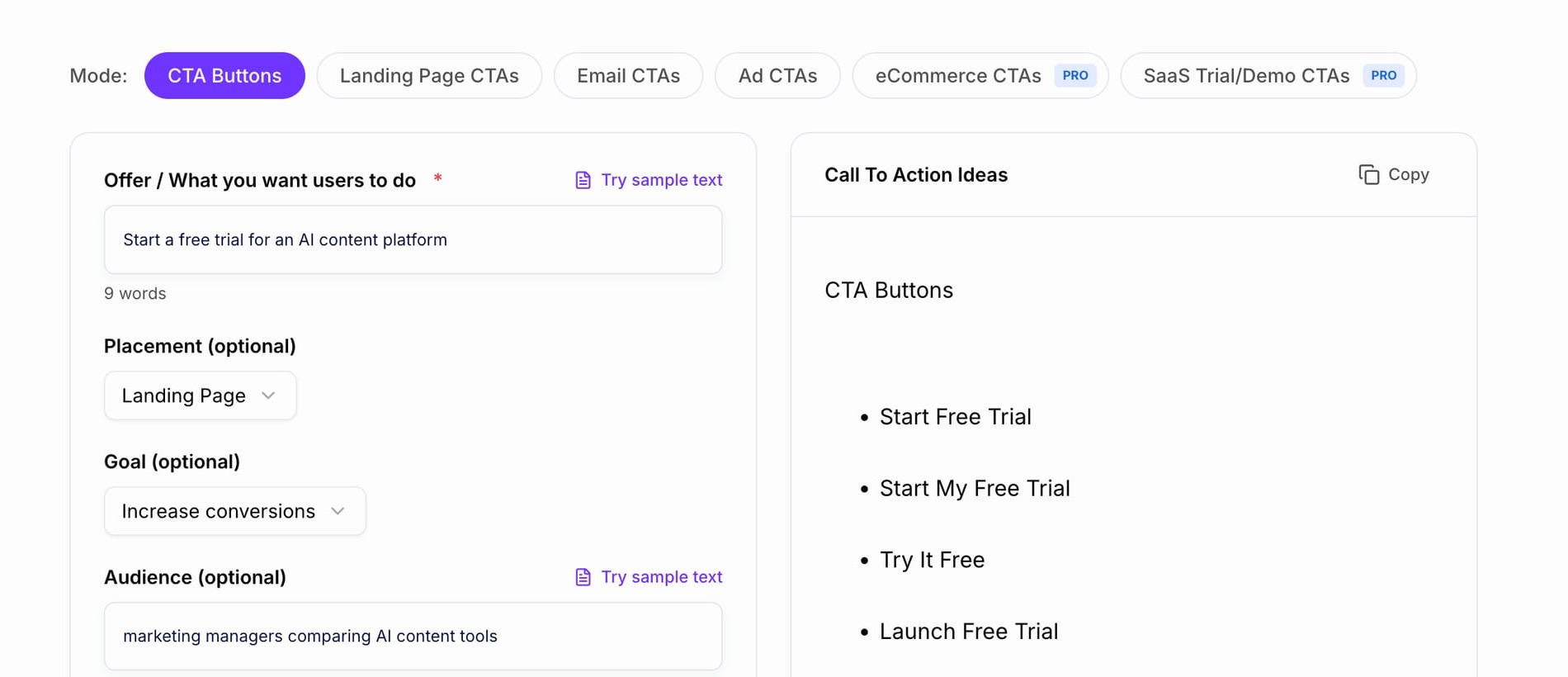
| Ready to try | Direct action | "Start Free Trial" |
| Sales-led B2B | Human help | "Book a Demo" |
| Template or tool page | Immediate output | "Generate My CTA" |
A call-to-action generator is useful here because it gives you options quickly, but the final choice should match the actual commitment. "Get Started" may be fine for a free tool. It is often too vague for a sales-led product where the visitor needs to know whether they are booking a demo, starting a trial, or creating something immediately.
Do not ignore small copy either. Form labels, error messages, checkout notes, privacy reassurance, button helper text, and pricing explanations can remove friction. I have a soft spot for this work because it rarely looks impressive in a deck, yet it often fixes the exact moment where visitors hesitate. Baymard's cart abandonment research is a useful reminder that checkout clarity, trust, and expectation-setting still matter even when traffic quality is strong.
5. Personalize Content Without Breaking Trust
Personalization works best when it reduces effort for the visitor. It works poorly when it announces how much you know about them. My rule is simple: if the visitor can tell you are using data, the personalization has to feel immediately useful.
Helpful personalization:
- Showing industry-specific examples.
- Changing testimonials by audience type.
- Adjusting CTA copy by funnel stage.
- Sending follow-up emails based on content viewed.
- Recommending product pages, templates, or guides based on the user's last action.
Risky personalization:
- Calling out tracking behavior too directly.
- Making assumptions from weak data.
- Showing different offers in ways that feel unfair.
- Overwriting brand voice for every segment.
- Using private or sensitive attributes without a clear reason.
If you use AI to create audience-specific variants, lock the brand voice before generating them. Otherwise every segment can start sounding like a different company wrote it.
6. Use AI Content for Lead Quality, Not Just More Leads
A higher conversion rate is not always a better business outcome. Sometimes the page converts more because it became broader, softer, or less qualifying. I am skeptical of any conversion win that does not also look at lead quality, activation, or revenue.
For B2B and SaaS pages, I would track lead quality beside form volume:
| Signal | What it may mean | Content response |
|---|---|---|
| Visitor reads comparison pages and pricing | High purchase intent | Show implementation proof, demo CTA, and objection handling |
| Visitor downloads a beginner checklist | Education stage | Send a helpful nurture sequence before a sales push |
| Visitor starts a trial but never activates | Product friction | Trigger onboarding emails, short tutorials, or in-app guidance |
| Visitor returns after branded search | Warm consideration | Show proof, case examples, pricing clarity, or a consultation CTA |
AI can help score these signals and write follow-ups. But the scoring logic should come from sales, product, and retention data. If the model rewards shallow activity, you end up optimizing for noisy engagement instead of qualified demand.
For outbound or lifecycle campaigns, a sales cold email generator is strongest when you provide the segment, pain point, proof, and desired next step. A vague prompt like "write a persuasive email" usually produces vague persuasion.
7. Turn Social Listening Into Conversion Copy
Customer language is often more persuasive than internal positioning. The trick is using it with restraint.
A company might describe its product as:
AI-enabled content operations infrastructure.
Customers might describe the same pain as:
- "We cannot publish enough product pages."
- "Every writer explains the feature differently."
- "Our landing pages sound generic."
- "We spend too long rewriting AI drafts."
- "The content ranks, but it does not bring good leads."
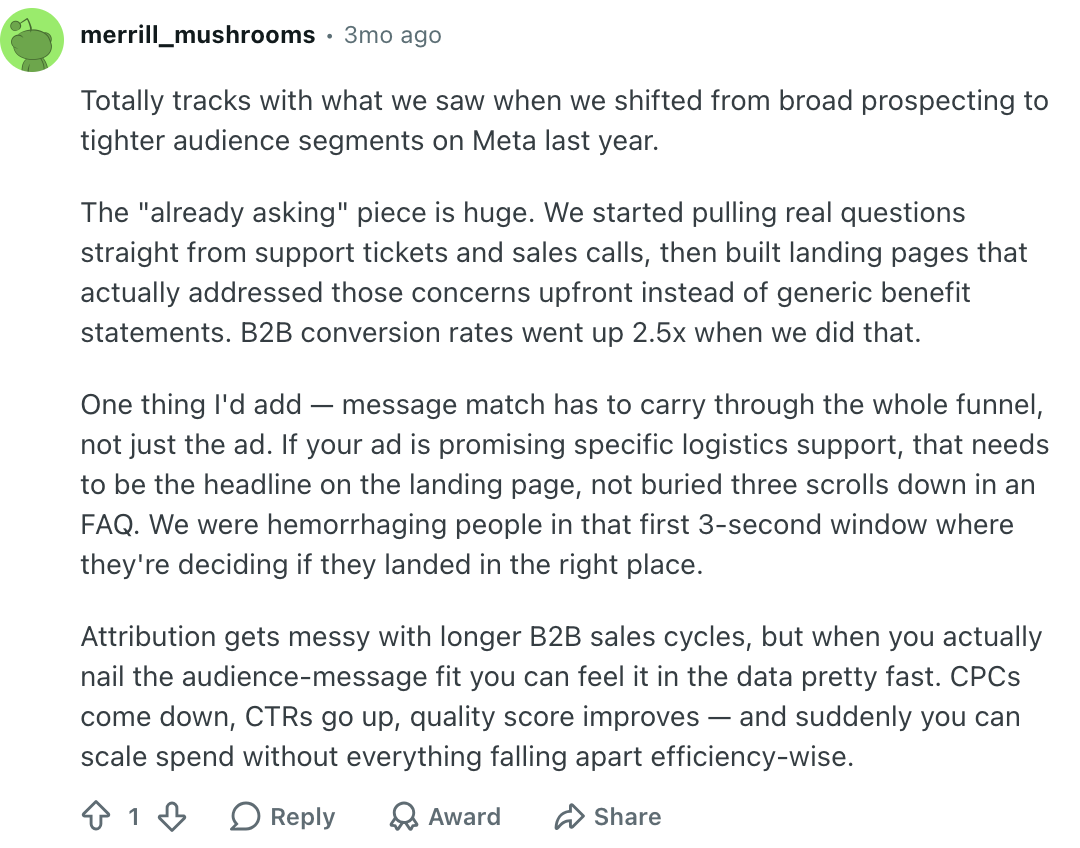
AI-powered social listening can cluster review themes, Reddit discussions, support tickets, competitor complaints, and sales-call transcripts. Those phrases can become better headlines, FAQ answers, comparison sections, ad hooks, and objection-handling copy.
The final copy still needs judgment. Do not copy customer complaints mechanically. Translate them into clear page language and connect them to proof. Personally, I would rather use one sharp customer phrase in the right section than scatter ten raw quotes across the page. Insights from AI-powered social media marketing are useful here because the same audience language can improve organic posts, ads, landing pages, and lifecycle emails.
8. Build an AI Testing Loop
AI changes the speed of conversion work. It can generate more variants, summarize more data, and personalize more touchpoints. That is useful, but only if the team keeps ownership of the learning. Without that discipline, AI just helps teams move faster through the same old uncertainty.
Here is the workflow I would use:
- Pick one conversion goal.
- Choose one high-impact page, email, ad, or funnel step.
- Gather analytics, search intent, behavior data, and customer language.
- Ask AI to identify friction themes and missing information.
- Choose one hypothesis.
- Generate a small number of content variants.
- Review the variants for accuracy, clarity, brand voice, and trust.
- Run a controlled test or segment rollout.
- Document what changed, what happened, and what you learned.
- Scale the winning idea only if it improves the business metric.
That last step matters. Competitors in this topic often emphasize AI-powered continuous testing, and they are right to focus on speed. But speed without documentation creates a black box. If AI changes the page and nobody understands why it worked, the team loses the strategic learning.
9. Keep Human Review in the Workflow
.png?token=eyJhbGciOiJIUzI1NiIsInR5cCI6IkpXVCJ9.eyJ1cmwiOiJ1c2VyLWdlbmVyYXRlZC1pbWFnZXMvZjJmOThkNWUtNjNjNC00MTJiLTkyY2QtZjgyNDI5NTE3YWRkL1NjcmVlbnNob3QgMjAyMy0wOC0xMiBhdCAxNy4xMCAxICgxKS5wbmciLCJpYXQiOjE3MDk5MDIwOTgsImV4cCI6MjAyNTI2MjA5OH0.pnsXKP0gB-2t4xQndmWrKKuHvUhO7XY1aBfkY3BKDwc)
AI can make conversion teams faster. It can also make bad assumptions faster.
Before testing AI-generated content, review:
- Accuracy: Are claims, prices, feature details, and comparisons true?
- Brand fit: Does the copy sound like the company?
- Specificity: Does the page explain the actual outcome, proof, and next step?
- Ethics: Is personalization helpful rather than manipulative?
- Privacy: Are tracking and segmentation choices appropriate for the audience?
- Measurement: Is there a clear hypothesis behind the change?
- Learning: Will the team understand why the result happened?
For AI-written pages, a quick AI detector can be a signal, but it is not the real quality standard. I care much more about whether the page is specific, accurate, useful, and credible. If the draft sounds smooth but empty, add a human touch to AI-generated content before you test it.
10. Use Internal Links as Conversion Paths
Not every visitor is ready to convert on the first page. Strong content-led conversion gives readers the next logical step.
For example:
- A visitor learning about conversion copy may need a landing page template.
- A visitor comparing options may need product proof or pricing clarity.
- A visitor writing ad-to-page copy may need a value proposition or benefit statement.
- A visitor stuck on search snippets may need a better meta description.
This is where AI internal linking can support conversion. The point is not to add more links. The point is to move the reader to the page that matches their stage without interrupting the article.
For content pages, I would use a few strong contextual links rather than a block of related resources. Link blocks are easy to add and easy to ignore. If someone is shaping the main promise of a page, a value proposition generator fits naturally. If the issue is the benefit phrasing below the hero, a marketing benefit statement generator is more useful than another broad article link.
Common Mistakes With AI Conversion Content
The first mistake is testing copy before diagnosing the problem. If the page has the wrong audience, a broken form, weak trust signals, or poor offer-market fit, AI copy variants will not fix the real issue.
The second mistake is optimizing for clicks instead of qualified actions. A playful CTA may increase button clicks while reducing serious demo requests.
The third mistake is personalizing too aggressively. The visitor should feel understood, not watched.
The fourth mistake is letting AI run tests without documentation. Automated testing is useful, but the team still needs to know what changed, why it changed, and what the result means.
The fifth mistake is publishing AI copy without proof. Strong conversion pages need specifics: examples, screenshots, testimonials, comparison points, pricing clarity, process detail, or other evidence that helps the visitor believe the claim. This is where many AI drafts sound confident and still feel thin.
What to Measure Before You Call It a Win
Do not judge AI content by output volume. Judge it by the behavior it changes. If the team cannot point to a better visitor action, the content probably improved production speed rather than conversion.
Track:
- Conversion rate by traffic source.
- Conversion rate by device.
- CTA clicks and form starts.
- Form completion rate.
- Lead quality and sales acceptance rate.
- Revenue per visitor.
- Return visits and assisted conversions.
- Trial activation or product usage.
- Cart abandonment and checkout completion.
- Bounce rate and scroll depth.
- Customer complaints, unsubscribes, refunds, or support tickets caused by unclear claims.
For AI Search visibility, also track whether the page gives clear extractable answers. A page is easier to summarize and cite when it includes a direct definition, a short takeaway section, practical steps, comparison tables, and concise explanations of tradeoffs. I would not separate this from conversion work; clearer answers usually help both search systems and human readers.
Final Recommendation
AI content increases conversion rates when it makes the customer journey clearer, more relevant, and easier to act on. Use it to diagnose friction, match search intent, create better page variants, personalize carefully, improve follow-ups, and speed up testing.
But keep the strategy human. AI can suggest what to change. Your team still needs to decide what matters, protect trust, verify claims, and measure whether the change improves the business. That judgment is the part I would not outsource.
If you want one place to start, choose a page with meaningful traffic and a weak conversion rate. Use AI to identify the top three friction points, rewrite only the sections tied to those points, and test one clear hypothesis. That is how AI content becomes a conversion tool instead of just a faster way to produce more copy.