
Free Email Reply Generator
Generate professional email replies that match your intent, tone, and context. Quickly respond to follow-ups, meeting requests, customer inquiries, interview scheduling, confirmations, and everyday business communication.
Email Reply
Your email reply will appear here...
How the AI Email Reply Generator Works
Get results in seconds with a simple workflow.
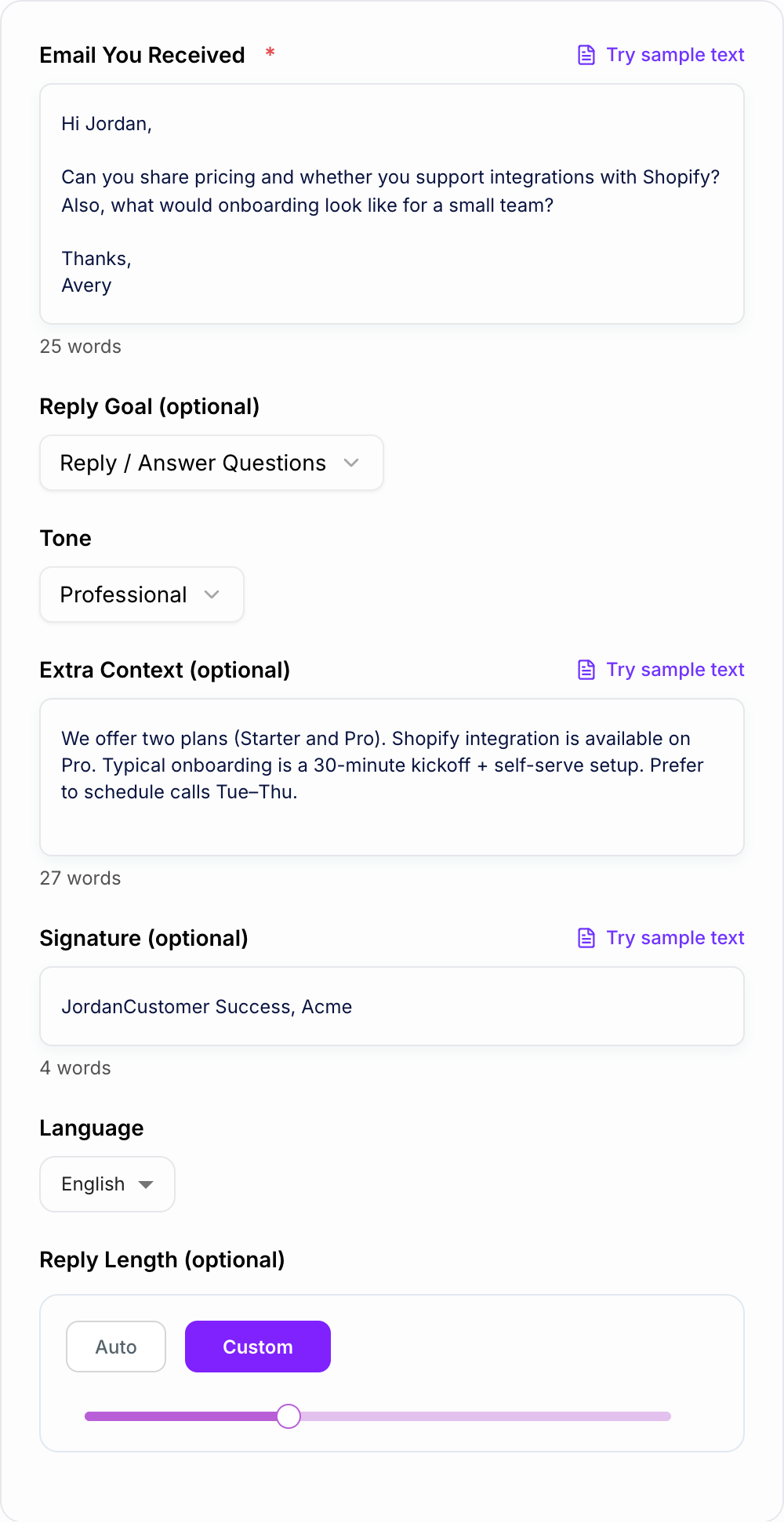
Paste the Email You Received
Add the message (and any key thread context) so the reply generator can understand questions, intent, and what the sender is asking for.
Choose Your Reply Goal and Tone
Pick an intent like Reply, Follow-Up, Polite Decline, Apology, or Support Reply. Choose a tone to match your brand voice and workplace email style.
Generate, Review, and Send
Get a polished email reply with clear answers and next steps. Review details (names, dates, numbers, policies), then copy and send.
See It in Action
Turn a messy or time-consuming email situation into a clear, professional reply with direct answers and next steps.
Hey—yeah we have pricing. We might have Shopify? Not sure. Onboarding is pretty easy. Let me know if you want to chat.
Hi Avery,
Thanks for reaching out—happy to help.
Pricing: We offer two plans (Starter and Pro). If you share a bit about your team size and goals, I can point you to the best fit.
Shopify integration: Yes—Shopify is supported on the Pro plan.
Onboarding: For a small team, onboarding typically includes a 30-minute kickoff call and a straightforward self-serve setup. Most teams are up and running quickly.
Would you like to schedule a quick call this week? If so, what time zone are you in and what days/times work best?
Best regards, Jordan
Why Use Our AI Email Reply Generator?
Powered by the latest AI to deliver fast, accurate results.
Context-Aware Email Reply Writing
Generates an accurate reply based on the email you received, addressing questions, requests, and implied intent—ideal for business email responses and daily inbox management.
Professional Tone Control (Friendly to Formal)
Adjust tone for workplace email etiquette, customer support empathy, or concise executive communication—helping you sound clear, confident, and human.
Clear Structure with Next Steps
Creates scannable email responses with short paragraphs, direct answers, and a clear call-to-action (CTA) such as scheduling, confirming details, or providing links.
Follow-Ups, Declines, Apologies, and Support Replies
Handles common email scenarios like follow-up emails, polite declines, apology emails, and customer service responses with tact and clarity.
Optional Signature + Personalization
Adds a clean email signature and incorporates your context so the reply matches your role, policies, timelines, and preferred next steps—reducing back-and-forth.
Pro Tips for Better Results
Get the most out of the AI Email Reply Generator with these expert tips.
Include constraints to prevent awkward promises
If you can’t offer refunds, have limited availability, or require specific info, add it in Extra Context so the reply sets expectations and avoids overcommitting.
Add 1–3 clarifying questions to reduce back-and-forth
For support or scheduling, ask only what’s necessary (account email, order ID, preferred time windows). Fewer questions speeds resolution.
Use a clear call-to-action (CTA)
Close with a simple next step like “Can you confirm X?” or “Does Tue at 2pm work?” to keep the email thread moving forward.
Keep subject lines unchanged unless you’re starting a new thread
Most replies should keep the existing subject for threading. Use a new subject only for a new topic, recap, or formal follow-up sequence.
Double-check proper nouns, dates, pricing, and policy language
Before sending, verify names, numbers, and commitments. Accurate details matter most in professional email communication and customer support.
Who Is This For?
Trusted by millions of students, writers, and professionals worldwide.
Generate Better Email Replies with an AI Email Reply Generator
An email reply generator works best when you treat it like a drafting assistant, not a mind reader. Paste the email you received, explain what you want the reply to do, and add any facts the response must get right.
The AI Email Reply Generator is useful for follow-ups, confirmations, polite declines, support responses, meeting replies, and everyday business email. It gives you a send-ready draft, but the strongest results come from giving it the same context you would give a careful teammate.
What to Enter Into the Email Reply Generator
Start with the full email you need to answer. Keep the parts that matter: questions, deadlines, names, requested actions, and the sender's tone. If the thread is long, trim older messages unless they affect the reply.
Then add your reply goal. Do not just write "respond." Be specific:
- "Confirm Monday works and ask which plan they want."
- "Politely decline the partnership request but leave the door open for later."
- "Apologize for the delay, explain the next step, and avoid promising a refund."
- "Ask for the missing invoice number and share the support link."
Use the extra context field for facts the generator cannot know: pricing, availability, policy limits, calendar links, order details, names, and anything you cannot offer.
Choosing the Right Reply Mode
Mode is not decoration. Confirm, decline, follow up, and support each need a different first sentence.
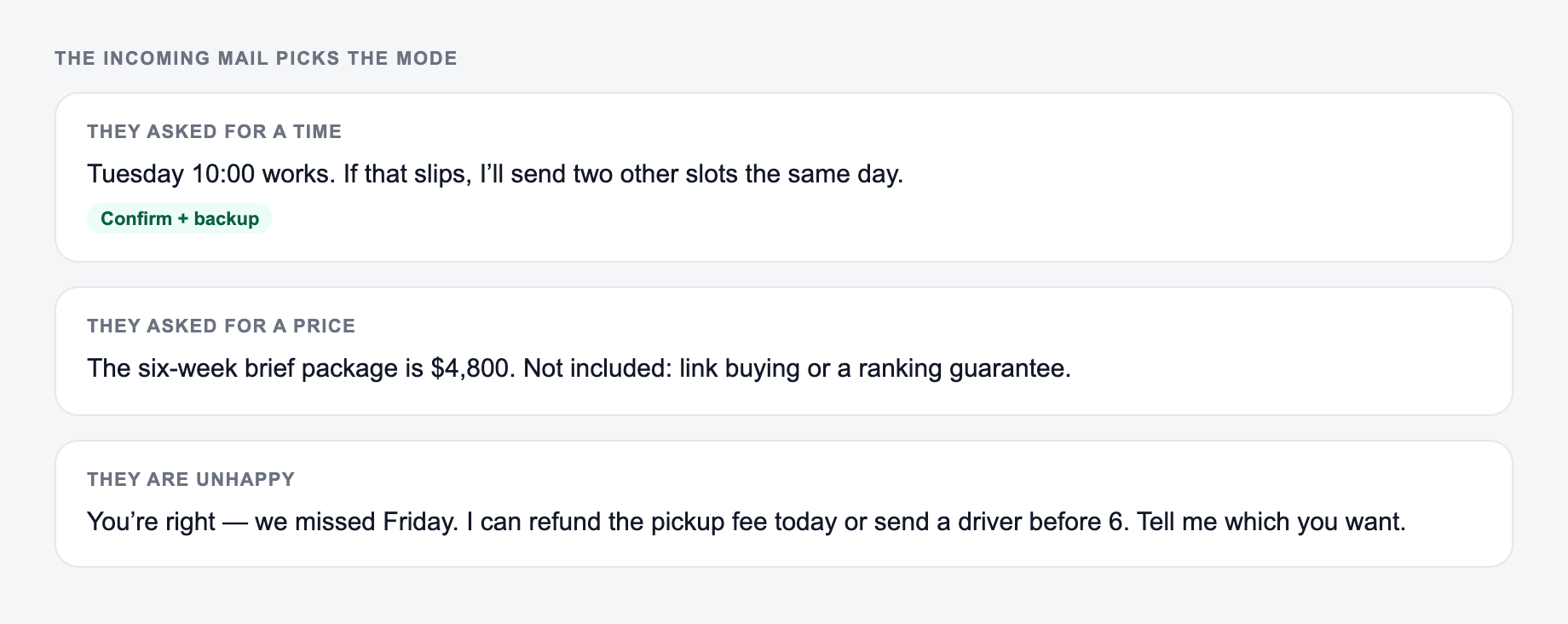
- Incoming mail: Two questions + a date · Mode to try: Confirm / answer · The reply must include: Both answers, or say which is pending
- Incoming mail: Soft ask you will refuse · Mode to try: Decline · The reply must include: A clear no and one alternative
- Incoming mail: After a meeting · Mode to try: Follow-up · The reply must include: The agreed next step only
Use Professional Reply for client, vendor, recruiting, or internal workplace emails where the response needs to sound clear and competent.
Use Follow-Up when the thread has gone quiet. A good follow-up should remind the reader what you need and make the next step easy, without sounding annoyed.
Use Polite Decline when you need to say no. The generator can help keep the message short, appreciative, and direct.
Use Customer Support when the sender has a question, complaint, bug report, or request. Add what is known, what is still missing, and what action your team can take next.
How to Review the Generated Reply
Before sending, check the generated email against the original message in the same order the sender asked their questions. A strong reply should:
- acknowledge the email without wasting space
- answer each important question directly
- avoid promises you did not authorize
- include only the clarifying questions you actually need
- end with one clear next step
If the draft sounds too formal, ask for a shorter or warmer version. If it sounds too casual, regenerate with a professional or firm tone.
Common Email Reply Mistakes This Tool Helps You Avoid
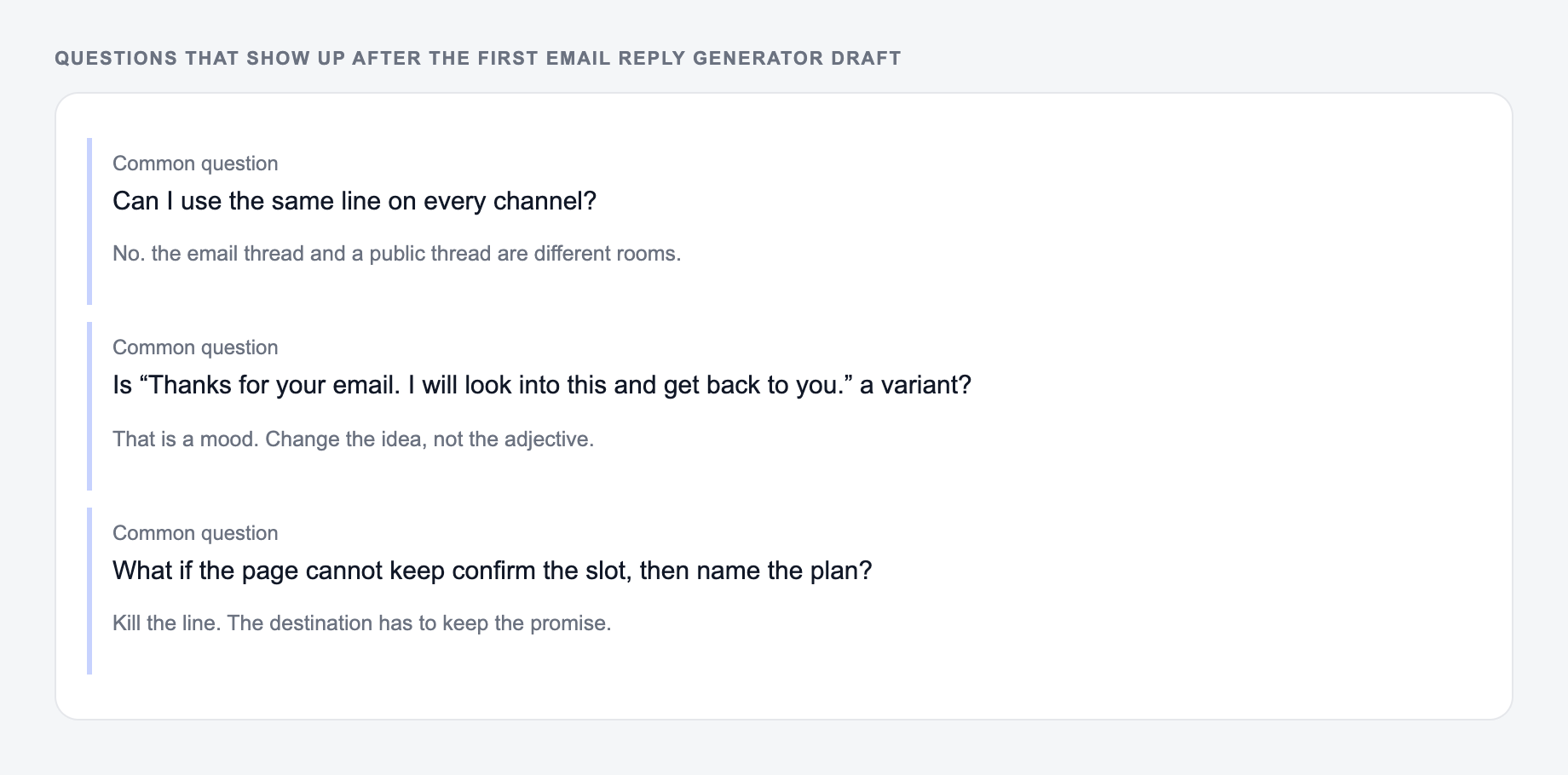
The biggest mistake is answering the general mood of the email instead of the actual questions. The second is skipping the next step, which forces another round of back-and-forth.
The generator is especially helpful when you are trying to avoid vague phrases like "let me know your thoughts" or "happy to discuss." Replace them with a concrete action: choose a time, confirm a detail, send a file, approve a draft, or reply with missing information.
For broader writing and productivity workflows, the Junia AI homepage links to related tools that can help turn rough notes, emails, and documents into cleaner drafts.
Final Checklist Before You Send
- Did the reply answer the sender's actual questions?
- Are dates, prices, names, links, and commitments accurate?
- Does the tone match the relationship?
- Did you remove sensitive information that should not be included?
- Is there one clear next action?
Worked Reply Map for Multi-Question Emails
Before drafting, turn the incoming message into a response map: question, known answer, missing fact, owner, and next action. For a vendor asking about budget, launch date, security review, and contract signer, the reply should answer each item in the same order. Unknown budget should remain “not confirmed,” not become a plausible number.
Frequently Asked Questions
Is this email reply generator free to use?+
Yes. You can generate email replies for free. Some advanced reply modes (like sales objection handling or cold email replies) may be marked as premium.
Will the reply match my tone and email etiquette?+
Yes. Choose a tone (friendly, professional, formal, etc.) and the tool will produce a reply that fits common business email etiquette with clear structure and a respectful close.
Can it write customer support responses?+
Yes. Use the Customer Support Reply intent to create an empathetic response, ask clarifying questions if needed, and provide step-by-step resolution guidance with a timeline.
Can I generate short or detailed email replies?+
Yes. Use the Reply Length setting to generate concise responses for quick threads or longer replies for complex topics like onboarding, pricing, or issue resolution.
Does the tool keep information confidential?+
Avoid pasting sensitive personal data (passwords, payment details, private keys). For best practice, anonymize names or confidential information before generating an email response.
How do I get the most accurate email reply?+
Paste the full email thread (or the relevant portion) and add any extra context such as pricing, timelines, policies, links, or what you can and can’t do. This reduces back-and-forth and improves accuracy.