
Free Lesson Plan Generator
Generate classroom-ready lesson plans from a topic, grade level, time block, standards, and student context. Build objectives, materials, pacing, activities, differentiation, checks for understanding, assessments, homework, and exit tickets in minutes.
Lesson Plan
Your lesson plan will appear here (objectives, materials, activities, differentiation, assessment, and more)...
How the AI Lesson Plan Generator Works
Get results in seconds with a simple workflow.
Enter Your Topic (and Optional Grade/Subject)
Add the lesson topic. Optionally include grade level and subject so the plan matches the right difficulty, vocabulary, and learning outcomes.
Add Standards, Objectives, and Context (Optional)
Paste standards and any existing objectives if you have them. Add class context (ELL/IEP notes, resources, time constraints) to personalize differentiation and pacing.
Generate, Review, and Adapt
Get a complete lesson plan with timing, materials, steps, differentiation, and assessment. Make quick edits to match your curriculum, routines, and local requirements.
See It in Action
Transform a simple topic into a structured, standards-aligned lesson plan with timing, activities, differentiation, and assessment.
Topic: Photosynthesis
I need a lesson plan for photosynthesis.
Title: Photosynthesis — How Plants Make Food (45-Minute Lesson)
Learning Objective (SMART): Students will explain photosynthesis using key vocabulary (chlorophyll, sunlight, carbon dioxide, water, glucose, oxygen) and accurately label inputs/outputs on a diagram.
Success Criteria:
- I can identify the inputs and outputs of photosynthesis.
- I can describe the process in 3–5 complete sentences using key terms.
Materials:
- Photosynthesis diagram handout, markers, short video clip, exit ticket
H2: Warm-Up (5 min)
- Quick prompt: “Where does a plant’s food come from?”
H2: Mini-Lesson (10 min)
- Direct instruction with diagram + brief video
- Teacher checks: cold call + thumbs check
H2: Guided Practice (10 min)
- Fill-in diagram together; vocabulary matching
H2: Independent Practice (15 min)
- Students complete diagram + write explanation
- Extension: compare photosynthesis vs cellular respiration (challenge)
H2: Differentiation (throughout)
- ELL supports: sentence frames + word bank
- IEP: reduced vocabulary set + extended time
H2: Assessment (5 min)
- Exit ticket: label inputs/outputs + one-sentence explanation
Homework (optional): Find one example of how sunlight affects plant growth and write 3 observations.
Why Use Our AI Lesson Plan Generator?
Powered by the latest AI to deliver fast, accurate results.
Standards-Aligned Lesson Plan Structure
Generates lesson plans aligned to grade level and subject expectations, including learning targets, success criteria, and standards-based outcomes (with or without explicit standards codes).
Clear, Time-Boxed Steps (I Do / We Do / You Do)
Produces a logical sequence with pacing guidance—warm-up, mini-lesson, guided practice, independent work, and closure—so you can teach confidently and stay on schedule.
Differentiation, Scaffolds, and Accommodations
Includes differentiation strategies for diverse learners (ELL supports, IEP/504 accommodations, enrichment) to improve access and engagement across readiness levels.
Formative Checks and Summative Assessment Options
Adds checks for understanding, exit tickets, rubrics, and assessment ideas that match your objectives—helping you measure mastery and adjust instruction.
Classroom-Ready Materials and Resource Suggestions
Lists materials, prep notes, and optional resources (printable ideas, digital tools, and prompts) to reduce planning time and improve lesson quality.
Pro Tips for Better Results
Get the most out of the AI Lesson Plan Generator with these expert tips.
Paste your exact standards for stronger alignment
If you include standards codes or wording, the lesson plan can mirror required language and ensure activities and assessment directly measure the standard.
Add your class constraints to improve realism
Include notes like “no printers,” “Chromebooks available,” “45 minutes,” or “co-taught classroom” so the plan fits your environment and reduces last-minute adjustments.
Use success criteria to make objectives measurable
Ask for “I can” statements or a short checklist (what mastery looks like). This makes formative checks and exit tickets more precise and instructionally useful.
Plan two tiers of practice (core + extension)
Include an extension task for early finishers and a scaffolded version for students who need support—this improves differentiation without extra prep.
Add an exit ticket that matches the objective verb
If the objective is “analyze,” the exit ticket should require analysis (not recall). Alignment improves the validity of your assessment data.
Who Is This For?
Trusted by millions of students, writers, and professionals worldwide.
Generate Classroom-Ready Lesson Plans From a Topic and Student Context
A lesson plan generator is useful when it turns a rough teaching idea into something you can actually teach: objectives, timing, activities, differentiation, materials, checks for understanding, and an assessment that matches the skill.
Use this AI Lesson Plan Generator when you need a strong first draft for a daily lesson, observation plan, remote lesson, substitute plan, or activity sequence. The tool can save planning time, but the final plan still needs your judgment about students, curriculum, pacing, and classroom routines.
What to Enter Into the Lesson Plan Generator
The best lesson plans come from specific teaching constraints. Give the generator enough context to make the output realistic.
Include:
- grade level and subject
- topic or standard
- lesson length
- learning objective or skill verb
- materials available
- class context, such as ELL students, IEP/504 supports, mixed reading levels, or enrichment needs
- preferred format, such as quick plan, detailed timing, teacher script, remote lesson, or substitute plan
- assessment requirement, such as exit ticket, rubric, quiz, discussion, or written response
A weak input is "lesson on fractions." A stronger input is "4th grade math, 50 minutes, compare fractions with unlike denominators using visual models, include guided practice, partner work, and an exit ticket."
Choose the Right Lesson Plan Format
The format should match the day you are planning for.
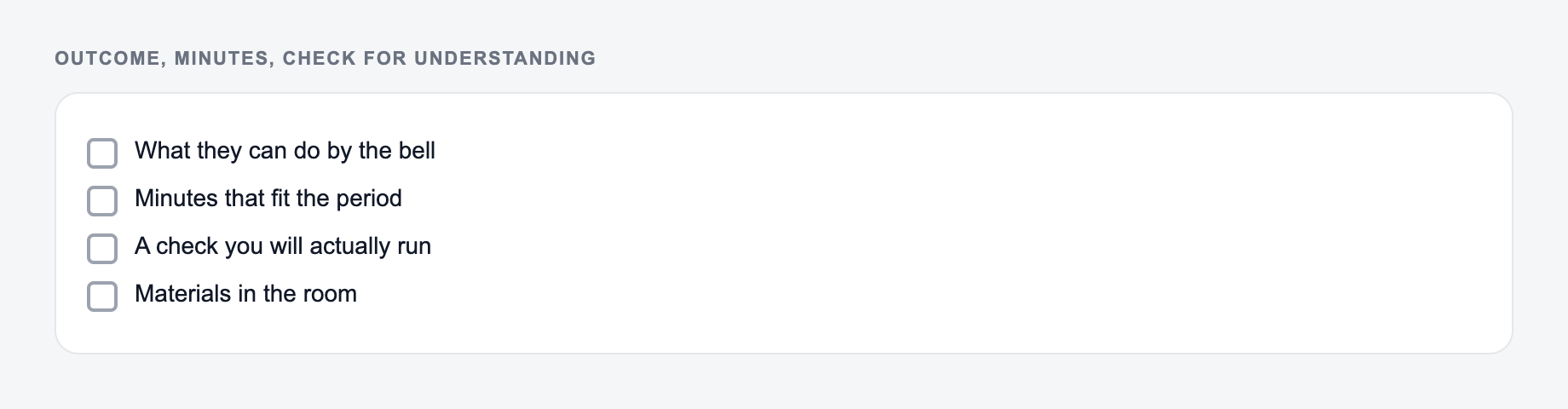
Detailed step-by-step plans work best for new content, observations, formal submissions, and lessons where pacing matters.
Quick plans are better for routine daily planning when you already know the content and only need structure.
Teacher scripts help when you want exact questions, transitions, modeling language, cold-call prompts, and discussion stems.
Online or remote lessons should include asynchronous steps, digital tools, clear student directions, and a submission path.
Substitute plans need simpler directions, materials, timing, and independent work that does not depend on deep content knowledge.
How to Get Standards-Aligned Output
If you have a standard, paste it directly. Codes such as CCSS, NGSS, state standards, or district outcomes help the generator align the objective, activity, and assessment.
If you do not have the exact standard, describe the skill clearly:
- "Students will analyze how a character changes across a story."
- "Students will compare fractions using visual models and explain their reasoning."
- "Students will identify cause and effect in a historical event."
- "Students will explain how energy moves through a food web."
The action verb matters. If the objective says "analyze," the activity and exit ticket should require analysis, not simple recall.
Differentiation That Teachers Can Actually Use
Generic differentiation is not helpful. Ask for supports that fit the students and the lesson.
Useful details to add:
- "5 ELL students need vocabulary support"
- "two students need reduced writing load"
- "mixed reading levels"
- "small-group rotation"
- "advanced students need an extension task"
- "no printer access"
- "Chromebooks available"
Look for output that gives concrete moves: sentence frames, word banks, graphic organizers, chunked tasks, partner roles, read-aloud options, challenge questions, and alternate ways to show understanding.
Example Input and Output Review
Example input:
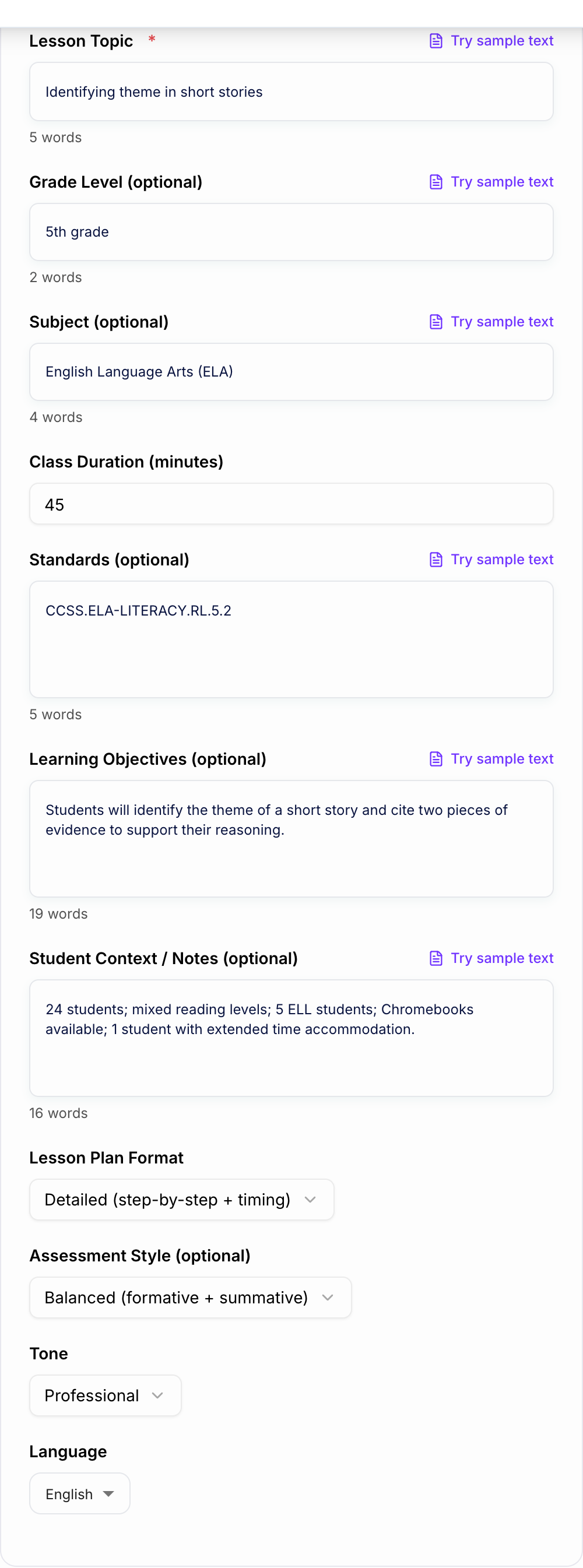
Topic, grade, and minutes you actually have belong on the form. Standards still need a teacher check.
Use the AI Lesson Plan Generator to get a shape on the page. Then do the slow part: open the source, check the number, and cut unsourced certainty.
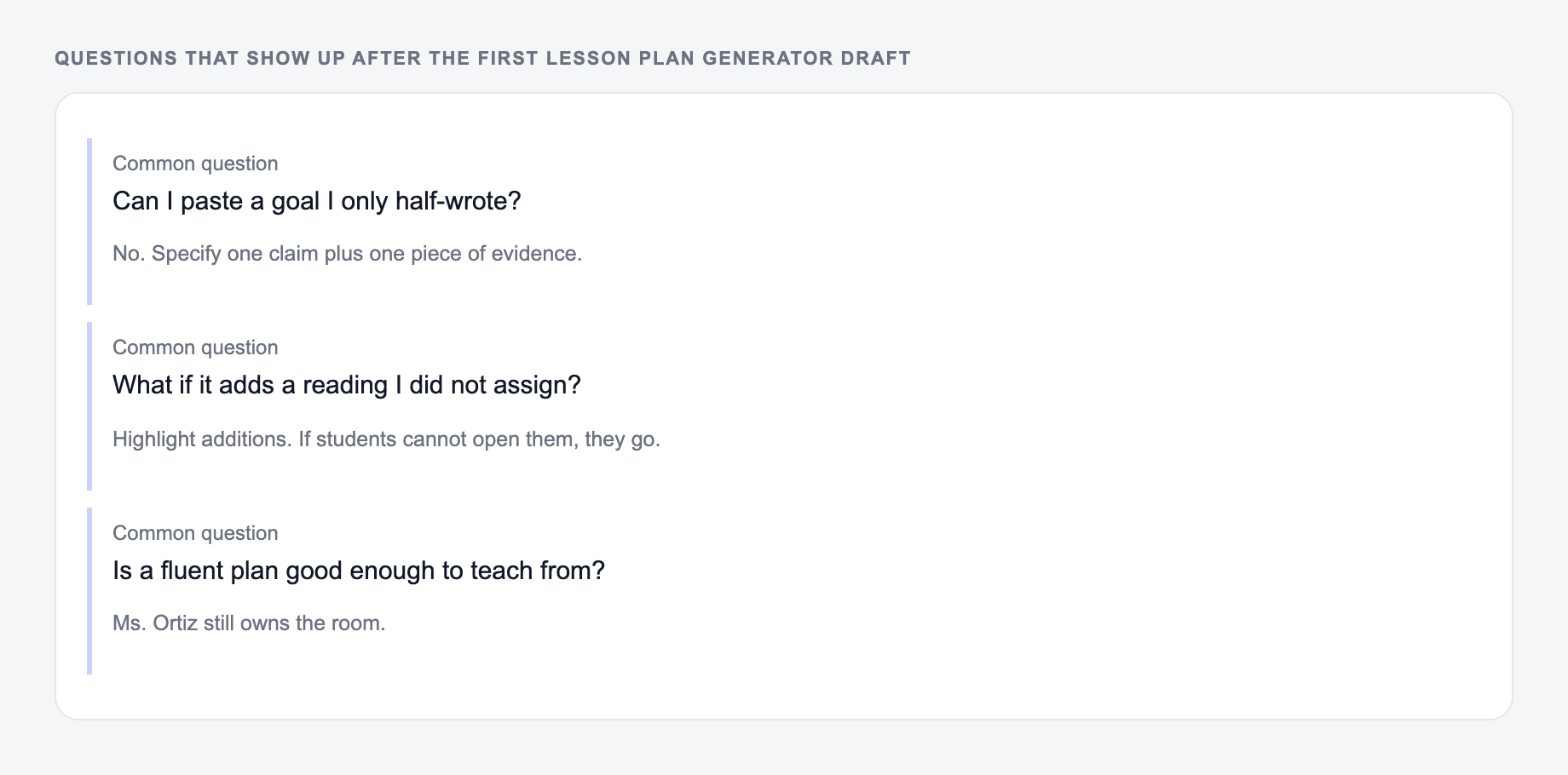
If the task is graded, cited, or used with students, the named writer still owns the claims.
7th grade ELA, 55 minutes. Teach theme using a short story excerpt. Students need to identify a theme and support it with text evidence. Include ELL supports, partner discussion, and an exit ticket.
The generated lesson should include:
- an objective with a measurable verb
- student-friendly success criteria
- a warmup that connects to theme
- a short model using evidence
- guided practice before independent work
- sentence frames for evidence
- a partner discussion routine
- an exit ticket requiring theme plus evidence
If the exit ticket only asks "What is theme?" the plan is not aligned. Regenerate or revise so the assessment measures the actual objective.
Review the Generated Lesson Before Teaching
Answer these before you generate a second batch. A reroll will not fix a vague brief.
Before using the plan, check it against the reality of your classroom.
Ask:
- Can this fit inside the available time?
- Are the materials actually available?
- Does the assessment match the objective verb?
- Are transitions realistic?
- Are student directions clear enough?
- Does the differentiation match specific learners?
- Is the reading level appropriate?
- Does the lesson connect to your curriculum sequence?
The generator can produce a polished plan, but you know the students. Adjust the final 10 percent before teaching.
Build a Broader Teaching Workflow
Check lesson plan generator output against the room you actually have:
- Times, loads, and criteria match what you typed
- Nothing medical, legal, or graded was invented
- You would still own this if a parent or clinician asked
Lesson planning often connects to worksheets, rubrics, parent emails, writing prompts, unit outlines, and feedback. A broader Junia AI workflow can help you generate those connected materials after the lesson plan is in place, so the objective, activity, and assessment stay consistent.
Final Checklist for an AI-Generated Lesson Plan
Before you use the plan, confirm it has:
- a clear objective
- student-friendly success criteria
- realistic timing
- materials and prep
- active learning steps
- checks for understanding
- differentiation that matches your class
- an assessment aligned to the objective
- closure or reflection
- any homework or extension clearly connected to the lesson
Frequently Asked Questions
Is this lesson plan generator free to use?+
Yes. You can generate classroom-ready lesson plans for free. Some advanced planning frameworks or premium modes may be marked as premium.
Can it align to standards like Common Core or NGSS?+
Yes. If you paste standards codes or wording (e.g., CCSS or NGSS), the lesson plan will align objectives, activities, and assessment to them. If you leave standards blank, it will still produce standards-aligned learning targets based on the topic and grade level.
What should I enter if I don’t know the learning objectives yet?+
Just enter the lesson topic. The tool can generate SMART objectives, success criteria, and checks for understanding that fit the grade level and subject you provide.
Does it include differentiation for mixed-ability classrooms?+
Yes. The lesson plan can include scaffolds, small-group supports, ELL language supports, and enrichment extensions to help you teach a range of learners effectively.
Can I use it for substitute teacher plans?+
Yes. Choose the Substitute Teacher Plan mode to get a self-contained plan with clear directions, timing, routines, and contingencies—designed to run smoothly without prior context.
Can it generate lesson plans in other languages?+
Yes. Choose your output language to generate lesson plans in many languages, useful for bilingual programs, international schools, and multilingual instruction.