
AI for Schools: Practical Uses, Risks, and Guardrails

Thu
AI SEO Specialist, Full Stack Developer

AI in schools is no longer a future question. Students are already using ChatGPT and similar tools for homework, teachers are using AI to draft materials, and school leaders are being asked to set rules before the evidence is fully settled. That is uncomfortable, but it is also the reality schools have to manage.
The most useful approach is not "ban everything" or "let AI handle it." Schools need a middle path: use AI for low-risk support, teach students how to question it, and keep humans in charge of learning, privacy, and assessment.
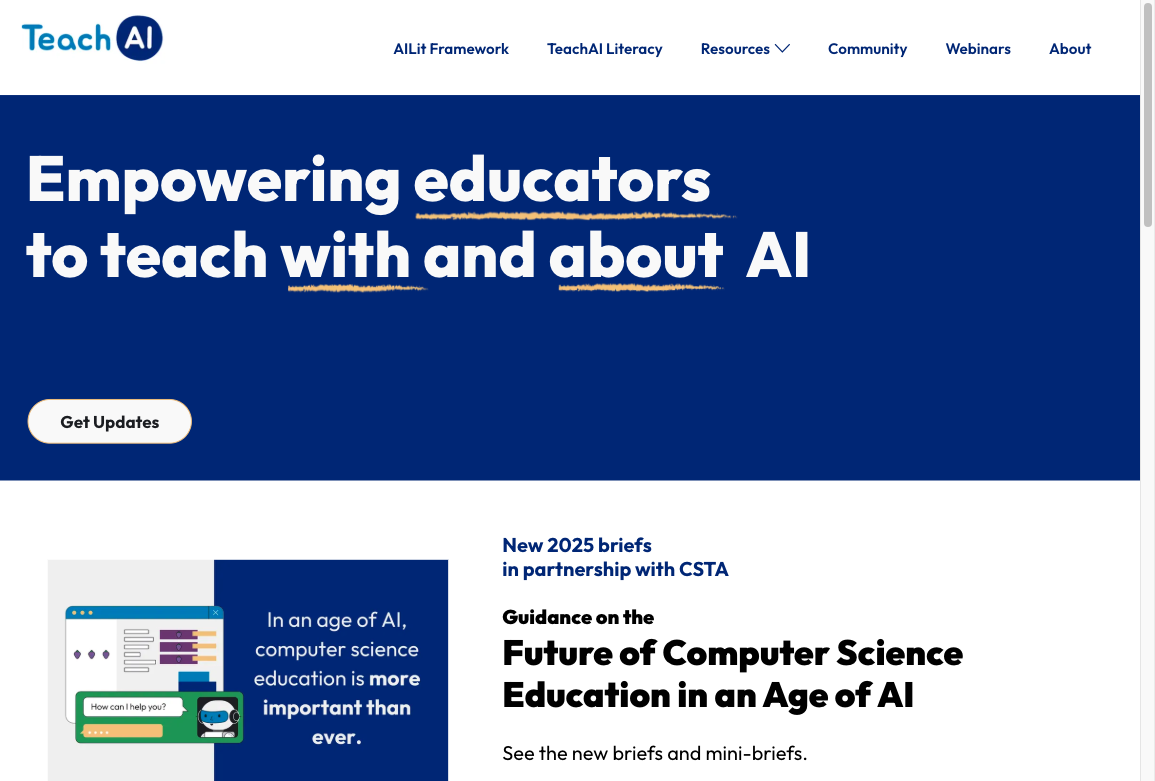
That middle path is also the one reputable education groups keep landing on. TeachAI, a coalition that includes ISTE, Code.org, and ETS, frames the job as teaching with and about AI, not pretending the tools will stay outside the classroom:
TL;DR: What should schools use AI for?
| School use case | Good fit? | Best default rule |
|---|---|---|
| Lesson planning | Yes | Let teachers draft faster, then review before classroom use. |
| Study support and tutoring | Yes, with guardrails | Use tools that coach step by step instead of giving final answers. |
| Differentiated materials | Yes | Adapt reading level, examples, and practice while preserving the same learning goal. |
| Rubrics and feedback drafts | Yes, for support | Use AI to draft criteria or comments, not to make final high-stakes decisions. |
| Student writing | Sometimes | Allow brainstorming, outlining, and revision support when AI use is disclosed. |
| Sensitive student data | No for public tools | Do not paste identifiable student information into open AI systems. |
| Automated grading or discipline | High risk | Require human review, clear policy, and legal/privacy checks first. |
If I were advising a school, I would start with teacher planning, study support, differentiated materials, and AI literacy assignments. Those are useful enough to justify a pilot and contained enough to supervise. I would wait on automated grading, student monitoring, and anything involving private student data until the school has a stronger policy and vendor review process.
What the evidence says right now
The short version: AI can help, but tool design matters a lot.
The U.S. Department of Education's 2025 guidance says AI can be used for instructional materials, tutoring, advising, and career exploration when schools follow existing legal requirements and pay attention to privacy, parent engagement, and responsible adoption (U.S. Department of Education).
At the same time, Stanford's 2026 review of AI in K-12 found that the research base is still limited. Its strongest takeaway is practical: AI tools with pedagogical guardrails, such as tutors that guide reasoning instead of handing over answers, look more promising than general-purpose chatbots used without structure (Stanford SCALE).
That distinction matters. A 2025 PNAS field experiment with high school math students found that GPT-4 access improved performance during practice, but students who used a standard ChatGPT-style tool performed worse when AI was later removed. The guarded tutor version reduced that problem because it was designed to support learning rather than replace it (PubMed summary of the PNAS study).
That is the line I keep coming back to when evaluating school AI tools: does this use help students think, or does it quietly do the thinking for them?
UNESCO's public guidance is the other useful starting point, especially for leaders who need a policy frame rather than a product pitch:

Digital learning and AI in education: UNESCO’s integrated vision
1. Help teachers plan lessons faster
Teacher planning is one of the safest AI starting points because the teacher still controls the goal, context, and final material. In my experience, this is also where AI feels least distracting: it removes some blank-page labor without changing who is responsible for the lesson.
AI can help draft:
- lesson outlines
- warm-up questions
- exit tickets
- vocabulary lists
- practice questions
- discussion prompts
- parent-friendly summaries
For example, a teacher can use a lesson plan generator to turn a topic, grade level, standard, and time limit into a workable first draft. The teacher should still check whether the activity matches the class, whether the examples are accurate, and whether the pacing is realistic.
The best prompt is specific:
Create a 45-minute Grade 7 lesson on proportional relationships. Include one opening question, one guided example, one partner activity, three checks for understanding, and one exit ticket. Assume students already understand ratios but struggle with unit rates.
That kind of prompt gives AI enough context to be useful. A vague prompt like "make a lesson about ratios" usually produces a generic plan that still needs heavy editing. The difference is not the tool; it is the quality of the instructional brief.
2. Give students guided study support
Personalized learning is where AI sounds most exciting, but schools should be careful with the word "personalized." Good personalization does not mean every student disappears into a chatbot. It means students get more targeted practice while the teacher can still see what is happening. I am skeptical of any classroom AI pitch that makes the teacher less informed rather than more informed.
AI works best here when it:
- asks students to explain their reasoning
- gives hints before answers
- adapts practice based on mistakes
- shows teachers where the class is struggling
- keeps students working toward the same learning standard
Students can also use a study guide generator to turn class notes into review questions, definitions, and practice prompts. That is a reasonable use because the tool is organizing material, not replacing the student's need to study it.
The risky version is a general chatbot that simply answers the homework. That can feel productive in the moment while weakening the exact skill the assignment was meant to build. Students get the answer, but the teacher loses the evidence of how they got there.
3. Create differentiated materials without lowering expectations
AI is useful when a class needs the same concept explained in several ways.
A teacher might ask AI to:
- rewrite a reading passage at two different reading levels
- create an example using sports, music, or local context
- simplify directions for multilingual learners
- generate extra practice for students who need repetition
- create extension questions for students who are ready to go deeper
This is where tools such as a text simplifier can help. The important editorial check is whether the simplified version keeps the core idea intact. I have seen AI simplifications become too neat, too quickly: the vocabulary gets easier, but the reasoning disappears. Simpler language should not mean thinner thinking.
Here is a practical rule: differentiate access, not the learning goal. If the class is learning how to evaluate evidence, AI can simplify the article or define vocabulary, but students should still practice evaluating evidence.
4. Draft rubrics, assignments, and feedback
AI can save teachers time by drafting rubrics and assignment instructions. This is useful because those tasks are repetitive but still require professional judgment. The first draft is rarely perfect, but it often exposes what the assignment is really asking students to do.
A rubric generator can help create criteria for an essay, project, presentation, lab report, or group activity. A teacher can then revise the levels so they match the actual assignment and classroom expectations.
AI can also help teachers draft clearer homework instructions. A homework assignment generator is most useful when the teacher already knows the objective, format, time estimate, and success criteria.
What schools should avoid is fully automated high-stakes grading. AI can suggest patterns, organize comments, or help with first-pass feedback, but a teacher should make the final call when grades, placement, discipline, or student records are affected. I would treat AI feedback as a draft note, not a verdict.
5. Teach AI literacy instead of pretending AI is not there
One reason blanket bans fail is that students can still access AI outside school. A better long-term answer is AI literacy. Schools do not need to celebrate every AI tool, but pretending the tools are invisible leaves students to learn bad habits on their own.
Cheating and AI literacy are not the same problem. A student pasting an essay prompt into ChatGPT and submitting the answer is academic dishonesty. A student using AI to generate counterarguments, then writing the essay themselves and disclosing the help, is closer to how writing will actually work. If the policy only says "no AI," teachers spend their time policing. If it says when AI is allowed, how to disclose it, and which tasks must stay unaided, the class can teach judgment instead of playing cat and mouse.
Students should learn how to:
- tell when AI is appropriate and when it is not
- disclose AI use honestly
- check sources and facts
- spot hallucinated citations
- compare AI output with their own reasoning
- revise instead of submitting the first answer
- understand privacy risks before sharing information
For research-heavy assignments, a citation generator can help students format sources, but it should not replace source evaluation. Students still need to ask whether the source is real, relevant, current, and credible.
The same applies to AI detection. An AI text detector can be one signal, but it should not be treated as proof by itself. I would never want a misconduct decision to rest on a detector score alone; false positives, mixed-authorship drafts, and legitimate assistive use all make detection more complicated than that.
6. Support school communication and public-facing content
The original version of this article focused heavily on SEO, and there is a real use case here. Schools need clear pages for admissions, calendars, policies, lunch information, transport, tuition, academic programs, staff updates, and parent communication.
AI can help a small school team:
- turn policy language into parent-friendly explanations
- draft clearer page titles and summaries
- update old FAQ pages
- translate or simplify routine announcements
- organize website content around the questions families actually ask
This is where AI overlaps with school communications and SEO. Staff can use AI academic writing tools to structure research guides, policy explainers, and educational resources faster, but the school still needs a human editor to check accuracy, tone, dates, and local policy.
I would not make SEO the first argument for AI in schools. It is useful, but it is secondary. Learning, safety, teacher time, and parent trust matter more. Better school pages are worthwhile; they are not the heart of the case.
7. Use immersive practice only when the simulation improves learning
Immersive AI and VR tools can help when students need rehearsal, simulation, or repeated practice.
For example, VirtualSpeech can support public speaking practice by letting learners rehearse in simulated environments. InnerVoice by iTherapy is another example of technology being used for communication support.
These tools are not where most schools should start. They can be valuable, but they come with higher questions about cost, accessibility, privacy, device management, and whether the simulation clearly improves learning. Personally, I would put them after the basics, not before them.
The test is simple: would this activity be weaker without simulation? If yes, immersive AI may be worth considering. If no, a simpler classroom activity is probably better.
Pros and cons of AI in schools
| Benefit | What it looks like in practice | Main risk |
|---|---|---|
| Teacher time savings | Faster lesson drafts, rubrics, quizzes, and parent communication | Generic materials if teachers skip review |
| More responsive practice | Hints, examples, and review based on student mistakes | Students may use AI as an answer machine |
| Accessibility support | Simplified text, translations, alternate explanations | Overreliance on low-quality or inaccurate output |
| AI literacy | Students learn how to question and disclose AI use | Inconsistent rules if teachers are not aligned |
| Better school communication | Clearer website pages, FAQs, and policy summaries | Privacy and accuracy issues if staff paste sensitive details |
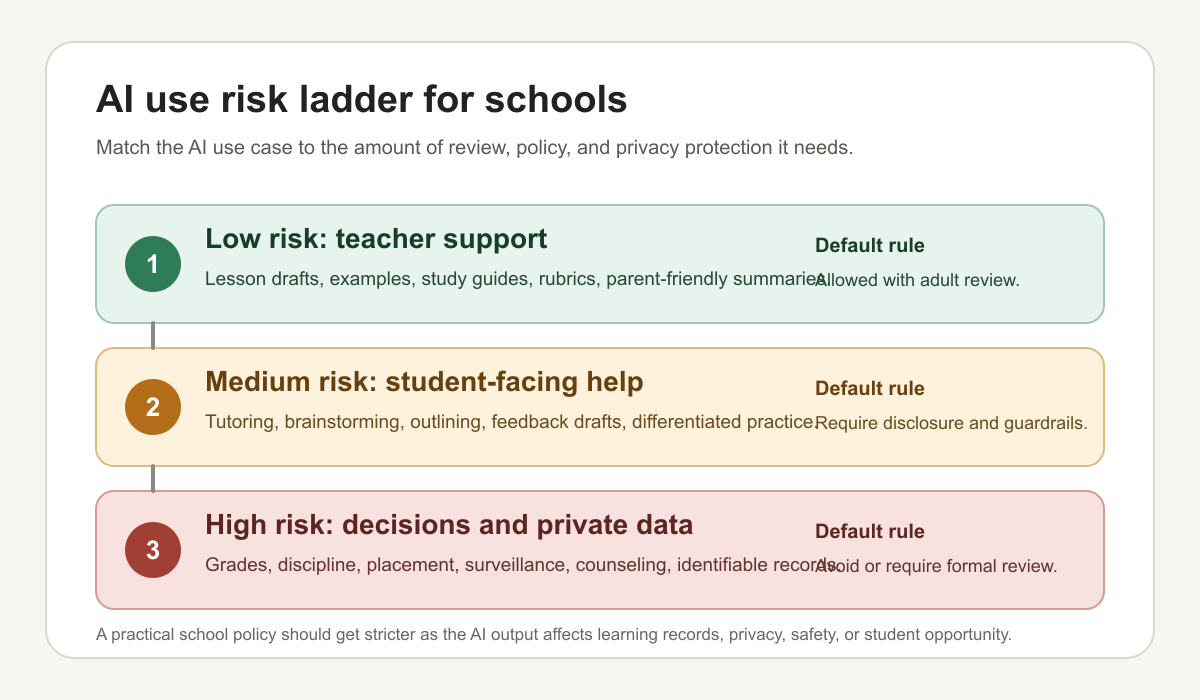
The biggest mistake is treating AI as one thing. A teacher using AI to draft a worksheet is not the same as a student using ChatGPT to write an essay, and neither is the same as a vendor collecting student data for adaptive tutoring. Lumping those together makes policy sound simpler, but it usually makes the rules worse.
Schools need different rules for different levels of risk.
| Risk level | Examples | Default rule |
|---|---|---|
| Low | Teacher lesson drafts, rubrics, parent emails, study guides from class notes | Allowed with human review before students see it |
| Medium | Student outlining, revision help, translations, extra practice | Allowed when disclosed and the assignment still requires the student's thinking |
| High | Final essays, exams, grading, placement, discipline, identifiable student data | Unaided work, approved tools only, or a teacher/admin decision |
That table is the policy. The longer checklist below is how to enforce it.
Guardrails every school should set
UNESCO's guidance on generative AI in education emphasizes privacy protection, age-appropriate use, and a human-centered approach (UNESCO). That is a good baseline for school policy, especially because the practical temptation is always to move faster than the safeguards.
At minimum, schools should define:
- Allowed uses: What can students and staff use AI for?
- Disclosure rules: When must students say they used AI?
- Privacy rules: What information must never be pasted into an AI tool?
- Tool approval: Which tools are approved, and who reviews them?
- Assessment rules: Which assignments must be completed without AI?
- Human review: When must a teacher, administrator, or counselor make the final decision?
- Parent communication: How will families know what the school allows?
Cybersecurity deserves special attention. The U.K. government's 2025 education cyber survey found that 44% of primary schools and 60% of secondary schools identified a cyber security breach or attack in the previous 12 months, with even higher rates in further and higher education (GOV.UK). AI does not create every cyber risk, but it gives schools one more reason to tighten data handling and vendor review.
A simple AI policy table for schools
| Situation | Suggested policy |
|---|---|
| Student brainstorming | Allowed with disclosure. Students should submit their own final thinking. |
| Student drafting | Allowed only when the assignment permits it. Require disclosure and revision history when appropriate. |
| Homework answers | Not allowed when AI replaces the required practice. |
| Teacher lesson planning | Allowed. Teacher reviews and edits before use. |
| Rubrics and feedback | Allowed as drafting support. Teacher makes final decisions. |
| Sensitive student data | Do not use in public AI tools. Use only approved systems with privacy review. |
| AI detection | Use as one signal, not as the only evidence of misconduct. |
| Vendor tools | Require review for privacy, accessibility, bias, security, and instructional value. |
State policy is moving quickly too. Education Commission of the States reported that at least 28 states had published AI guidance for K-12 settings by April 2025, after there were no state policies on generative AI when ChatGPT launched in 2022 (Education Commission of the States). That shift is a reminder that school AI rules should be reviewed regularly, not written once and forgotten. An annual AI policy review should be on the calendar from the start.
What schools should avoid
Some AI uses create more trouble than value.
Avoid these unless the school has strong evidence, policy, consent, and review:
- fully automated grading for high-stakes work
- AI discipline recommendations
- facial recognition or emotion detection
- student surveillance tools
- mental health chatbots without professional oversight
- public chatbots that receive identifiable student data
- AI-generated assignments published without teacher review
Accuracy checks matter most when students are likely to accept the answer as instruction rather than a draft. That is where hallucinations become more than an editing problem; they become a learning problem.
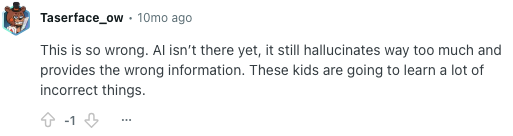
The safest rule is this: the more an AI output affects a student's record, opportunity, privacy, or wellbeing, the more human review and policy oversight it needs.
A practical rollout plan
Schools do not need a huge AI transformation project. A smaller rollout is easier to defend and easier to improve. In practice, three careful pilots are better than a broad AI strategy nobody has time to supervise.
Step 1: Start with staff use
Begin with teacher planning, administrative drafting, differentiated materials, and communication support. These are lower-risk because adults review the output before students see it.
Step 2: Create shared classroom language
Teachers should not have to invent rules alone. Define common terms such as brainstorming, outlining, drafting, revising, citing, and submitting. Students need to know the difference between acceptable support and dishonest substitution.
Step 3: Pilot with a few assignments
Choose assignments where AI can be used transparently. For example, students might compare their own outline with an AI-generated outline, then explain which one is stronger and why.
Step 4: Train teachers before scaling
Training should be practical. Teachers need example prompts, privacy rules, AI disclosure language, and ways to redesign assignments when a standard take-home essay is no longer enough.
Step 5: Review outcomes
Check whether AI is saving time, improving feedback, helping students practice, or creating new burdens. If the tool makes teachers police everything, the rollout is probably too loose. The rollout should make professional judgment easier to apply, not bury it under more monitoring work.
The bottom line
AI can be useful in schools, but only when it is used with a clear purpose. It is strongest as a planning assistant, study coach, differentiation tool, and AI literacy topic. It is weakest when schools use it to replace thinking, automate judgment, or handle sensitive information casually.
The best school AI policy is not complicated. Start with low-risk uses. Require disclosure. Protect student data. Keep teachers in charge. Review tools before rollout. And judge every AI use by whether it helps students learn more deeply, not whether it makes the task disappear. That is the standard I would use before approving almost any classroom AI workflow.