
Free Meta Description Generator
Generate SEO-friendly meta descriptions for blog posts, landing pages, ecommerce products, local service pages, and content refreshes. Create concise, keyword-aware snippet options that match search intent, stay within practical length limits, and give searchers a clear reason to click.
Meta Descriptions
Your meta description suggestions will appear here...
Updating meta descriptions on live pages? The SEO Improver audits each page and shows what to change to rank higher.
How the AI Meta Description Generator Works
Get results in seconds with a simple workflow.
Enter Your Page Topic (and Optional Keywords)
Add your page title/topic. Optionally include a primary keyword and supporting keywords to guide relevance and long-tail coverage.
Set Tone, Page Type, and Character Limit
Choose a tone, specify the page type (blog, product, service, local), and set a character limit so your meta description fits typical SERP snippet space.
Generate Variants and Pick the Best Snippet
Get multiple meta description options. Choose the one that best matches search intent, includes the keyword naturally, and clearly communicates value.
See It in Action
Example showing how a generic snippet becomes an SEO-friendly, click-worthy meta description with clearer benefits and intent alignment.
Learn about keyword research and how to do it for your website. This guide explains keyword strategy and SEO tips.
Keyword research for a new website made simple. Discover how to find low-competition keywords, match search intent, and build a traffic-growing SEO strategy.
Why Use Our AI Meta Description Generator?
Powered by the latest AI to deliver fast, accurate results.
SEO-Optimized Length (Pixel/Character-Safe)
Generates meta descriptions within a target character range to reduce truncation in Google search results and improve snippet readability.
Natural Keyword Integration
Includes your primary keyword and related terms in a natural, non-spammy way to align with on-page SEO while keeping the snippet compelling for humans.
Search Intent + CTR Focus
Adapts messaging for informational, commercial, and transactional queries—highlighting benefits, outcomes, and clear reasons to click.
Multiple Variants for A/B Testing
Creates several unique meta description options so you can test angles (benefit-led, CTA, social proof) and improve organic click-through rate.
Page-Type Aware Snippets
Optimizes meta descriptions for blogs, landing pages, product pages, service pages, and local SEO pages with the right structure and emphasis.
Pro Tips for Better Results
Get the most out of the AI Meta Description Generator with these expert tips.
Match the snippet to the query’s intent
For informational queries, promise a clear outcome (what the reader will learn). For commercial/transactional queries, highlight differentiators, benefits, and next steps.
Use one clear value proposition
A strong meta description usually includes one primary promise plus a supporting detail (who it’s for, what’s included, or what makes it faster/easier).
Avoid clickbait—opt for specificity
Accurate, specific snippets reduce pogo-sticking and improve engagement. Don’t claim results, pricing, or guarantees you can’t support on the page.
Include the primary keyword naturally
Aim to include the main keyword once, near the beginning if it reads naturally. Use close variants only if they fit without sounding stuffed.
Refresh snippets during content updates
When you update an article or landing page, refresh the meta description too—especially if the angle, offer, or target keyword changed.
Who Is This For?
Trusted by millions of students, writers, and professionals worldwide.
Generate meta descriptions that match the page and earn the click
The Meta Description Generator helps you turn a page topic, keyword, and search intent into concise snippet options for Google results. Instead of staring at a blank CMS field, you can generate several meta descriptions, compare the angles, and choose the one that best matches the page.
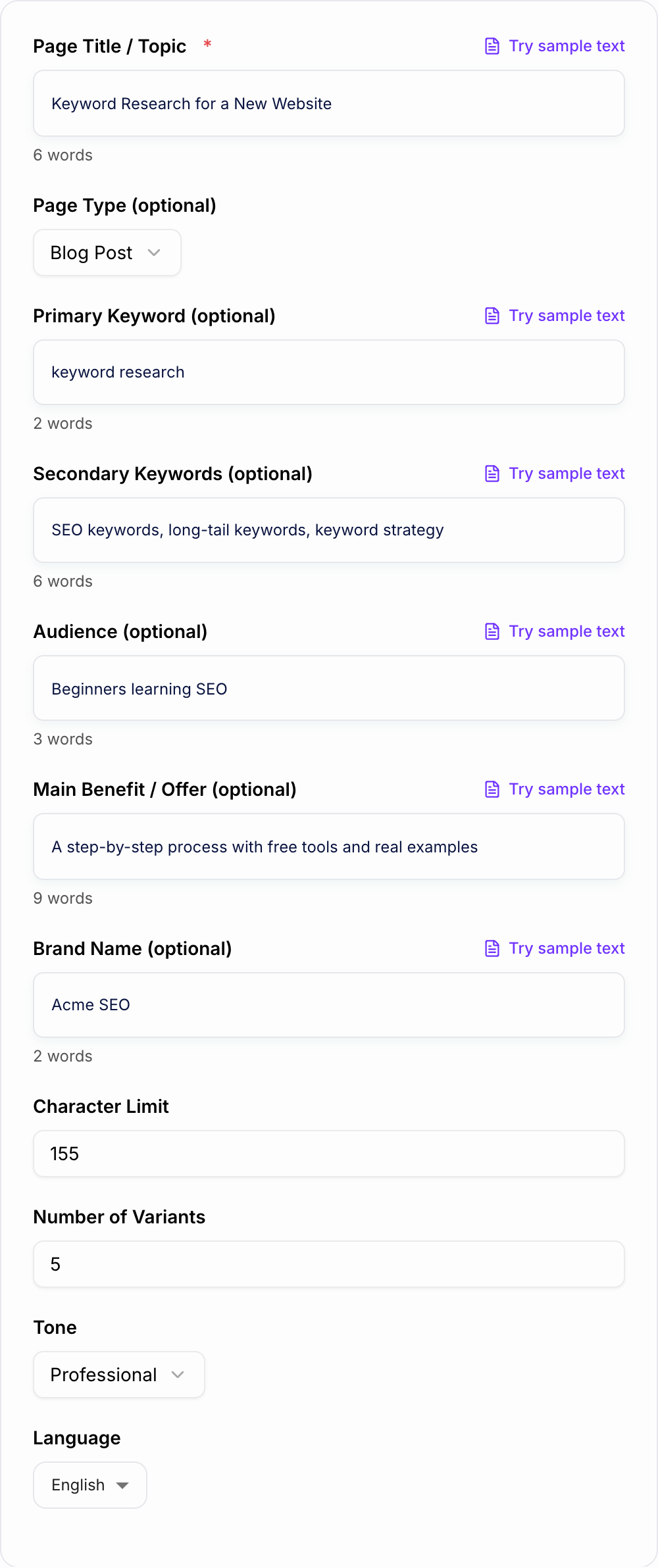
The goal is not to trick Google. The goal is to write a specific, accurate, click-worthy summary that tells searchers why your result is worth opening.
What to enter into the Meta Description Generator
The tool works best when your input includes more than a keyword. Add:
- Page topic or title: the actual page, product, article, service, or category.
- Primary keyword: the phrase the page is meant to satisfy.
- Page type: blog post, landing page, product page, category page, local service page, or homepage.
- Audience: beginner, buyer, local customer, founder, marketer, developer, student, or another clear group.
- Main value: what the searcher gets, solves, compares, learns, buys, or downloads.
- Proof or detail: examples, checklist, templates, pricing, local area, features, or constraints that are truly on the page.
Avoid feeding the generator vague input like “SEO article.” Better input is “blog post about keyword research for new websites; primary keyword keyword research; audience beginners; includes low-competition keywords, search intent, and a simple workflow.”
How to choose the right snippet angle
Generate several versions and compare the promise behind each one.
Benefit-led snippets work well when the page helps the searcher achieve a clear outcome.
Problem-led snippets work when the query reflects frustration, confusion, or a mistake the page fixes.
Feature-led snippets work for product and tool pages, but only when the feature helps the searcher decide.
Local snippets should include the service and location naturally, plus a real trust or service detail. Do not invent ratings, guarantees, emergency availability, pricing, or service areas.
Comparison snippets should name the comparison angle clearly: alternatives, best tools, pricing, pros and cons, or side-by-side differences.
If two generated options both look good, pick the one that sounds most like the page the user will actually land on.
Meta description length and truncation
A common target is about 150 to 160 characters, but Google snippets vary by query, device, and pixel width. Treat the character limit as a useful guardrail, not a guarantee.
A practical workflow:
- Set the target around 155 characters for most pages.
- Generate five to ten options.
- Keep the keyword and main value early.
- Make sure the description still makes sense if the ending is shortened.
- Remove filler before removing meaning.
Shorter can be better when the page promise is simple. Longer is only helpful if the extra words add real specificity.
Example input and generated output
Input:
Page type: blog post
Topic: keyword research for a new website
Primary keyword: keyword research
Audience: beginner website owners
Details: low-competition keywords, search intent, simple SEO plan
Tone: clear and practical
Strong generated option:
Keyword research for a new website made simple. Find low-competition terms, match search intent, and build a focused SEO plan from scratch.
That snippet works because it names the topic, gives the searcher a reason to click, and avoids generic filler like “learn more about keyword research.” The form behind that snippet is a page type, topic, keyword, audience, and a few details that are actually on the page.
| Snippet field | Write it like this | Fail if |
|---|---|---|
| Topic | Named in the first clause | “Learn more about…” |
| Proof | Checklist, template, or constraint on the page | Invented ratings or pricing |
| CTA | Soft and accurate | “Guaranteed #1 ranking” |
| Length | ~155 characters, sense-making if cut | Keyword repeated twice |
How to review generated meta descriptions
Before publishing, check every generated option against the live page:
- Does it describe what the page actually contains?
- Is the primary keyword included naturally?
- Is there one clear reason to click?
- Does the tone match the page type?
- Does it avoid claims the page cannot prove?
- Is it unique from similar pages on the site?
If the page itself changes during editing, regenerate the snippet. Metadata should be one of the last things you finalize, not a leftover field you fill in after publishing.
For blog workflows, refresh the draft first with the blog post generator, then pair this tool with the meta title generator so the title tag and description make the same promise in the SERP.
Testing and improving snippets over time
After publishing, use Google Search Console to find pages with high impressions and weak CTR. Those are the best candidates for a new meta description.
Generate a few alternate versions using different angles:
- clearer benefit
- stronger specificity
- page-type cue
- softer CTA
- better keyword placement
Then update one page at a time and give it enough impressions before judging the result. For larger sites, keep a simple record of which angle you tested so you can spot patterns.
If you manage content at scale, the Junia AI homepage is a useful starting point for related tools that support the rest of the SEO writing workflow.
Final checklist before publishing
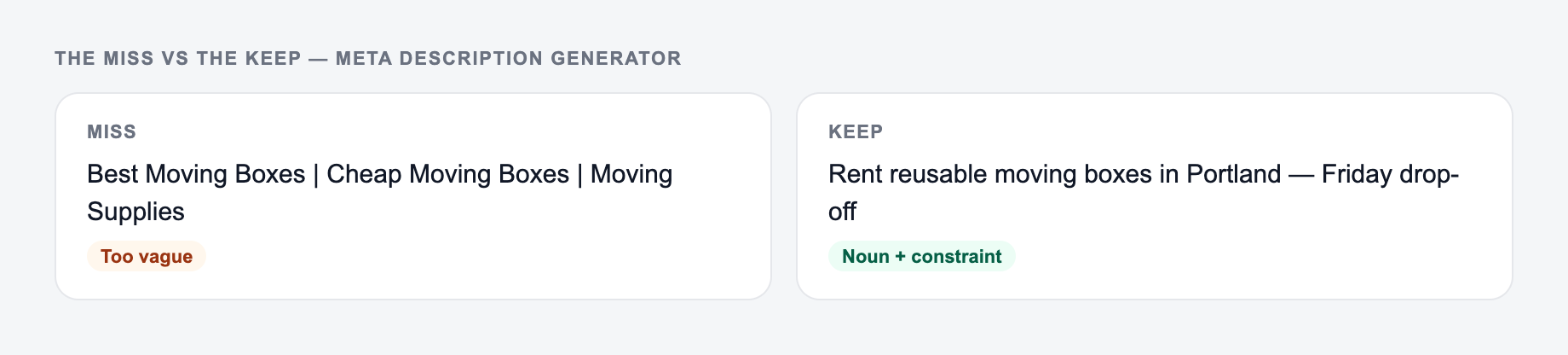
- The snippet is unique.
- The keyword appears naturally.
- The page promise is accurate.
- The value is specific.
- The character length is reasonable.
- The copy still reads well if shortened.
- The title tag and meta description do not fight each other.
Before the page goes live, add the snippet to your blog post editing checklist so metadata gets reviewed with the content, links, headings, and final on-page checks.
Field-by-Field Snippet Review
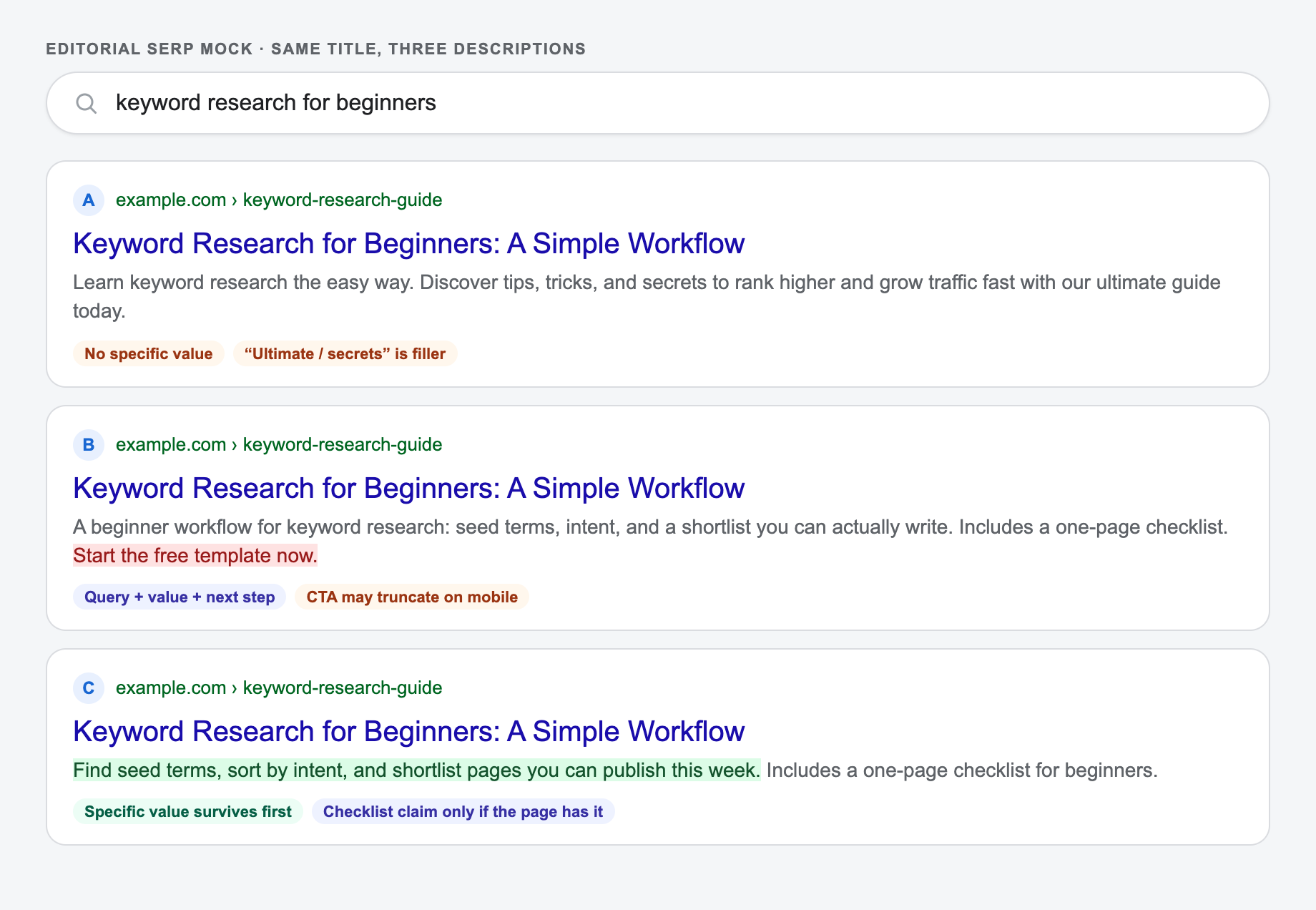
Annotate a candidate description by function: query match, specific value, supporting detail, and next-step language. If a phrase fills none of those roles, cut it. For a local service page, separately verify service, location, availability, price, guarantee, and accreditation claims against the page or business record.
The mock below keeps the title fixed and changes only the description, so you can see which functions survive truncation.
SEO Improver
Fix the titles and content of pages that are already live
- Audits any existing page against what ranks today
- Recommends fixes for titles, headings, and content
- Shows exactly what to change to rank higher
Frequently Asked Questions
What is a meta description in SEO?+
A meta description is an HTML attribute that summarizes a page’s content. It often appears as the snippet in Google search results and can influence click-through rate (CTR), especially when it matches the query and clearly communicates value.
What is the best length for a meta description?+
A common best practice is ~150–160 characters (often measured in pixels), but the ideal length can vary. This tool lets you set a character limit to reduce truncation and keep snippets readable in search results.
Do keywords in meta descriptions help rankings?+
Meta descriptions are not a direct ranking factor, but keyword-relevant snippets can improve CTR and help users confirm your page matches their search intent. A higher CTR can indirectly support performance by driving more qualified traffic.
Why does Google sometimes rewrite my meta description?+
Google may rewrite snippets to better match a user’s query or pull more relevant on-page text. Writing clear, accurate, intent-aligned meta descriptions can reduce rewrites, but it’s not guaranteed.
Should every page have a unique meta description?+
Yes, unique meta descriptions help avoid duplication and improve relevance across pages—especially for SEO content, category pages, and location pages. For large sites, templates plus page-specific details can work well.
Can I use this for local SEO pages?+
Yes. Add the service and location (city/area) and generate meta descriptions that naturally include them while emphasizing trust signals and outcomes—without making up reviews or guarantees.