
Free AI Keyword Research Tool
Generate SEO keyword opportunities from a topic, phrase, or URL. Find long-tail keywords, search intent groupings, related questions, and topic clusters you can turn into blog posts, landing pages, and scalable content strategies.
Keyword Research
Your AI keyword research (keyword ideas, intent, clusters, and questions) will appear here...
How the AI Keyword Research Tool Works
Get results in seconds with a simple workflow.
Enter a Seed Keyword (and Optional URL or Location)
Start with a topic, product, service, or problem. Optionally add a page URL for context and a target location for local SEO keyword variations.
Choose Intent, Platform, and Keyword Count
Select search intent (or keep it mixed), choose a platform (Google/YouTube/Amazon/App Store), and set how many keyword ideas you want.
Generate, Then Turn Keywords Into Pages
Get keyword ideas with intent and clustering. Pick the best targets, create a content brief, and publish pages that match intent with clear internal linking.
See It in Action
Turn a broad seed topic into a structured keyword list with intent, long-tail ideas, and a topic cluster plan you can publish.
Seed topic: email marketing for ecommerce
I need SEO keywords for blog posts and landing pages.
Primary keyword targets:
- email marketing for ecommerce (Commercial/Informational)
- ecommerce email marketing strategy (Informational)
Long-tail keywords:
- best email marketing flows for ecommerce
- abandoned cart email sequence examples
- post purchase email sequence for ecommerce
- ecommerce welcome series best practices
- how to segment ecommerce email list
Question keywords (FAQ/PAA):
- What is the best email frequency for ecommerce?
- How many emails should an abandoned cart sequence have?
- What are the most important ecommerce email automations?
Topic cluster (pillar + supporting posts): Pillar: Ecommerce Email Marketing: Strategy, Flows, and Templates Clusters:
- Abandoned Cart Emails: Examples + Templates
- Welcome Series for Ecommerce: Best Practices
- Post-Purchase Emails That Increase Repeat Orders
- Email Segmentation for Ecommerce (RFM, behavior, lifecycle)
- Ecommerce Email KPIs (revenue per recipient, CTR, deliverability)
Internal linking:
- Each cluster links to the pillar using natural anchors (e.g., “ecommerce email marketing strategy”).
- Pillar links back to each cluster in a “Recommended guides” section.
Why Use Our AI Keyword Research Tool?
Powered by the latest AI to deliver fast, accurate results.
AI Keyword Ideas (Head Terms + Long-Tail Keywords)
Generate relevant keyword ideas from a seed topic, including long-tail keywords, modifiers, and semantic variations that match real search behavior and content opportunities.
Search Intent Classification (Informational, Commercial, Transactional, Local)
Automatically map keywords to search intent so you can choose the right page type (blog post, landing page, product page, comparison page, or local service page).
Topic Clusters for Topical Authority (Pillar + Supporting Content)
Build an SEO topic cluster with a pillar page keyword and supporting cluster keywords, plus internal linking guidance to improve topical relevance and rankings.
Question Keywords for FAQs and Featured Snippets
Generate question-based keywords (PAA-style) and related subtopics to expand long-tail coverage and create FAQ sections that satisfy user intent.
Content Brief Angles (Titles, H2/H3 Ideas, and SERP Fit)
Get suggested titles and angles for each keyword so you can quickly turn keyword research into publish-ready content briefs aligned with SERP expectations.
Pro Tips for Better Results
Get the most out of the AI Keyword Research Tool with these expert tips.
Start with long-tail keywords to win faster
If your site is new, prioritize long-tail keywords with specific modifiers (best, for, vs, near me, pricing, how to). They’re often easier to rank and convert better because intent is clearer.
Map intent to page type before writing
Informational keywords typically need blog posts or guides, commercial keywords need comparisons and lists, transactional keywords need product/landing pages, and local keywords need service pages plus a strong Google Business Profile.
Build clusters and internal links on purpose
Create one pillar page for the main topic and multiple supporting articles. Link supporting pages to the pillar using descriptive anchor text, then add cross-links between related cluster posts.
Use question keywords to improve on-page coverage
Add an FAQ section targeting question keywords. This can improve relevance for long-tail queries and help capture featured snippets when answers are concise and direct.
Validate your shortlist with real data
After generating ideas, check actual search volume, SERP difficulty, and ranking pages. Use Google results and tools to confirm the intent and the content format that ranks.
Who Is This For?
Trusted by millions of students, writers, and professionals worldwide.
Generate SEO Keyword Ideas with an AI Keyword Research Tool
Keyword research is basically this: figure out what people are actually typing into Google, then create content that matches what they are looking for. The challenge is not finding keywords. It is knowing which ones are worth targeting.
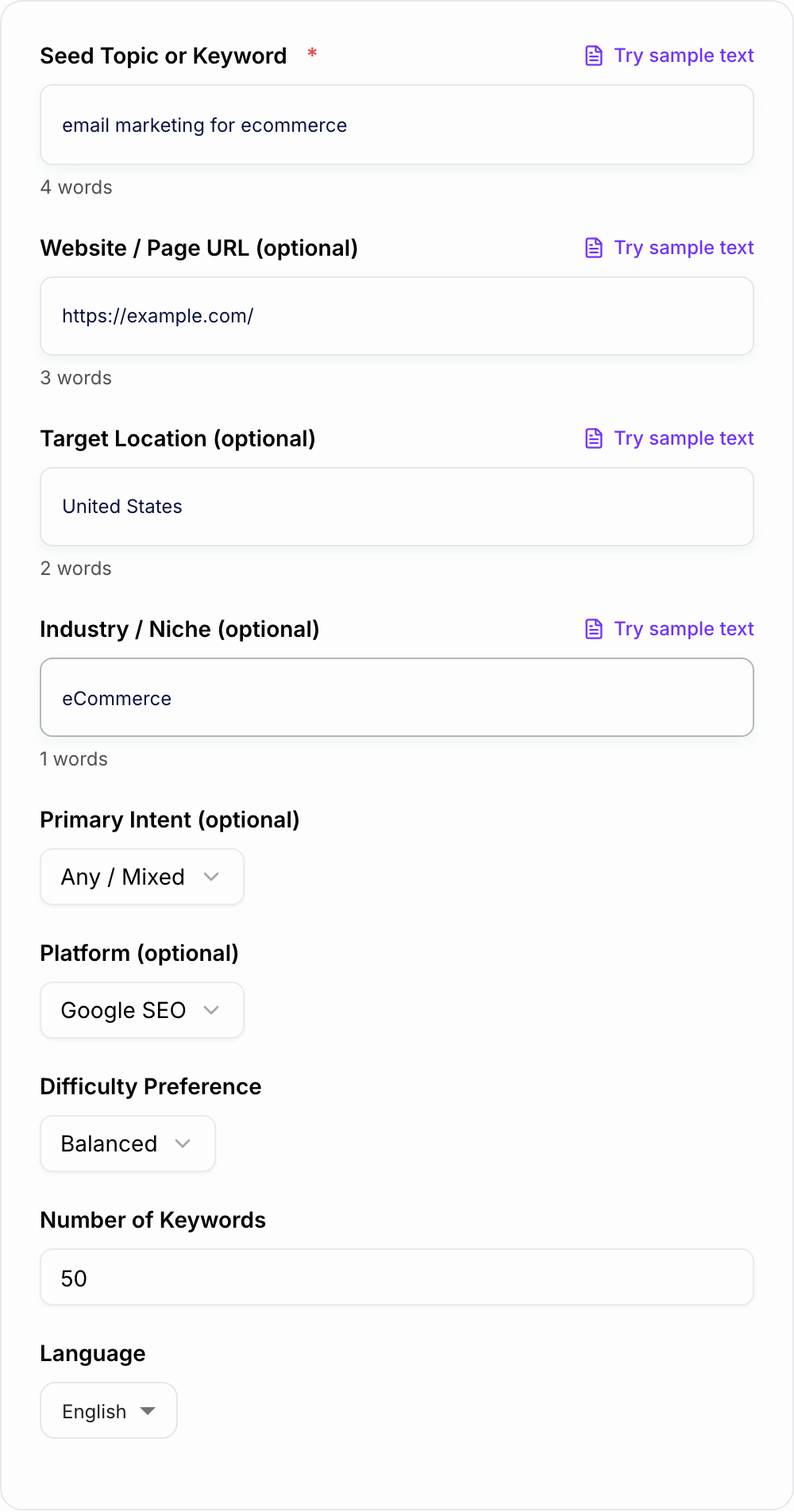
This AI Keyword Research Tool helps you move from a broad topic to a practical content plan in minutes. Enter a seed keyword, URL, audience, and business context, and you can get:
- long-tail keyword ideas
- search intent labels
- question-based keywords
- topic clusters and related subtopics
If you are using Junia, you can take those keyword ideas and turn them into briefs, outlines, and articles without switching between multiple tools. That is one of the advantages of using an all-in-one AI writing platform for research, planning, writing, and optimization.
For larger content teams, keyword research is only one step in the process. An AI SEO agent can help coordinate research, content creation, optimization, and internal linking from planning to publishing.
Once you've identified promising keywords, creating a structured SEO content brief before writing makes it easier to align content with search intent and ranking opportunities.
What to Enter Into the Keyword Research Tool
The seed keyword matters, but the optional context fields can make the output much sharper.
Use inputs like:
- a seed keyword or competitor URL
- your target audience or buyer type
- the country, region, or language you care about
- the product, service, or content category you want to support
- any existing pages you do not want to duplicate
"SEO" will produce broad ideas. "keyword research for early-stage SaaS startups in the US" gives the tool a clearer market, intent, and content angle.
How to Evaluate Generated Keyword Opportunities
Not every keyword deserves its own page. The strongest opportunities usually have:
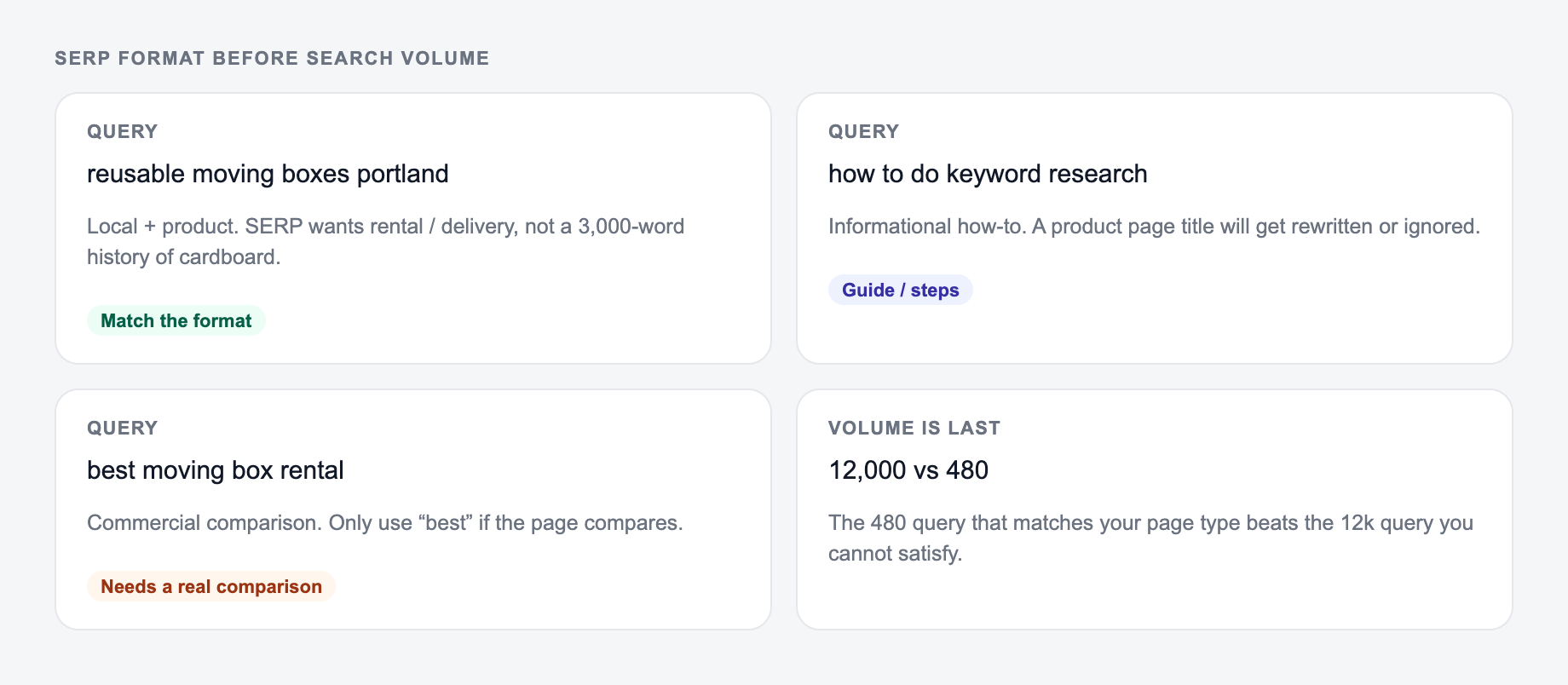
- clear search intent
- a realistic chance of ranking
- a content format that matches what already appears in Google
For most websites, long-tail keywords are the easiest place to start because they tend to be more specific and less competitive. Understanding the difference between long-tail and short-tail keywords can help you prioritize keywords that fit your site's current authority.
Turn Tool Output Into Topic Clusters
Individual keywords rarely perform best in isolation. Instead of creating random articles, group related keywords into clusters built around a central topic.
A simple cluster includes:
- one pillar page covering the main topic
- supporting pages targeting related keywords
- internal links connecting everything together
This structure helps users navigate your content and makes it easier to build topical authority through connected topic clusters.
Common Keyword Research Mistakes to Catch Before Writing
Avoid these common pitfalls:
- targeting keywords that don't match your business
- focusing only on high-volume terms
- ignoring search intent
- publishing content without a cluster strategy
- creating separate pages for keywords that should be covered on one stronger page
- skipping validation after the AI generates ideas
From Keyword Ideas to Content
Keyword research is only the starting point. Once you've identified target keywords, the next step is turning them into content that supports a broader SEO strategy.
AI autoblogging can help turn keyword ideas into drafts and scheduled content, while a consistent workflow for research, optimization, and publishing helps ensure those pages continue to perform over time.
Many teams use an AI-powered SEO workflow so research, briefing, drafting, optimization, and publishing stay organized as content production scales.
Before you publish from the generated list, do one final pass: validate search demand, check the SERP format, choose the right page type, and make sure the keyword supports your business. The tool should speed up research, not replace editorial judgment.
SERP Format Before Search Volume
A keyword with demand is still a bad target if the SERP is the wrong page type. After generating ideas, classify the first page of results before you brief a writer.
Start with the seed and the page type you can actually publish, not volume vanity.
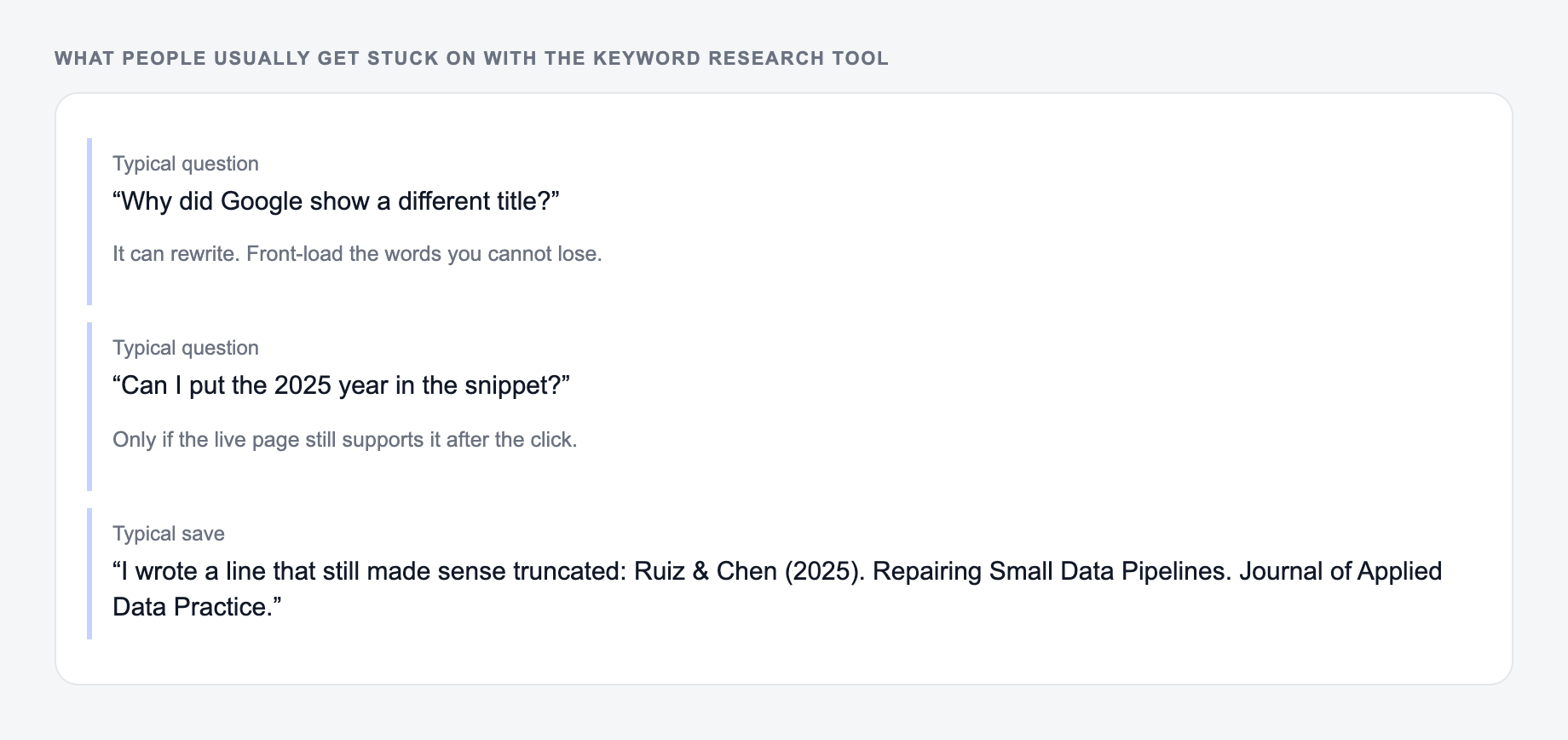
A SERP-shaped check (not a live capture): title, path, and one line a searcher would still believe after the click.
If the AI Keyword Research Tool line only works when you already know the brand, it is too vague for that snippet.
Worked pass for “invoice reminder email”:
- Dominant format: templates and examples, not a 3,000-word history of invoicing.
- Page type to create: a template hub with copy-ready reminders, not a generic “what is an invoice” post.
- Adjacent terms to split: “overdue invoice email” (collections tone) vs “invoice reminder template” (preventive tone).
- Business filter: if you do not send invoices, this keyword does not support the product.
Score opportunities on intent match, SERP format, realistic page type, and commercial relevance. Ignore vanity volume when the results are dominated by marketplaces, YouTube, or local packs you cannot compete with. The generator can cluster terms; it cannot tell you whether your site has the authority or the offer to win.
AI SEO Agent
Let an AI SEO agent grow your organic traffic
- Connects to your website and finds the keywords you can win
- Plans, writes, and publishes the articles once you approve
- Keeps working in the background, week after week
Frequently Asked Questions
Is this AI keyword research tool free?+
Yes. You can generate keyword ideas, long-tail keywords, intent mapping, questions, and topic clusters for free. Some advanced modes (like competitor angles or local SEO packs) may be marked as premium.
Does this tool provide real search volume and keyword difficulty scores?+
This tool focuses on generating high-quality keyword ideas, intent, and structure. It does not guarantee real-time search volume or difficulty metrics. For exact numbers, validate your shortlist in tools like Google Keyword Planner, Search Console, Ahrefs, Semrush, or similar platforms.
How do I choose the best keywords from the list?+
Prioritize keywords with clear intent, strong relevance to your business, and a realistic competition level for your site. Start with long-tail keywords that match specific problems, then expand into broader topics as your site gains authority.
What is search intent and why does it matter for SEO?+
Search intent is the goal behind a query (learn, compare, buy, find a brand, or find a local provider). Matching intent helps you create the right content type and improves rankings, engagement, and conversions.
What are topic clusters and how do they help rankings?+
Topic clusters organize content around a pillar page and supporting articles that interlink. This improves crawlability, builds topical authority, and helps search engines understand your site’s expertise on a subject.
Can I use this for local SEO keyword research?+
Yes. Add a location and choose Local intent to generate service + location modifiers, near-me variations, and supporting content ideas for local searches.