
Free Pros and Cons Generator
Generate balanced pros and cons for products, software, services, strategies, reviews, comparison pages, and everyday decisions. Add context, audience, perspective, item type, count, tone, and language to get practical advantages, disadvantages, trade-offs, key considerations, and optional recommendations.
Pros and Cons
Your pros and cons list will appear here...
How the AI Pros and Cons Generator Works
Get results in seconds with a simple workflow.
Enter Your Topic
Type what you’re evaluating (a product, tool, platform, strategy, or decision). Add optional context to improve accuracy and relevance.
Choose Count, Perspective, and Tone
Select how many points you want, pick a perspective (neutral, buyer, business, SEO, etc.), and choose a tone to match your audience and content style.
Generate and Publish
Get a structured pros and cons list you can paste into a blog post, review page, or comparison article. Edit to add your experience, pricing details, or examples.
See It in Action
Turn a simple topic into a structured advantages and disadvantages list with practical trade-offs and a clear summary.
Topic: Using Shopify
I need pros and cons for Shopify for my store.
Pros
- Easy setup and beginner-friendly admin
- Large app ecosystem and integrations
- Reliable hosting, security, and checkout
- Solid SEO basics (editable titles, meta descriptions, clean URLs)
- Scalable plans for growth
Cons
- Monthly fees plus transaction costs (depending on payment setup)
- Customization can require paid themes or developer help
- Some SEO limitations vs fully custom sites (e.g., URL structure constraints)
- App stack can increase cost and slow performance if overused
- Platform lock-in compared to self-hosted options
Key considerations
- Budget for apps/themes, desired customization, and long-term total cost
Recommendation
- Best for small businesses that want speed, reliability, and an all-in-one platform; consider alternatives if you need deep customization or want to minimize recurring fees.
Why Use Our AI Pros and Cons Generator?
Powered by the latest AI to deliver fast, accurate results.
Instant Pros and Cons Lists for Any Topic
Generate a clear advantages and disadvantages list for products, services, strategies, tools, and life decisions—ideal for comparison content and decision support.
SEO-Friendly, Scannable Formatting
Produces structured output with labeled Pros and Cons sections that’s easy to paste into blog posts, landing pages, and “is it worth it?” articles for better readability and on-page SEO.
Context-Aware Trade-Offs (Not Generic)
Uses your optional context—goals, constraints, audience, budget—to produce realistic trade-offs, risks, and benefits aligned with what readers actually care about.
Perspective and Use-Case Targeting
Choose a perspective (buyer, business, SEO, developer, marketer) to generate pros/cons that match the decision criteria relevant to that audience.
Balanced Recommendations and Considerations
Optionally includes decision criteria, who it’s best for, who should avoid it, and a brief recommendation—useful for product reviews and comparison pages.
Pro Tips for Better Results
Get the most out of the AI Pros and Cons Generator with these expert tips.
Add constraints to avoid generic output
Include budget, timeline, team size, and skill level. Constraints help generate more realistic disadvantages and more relevant advantages.
Use a specific perspective for SEO content
For review articles, select Buyer. For operational content, select Business. For optimization articles, select SEO to surface ranking, performance, and content implications.
Turn bullets into stronger on-page SEO sections
After generating, add a short intro sentence before each list, and expand 2–3 key points with examples. This improves depth, E-E-A-T, and time on page.
Pair with comparison keywords
If you’re writing SEO content, use the output to target “pros and cons of X”, “X advantages and disadvantages”, and “is X worth it” search queries naturally.
Include edge cases and deal-breakers
Add context like compliance needs, performance requirements, or growth plans to surface deal-breakers early—this makes your content more trustworthy and useful.
Who Is This For?
Trusted by millions of students, writers, and professionals worldwide.
Generate Balanced Pros and Cons for Reviews, Comparisons, and Decisions
A useful pros and cons list is not just a pile of positive and negative bullets. It should explain the real trade-offs behind a decision and reflect the situation of the person making it.
The AI Pros and Cons Generator helps you create that first structured draft. Enter a topic, add context, choose a perspective, and generate advantages, disadvantages, considerations, and optional recommendations for products, tools, strategies, services, and everyday choices.
The best results come from specific context and a careful review pass.
What to Enter Into the Pros and Cons Generator
Start with the topic or decision, then add the details that change how the trade-offs should be judged.
Useful inputs include:
- Topic: the product, platform, tool, service, strategy, career option, or business decision
- Context: goals, budget, timeline, current situation, constraints, and what matters most
- Audience: beginner, buyer, founder, marketer, developer, student, operator, or expert
- Alternative: what the reader is comparing it against
- Item type: product, service, tool, platform, strategy, marketing decision, career decision, or general topic
- Perspective: neutral, buyer, business, marketer, SEO, developer, or student
- Point count: short snippet, standard list, or more detailed section
- Tone and language: match the page, report, classroom, or review style
For example, "pros and cons of Shopify" is usable. "Pros and cons of Shopify for a small store with 20-50 products, limited developer help, and concern about SEO and fees" is much better.
Choose the Right Perspective
The perspective setting changes what the generator treats as important.
Neutral
Use this when you want an even-handed overview for a general audience. This is the safest choice for informational pages and broad decision summaries.
Buyer or user
Use this for product reviews, buying guides, and "is it worth it" content. The output should focus on price, ease of use, support, onboarding, reliability, and day-to-day experience.
Business or operator
Use this for internal decisions. The output should consider scalability, cost structure, risk, implementation effort, process changes, and team capacity.
SEO
Use this for content and platform decisions where search visibility matters. The output can cover indexability, site speed, content workflow, technical limits, SERP intent, and long-term organic growth.
Developer or technical
Use this when flexibility, integrations, documentation, maintenance, performance, security, or code access are important.
How to Use the Output in SEO Content
Pros and cons sections often appear in review posts, comparison pages, buying guides, and articles targeting phrases like "is it worth it," "advantages and disadvantages," or "should I use X."
For SEO content, do not paste the generated list and stop. Add enough context around it so the section feels useful.
A strong structure looks like this:
- Short intro explaining who the list is for
- Pros section with clear, non-repetitive points
- Cons section with real drawbacks
- Key considerations or deal-breakers
- Recommendation or best-fit summary
Expand the most important two or three points with examples, current details, pricing context, limitations, or first-hand experience. That extra layer is usually what separates helpful content from filler.
Review the Generated Pros and Cons
The output should be balanced, but you still need to check it before publishing or using it to make a decision.
Review for:
- Accuracy: pricing, policies, technical details, and availability may change
- Balance: real cons should appear, not just mild negatives
- Repetition: remove bullets that say the same thing in different words
- Audience fit: the points should match the reader’s priorities
- Missing alternatives: a pro or con may change if the real comparison is different
- Evidence: add examples, experience, sources, or screenshots when the list will be published
- Recommendation logic: the conclusion should follow from the points above it
If the generator sounds too positive, add constraints and a stricter perspective. If it sounds too generic, add the alternative, audience, and deal-breakers.
Example Input and Better Output
Here is a useful input:
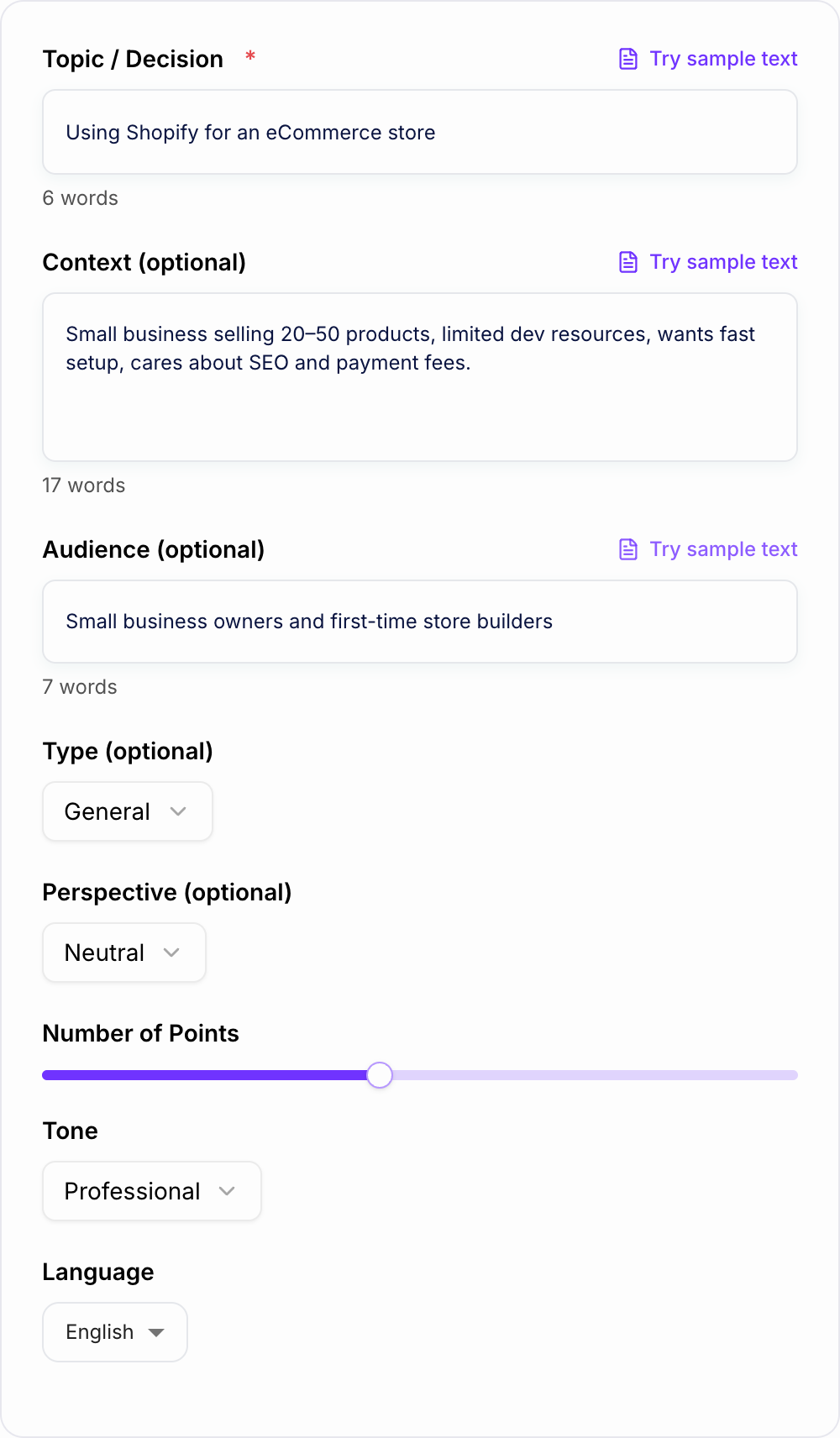
The form below is that fuller brief: topic, who is deciding, and the constraints that change the trade-offs.
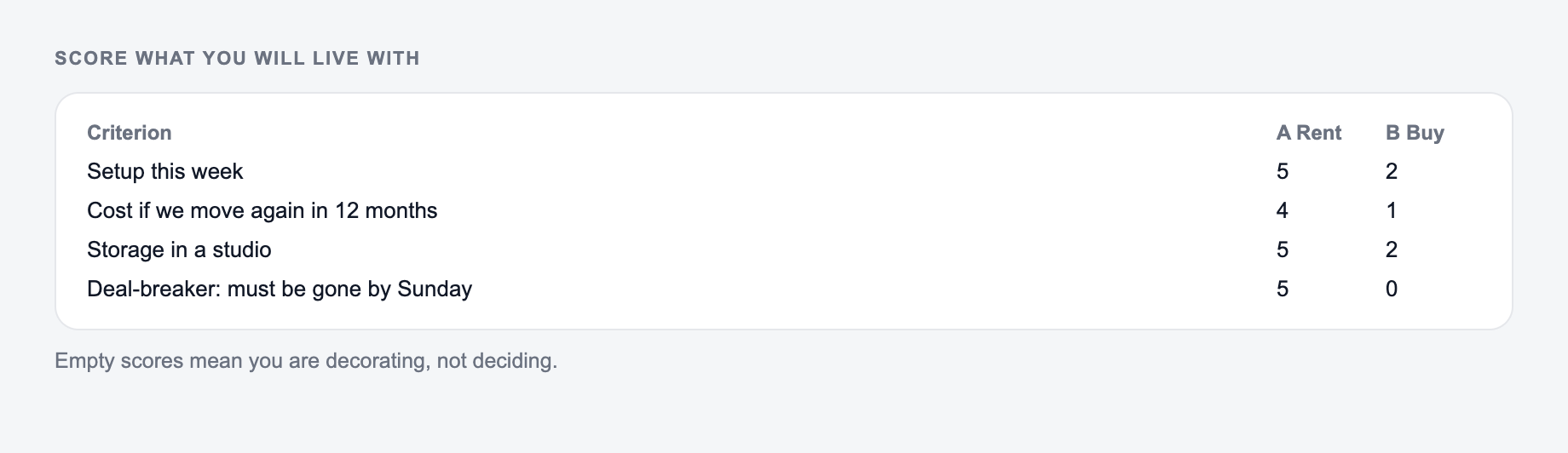
Use a one-pass framework:
- Name the decision in a sentence a colleague could repeat.
- List only the criteria that would change the choice.
- Score what you can observe, not what you prefer.
- Write the risk you are accepting next to the winner.
Topic: Using Shopify for an ecommerce store Context: small business, 20-50 products, limited developer resources, wants fast setup, cares about SEO and payment fees Audience: first-time store builders Perspective: buyer Count: 5 pros and 5 cons
A weak output might say:
Pros: easy to use, many features, good support. Cons: can be expensive, limited customization.
A stronger generated section would say:
Pros: fast setup, hosted checkout and security, large app ecosystem, solid SEO basics, scalable plans. Cons: monthly fees and transaction costs, paid themes or apps for customization, app bloat can hurt performance, URL structure limits, platform lock-in. Recommendation: Shopify is a strong fit when speed, reliability, and simple operations matter more than full technical control.
The stronger version works because it connects each point to the reader’s actual constraints.
Common Pros and Cons Generator Mistakes
The first mistake is skipping context. Without audience, goals, and constraints, the generator has to produce a broad list.
The second mistake is asking for too many points. Twelve pros and twelve cons can become repetitive unless the topic is complex. Fewer, sharper points often read better.
The third mistake is hiding drawbacks because you want the answer to support a decision. A balanced list builds more trust, especially in reviews and comparison content.
The fourth mistake is treating the recommendation as final. Use it as a decision aid, then verify facts and apply your own judgment.
Final Checklist Before Publishing or Deciding
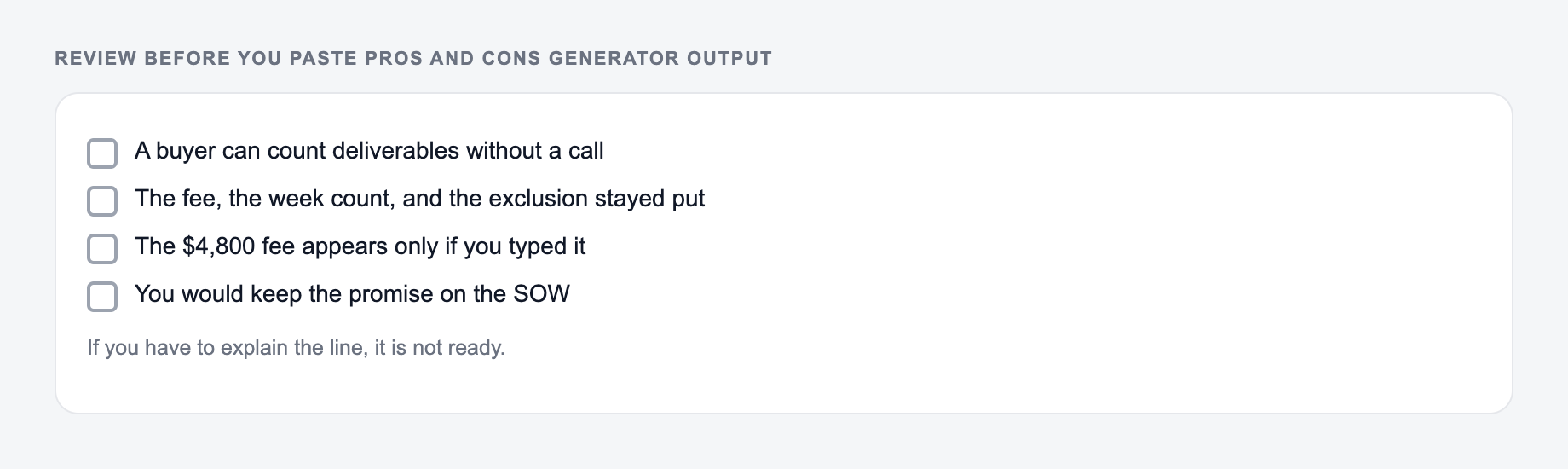
Before you use the generated list, check:
- The topic and alternative are clear
- The audience is obvious
- The pros are specific and not exaggerated
- The cons are real and not watered down
- Important constraints are included
- Current facts have been verified
- Repeated points have been removed
- The recommendation matches the evidence
If you are creating review sections, comparison intros, FAQ answers, or fuller decision pages from the same notes, the other tools on Junia AI can help expand the strongest generated bullets without rebuilding the whole workflow.
Turn the List Into a Decision Matrix
A balanced list can still produce a poor decision when every point is treated as equally important. After generating, give each criterion a weight from 1 to 5 and score each option against it. For a small ecommerce platform choice, the matrix might prioritize setup speed (5), predictable cost (4), checkout reliability (5), design control (2), and international selling (3). A platform can have more cons overall and still win because it performs well on the criteria that matter most.
Separate facts (the plan costs a stated amount), forecasts (the team expects setup to take two weeks), and preferences (the editor dislikes the theme system). Verify facts at their source, label forecasts, and do not present preferences as universal drawbacks. Also run a reversal check: ask which audience would see each “con” as a “pro.” Limited configuration may frustrate a developer but help a first-time owner avoid maintenance.
Frequently Asked Questions
Is this pros and cons generator free to use?+
Yes. You can generate a pros and cons list for free. Some advanced modes (like detailed explanations or decision helper) may be marked as premium.
Can I use the output in blog posts and SEO content?+
Yes. The output is formatted for easy publishing and works well in review posts, comparison pages, and “is it worth it?” articles. Always verify details for your specific scenario before publishing.
How do I get more accurate pros and cons?+
Add brief context such as your goals, constraints (budget, time, skills), audience, and what you’re comparing against. More context helps generate more realistic advantages, disadvantages, and trade-offs.
Will the generator be biased or overly positive?+
It’s designed to be balanced by default, listing meaningful benefits and real drawbacks. If you need a specific perspective (like buyer or business), select it to tailor the evaluation criteria.
Can it generate pros and cons for software and tools?+
Yes. It works well for SaaS tools, platforms, and plugins, including considerations like pricing, learning curve, integrations, performance, scalability, and SEO impact.
Does it include a recommendation?+
If you choose a mode that includes decision guidance, it will add considerations, who it’s best for, who should avoid it, and a short recommendation based on typical use cases.