
Free Sentence Generator
Generate natural, context-aware sentences for any topic, tone, audience, and purpose. Create single sentences or multiple variations for emails, essays, blogs, ads, product pages, SEO copy, resumes, social captions, and more.
Generated Sentences
Your generated sentences will appear here...
How the AI Sentence Generator Works
Get results in seconds with a simple workflow.
Enter Your Topic or Context
Describe what the sentence should be about. The more specific the topic (and the intended context), the more accurate and useful the sentence will be.
Choose Purpose, Tone, and Length
Pick a purpose (blog, email, ad, academic, etc.), select a tone, and set a sentence length. Optionally add an audience and keywords to guide style and SEO relevance.
Generate and Pick the Best Option
Get one sentence or multiple variations. Choose the best fit, then paste into your draft—or regenerate to explore new angles, wording, and structure.
See It in Action
Example of generating multiple strong sentence options from a basic topic—useful for blog intros, SEO copy, and marketing messages.
Topic: keyword research
I need a sentence about keyword research for a new website.
- Keyword research helps a new website find realistic search terms that attract the right visitors.
- With keyword research, you can match your content to search intent and grow organic traffic faster.
- A solid keyword strategy uncovers long-tail keywords that are easier to rank for when your site is new.
- Doing keyword research early keeps your content focused on topics people are already searching for.
Why Use Our AI Sentence Generator?
Powered by the latest AI to deliver fast, accurate results.
Instant Sentence Ideas for Any Writing Task
Generate polished sentences for blog posts, essays, emails, landing pages, product descriptions, social captions, and more—helpful when you’re stuck or need faster drafting.
Tone and Audience Control
Match your brand voice or assignment style by selecting a tone and (optionally) an audience. Get sentences that sound natural, appropriate, and consistent.
Keyword-Aware Sentences for SEO Writing
Add target keywords to produce sentences that fit SEO content naturally—supporting on-page relevance without awkward keyword stuffing or robotic phrasing.
Multiple Variations for A/B Testing and Rewrites
Generate several unique sentence options so you can pick the strongest line for headlines, hooks, CTAs, landing pages, and email subject/body copy.
Multilingual Sentence Generation
Create sentences in many languages to support international audiences, localization, and multilingual SEO—while keeping meaning and tone aligned.
Pro Tips for Better Results
Get the most out of the AI Sentence Generator with these expert tips.
Use one clear idea per sentence
If you want a crisp, readable sentence, keep the input topic focused on one point (benefit, claim, step, or definition). Then generate another sentence for the next idea.
For SEO, use 1 primary keyword + 1–3 related terms
Add a primary keyword and a few close variants to help the tool generate sentences that support topical relevance while staying natural and readable.
Match the sentence to its placement
Hooks should build curiosity, body sentences should explain clearly, and CTAs should be specific and benefit-led. Choose the mode that matches where the sentence will be used.
Generate 8–12 options, then combine
Often the best sentence is a hybrid. Generate multiple variations, then merge the strongest parts (verbs, structure, or phrasing) into a final line.
Add constraints when needed
If you need brand-safe writing, ask for “no hype,” “no superlatives,” or “no claims.” If you need readability, choose Simple tone and Short length.
Who Is This For?
Trusted by millions of students, writers, and professionals worldwide.
Generate Natural Sentences with an AI Sentence Generator
The AI Sentence Generator helps when you know the idea but cannot get the wording right. Enter a topic, purpose, tone, audience, and optional keywords, then generate one sentence or several variations you can test in real writing.
Use it for blog openings, transitions, email lines, product descriptions, ads, social captions, essay sentences, SEO copy, resume bullets, CTAs, and any draft where one awkward sentence is slowing everything down. If one sentence is not enough but you do not need a full article either, a single paragraph is often the right unit, for example a product intro or an essay's opening argument. For longer passages, move the idea into the AI text generator.
What to Enter for Better Sentence Output
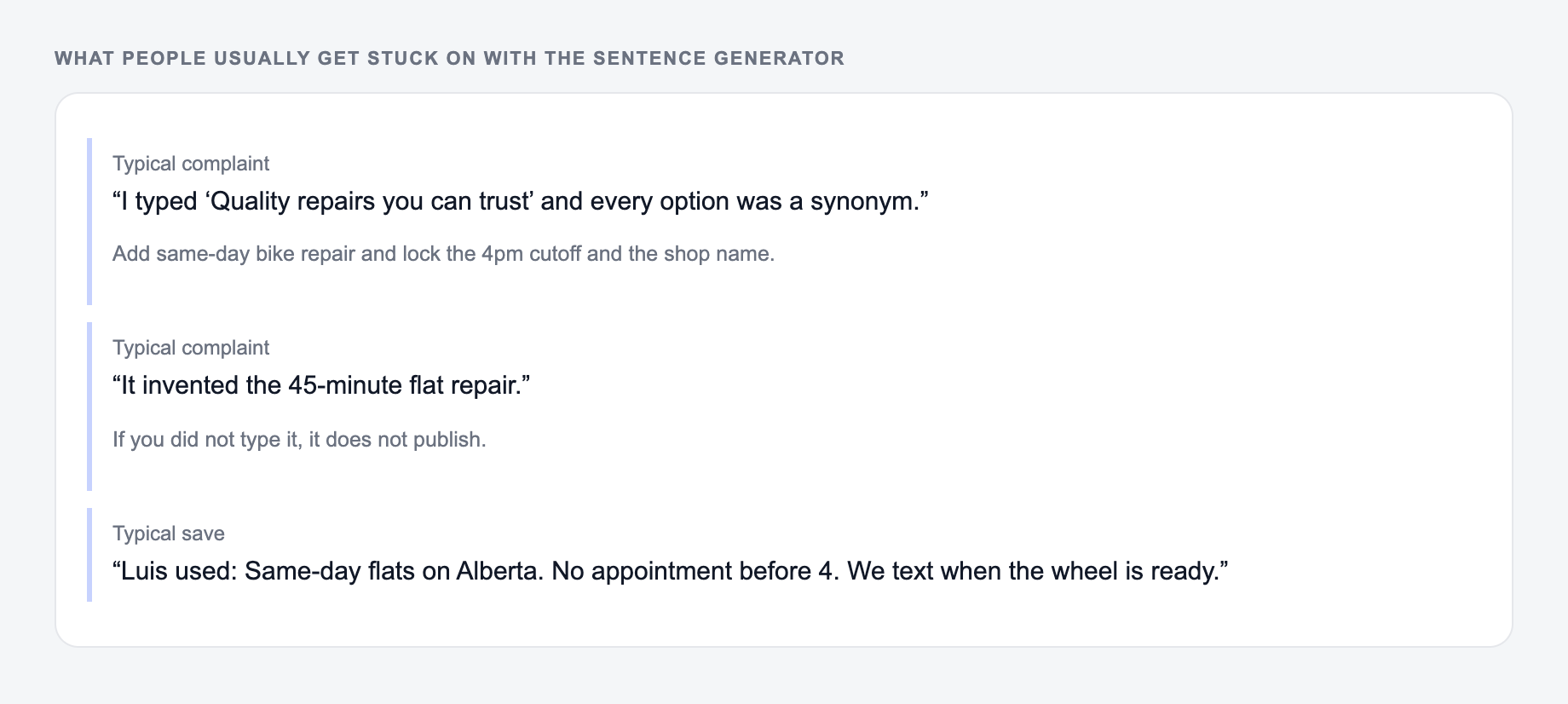
Specific inputs matter more than long inputs. Give the generator enough context to choose the right wording:
- Topic: what the sentence should be about
- Purpose: blog, email, ad, essay, product page, social post, SEO, resume, or academic writing
- Audience: buyers, beginners, executives, students, subscribers, recruiters, or general readers
- Tone: clear, warm, professional, persuasive, simple, formal, playful, or direct
- Keywords: only when they must appear naturally
- Length: short for punch, medium for general use, long when the sentence needs more detail
- Point of view: first person, second person, or third person when that matters
Weak input: "sentence about email marketing." Better input: "Write a clear sentence explaining how weekly email newsletters help ecommerce brands bring past customers back."
Choose the Right Sentence Type
Single sentence
Use this when the paragraph is mostly done and you need one clean line to complete the thought.
Multiple options
Use this for rewriting, A/B testing, tone comparison, headlines, hooks, CTAs, and sentence-level polish.
Hook or opener
Use this when the first line needs to pull readers into a blog post, email, sales page, LinkedIn post, or script.
CTA sentence
Use this for buttons, banners, landing pages, email closers, and product copy where the reader should take a clear next step.
SEO sentence
Use this when a keyword needs to fit naturally inside a paragraph without sounding stuffed.
Academic sentence
Use this for formal explanations, essay transitions, neutral claims, and research-style writing.
How to Generate SEO Sentences Without Keyword Stuffing
The goal is to make the sentence useful first and relevant second. Enter one primary keyword, one or two related terms if needed, and a plain description of the paragraph context.
Example input:
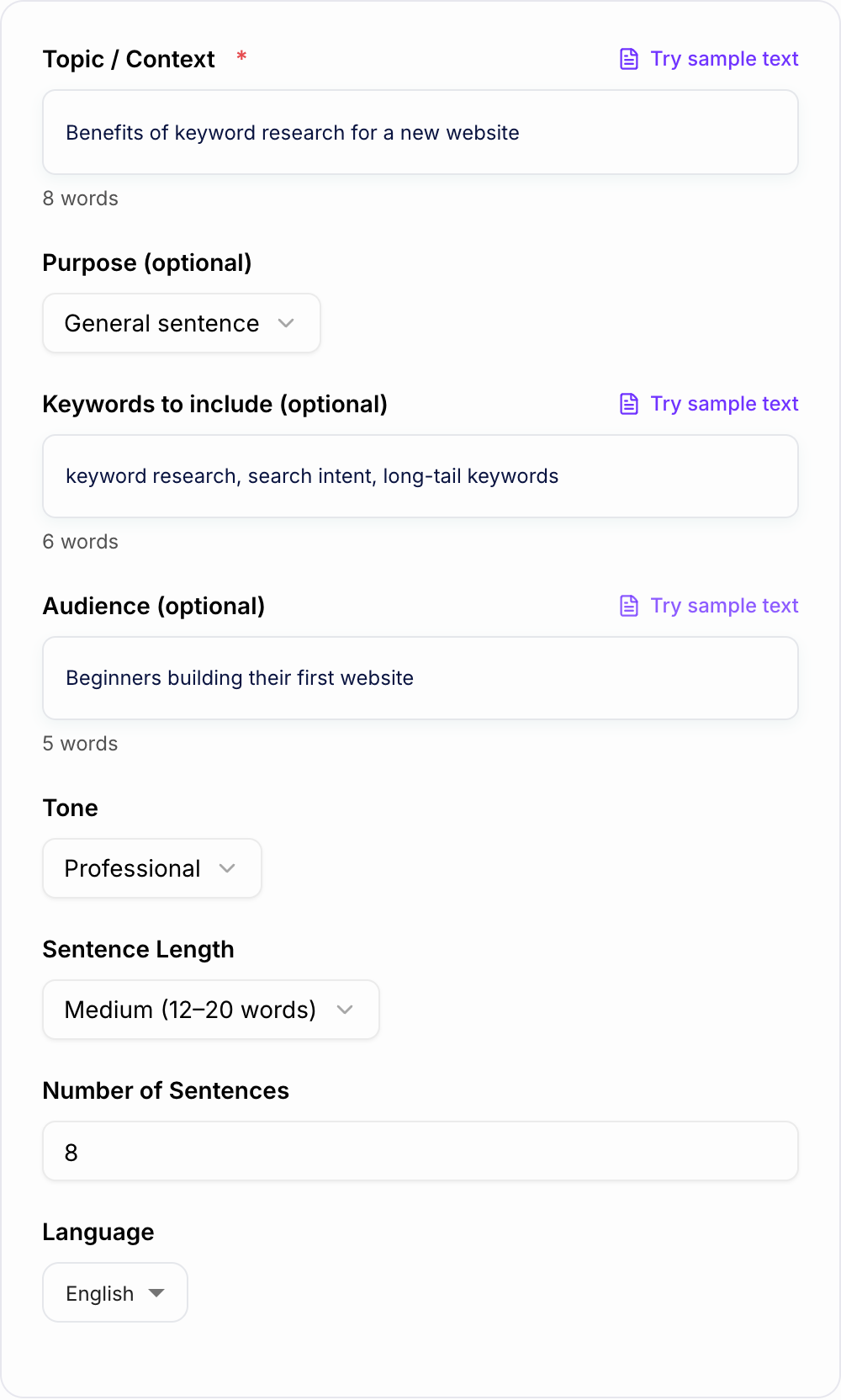
- Topic: benefits of keyword research for a new website
- Keyword: keyword research
- Related terms: search intent, long-tail keywords
- Purpose: SEO blog sentence
- Tone: clear and helpful
A good generated sentence should fit the paragraph even if the keyword were removed. If the keyword feels bolted on, regenerate with more context or choose a shorter sentence.
Examples You Can Adapt
Blog sentence prompt
Topic: why internal linking helps SEO on new sites Purpose: blog sentence Tone: helpful Length: medium
Product description sentence prompt
Topic: stainless steel insulated water bottle that keeps drinks cold Purpose: product description Tone: confident Length: short
Email sentence prompt
Topic: following up after a demo to confirm next steps Purpose: email Tone: professional Length: medium
Academic sentence prompt
Topic: limitations of small sample sizes in survey research Purpose: academic writing Tone: formal Length: long
Saved prompts like these are useful when you generate sentences often. For longer workflows, Junia AI can help turn sentence-level ideas into full sections, drafts, and SEO-focused content.
How to Review Generated Sentences
Before you paste a generated sentence into a live draft, check:
- Does it say one idea clearly?
- Does the tone match the platform?
- Is the sentence too long for the surrounding paragraph?
- Are keywords natural?
- Is there any unsupported factual claim?
- Does it sound like your voice after a quick edit?
If one sentence is trying to carry too much, split the idea. When a sentence needs to become a fuller explanation, use the text expander instead of forcing everything into one line.
When the Sentence Generator Is Most Useful
Use it when you need variations, transitions, openings, CTAs, SEO lines, or a cleaner way to say something you already understand. Skip it for high-stakes factual, legal, medical, or compliance statements unless a qualified person reviews the final wording.
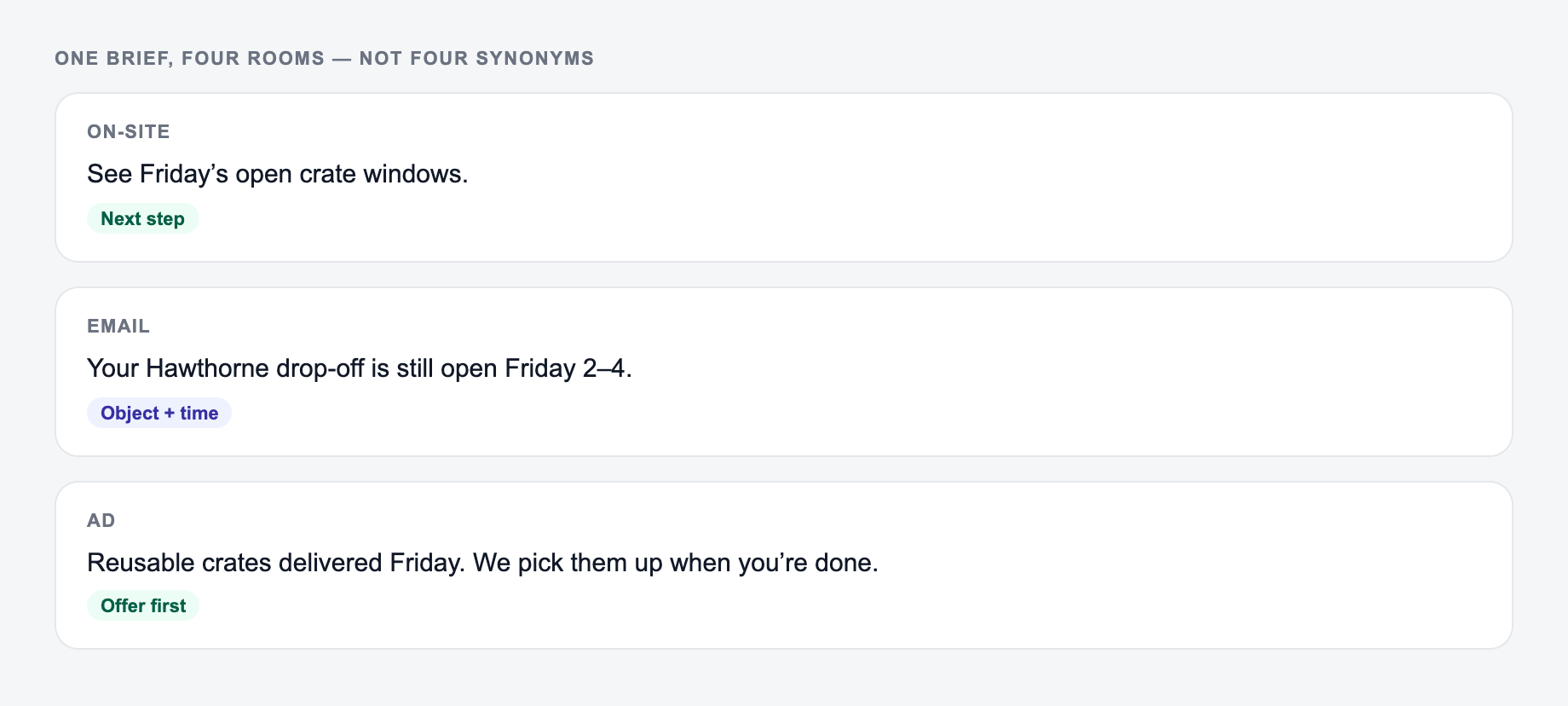
One Brief, Four Channel-Specific Sentences
Brief: a project-management product now lets clients approve designs without creating an account. Do not invent adoption or speed claims.
A single description should still give you sentences shaped for each channel, not four synonyms of the same line.
- Release note: “Clients can now approve a design from the secure review link without creating an account.”
- Customer email: “Your clients can approve designs directly from the review link—no account setup required.”
- Help article: “To request approval, send the secure review link; the client can approve the design without signing in.”
- Ad line: “Turn shared designs into approved work—without asking clients to create another account.”
Each sentence uses the same verified feature but changes purpose, point of view, and emphasis. Before generation, state the source facts and forbidden implications. After generation, check subject, verb, object, tense, modality, keyword fit, and whether the line makes one claim or several. If the tool adds “instantly,” “secure,” or “free,” retain the term only when product documentation supports it. “Secure” appears above as a brief assumption and must itself be verified.
For academic use, distinguish a sentence that reports evidence (“The survey found…”) from one that interprets it (“This may suggest…”). The generator cannot inspect the source unless you provide it, and it should not manufacture citations.
Frequently Asked Questions
What does this sentence generator do?+
It creates high-quality sentences based on your topic and optional inputs like purpose, tone, audience, keywords, and language. You can generate one sentence or multiple variations to choose from.
Can I use it for SEO content?+
Yes. Add keywords to generate sentences that fit naturally into SEO writing. The tool is designed to keep phrasing human-first and avoid keyword stuffing while maintaining topical relevance.
How do I get better results from the AI sentence generator?+
Provide a specific topic and choose a purpose (blog, email, ad, product, academic). If you have them, add 1 primary keyword and a few related terms, plus the audience you’re writing for.
Will the generated sentences be original?+
The output is generated fresh each time and is intended to be original. You should still review and edit for accuracy, brand voice, and any domain-specific requirements.
Can it generate different sentence styles like hooks or CTAs?+
Yes. Use the tool modes (Hook/Opener, CTA, Multiple Options) to generate sentence styles tailored to your goal, such as attention-grabbing openings or action-oriented calls-to-action.
What languages are supported?+
You can generate sentences in many languages. Select your output language to create localized sentences for global audiences and multilingual content strategies.