
Free Sentence Shortener
Shorten long or wordy sentences while preserving meaning, tone, keywords, and important details. Use the AI Sentence Shortener for essays, emails, resumes, captions, product copy, SEO content, subtitles, UI text, and professional writing.
Shortened Sentence
Your shortened sentence will appear here...
Tightening a full draft? An AI text editor shortens, rewrites, and polishes it without leaving the document.
How the AI Sentence Shortener Works
Get results in seconds with a simple workflow.
Paste Your Sentence
Enter a single sentence you want to shorten. One sentence at a time gives the cleanest, most meaning-preserving edits.
Choose a Shortening Style
Pick Standard, Super Short, Simple, Formal, or Active Voice. Optionally add must-include keywords to preserve important terms for SEO or branding.
Generate and Use Anywhere
Get a shorter sentence you can copy into blog posts, landing pages, emails, resumes, and social content. Run again to compare variations.
See It in Action
Example of shortening a wordy sentence into a clearer, more concise version while preserving meaning.
In order to improve the overall performance of our website, it is important that we take the time to optimize images, reduce unnecessary scripts, and make sure pages load quickly for users.
To improve website performance, optimize images, remove unnecessary scripts, and speed up page loading.
Why Use Our AI Sentence Shortener?
Powered by the latest AI to deliver fast, accurate results.
Meaning-Preserving Sentence Shortening
Shortens sentences while keeping the original meaning, key details, and intent—ideal for editing drafts, polishing important lines, and improving readability.
Improve Clarity, Brevity, and Flow
Removes filler words, redundancy, and awkward phrasing to create tighter, clearer sentences that are easier to scan in blog posts, landing pages, and emails.
Multiple Shortening Styles (Standard, Simple, Formal, Active Voice)
Choose a shortening mode to match your writing goal—simplify complex sentences, tighten professional writing, or convert passive to active voice for stronger clarity.
SEO-Friendly Sentence Edits
Keep important keywords intact while improving sentence clarity and reducing fluff—helpful for on-page SEO, content refresh, and improving user experience signals.
Multilingual Sentence Shortener
Shorten sentences in many languages for localization, international SEO, and consistent brand messaging across regions.
Pro Tips for Better Results
Get the most out of the AI Sentence Shortener with these expert tips.
Remove “there is/there are” and “in order to”
These phrases often add length without adding meaning. Replacing them with a direct verb usually shortens sentences and improves clarity.
Prefer active voice for tighter sentences
Active voice typically uses fewer words and makes statements clearer—especially in SEO content, product copy, and instructional writing.
Keep one sentence = one idea
If a sentence tries to cover multiple points, shortening may reduce clarity. Split into two sentences when needed for scannability.
Preserve intent and keywords for SEO
If you’re editing for on-page SEO, keep the primary keyword where it fits naturally (often near the start) and avoid forcing extra terms.
Use a max-word limit for headlines and UI copy
When writing titles, buttons, or meta text, a max-word constraint helps produce cleaner, more clickable phrasing without losing meaning.
Who Is This For?
Trusted by millions of students, writers, and professionals worldwide.
Shorten Sentences Without Losing Meaning
The AI Sentence Shortener rewrites long or wordy sentences into tighter versions while keeping the original meaning. Paste one sentence, choose how aggressive the shortening should be, add any must-keep terms, and use the result as a cleaner line in your draft.
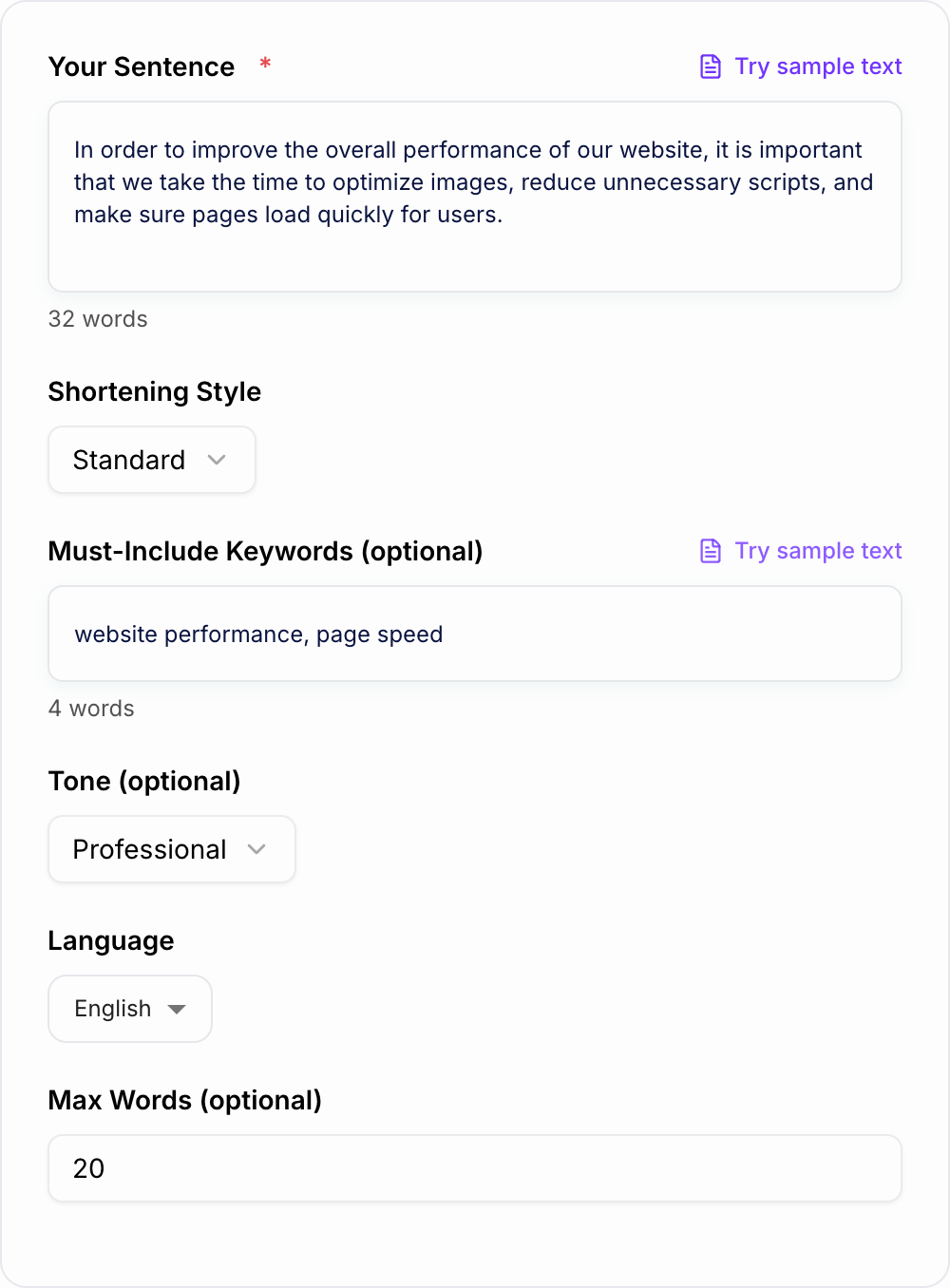
This is useful for essays, emails, resumes, captions, product copy, landing pages, SEO content, subtitles, UI text, and anywhere a sentence needs to be shorter without becoming vague.
What to Paste Into the Sentence Shortener
Paste one sentence at a time when accuracy matters. The tool can shorten longer text, but single-sentence input makes it easier to preserve meaning.
Include or select:
- The full sentence: including the details you want preserved
- Must-include words: brand names, keywords, numbers, product terms, or required phrases
- Shortening style: standard, super short, active voice, simpler wording, or professional tone
- Max words: useful for meta descriptions, captions, UI copy, and short snippets
- Tone: formal, friendly, direct, academic, professional, or simple
If a sentence contains two separate ideas, split it first. Then shorten each sentence separately.
Choose the Right Shortening Mode
Use Standard when you want a cleaner version that still sounds natural.
Use Super Short for headlines, captions, UI text, subtitles, meta descriptions, and tight space limits.
Use Active Voice when the sentence feels slow because the subject is hidden.
Use Simplify when the sentence is too academic, technical, or dense for the audience.
Use Professional when you need a concise version for emails, reports, resumes, LinkedIn, or workplace writing.
Example: Wordy Input to Shorter Output
Input: In order to improve the overall performance of our website, it is important that we take the time to optimize images, reduce unnecessary scripts, and make sure pages load quickly for users.
Paste the long sentence into the form the same way: keep the condition, then shorten.
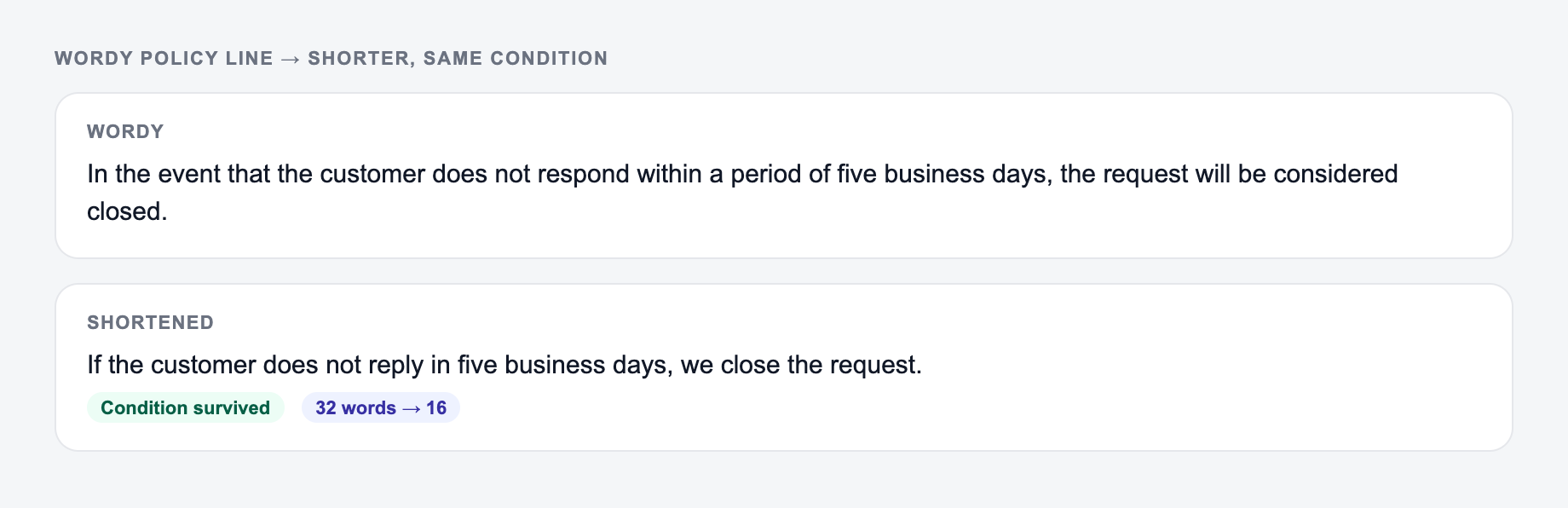
Side-by-side check:
- Original job: say the same thing to the same reader.
- Allowed change: shorter sentences, plainer verbs, less throat-clearing.
- Not allowed: a new claim, a dropped condition, a swapped subject.
Shortened output: To improve website performance, optimize images, remove unnecessary scripts, and speed up page loading.
The shorter version keeps the original meaning but removes slow setup, repeated phrasing, and weak verbs.
How to Review a Shortened Sentence
Do not accept the shortest version automatically. Check whether the tool preserved:
- the main point
- required keywords or terms
- numbers, names, dates, and conditions
- the intended tone
- cause and effect
- any important nuance
If the sentence becomes shorter but less precise, regenerate with must-keep terms or choose a less aggressive mode.
Sentence Shortening for SEO Copy
Shorter sentences can make SEO content easier to scan, especially on mobile. The goal is not to make every sentence tiny. The goal is to remove friction so readers get the point faster.
When shortening SEO copy, keep the target phrase only where it belongs naturally. If the keyword must stay, add it to the must-include field. For broader content cleanup, pairing this tool with the writing workflow on Junia AI can help tighten drafts without losing the page's main intent.
Common Wordy Patterns to Remove
- In order to -> To
- Due to the fact that -> Because
- At this point in time -> Now
- It is important to note that -> delete the phrase and start with the point
- There is / there are -> lead with the real subject
- Has the ability to -> Can
- Make a decision -> Decide
- Conduct an analysis -> Analyze
These edits reduce word count without changing meaning.
Final Checklist Before Using the Shortened Sentence
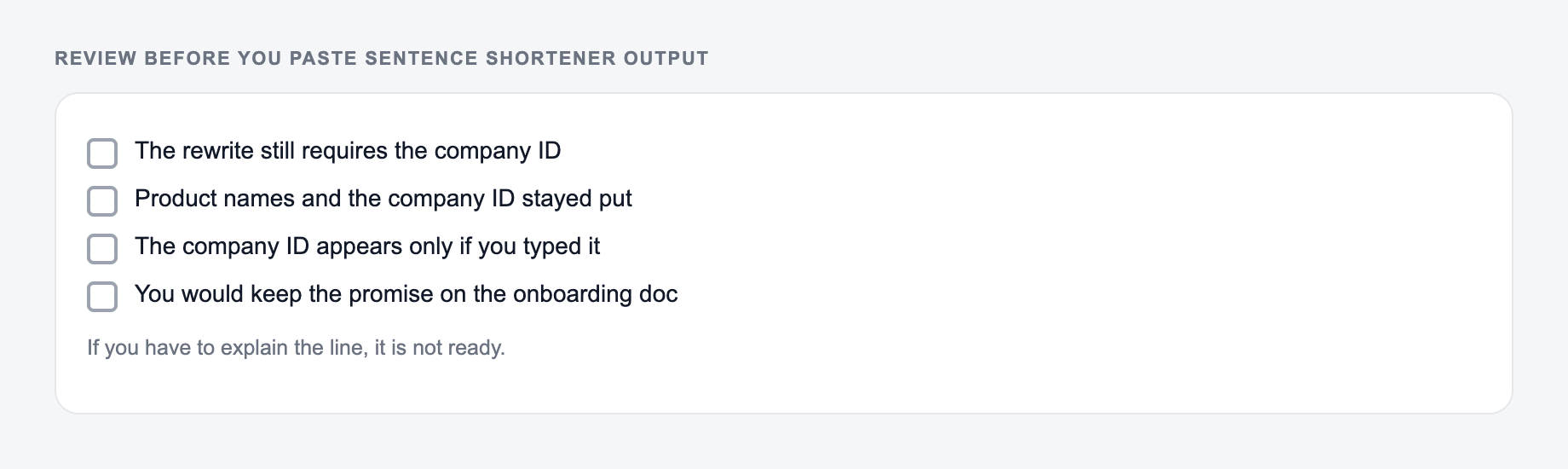
Use the shortened sentence if it is clearer, accurate, and still sounds like the right voice for the context. Reject it if it cuts a required detail, changes the claim, removes necessary caution, or sounds too abrupt for the reader.
Compression Ledger: What Changed?
Use a three-column review even when the output looks obviously better:
- Original: “If the customer submits the signed form by Friday, we may begin installation on Monday, subject to permit approval.”
- Unsafe short version: “Submit the form Friday to begin installation Monday.”
- Meaning-preserving version: “If we receive the signed form by Friday, installation may start Monday, pending permit approval.”
The unsafe version deletes the conditional relationship, changes “may” into a promise, and drops the permit dependency. A word-count win is not a clarity win. Mark every deletion as filler, duplicate, recoverable from context, or meaning-bearing. Restore anything in the last category.
For UI copy, also test the sentence where it will appear. A 35-character button label, a subtitle time limit, and a 155-character search snippet are different constraints. Never shorten names, figures, negation, deadlines, accessibility instructions, safety steps, contractual qualifiers, or required keywords without explicit approval. If the source contains two conditions and one action, splitting it into two sentences may be safer than compression.
Frequently Asked Questions
What does the AI sentence shortener do?+
It rewrites a sentence to be shorter and clearer while preserving the original meaning. It removes filler words, reduces redundancy, and improves flow without changing intent.
Will it keep my meaning and key details?+
Yes. The tool is designed to preserve meaning and important details. For best results, include the full sentence and add must-include keywords if specific terms must remain.
Can I shorten sentences for SEO without losing keywords?+
Yes. Add must-include keywords to keep key phrases in the output. The goal is clearer, more readable SEO copy that still matches search intent—without keyword stuffing.
Can it simplify a sentence as well as shorten it?+
Yes. Use Simple mode to shorten and replace complex phrasing with more straightforward wording for better readability and accessibility.
Does this work for formal or professional writing?+
Yes. Use Formal mode to keep a professional tone while tightening sentences for business writing, reports, proposals, and client communication.
What languages are supported?+
You can shorten sentences in many languages. Select your desired output language to localize content or maintain a consistent tone across multilingual writing.