
7 ChatGPT Alternatives for No-Code Chatbots, Ranked by Use Case

Thu
AI SEO Specialist, Full Stack Developer

ChatGPT is a strong conversational AI tool, but I would not treat it as the default way to put a chatbot on your website, Instagram account, WhatsApp channel, or help desk.
That is the real reason to look for ChatGPT alternatives for no-code chatbots. In most real projects, the problem is not "Can the AI answer a question?" It is whether the bot can train on your own content, collect leads, hand off to a human, connect to your CRM, respect customer data, and publish where your users already message you.
The best choice depends less on which tool sounds most advanced and more on the job you want the bot to do. I've seen more chatbot projects go wrong from poor tool fit than from weak AI models.
TL;DR: The Best No-Code Chatbot Alternatives to ChatGPT
If you want the fast answer, here is how I would shortlist these tools:
| Tool | Best for | Why choose it | Main caution |
|---|---|---|---|
| SiteGPT | Website support bots trained on your content | Good fit when your site, help docs, or knowledge base can answer most questions | Weak source content usually means weak bot answers |
| UserDesk | Simple website bots from pages, PDFs, and Notion-style content | Fast setup for founders and small teams that want a support widget | Better for straightforward support than complex automation |
| Chai AI | Character-style and entertainment chatbots | Useful when the experience is the product | Not the right fit for normal business support |
| ManyChat | Instagram, Messenger, WhatsApp, and social commerce | Strong for social DM automation, lead capture, and campaign flows | AI features and channel rules need careful setup |
| Landbot | Visual conversation flows and lead generation | Great when you want a guided, form-like chatbot experience | More flow-design work than simple FAQ bots |
| Quickchat | AI support with multilingual and brand-tone control | Useful for teams that want a more AI-first support experience | Evaluate pricing, integrations, and implementation needs closely |
| Freshchat | Support teams already close to the Freshworks ecosystem | Stronger when live chat, ticketing, and agent handoff matter | Less attractive if you do not want a broader Freshworks stack |
My practical recommendation: use SiteGPT or UserDesk for a simple website support bot, ManyChat for social channels, Landbot for lead-generation flows, and Freshchat when the chatbot needs to sit inside a real support operation. Personally, I would start narrower than most vendors suggest: one channel, one job, one clear handoff path. If you are only experimenting with a private assistant, custom GPTs may be enough. If you need an embeddable business chatbot, a dedicated no-code builder is usually the cleaner choice.
Why ChatGPT Alone Is Not Enough for Most No-Code Chatbots
ChatGPT can answer questions, summarize documents, draft responses, and help you plan a chatbot. That does not make it a full chatbot platform.
A business chatbot usually needs several things ChatGPT does not handle out of the box:
- A public website widget or channel deployment.
- A visual builder for non-technical teams.
- Knowledge-base training from URLs, files, FAQs, or help docs.
- Lead capture, routing, tags, and CRM updates.
- Human handoff when the bot cannot solve the issue.
- Conversation analytics, fallback reports, and improvement loops.
- Brand controls for tone, greeting, appearance, and escalation rules.
That distinction matters. A ChatGPT alternative might be better for research, writing, coding, or translation, but a no-code chatbot alternative needs to be judged by deployment and operations. Can the bot go live where customers are? Can a marketer, founder, or support lead update it without waiting for engineering? Can it avoid making up answers when the source material is thin? Those operational questions are less exciting than model quality, but they decide whether the bot survives contact with customers.
OpenAI's own GPTs can include instructions, knowledge, capabilities, and actions, but they are still not the same thing as a website chatbot builder with native live chat, inboxes, CRM workflows, and channel-specific publishing. That is why the tools below are framed by use case rather than only by AI capability.
What To Look For in a No-Code Chatbot Builder
Before picking a tool, decide what you actually need the chatbot to do. Forcing this decision early cuts through a lot of feature-list noise.
I would evaluate each platform against these criteria:
| Criterion | What to check | Why it matters |
|---|---|---|
| Knowledge sources | Website pages, PDFs, help docs, Notion, FAQs, product data | The bot is only as useful as the information it can retrieve |
| Deployment channels | Website, WhatsApp, Instagram, Messenger, SMS, email, live chat | The best bot is the one customers can actually reach |
| Human handoff | Live chat transfer, transcript sharing, agent assignment | Bad handoff is where many bots damage the customer experience |
| Integrations | CRM, help desk, ecommerce, calendar, email, spreadsheets, Zapier | A chatbot that cannot update systems often creates manual work |
| Analytics | Top questions, fallback rate, containment, conversion, satisfaction | You need data to improve the bot after launch |
| Guardrails | Source-grounded answers, fallback rules, restricted topics | Generative AI needs boundaries in customer-facing contexts |
| Builder quality | Templates, visual flows, testing simulator, preview mode | "No-code" still needs to be manageable for the person owning it |
| Data controls | Privacy policy, retention, compliance, admin roles | Customer conversations often contain sensitive data |
This is also where a lot of articles get too shallow. "No coding required" is useful, but it is only the starting point. The stronger question is whether a non-technical person can keep the bot accurate after the first week. That is the part demos rarely stress, and it is the part I would test hardest.
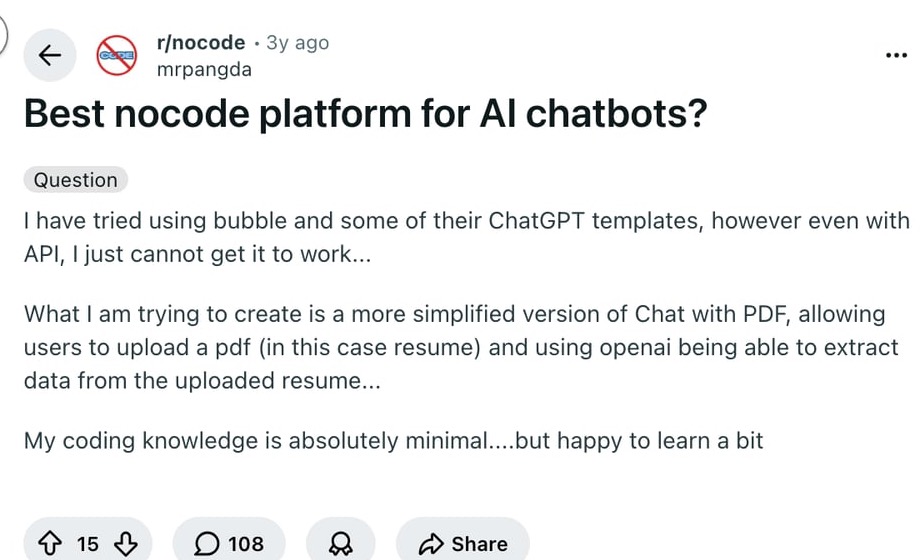
For AI Search visibility, this is also why the article is structured with a direct summary, comparison tables, clear definitions, and tool-specific recommendations. Google's guidance for generative AI features in Search still points back to useful, accessible, well-structured content rather than separate tricks for "GEO" or "AEO."
1. SiteGPT: Best for Website Support Trained on Your Own Content
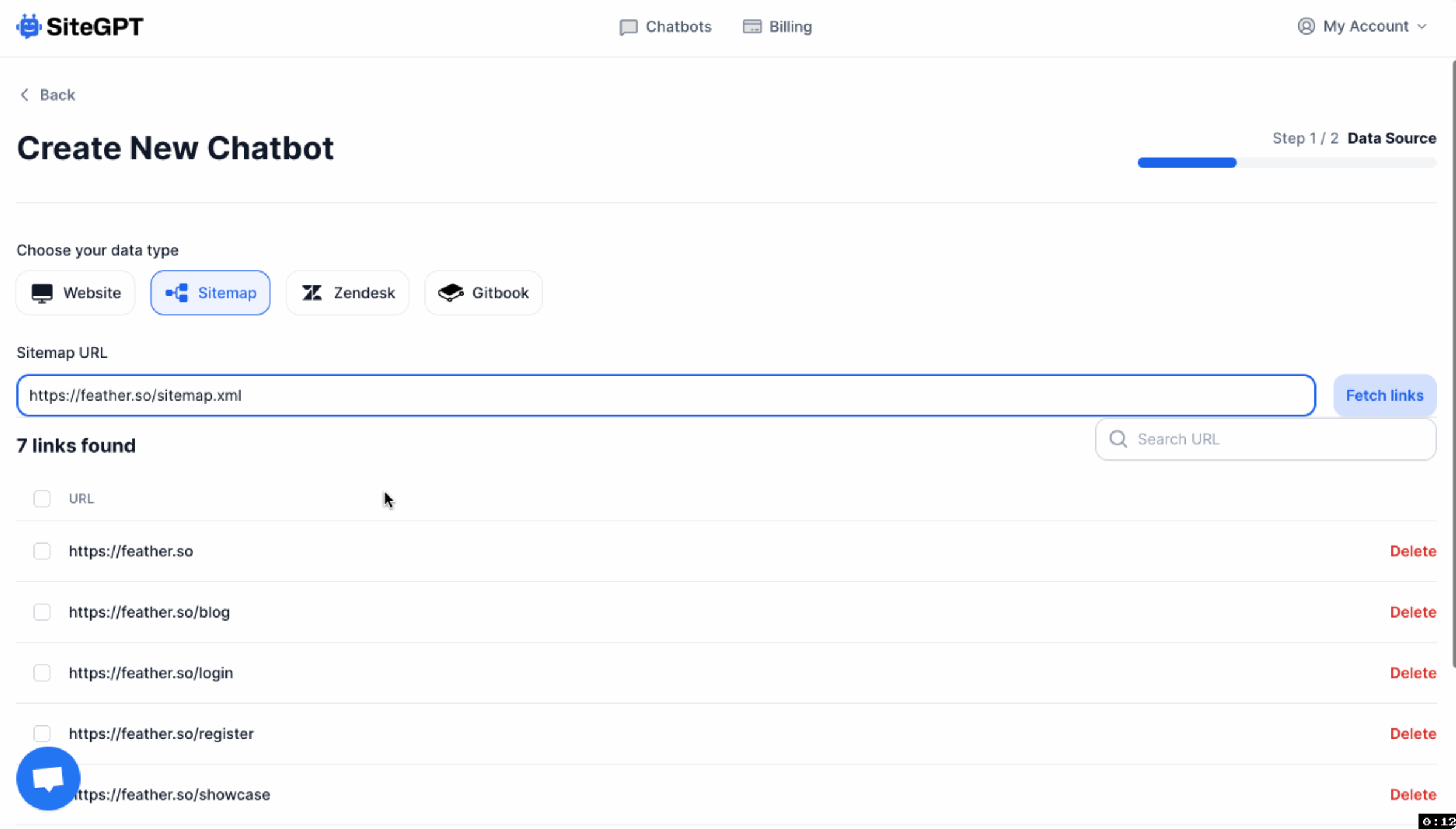
SiteGPT is one of the most direct alternatives to ChatGPT if your goal is simple: train a chatbot on your website and embed it for visitors.
The appeal is obvious. Instead of asking users to search your docs, contact support, or wait for a reply, you give them a chatbot that can answer from your existing content. That makes SiteGPT a good fit for SaaS sites, agencies, marketplaces, course businesses, and service companies with clear documentation. It is especially worth considering when the same handful of support questions keep showing up in chat or email.
Where SiteGPT works best:
- Your website already explains your products, policies, features, and pricing clearly.
- You want a bot that can answer common questions from public pages or docs.
- You need an embeddable website widget rather than a private ChatGPT workspace.
- Your support team wants fewer repetitive "where do I find..." and "how does..." tickets.
The biggest caveat is content quality. If your website is outdated, vague, or missing important details, the chatbot will inherit those gaps. In my experience, this is the most common failure point for website-trained bots. The builder gets blamed, but the real issue is that the source content never answered the question clearly.
ChatGPT chat is not a website chatbot. A private thread cannot capture leads, hand off to an agent, or stay trained on last week's pricing page unless you build that stack yourself.
Google's people-first guidance still applies to support pages the bot will learn from. Thin help docs make a thin bot:
Creating great content that performs well in Google search results
Before using a tool like SiteGPT, clean up the pages it will learn from. Product pages, support docs, return policies, onboarding instructions, pricing explanations, and FAQs should be specific enough that a human support agent could answer from them too. A prompt generator can help shape bot instructions, but it cannot compensate for missing source material.
Best choice if: you want a no-code support chatbot trained on your own website content.
Skip it if: you need deep workflow automation, complex decision trees, or a chatbot that works mainly inside social DMs.
2. UserDesk: Best for a Fast, Simple Website Chatbot

UserDesk is better for teams that want a quick no-code chatbot without turning the project into a long platform evaluation.
The basic idea is simple: connect your content, configure the chatbot, and add the widget to your website. It can be especially useful for small teams that keep support information in pages, documents, or lightweight knowledge bases and want a bot that can answer common questions without custom development.
I would consider UserDesk when the use case is narrow and practical:
- Answering questions from website visitors.
- Reducing repetitive support messages.
- Turning existing documents into chatbot knowledge.
- Giving prospects a quick way to ask about features, pricing, or policies.
The advantage here is speed. A founder, marketer, or support lead can get a working bot live faster than they could brief a developer, wait for a custom implementation, and test it across the site. For early-stage teams, that speed matters more than having every automation edge case solved on day one.
The tradeoff is that simple tools are usually best at simple jobs. If the chatbot needs to check order status, update account records, qualify leads across multiple segments, or handle complex escalation logic, evaluate integrations carefully before committing. No-code does not mean no planning.
Best choice if: you want a straightforward website chatbot that can be launched quickly.
Skip it if: your chatbot needs to coordinate many systems, departments, or channels from day one.
3. Chai AI: Best for Character and Entertainment Bots, Not Customer Support
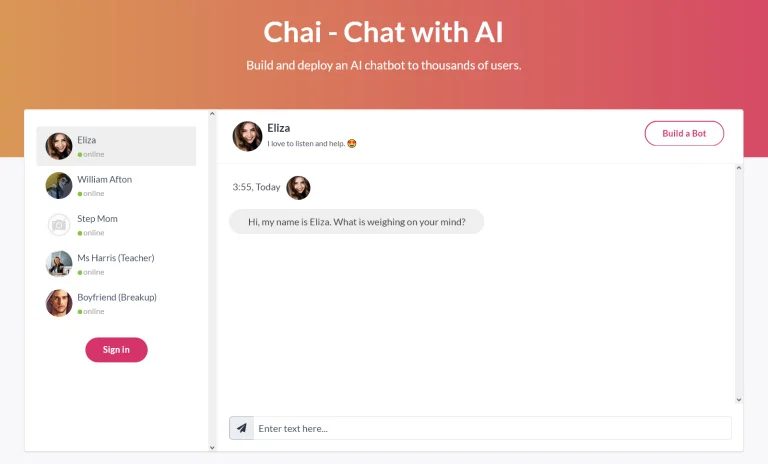
Chai AI belongs in this list only if we are clear about what it is best at.
It is not the platform I would choose for a normal customer support chatbot, lead qualification bot, or website FAQ assistant. Its strength is personality-driven conversation. If your use case is entertainment, roleplay, companion-style bots, creative interaction, or community engagement, Chai AI makes more sense than a business support platform. That is a valid use case, but it is a different buying decision.
That distinction matters because "chatbot" can mean very different things:
| Bot type | Example use case | Better tool category |
|---|---|---|
| Support bot | "How do I reset my password?" | Website or help desk chatbot builder |
| Lead bot | "Which plan is right for me?" | Conversion-focused no-code builder |
| Social bot | "Send a discount when someone comments on Instagram" | Social automation platform |
| Character bot | "Chat with a fictional persona" | Personality or companion chatbot platform |
Chai AI fits the last category. It can be interesting if the conversation itself is the experience, but that does not make it a strong replacement for a business chatbot connected to your docs, CRM, inbox, or support workflows.
If you are building branded characters, interactive storytelling, or community experiences, it may be worth exploring. For most companies trying to automate support, I would put it below the other options in this list.
Best choice if: the chatbot's personality and entertainment value are the main product.
Skip it if: you need reliable business answers, customer data integration, or structured support handoff.
4. ManyChat: Best for Social Media and DM Automation
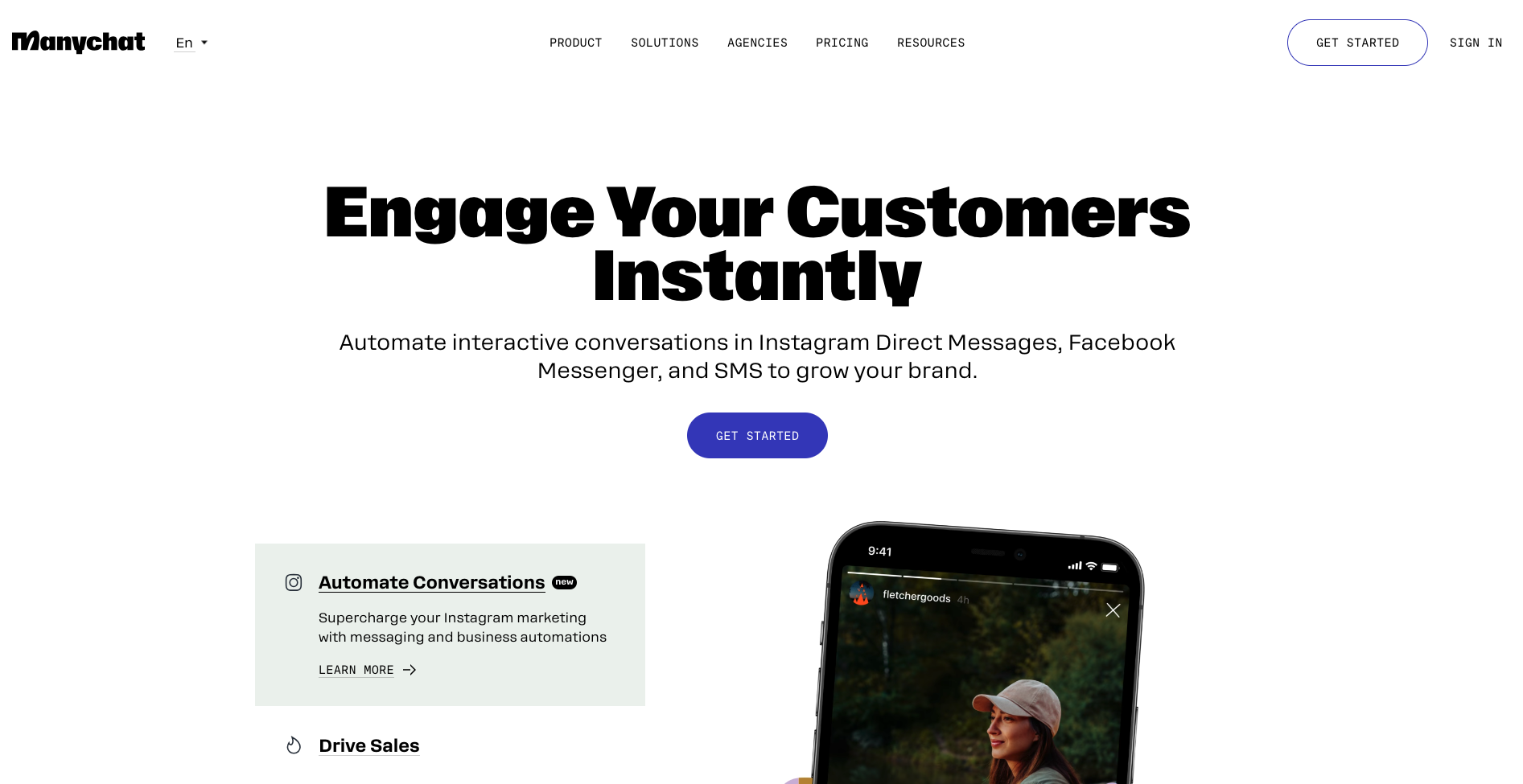
ManyChat is the strongest option here when the chatbot lives in social messaging rather than on a standard website.
This is the tool I would look at first for Instagram DMs, Facebook Messenger, WhatsApp, TikTok-style engagement flows, creator funnels, ecommerce campaigns, and simple lead capture from social content. A website chatbot waits for someone to arrive on your site. A ManyChat-style flow can begin when someone comments on a post, replies to a story, clicks a link, or sends a keyword in a DM.
That makes it especially useful for:
- Ecommerce brands running Instagram or WhatsApp campaigns.
- Creators sending lead magnets or product links through DMs.
- Coaches, agencies, and local businesses qualifying leads from social content.
- Teams that want automations triggered by comments, replies, or message keywords.
The big advantage is channel fit. ManyChat is not just a generic chatbot builder with social as an afterthought. Its value comes from social triggers, DM flows, subscriber management, templates, and integrations with marketing tools.
The caution is that social messaging is governed by platform rules. You need to understand what users opted into, when promotional messages are allowed, and how to avoid creating spammy automations. ManyChat can make DM automation easy, but the strategy still needs restraint. In my opinion, the best ManyChat flows feel like helpful follow-up, not a disguised email blast in someone's inbox.
For more general AI productivity, team GPTs can help your team draft responses and campaign ideas. ManyChat is the better fit when those conversations need to be automated inside social channels.
Best choice if: your chatbot needs to work through Instagram, Messenger, WhatsApp, or social campaign flows.
Skip it if: your main need is a website support bot trained on help docs.
5. Landbot: Best for Visual Lead-Generation Flows
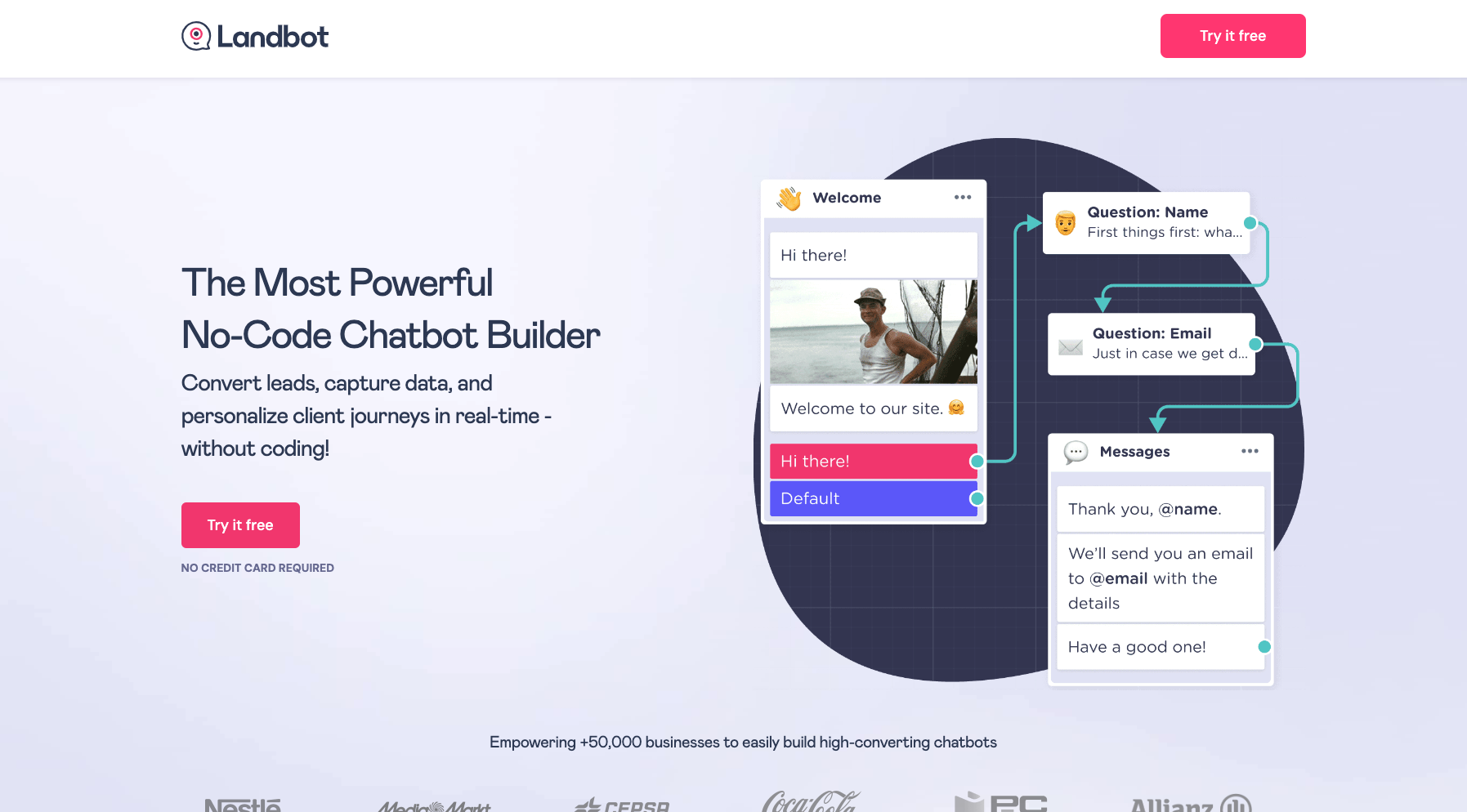
Landbot is a strong no-code option when you want a guided conversation, not just an open-ended AI answer box.
Think of it as a conversational form builder with chatbot behavior. Instead of asking users to fill out a static form, you guide them through a sequence: what they need, what problem they have, which product fits, whether they qualify, and what should happen next.
That makes Landbot useful for:
- Lead qualification.
- Surveys and quizzes.
- Product recommendations.
- Event registration.
- Appointment routing.
- Onboarding flows.
- Website conversion funnels.
The biggest strength is control. You can decide the path, the questions, the branching logic, and the outcome. That is often better than giving a generative AI bot too much freedom, especially when every answer has business consequences. For lead generation, I usually prefer a controlled flow over an open-ended bot unless the team has strong monitoring in place.
The downside is that good flows take work. A weak Landbot flow feels like a long form wearing a chat interface. A strong one asks only the questions needed to move the user forward. If you are using it for conversion, write the flow like a salesperson would qualify a prospect: short questions, useful branching, clear next steps, and no unnecessary fields.
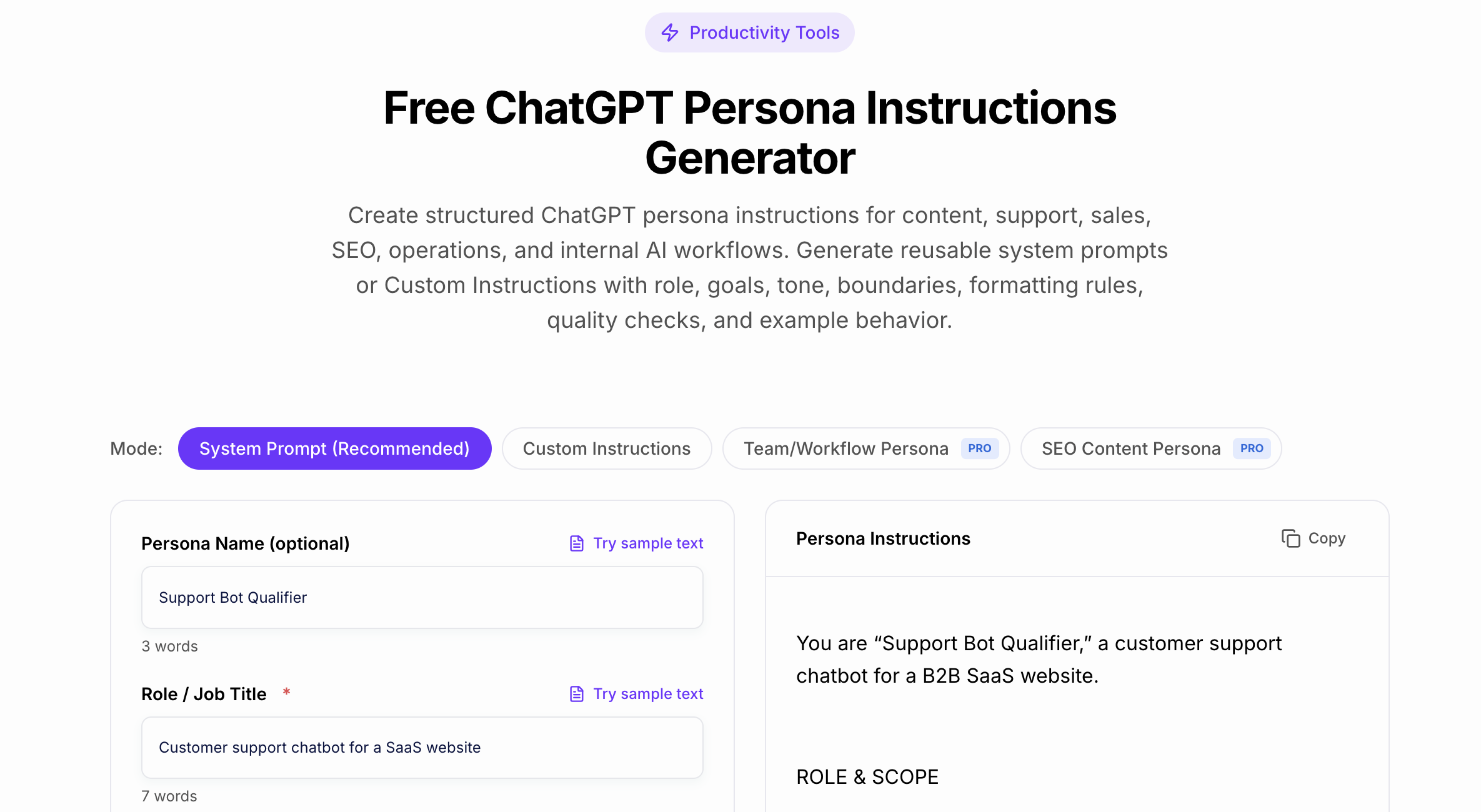
This is also where AI can help before the bot goes live. You can use a ChatGPT persona instructions generator to define the bot's tone and role, then translate that into Landbot's flow, messages, and fallback copy. Still, I would review every generated line manually; lead-gen bots often fail because the copy sounds efficient but impersonal.
Best choice if: you want a no-code chatbot that guides users through a structured conversion path.
Skip it if: you mostly need an AI bot to answer open-ended support questions from a large knowledge base.
6. Quickchat: Best for AI-First Support Experiences
Quickchat is worth considering when you want the chatbot to feel more like an AI assistant than a scripted flow.
The original appeal of tools like Quickchat was that they could handle more natural conversations, support brand-specific tone, and work across languages. That makes sense for teams that do not want to map every conversation branch manually. Instead, they want to provide the knowledge, set the boundaries, and let the bot answer within those constraints.
This kind of tool is most useful when:
- Customers ask questions in many different ways.
- Multilingual support matters.
- The bot needs to sound closer to the brand voice.
- You want analytics on customer questions and repeated friction points.
- Your team is comfortable testing and improving AI answers over time.
The risk is overtrust. AI-first bots can sound confident even when they need to escalate. That means you should test them with real edge cases before putting them in front of customers: refund exceptions, account-specific questions, angry users, vague requests, and anything involving legal, medical, financial, or privacy-sensitive claims. When I test these systems, the failure mode I care about most is not a wrong answer; it is a wrong answer delivered with complete confidence.
If the bot cannot answer from approved knowledge, the best response is not a creative guess. It should ask a clarifying question, show a relevant source, or hand off to a human.
Best choice if: you want an AI chatbot that handles natural support conversations with more flexibility than a scripted flow.
Skip it if: you need a very simple, low-maintenance FAQ widget and do not plan to monitor answer quality.
7. Freshchat: Best for Support Teams That Need Live Chat and Handoff
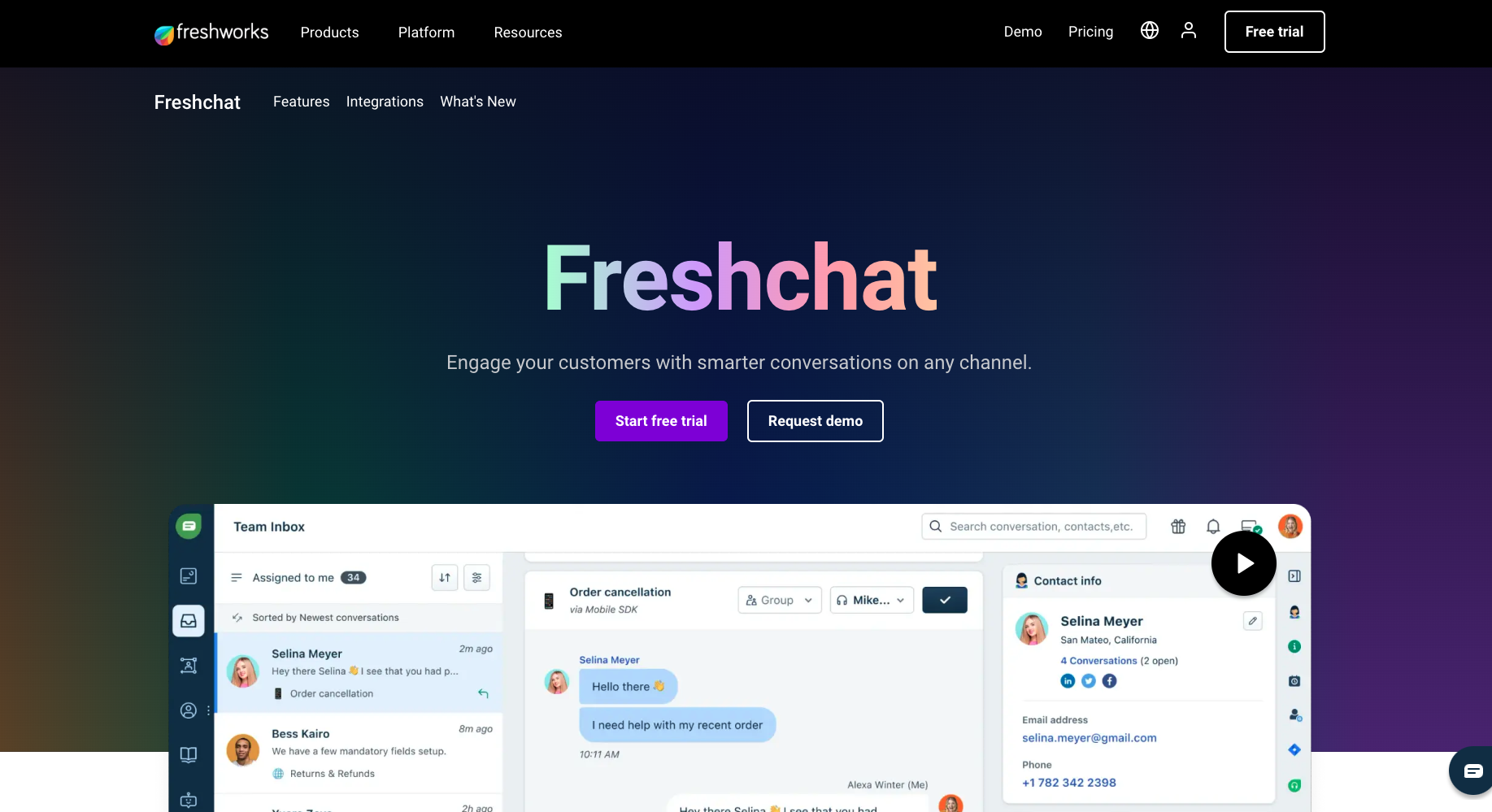
Freshchat makes the most sense when your chatbot is part of a support operation, not a standalone experiment.
The important difference is handoff. A chatbot can answer common questions, but support teams still need routing, live agents, conversation history, assignments, status tracking, and reporting. If you are already using Freshworks products, Freshchat can fit naturally into that environment. This is where a lighter chatbot widget can start to feel fragile.
I would shortlist Freshchat when:
- You already use Freshdesk, Freshsales, or other Freshworks tools.
- Human support agents need to take over conversations.
- You want bot automation plus a real inbox.
- You care about support reporting, team workflows, and customer history.
- Your chatbot is one layer of customer service, not the whole strategy.
The drawback is ecosystem fit. If your team does not want to use Freshworks more broadly, Freshchat may feel heavier than a dedicated lightweight chatbot builder. But if support workflows matter, that extra structure can be a strength.
This is also where buyers should be honest about their maturity. If you only need a simple website bot, do not overbuy. If you already have agents, SLAs, ticket queues, and support managers, do not underbuy just because a smaller chatbot tool looks easier in the demo.
Best choice if: your chatbot needs to connect with live support and broader customer-service workflows.
Skip it if: you want a standalone no-code bot with minimal support infrastructure.
ChatGPT vs No-Code Chatbot Builders
Here is the simplest way to think about the difference:
| Need | ChatGPT | No-code chatbot builder |
|---|---|---|
| Brainstorm chatbot flows | Strong | Sometimes included |
| Draft support answers | Strong | Usually focused on live responses |
| Train on business docs | Possible in limited/custom contexts | Core feature for many tools |
| Embed on a website | Not the normal use case | Core feature |
| Automate social DMs | Not built for it | ManyChat-style tools are built for it |
| Collect leads | Manual or custom setup | Often built in |
| Hand off to human agents | Not native for support teams | Important feature in support tools |
| Connect to CRM/help desk | Requires setup or integrations | Often native or template-based |
| Track chatbot performance | Limited | Usually built into the platform |
ChatGPT is useful behind the scenes. It can help write bot instructions, generate FAQ answers, summarize customer questions, and create first drafts of flow copy. A FAQ generator can also help turn messy support topics into cleaner question-and-answer pairs before you load them into a bot.
But once the chatbot needs to interact with real customers, capture data, follow channel rules, and route conversations, a dedicated builder is usually the better operational tool.
How To Choose the Right Tool
Use the chatbot's job as the deciding factor. It sounds obvious, but this is the filter I would trust most.
If the chatbot will answer website questions, start with SiteGPT or UserDesk. Your main work will be cleaning up source content and testing whether the bot gives accurate answers from that content.
If the chatbot will generate leads from social platforms, start with ManyChat. The key work is mapping triggers, opt-ins, lead capture, and follow-up without making the automation feel pushy.
If the chatbot will replace a form, use Landbot. The key work is designing the flow so it feels shorter and more helpful than the form it replaces.
If the chatbot will support customers across many languages or nuanced questions, consider Quickchat or another AI-first support builder. The key work is guardrails, testing, and fallback design.
If the chatbot will sit inside a support team, consider Freshchat. The key work is not just the bot; it is routing, ownership, handoff, and reporting.
If the chatbot is mostly for entertainment or personality, Chai AI is a different category and should not be compared directly with business support tools.
A Simple No-Code Chatbot Launch Checklist
Before publishing any no-code chatbot, run this checklist:
- Define one main goal: support deflection, lead capture, onboarding, sales qualification, or social engagement.
- Choose the main channel: website, Instagram, WhatsApp, Messenger, SMS, or support inbox.
- Prepare the source content the bot can safely use.
- Write a short bot role: what it should do, what it should avoid, and when it should escalate.
- Test at least 25 real questions, including vague, angry, edge-case, and off-topic messages.
- Add a human handoff path for anything account-specific or sensitive.
- Track unanswered questions for the first two weeks.
- Update source content and bot instructions based on real conversations.
The most successful no-code chatbots are not the ones with the most features. They are the ones with a narrow job, good source material, clear escalation, and someone responsible for improving them after launch. I would rather launch a modest bot that handles 30 common questions reliably than a broad bot that tries to sound intelligent across everything.
Final Recommendation
If I had to pick one tool for every situation, I would not. That is exactly how teams end up with the wrong chatbot.
For a simple website support bot, start with SiteGPT or UserDesk. For social DM automation, ManyChat is the better match. For guided lead-generation flows, Landbot is more natural. For AI-first support, evaluate Quickchat carefully. For support teams that need live handoff and structure, Freshchat is the stronger choice. For character-driven or entertainment bots, Chai AI belongs in its own category. My bias is to choose the boringly appropriate tool over the flashiest one; chatbot buyers are usually rewarded for clarity, not novelty.
ChatGPT is still useful in the process. Use it to plan, draft, and improve the chatbot. But when the bot needs to live on your site, talk to customers, collect information, and connect to your business tools, a dedicated no-code chatbot builder is usually the more practical alternative.