
Free Story Generator
Create original stories with structured plots, memorable characters, dialogue, and satisfying endings. Customize genre, setting, tone, and themes to generate creative writing prompts, fiction drafts, and storytelling ideas for writers and students.
Generated Story
Your story will appear here...
How the AI Story Generator Works
Get results in seconds with a simple workflow.
Add a Prompt (Optional) and Pick a Genre
Start with a premise, opening line, or idea—or leave it blank and let the generator create a fresh story concept in your chosen genre.
Choose Story Type, POV, and Length
Select short story, flash fiction, or kids story, then set point of view, tense, and a target word count to control pacing and detail level.
Generate, Then Refine
Generate your story draft, then tweak character motivations, stakes, and the ending. For best results, re-run with a more specific constraint if you want a tighter plot.
See It in Action
Example of turning a simple premise into a complete, structured short story concept with conflict and resolution.
A lighthouse keeper receives radio messages from a ship that sank decades ago.
Elias has spent ten quiet winters keeping the coast’s last lighthouse alive—until a crackling distress call repeats every night at 2:17 a.m., signed by a ship that went down fifty years ago. When the messages begin describing things happening in real time—fog rolling in, a buoy light failing, footsteps on the rocks—Elias teams up with Nessa, a skeptical coast guard investigator, to trace the signal. The closer they get, the more the lighthouse’s old logbook seems to rewrite itself, revealing a choice Elias’s predecessor made to save the town at the ship’s expense. On the night the storm returns on the anniversary of the wreck, Elias must decide whether to break the cycle by telling the truth—risking the harbor—or keep the lie and let the dead keep calling.
Why Use Our AI Story Generator?
Powered by the latest AI to deliver fast, accurate results.
AI Story Generator With Strong Narrative Structure
Generates original stories with a clear hook, rising action, climax, and satisfying ending—ideal for short fiction, creative writing, and story prompts.
Genre, Tone, POV, and Tense Controls
Choose genre (fantasy, sci-fi, mystery, romance, horror), optional tone, point of view, and tense so the story matches your writing style and audience.
Character, Setting, and “Must Include” Guidance
Add optional characters, setting details, and must-include elements (objects, lines, motifs) to steer the plot without making the form complicated.
Adjustable Length for Flash Fiction to Longer Short Stories
Set a target word count to generate anything from quick flash fiction to multi-scene short stories—useful for practice, contests, and content planning.
Multilingual Story Generation
Generate stories in many languages for language learning, localization, or international audiences—while keeping the story coherent and readable.
Pro Tips for Better Results
Get the most out of the AI Story Generator with these expert tips.
Use a character goal + obstacle to unlock better plots
Add a main character with a clear goal and one major obstacle (secret, deadline, antagonist, or fear). This reliably produces stronger conflict and pacing.
Add one concrete “must include” element
A single object, line of dialogue, or symbol (e.g., a red key, a broken compass) gives the story a memorable anchor and reduces generic output.
Control voice with POV + tense before changing tone
If the story feels off, adjust POV and tense first. First person present often feels intimate; third person past often feels classic and cinematic.
For better endings, specify the type of resolution you want
If you want a twist ending, bittersweet ending, or hopeful ending, include that in the prompt. Endings improve when the target emotion is explicit.
Generate a draft, then regenerate only the weak section
If the beginning is good but the middle drags, paste just the middle section and ask for a tighter rising action that matches the existing setup.
Who Is This For?
Trusted by millions of students, writers, and professionals worldwide.
AI Story Generator: How to Create Better Stories (Without Getting Generic)
If you’ve ever used an AI story generator and felt the output was bland, you’re not alone. The difference between a forgettable story and a compelling one usually comes down to constraints—small, specific details that shape plot, character, and pacing.
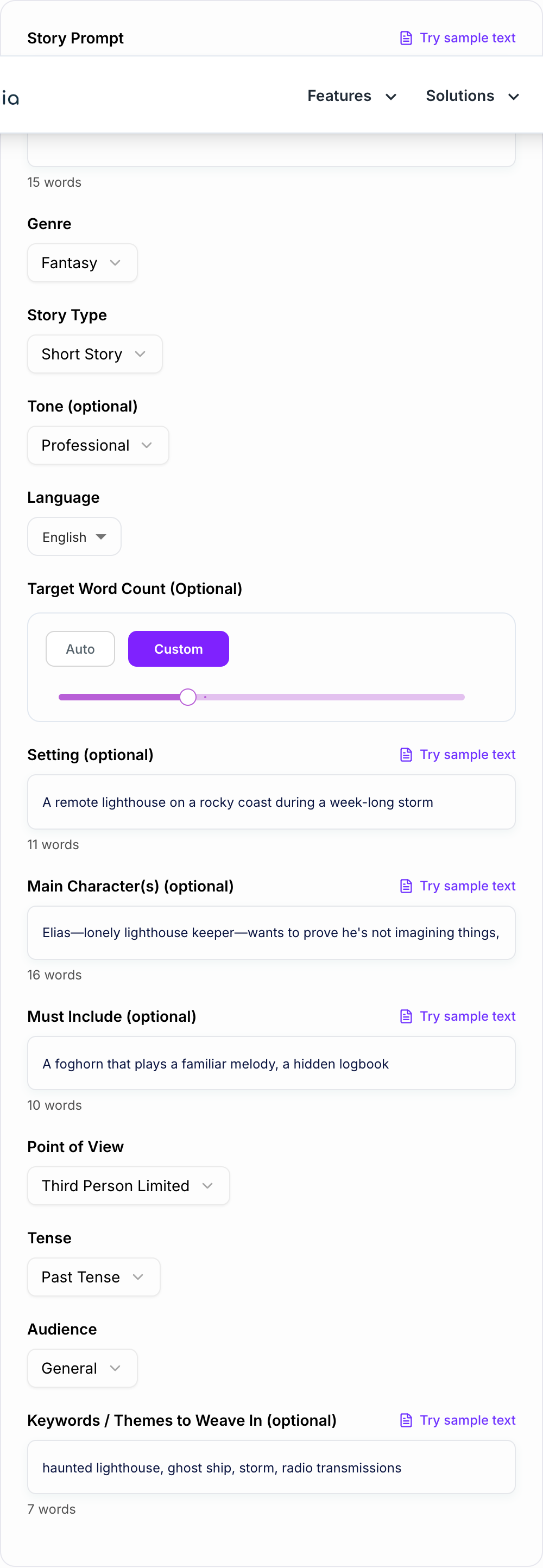
This free story generator is designed to help you produce complete, readable stories quickly, whether you need flash fiction, a short story draft, or a kids story.
What Makes an AI-Generated Story Feel “Real”?
A strong story needs more than pretty sentences. The best outputs typically include:
- A character with a clear goal (wanting something specific)
- A meaningful obstacle (risk, deadline, antagonist, secret)
- Escalation (the problem gets worse, not easier)
- A turning point (new information, betrayal, revelation)
- A resolution (a choice, a cost, a consequence)
When you supply even one or two details—like a setting and a must-include object—you dramatically improve coherence and originality.
How to Use This Story Generator (Best Results)
1) Pick a genre that matches the vibe you want
Fantasy and sci-fi naturally encourage worldbuilding, while mystery and thriller tend to produce tighter structure.
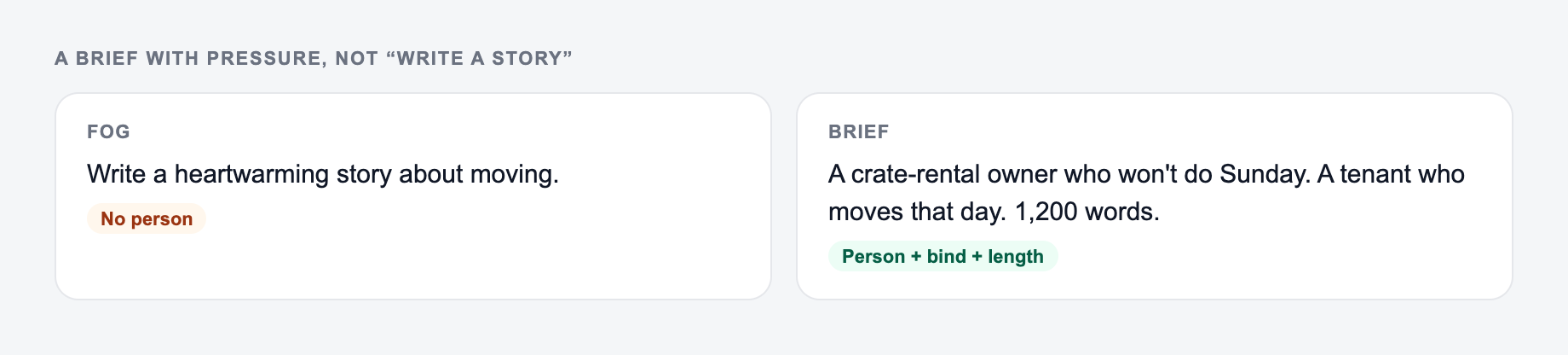
Decide the premise, who wants what, and how long the story should be.
2) Add one “must include” element
A red key. A lost letter. A broken watch that stops at 2:17. This gives the story a memorable anchor.
3) Give your main character a goal
Instead of “a detective,” try “a detective who needs to solve one last case before retirement.” Goals create momentum.
4) Choose POV and tense intentionally
- First person: intimate, voice-driven
- Third limited: focused, cinematic
- Third omniscient: broader, classic narration
5) Control length with a target word count
Flash fiction works best when it’s tight. Longer short stories need more scenes and emotional beats.
Story Prompts You Can Try
- A florist discovers every bouquet changes someone’s future.
- A programmer receives code commits from a user who doesn’t exist.
- Two strangers keep meeting in dreams, and one of them remembers.
- A museum artifact begins rewriting the labels—and the past.
Editing Tips: Turn a Draft Into Something Publishable
AI output is a draft. The fastest way to elevate it is:
- Strengthen the opening hook (first 2–3 sentences)
- Clarify the stakes (what’s lost if the character fails)
- Replace vague phrases with sensory detail (sound, texture, weather)
- Tighten the middle by cutting repetition
- Make the ending feel earned (a choice, a cost, a reveal)
Use the generator to get momentum, then rewrite in your own voice.
When to Use Flash Fiction vs Short Story
Keep a line you could publish after one edit. Reroll anything that only works if the reader already knows you. Throw away a line that invents proof.
- Flash fiction: one main idea, one emotional beat, a sharp ending
- Short story: fuller arc, deeper character shift, more escalation
If your output feels rushed, increase the word count. If it feels meandering, reduce word count or add a deadline/stakes in the prompt.
Create Better Stories Faster
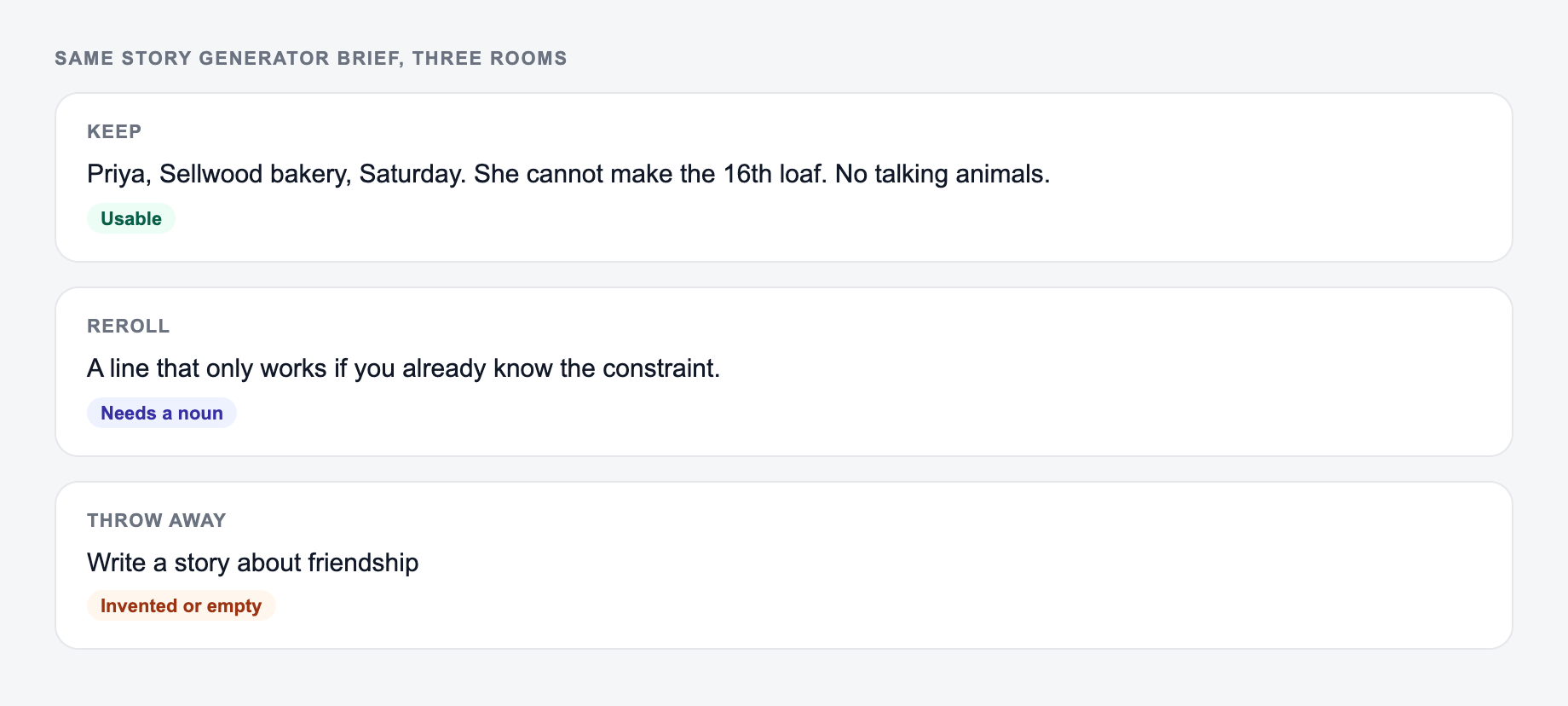
If you want stronger outputs, give the generator one vivid constraint: a character goal, a setting, and one must-include object. That small guidance usually produces a story that feels intentional, original, and enjoyable to read.
Frequently Asked Questions
Is this AI story generator free to use?+
Yes. You can generate stories for free. Some advanced modes (like screenplay scene and story outline) may be marked as premium depending on your site settings.
Will the stories be original?+
The generator creates new stories based on your inputs. Still, you should review and edit the output—especially if you need a highly distinctive voice, specific worldbuilding, or publication-ready originality.
How do I get a better story (not generic)?+
Add one or two specific constraints: a vivid setting, a character goal, and one must-include element. Specific details (time period, profession, dilemma, secret) usually improve plot and voice.
Can I control point of view and tense?+
Yes. You can choose first person or third person (limited/omniscient), plus past or present tense to match your preferred writing style.
Can it generate kids stories safely?+
Yes. Choose the Kids Story mode and/or the Kids audience setting. The generator will aim for simpler language and age-appropriate themes.
Can I use the generated story commercially?+
That depends on your website’s terms. In general, treat the output as a draft you should edit, verify for originality, and ensure it meets any licensing, platform, and brand requirements before commercial use.