
Free Simplified Explanation Generator
Simplify difficult concepts, technical writing, and jargon-heavy content into easy-to-understand explanations. Adjust the reading level and tone for students, customers, documentation readers, onboarding content, and educational material.
Simplified Explanation
Your simplified explanation will appear here...
How the AI Simplified Explanation Generator Works
Get results in seconds with a simple workflow.
Paste Your Topic or Text
Add a concept, paragraph, or technical explanation you want simplified. The tool works best with complete sentences and any critical details included.
Choose Style and Audience
Pick a mode (Plain English, ELI5, Step-by-Step, With Example) and an audience level. Optionally set tone, language, and target length.
Generate and Verify
Generate the simplified explanation, then quickly verify key terms, numbers, and claims. Add or adjust must-keep terms if anything important was reworded too aggressively.
See It in Action
Example of simplifying a technical concept while preserving meaning and key terms.
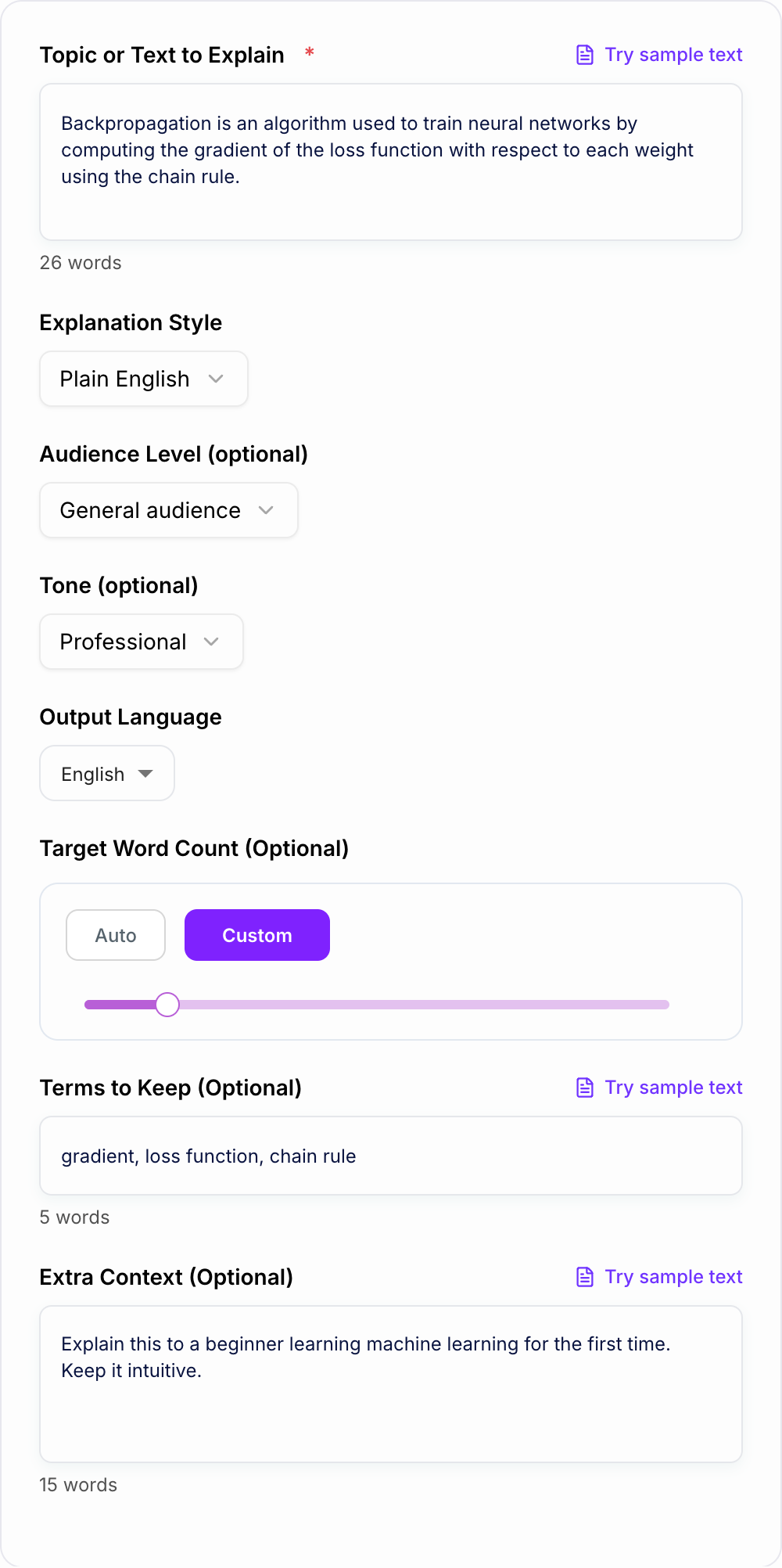
Backpropagation is an algorithm used to train neural networks by computing the gradient of the loss function with respect to each weight using the chain rule.
Backpropagation is a method for training a neural network. It figures out how each weight in the network should change by calculating how much each weight affects the error (the loss). It does this step-by-step using a math technique called the chain rule.
Why Use Our AI Simplified Explanation Generator?
Powered by the latest AI to deliver fast, accurate results.
Plain-English Simplification (Meaning Preserved)
Turn complex concepts into a simplified explanation that keeps the original meaning and key details—ideal for learning, documentation, and clearer communication.
Audience-Level Control (Kid → Expert)
Choose an audience level so the explanation matches your reader—students, beginners, non-technical stakeholders, or advanced learners who still want clarity.
Optional Examples and Step-by-Step Breakdowns
Generate a simplified explanation with a concrete example or a step-by-step structure to make abstract ideas easier to understand and remember.
Terminology Preservation (Key Terms Stay Intact)
Provide must-keep terms (names, technical keywords, entities) to ensure the simplified explanation remains accurate and aligned with your topic or SEO entities.
Multilingual Simplified Explanations
Create simplified explanations in many languages for global audiences, multilingual blogs, training materials, and international documentation.
Pro Tips for Better Results
Get the most out of the AI Simplified Explanation Generator with these expert tips.
Paste the original definition first, then add context
If you’re simplifying a concept for a specific use case (e.g., marketing, healthcare, software), add 1–2 lines of context so the explanation stays relevant and practical.
Preserve SEO entities and key terms
For SEO pages, keep important entities (product names, standards, tools, locations) and define them simply rather than removing them.
Ask for a step-by-step structure for processes
If the topic is a method or workflow, Step-by-Step mode improves clarity and helps readers follow the logic without rereading.
Use With Example for abstract concepts
Examples make difficult ideas concrete. If your topic is theoretical, request an example—but keep it generic if you don’t want assumptions.
Keep length flexible if the source is short or dense
If your input is very short or highly technical, prioritize accuracy and clarity over strict word count. A slightly longer explanation is often clearer.
Who Is This For?
Trusted by millions of students, writers, and professionals worldwide.
How to simplify complex topics without losing accuracy
Most “hard to understand” writing is not actually complicated. It’s just overloaded. Too many new terms in one sentence. Too many assumptions about what the reader already knows. Or it’s written for insiders, then copy pasted into a doc or blog post meant for everyone else.
A good simplified explanation does a few things really well:
- Keeps the original meaning and key claims intact
- Reduces jargon, or explains it the first time it appears
- Breaks long sentences into smaller, clearer ones
- Adds just enough structure so the reader can follow along
- Stays honest about what is known vs what is an example
This is exactly what this Simplified Explanation Generator is for. Paste your topic, pick a style, and you get a plain English version that reads like a human wrote it.
When a simplified explanation is the right move (and when it is not)
Simplifying is perfect when your goal is understanding, onboarding, or clarity.
Use it for:
- Definitions in blog posts, newsletters, and guides
- Internal docs that get shared with non technical teams
- Product pages that need clear “what it is” messaging
- Study notes, tutoring handouts, and quick revision sheets
- Help center content and FAQs
But if the reader needs formal precision, you may want less simplification and more careful rewriting.
Examples:
- Legal language
- Medical instructions
- Financial disclosures
- Safety procedures
- Exact specs where wording matters
You can still use the tool here, just keep important terms in the “Terms to Keep” field and choose a more conservative mode like Plain English or Beginner Friendly.
Picking the best explanation style for your reader
The mode you choose matters more than people think. Here’s a quick way to decide.
Plain English
Best for: general readers, mixed audiences, SEO pages, documentation intros
Goal: clarity without sounding childish
ELI5 (Like I’m 5)
Best for: first time learners, social posts, truly confusing concepts
Goal: super simple language, friendly analogies, short sentences
Beginner Friendly
Best for: students, onboarding, training docs
Goal: define terms gently, keep accuracy, avoid leaps
Step by Step
Best for: processes, methods, systems, workflows
Goal: explain in sequence, reduce rereading, make logic obvious
With Example
Best for: abstract ideas like ML, economics, physics, philosophy
Goal: one concrete example to make the idea click, without inventing facts
If you are writing web content, Plain English plus short paragraphs is usually the sweet spot. It reads clean, and people stay on the page longer.
How to use “Terms to Keep” (this is the secret weapon)
Before you accept a rewrite
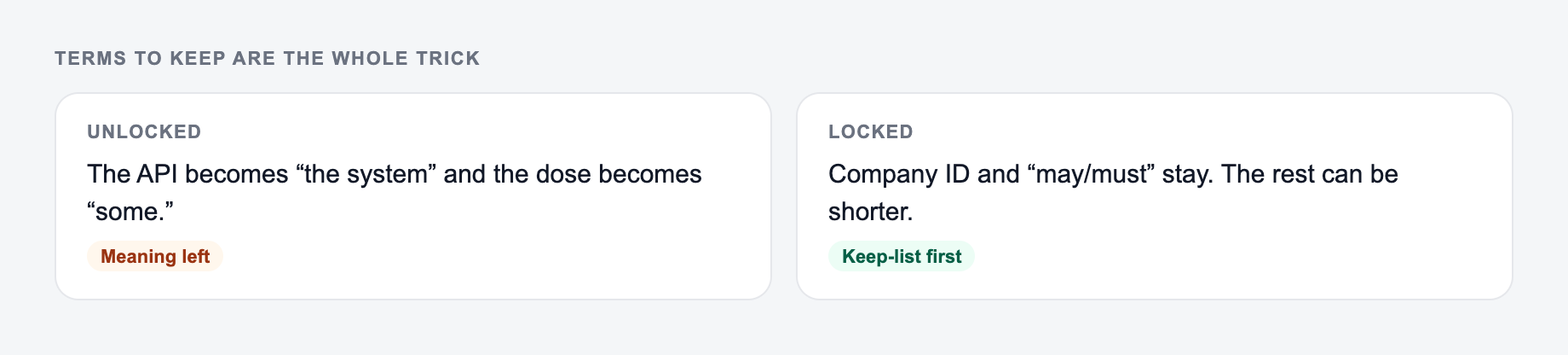
Highlight anything the pass added. If you cannot source it, cut it. Highlight anything it deleted. If it was a condition, put it back.
If you care about accuracy, or SEO entities, or both, use the “Terms to Keep” field.
Paste the hard text and the terms that must stay. Simplifying should not invent a definition.
Side-by-side check:
- Original job: say the same thing to the same reader.
- Allowed change: shorter sentences, plainer verbs, less throat-clearing.
- Not allowed: a new claim, a dropped condition, a swapped subject.
Add things like:
- Technical keywords: gradient, loss function, chain rule
- Proper nouns: product names, tools, standards
- Acronyms: API, GDPR, HIPAA
- Domain terms you do not want replaced
The output will keep those terms, and often explain them in a simpler way instead of swapping them out for vague alternatives. That’s usually what you want.
A simple workflow for students, marketers, and technical teams
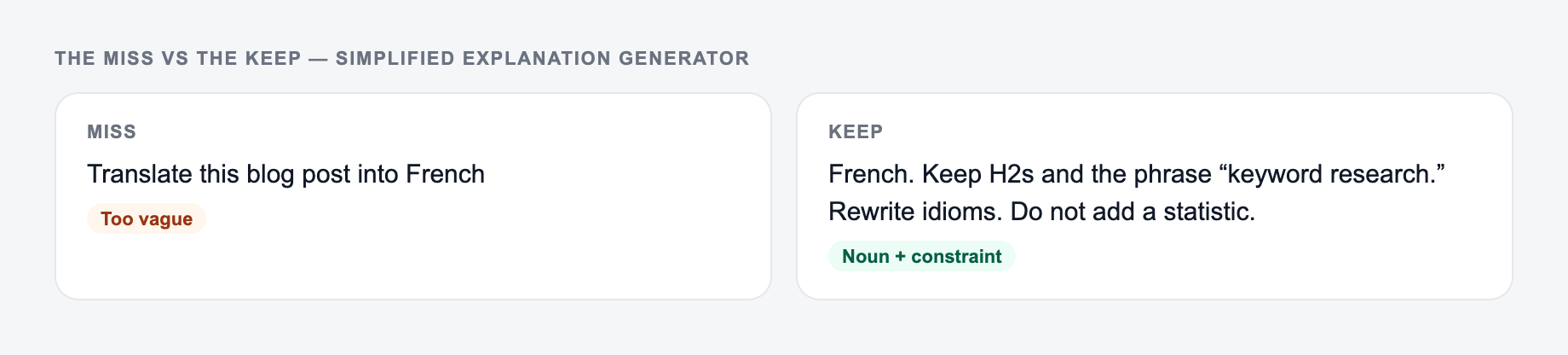
If your input looks like the miss, do not judge the tool yet — add the noun and the constraint first.
If you want consistently good results, use this quick workflow:
- Paste the original paragraph or definition
- Add one line of context like “Explain this to a non technical client in SaaS”
- Choose your mode and audience level
- Add must keep terms if anything is sensitive or important
- Generate, then do a fast verification pass for numbers and claims
If you are building a repeatable content workflow, it helps to treat this like a first draft generator. Then edit lightly. That is the point.
If you need a full suite of writing and rewriting templates beyond simplification, you can also start from the main AI writing platform at https://www.junia.ai and pick the tool that matches the exact job you are doing.
FAQ style tips that improve readability fast
These are small changes, but they make a big difference in how “simple” something feels:
- Put the definition first, then the detail
- Prefer everyday verbs over abstract nouns
- Explain one idea per paragraph
- Replace “in order to” with “to”
- If a term is unavoidable, define it once and move on
- Use one example, not five
Simple is not the same as shallow. It just means the reader does not have to fight the sentence to understand the idea.
Frequently Asked Questions
What is a simplified explanation generator?+
A simplified explanation generator rewrites complex text into clear, easy-to-understand language while preserving the original meaning. It’s useful for learning, documentation, and making technical content more accessible.
Will it change the meaning of my content?+
It’s designed to preserve meaning and factual claims. It simplifies wording, sentence structure, and definitions, but it should not add new claims or change key facts. Always review numbers and precise terminology.
Can I choose the reading level or audience?+
Yes. You can select an audience level (kid, beginner, non-technical, intermediate, expert) so the explanation matches the reader’s familiarity with the topic.
How do I keep important keywords or technical terms?+
Use the “Terms to Keep” field to preserve specific words (entities, product names, technical terms). The output will keep them and define them simply when needed.
Can I use this for SEO content?+
Yes. Simplifying content can improve readability, engagement, and clarity—factors that help users. For SEO, keep important entities and terms, use short paragraphs, and ensure the explanation matches search intent.
Does it support multiple languages?+
Yes. Choose your output language to generate a simplified explanation for multilingual audiences, localization, and international content workflows.