
Free Text Summarizer
Summarize articles, research papers, meeting notes, PDFs, and long-form text into clean, easy-to-read takeaways. Customize the output format, summary length, tone, and key points to keep for faster reading, studying, content review, and knowledge sharing.
Summary
Your summary will appear here...
How the AI Text Summarizer Works
Get results in seconds with a simple workflow.
Paste Your Text
Add the content you want to summarize—an article, essay, report, meeting notes, or research. Keep headings and lists if you want the summary to reflect the structure.
Choose Summary Type and Length
Pick a summary style (TL;DR, key points, outline, executive summary) and optionally set a target word count, tone, language, and required keywords/terms to preserve.
Generate and Review
Generate the summary, then quickly verify names, numbers, and key claims. If anything must be included, add it to the keywords field and re-run for a more precise output.
See It in Action
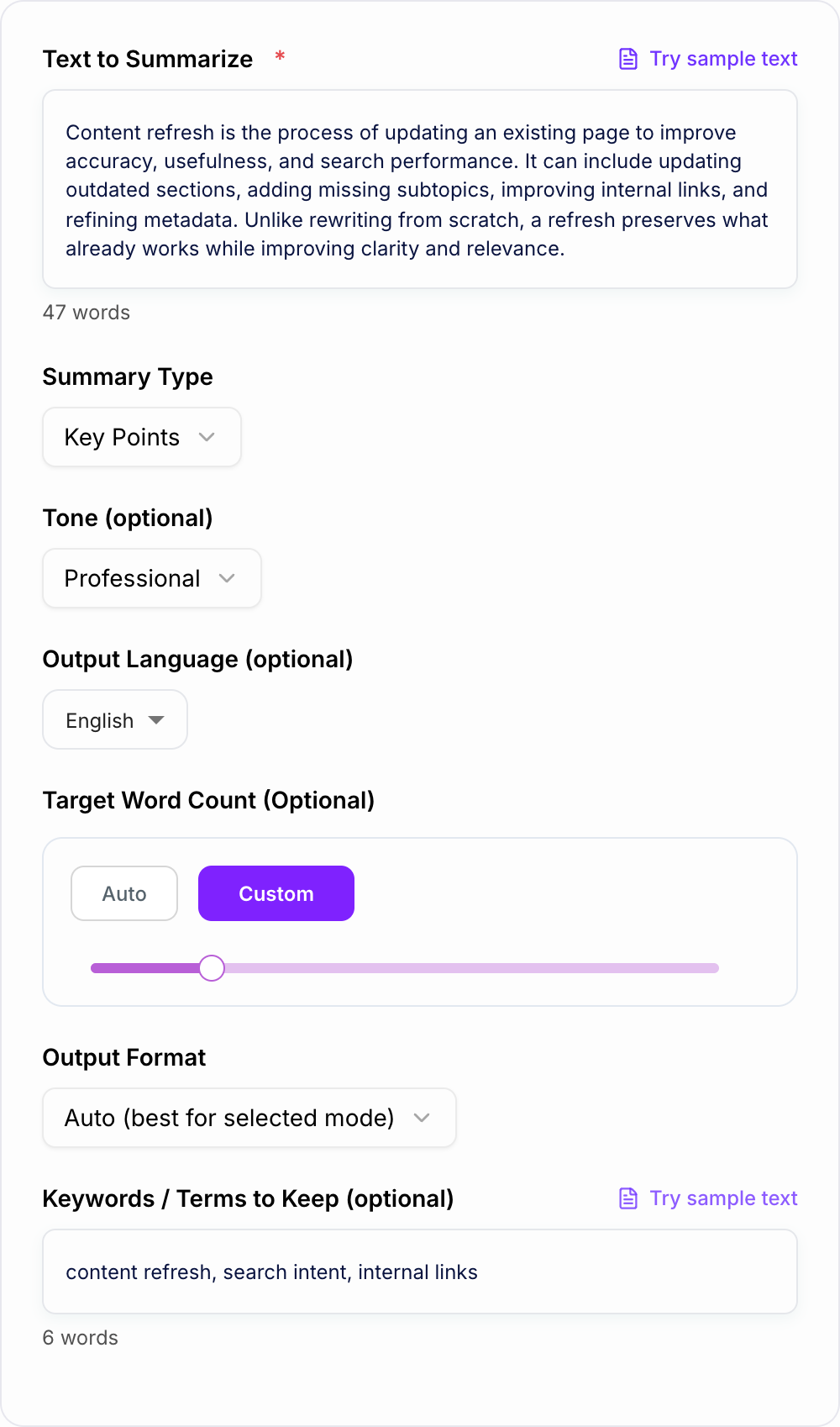
Example of summarizing a paragraph into clear, scannable key points while preserving meaning.
Content refresh is the process of updating an existing page to improve accuracy, usefulness, and search performance. It can include updating outdated sections, adding missing subtopics, improving internal links, and refining metadata. Unlike rewriting from scratch, a refresh preserves what already works while improving clarity and relevance.
• A content refresh updates an existing page to improve accuracy, usefulness, and SEO performance. • Common updates include fixing outdated sections, adding missing subtopics, improving internal links, and refining metadata. • It preserves what already works, instead of rewriting the page from scratch.
Why Use Our AI Text Summarizer?
Powered by the latest AI to deliver fast, accurate results.
Accurate, Meaning-Preserving Summaries
Summarize long text into clear key points while preserving the original meaning, context, and important details—ideal for articles, essays, reports, and research.
Multiple Summary Styles (TL;DR, Bullets, Outline, Executive Summary)
Choose the best summarization format for your use case: a quick TL;DR, scannable bullet points, a structured outline, study notes, or a professional executive summary.
Length Control With Target Word Count
Set an approximate word count to generate short summaries for quick reading or longer summaries that retain more nuance—without unnecessary filler.
Keyword & Entity Preservation for SEO
Provide important keywords, entities, and terms to keep so the summary remains topically relevant—useful for SEO briefs, content research, and SERP intent analysis.
Multilingual Summarization
Summarize content in many languages to support multilingual workflows, international teams, localization, and global SEO research.
Pro Tips for Better Results
Get the most out of the AI Text Summarizer with these expert tips.
Use “Keywords to Keep” for accuracy and SEO relevance
If you’re summarizing for research or SEO, include key entities (brands, products, locations) and topic terms so the summary doesn’t become vague or lose important context.
Choose Outline mode to preserve structure
When summarizing long guides or documentation, Outline mode keeps the hierarchy of ideas so it’s easier to turn the summary into a brief, plan, or presentation.
Set a realistic word count
If the input is very long, a very small word limit can drop nuance. Increase target length for complex topics, compliance content, or technical explanations.
Summarize in sections for long documents
For best quality, summarize one section at a time (e.g., each chapter or heading) and then create a final high-level summary from those section summaries.
Turn summaries into publishable content with original value
A summary is a foundation. Add your own examples, experience, definitions, screenshots, or steps to create unique content that’s more helpful and more likely to rank.
Who Is This For?
Trusted by millions of students, writers, and professionals worldwide.
Free Text Summarizer: How to Summarize Articles, Reports, and Notes (Without Losing Key Details)
These are the complaints that show up after the first draft — they are almost always about the brief, not the model.
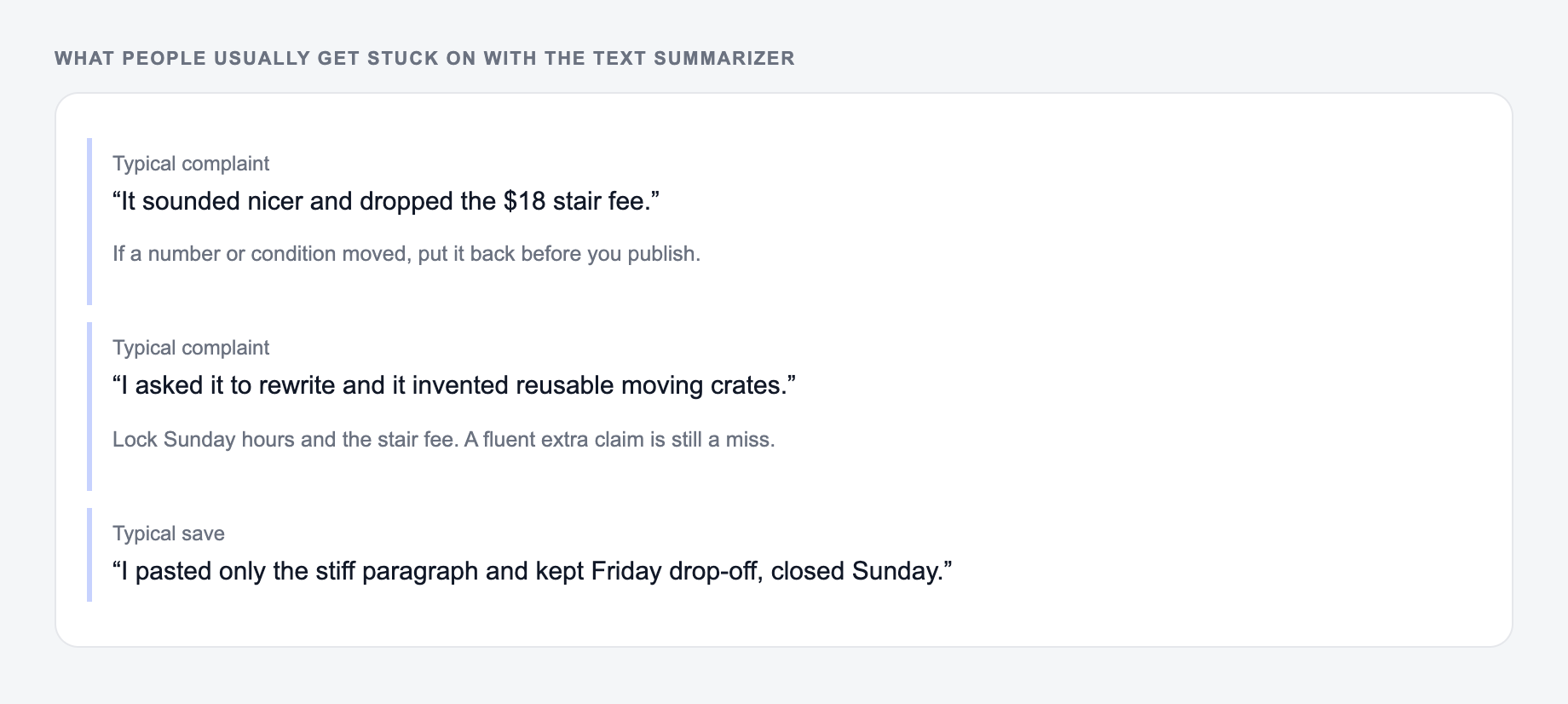
Long content is valuable—but it’s not always practical to read everything in full. A good summary helps you extract the main ideas quickly while preserving the meaning, context, and essential details.
This Free Text Summarizer is designed for real workflows: content research, study notes, meeting recaps, executive summaries, and SEO briefs.
What a High-Quality Summary Should Include
A useful summary is not a random list of sentences. It should:
- Preserve the original meaning and intent (no distortions)
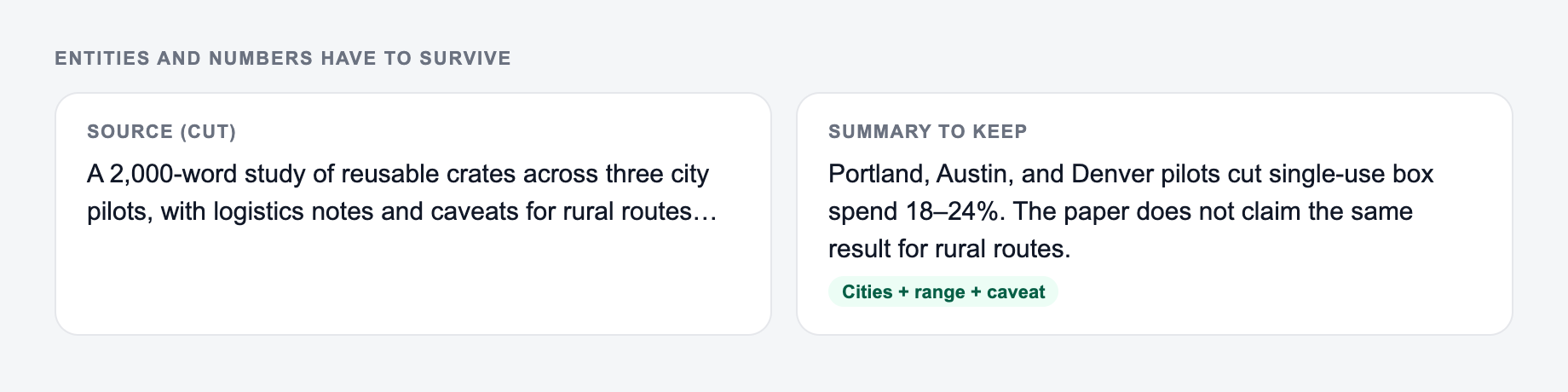
- Keep critical facts (names, numbers, dates, claims)
- Reduce repetition while maintaining clarity
- Match the purpose (TL;DR vs outline vs executive summary)
Choose the Right Summary Type
TL;DR
Best when you want a fast takeaway. Ideal for newsletters, intros, Slack updates, or quick triage.
Key Points
Great for scannability. Use it to capture the main arguments, steps, or conclusions.
Executive Summary
A business-friendly summary that emphasizes implications, outcomes, and decisions.
Study Notes
Perfect for learning. Keeps the core concepts and takeaways in a revision-friendly format.
Outline
Best for long guides and documentation. Preserves structure so you can turn it into a brief, plan, or presentation.
SEO Content Brief
Useful for SEO research and competitor analysis. It helps you extract search intent, entities, and subtopics without rewriting the entire piece.
SEO Tip: Preserve Entities and Keywords
If you’re summarizing for SEO, vague summaries can lose topical relevance. Add a short list of keywords/terms to keep (entities, product names, core topics). The summary will stay aligned with the original subject—without keyword stuffing.
Paste the source and the names, numbers, and terms that must survive. A summary that drops entities is the wrong summary.
Annotation pass after you generate:
- Highlight anything the rewrite added. If you cannot source it, cut it.
- Highlight anything it deleted. If it was a condition, put it back.
- Read the before and after aloud. If the after sounds friendlier but vaguer, it failed.
Best Practices for Better Summaries
Preservation checklist for the Text Summarizer:
-
Proper nouns are unchanged
-
Numbers and dates survived
-
A warning is still a warning
-
Summarize in sections for long documents, then summarize the section summaries.
-
Set a realistic word count: shorter is faster, but too short can remove nuance.
-
Verify key facts like numbers and names before sharing or publishing.
If you want to turn a summary into content that ranks, add original value: examples, steps, screenshots, and your experience. Summaries are a strong foundation—but originality and usefulness are what win in search.
Frequently Asked Questions
What is a text summarizer?+
A text summarizer is a tool that condenses long content into a shorter version that highlights the main ideas, key points, and essential context—so you can understand the text faster.
Can I summarize articles, essays, or research papers?+
Yes. You can summarize articles, essays, reports, research papers, and notes. For best results, paste clean text with headings and paragraphs (if available).
Will the summary keep important facts and details?+
The summarizer is designed to preserve meaning and key factual details. If certain names, numbers, or terms must remain, add them to the “Keywords/Terms to Keep” field.
Can I control the length and format of the summary?+
Yes. You can set a target word count and choose an output format (bullets, paragraph, or both). You can also select a summary type like TL;DR, outline, or executive summary.
Does summarizing help with SEO?+
Summaries can help SEO workflows by speeding up research, competitor analysis, and content brief creation. For publishing, use summaries as a starting point—add original insights, examples, and helpful details to meet search intent.
Does the tool support multiple languages?+
Yes. You can generate summaries in many languages. Choose an output language to summarize content for multilingual teams, localization, or international SEO research.