
Free Social Media Reply Generator
Create platform-appropriate replies for social comments, direct messages, reviews, and mentions. Generate concise responses for customer support, engagement, complaints, community management, and brand conversations across social platforms.
Generated Reply
Your social media reply will appear here...
How the AI Social Media Reply Generator Works
Get results in seconds with a simple workflow.
Paste the Comment, DM, or Review
Add the exact message you’re replying to. Keeping the original text helps the reply stay relevant, accurate, and context-aware.
Choose Platform, Goal, and Tone
Pick the platform and reply goal (answer, complaint, review reply, de-escalation) and optionally set tone to match your brand voice.
Generate, Edit, and Post
Generate a reply, review it for accuracy (names, order details, policies), add a link if needed, then copy/paste directly into your social media platform.
See It in Action
Example of turning a slow, generic response into a helpful, brand-safe reply with clear next steps.
Sorry about that. Please contact support.
Thanks for letting us know—and sorry for the delay. If you share your order number via DM, we’ll check the latest tracking update right away and get you an ETA.
Why Use Our AI Social Media Reply Generator?
Powered by the latest AI to deliver fast, accurate results.
Instant Replies for Comments, DMs, Mentions, and Reviews
Generate ready-to-post replies for Instagram, X (Twitter), LinkedIn, TikTok, Facebook, YouTube, and review platforms—ideal for community management, customer support, and engagement.
Goal-Based Reply Modes (Questions, Complaints, Reviews, Conversions)
Choose a reply goal like answering questions, handling complaints, defusing negativity, or writing review responses—so the output matches the situation and protects your brand reputation.
Tone + Brand Voice Control
Set tone (friendly, professional, empathetic, witty) and optionally add your brand/creator name and context to keep replies consistent with your social media voice.
Platform-Aware Formatting
Produces concise, scannable replies suited to each platform’s norms—short for X/TikTok comments, more professional for LinkedIn, and helpful for Google Business reviews.
De-Escalation and Reputation-Safe Responses
Creates calm, non-defensive replies for negative comments and complaints, including next steps and optional move-to-DM guidance—helpful for social media customer service.
Pro Tips for Better Results
Get the most out of the AI Social Media Reply Generator with these expert tips.
Add one specific detail to avoid “template” vibes
Include a detail like timeline, product name, location, or what you can do next. Specificity makes replies feel personal and improves engagement.
Move sensitive issues to DM (without sounding dismissive)
For complaints, invite the user to DM with a clear next step (order number, email, screenshot). This keeps the thread calm and protects privacy.
Answer first, then add a soft CTA
If someone asks a question, lead with the direct answer, then add a gentle CTA like “Want me to share the link?” to increase conversions without sounding salesy.
Keep tone consistent across your team
If multiple people manage your account, set a consistent tone and add brand context. Consistency improves trust and brand voice recognition.
For reviews: thank + reference + reinforce
The best review replies thank the reviewer, reference a specific point they mentioned, and reinforce your values—helpful for local SEO and reputation management.
Who Is This For?
Trusted by millions of students, writers, and professionals worldwide.
Social Media Reply Generator: Write Replies That Sound Human (Not Copy Pasted)
If you manage a brand account, a creator page, or even a local business profile, you already know the annoying part. The messages never stop. Comments, DMs, tags, story replies, review notifications. And somehow every single one needs a response that feels calm, personal, and on brand.
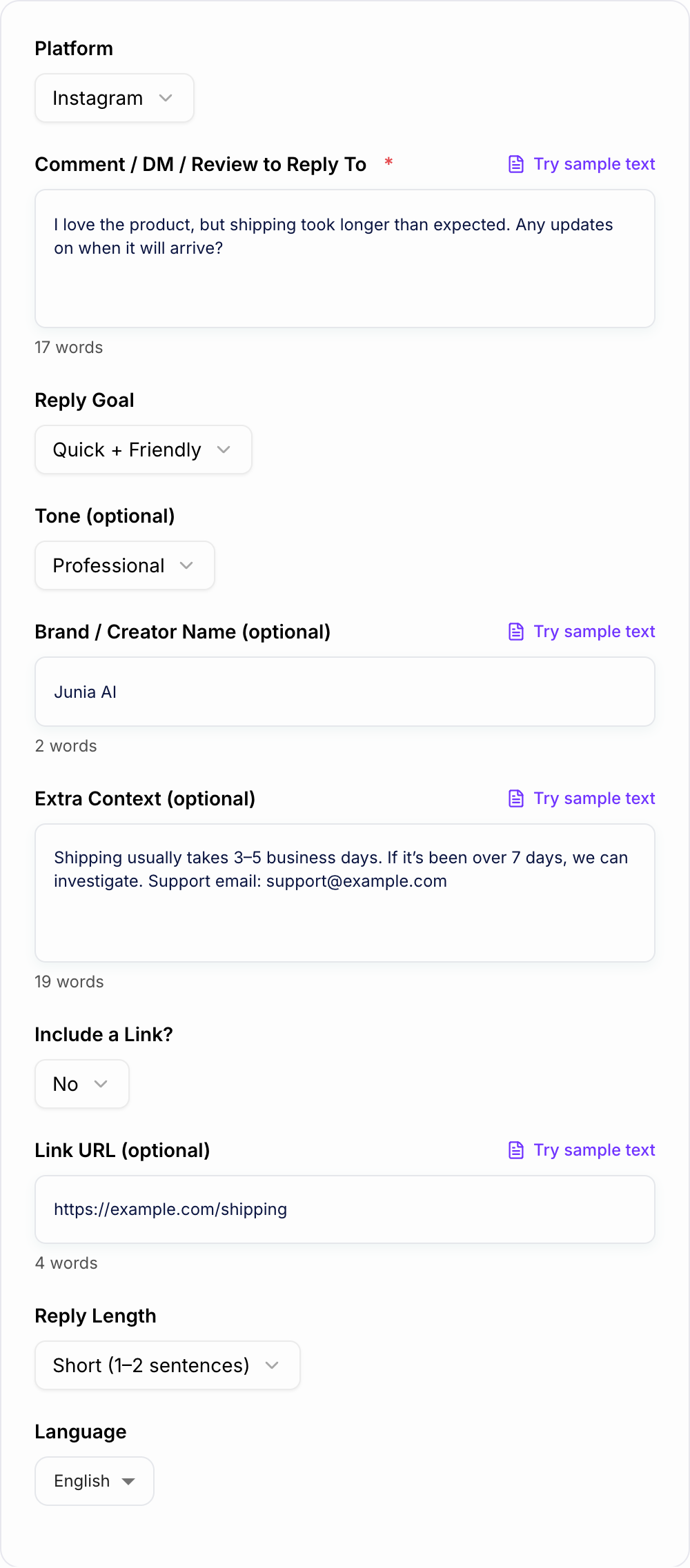
This AI Social Media Reply Generator is built for that exact job. You paste the message, choose your goal, set the tone, and get a reply you can actually post.
Not paragraphs. Not robotic corporate filler. Just a clean response that makes sense for the platform you are on.
What Makes a Good Social Media Reply (And Why Most Replies Miss)
A good reply usually does three things:
-
Acknowledges what the person said
Even a quick “Thanks for sharing that” changes the vibe immediately. -
Matches the situation
A product question needs clarity. A complaint needs empathy. A rude comment needs calm boundaries. -
Gives a next step
Answer the question, ask one clarifying detail, or move it to DM when it is sensitive.
The problem is you do not always have time to think through that structure, especially when you are replying to the 27th message of the day. This is where having a reply generator helps, because it gives you a solid first draft that you can tweak in seconds.
Best Use Cases (Real Scenarios People Actually Need)
1. Replying to Instagram comments without sounding generic
Instagram rewards consistency, but audiences hate canned responses. Add one detail from the comment and you instantly sound more present.
2. Handling customer complaints on X (Twitter) without escalating
On X, tone spirals fast. A good response is calm, short, and points to a solution. No arguing. No long explanations in public.
3. Writing professional LinkedIn replies that feel credible
LinkedIn is its own universe. Even friendly replies still need to feel polished, not overly casual, and definitely not snarky.
4. Responding to Google Business reviews (positive and negative)
Review replies are underrated for reputation and local SEO. The best replies usually follow a simple pattern: thank them, reference a detail, reinforce what you stand for, and offer a resolution path if needed.
5. Defusing negative or rude comments while protecting your brand
Sometimes you do not want to “clap back”. You want to keep the thread clean, set a boundary, and move on. The right wording matters a lot here.
Quick Reply Templates You Can Steal (And Then Improve)
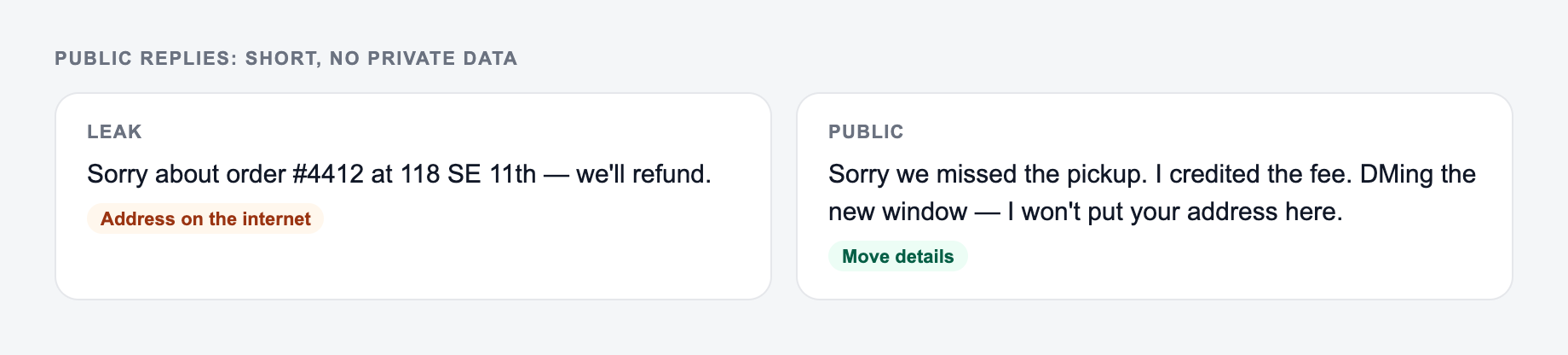
Channel check for this reply:
- Public — no order numbers, addresses, or account IDs
- Helpful — one fact that stands without a link
- Next step — a DM or email if anything private remains These are intentionally simple. Use them as starting points, then add context.
When someone says something nice
Appreciate you so much. Thanks for taking the time to share this.
When someone asks a basic question
Yes, totally. Here’s the quick answer: [answer]. If you tell me [one detail], I can point you to the best option.
When shipping is delayed
Thanks for flagging this and sorry for the wait. If you DM us your order number, we’ll check the latest tracking update and get you an ETA.
When someone is angry in public
I hear you, and I’m sorry this was your experience. We want to make it right. Can you DM us with [info] so we can look into it today?
When you need to move it off thread
Happy to help, but I don’t want you sharing private details here. Please DM us your [order number or email] and we’ll take care of it.
If you want replies like this but tailored to the exact message and platform, that is basically what this tool is doing automatically.
How to Get Better Outputs From This Tool (Small Inputs, Big Difference)
You do not need to write a whole essay in the form. But adding one or two details makes a huge difference.
Paste the comment and the one job of the reply. Do not invent a policy.
Channel check for ai social media reply generator copy:
-
Ad / social — outcome first; clever-but-vague loses.
-
Email — specific object + date beats “don’t miss out.”
-
On-site CTA — the next step this page can do. “Learn more” is a shrug.
-
Add the platform because formats vary a lot
What works on TikTok comments might feel weird on LinkedIn. -
Pick a clear goal
Are you thanking, answering, apologizing, setting a boundary, or nudging to DM? -
Paste the exact message
Do not summarize it. Raw text gives the best context. -
Include one helpful detail if it’s support related
Timeline, policy, link, what you can offer, support email.
If you are building a whole workflow around content and community management, you will probably end up using multiple tools anyway. That is why platforms like Junia AI exist, it keeps the writing side fast so you can focus on the actual work of running the account.
A Note on Tone: Friendly vs Professional vs Witty
Tone is not just personality. It is risk management.
- Friendly works for most creator and lifestyle brands.
- Professional is safer for SaaS, finance, healthcare, education, and anything compliance adjacent.
- Witty can perform well, but only when it fits your audience and the original message is already positive.
And for complaints, even if your brand is playful, you usually want to go calm and empathetic first. You can be funny later.
Replies That Help Conversions Without Feeling Salesy
If your input looks like the miss, do not judge the tool yet — add the noun and the constraint first.
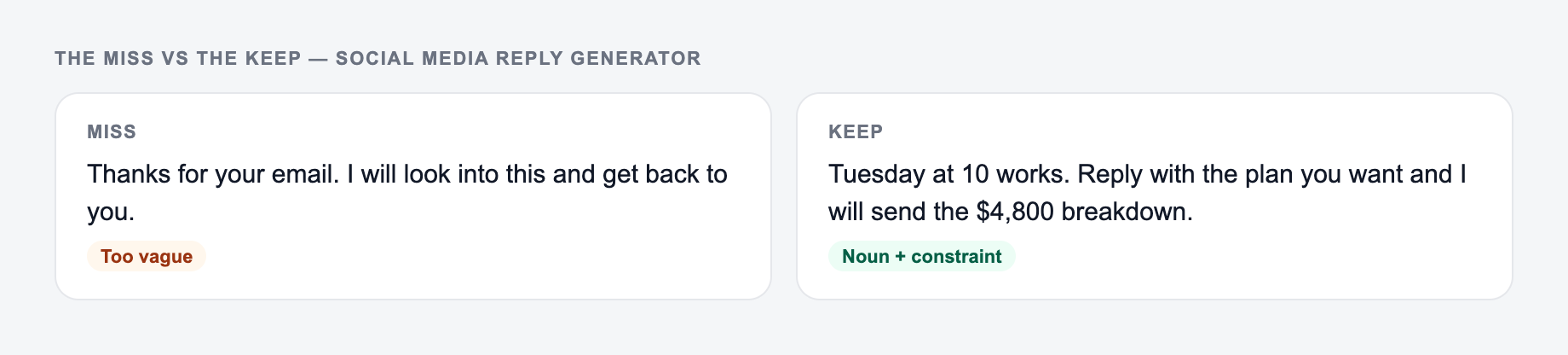
A lot of people think conversion replies mean “drop a link”. That is usually the fastest way to look spammy.
A softer approach is:
- Answer their question.
- Offer one next step.
- Ask a small yes or no question.
Example:
Yep, it does. Want me to send the link to the right one for your setup?
It keeps the conversation natural, and you still guide them forward.
Common Mistakes to Avoid (Even If the Reply Sounds Good)
-
Over apologizing when you do not know the facts yet
You can acknowledge the situation without admitting fault. -
Writing too much
Especially on public threads. People skim. -
Ignoring the actual question
Sounds obvious, but it happens constantly. Answer first, then explain. -
Asking for private info in public
Move to DM and be clear about what you need.
That is it. If you want faster replies that still feel like you wrote them, paste the message, choose your goal, set the tone, and generate a draft you can post in seconds.
Frequently Asked Questions
What is a social media reply generator?+
A social media reply generator helps you write fast, high-quality responses to comments, DMs, mentions, and reviews. It adapts tone and intent so you can engage your audience, answer questions, and handle complaints efficiently.
Can I use it for Instagram, X (Twitter), LinkedIn, TikTok, and YouTube?+
Yes. Choose the platform and the tool will generate a reply that fits typical formatting and tone for that channel, from short comment responses to more professional LinkedIn messages.
Does it help with negative comments and complaints?+
Yes. Complaint and negative-comment modes focus on empathy, de-escalation, and next steps. You can add context (policies, timelines, support contact) to keep replies accurate and brand-safe.
Will the replies sound human or generic?+
The tool is designed to produce natural, human-sounding replies. For best results, paste the original message and add one or two context details (what happened, what you can offer, and any link you want included).
Can I include links and CTAs without sounding salesy?+
Yes. You can choose to include a link and use a soft CTA mode (premium) to invite the user to DM, learn more, or take the next step naturally—without aggressive selling or keyword stuffing.
Can I generate replies in other languages?+
Yes. Select your output language to generate localized replies for multilingual social media management and international audiences.